
15.6 inch Laptop Core 8100Y
4.5Editor score
Dual-slot memory design
15.6 inch FHD IPS
Built-in Cooling Fan
Full size keyboard
Finding a laptop with upgradeable RAM is crucial for long-term performance and flexibility. Many modern devices solder memory directly to the motherboard, limiting future improvements. This guide focuses on models that allow you to add or swap memory modules easily.
We compared ten distinct laptops based on their memory architecture, processor power, and overall build quality. Our analysis considers real-world usability for professionals and students who need reliable machines that can grow with their demands over time.
Each pick highlights specific strengths like processing speed, storage capacity, and port selection. Please note that product availability and pricing change frequently so verify current details before making your final purchasing decision today.
4.5Editor score

4.9Editor score

4.8Editor score
As an Amazon Associate we earn from qualifying purchases.
This side-by-side comparison outlines the core specifications of every laptop featured in our guide to help you evaluate their memory capabilities and overall value quickly.



This ASUS Vivobook stands out as a top choice for those needing serious memory and processing power. It offers a remarkable 48GB of RAM paired with a powerful Core i9 processor making it ideal for heavy multitasking and professional workloads.
We may earn a commission when you buy through this link, at no additional cost to you.
The inclusion of a physical webcam shield adds a layer of security that privacy-conscious users appreciate. Furthermore the 2TB SSD provides ample storage space ensuring you never run out of room for large files or projects.
While the price is higher than average models the performance gains justify the investment for power users. The thermal management system helps maintain consistent speeds even during extended periods of intense computing tasks.
If you require a machine that can handle demanding applications without slowing down this laptop is an excellent option. Its combination of memory capacity and raw processing power makes it a leader in its class.
The 48GB RAM ensures smooth performance across multiple demanding applications simultaneously without any lag or bottlenecks.
Physical webcam shield and fingerprint reader provide robust security features for protecting your personal data and privacy.
We may earn a commission when you buy through this link, at no additional cost to you.
The Dell Latitude 5531 offers a robust configuration for business users who need reliability and performance. With a 14-core processor and 32GB of RAM it handles complex enterprise tasks efficiently.
We may earn a commission when you buy through this link, at no additional cost to you.
Choosing a renewed unit can provide significant savings while still delivering high performance specs. The 1TB SSD ensures fast data access and boot times which are critical for daily productivity.
However buyers should be aware that renewed items may have varying cosmetic conditions. It is important to check warranty terms and return policies before finalizing your purchase.
This laptop is well-suited for corporate environments where stability and processing power are key requirements. It offers a balanced mix of speed and practicality for professional workflows.
The 14-core CPU delivers exceptional multitasking capabilities ideal for running multiple business applications at once.
Renewed status offers a budget-friendly entry point into high-spec hardware without compromising on essential performance metrics.
We may earn a commission when you buy through this link, at no additional cost to you.
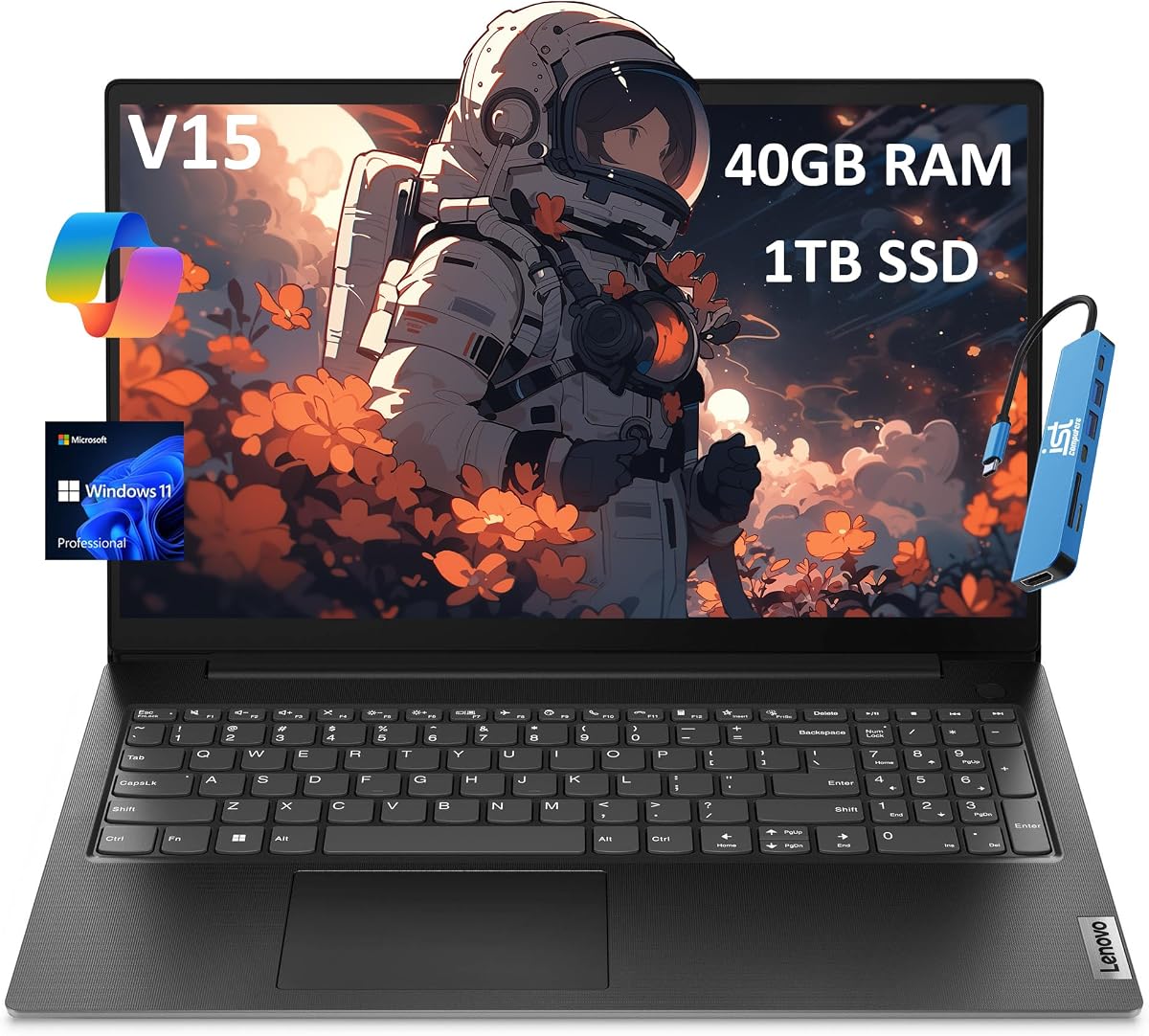
Lenovo V15 delivers impressive specifications for its price point making it a strong contender for budget-conscious buyers. The 40GB RAM and Ryzen 7 processor ensure smooth operation for most daily tasks.
We may earn a commission when you buy through this link, at no additional cost to you.
Features like a numeric keypad and Ethernet port add practical value for users who work with data or require stable wired connections. The 1TB SSD provides ample space for storage needs.
The display is functional but lacks the vibrancy of premium panels which might affect media consumption experiences. Nonetheless it remains a solid choice for productivity-focused users who prioritize performance over aesthetics.
For those seeking a capable machine without spending a fortune this model offers excellent utility. It handles standard office work and light creative tasks with ease and reliability.
Numeric keypad and Ethernet port support efficient data entry and stable network connections for office environments.
The Ryzen 7 processor provides strong multi-threaded performance with efficient power usage for long battery life.
We may earn a commission when you buy through this link, at no additional cost to you.
The HP 255 G10 features a newer Ryzen processor that offers improved efficiency and speed compared to older models. With 32GB of RAM it handles modern workloads smoothly and efficiently.
We may earn a commission when you buy through this link, at no additional cost to you.
Wi-Fi 6 support ensures faster and more reliable wireless connections which is essential for remote work environments. The numeric keypad is a welcome addition for data entry tasks.
While it is not designed for heavy gaming or graphics rendering it excels at everyday business and productivity applications. The build quality is sturdy enough for daily office use and travel.
This laptop represents a smart purchase for users needing reliable performance without overspending. It balances cost and capability effectively for a wide range of professional and personal needs.
Wi-Fi 6 provides enhanced wireless performance with lower latency and better handling of multiple connected devices.
The Ryzen 7 7730U offers improved architecture for better power management and multitasking efficiency.
We may earn a commission when you buy through this link, at no additional cost to you.
The ASUS Vivobook 16 combines high-end specs with a larger display ideal for content creators and professionals. The WUXGA screen provides more workspace than standard FHD panels which enhances productivity.
We may earn a commission when you buy through this link, at no additional cost to you.
With 40GB of RAM and a powerful Core i9 CPU it handles intensive tasks with grace. The inclusion of a docking station expands connectivity options making it versatile for desktop replacement scenarios.
This model costs more than basic options but justifies the price through superior performance and extra accessories. It is a well-rounded machine for those who need extra screen real estate and power.
If you need a laptop that can serve as a portable workstation this is a top contender. Its blend of memory screen size and processing power offers a premium user experience.
The 16-inch WUXGA display offers more pixels for detailed viewing and multitasking across multiple windows efficiently.
Bonus docking station expands ports for seamless connection to multiple monitors and peripherals without clutter.
We may earn a commission when you buy through this link, at no additional cost to you.
This HP 15 Notebook provides a balanced set of features suitable for everyday use and light professional tasks. The 32GB RAM ensures smooth multitasking while the i5 processor handles most applications adequately.
We may earn a commission when you buy through this link, at no additional cost to you.
USB-C connectivity allows for modern charging and data transfer options. The 1TB SSD offers plenty of space for files and applications without needing external drives regularly.
While it does not have the latest processor generation it remains a competent machine for general computing. It is a good fit for students or home users needing a reliable daily driver.
Overall this model offers a trustworthy option in the mid-range category. It combines essential specs with a user-friendly design that fits most casual and business needs well.
USB Type-C port ensures compatibility with newer devices and chargers for versatile connectivity options.
The i5 processor paired with 32GB RAM delivers consistent speeds for browsing and office applications.
We may earn a commission when you buy through this link, at no additional cost to you.
The Lenovo V15 Gen 4 brings 13th Gen Intel power to a business chassis. With 40GB of RAM and 2TB of SSD storage it is built for users who need significant resources at their fingertips.
We may earn a commission when you buy through this link, at no additional cost to you.
A privacy shutter on the camera adds a layer of physical security which is vital for sensitive business meetings. The 1TB SSD storage ensures fast data access for large project files.
This machine prioritizes function over style which is common in business lines. It offers the raw horsepower needed for data analysis and heavy multitasking without compromising on reliability.
For professionals who value storage and processing speed this laptop is a strong choice. Its specs are well-aligned with demanding enterprise environments and personal productivity needs.
2TB PCIe SSD provides extensive space and rapid read speeds for large databases and media files.
Integrated privacy shutter physically blocks the webcam lens to prevent unauthorized access to your camera.
We may earn a commission when you buy through this link, at no additional cost to you.
This Lenovo V15 is designed to withstand rugged conditions thanks to its MIL-SPEC testing. It offers 40GB of RAM and a fast 13th Gen processor making it suitable for demanding environments.
We may earn a commission when you buy through this link, at no additional cost to you.
The inclusion of Ethernet and AI Copilot adds modern utility for business users. It provides a robust foundation for secure and efficient operations in varied settings.
Although the keyboard lacks backlighting the sturdy build compensates by offering long-term reliability. It is a practical choice for those who prioritize durability over premium aesthetics.
For users who need a tough laptop that can handle daily wear and tear this model is ideal. It balances ruggedness with up-to-date internal components effectively.
MIL-SPEC tested chassis ensures resistance to shocks drops and extreme conditions for tough environments.
Windows 11 Pro with AI Copilot offers intelligent assistance for various tasks and productivity workflows.
We may earn a commission when you buy through this link, at no additional cost to you.
The HP 255 G10 offers an entry-level configuration for users with basic computing needs. With 16GB of RAM it handles standard web browsing and document editing smoothly.
We may earn a commission when you buy through this link, at no additional cost to you.
Its lightweight design makes it easy to carry for those on the go. The Ryzen 3 processor provides efficient performance for routine tasks without excessive power consumption.
Storage is limited to 256GB which may require external drives for larger media libraries. It is best suited for users who store most data in the cloud or on external drives.
For budget-conscious buyers needing a functional machine this laptop delivers value. It is a practical choice for students or light home users with simple requirements.
Thin and light design makes it easy to carry in bags for travel or commuting without extra weight.
Ryzen 3 processor ensures balanced performance and power usage for longer battery life on the go.
We may earn a commission when you buy through this link, at no additional cost to you.
This compact laptop offers a unique feature set for budget buyers seeking flexibility. The dual-slot memory design allows you to upgrade RAM later which is rare at this price point.
We may earn a commission when you buy through this link, at no additional cost to you.
While the base specs are modest the option to expand RAM ensures the machine stays useful longer. It includes a physical privacy shutter on the camera for security.
The display is large enough for comfortable viewing and the build is light for easy transport. It is not a powerhouse but it serves well for light tasks and basic browsing.
For anyone on a tight budget who wants upgrade potential this is a standout option. Its future-proof design makes it a smart entry into laptop ownership with room to grow.
Dual-slot RAM design allows easy addition of memory sticks to boost performance as your needs change.
Low initial cost makes it accessible for students or secondary use cases without financial strain.
We may earn a commission when you buy through this link, at no additional cost to you.
Choosing a laptop with upgradeable RAM requires attention to memory slots and processor compatibility to ensure future performance growth.
Check if the laptop has accessible RAM slots. Some modern ultrabooks solder memory to the motherboard limiting future upgrades. Look for models with visible access panels or documentation confirming user-upgradeable slots.
Prioritize laptops that offer at least one accessible slot to extend the device's useful lifespan without replacing the entire machine.
Verify the maximum RAM supported by the motherboard. Laptops often support up to 64GB or 128GB which is critical for professional workloads like video editing or data analysis.
Choose a model that supports enough RAM for your current needs plus future growth to avoid obsolescence within a few years.
Ensure the RAM type matches the system requirements such as DDR4 or DDR5. Faster memory speeds can improve system responsiveness and application loading times significantly.
Match the memory generation and speed to the processor's supported specifications to avoid bottlenecks and compatibility issues during upgrades.
A fast processor works best with high RAM capacity. Ensure the CPU can handle the memory bandwidth to utilize the full potential of upgraded memory modules effectively.
Select a processor with multiple cores and modern architecture to take full advantage of increased memory for multitasking.
High-performance laptops generate heat. Look for systems with efficient cooling solutions to prevent throttling during heavy multitasking with large memory footprints.
Good thermal design ensures stable performance even when running memory-intensive applications for extended periods.
Adequate ports reduce the need for dongles. Check for USB Type-C HDMI and Ethernet ports to connect peripherals and external monitors easily.
Choose a model with the right mix of ports to connect your specific peripherals without extra adapters.
Many laptops allow SSD upgrades alongside RAM. Look for systems with M.2 slots or secondary drive bays to increase storage capacity over time.
Ensure there is physical space or available slots to add more storage if you plan to keep large files locally.
Robust builds protect internal components during upgrades and daily use. Hinge strength and chassis rigidity matter for longevity especially for laptops that may be opened for maintenance.
Select laptops with strong hinges and sturdy chassis designs to withstand frequent access and daily wear.
Keep your laptop clean by regularly clearing dust from air vents to maintain optimal cooling performance. Use a soft brush or compressed air to prevent debris buildup that can cause overheating.
When upgrading RAM ensure the device is completely powered down and disconnected from power. Use an anti-static wristband or touch a metal surface to discharge static electricity before handling memory modules.
Avoid overloading the system with unnecessary startup programs to reduce load on the processor and memory. Use built-in task managers to monitor resource usage and adjust settings for smoother performance.
Check the manufacturer specifications for mentions of RAM slots or memory upgrades. Look for service manuals or online teardowns that show user-accessible panels. If the RAM is soldered the manual will usually state it is not upgradeable.
Yes you can usually mix different sizes as long as they share the same memory type and speed. However performance may vary and it is often better to match kits for dual-channel stability. Always check the motherboard manual for specific rules.
DDR5 offers higher bandwidth and faster speeds compared to DDR4 but requires compatible motherboards. It is more power-efficient but also more expensive. Ensure your laptop supports the specific generation you intend to buy before purchasing.
Upgrading RAM can help if your current memory is a bottleneck during gaming. It allows smoother transitions between games and better multitasking while streaming. However for maximum performance you also need a capable graphics card and processor.
For standard business tasks 16GB is usually sufficient. However if you run virtual machines or heavy data tools 32GB or 40GB provides better headroom. Consider your specific software requirements when deciding on capacity.
Most manufacturers allow user-upgradeable RAM without voiding the warranty as long as no damage occurs. However some brands may restrict this. Always review the warranty terms or contact support before opening the device to ensure you remain covered.
We have explored ten laptops offering flexible memory options for different budgets and needs. From high-end ASUS Vivobook models to budget-friendly Lenovo options there is a choice for every type of user.
Prioritize machines with accessible RAM slots and sufficient maximum capacity to ensure your device lasts longer. A powerful processor and good cooling further enhance the value of these upgradeable systems.
Always verify current stock and specifications before purchasing as availability can change quickly. With the right choice you can enjoy a responsive computing experience that grows with your demands.