
FINTIE Keyboard Case for Samsung Galaxy Tab S10 Lite
4.4Editor score
Rechargeable battery with USB-C
Multiple viewing angles support
Compatible with S Pen
Finding the right accessory can transform your tablet into a productive workstation. A Galaxy Tab S10 Lite Keyboard Case offers protection and typing convenience in one sleek package. We review the top options to help you choose the perfect fit for your needs.
We compared ten highly rated keyboard cases based on compatibility, build quality, and features like trackpads and backlighting. Our analysis focuses on real-world usability and value to ensure you get the most out of your Samsung Galaxy Tab S10 Lite device.
Each pick highlights key strengths, weaknesses, and ideal user scenarios. Prices and availability change frequently so verify details before purchasing. This guide provides a comprehensive overview to streamline your decision process for your next tablet accessory.
4.4Editor score

4.5Editor score

4.8Editor score
As an Amazon Associate we earn from qualifying purchases.
This side-by-side comparison highlights the unique features and specifications of each keyboard case option available for the Samsung Galaxy Tab S10 Lite to assist your selection.

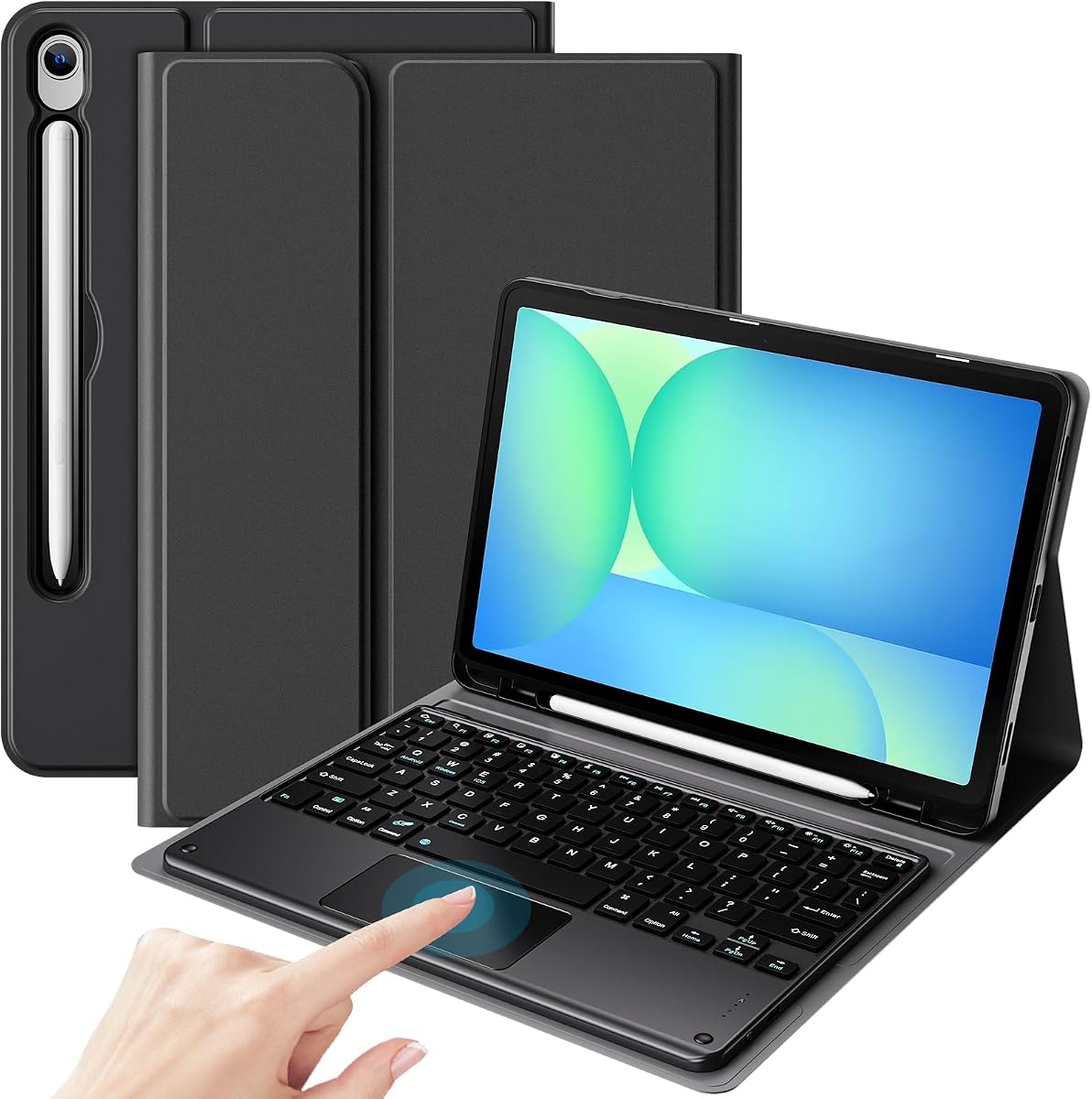


The FINTIE Keyboard Case offers a budget-friendly solution for Galaxy Tab S10 Lite users seeking typing convenience and protection. With a 4.4 rating, it delivers solid performance without a high cost. The rechargeable battery ensures long usage between charges while the PU leather cover adds durability.
We may earn a commission when you buy through this link, at no additional cost to you.
Its standout feature is the Type-C fast charging capability that powers the keyboard in just two hours. The case supports three viewing angles and includes an anti-slip rubber interior for stability. Users appreciate the built-in S Pen holder that keeps accessories organized and within reach.
While it lacks a trackpad which limits cursor navigation the mechanical scissor keys provide a comfortable typing experience. The adjustable stand allows flexible positioning for different tasks. The auto sleep/wake function helps extend battery life effectively for daily workflows.
This case is ideal for students and casual users prioritizing cost and basic protection. It transforms the tablet into a laptop-like experience without breaking the bank. Check current pricing on Amazon to confirm availability and best deals for your model.
The rechargeable Type-C battery offers rapid charging and long standby times for uninterrupted productivity sessions.
Mechanical scissor keys with rebound features reduce noise and provide tactile feedback for extended typing tasks.
We may earn a commission when you buy through this link, at no additional cost to you.
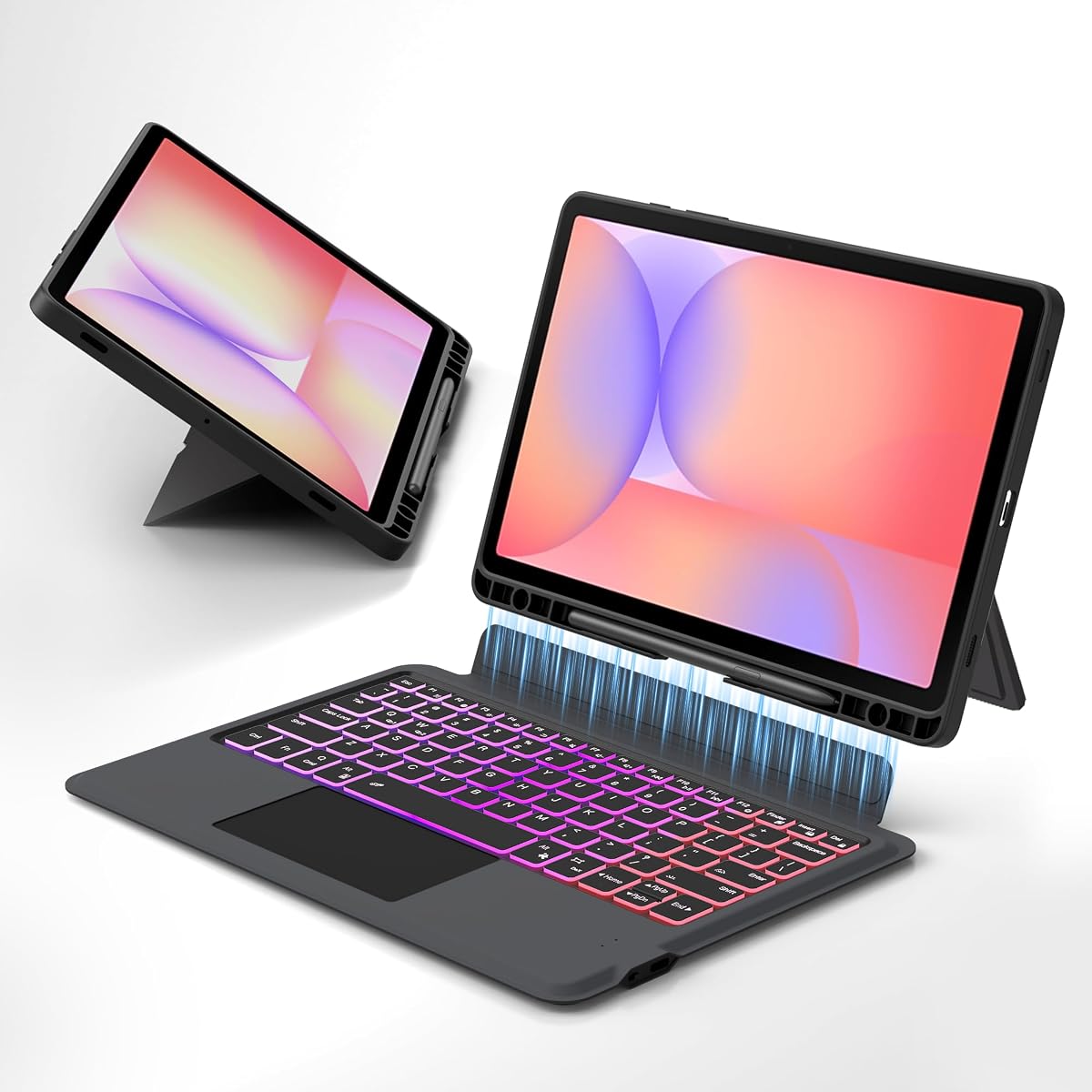
The Dexnor keyboard case earns our Editor's Choice award for its comprehensive feature set tailored to power users. With a 4.5 rating it combines a full multi-touch trackpad with robust build materials. The aluminum alloy hinge provides stability and smooth adjustments for any viewing scenario.
We may earn a commission when you buy through this link, at no additional cost to you.
Key strengths include the high-precision trackpad supporting multi-finger gestures for efficient document editing and web browsing. The backlit keys offer seven solid colors with adjustable brightness for low-light comfort. Its battery supports up to 200 hours of working time on a single charge.
Users must consider the higher price compared to basic models but the added functionality justifies the cost. The lifetime technical support and one-year warranty provide peace of mind. The magnetic stand design ensures seamless adjustments for travel and business settings.
This option suits professionals needing laptop-like precision and versatility on the go. The trackpad eliminates screen dependency and enhances workflow efficiency. Review the product details on Amazon to ensure compatibility with your specific tablet model number.
Multi-finger gestures on the trackpad enable intuitive control for browsing and editing without touching the screen.
The aluminum alloy hinge offers durable stability and smooth angle adjustments for long-term reliability.
We may earn a commission when you buy through this link, at no additional cost to you.
With a standout 4.8 rating the Magic Style Case Keyboard offers a premium experience with exceptional build quality and user satisfaction. The scissor-switch structure provides just the right bounce for smooth accurate typing. Its large touchpad supports full multi-finger gestures for intuitive navigation.
We may earn a commission when you buy through this link, at no additional cost to you.
Key strengths include Type-C fast charging delivering up to 80 hours of continuous typing. The ergonomic 125-degree viewing angle ensures maximum comfort for study or work. Stain-resistant materials make cleaning easy so the case looks new over time.
Trade-offs include a slightly higher weight of 2.04 pounds which might matter for travelers. The price reflects the high-end materials and design. Dedicated hotkeys and shortcut rows significantly boost productivity for multitasking users who need quick access to functions.
This case is perfect for power users demanding reliability and comfort. The floating cantilever stand design allows easy angle adjustments. Verify model compatibility before ordering to ensure precision-cut holes align with your device ports and speakers.
Perfectly spaced keys with scissor-switch structure reduce fatigue during long typing sessions with high accuracy.
Type-C port charges the keyboard quickly to minimize downtime and maintain continuous productivity flow.
We may earn a commission when you buy through this link, at no additional cost to you.
This keyboard case stands out by including a wireless mouse for a complete mobile workstation experience. With a 4.7 rating users appreciate the added value of the mouse alongside the RGB rainbow backlit keyboard. The folio cover provides solid front and back protection in a slim profile.
We may earn a commission when you buy through this link, at no additional cost to you.
The keyboard features seven adjustable backlight colors and breathing light modes for vibrant low-light typing. Built-in pencil holders keep your stylus secure without extra cases. Multi-angle adjustment with anti-slip grooves ensures stable typing positions for reading or creative tasks.
Trade-offs include potential setup steps for the mouse connection and fewer viewing angles than competitors. The auto wake/sleep function helps conserve battery life. Premium PU leather resists water and dust maintaining a fresh appearance after daily use.
Ideal for users wanting a full laptop setup without buying separate peripherals. The combo saves time and money compared to individual purchases. Confirm tablet model compatibility to ensure proper fit and alignment with camera and speaker cutouts.
Includes wireless mouse for precise cursor control alongside the keyboard for comprehensive desktop-like usage.
Rainbow backlight modes add personal style and improve visibility in dim environments without eye strain.
We may earn a commission when you buy through this link, at no additional cost to you.
ProCase delivers a functional keyboard case with a responsive multi-gesture touchpad for efficient navigation. Rated 4.5 it balances utility with slim portability. The detachable magnetic keyboard allows quick switching between laptop and tablet modes in seconds for versatile use.
We may earn a commission when you buy through this link, at no additional cost to you.
The adjustable stable stand offers three angles suitable for typing streaming or video calls. It sits steadily on desks or laps with no wobbling. Built-in pencil slots keep your stylus secure and always within reach during daily activities.
Trade-offs include a lack of backlighting for dark environments and a basic key feel compared to premium options. The exterior shields against drops and scuffs effectively. Low power design extends overall usage time by reducing battery drain.
Best for users prioritizing simplicity and portability over extra features. The sturdy exterior protects the device from daily wear and tear. Verify the model number matches your tablet to ensure proper fit and button access for your needs.
Magnetic detachment allows using the keyboard alone or attaching it for typing flexibility as needed.
The touchpad supports gestures to manage files and switch apps without touching the screen repeatedly.
We may earn a commission when you buy through this link, at no additional cost to you.
This pink keyboard case offers a stylish aesthetic while delivering functional typing and protection features. With a 4.3 rating it appeals to users wanting color options without sacrificing utility. The removable magnetic keyboard attaches securely to turn the tablet into a mini laptop.
We may earn a commission when you buy through this link, at no additional cost to you.
Seven selectable backlight modes allow custom color choices for smooth typing in the dark. Full edge coverage provides 360 protection against drops with a honeycomb grid interior to cushion impacts and reduce overheating. The built-in pen holder makes carrying your stylus easy.
Trade-offs include potential battery life variance with backlight use and limited color choices beyond pink. The auto sleep/wake function conserves power when not in use. Precise cutouts ensure camera and speaker access without removing the case.
Ideal for users seeking a personalized accessory with solid protection. The included mouse enhances workflow efficiency for document work. Check product specifications to confirm compatibility with your exact tablet model before purchase to avoid fit issues.
Choose from seven iridescent colors to match your style and improve visibility during night typing sessions.
360 degree protection with honeycomb cushioning safeguards your device from drops and overheating risks.
We may earn a commission when you buy through this link, at no additional cost to you.
This black keyboard case provides practical features for daily productivity with a durable leather outer layer. Rated 4.4 it supports smooth navigation through a high-sensitivity touchpad. The built-in pen slot prevents loss and scratches during daily use keeping accessories organized.
We may earn a commission when you buy through this link, at no additional cost to you.
Seven vibrant backlight modes allow switching to pulse lighting for a unique visual experience. The anti-slip texture facilitates easy forward and backward movement for comfortable viewing angles. Precise cutouts ensure all ports and buttons remain accessible without removing the case.
Trade-offs include standard key travel compared to mechanical options and limited advanced gesture support. The lightweight design allows easy storage of keyboard and mouse for travel. Honeycomb mesh inside extends the tablet's lifespan by cushioning against heat and impacts.
Best for users seeking a reliable accessory for work or study. The leather layer resists scratches and daily wear effectively. Verify compatibility with your model number before ordering to ensure proper fit and function for your device.
The scratch-resistant leather outer layer protects against daily bumps and maintains a professional appearance over time.
A built-in slot stores your stylus securely to prevent loss and damage during transport or storage.
We may earn a commission when you buy through this link, at no additional cost to you.
The official Samsung Book Cover Keyboard Slim offers integration with DeX Mode for a PC-like experience. Rated 4.6 it features a dedicated AI key for quick access to assistance. The slim design keeps protection without bulk and magnets hold it securely in place.
We may earn a commission when you buy through this link, at no additional cost to you.
Key strengths include DeX Mode support delivering a full keyboard experience for productivity tasks. Wireless Keyboard Sharing allows connecting to compatible Galaxy devices for seamless navigation. The magnetic platform installs quickly and removes easily for versatile use.
Trade-offs include limited compatibility with only specific models and no built-in trackpad for cursor control. The price reflects premium brand quality and software integration. Users must ensure their tablet matches supported models before purchasing for guaranteed performance.
Ideal for Samsung ecosystem users wanting official integration and AI features. The slim profile maintains portability while adding typing convenience. Check model details on Amazon to confirm compatibility with your specific Galaxy Tab device number.
Tap the dedicated AI key for instant access to Bixby or Gemini assistance without opening apps manually.
Connect to compatible Galaxy devices wirelessly to type and navigate seamlessly across multiple screens.
We may earn a commission when you buy through this link, at no additional cost to you.
GreenLaw keyboard case supports dual Bluetooth channels to connect two devices simultaneously. Rated 4.4 it features a precision touchpad that records smallest movements for interaction. The seven gorgeous colors with three brightness levels offer stylish customization for various environments.
We may earn a commission when you buy through this link, at no additional cost to you.
Key strengths include dual Bluetooth switching via FN keys for typing across tablet and smartphone. The detachable design allows using keyboard or case alone. Built-in card slots support viewing angles of 110 to 130 degrees for comfortable positioning.
Trade-offs include initial setup for dual device switching and standard key spacing. The protective case prevents overheating and extends lifespan with honeycomb mesh. Lightweight design allows easy storage of keyboard and mouse for portable workflows.
Best for multitaskers needing to switch between devices seamlessly. The precision touchpad enhances control for browsing and document editing. Check model compatibility before purchasing to ensure the keyboard fits your specific tablet dimensions.
Connect two devices at once to switch typing targets easily with dedicated shortcut key combinations.
High-sensitivity touchpad captures fine movements for precise control and efficient navigation on the tablet.
We may earn a commission when you buy through this link, at no additional cost to you.
This keyboard case supports one-click DEX Mode for enhanced productivity on compatible Samsung tablets. Rated 4.3 it features alloy hinges with stepless adjustment for multiple usage scenarios. The full row of Android shortcut keys simplifies brightness and volume adjustments with one tap.
We may earn a commission when you buy through this link, at no additional cost to you.
The smart trackpad combines tablet and computer functions for a real laptop experience. Built-in S Pen holder keeps stylus charged and secure. Detachable keyboard design allows extra versatility with separate mode usage for flexible workflows.
Trade-offs include average key feedback and potential setup complexity for DEX features. The auto wake/sleep function protects battery life. Precision sections enable full access to all connections and sensors without removing the case from your tablet.
Ideal for users needing DEX features and versatile positioning. The adjustable kickstand works well for work or gaming. Verify tablet model compatibility and review the full details on Amazon to ensure this fits your specific needs.
One-click access to DEX Mode transforms your tablet into a desktop-like environment for enhanced tasks.
Automatically wakes or sleeps the tablet with lid movement to conserve power and improve battery longevity.
We may earn a commission when you buy through this link, at no additional cost to you.
Selecting the right keyboard case requires balancing compatibility, features, and budget to maximize productivity and protection.
Always verify your tablet model number such as SM-X400 or SM-X520 before purchasing. Cases are often designed for specific screen sizes and port placements so checking settings avoids fit issues.
Choosing the exact match ensures camera cutouts and button access work properly for daily use.
Look for scissor-switch or mechanical keys with good travel for comfort during long typing sessions. Full-size layouts reduce fatigue and improve accuracy for document work or coding tasks.
Testing key feel through reviews helps ensure the keyboard supports your preferred typing style and speed.
A built-in trackpad enables cursor navigation without touching the screen which streamlines browsing and editing. Multi-gesture support adds efficiency for app switching and file management.
Prioritize models with responsive pads if you need desktop-like navigation for productivity workflows.
Backlit keys with multiple colors or brightness levels improve typing in dim environments. Adjustable options allow customization for personal preference or specific lighting conditions.
Selecting a model with bright backlight ensures usability during night sessions or low-light areas.
Rechargeable batteries via Type-C offer convenience and eliminate the need for replacements. Longer battery life means fewer interruptions for work or study sessions.
Check specifications for charge time and standby duration to match your usage patterns and travel needs.
Adjustable stands with multiple viewing angles provide ergonomic comfort for reading or video calls. Anti-slip textures prevent the tablet from sliding on surfaces.
A stable hinge design ensures the tablet remains secure in landscape or portrait mode.
Built-in S Pen holders keep your stylus secure and charged to prevent loss or damage. This adds convenience for note-taking or creative tasks on the go.
Opt for slots that integrate well with the case design for quick and easy access.
Durable materials like PU leather and polycarbonate shells protect against drops and scratches. Honeycomb interiors cushion impacts and reduce overheating.
Investing in quality materials extends the lifespan of both the case and your tablet device.
Begin by checking your tablet model number in settings to ensure perfect fit with the keyboard case. Attach the case magnets securely and connect the keyboard via Bluetooth pairing if needed.
Use the built-in touchpad for navigation to minimize screen touches and extend battery life. Adjust the stand to your preferred angle for comfortable typing and viewing during daily use.
Clean the exterior with a dry soft cloth and keep ports free of debris. Store in a dry place to protect against moisture damage or battery degradation over time.
Most cases are designed for specific models like SM-X400 or SM-X520. Always check the product description to confirm compatibility with your exact tablet model number before purchasing to avoid fit issues.
Use the included USB-C cable to connect the keyboard to a power source. Charging time typically ranges from 2 to 4 hours depending on the model and battery capacity.
Many cases feature detachable magnetic keyboards allowing independent use. This provides flexibility to use the tablet alone for media consumption or attach the keyboard for productivity.
Not all models include backlighting but many third-party options offer RGB or solid color modes. Check the product details to confirm if backlighting is available for your preferred model.
Most cases include a built-in S Pen holder for convenient storage and charging. This feature keeps your stylus secure and reduces the risk of losing it during travel.
Battery life varies by model but typically ranges from 50 to 200 hours of usage. Adjusting brightness levels and turning off backlights can extend standby time significantly.
Yes many cases offer stable adjustable stands suitable for gaming. The keyboard provides shortcuts and controls for enhanced gameplay experiences in landscape mode.
Warranty coverage typically ranges from one year to lifetime technical support depending on the brand. Review the manufacturer policy on the product page for specific terms and claim details.
Our top picks highlight the FINTIE for budget savings Dexnor for trackpad features and Magic Style for premium build quality. Each option balances performance and protection to enhance your tablet experience.
Prioritize compatibility and key layout to ensure smooth typing and navigation. Consider backlighting and battery life based on your daily environment and usage frequency.
Always check current prices and availability on Amazon before purchase. This guide provides a comprehensive overview to streamline your decision process for your next tablet accessory.