
HDMI KVM Switch 3 Monitors 2 Computers 4K@60Hz KVM Switches with 4 USB 3.0 Ports
4.5Editor score
Affordable triple monitor solution
4 USB 3.0 ports included
Supports 4K@60Hz resolution
This guide compares the top KVM switch for triple monitors to help professionals and gamers share displays across multiple computers efficiently with reliable
Finding a reliable KVM switch for triple monitors is essential for professionals who need to manage multiple systems without cluttering their desks. These devices allow you to share keyboards, mice, and high-resolution displays between computers seamlessly, boosting productivity and reducing cable management issues significantly.
We evaluated ten top-rated models based on resolution support, switching speed, USB compatibility, and overall build quality. Our analysis focuses on how well each unit handles extended display modes, supports high refresh rates, and maintains stable connections for demanding workflows in home offices and creative studios.
Each pick highlights unique strengths like docking capabilities, specific port configurations, or premium materials. While prices vary, this list ensures you find a solution that fits your technical requirements. Keep in mind that product availability and costs can change, so check current listings before purchasing your ideal setup today.
4.5Editor score

4.9Editor score

4.2Editor score
This side-by-side comparison examines key specifications across all ten models to help you identify the right fit for your specific workstation needs and display configurations.





This AV Access model stands out as the Editor's Choice for its ability to function as a complete docking station rather than a basic switch. It allows users to connect a laptop and desktop simultaneously while sharing three monitors and various peripherals. The rating reflects its robust feature set and high-quality construction suitable for professionals.
We may earn a commission when you buy through this link, at no additional cost to you.
The standout quality is the ability to keep both computers online via a shared Ethernet connection during switching. This ensures cloud sync and background tasks continue uninterrupted on the unselected machine. Additionally, the USB-C input supports up to 100W charging, reducing desk clutter by eliminating separate laptop chargers.
While highly capable, users should note that macOS support is limited to mirrored displays, which restricts extended multi-monitor setups for Mac users. Also, HDMI and DisplayPort cables are not included, requiring additional investment. These trade-offs are acceptable given the extensive connectivity and docking capabilities provided.
This unit is ideal for professionals who need a single device to manage both a powerful desktop and a portable laptop. It replaces the need for a separate dock, USB hub, and card reader. The comprehensive connectivity options make it the top recommendation for complex multi-system environments.
The shared Ethernet port ensures both PCs remain connected to the internet, allowing downloads and updates to run on the background system while you work on the other.
Beyond switching, it offers SD card access and audio jacks, consolidating multiple desk accessories into one central hub for a cleaner workspace.
We may earn a commission when you buy through this link, at no additional cost to you.
This HDMI KVM switch offers an accessible entry point for users needing triple monitor functionality across two computers. It supports 4K@60Hz resolution and includes four USB 3.0 ports for peripheral sharing. The build quality and feature set make it a strong contender in the budget category.
We may earn a commission when you buy through this link, at no additional cost to you.
Key strengths include the ability to switch between extended and duplicate display modes easily using standard Windows keyboard shortcuts. The inclusion of a wired controller allows users to place the switch conveniently away from the desk, improving organization. The external power adapter ensures stable USB device performance.
Users must ensure their computers support three independent video outputs before purchasing. The lack of software-based hotkey toggles means physical buttons are the only way to switch, which might be less convenient for some. These limitations are minor given the price point and core functionality.
It is perfect for home offices or students who need to share a triple monitor setup between a work PC and a personal laptop. The straightforward plug-and-play design and robust connectivity make it a reliable choice for budget-conscious buyers.
USB 3.0 ports allow for fast data transfers between connected storage devices, ensuring efficient file management across both systems.
The wired remote provides the freedom to position the switch anywhere, keeping your main work area uncluttered and tidy.
We may earn a commission when you buy through this link, at no additional cost to you.
This premium docking station combines triple monitor switching with extensive expansion capabilities for demanding users. It supports up to 480Hz refresh rates and 10Gbps USB transfers, making it suitable for high-performance gaming or creative workflows. The docking features eliminate the need for separate hubs.
We may earn a commission when you buy through this link, at no additional cost to you.
The ability to keep both PCs connected to the network during switching is a major advantage for professionals who cannot afford downtime. The USB-C connection also delivers up to 100W power, ensuring laptops stay charged while connected. This creates a truly clutter-free workspace solution.
While powerful, it requires careful cable management and compatible hardware to achieve max performance. Mac users face limitations regarding extended display modes which restricts its utility for some Apple ecosystem users. However, for Windows-based power users, the feature set is unmatched.
It is best suited for professionals who need a single point of connection for all peripherals and displays. Whether for trading, content creation, or gaming, this unit provides the stability and speed required for high-end workstations.
High refresh rates like 480Hz ensure smooth visuals for gaming or motion-heavy design work, reducing latency and stuttering.
With SD card readers and audio jacks built-in, you avoid the clutter of external dongles and adapters on your desk.
We may earn a commission when you buy through this link, at no additional cost to you.
This model stands out by supporting up to four computers sharing three monitors, which is rare in this category. It handles 8K@60Hz and 4K@144Hz, catering to high-resolution needs. The inclusion of cables and remote adds value for immediate setup.
We may earn a commission when you buy through this link, at no additional cost to you.
It is designed for environments where multiple PCs need access to a central monitor station. The extended mode allows different workflows on each PC without physical swapping. High refresh rates make it suitable for gaming alongside productivity.
Note that using four PCs requires specific cable configurations where discrete GPUs must handle all ports. This might complicate setup for systems with integrated graphics. Users should verify their hardware capabilities before purchase to ensure full functionality.
Ideal for IT professionals or offices needing to cycle through several machines on one triple monitor setup. The versatility of supporting four inputs sets it apart for unique workstation requirements.
Handling four separate inputs allows IT admins or developers to test code on multiple environments using a single display suite.
Support for 144Hz on DisplayPort ensures smooth motion for gaming or high-end video work without tearing.
We may earn a commission when you buy through this link, at no additional cost to you.
This switch is built for future-proofing with support for 8K resolution and high-speed USB 3.0 ports. It uses a mix of HDMI and DisplayPort inputs to balance versatility and bandwidth. The power switch allows users to reset the device without unplugging.
We may earn a commission when you buy through this link, at no additional cost to you.
It is a solid choice for users planning to upgrade their monitors in the near future. The separate power switch helps maintain stability and protects against power surges or resets. LED indicators make it easy to see which computer is currently active.
However, achieving 8K resolution requires short cables within 1.5 meters to avoid signal degradation. Also, passive adapters are not supported, meaning users must use direct connections. These technical constraints require careful planning during setup.
Best for users who want to ensure their KVM switch won't become obsolete soon. The high-resolution support and durable design make it a reliable long-term investment.
A dedicated power switch allows you to restart the device safely if signal issues arise without reaching behind the desk.
Supporting 8K ensures compatibility with next-generation displays so you don't need to replace the switch when you upgrade.
We may earn a commission when you buy through this link, at no additional cost to you.
This model focuses on delivering high refresh rate HDMI performance which is crucial for gaming. It supports 4K@120Hz over HDMI, allowing smooth visuals. The included wired controller makes switching simple and accessible even across larger desks.
We may earn a commission when you buy through this link, at no additional cost to you.
It is a solid choice for gamers who need to switch between a work PC and a gaming rig while maintaining high frame rates. The external power adapter ensures stable performance for USB devices like webcams or drives.
Users must ensure they use HDMI 2.1 cables to get the maximum refresh rate. If using older cables, the resolution might drop. While this is standard for high-end gear, it requires attention to detail during cable selection.
Ideal for gaming setups that require low latency and high refresh rates. The focus on HDMI speed makes it a standout for media and entertainment-focused workstations.
Support for 120Hz on HDMI ensures smooth motion for games that don't support DisplayPort connections.
The wired controller lets you place the switch near your keyboard so you don't have to reach for the unit itself.
We may earn a commission when you buy through this link, at no additional cost to you.
This unit allows sharing a triple monitor setup across three computers, which is helpful for testing or shared office environments. It supports high refresh rates up to 144Hz making it suitable for gaming or smooth motion work. The included cables simplify the initial setup process.
We may earn a commission when you buy through this link, at no additional cost to you.
It is designed for users who need to switch between three different systems efficiently. The dual-color LEDs provide clear feedback on which computer is active, reducing confusion during rapid switching. The wired remote adds convenience for quick access.
Users must ensure the USB input port is connected to each computer for mouse and keyboard to work. Failure to do so will leave inputs unresponsive on that specific PC. Additionally, managing three computers requires careful cable organization.
This is perfect for IT testing labs or shared spaces where three people need access to one monitor bank. The flexibility of supporting more inputs than most competitors makes it a strong niche choice.
Being able to connect three PCs makes this ideal for testing applications on multiple operating systems without moving hardware.
Dual color LEDs help you quickly identify which computer is active without needing to look at software settings.
We may earn a commission when you buy through this link, at no additional cost to you.
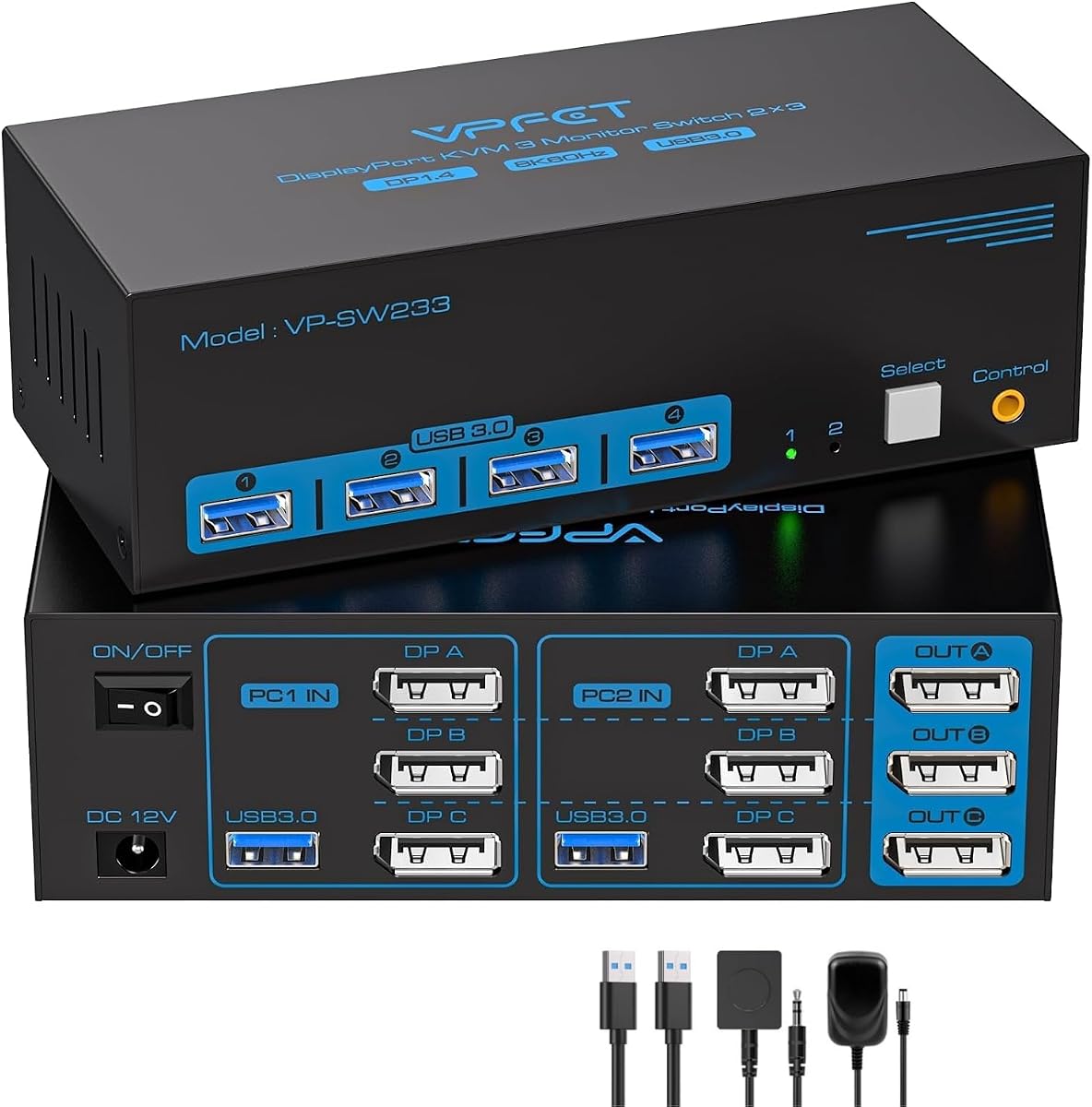
This switch focuses on delivering stable high-refresh DisplayPort performance for two computers. It supports up to 4K@144Hz which is excellent for creative professionals who need smooth visuals. The design prioritizes reliable signal transmission to avoid drops during switching.
We may earn a commission when you buy through this link, at no additional cost to you.
It is built for workstations where stability is key. The plug-and-play nature means no drivers are required, and the included controller makes it easy to use. It ensures your workflow remains uninterrupted when switching between work and personal PCs.
A note on hardware: you must have three DisplayPort outputs on your graphics cards to use all three monitors. If you lack these ports, this model may not be suitable. This limits its use to users with dedicated high-end GPUs.
Ideal for users who want a robust DisplayPort-only solution for high refresh rates. Its focus on stability makes it a reliable choice for long-term workstation use.
Designed specifically for demanding environments, this unit prioritizes stable connections to prevent flickering or dropouts.
A single wired controller allows quick switching without navigating menus, keeping your focus on work.
We may earn a commission when you buy through this link, at no additional cost to you.
This model is notable for its comprehensive package including HDMI and DisplayPort cables and a wired remote. It supports 8K@60Hz and 4K@144Hz making it versatile for various display setups. The one-year warranty provides peace of mind for users.
We may earn a commission when you buy through this link, at no additional cost to you.
It is designed for users who want an all-in-one solution without buying extra adapters. The inclusion of cables saves time and money compared to other units. The high support ensures you are covered if any issues arise during use.
Note that triple monitor output requires both PCs to support multi-monitor configurations. If your PC only supports two screens, the third will not activate. Also, MacBooks may be limited to mirrored displays depending on the setup.
Best for users seeking a complete package with warranty support. The bundled cables and high resolution support make it a convenient and reliable choice.
All necessary HDMI and DP cables are included so you can start using the switch immediately upon arrival.
A one-year warranty covers hardware defects giving you confidence in the product's longevity and reliability.
We may earn a commission when you buy through this link, at no additional cost to you.
UGREEN offers a premium build with an aluminum casing that dissipates heat better than plastic. It supports up to 4K@240Hz and 8K@60Hz which is excellent for high refresh gaming. The package includes all necessary cables for setup.
We may earn a commission when you buy through this link, at no additional cost to you.
It is a good choice for users who prioritize build quality and thermal performance. The support for HDR10+ and FreeSync eliminates screen tearing during intense gaming sessions. This provides a superior visual experience compared to cheaper plastic models.
The lack of EDID emulation might cause compatibility issues with certain monitors that expect specific signal responses. This can sometimes require extra configuration. Additionally, the price point is higher due to the premium materials and features.
Best for gamers and professionals who want a high-end durable unit. The superior heat dissipation and refresh rate support make it a top contender for performance-focused users.
The aluminum casing helps dissipate heat effectively ensuring stable performance during long gaming or rendering sessions.
Supporting up to 240Hz refresh rates delivers ultra-smooth visuals that are essential for competitive gaming.
We may earn a commission when you buy through this link, at no additional cost to you.
Choosing the right KVM switch for triple monitors requires evaluating several technical factors to ensure compatibility with your existing hardware and workflows.
Ensure your computers have the right number and type of video outputs. Most triple monitor KVMs require two DisplayPort and one HDMI port or three HDMI ports per computer. If your PC uses a different setup, you may need adapters which can affect performance.
Verify your graphics cards support three independent displays before purchasing to avoid wasted investment.
Check if the switch supports the resolution and refresh rate of your monitors. Models supporting 8K@60Hz or 4K@144Hz ensure future-proofing and smooth visuals. If you game or edit video, higher refresh rates like 144Hz are critical.
Lower budget models may limit you to 1080p or 60Hz which might not suit high-end displays.
Look for USB 3.0 ports to ensure fast data transfer for external drives and peripherals. Some switches offer up to four USB ports which allows you to share printers or webcams easily.
Make sure the switch includes USB cables and that ports are powered to avoid connection drops.
Decide between physical buttons on the device or a wired remote controller. Wired remotes allow you to place the switch anywhere on your desk. Some models support keyboard shortcuts but many do not.
Choose the method that best fits your desk layout and workflow preferences.
Most triple monitor KVMs need an external power adapter to ensure stable power for USB devices. Without it, peripherals like hard drives might disconnect unexpectedly. Always check if the adapter is included.
External power prevents instability issues that can arise from underpowered USB connections.
Ensure the switch supports your operating system like Windows, macOS, or Linux. Some features like extended display modes may behave differently on macOS compared to Windows.
Check product descriptions to confirm OS compatibility for your specific setup needs.
Quality HDMI 2.1 and DP 1.4 cables are necessary for high resolutions. Poor cables can cause signal loss or lower refresh rates. Many packages include cables but check their length and quality.
Shorter cables are recommended to avoid signal degradation when using high-speed connections.
Look for models with a one-year warranty and responsive support. If issues arise with signal or switching you need a way to resolve them quickly. This ensures long-term reliability for your setup.
A solid warranty gives you peace of mind regarding your purchase.
Connect all video cables from your computers to the input ports on the KVM switch ensuring you match HDMI and DisplayPort correctly. Then connect the monitors to the output ports on the switch to complete the video loop.
Plug in the USB cables from each computer to the KVM switch and connect your keyboard mouse and other peripherals to the USB ports. Ensure you connect the external power adapter if required for stable operation.
Use the included wired controller or the button on the device to switch between computers. Press the button to change the active system and verify that all displays respond correctly.
Not all computers support three independent displays. Most laptops have only one video output which may limit you to two screens. You need to check your graphics card specifications to ensure it supports three displays.
Most KVM switches require active adapters for conversion between HDMI and DisplayPort. Passive adapters often fail to carry enough bandwidth for high resolutions. It is best to use native ports or active adapters.
USB disconnects usually happen due to insufficient power from the KVM switch. Ensure you use the external power adapter included with the switch. This provides stable power for high-demand devices like drives.
Many switches work with MacBooks but may limit extended display modes to mirrored displays only. Check specific product notes regarding macOS support to avoid unexpected limitations in multi-monitor setups.
Yes you need HDMI 2.1 and DisplayPort 1.4 cables to support 4K at 144Hz. Older cables may only support lower refresh rates. Ensure cables are rated correctly for your resolution needs.
To reset the KVM switch turn it off using the power switch if available or unplug the power adapter. Wait for a few seconds and then plug it back in to force a signal re-recognition.
We reviewed ten top models offering features from basic HDMI switching to advanced docking capabilities. The AV Access models stand out for their extensive features while budget options provide solid functionality for general users.
Prioritize video port compatibility and resolution support to match your current setup. Ensure you choose a model with adequate USB 3.0 ports to keep all peripherals connected without extra hubs.
Remember to check current prices and availability before purchasing as these can change. Always verify that your computers support three monitors to get the full benefit of these switches.