
NZXT H5 Flow
4.7Editor score
Perforated PSU shroud intake
Ultra-fine mesh panels
Quiet airflow fans included
This guide compares the top high airflow PC cases for cooling performance, noise, and build quality to help you choose the best chassis for your next system.
Choosing the right chassis is critical for system longevity and performance. High airflow PC cases ensure components stay cool under load, preventing thermal throttling during intense gaming or creative workloads. A well-ventilated design promotes efficient heat dissipation.
We evaluated ten leading models based on ventilation design, fan compatibility, and build quality. Each case was assessed for airflow potential, noise levels, and ease of assembly. Our analysis focuses on real-world thermal performance and aesthetic appeal.
This list highlights top performers across various price points and form factors. Each pick showcases unique features like modular panels or advanced fan mounts. Prices and availability change frequently, so verify details before purchasing to ensure the best value for your budget.
4.7Editor score

4.8Editor score

4.8Editor score
This side-by-side comparison highlights key specifications and features across all ten selected cases to help you identify the best fit for your build requirements.





This case offers exceptional value with four high-performance fans pre-installed. Its ventilated mesh front ensures maximum intake for demanding builds. The 4.8 rating reflects user satisfaction with cooling and noise performance.
We may earn a commission when you buy through this link, at no additional cost to you.
The chassis supports E-ATX boards and GPUs up to 400mm. Front and top radiator mounts allow flexible liquid cooling setups. RGB fans are daisy-chainable for simplified wiring and control.
While the feet are basic, stability remains good on desks. Missing side fans mean you may buy extras for extra cooling. These trade-offs are minor given the price and performance balance.
It suits builders needing strong cooling without breaking the bank. Ideal for gamers and creators using high-end parts. Recommended for those prioritizing airflow and expandability in a mid-tower.
The mesh panel allows air to pass freely, reducing intake resistance significantly.
Front and top supports up to 360mm radiators for versatile liquid cooling potential.
We may earn a commission when you buy through this link, at no additional cost to you.
This model features oversized fans that drive exceptional airflow for heat removal. Its low resistance design ensures air moves efficiently through components. The 4.8 rating highlights performance and build quality.
We may earn a commission when you buy through this link, at no additional cost to you.
Split-level cable management creates space for rear exhaust cooling. MasterRail system adapts to various fan sizes easily. Dual-Mode GPU holder secures heavy cards without sagging.
Its size may not fit small desks or ITX builds. Higher cost reflects premium materials and features. These are acceptable for enthusiasts needing top-tier cooling.
Perfect for high-end gaming rigs or workstations. Choose this if you prioritize raw airflow and flexibility. Ideal for users wanting a statement piece with function.
220mm fans move more air at lower RPMs for quieter cooling performance.
MasterRail allows flexible placement of radiators and fans for custom setups.
We may earn a commission when you buy through this link, at no additional cost to you.
This case balances size and cooling with smart perforation design. Air intake focuses on GPU needs for better thermal results. The 4.7 rating shows strong user approval for value.
We may earn a commission when you buy through this link, at no additional cost to you.
Ultra-fine mesh keeps dust out while maintaining airflow. Radiator support is generous for an ATX case. Quiet fans reduce noise during light loads significantly.
Storage space is limited compared to larger towers. Lighting is simple but functional for most builds. Trade-offs fit well with its target audience.
Suits users needing reliable cooling in a small footprint. Great for budget builds without sacrificing thermal performance. Recommended for compact mid-tower enthusiasts.
PSU shroud perforation directs air straight to the graphics card for efficiency.
Wide cable channels and hooks make routing simple and organized quickly.
We may earn a commission when you buy through this link, at no additional cost to you.
The 160mm fans provide robust airflow for cooling components effectively. Modular I/O moves for better airflow configurations in cases. The 4.7 rating confirms reliable performance and build.
We may earn a commission when you buy through this link, at no additional cost to you.
Cable management is simplified with dedicated straps and grooves. PCIe fan bracket improves rear exhaust efficiency significantly. Tempered glass enhances aesthetics without blocking air.
Heavy glass panels require careful handling during assembly. Extra fan needed for maximum airflow potential. These issues are manageable for most builders.
Excellent for users valuing customization and build quality. Great for air-cooled high-end gaming PCs. Recommended for balanced performance and looks.
Adjustable motherboard tray allows positioning for better cooling or cable management.
Fine mesh panels on front and top allow unrestricted air movement.
We may earn a commission when you buy through this link, at no additional cost to you.
Six fans offer maximum cooling potential right out of the box. The full-tower design accommodates E-ATX boards and more drives. The 4.7 rating indicates strong overall performance and value.
We may earn a commission when you buy through this link, at no additional cost to you.
iShift mount adjusts PSU orientation for optimized airflow. Removable brackets simplify maintenance and upgrades. Textured materials enhance aesthetics beyond standard steel.
Size requires significant desk or floor space. Routing six cables takes planning but keeps things tidy. Trade-offs suit enthusiasts needing maximum capacity.
Ideal for extreme gaming rigs or server setups. Choose if you want ready-made cooling without extras. Recommended for full-tower seekers.
Supports up to twelve fans for ultimate customization and airflow control.
Metal, glass, and wood elements create a unique premium look.
We may earn a commission when you buy through this link, at no additional cost to you.
The panoramic glass delivers a wraparound view of your build. Cooling points allow airflow without needing fans inside panels. The 4.6 rating shows strong user satisfaction with looks.
We may earn a commission when you buy through this link, at no additional cost to you.
Tempered glass panels are removable for easier access. RS fans provide bright lighting and decent airflow. Supports large GPUs and E-ATX boards easily.
Glass does reduce intake compared to mesh-only cases. Slightly higher price reflects the premium aesthetics. Trade-offs fit well with visual-focused builders.
Best for users prioritizing build aesthetics. Great for shows or open displays. Recommended for high-end builds needing style and cooling.
Curved glass creates a modern look while protecting internal components.
Ten 120mm fan mounts allow for extensive cooling customization.
We may earn a commission when you buy through this link, at no additional cost to you.
This case offers easy access via tool-less side panels. Integrated RGB strips add visual flair without extra parts. The 4.8 rating reflects excellent build quality and usability.
We may earn a commission when you buy through this link, at no additional cost to you.
Back-connect motherboard support reduces cable clutter inside. Fans are daisy-chainable for simpler wiring and control. Supports high-end hardware with ample room.
Missing controller means motherboard control only for RGB. Side clearance might limit bulky air coolers. Trade-offs remain acceptable for the price point.
Ideal for clean builds with modern motherboards. Suits users wanting ease of assembly. Recommended for those valuing accessibility and RGB.
Side panels remove easily for quick access without tools.
Built-in strips offer synchronized lighting without external hubs.
We may earn a commission when you buy through this link, at no additional cost to you.
FRAME system allows upgrades like aluminum trays later. RS fans offer daisy-chaining and quiet operation effectively. The 4.7 rating highlights strong performance and value.
We may earn a commission when you buy through this link, at no additional cost to you.
InfiniRail lets you move fans for better cooling. Y-pattern panel minimizes airflow obstruction. Supports back-connect boards for cleaner cable looks.
Optional modules add cost but enable future growth. Front ports are standard but limited. Trade-offs suit modular enthusiasts well.
Best for customizable builds needing strong cooling. Ideal for users planning upgrades. Recommended for those valuing flexibility and airflow.
Swap panels or trays to fit changing needs without buying new cases.
InfiniRail allows precise positioning for targeted cooling paths.
We may earn a commission when you buy through this link, at no additional cost to you.
Dual chambers separate components to improve cooling performance. Perforated panels ensure air reaches GPU effectively. The 4.7 rating confirms high satisfaction with cooling and looks.
We may earn a commission when you buy through this link, at no additional cost to you.
Panoramic glass showcases your build beautifully. Fans in front-right and rear guide air properly. Supports back-connect boards for cable-free aesthetics.
Side cooling is missing unless you add fans. Price reflects premium materials and design. Trade-offs acceptable for enthusiasts.
Ideal for those prioritizing aesthetics and cooling. Best for clean cable management. Recommended for modern ATX builds.
Separates PSU from components to prevent heat buildup.
Wraparound glass offers full visibility of your system.
We may earn a commission when you buy through this link, at no additional cost to you.
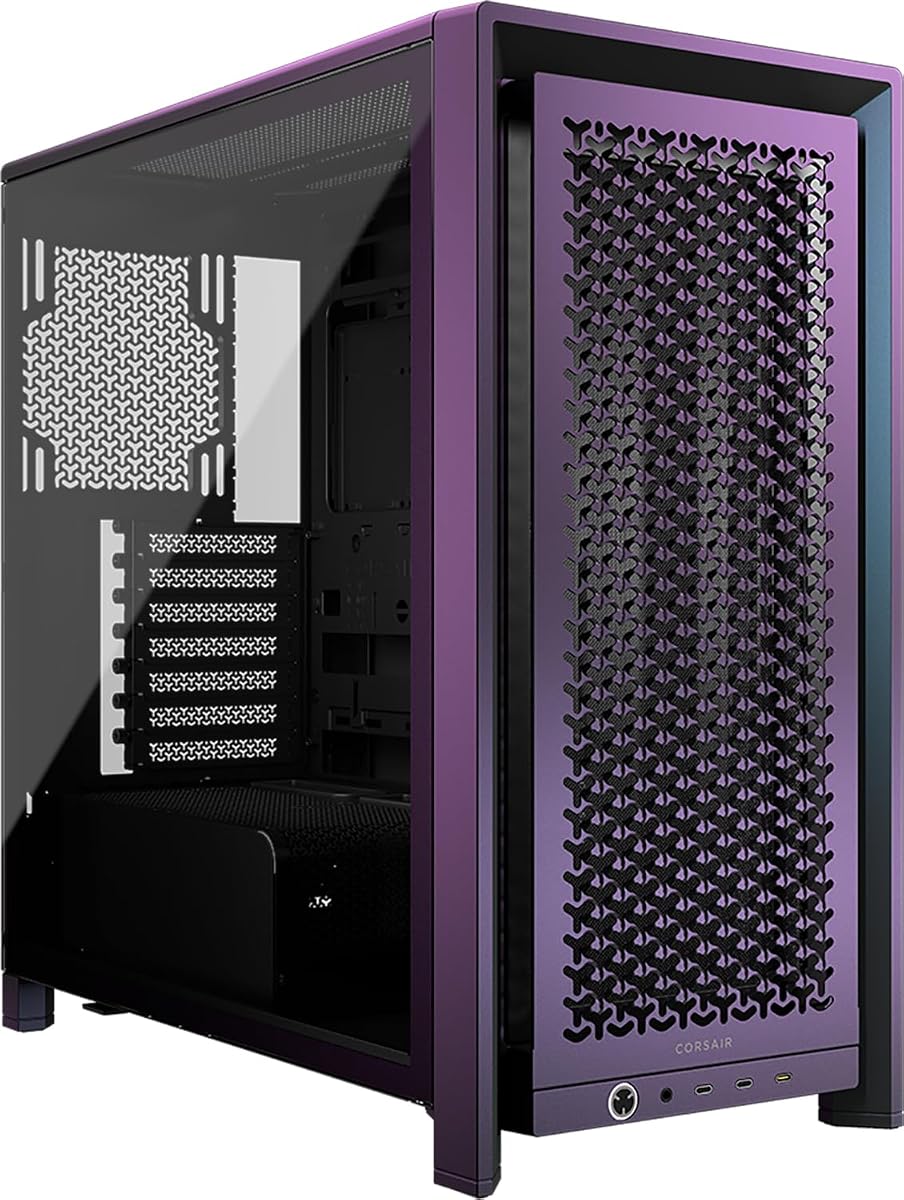
A limited edition piece with unique Galaxy finish. FRAME system supports modular upgrades for customization. The 4.4 rating indicates good but mixed feedback.
We may earn a commission when you buy through this link, at no additional cost to you.
InfiniRail supports flexible fan mounting options. Dual 360mm rad support boosts cooling power. Y-pattern panel improves airflow efficiency.
Limited production means harder to find. High cost limits general appeal. Trade-offs fit collectors best.
Best for collectors wanting uniqueness. Ideal for modular enthusiasts. Recommended for those valuing exclusivity and performance.
Limited run ensures uniqueness for collectors.
Upgrade trays and panels as your build evolves.
We may earn a commission when you buy through this link, at no additional cost to you.
Selecting the right airflow case depends on several factors including ventilation design, fan support, and component compatibility.
Look for perforated or mesh panels on the front and top to allow maximum air intake and exhaust. Avoid solid glass fronts if cooling is your priority.
Prioritize mesh over glass for unrestricted airflow and better thermal results.
Check how many fans the case supports and if they come pre-installed. More fans can improve cooling but increase noise if not controlled properly.
Ensure the case supports the number and sizes of fans you need.
Verify support for your motherboard form factor and GPU length. Larger boards or GPUs may need additional clearance inside the case.
Confirm dimensions before buying to avoid fit issues.
Good cable management features like channels, straps, and grommets keep airflow paths clear. Messy cables can block air from reaching components.
Choose cases with organized routing options.
Steel and aluminum frames offer durability while tempered glass adds aesthetics but may affect airflow. Balance quality with ventilation.
Look for sturdy construction that doesn't block air.
High airflow often correlates with higher noise. Look for fans with PWM control or low RPM settings to balance cooling and sound.
Prioritize noise-reduction features if quiet operation matters.
Modular cases allow upgrades like extra panels or mounts. This flexibility supports future needs and airflow improvements.
Consider modular designs if you plan to upgrade later.
RGB lighting and window styles vary widely. Choose looks that match your setup without compromising airflow.
Don't sacrifice cooling for style unless necessary.
Install fans to push cool air into the case and pull hot air out efficiently. Match intake and exhaust to maintain balanced airflow.
Dust filters should be cleaned regularly to prevent airflow restriction. Remove panels and rinse filters under water every few weeks.
Check cables periodically to ensure none are blocking fans or vents. Keep the interior tidy for long-term cooling performance.
High airflow cases feature mesh or perforated panels that allow unrestricted air movement. They support multiple large fans to maximize intake and exhaust capacity.
Not always. Many high airflow cases come with quality pre-installed fans. Additional fans can help if you have demanding cooling needs.
Mesh panels offer better airflow while glass adds aesthetics but blocks air. For cooling, mesh is superior; glass suits display-focused builds.
Airflow and noise are linked but controlled fans can balance both. Look for PWM fans that slow down during light loads.
Yes, compact cases with fine mesh panels exist for small form factors. They maintain cooling while keeping physical size minimal.
Clean filters every few weeks depending on dust levels. Regular cleaning ensures airflow stays strong and noise remains low.
Most support GPUs between 300mm to 400mm. Check manufacturer specs to confirm your card's length and height fit.
Yes, most cases allow adding or replacing fans easily. Check supported sizes and mounting options before buying new fans.
Our top picks offer excellent cooling, design, and value across price points. Whether you need budget efficiency or premium features, there is a case for you.
Prioritize airflow and compatibility over style if performance matters most. Modular designs and quality fans ensure future-proof builds.
Prices and stock change frequently. Always verify current details before purchasing to ensure you get the best deal and fit.