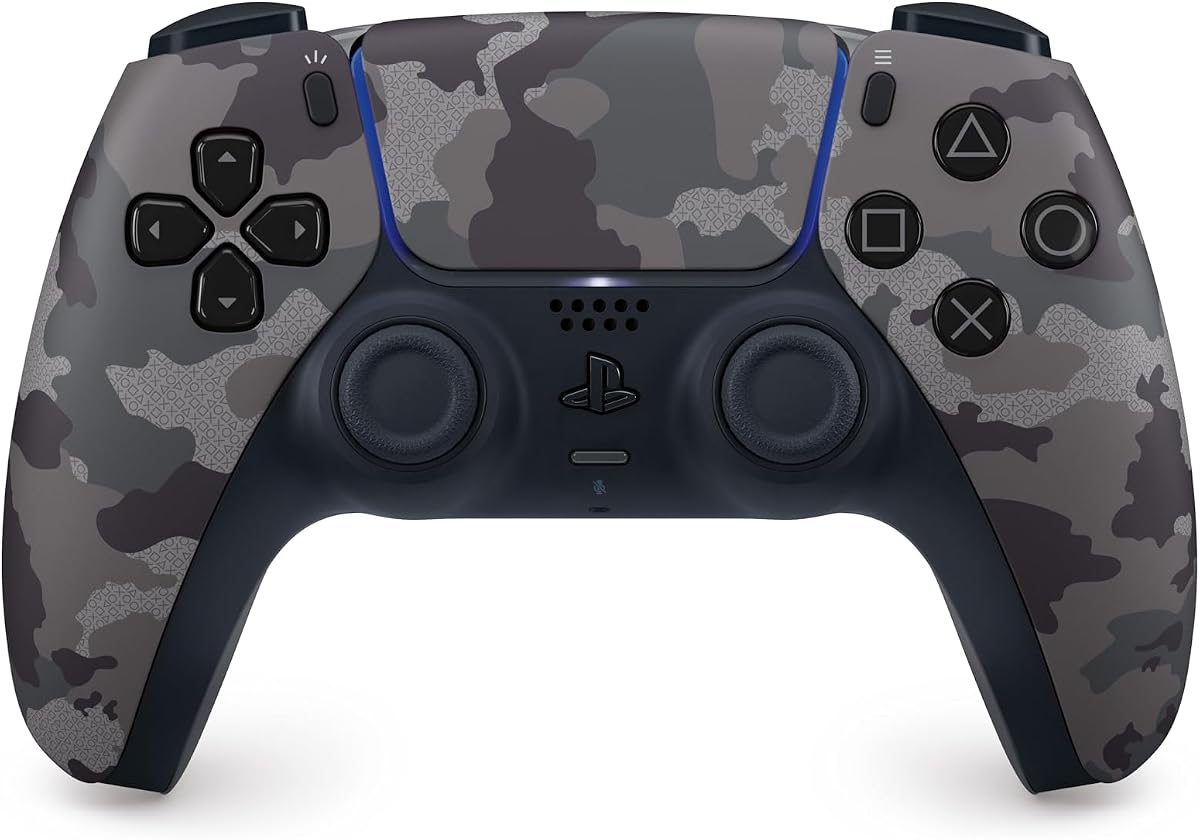
PlayStation DualSense Wireless Controller Gray Camouflage
4.6Editor score
Haptic feedback system
Adaptive triggers
Built-in microphone
Discover the top Gta 6 PS5 accessories including controllers, cooling stations, and grip enhancements to optimize your gameplay experience on PlayStation 5.
Preparing for the release of GTA 6 on PlayStation 5 requires the right gear to maximize your gaming experience. Whether you need better control, enhanced cooling, or custom aesthetics, selecting quality accessories can significantly impact performance and comfort during long sessions.
We analyzed leading products available for PS5 owners focusing on functionality, durability, and user feedback. This guide compares performance thumbsticks, third-party controllers, charging stations, and protective cases to help you find the best upgrades for your setup without overspending.
Each product entry highlights key specifications, pros, and cons so you can make an informed decision. Prices and availability change frequently so check the linked retailers for the most current offers before purchasing your preferred gear for the upcoming title.
4.6Editor score
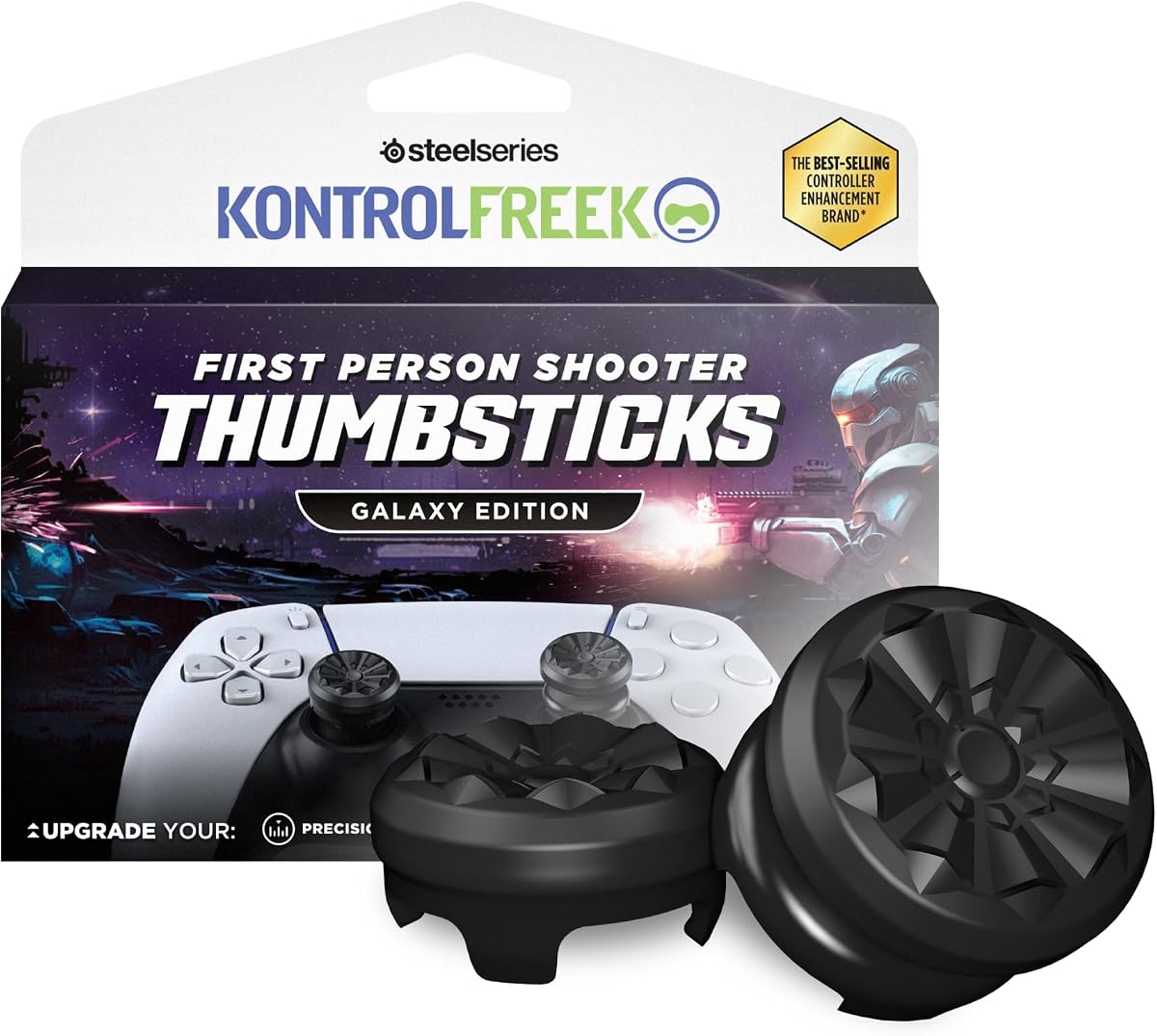
4.6Editor score

4.6Editor score
This comparison table lists all ten selected accessories with their key specifications to help you quickly identify the right fit for your gaming needs.


This product stands out as the top choice for players seeking precision improvements. With a rating of 4.6 stars it is trusted by many for its effectiveness in competitive scenarios.
We may earn a commission when you buy through this link, at no additional cost to you.
The mixed height design specifically targets the needs of shooters like GTA 6 by increasing accuracy on the right analog for aiming while maintaining control on the left for movement.
Some users may find the added height takes time to adjust to but the reduction in wrist fatigue makes it a worthwhile trade-off for extended gaming sessions.
If you want to enhance your aiming capability without replacing your controller this set is the ideal starting point for upgrading your PS5 setup.
The high-rise stick adds 10 mm of height allowing for finer adjustments during target acquisition which is critical for long-range shots.
The non-slip rubber compound ensures your thumbs stay in place while the protective layer extends the life of your original analog sticks.
We may earn a commission when you buy through this link, at no additional cost to you.
These rings provide a unique way to customize your thumbstick resistance. They work by cushioning the stick to help you stop at precise points during aim.
We may earn a commission when you buy through this link, at no additional cost to you.
The mixed resistance levels allow you to train your thumbs to handle different sensitivities making it easier to snap to targets during fast-paced action.
Users should note that the added resistance might feel stiff at first but it helps in reducing accidental movements that could ruin a shot.
Ideal for players who want to fine-tune their sensitivity without changing hardware settings this accessory offers a low-cost way to improve control.
Similar to weighted sports gear these rings help build muscle memory in your thumbs which can translate to better aim even when using standard sticks.
The flexible material recovers quickly after being pressed and resists oils from hands ensuring consistent performance over time.
We may earn a commission when you buy through this link, at no additional cost to you.
This station consolidates cooling and charging into one sleek unit designed to match your console. It supports the full range of PS5 models including Slim and Pro.
We may earn a commission when you buy through this link, at no additional cost to you.
The intelligent cooling system lowers operating temperatures which is vital for preventing overheating during the long gaming sessions typical of open-world games like GTA 6.
While the RGB lights add a stylish touch some users may prefer a more subdued look and the cable routing requires some patience during initial setup.
If you need a centralized place to keep your console and controllers organized and cool this docking station is a practical and functional addition.
The built-in fans work efficiently to dissipate heat without making loud noises which keeps your focus on the game rather than the hardware.
Beyond cooling it offers USB ports for data transfer and charging which reduces the need for extra cables and adapters on your desk.
We may earn a commission when you buy through this link, at no additional cost to you.
This version offers the same high performance as the black edition but with a unique purple finish that stands out. It is perfect for those who want to personalize their setup.
We may earn a commission when you buy through this link, at no additional cost to you.
The mixed height configuration ensures you get the same precision benefits on the right stick while maintaining control on the left for smooth movement.
The color might show dust more than darker options but the rubber material is durable and provides a secure grip even during intense gameplay moments.
Choose this if you want top-tier accuracy upgrades while adding a pop of color that complements your gaming room decor or themed setup.
The purple color scheme gives your controller a custom look which can boost your confidence and excitement during your gaming sessions.
Despite the different color the material and design remain identical to the standard model ensuring reliable performance in all scenarios.
We may earn a commission when you buy through this link, at no additional cost to you.
This pack provides an extensive range of colors to match any mood or outfit. It is ideal for players who want to change their look frequently without spending much.
We may earn a commission when you buy through this link, at no additional cost to you.
The silicone material fits snugly over your existing thumbsticks offering a second-skin feel that enhances comfort during long periods of play.
Over time the silicone might gather some lint from fabrics but it is easy to clean and replaces cheaply ensuring your controller stays protected.
If you value customization and want to protect your controller without a significant investment this grip set is an excellent and versatile choice.
With twelve unique pairs you can create unique looks or rotate grips based on different games or events for a fresh experience every day.
These caps act as a durable shield against scratches and grime which helps keep your controller looking new for years to come.
We may earn a commission when you buy through this link, at no additional cost to you.
This controller introduces advanced features like Hall Effect joysticks that reduce drift issues over time. It is a strong option for those wanting extra buttons.
We may earn a commission when you buy through this link, at no additional cost to you.
The back paddles allow you to perform complex actions without removing thumbs from the sticks which can be a game-changer in fast action games.
While the rating is slightly lower than the stock controller it offers features that many premium third-party controllers lack at this price point.
Consider this if you want more control options like triggers and paddles and are willing to spend a little time on initial setup.
Magnetic sensors in the sticks provide consistent input and resist wear which ensures your controller works reliably for years without drifting.
The RGB modes and programmable buttons let you tailor the controller to your play style and visual preferences for a more immersive experience.
We may earn a commission when you buy through this link, at no additional cost to you.
This remote is designed specifically for navigating menus and media apps on your console. It simplifies the experience of streaming content without using a game controller.
We may earn a commission when you buy through this link, at no additional cost to you.
The built-in IR transmitter allows you to control your TV volume and power which reduces clutter by consolidating control into one device.
While it is not useful for gameplay it is a convenient tool for downtime when you want to watch a movie or manage system settings.
If you frequently use your PS5 as an entertainment hub this remote adds significant convenience to your living room setup.
Dedicated play and pause buttons make it easy to manage streaming apps which is much more intuitive than using the D-pad on a controller.
It can turn on the console directly and navigate menus which is helpful for quick access without reaching for the main controller.
We may earn a commission when you buy through this link, at no additional cost to you.
This device acts as an intermediary between your controller and the console allowing for advanced input modifications. It is used by many for custom scripting.
We may earn a commission when you buy through this link, at no additional cost to you.
The multi-platform support means you can use it across different consoles which is a significant advantage for gamers who switch platforms often.
Users should be aware that some online games may have policies against this hardware so checking community rules is recommended before using it.
For those interested in automation and customization across devices this emulator offers powerful capabilities that standard controllers cannot provide.
You can load specific GamePacks to adapt to different games which allows for tailored setups that enhance specific types of gameplay.
The ability to switch between Xbox PlayStation and Nintendo systems without changing hardware makes it a versatile tool for multi-platform owners.
We may earn a commission when you buy through this link, at no additional cost to you.
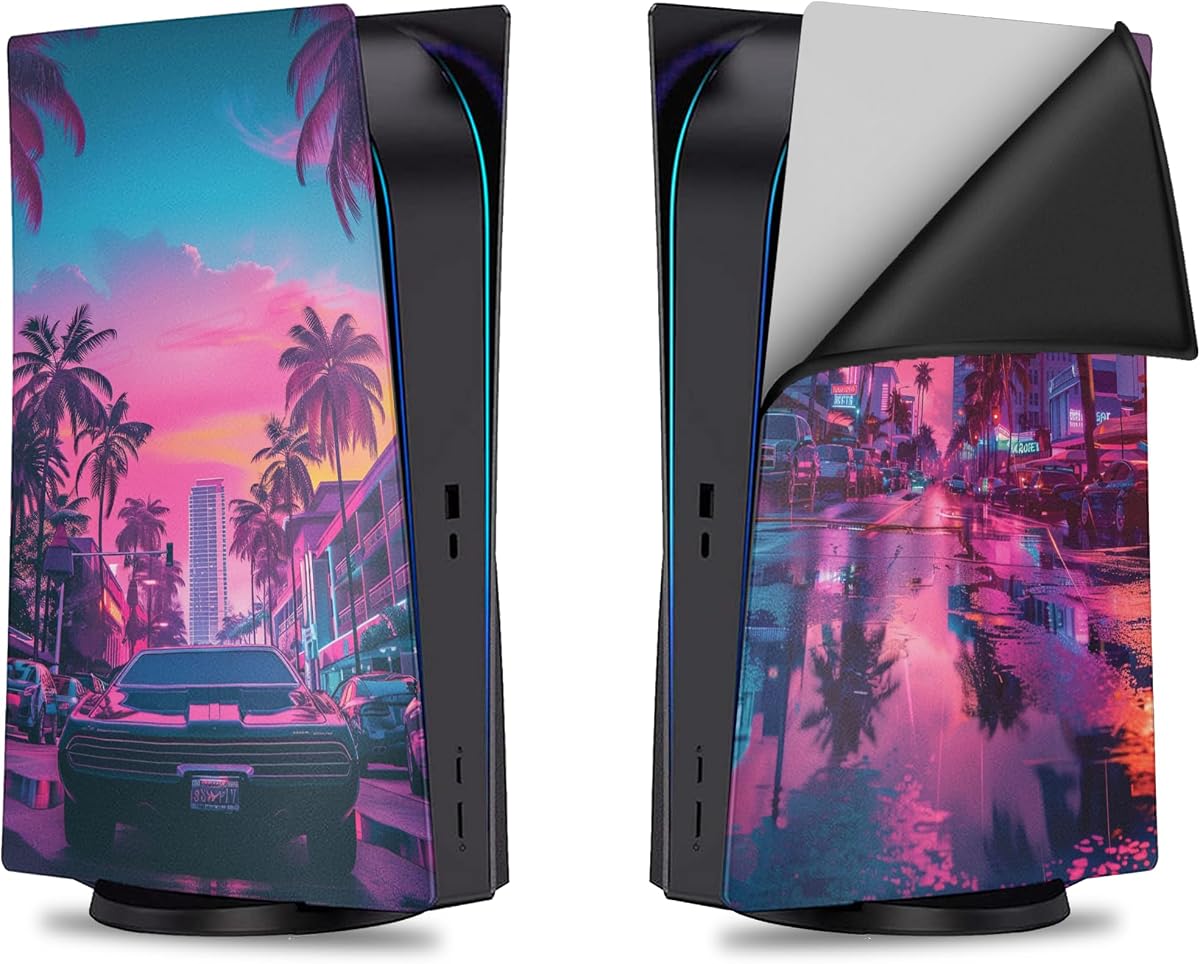
This cover features custom artwork that pays homage to the upcoming game. It offers a way to personalize the look of your console immediately.
We may earn a commission when you buy through this link, at no additional cost to you.
The silicone material provides a durable shield against dust and scratches while adding an anti-slip surface which helps keep the console in place.
While it is designed specifically for the Slim model it ensures your console matches your interest in the game right from the start of ownership.
Choose this if you want to show your fandom early and protect your console with a design that stands out from generic white covers.
The hydro-dip printing ensures the design remains vibrant over time without fading which maintains the look of your console for longer.
As a soft cover it absorbs minor impacts and prevents dust accumulation which keeps your console cleaner and safer in daily use.
We may earn a commission when you buy through this link, at no additional cost to you.
This official controller offers the best native experience for the console with full support for haptics and adaptive triggers. It is the gold standard for performance.
We may earn a commission when you buy through this link, at no additional cost to you.
The haptic feedback allows you to feel in-game actions like footsteps or weather which deepens immersion in open-world titles like GTA 6.
The adaptive triggers add resistance that simulates real-world forces giving you better feedback on actions like braking or drawing a weapon.
Investing in a second original controller ensures you get the full intended experience without compatibility issues or feature limitations found elsewhere.
Haptic feedback provides tactile sensations that sync with game events making your controller an essential part of the storytelling experience.
It connects to various devices via Bluetooth and USB which makes it versatile for PC gaming and mobile play when needed.
We may earn a commission when you buy through this link, at no additional cost to you.
Choosing the right accessories involves understanding your specific needs for performance, comfort, and aesthetics.
Determine if you need better aim or faster movement. Performance thumbsticks like those from KontrolFreek help with target acquisition and can be critical for competitive aspects of the game.
Focus on accessories that enhance your control over accuracy and movement to gain a tactical advantage during gameplay.
Long sessions can cause fatigue so consider grips or rings that reduce pressure on your thumbs. Comfort is key to maintaining focus over extended periods.
Choose materials that feel good in your hand and offer the necessary grip to prevent slipping during intense action.
If you want your setup to reflect your personal style look for themed covers or colored accessories. Aesthetic choices can make your gaming space more enjoyable.
Select colors and designs that match your setup to create a cohesive look without sacrificing functionality.
Accessories that protect your console and controllers from wear and tear are essential. Silicone covers and thumb grips shield against scratches and daily use.
Look for materials that resist degradation over time to ensure your equipment lasts as long as possible.
Set a budget that aligns with your priorities. While premium options offer more features budget options can provide essential upgrades without breaking the bank.
Balance cost against features to find the best value for your specific requirements.
Ensure all accessories are explicitly listed as compatible with your PS5 model. Some items may only work with specific variants like the Slim or standard console.
Check product descriptions carefully to avoid purchasing items that do not fit your hardware.
Products from established brands often offer better quality assurance and customer support. Reading reviews can help you avoid unreliable third-party items.
Prioritize brands with a track record of producing reliable gaming accessories.
Look for features that add value such as RGB lighting or additional ports. Cooling stations often come with charging capabilities which can save space.
Identify features that align with your workflow to maximize the utility of your purchase.
Proper installation is critical for accessories like thumbsticks. Align the rubber grip correctly and push it onto the analog stick until it sits flush without any gaps.
Clean your accessories regularly to remove dust and oils. Silicone and rubber items can accumulate grime which may affect grip and comfort over time.
Store controllers and consoles in a dry and cool place. Avoid placing them in direct sunlight or near heat sources to prevent damage to plastic components.
Most non-invasive accessories like grips and covers do not void the warranty. However, any modifications involving internal hardware may affect coverage. Check the manufacturer's policy.
Yes, most silicone and rubber grips slide off easily without tools. They are designed to be reversible so you can restore your controller to its original state whenever needed.
Most modern cooling stations support the standard, Slim, and Pro models. Always check the product description to ensure compatibility with your specific console model.
Third-party controllers often support basic features but may lack advanced haptics. Check specifications carefully if you want full access to system-level features.
Silicone covers are durable and typically last for years if maintained properly. Cleaning them occasionally helps maintain their appearance and functionality.
Many accessories like thumbsticks and controllers work on PC with adapters. Verify cross-platform compatibility before purchasing to ensure it meets your needs.
Selecting the right accessories depends on your specific needs for performance comfort and style. The products reviewed offer a range of solutions for every type of player.
Prioritize features that improve your gameplay experience such as accuracy and comfort. Investing in quality gear ensures you are ready for the demands of the new title.
Prices and availability may change frequently so always check current listings before making a purchase to get the best deal available today.