
Seagate BarraCuda 8TB Internal Hard Drive
4.7Editor score
190MB/s sustained transfer rate
Proven reliability for PC apps
High capacity for general storage
Choosing the right hard drive for RAID 0 is critical for maximizing speed and capacity in your storage array. You need drives that offer consistent performance and reliability to handle the demands of striping data across multiple disks without bottlenecks.
We evaluated ten top-rated models based on spindle speed, cache size, workload ratings, and manufacturer support. Our analysis focuses on drives proven to handle high-intensity operations suitable for RAID configurations in professional and enthusiast environments.
Each pick highlights key specifications and intended use cases to guide your decision. Prices and availability fluctuate frequently so check current listings before purchasing to ensure you get the best value for your specific storage needs.
4.7Editor score

4.0Editor score

4.6Editor score
As an Amazon Associate we earn from qualifying purchases.
The following comparison table provides a side-by-side look at the top ten drives for RAID 0 configurations. We highlight capacity, speed, cache, and warranty details to help you differentiate between options quickly.






This Seagate IronWolf Pro model stands out for its high capacity and enterprise-grade features. With a 4.0 rating from users, it delivers reliable performance for demanding RAID environments where speed and consistency matter.
We may earn a commission when you buy through this link, at no additional cost to you.
The 16TB capacity combined with 256MB cache allows for fast data handling. Its workload rating supports heavy daily use without degradation. The AgileArray technology specifically optimizes it for RAID performance.
While the cost is higher than standard desktop drives, the inclusion of data recovery services adds significant value. The CMR technology avoids the performance pitfalls of SMR in array configurations.
Buy this if you need massive storage for a professional array. It is designed for 24/7 operation and offers peace of mind with its warranty and recovery options.
The 2.5 million hour MTBF rating ensures it can run continuously without failure.
Rotational vibration sensors help it perform well even when surrounded by other spinning drives.
We may earn a commission when you buy through this link, at no additional cost to you.
The Seagate BarraCuda is a popular choice for those seeking capacity on a budget. With a 4.7 rating, it proves reliable for many PC applications including basic storage setups.
We may earn a commission when you buy through this link, at no additional cost to you.
Its 8TB capacity provides plenty of space. The 190MB/s sustained transfer rate offers decent performance for non-demanding tasks. It is backed by 20 years of innovation in hard drive tech.
The main trade-off is that it lacks the specific optimizations for RAID found in NAS drives. However, for cost-conscious builds it remains a strong option for storage.
Recommend this for users needing large storage without enterprise costs. It is a solid drive for general use where extreme RAID speed is not the primary goal.
Users trust this drive for music video and photo editing tasks.
Great value for those who need volume over specialized speed.
We may earn a commission when you buy through this link, at no additional cost to you.
This 4TB IronWolf Pro drive is built for multi-user environments. It holds a 4.5 rating and delivers fast speeds suitable for streaming and rapid file access in arrays.
We may earn a commission when you buy through this link, at no additional cost to you.
The drive offers speeds up to 214MB/s and includes a three-year data recovery service. It is designed to reduce noise and vibration while handling heavy data transfers effectively.
While the capacity is smaller than high-end models, the speed and reliability make it a strong contender. It performs well in multi-bay setups due to its specific engineering.
Choose this if you need balance between speed and cost. It is ideal for professional environments requiring fast access without the highest tier capacity.
Designed for less wear and tear making it suitable for office environments.
Integrated IronWolf Health Management system helps protect data with intervention.
We may earn a commission when you buy through this link, at no additional cost to you.
The WD Red Plus is a solid option for business environments. It uses CMR technology which is crucial for stable performance in RAID configurations compared to SMR alternatives.
We may earn a commission when you buy through this link, at no additional cost to you.
With 12TB capacity and 512MB cache, it handles data transfers efficiently. The NASware firmware ensures compatibility with various NAS systems for optimum performance in your setup.
The rating is moderate but it remains a reliable choice for specific business needs. It is tested for compatibility with NAS enclosures to prevent common issues.
Ideal for small to medium business NAS systems. It provides a good balance of capacity and reliability for continuous operation.
Conventional Magnetic Recording avoids the slowdowns associated with shingled recording.
Supports up to 180 TB per year workload rate for business demands.
We may earn a commission when you buy through this link, at no additional cost to you.
This WD Red Pro delivers massive capacity for data-heavy tasks. It holds a 3.9 rating but is engineered for high-intensity 24×7 multi-user environments like media servers.
We may earn a commission when you buy through this link, at no additional cost to you.
Rated for 550TB per year workload rate it is designed to handle heavy data transfers. The 512MB cache supports rapid data movement required for fast streaming and access.
It partners with NAS vendors to ensure compatibility. This drive is meant for advanced setups where capacity and endurance are the top priorities.
Select this for high-intensity multi-user environments. It is built to handle the demands of large scale storage efficiently.
Designed for intense usage where standard drives would fail under pressure.
Extensive testing ensures it works with most NAS enclosures.
We may earn a commission when you buy through this link, at no additional cost to you.
The WD Ultrastar is a class-leading option offering immense storage. With a 4.6 rating it provides enterprise-class durability for hyperscale environments and data centers.
We may earn a commission when you buy through this link, at no additional cost to you.
Its 24TB capacity allows for vast data storage. The 7200 RPM speed and 512MB cache deliver predictable performance essential for demanding workloads.
While this is a renewed unit it maintains high standards for reliability. The 2.5 million hours MTBF ensures long-term operation in critical systems.
Buy this if you need massive storage in a professional setting. It is engineered for cloud storage and big data applications requiring stability.
Delivers consistent speeds required for server and enterprise workloads.
Perfect for hyperscale environments and big data applications.
We may earn a commission when you buy through this link, at no additional cost to you.
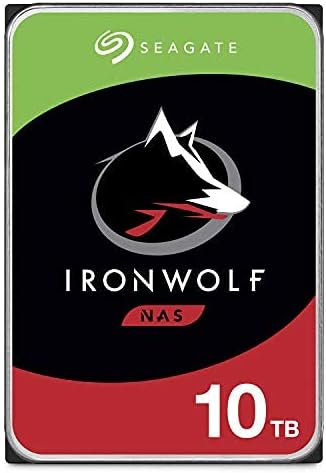
This IronWolf model is built specifically for 24×7 NAS usage. It holds a 4.7 rating and offers high performance with up to 210MB/s sustained data transfer rates.
We may earn a commission when you buy through this link, at no additional cost to you.
The drive features 10TB capacity and CMR technology for consistency. It also includes a three-year rescue data recovery service to protect your data in case of failure.
Its optimized features make it suitable for multi-user workloads. RV sensors help reduce vibration ensuring smooth operation in crowded enclosures.
Ideal for users wanting balance of speed and protection. It is a strong choice for NAS environments where uptime is critical.
Includes industry-leading recovery service for data protection.
Dual-plane balancing ensures better performance in multi-bay systems.
We may earn a commission when you buy through this link, at no additional cost to you.
This Seagate IronWolf drive delivers powerhouse performance for multi-user environments. It holds a 4.0 rating and is designed for 8-bay NAS setups.
We may earn a commission when you buy through this link, at no additional cost to you.
With 10TB capacity and 256MB cache it ensures smooth file-sharing. It is built to reduce noise and vibration making it suitable for shared spaces.
The drive integrates health monitoring for easy management. It offers reliability for daily use with a three-year warranty.
Select this for NAS enclosures needing high capacity. It is designed for less wear and tear in demanding setups.
Integrated system allows for monitoring drive health and status.
Optimized to provide increased file-sharing performance for users.
We may earn a commission when you buy through this link, at no additional cost to you.
This model is the ideal solution for multi-user NAS environments. With a 4.6 rating it delivers consistent performance and increased file-sharing speed.
We may earn a commission when you buy through this link, at no additional cost to you.
The drive is purpose built for NAS enclosures with 10TB capacity and 256MB cache. It is designed to reduce wear and tear while operating quietly.
Reliability is supported by health management systems. The three-year protection plan adds value for users needing stability.
Best for environments needing increased file-sharing performance. It is optimized for multi-user workloads without significant noise.
Designed for less noise and vibration in shared workspaces.
Provides increased file-sharing performance and better responsiveness.
We may earn a commission when you buy through this link, at no additional cost to you.
This WD Red Plus offers large capacity for expanding storage. It holds a 4.5 rating and supports up to 8 bays in a single system.
We may earn a commission when you buy through this link, at no additional cost to you.
The 5400 RPM class prioritizes power efficiency and quiet operation. It uses CMR technology which is essential for consistent performance in RAID arrays.
While slower than high-speed models it provides reliable storage for archiving. The NASware firmware ensures it works seamlessly with your system.
Ideal for archiving and backup needs where speed is secondary. It offers a reliable balance of capacity and performance for small business.
Uses CMR to distinguish from SMR and ensure consistent performance.
Available in high capacities up to 14TB for large needs.
We may earn a commission when you buy through this link, at no additional cost to you.
Choosing the right drive for RAID 0 requires understanding speed capacity and reliability factors. The right selection impacts performance and longevity significantly.
Workload rating indicates how much data a drive can handle yearly. Look for higher ratings for intense use.
Choose a drive with a rating that matches your daily data transfer needs.
Cache size helps buffer data for faster access. Larger cache improves performance in RAID arrays.
Aim for at least 128MB cache for smooth operations.
CMR is preferred for RAID as it avoids performance drops. SMR drives struggle with random writes in arrays.
Ensure your drive uses CMR technology for stable RAID performance.
Capacity determines total storage space available. Calculate your current and future needs.
Select capacity that allows for growth without immediate upgrades.
Spindle speed impacts read and write speeds. 7200 RPM drives offer faster performance than 5400 RPM.
Choose 7200 RPM for performance critical setups.
Warranty terms indicate manufacturer confidence in the drive. Longer warranties offer better peace of mind.
Look for drives with at least a three-year warranty for reliability.
NAS drives are tuned for 24/7 operation. They handle vibration better than desktop drives.
Select NAS optimized drives for continuous RAID operation.
Data recovery services protect against drive failures. Some drives include these for free.
Consider drives with included recovery services for safety.
Install your drives securely to minimize vibration that can cause wear over time. Ensure proper airflow in your enclosure to prevent overheating.
Regularly monitor drive health using built-in tools. This helps detect issues before they lead to data loss or performance drops.
Keep your system firmware and drivers updated. This ensures compatibility and optimal performance for your RAID configuration.
Yes but they are not optimized for continuous operation. NAS drives handle vibration and heat better. For long-term reliability use NAS specific drives.
Ideally 256MB or higher for smooth operations. Larger cache helps manage large data transfers efficiently. It improves overall performance significantly.
Yes drives with NASware firmware work best. They reduce vibration interference and optimize performance. Standard firmware may struggle in arrays.
Yes CMR is essential for consistent performance. SMR drives struggle with RAID write speeds. Ensure you choose CMR to avoid issues.
Use built-in health management systems. Tools like IronWolf Health Management provide alerts. Regular checks help prevent unexpected failures.
Look for at least a three-year warranty. Some enterprise models offer five years. Longer warranties indicate better reliability expectations.
RAID 0 increases risk since losing one drive loses all data. Use reliable drives with recovery services. Regular backups are still recommended.
This guide reviewed ten top models ranging from budget options to enterprise solutions. The IronWolf Pro models and WD Red series stand out for performance.
Prioritize CMR technology and high workload ratings for stable RAID operation. These features ensure your array runs smoothly without bottlenecks.
Check current prices and availability before purchasing as they change frequently. Ensure compatibility with your enclosure and RAID controller.