
Portable Printers Wireless for Travel N80
4.1Editor score
Affordable thermal technology
Lightweight and compact
Bluetooth and USB connectivity
This guide compares the top battery powered portable printers for 2026 to help you choose the right device for mobile printing needs anywhere.
Finding the right battery powered portable printers can transform how you handle documents on the go. Whether you are a student, traveler, or professional, having a reliable device that prints without access to a wall outlet is essential for productivity and convenience in modern workflows.
We evaluated ten leading models based on battery life, print quality, connectivity options, and overall portability. Our analysis focuses on real-world usage scenarios to ensure the recommendations meet diverse needs across different environments and user preferences without compromising on performance or reliability.
Each pick below highlights specific strengths and ideal use cases to help you make an informed decision. Note that availability and offers may change over time, so checking current listings is recommended before finalizing your purchase to ensure you get the best value available today.
4.1Editor score

4.4Editor score
4.5Editor score
The following table provides a side-by-side overview of all ten models considered in this guide to help you quickly compare key specifications and features.



The HP OfficeJet 200 stands out as a top choice for those needing reliable color printing on the go. With a solid rating and robust features, it delivers business-quality documents without being tethered to a power source or a network.
We may earn a commission when you buy through this link, at no additional cost to you.
Its included battery ensures you can print anywhere while the Fast Charge feature minimizes downtime. The support for various paper sizes from letter to envelopes makes it versatile for different tasks including contracts and photos.
While it is heavier than thermal alternatives and requires ink refills, the print quality justifies the trade-off. Users appreciate the straightforward setup and the ability to print from mobile devices without complex configurations.
This model is ideal for professionals who need high-quality prints regularly. If you value versatility and reliability over lightweight portability, the OfficeJet 200 offers the best balance for mobile office environments.
Supports letter, legal, and photo sizes making it suitable for diverse document needs.
Works seamlessly with laptops and smartphones via wireless or direct connection options.
We may earn a commission when you buy through this link, at no additional cost to you.
The HP OfficeJet 250 adds scanning and copying to the mobile printing mix creating a true all-in-one solution. It is perfect for users who need to digitize documents while traveling without carrying multiple devices.
We may earn a commission when you buy through this link, at no additional cost to you.
Like the 200 model it includes a battery and fast charge support ensuring consistent operation in the field. The HP app simplifies operations allowing for intuitive control from a smartphone or tablet.
Cost is higher than single-function printers but the added functionality provides significant value. The design fits into a backpack but is still substantial so consider your weight limits when packing.
Choose this if you need a complete office suite in a portable form. It excels for small business owners or students who need to handle documents and copies on site.
Combines printing scanning and copying into one portable device for maximum utility.
The dedicated app streamlines workflows and reduces the need for physical buttons.
We may earn a commission when you buy through this link, at no additional cost to you.
The Canon PIXMA TR160 is designed to deliver vibrant color prints in a lightweight package. Its five-color hybrid ink system ensures that photos and graphics look sharp which is rare for portable devices.
We may earn a commission when you buy through this link, at no additional cost to you.
A 1.44-inch OLED display gives you clear visibility of ink levels and status without needing a screen. Wireless Direct Mode allows connection to devices even without a router enhancing flexibility in remote areas.
While it is light the battery life is not the strongest on this list. You may need to carry a charger for extended use but the print quality makes it worthwhile for visual tasks.
This printer suits creatives and students who need color output on the go. It balances portability with quality making it a great option for presentations and visual reports.
The five-color system provides deeper colors and better contrast than standard two-color units.
The OLED screen makes monitoring status easy and reduces guesswork during travel.
We may earn a commission when you buy through this link, at no additional cost to you.
The Epson Workforce WF-110 offers a dependable option for mobile color printing with flexible power options. Its built-in battery can be charged via USB or AC which adds convenience when traveling with limited outlets.
We may earn a commission when you buy through this link, at no additional cost to you.
The device supports Wi-Fi Direct and allows direct connection from laptops and tablets. Print quality is solid for business documents and small photos making it useful for presentations.
It is limited to genuine Epson cartridges which can increase long-term costs. However the reliability and portability make it a strong contender for those prioritizing quality over raw speed.
Ideal for consultants who need to produce color documents offsite. The USB charging feature is a standout benefit for digital nomads who rely on power banks.
USB charging means you can use any standard power bank to keep printing during long trips.
Wi-Fi Direct simplifies printing from devices without needing a traditional router setup.
We may earn a commission when you buy through this link, at no additional cost to you.
The Gloryang Inkless Portable printer is a cost-effective solution for those who do not need color. Using thermal technology it eliminates the need for ink or toner reducing long-term maintenance and consumable costs.
We may earn a commission when you buy through this link, at no additional cost to you.
It weighs very little and fits easily in backpacks making it ideal for students and travelers. The package includes a carry case and paper rolls so you can start using it immediately.
You are limited to thermal paper which may not suit all document types. However for receipts, notes and standard text documents it performs well and keeps your setup lightweight and tidy.
Choose this if you want to minimize costs and weight. It is a practical choice for daily text printing where color is not a strict requirement.
Eliminating ink requirements saves significant money over time for high-volume text printing.
Inclusion of paper and case ensures you can start printing without extra purchases.
We may earn a commission when you buy through this link, at no additional cost to you.
The A285M is designed to be as small as possible without sacrificing functionality. It supports five different paper widths which offers surprising flexibility for a device this small.
We may earn a commission when you buy through this link, at no additional cost to you.
You can connect it to laptops via USB-C which is a modern convenience. The Bluetooth option works well with phones for quick document transfers on the go.
Print quality is functional for text but not ideal for graphics. For contracts, invoices or study notes it is perfectly adequate and keeps your backpack light.
Best for students or field workers who need basic text output. The variety of paper sizes allows it to adapt to different needs like labels or standard sheets.
USB-C support ensures compatibility with newer laptops and tablets without adapters.
Support for five paper widths means you can print labels or full sheets as needed.
We may earn a commission when you buy through this link, at no additional cost to you.
The D90E offers a reliable experience for thermal printing with a focus on durability. It supports US letter paper making it a direct replacement for standard documents when mobility is needed.
We may earn a commission when you buy through this link, at no additional cost to you.
A standout feature is the automatic paper ejection if a jam occurs which saves time in the field. The included case helps protect the unit during travel ensuring it stays clean and safe.
You need to install a specific app for mobile use which is a small setup step. Once configured it works smoothly for printing contracts and lists on the go.
Great for professionals who need a durable device for standard text. The jam feature makes it practical for high-volume tasks where reliability is key.
Automatic paper ejection reduces downtime and frustration when paper gets stuck.
The included case ensures the printer remains protected from dust and bumps during transit.
We may earn a commission when you buy through this link, at no additional cost to you.
The JADENS Portable Thermal printer stands out with its high battery capacity and unique app features. It can print up to 360 sheets on a single charge which is among the highest in its class.
We may earn a commission when you buy through this link, at no additional cost to you.
The app includes AI tools for image generation and translation adding creative utility to basic printing. This makes it not just a printer but a tool for content creation on the go.
It prioritizes privacy by keeping data local and avoiding cloud uploads which is a big plus for sensitive documents. The print quality is sharp for text and simple graphics.
Ideal for students or creatives who need long battery life and extra features. The combination of capacity and AI tools makes it a versatile pick for modern users.
Built-in AI features allow you to create and edit images directly before printing.
Local processing ensures your documents are not uploaded to external servers or clouds.
We may earn a commission when you buy through this link, at no additional cost to you.
The N80 printer is unique for its ability to work with tattoo transfer paper making it a niche choice for artists. It also supports standard US Letter paper for general document printing needs.
We may earn a commission when you buy through this link, at no additional cost to you.
Its battery allows for 160 sheets per charge which is sufficient for short trips. The app supports various file types ensuring you can print PDFs and images easily.
You need to install drivers for laptop use which is a minor hurdle. However once set up it functions reliably for text and simple graphics in diverse settings.
Best for artists or field workers needing specific paper types. The compatibility with tattoo paper adds a creative dimension that few other portable printers offer.
Ability to print on tattoo paper makes this a top choice for custom artists.
Supports PDF and web page printing which simplifies workflow for quick references.
We may earn a commission when you buy through this link, at no additional cost to you.
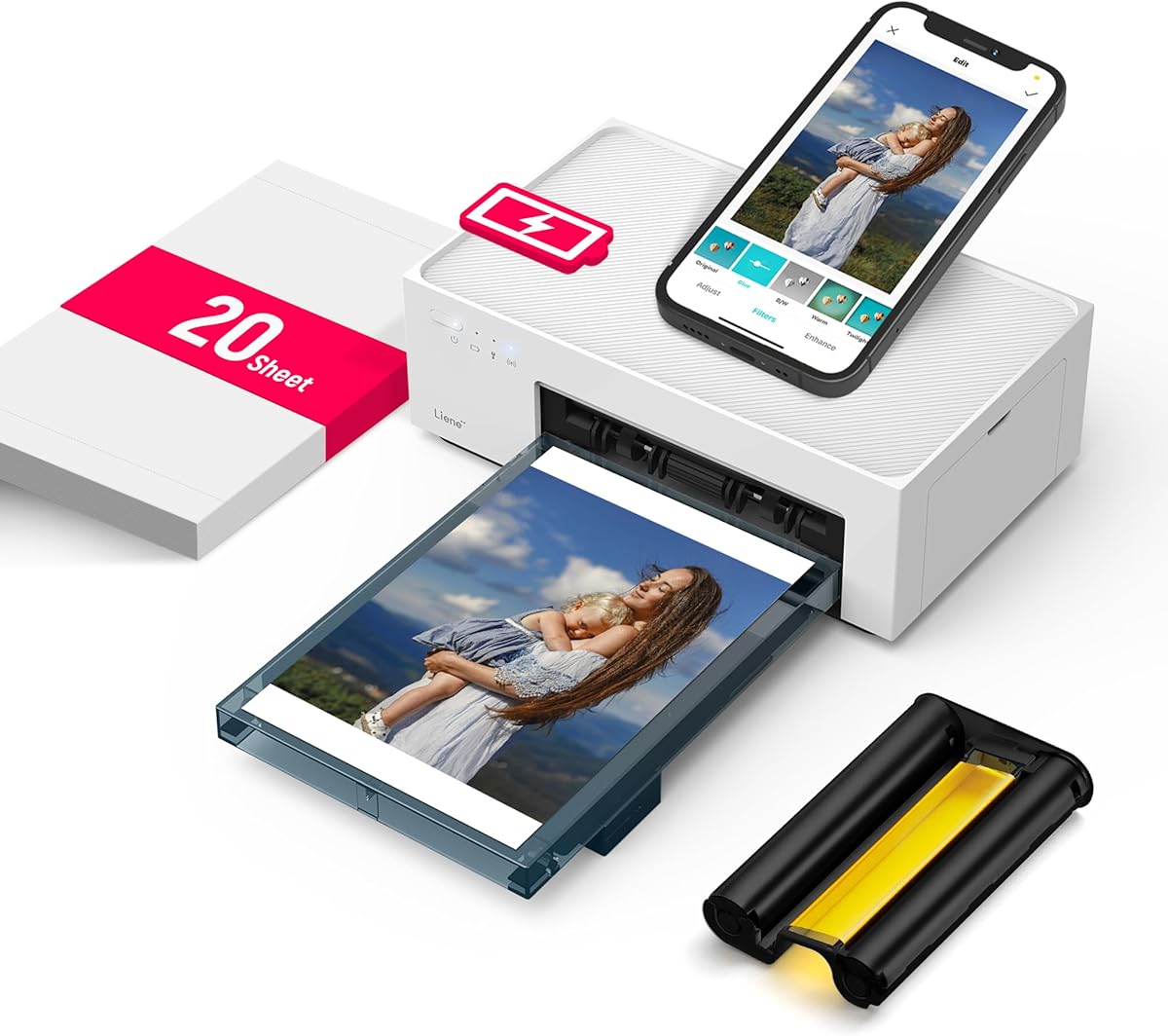
The Liene White M200 is a dedicated photo printer that excels in quality. Using dye sublimation it produces vibrant and durable prints that resist water and scratches better than standard inkjet options.
We may earn a commission when you buy through this link, at no additional cost to you.
It features a built-in WiFi hotspot which allows up to five users to connect at once. This makes it easy to share the printer among friends or family without network issues.
It is limited to 4×6 photo paper which restricts document use. However for preserving memories and creating physical copies of photos it is unmatched in its portable class.
Ideal for travelers who want to print photos instantly. The water-resistant finish ensures your photos last even in humid or rainy environments.
Dye sublimation technology creates water-resistant prints that do not fade quickly.
Multi-user support allows multiple devices to connect simultaneously via built-in hotspot.
We may earn a commission when you buy through this link, at no additional cost to you.
Selecting the right portable printer involves evaluating several key factors to ensure it meets your specific mobile printing needs.
Battery capacity determines how many pages you can print before needing to recharge. Look for models that offer at least 100 pages per charge for practical use. Charging speed also matters; fast charge features can minimize downtime during busy trips.
Prioritize models with high capacity batteries and USB charging options for flexibility with power banks.
Choose between inkjet for color and documents or thermal for text and cost savings. Inkjet offers better quality for photos but costs more in supplies. Thermal is cheaper but limited to black and white on special paper.
Decide based on whether you need color photos or just black and white text documents for your work.
Ensure the printer supports the paper sizes you need such as standard Letter or A4. Some thermal models only support rolls or small labels which limits general use. Check if it uses regular paper or requires special thermal stock.
Select a model that handles standard document sizes to ensure broad compatibility with your files.
Wireless options like Bluetooth and Wi-Fi make printing from phones easy. USB connections are reliable for laptops and do not rely on signal strength. Check if the device supports multiple connection types for versatility.
Look for models offering both wireless and USB ports to cover all your device scenarios.
Lightweight devices are easier to carry in backpacks or bags during travel. Consider the total weight including the battery and any included accessories. A compact design saves space in crowded workspaces or vehicles.
Aim for a device under two pounds if you plan to carry it daily with other gear.
Consider the ongoing costs of ink, toner, or special paper. Thermal printers save on ink costs but may require expensive paper. Inkjets have higher consumable costs but use standard paper.
Calculate long-term supply costs to ensure the printer fits your budget over time.
A good app makes setting up and using the printer easier on mobile devices. Check for features like AI tools or secure local printing which add value. Compatibility with your OS is essential for seamless workflow.
Choose a printer with robust app support to simplify the printing process on the go.
Portable devices face wear and tear so a sturdy build is important. Look for cases or protective designs that ensure the device survives travel. Models with fewer moving parts may be more reliable over time.
Invest in a model with a reputation for reliability to avoid breakdowns during critical tasks.
Start by installing the manufacturer's app or driver on your device before attempting to print. Connect the printer via Bluetooth or USB and follow the on-screen prompts to pair the device. Ensure the battery is fully charged before leaving home for consistent performance.
Load the correct paper type for your model to avoid jams. For thermal printers use only thermal rolls; for inkjets use standard paper sheets. Keep the paper bin clean and free of dust to maintain smooth feeding during operation.
Store the printer in a cool dry place when not in use to protect the battery and internal components. If you are not using it for a long time charge the battery to about 50 percent before storage. Regularly update the firmware via the app to ensure optimal performance and security.
Many models can operate without a network by using Wi-Fi Direct or Bluetooth. This allows direct connection between your device and the printer. Some also support USB connections which do not require wireless networks at all.
Battery life varies significantly by model and usage. High-end models can print hundreds of pages on a single charge while others offer 100 or less. Check the manufacturer's specifications for estimated page counts per charge.
No thermal printers require special thermal paper that reacts to heat. Regular copy paper will not work and may damage the print head. Inkjet portable printers are needed for standard paper documents.
Most portable printers are designed for light to moderate use. For high-volume needs stationary office printers are usually more cost-effective. Portable units excel for occasional or urgent printing on the go.
Inkjet models support color printing while thermal models are typically black and white. Check the product specifications to confirm if color is a feature you need. Dye sublimation models like the Liene offer high-quality color photos.
Most modern portable printers support iOS and Android devices. Apps are usually available to facilitate printing via Bluetooth or Wi-Fi. Ensure the device has the latest OS updates for best compatibility.
We have reviewed ten top options ranging from inkjet workhorses to lightweight thermal units. The HP OfficeJet 200 leads for overall reliability and quality while budget thermal options offer value for text users.
Consider your primary needs such as color output, paper size, or battery life when making a choice. A printer that fits your specific workflow will provide the most value and convenience.
Remember to check current availability and specifications before buying as models may change over time. The right portable printer can greatly enhance your productivity whether you are traveling or working remotely.