
Franklin Collins English Digital Dictionary Express Edition
3.7Editor score
118000 word vocabulary
500000 synonyms antonyms
Integrated word games
This guide compares the top ten electronic dictionaries and thesaurus devices for students and professionals seeking offline language tools without internet.
Electronic dictionaries and thesaurus devices offer reliable offline language support for students and professionals who need quick access to definitions without internet connectivity.
We evaluated ten top-rated models based on vocabulary size, translation capabilities, grammar tools, and user interface design to find the most practical options available.
Each pick highlights specific strengths like bilingual support or puzzle solving while noting that features and availability may vary so checking current listings is recommended before buying.
3.7Editor score

3.7Editor score

3.9Editor score
The following table provides a side-by-side comparison of all ten selected models highlighting their core specifications and key capabilities for language learning.





The Franklin MDE-1200 stands out as a dedicated English learning companion with a strong focus on vocabulary building and grammar mastery for students.
We may earn a commission when you buy through this link, at no additional cost to you.
Its database includes 80000 headwords and 15000 synonyms alongside interactive tools like conjugation guides and puzzle solvers to make study engaging.
While the 3.7 rating suggests mixed user feedback the device offers comprehensive offline capabilities that are rare in modern smartphone dependent environments.
This device is ideal for students preparing for standardized tests who need a distraction-free tool to reinforce language fundamentals without internet access.
The included irregular verb conjugators and noun inflection guides provide essential support for mastering complex English grammatical structures.
Classic games like Hangman and Crossword Solver turn vocabulary review into a fun activity that encourages consistent daily practice.
We may earn a commission when you buy through this link, at no additional cost to you.
The Collins English Digital Express Edition offers an impressive vocabulary database and synonym variety at a budget friendly price point for general users.
We may earn a commission when you buy through this link, at no additional cost to you.
With over 500000 synonyms and antonyms it serves as a powerful thesaurus for writers looking to expand their lexical range without spending much.
Some users may find the interface less modern but the device delivers reliable performance for quick lookups and spelling corrections on the go.
This model is perfect for casual learners or professionals who need a lightweight reference tool without the cost of advanced translation features.
The massive synonym library helps users find precise alternative words to avoid repetition and enhance the quality of their writing.
Beyond language the device includes a calculator and currency converter making it a multi purpose tool for travelers and students alike.
We may earn a commission when you buy through this link, at no additional cost to you.
The MES-2400 excels in spoken language acquisition with native human voice pronunciation that helps learners master correct intonation and stress patterns.
We may earn a commission when you buy through this link, at no additional cost to you.
Its ability to translate English Spanish Italian German and French offline makes it an invaluable asset for international travel or language classroom use.
While it commands a higher price the investment pays off through superior audio quality and reliable offline performance that apps often cannot guarantee.
This device is best suited for serious language students who need to practice speaking and listening skills without relying on unstable internet connections.
The high quality audio samples allow learners to hear words as they sound in real conversations aiding proper speaking development.
Working without internet ensures you can communicate across language barriers anywhere which is critical for travelers in remote areas.
We may earn a commission when you buy through this link, at no additional cost to you.
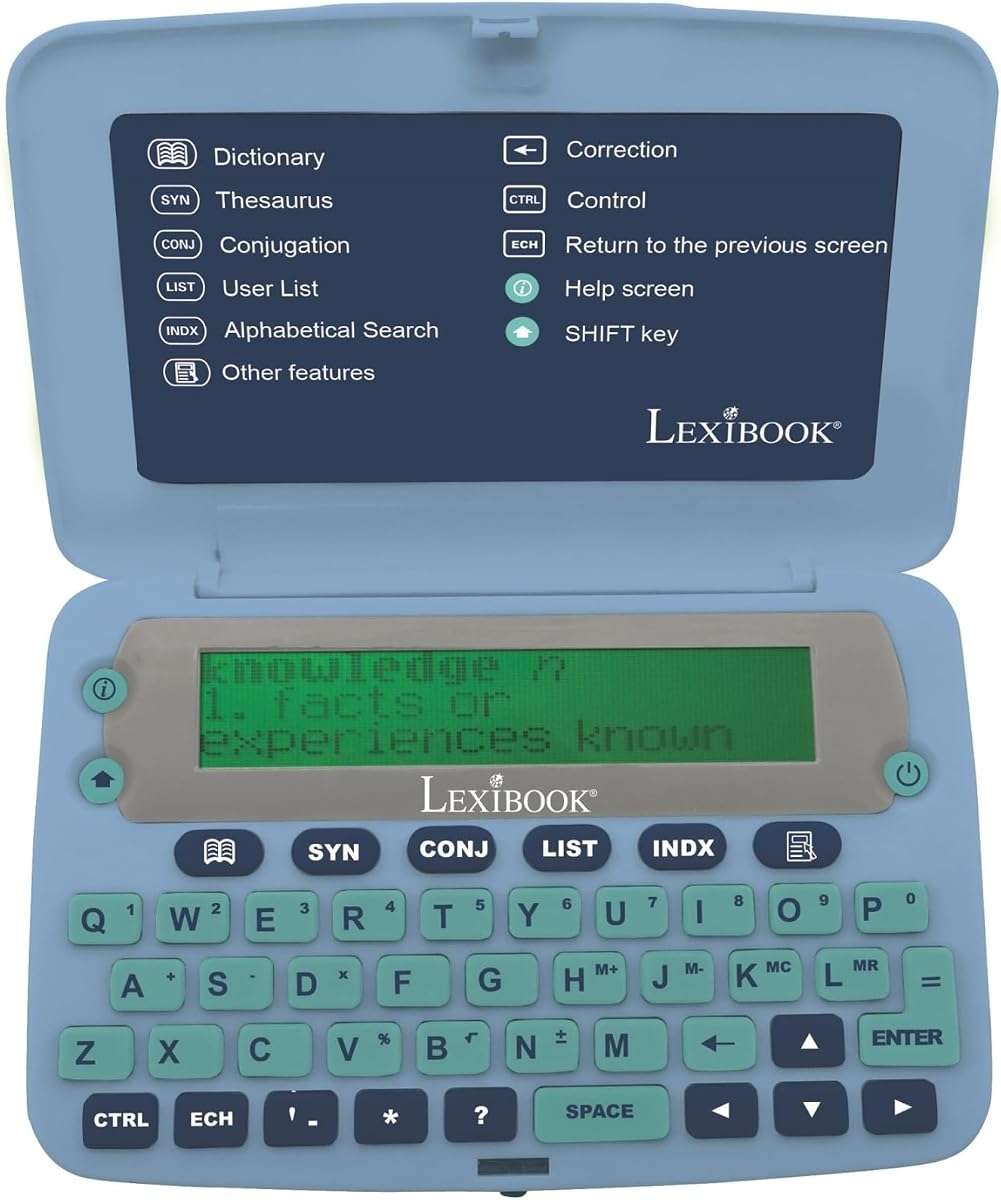
The LEXiBOOK D850EN boasts the largest vocabulary database in this comparison with over 725000 words making it a treasure trove for deep research.
We may earn a commission when you buy through this link, at no additional cost to you.
Its verb conjugation engine and comprehensive cross referencing make it particularly useful for academic work where precise terminology and grammar matter.
Despite the extensive data the device suffers from a lower user rating which may indicate issues with responsiveness or build quality over time.
This model is recommended for scholars who prioritize word depth over speed but should be tested carefully before purchase to ensure reliability.
With over 725000 entries this device covers obscure words and archaic terms that standard dictionaries often leave out entirely.
The large screen and magnifying function ensure that text remains legible even for users with vision challenges in various lighting.
We may earn a commission when you buy through this link, at no additional cost to you.
The DBE-1200 is the definitive choice for anyone focused on mastering English and Spanish as it offers over a million built-in translations.
We may earn a commission when you buy through this link, at no additional cost to you.
Its offline nature ensures consistent access to translations and definitions which is crucial for students in classrooms or travelers without reliable data.
The inclusion of grammar inflection tools adds significant value for learners who need to understand how words change across different sentence structures.
This device is highly recommended for Spanish learners who want a dedicated tool that offers depth and reliability beyond typical mobile applications.
Noun and verb inflection help users understand how grammar works in both languages ensuring accurate communication in complex contexts.
Without ads or notifications the device encourages focused study sessions that improve retention and vocabulary building effectively.
We may earn a commission when you buy through this link, at no additional cost to you.
The LEXiBOOK D650EN provides a balanced mix of vocabulary and utility features at a reasonable price point for general English study and reference.
We may earn a commission when you buy through this link, at no additional cost to you.
Its memo list feature allows users to track words they want to learn making it a practical tool for structured vocabulary building exercises.
While it lacks the massive scale of larger models it covers the most common and useful words needed for daily communication and reading.
This device is ideal for students who need a straightforward dictionary with helpful extras like currency conversion for travel or school projects.
The ability to create custom word lists encourages active learning and helps students track their progress over time efficiently.
Large buttons and an ergonomic shape ensure comfortable use during long study sessions without hand fatigue or typing errors.
We may earn a commission when you buy through this link, at no additional cost to you.
The MWS-1840 brings the authority of Merriam Webster to a portable device with speaking capabilities that aid in pronunciation and listening practice.
We may earn a commission when you buy through this link, at no additional cost to you.
With 274000 definitions and 496000 synonyms it serves as a robust reference for writers and students needing reliable and contemporary English data.
The slot for Book Cards allows for potential expansion making it a versatile tool that can adapt to changing study needs over time.
This model is recommended for those who prefer the Merriam Webster standard and want a speaking aid for accurate verbal communication skills.
Trust in the Webster standard ensures definitions are accurate and reflect current usage which is vital for professional writing.
The ability to add content via book cards allows users to customize the dictionary for specific subjects or advanced vocabulary.
We may earn a commission when you buy through this link, at no additional cost to you.
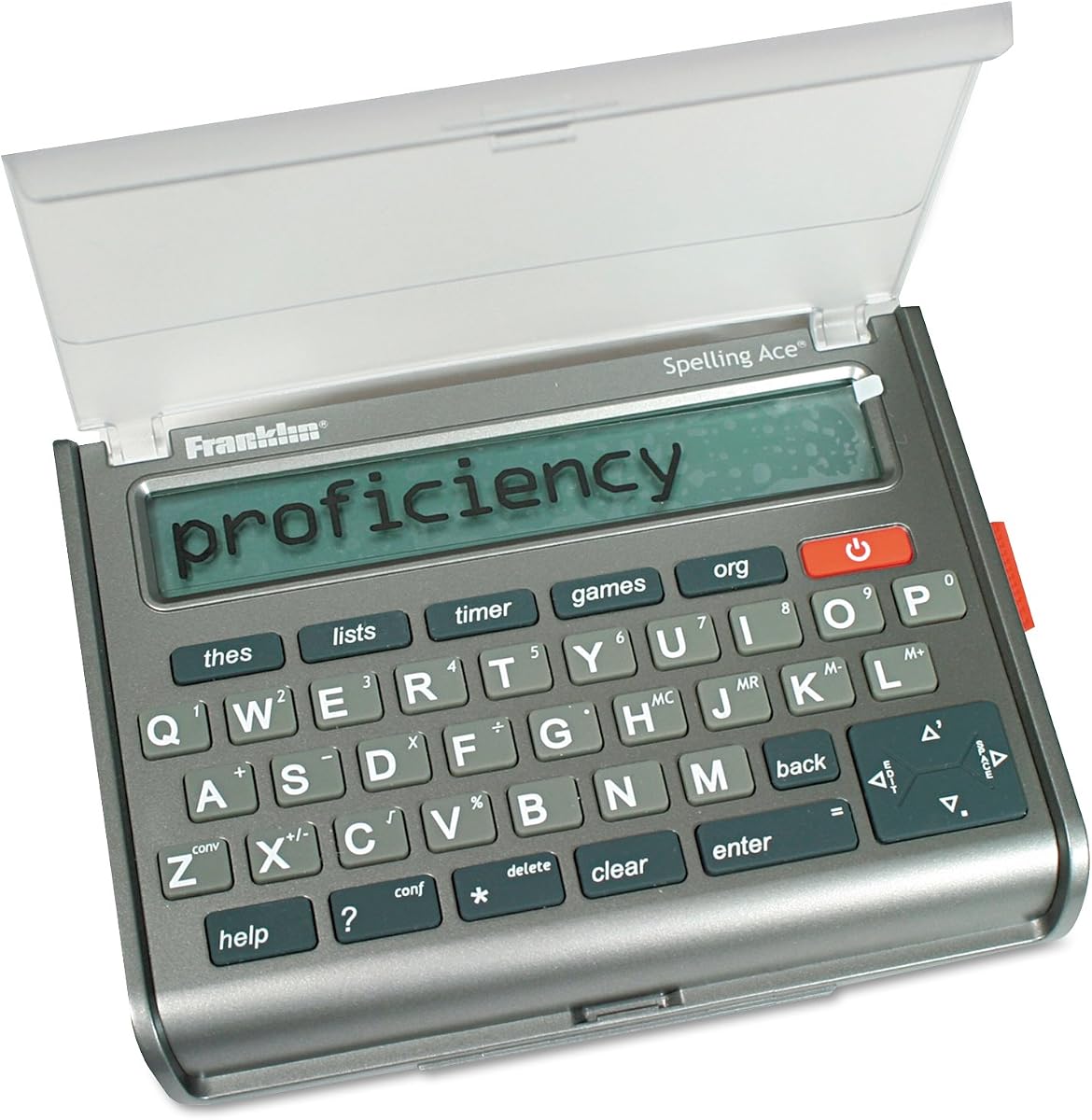
The SA-309 Spelling Ace stands out with the highest rating in this list and specialized tools designed for puzzle solving and spelling improvement.
We may earn a commission when you buy through this link, at no additional cost to you.
Its crossword puzzle solver and word builder tools make it an excellent companion for word game enthusiasts and students looking to sharpen skills.
The confusables function helps users distinguish between commonly confused words ensuring clearer and more precise writing in everyday communication.
This device is ideal for students preparing for exams that test spelling vocabulary or for individuals who enjoy word games as a learning method.
Integrated solvers for crosswords and anagrams turn vocabulary practice into an engaging challenge that improves cognitive skills.
The classmates feature provides words in similar categories which helps users understand nuances and choose the right word context.
We may earn a commission when you buy through this link, at no additional cost to you.
The Merriam Webster BookMan offers a traditional pocket style interface that appeals to users who prefer a classic reference experience.
We may earn a commission when you buy through this link, at no additional cost to you.
While it lacks modern translation or voice features it provides reliable access to Webster definitions and synonyms in a simple standalone device.
The lower rating suggests it may be outdated compared to newer models but it remains a functional tool for basic lookups and study.
This model is best for readers who value the simplicity of a traditional dictionary format and do not require advanced digital features.
The simple layout mirrors a physical book which can be less distracting for those who prefer straightforward text interaction.
Its pocket size ensures you can carry a reliable reference source anywhere without the bulk of larger devices or phones.
We may earn a commission when you buy through this link, at no additional cost to you.
The MWD-1450 offers the unique ability to download additional content making it flexible for users who need to update or expand their resources.
We may earn a commission when you buy through this link, at no additional cost to you.
With 100000 definitions and a variety of games it provides a solid mix of reference and educational tools for general language practice.
The five-line display provides enough space for detailed definitions which is helpful when reading complex words or sentences.
This device is suitable for learners who want a customizable tool that can grow with their needs through optional content additions.
Downloading new content allows users to keep the dictionary current or add specialized dictionaries for specific fields.
Nine integrated games provide an interactive way to practice vocabulary and spelling skills without feeling like a chore.
We may earn a commission when you buy through this link, at no additional cost to you.
Selecting the right device depends on understanding your specific needs for vocabulary size language support and features like pronunciation or game tools.
Larger databases containing over 500000 words are essential for advanced learners researchers or professionals who need precise definitions and obscure terms.
For general students a database of 100000 words is often sufficient for daily communication and classroom assignments.
Decide whether you need a single language dictionary or a bilingual tool like English Spanish or English French to support translation needs.
Devices offering offline translation are valuable for travelers who cannot rely on internet connectivity during their journeys.
If mastering pronunciation is a priority choose a model with native voice audio to hear correct stress and intonation patterns.
Speaking dictionaries are particularly useful for auditory learners who benefit from hearing words aloud before using them.
Look for built-in grammar lessons conjugation guides and verb inflection tools that help you understand how words function in sentences.
These features are crucial for standardized test preparation like TOEFL or SAT where grammar rules are heavily tested.
A clear display with sufficient lines and contrast ensures readability and prevents eye strain during long study sessions.
Ergonomic keypads and simple navigation menus make it easier to access words quickly without frustration.
Some devices include calculators currency converters world clocks and memo lists which add value beyond simple dictionary definitions.
These tools turn the device into a multi-purpose companion for students travelers and professionals on the go.
Models that allow downloadable content or book cards can be updated with new words or specialized dictionaries as your needs grow.
This flexibility ensures the device remains useful over time rather than becoming obsolete as language usage changes.
Since these are portable devices long battery life and lightweight designs are essential for carrying them to class or while traveling.
Check the power source type to ensure it matches your preferences for convenience and long-term cost of ownership.
Start by familiarizing yourself with the navigation keys and display settings to ensure text is readable and menus are accessible for your study style.
Regularly update any downloadable content or install new vocabulary lists to keep your reference material current and relevant to your learning goals.
Keep the device clean and dry while storing it in a protective case to prevent damage to the screen and buttons during transport.
Most modern electronic dictionaries do not require an internet connection as they store all definitions and translations locally on the device. This offline capability ensures you can look up words anywhere without relying on cellular data or Wi-Fi networks.
A dictionary provides definitions and spellings of words while a thesaurus offers synonyms and antonyms to help you find alternative words. Many electronic devices combine both features to offer comprehensive language support in one unit.
Some models allow you to create custom word lists or download additional content packs to expand the vocabulary. However basic devices have fixed databases that cannot be modified by the user.
Electronic dictionaries are often better for focused study since they lack distractions like notifications and games found on phones. They also work offline without requiring a phone plan or constant internet connection.
Battery life varies by model but many devices can run for weeks on standard batteries since they are not used continuously like smartphones. Always check the power requirements before purchasing to ensure convenience.
While some devices are English only many models offer bilingual support like English Spanish or English French. For broader needs consider a multi-language translator that covers several target languages simultaneously.
The top picks for November 2026 highlight the best balance of vocabulary depth translation capabilities and learning tools available for students and professionals.
Prioritize offline functionality and grammar tools if you need a distraction-free environment for focused study without relying on unstable internet connections.
Always check current listings for availability as features and model updates may change before purchase to ensure you get the most up to date device.