
Lightning to HDMI Adapter for iPhone
4.4Editor score
1080P HD Video Support
Built-in Charging Port
Plug and Play Setup
This comprehensive guide compares the top HDMI Lightning adapters for iPhone, evaluating video quality, compatibility, and performance for streaming and
Finding the right HDMI Lightning adapter for iPhone is essential for connecting your device to larger screens effortlessly. These adapters enable you to mirror your display for movies, presentations, or gaming without needing complex setups or additional hardware components.
We compared ten highly rated adapters based on customer feedback, technical specifications, and real-world performance. Our analysis focuses on resolution support, charging ports, plug-and-play functionality, and app compatibility to help you make an informed purchasing decision quickly.
Each product in this list offers unique features tailored to different user needs, from budget-friendly options to premium models with enhanced connectivity. Please note that prices and availability may fluctuate, so checking current listings before buying is always recommended for the best value.
4.4Editor score

4.1Editor score

4.2Editor score
This section provides a detailed side-by-side comparison of all ten selected adapters. We highlight key specifications such as resolution limits, charging capabilities, and supported devices to simplify your selection process.





This adapter delivers solid performance for users seeking a reliable connection without breaking the bank. With a strong 4.2-star rating, it supports mirroring up to 1080P HD, making it ideal for casual viewing and presentations.
We may earn a commission when you buy through this link, at no additional cost to you.
The standout feature is the integrated lightning charging port, which keeps your phone powered during long sessions. It supports a wide range of apps like YouTube and local video files, ensuring seamless connectivity for everyday tasks.
HDCP restrictions mean streaming services like Netflix are not supported, which is a common limitation for third-party adapters. This trade-off is acceptable given the price and functionality it offers for other content sources.
Buyers looking for an entry-level adapter that handles most media needs will find this model highly satisfying. It balances cost and performance effectively for most home entertainment scenarios.
The lightning charging port allows you to keep your device charged while mirroring content, preventing battery drain during extended use.
Being MFi certified ensures stable connectivity and reduces the risk of error messages or connection drops during critical moments.
We may earn a commission when you buy through this link, at no additional cost to you.
This adapter is praised for its extensive compatibility with various iPhone and iPad models, ensuring it works with almost all Lightning devices. Its plug-and-play design eliminates the need for any driver installation or complex configuration steps.
We may earn a commission when you buy through this link, at no additional cost to you.
Users appreciate the clear visual output up to 1080P HD, which enhances the viewing experience significantly. The inclusion of a charging port is a thoughtful addition that maintains your device's battery life during presentations or movie marathons.
While it fails to support copyrighted apps like HBO Go due to HDCP protections, it excels with open-source and free platforms like YouTube. This limitation is standard across most adapters but worth noting for subscribers.
For anyone needing a reliable, portable solution for business or leisure, this model offers excellent value. It strikes a great balance between affordability and essential features.
The adapter requires no manual setup, allowing you to connect quickly and start mirroring content in seconds without technical headaches.
It supports a wide range of Apple devices, ensuring longevity and reuse even as you upgrade your phone or tablet.
We may earn a commission when you buy through this link, at no additional cost to you.
The KikoSaka adapter stands out with a high user rating, reflecting its reliability in real-world use. It supports all iOS versions, ensuring you can upgrade your phone without worrying about adapter compatibility issues.
We may earn a commission when you buy through this link, at no additional cost to you.
Its seamless experience is largely due to the certified chip inside, which minimizes glitches during screen mirroring. This makes it a preferred choice for professionals who need consistent performance during presentations.
While specific app lists are not detailed, general compatibility with standard media apps is implied. The focus remains on providing a stable connection across a wide array of Apple devices.
Buyers prioritizing a guaranteed match with their current iOS version will appreciate this adapter. It is a dependable choice for everyday screen extension needs.
Support for all iOS versions means you won't need to replace this adapter when Apple releases new software updates.
Certified chips ensure minimal lag, making it suitable for time-sensitive tasks like business meetings or live demos.
We may earn a commission when you buy through this link, at no additional cost to you.
Unlike many competitors, this adapter comes with a 6.6ft cable, eliminating the need to purchase a separate HDMI cable. This convenience makes setup significantly easier for users in different room configurations.
We may earn a commission when you buy through this link, at no additional cost to you.
Performance is highlighted as delay-free, ensuring that your screen matches real-time actions without lag. This is particularly useful for gaming or live presentations where timing is critical for engagement.
However, like most models, it does not support HDCP-protected apps like Netflix. This restricts its use to YouTube and local videos, which may disappoint some streamers.
For those who want an all-in-one solution without extra purchases, this model is highly recommended. It simplifies the setup process while delivering reliable video quality.
The 6.6ft cable means you only need one piece of hardware to connect your device directly to a TV or projector.
Delays are minimized, making this adapter suitable for dynamic content like slideshows or interactive applications.
We may earn a commission when you buy through this link, at no additional cost to you.
As an official Apple product, this adapter offers guaranteed compatibility and reliability that third-party options may struggle to match. It mirrors your screen effectively up to 1080P HD, ensuring high-quality visuals for presentations or media.
We may earn a commission when you buy through this link, at no additional cost to you.
The hardware quality is consistent with Apple standards, meaning fewer connection issues over time. It supports a wide range of apps, though copyrighted content restrictions apply as per industry standards.
The main downside is the higher price and the need to buy a separate HDMI cable, which can increase the total cost. This trade-off is worth it for users prioritizing stability over budget.
If you prefer official hardware and want peace of mind regarding compatibility, this is the best choice available in the market.
Being manufactured by Apple ensures that the adapter meets strict quality control measures and firmware standards.
It handles both video and audio output seamlessly, providing a complete entertainment or presentation experience.
We may earn a commission when you buy through this link, at no additional cost to you.
This adapter is specifically noted for supporting iOS 17, making it one of the most future-proof options for iPhone users. Its high 4.4-star rating suggests strong satisfaction among recent buyers regarding stability and ease of use.
We may earn a commission when you buy through this link, at no additional cost to you.
The charging port is essential for longer sessions, ensuring your device doesn't run out of power. It handles mirroring smoothly for apps like YouTube and local files without significant lag or setup hurdles.
However, users must plug in a power source for optimal function, and streaming apps like Netflix remain unsupported due to copyright restrictions. This is standard but worth noting for entertainment purposes.
For those running the latest iOS, this adapter is a top contender that combines modern support with practical design features.
Supporting iOS 17 ensures that new features and updates do not disrupt your connection experience.
With a 24/7 customer service promise, you can get help quickly if setup issues arise unexpectedly.
We may earn a commission when you buy through this link, at no additional cost to you.
Trusted by thousands of users, this adapter is perfect for business travelers who need to connect quickly to hotel TVs. It requires no WiFi or passwords, making it ideal for presentations and offline content viewing.
We may earn a commission when you buy through this link, at no additional cost to you.
The zero-lag mirroring ensures that your slides and videos look professional. It is specifically designed for Lightning models, so users with newer USB-C devices should look for other options.
While streaming apps like Netflix are blocked, it excels with YouTube and local files. The clear instructions prevent confusion about supported apps before purchase.
For professionals who need a reliable tool on the go, this adapter provides the stability and simplicity required for successful presentations.
The plug-and-play nature allows you to connect to any standard TV without needing network credentials.
High-quality chip technology ensures that your mouse movements and video play back instantly without delay.
We may earn a commission when you buy through this link, at no additional cost to you.
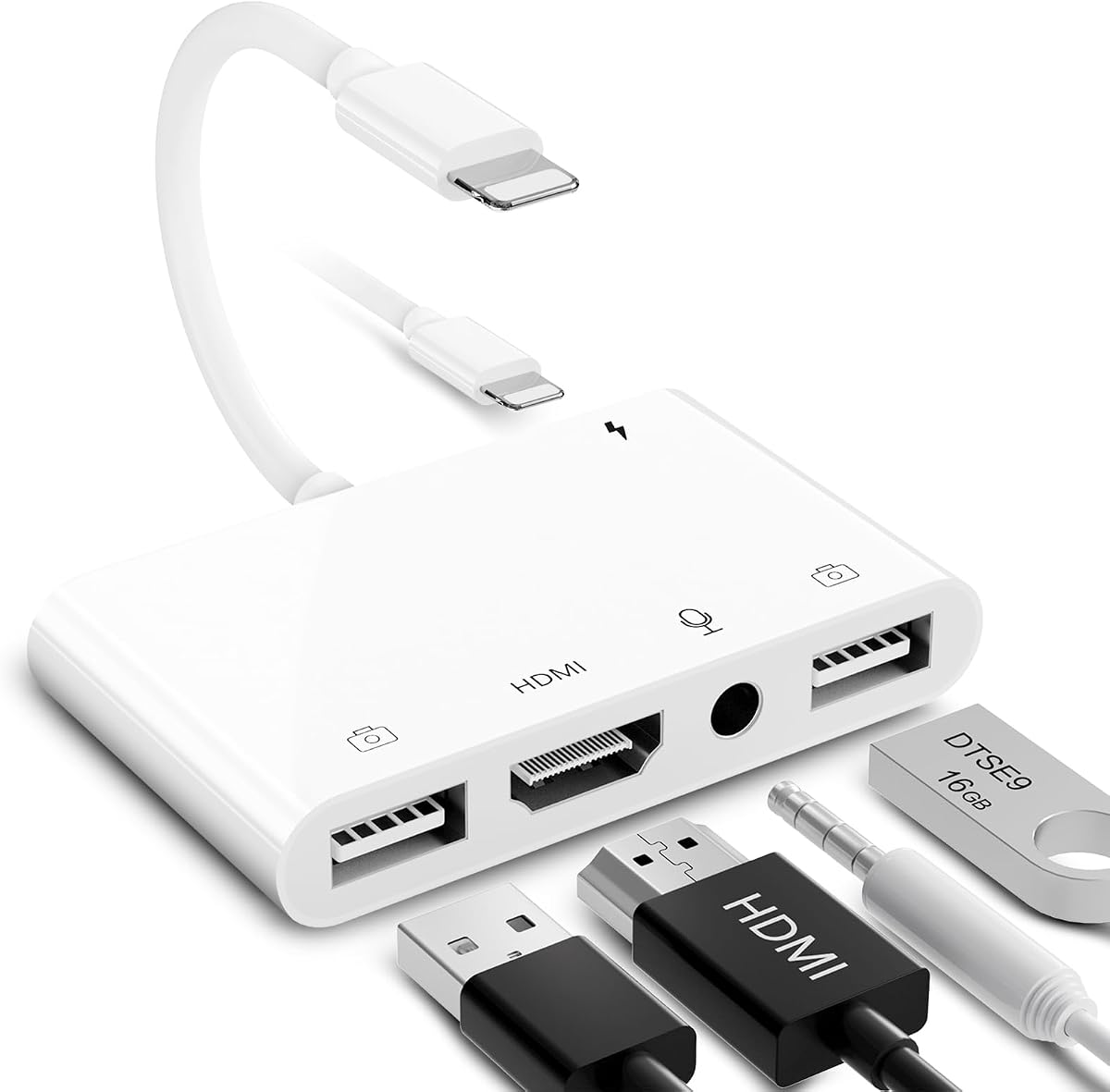
This adapter stands out by offering dual USB ports and a microphone jack, turning your phone into a versatile workstation. You can plug in a keyboard or mouse to edit documents directly on the big screen.
We may earn a commission when you buy through this link, at no additional cost to you.
The microphone port enables live streaming on platforms like YouTube, allowing you to broadcast directly from your device. This makes it unique for content creators who need audio inputs alongside video output.
While setup is slightly more complex than simple adapters, the added functionality pays off for power users. It supports most standard apps but still respects HDCP restrictions for paid services.
If you need to connect multiple peripherals or want to stream with audio control, this adapter offers unmatched versatility in this category.
USB ports allow you to connect external keyboards, mice, and flash drives directly to your iPad or iPhone.
The 3.5mm jack lets you attach a microphone for recording or live broadcasting without extra gear.
We may earn a commission when you buy through this link, at no additional cost to you.
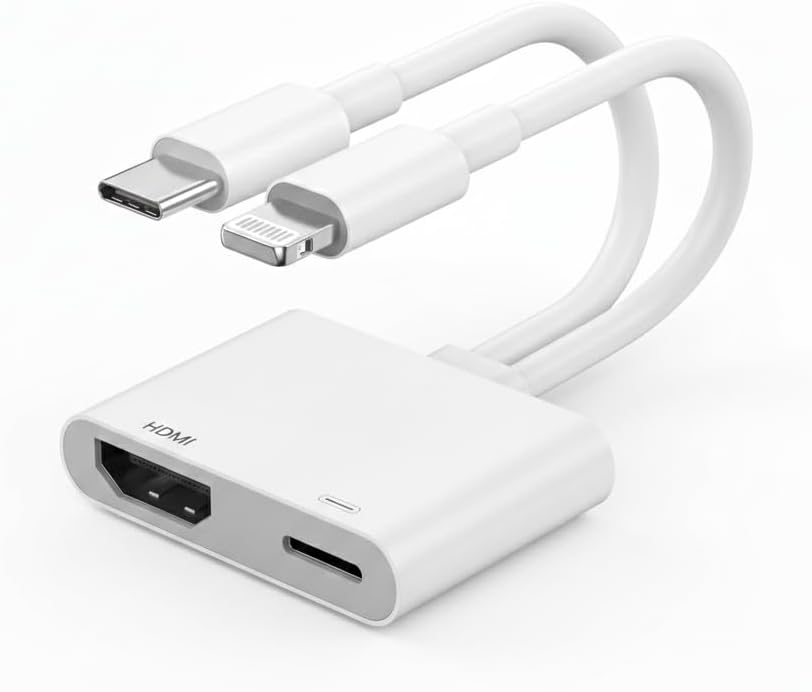
This versatile adapter bridges the gap between Lightning and USB-C devices, supporting both iPhone and MacBook. It offers 100W charging, ensuring your devices stay powered during long sessions without extra power bricks.
We may earn a commission when you buy through this link, at no additional cost to you.
For USB-C devices, it supports 4K@60Hz, delivering stunning visuals. For Lightning, it caps at 1080P, which is still sufficient for most standard TVs and projectors.
While HDMI-C protected apps are limited on Lightning mode, USB-C mode supports them, offering flexibility depending on your device. This makes it a unique hybrid solution for mixed-device households.
If you own both an iPhone and a laptop, this adapter consolidates your accessories into one powerful tool for productivity and entertainment.
It works with both older Lightning models and newer USB-C phones and laptops, simplifying your tech setup.
The 100W Power Delivery ensures fast charging while you stream, keeping your device at optimal battery levels.
We may earn a commission when you buy through this link, at no additional cost to you.
This classic model has maintained a high 4.6-star rating due to its reliability and simplicity. It mirrors your device screen accurately, making it a staple for presentations and media viewing.
We may earn a commission when you buy through this link, at no additional cost to you.
The hardware is robust and durable, ensuring longevity even with frequent use. It supports both video and audio outputs, providing a complete experience without additional dongles.
However, the lack of a built-in charging port and the need for a separate HDMI cable make it slightly less convenient than modern alternatives. Despite this, it remains a solid choice for Apple loyalists.
For those who value legacy performance and trust Apple's engineering, this adapter delivers consistent results without unexpected issues.
The design and build quality are consistent with Apple standards, ensuring a reliable user experience.
It focuses on core functionality, providing a straightforward way to mirror your screen without extra features.
We may earn a commission when you buy through this link, at no additional cost to you.
Selecting the right adapter depends on your specific needs, including video quality, charging requirements, and device compatibility. This section outlines key factors to consider before purchasing.
Most adapters support up to 1080P HD, which is sufficient for standard TVs and projectors. Ensure the adapter meets your display requirements to avoid blurry or pixelated output.
Look for models that promise stable 1080P output to ensure your content looks sharp and professional.
MFi certification guarantees that the adapter is approved by Apple, reducing the risk of connection errors or firmware issues. Non-certified adapters may stop working after iOS updates.
Always choose an MFi-certified product to ensure long-term compatibility and stable performance.
Mirroring consumes significant battery power. An adapter with a built-in charging port allows you to keep your device powered during extended use without needing extra cables.
Prioritize adapters with charging ports for uninterrupted presentations or long movie sessions.
Most adapters do not support apps with HDCP protection like Netflix due to copyright laws. Ensure you check if your favorite streaming services are supported before buying.
Expect limitations with paid streaming apps and rely on free alternatives like YouTube instead.
Some adapters come with a built-in HDMI cable, while others require you to purchase one separately. Consider the cable length needed for your setup to avoid reaching issues.
Opt for portable designs if you frequently travel or move between rooms for presentations.
Ensure the adapter supports your specific iPhone model and iOS version. Newer iOS updates may break compatibility with older adapters.
Check the product specs to confirm it works with your current device and iOS version.
Audio is just as important as video. Look for adapters that maintain high-quality audio sync to avoid lip-sync issues during playback.
Verify that the adapter supports full audio output for a complete multimedia experience.
Prices vary widely from budget options to premium ones. Consider warranties and customer support services to ensure protection against defects.
A reliable warranty can save you money if the adapter fails unexpectedly after purchase.
To use the adapter, connect the lightning end to your iPhone and the HDMI end to your TV. Use an HDMI cable (sold separately) if the adapter does not include one.
Once connected, unlock your iPhone and tap Trust if prompted. The display should switch to the TV within a few seconds automatically.
Keep the adapter dry and avoid bending the cable excessively. Store it in a case when not in use to prevent wear and tear on the connector.
Most third-party adapters do not support Netflix due to HDCP copyright restrictions. While you can view local videos or YouTube, streaming paid content is blocked to protect intellectual property rights.
Some adapters come with a built-in HDMI cable for convenience. Others require you to buy one separately, so check the product details before purchasing to ensure you have the right connections.
Yes, mirroring consumes significant power. Using an adapter with a charging port helps maintain your battery level so you do not run out of power during long sessions.
Yes, MFi certification ensures the adapter meets Apple standards for quality and compatibility. Non-certified adapters may not work correctly or could cause errors after system updates.
Most adapters support a wide range of Lightning devices, including older models. Always check the specific compatibility list to ensure your device is supported by the adapter.
Most Lightning adapters support up to 1080P. Only select adapters with USB-C capabilities may support 4K, but standard iPhone models are limited to HD output.
A black screen often means a loose connection or unsupported app. Check your cables and ensure the app does not block HDMI output due to DRM restrictions.
Yes, these adapters are ideal for presentations. They mirror your iPhone screen directly to the TV, allowing you to show slides or documents to a large audience.
We reviewed ten top adapters ranging from budget-friendly to premium options. Each offers unique benefits like charging ports, built-in cables, or extensive device support.
Prioritize adapters with MFi certification and charging ports for the best experience. Ensure your target apps are supported before making a final decision.
Prices fluctuate, so verify current deals and availability. Choosing the right adapter ensures you can enjoy your content on a bigger screen hassle-free.