
LaCie Rugged Mini 2TB
4.6Editor score
Shocks, drops up to four feet
USB 3.0 fast data transfer
Password protection built in
Includes Adobe Creative Cloud membership
This guide compares the top ten Lacie Rugged External Hard Drive models for durability and speed to help you choose the best storage solution for your needs.
Finding reliable storage for your digital assets is crucial in today’s fast-paced world. You need a drive that can withstand the elements while keeping your data secure and accessible whenever you need it most.
We analyzed the top ten Lacie Rugged External Hard Drive models available this month based on durability, speed, and capacity. Our team reviewed technical specifications and user feedback to ensure accuracy in this comprehensive roundup.
Each pick highlights key features and ideal use cases to help you make an informed decision. Please note that pricing and availability can change frequently so verify current details before making your final purchase.
4.6Editor score

4.4Editor score

4.5Editor score
Below you will find a detailed side-by-side comparison of all ten selected Lacie Rugged External Hard Drive models. This table allows you to quickly assess the key specifications and features of each option to find the one that best fits your workflow requirements and storage needs.


The LaCie Rugged USB-C 4TB stands out as a top contender in the external hard drive market with its impressive combination of durability and storage capacity. It holds a solid 4.4 star rating reflecting consistent user satisfaction with its performance and reliability in demanding environments.
We may earn a commission when you buy through this link, at no additional cost to you.
This drive offers 4TB of space which is ample for storing large video projects photo libraries and system backups. Its rugged design includes protection against drops, shocks, dust, and rain ensuring your critical data remains safe even when you are working in unpredictable conditions.
While it is priced higher than some basic drives the investment is justified by the robust build quality and versatile connectivity. Users should be aware that it lacks Thunderbolt support which might be a limitation for professional workflows requiring maximum transfer speeds.
If you need a reliable portable solution that balances capacity and durability this model is an excellent choice for photographers and content creators. It ensures your data is secure and accessible wherever your work takes you without compromising on performance.
The rubber sleeve and reinforced casing provide essential protection against physical damage and environmental hazards.
USB-C connectivity ensures compatibility with modern laptops and desktops while maintaining high transfer speeds.
We may earn a commission when you buy through this link, at no additional cost to you.
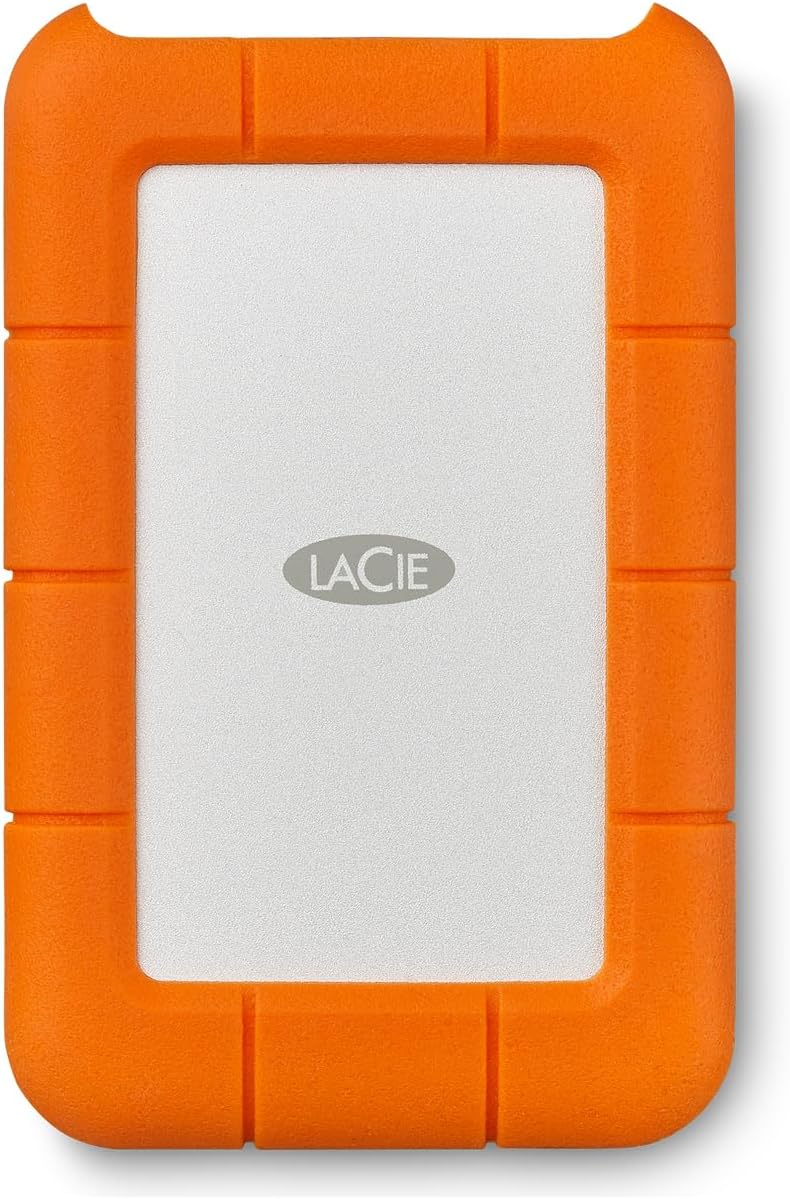
The LaCie Rugged Mini 2TB delivers exceptional value for users seeking a reliable storage solution without breaking the bank. With a high 4.6 star rating it has proven itself as a cost-effective choice for personal backups and light professional use.
We may earn a commission when you buy through this link, at no additional cost to you.
This drive features shock and water resistance making it suitable for everyday carry and outdoor use. It includes built-in password protection for added security and comes with a one-month membership to Adobe Creative Cloud All Apps Plan which adds significant value to the purchase.
The main trade-off is the 2TB capacity which may fill up quickly for users with extensive media libraries. Additionally Windows users may need to reformat the drive for Mac compatibility which could be an extra step during setup.
For students and casual users who need secure and portable storage this model offers the best balance of price and features. It provides essential rugged protection and useful software bonuses at a fraction of the cost of larger high-end drives.
Built-in password protection helps safeguard sensitive files from unauthorized access.
Complimentary Adobe Creative Cloud membership provides access to essential creative tools for users.
We may earn a commission when you buy through this link, at no additional cost to you.
The LaCie Rugged Mini 4TB is designed for users who need significant storage in a highly portable form factor. It maintains the high 4.6 star rating of its smaller counterpart proving that it does not compromise on reliability despite the increased capacity.
We may earn a commission when you buy through this link, at no additional cost to you.
This drive features a compact 2.5 inch design that fits easily in bags and pockets making it ideal for travel. It comes with a Data Rescue Service plan which provides peace of mind by helping recover lost or corrupted files when needed most.
While it supports PC and Mac as well as iPad and iPhone it uses standard USB connectivity which may be slower than Thunderbolt options. Users requiring maximum transfer speeds for large video files might find this a limitation compared to premium models.
This model is perfect for mobile professionals who need to access files across multiple devices including tablets and smartphones. The combination of high capacity portability and data recovery support makes it a versatile choice for diverse workflows.
Seamless compatibility with PC Mac iPad and iPhone ensures your files are accessible anywhere.
Included Data Rescue Service offers critical support for recovering important files from corruption or loss.
We may earn a commission when you buy through this link, at no additional cost to you.
The LaCie 5TB Rugged USB-C Portable Drive offers one of the highest storage capacities in the rugged portable category. It utilizes modern USB-C connectivity to ensure fast and reliable data transfers with the latest Mac and PC systems.
We may earn a commission when you buy through this link, at no additional cost to you.
Designed to withstand tough conditions it features a shock dust and rain resistant build that keeps your data safe in demanding environments. The compact and lightweight design makes it easy to carry your data wherever you go from the office to the field.
Since this model has limited user feedback it may be challenging to gauge long-term reliability compared to more established variants. The higher price point reflects the substantial storage capacity which may be a consideration for budget-conscious users.
For professionals needing extensive space for large video libraries or system backups this drive provides a reliable and portable solution. Its rugged nature ensures that your valuable data remains protected even when subjected to physical stress or harsh weather conditions.
Five terabytes of space accommodates large projects and extensive media libraries with ease.
Designed to withstand drops and environmental factors ensuring data safety in any condition.
We may earn a commission when you buy through this link, at no additional cost to you.
The LaCie Rugged Thunderbolt USB-C 5TB External Hard Drive is a powerhouse for professionals who need both speed and capacity. It has earned a 4.5 star rating due to its robust performance and durability in real-world field conditions.
We may earn a commission when you buy through this link, at no additional cost to you.
This drive supports Thunderbolt connectivity allowing for file transfer speeds of up to 130MB/s which significantly reduces wait times for large files. It also includes a three-year limited warranty and Rescue Data Recovery services providing long-term peace of mind for your investment.
The premium price reflects the high-end specifications including the Thunderbolt interface and massive storage capacity. Users must ensure their computer has a Thunderbolt port to fully utilize the speed benefits of this drive.
For video editors and 3D artists working with massive raw files this drive is an essential tool for efficient workflows. Its rugged design ensures that your work remains safe even in the most demanding production environments.
Thunderbolt connectivity enables rapid data transfers saving valuable time during editing workflows.
Three-year limited warranty and data recovery services offer extensive protection for your data.
We may earn a commission when you buy through this link, at no additional cost to you.
The LaCie Rugged Raid Shuttle 8TB External Hard Drive is designed for users requiring massive storage in a rugged package. It features a unique flat design that fits neatly into gear bags and shipping envelopes making it ideal for transport.
We may earn a commission when you buy through this link, at no additional cost to you.
This drive allows you to configure RAID 0 or 1 using a step-by-step wizard to optimize for performance or data redundancy. It also includes a self-encrypting password system to protect your projects from unauthorized access ensuring data security.
While the 8TB capacity is impressive the larger physical footprint might be less convenient for casual users. The RAID setup process requires some technical knowledge but offers significant benefits for data safety and speed.
For production teams and archivists needing reliable high-capacity storage this model provides a robust solution. The combination of massive capacity RAID options and rugged durability makes it suitable for managing large media libraries on the go.
Support for RAID 0 and 1 allows customization for speed or data redundancy.
Self-encrypting password system keeps your files safe from unauthorized access.
We may earn a commission when you buy through this link, at no additional cost to you.
The LaCie Rugged Triple 1TB External Hard Drive is a unique option for users who need to connect to older Mac systems. It features both FireWire 800 and USB 3.0 ports providing versatile connectivity options for desktops workstations and laptops.
We may earn a commission when you buy through this link, at no additional cost to you.
This drive offers all-terrain durability with drop dust and water resistance ensuring your data remains safe in various environments. It includes a complimentary one-month membership to Adobe Creative Cloud All Apps Plan adding value for creative professionals.
The 1TB capacity is modest compared to modern standards which might limit its usefulness for extensive video projects. The lower user rating suggests some compatibility or performance issues for certain users with newer systems.
This model is best suited for users who still rely on legacy FireWire ports for their workflow. Its rugged design ensures reliability during transport making it a solid choice for field work with older equipment.
FireWire 800 and USB 3.0 ports ensure compatibility with older and newer systems.
Dual ports allow for daisy chaining and flexible connection options.
We may earn a commission when you buy through this link, at no additional cost to you.
The LaCie Rugged Thunderbolt USB 3.0 1TB External Hard Drive is tailored for professionals who require high-speed data access. It combines the durability of the Rugged line with the speed benefits of Thunderbolt connectivity for efficient workflow management.
We may earn a commission when you buy through this link, at no additional cost to you.
This drive supports transfer speeds of up to 130MB/s using the integrated Thunderbolt cable which wraps around the enclosure for convenience. It includes a three-year limited warranty ensuring long-term reliability for your critical data storage needs.
The 1TB capacity limits its use for large projects but is suitable for active project files or backups of essential data. Users must have a Thunderbolt port to utilize the full speed potential of this drive.
For video editors needing a portable and fast drive for active editing this model provides excellent performance. Its rugged design ensures your work is protected during transport making it a reliable choice for on-location shoots.
Thunderbolt connectivity ensures rapid file transfers essential for video editing workflows.
Three-year limited warranty provides extended protection for your investment.
We may earn a commission when you buy through this link, at no additional cost to you.
The LaCie Rugged Raid Thunderbolt and USB 3.0 4TB External Hard Drive is designed for professionals requiring high-speed data transfer. It supports RAID configuration to optimize system performance or redundancy based on your specific workflow needs.
We may earn a commission when you buy through this link, at no additional cost to you.
This drive offers a solid 4TB storage capacity which is suitable for managing large media projects. Its rugged design ensures durability in demanding environments while Thunderbolt connectivity delivers fast and reliable data transfer speeds.
Users should note that this model requires a Thunderbolt port to achieve maximum performance. The RAID setup may require additional configuration steps but provides significant benefits for data security and speed.
For content creators and video editors needing a reliable and fast storage solution this drive is an excellent choice. Its rugged nature and high capacity make it suitable for professional production workflows.
RAID support allows for optimized system performance or data redundancy.
Thunderbolt connectivity ensures rapid data transfer for efficient workflows.
We may earn a commission when you buy through this link, at no additional cost to you.
The LaCie Rugged SSD 1TB offers the speed and reliability of solid-state storage in a rugged portable package. It features a read speed of 950 MB/s making it significantly faster than traditional hard drives for accessing large files.
We may earn a commission when you buy through this link, at no additional cost to you.
Designed with extreme water and 3m drop resistance this SSD is built to withstand harsh conditions without the risk of mechanical failure. It comes with a Data Rescue Service plan to help recover lost files if needed.
The higher price per terabyte compared to HDDs is a trade-off for the improved speed and durability. Users should be aware of the 1TB capacity limit which might not be sufficient for extensive media libraries.
For users prioritizing speed and durability this SSD is the ideal choice for active project files. Its robust design ensures reliable performance even in the most challenging field environments.
950MB/s read speed ensures quick access to files and smooth workflow.
No moving parts and extreme drop resistance provide superior durability.
We may earn a commission when you buy through this link, at no additional cost to you.
Selecting the right external hard drive requires evaluating several critical factors to ensure it meets your specific storage needs and durability requirements. This guide outlines the key aspects to consider when choosing a Lacie Rugged External Hard Drive.
Storage capacity determines how much data you can store on the drive. Consider the size of your files and future growth to decide between 1TB 2TB 4TB or 5TB options. Larger capacities provide more room but often cost more.
Choose a capacity that accommodates your current and future storage needs without excessive overbuying.
Connectivity affects transfer speeds and compatibility with your devices. USB-C is standard for modern systems while Thunderbolt offers higher speeds for professional workflows. Ensure your computer has the necessary ports.
Select a connectivity type that matches your computer’s ports and speed requirements.
Rugged drives are built to withstand drops shocks and environmental factors. Look for rubber sleeves and reinforced cases that protect against water and dust. Check the rated drop height for confidence in field work.
Prioritize durability features based on how often you travel or work in harsh environments.
Some models support RAID configurations for redundancy or speed. RAID 1 mirrors data across drives for safety while RAID 0 increases speed. This is useful for professional workflows requiring high data integrity.
Opt for RAID capabilities if data redundancy or maximum performance is critical for your work.
Transfer speeds impact how quickly you can access and move files. SSDs offer the highest speeds followed by Thunderbolt and USB 3.0. Consider your workflow needs when evaluating speed capabilities.
Choose a drive with sufficient speed to handle your file sizes and workflow demands efficiently.
Warranty length and data recovery services provide long-term peace of mind. Some models include up to three years of coverage and rescue services. Check the terms to understand what is covered.
Look for extended warranties and data recovery options to protect your investment.
Many drives include software like Adobe Creative Cloud memberships or backup tools. These bonuses add value to the purchase but check the expiration dates and requirements. They can save money on subscriptions.
Consider the value of included software when comparing different models for purchase.
The size and weight of the drive affect how easy it is to carry. Smaller form factors like 2.5-inch are easier to transport but offer less storage than larger drives. Balance capacity with portability needs.
Select a portable size that fits comfortably in your bag and meets your capacity requirements.
To start using your new drive connect it to your computer using the appropriate cable provided. Wait for the system to recognize the drive and mount it automatically or manually if required.
Regularly back up your important files to the drive to ensure data safety. Use built-in tools or third-party software to schedule automatic backups for consistent protection.
Store the drive in a cool dry place when not in use and avoid exposing it to extreme temperatures. Keep the rubber sleeve clean and free of debris to maintain its protective qualities.
Most Lacie Rugged drives are water-resistant but not fully waterproof. They can withstand rain and splashes but should not be submerged in water. Always store them in a dry place after use.
Yes most models are compatible with both Mac and PC systems. Some may require reformatting for use on Mac. Check the specific product details for compatibility instructions.
HDD drives use spinning disks and are cheaper per TB while SSD drives use flash memory and are faster. SSDs have no moving parts making them more durable but pricier.
Yes most Lacie Rugged drives include a limited warranty often up to three years. Some models also include data recovery services. Check the specific product page for warranty details.
Thunderbolt drives generally offer higher data transfer speeds than standard USB-C drives. They are ideal for professional workflows requiring fast access to large files.
The rugged design protects against drops up to a certain height often three meters. However regular drops can still cause damage so handle the drive with care.
The membership is usually complimentary for one month. You will need to subscribe separately to continue access after the trial period ends.
Some models support daisy chaining allowing you to connect multiple drives. Check the specific drive specs to see if it supports this feature.
In summary the LaCie Rugged USB-C 4TB stands out as the top choice for most users due to its balanced features and durability. It offers a reliable solution for protecting your data in various environments.
When making your decision prioritize capacity and connectivity based on your specific workflow needs. Consider whether you require the speed of Thunderbolt or SSD technology for your projects.
Remember to check current prices and availability before purchasing as these can vary. Investing in a high-quality drive will protect your valuable data for years to come.