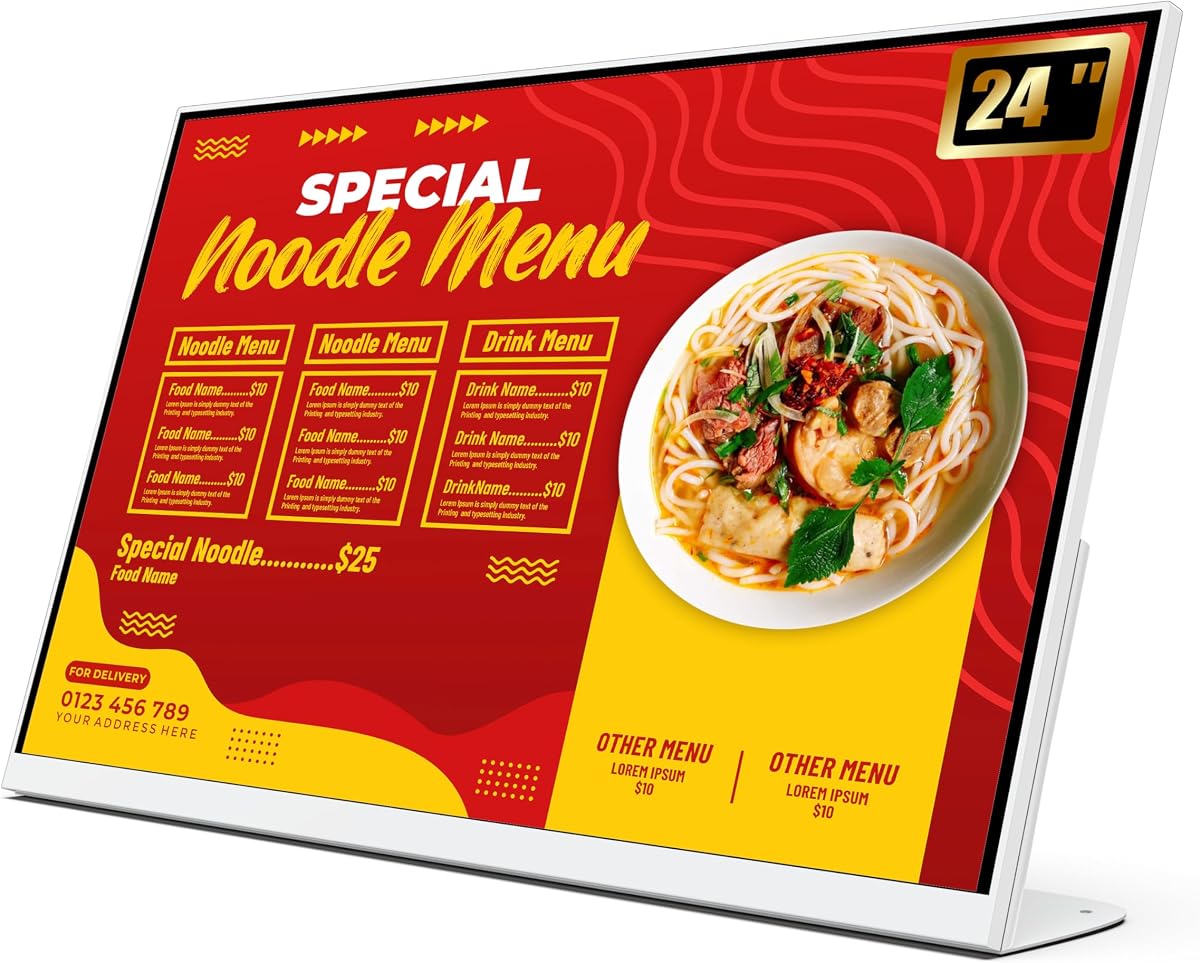
24 Inch Desktop Digital Menu Board, HD Digital Signage Retail Store Monitor
5.0Editor score
24-Inch Desktop Size
FHD 1920×1080 Display
Android System + CMS
Digital menu displays have transformed how businesses interact with customers. These modern solutions replace traditional printed signs with dynamic screens that can show high-quality images, videos, and real-time updates. Choosing the right system ensures your brand message is clear, engaging, and adaptable to changing business needs.
To compile this list, we analyzed ten leading digital menu display models available in the market. We evaluated each product based on screen quality, connectivity options, content management systems, and overall durability. Our goal is to provide you with a clear comparison of the most reliable and effective solutions for your specific environment.
Each pick in this guide highlights unique strengths suited to different business scenarios. Whether you need a compact countertop unit or a large wall-mounted screen, these options cover a wide range of requirements. Please note that product availability and pricing can change, so verify details before making your final decision.
5.0Editor score

3.8Editor score

4.6Editor score
As an Amazon Associate we earn from qualifying purchases.
The following table provides a side-by-side comparison of all ten digital menu displays featured in this guide. It highlights key specifications and core features to help you quickly identify the model that best fits your business requirements and operational needs.


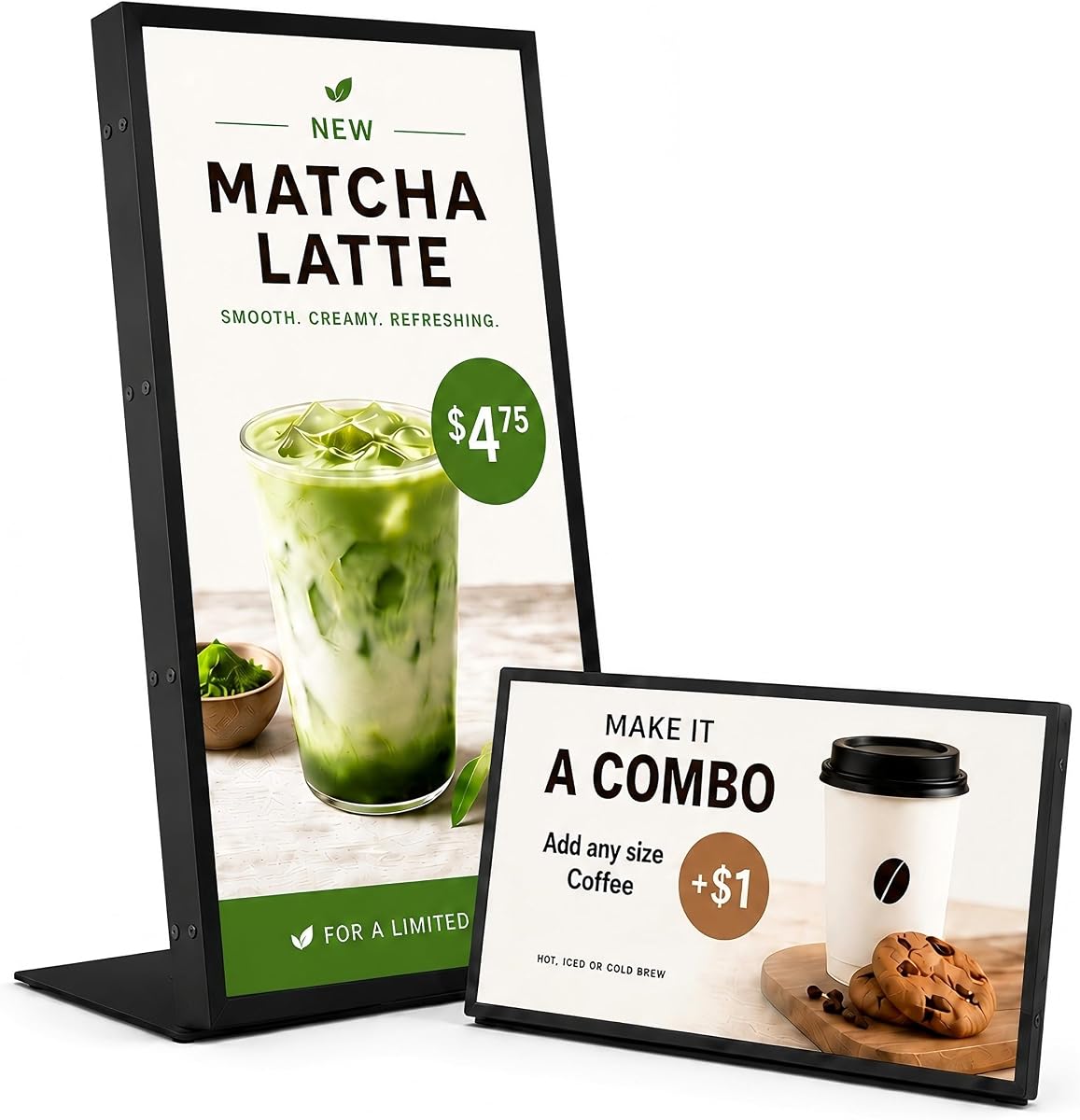


This digital signage display stands out as a robust option for businesses needing a reliable solution. It offers 700 nits of brightness ensuring your menu remains visible even in well-lit environments. The included lifetime free CMS allows for easy content updates without additional subscription costs.
We may earn a commission when you buy through this link, at no additional cost to you.
Designed for continuous commercial operation, it runs on Android 12 with sufficient RAM to handle multimedia content smoothly. The unit supports multiple connection types including HDMI LAN and USB providing flexibility in how you manage your content. It is ideal for countertop setups in cafés and retail stores.
While it lacks touchscreen capabilities it delivers a high-quality visual experience that enhances customer engagement. The packaging is reinforced to prevent shipping damage and the three-year warranty provides peace of mind for long-term use. Its versatility makes it a strong candidate for various indoor commercial applications.
Business owners looking for a cost-effective yet powerful digital menu solution will find this model highly beneficial. It balances performance and affordability making it suitable for small to medium-sized establishments. We recommend it for those prioritizing ease of use and visual clarity.
With 700 nits of brightness this display ensures text and images remain legible even under direct lighting conditions.
The built-in CMS allows remote management so you can change menus or promotions from anywhere using a connected device.
We may earn a commission when you buy through this link, at no additional cost to you.
This 24-inch desktop model offers excellent value for businesses seeking a larger display without a high price tag. Its Full HD resolution ensures crisp text and vibrant images that attract customer attention. The Android system supports easy app installation and centralized content management for efficient updates.
We may earn a commission when you buy through this link, at no additional cost to you.
Designed to save counter space it fits perfectly on ordering counters or front desks. It supports 24/7 continuous operation with good heat dissipation which extends its service life. The unit includes multiple update methods via USB APP or PC remote making it flexible for different workflows.
While it relies on internet connectivity for remote updates it provides a robust platform for digital marketing. The sturdy carton ensures safe transportation and the design is optimized for indoor commercial environments. It is an ideal choice for milk tea shops and small restaurants.
Budget-conscious buyers will appreciate the balance between size features and price. It delivers a professional look and functionality that rivals more expensive models. We recommend this unit for businesses needing a reliable and affordable digital signage solution.
The 24-inch size provides ample space for detailed menus and promotional content that can be seen from a distance.
Centralized management via the CMS allows quick updates across multiple displays saving time and reducing manual effort.
We may earn a commission when you buy through this link, at no additional cost to you.
This MWE kiosk delivers premium performance with an IPS display that offers a wide 178-degree viewing angle. The vibrant visuals ensure content is appealing from various positions making it ideal for busy environments. It supports real-time CMS updates allowing for immediate changes to promotions or messages.
We may earn a commission when you buy through this link, at no additional cost to you.
The foldable and portable design with built-in wheels makes it easy to move between locations. This flexibility is perfect for events exhibitions or temporary promotional setups. It operates continuously for 7 days and 24 hours ensuring uninterrupted information display when needed most.
While it is a premium option the durability and features justify the investment for high-traffic areas. The responsive customer support and three-year warranty add to its reliability. It is well-suited for hotels malls and retail stores needing a versatile advertising tool.
Businesses seeking a high-end solution with mobility should consider this model. It combines visual quality with practical design elements that enhance operational efficiency. We recommend it for those prioritizing durability and professional presentation in dynamic settings.
Built-in wheels and a foldable structure allow easy relocation and quick setup in different venues.
The system supports 24/7 playback ensuring your content is always visible without manual intervention or downtime.
We may earn a commission when you buy through this link, at no additional cost to you.
The EZ-AD TV digital signage player offers powerful capabilities for content management without requiring complex hardware. It supports 4K content and includes an extensive video gallery with over 250,000 options. The free plan allows access to essential features making it a low-risk entry point.
We may earn a commission when you buy through this link, at no additional cost to you.
Users can manage content on the go with the mobile app and update wirelessly from a cloud-based website. The device supports HDMI Ethernet and USB ports catering to a variety of usage needs. Custom screen layouts allow you to divide the display for diverse content types.
While premium plans unlock full features the free plan is sufficient for many small businesses. It integrates seamlessly with existing HD televisions to create a functional digital menu. The system is user-friendly and requires minimal technical expertise to operate.
This solution is ideal for businesses that want flexibility and cloud-based control. It provides a scalable option for growing needs. We recommend it for those seeking a versatile player with strong content creation tools.
Access a vast library of video content to enhance your displays without needing to create media from scratch.
Customize the display with vertical settings and multiple slides to show videos images and text simultaneously.
We may earn a commission when you buy through this link, at no additional cost to you.
This 10.1-inch display is perfect for tabletop interaction and compact indoor information presentation. It features a touchscreen that supports simple tap and swipe control for browsing on-screen information. The space-saving structure keeps the screen easy to view at close range.
We may earn a commission when you buy through this link, at no additional cost to you.
It is designed for routine changes without a complicated operating process making it user-friendly for staff. The display presents text images and supported media with clean detail for commercial interiors. It works well as a desktop advertising screen or product showcase.
While the screen is small it provides a personalized experience for customers interacting at counters or tables. It is suitable for various settings including reception desks and retail shelves. The WiFi and USB connectivity ensures flexible file transfer options.
Businesses looking for a customer-facing interactive display will find this model useful. It enhances engagement without requiring large installations. We recommend it for specific touchpoints like salon tables or reception areas.
The touchscreen interface allows customers to interact directly with the content enhancing engagement and satisfaction.
Its compact size ensures it fits on narrow countertops without obstructing workflow or customer movement.
We may earn a commission when you buy through this link, at no additional cost to you.
This countertop digital signage display is designed for durability in high-traffic environments. It features a metal housing and tempered glass front panel suitable for daily commercial use. The display supports both landscape and portrait orientations to fit different business layouts.
We may earn a commission when you buy through this link, at no additional cost to you.
You can place it near the checkout area to show information before customers complete service. The 700-nit brightness ensures content remains visible under typical indoor lighting conditions. Remote content publishing via CMS platform allows easy updates from any location.
While it is designed for indoor counter placement it offers robust content management options including USB playback and scheduling. The three-year warranty with replace support provides reliable long-term operation. It is ideal for cafes salons and front desks.
Businesses needing a rugged solution for counter displays should consider this model. It balances quality construction with practical features. We recommend it for those prioritizing longevity and ease of maintenance.
Use landscape for menus or portrait for posters allowing adaptation to changing marketing needs.
Metal housing and tempered glass protect the unit from daily wear and tear in busy commercial spaces.
We may earn a commission when you buy through this link, at no additional cost to you.
This large format display delivers a seamless visual experience with ultra-narrow bezels and a slim profile. It features 1000 nits of brightness ensuring optimal viewing quality even in bright environments. The 4K UHD support guarantees crystal clear lossless frames for every scene.
We may earn a commission when you buy through this link, at no additional cost to you.
You can divide the screen into interactive zones to present videos social feeds and countdowns simultaneously. The complimentary CMS software supports automatic switching between breakfast lunch and dinner menus. It comes pre-installed with the Google Play Store for immediate operation upon startup.
While it is best suited for wall mounting its robust compatibility and stable signal transmission make it a reliable choice. The device supports 24/7 continuous loop playback for flexible information delivery. It is well-suited for large restaurants and retail stores.
Businesses seeking a high-impact display should consider this model for its quality and features. It transforms spaces with professional-grade visuals. We recommend it for environments where visibility and resolution are top priorities.
The 50-inch size and 4K resolution create an immersive viewing experience that captures customer attention effectively.
Multi-zone capabilities allow you to showcase diverse content types simultaneously for a dynamic and modern look.
We may earn a commission when you buy through this link, at no additional cost to you.
This 29-inch display offers a mid-size solution suitable for diverse settings ranging from menus to navigation. It features an ultra-narrow bezel and ultra-slim profile enabling gap-free wall mounting. The brightness level ensures optimal viewing quality in various environments.
We may earn a commission when you buy through this link, at no additional cost to you.
The system supports real-time adjustment of brightness volume and power settings via CMS software. It can be divided into interactive zones for simultaneous presentation of videos and QR codes. With 32GB storage it holds over 25,000 high-definition images locally.
While it has mixed reviews its technical specifications provide a strong foundation for commercial applications. The Google Play Store pre-installation allows immediate operation upon startup. It is useful for office bulletin boards and retail promotions.
Businesses needing a flexible mid-sized display may find this model valuable. It balances size and performance effectively. We recommend it for those seeking a versatile screen with robust management capabilities.
Split the screen into multiple zones to show different information types at once for better organization.
32GB storage ensures smooth multitasking and ample space for local media without needing constant connectivity.
We may earn a commission when you buy through this link, at no additional cost to you.
This digital signage player simplifies content management with a plug and play setup that requires no tech experience. It allows you to upload and schedule your own content at no cost. The integrated Canvas Designer lets you design menus exactly how you want.
We may earn a commission when you buy through this link, at no additional cost to you.
You can manage screens remotely from anywhere and promote events with just a few clicks. The device supports PowerPoint uploads and includes an AI tool to enhance images for optimized display quality. It is a versatile tool for small to medium businesses.
While it relies on external displays for the visual output it provides powerful management features. The free plan is a good starting point for basic needs. It integrates well with existing digital screens for immediate use.
Businesses seeking an easy-to-use player will find this model useful. It reduces the technical barriers to digital signage. We recommend it for those needing a simple cloud-controlled solution.
The built-in designer removes the need for design skills allowing you to create professional-looking boards quickly.
Manage schedules and updates from anywhere ensuring your content is always current without on-site presence.
We may earn a commission when you buy through this link, at no additional cost to you.
This media player is powered by a dedicated Hexa-core CPU with 4GB RAM ensuring smooth operation. It is powered by the world's most popular free digital signage cloud service making it cost-effective for many users. The 16GB local storage cache ensures there is never any playback interruption.
We may earn a commission when you buy through this link, at no additional cost to you.
It supports both vertical and horizontal screen modes to fit different display configurations. The built-in Watchdog prevents crashes and maintains system stability. It connects via HDMI WiFi and Ethernet to provide flexible network options.
While it requires an external monitor it delivers a reliable performance foundation for digital signage systems. The dedicated hardware ensures it handles video and content seamlessly without lag. It is suitable for businesses relying on cloud-based management.
Businesses needing a robust player for cloud management will find this model reliable. Its high RAM and specialized CPU offer stability. We recommend it for those prioritizing performance and uptime.
The dedicated CPU and Watchdog system prevent crashes ensuring uninterrupted content display even in critical situations.
Support for both vertical and horizontal modes allows you to adapt to various display orientations seamlessly.
We may earn a commission when you buy through this link, at no additional cost to you.
Choosing the right digital menu display involves considering several key factors to ensure it meets your operational needs. This guide highlights the most important aspects to evaluate before making a purchase.
Screen size and resolution determine how well your content is visible. For countertop units consider 10 to 24 inches to maintain a clear view from a close distance. Larger wall-mounted displays may require 30 to 50 inches to ensure readability from across the room. Always check that the resolution matches your content quality needs such as Full HD or 4K for crisp text and images.
Brightness is measured in nits and affects visibility in different lighting conditions. For indoor use a brightness of 700 nits is generally sufficient to counteract ambient light. If your space is very bright or you plan to use the display in semi-outdoor areas consider higher brightness levels to prevent glare and ensure legibility.
Check the available ports to ensure the display can connect to your existing network and content sources. Look for HDMI USB and Ethernet ports for reliable wired connections. WiFi connectivity is essential for remote updates and cloud management which streamlines content changes without physical access to the device.
A robust CMS allows you to schedule updates manage playlists and control multiple displays remotely. Look for systems that offer free or low-cost plans to avoid ongoing fees. The ability to create content directly on the platform or upload easily from a PC can save significant time and effort for your team.
Commercial-grade displays are built to run continuously for 24/7 operation. Check for features like metal housing and effective heat dissipation to extend service life. A warranty of at least three years provides protection against defects and ensures long-term reliability for your investment.
Consider where the display will be placed and whether it needs to support landscape or portrait modes. Countertop units often include adjustable stands while wall-mounted screens may have VESA mounts. Ensure the physical design fits your space without obstructing workflow or customer movement.
Energy efficiency is important for devices that run for extended periods. Look for energy-saving features such as timed power on/off settings or LED backlighting. Lower power consumption can reduce operational costs and contribute to a more sustainable business environment.
The display should be intuitive for staff to manage. Look for touch interfaces or simple remote controls that require minimal training. A system with mobile app support allows you to manage content on the go ensuring flexibility and quick updates during peak hours.
Regularly update your content to keep it fresh and engaging for customers. Use the scheduling features to display promotions during specific hours and check the system logs for any issues. If you notice any performance problems refer to the user manual or contact customer support for assistance.
Most digital menu displays listed here are designed for indoor use. Outdoor use requires screens with higher brightness and weatherproof casings to protect against moisture and sunlight. Always check the specifications for environmental ratings before placing a display outdoors.
Many models offer free CMS plans with basic features while others require a subscription for advanced management. Always review the pricing details before purchase to understand any recurring costs. Some options allow offline content playback without needing a constant internet connection.
You can update content via USB LAN or cloud-based CMS platforms depending on the model. Most systems allow you to upload new menus from a PC or mobile app. Changes typically appear on the screen automatically once the connection is verified.
Some models feature touchscreen capabilities for interactive experiences while others are display only. Check the product specifications to see if touch functionality is included. Touchscreen units are best for customer-facing kiosks or self-service setups.
These displays generally support common image and video formats such as JPG PNG MP4 and AVI. Most systems also allow HTML5 content for interactive features. Review the documentation for a complete list of supported file types before uploading media.
Yes many systems allow you to manage multiple screens through a centralized CMS. This ensures consistent messaging across different locations or zones. You may need a signal splitter for HDMI outputs to drive multiple screens from one device.
Remember that product availability and pricing can change so verify the latest details before buying. We hope this guide helps you make an informed decision for your business. Thank you for reading and consider sharing your experience with these displays.