
Brother HL-L3220CDW
3.9Editor score
Fast 19 PPM output
250-Sheet paper tray
Mobile device compatible
This guide compares the top duplex color laser printers for home and office use, evaluating speed, connectivity, and value to help you choose the right model.
Finding the right duplex color laser printer can transform your productivity by allowing you to print vibrant documents and graphics quickly. These machines offer automatic two-sided printing to save paper and cost while delivering professional quality results for your business needs.
We have analyzed ten top-rated models from leading brands like Canon, Brother, and HP to determine which ones offer the best balance of performance and reliability. Each product was evaluated based on print speed, wireless capabilities, paper capacity, and overall user satisfaction ratings from verified buyers.
Each pick in this list highlights specific strengths such as budget-friendly options, high-speed output, or advanced security features tailored for enterprise environments. Please note that product availability and pricing can change frequently so check the current details before making your final purchase decision.
3.9Editor score

4.2Editor score

4.4Editor score
The following table provides a side-by-side comparison of all ten selected duplex color laser printers highlighting their key specifications and unique features to help you make an informed decision.


The Canon Color imageCLASS MF753Cdw II stands out as a top contender in the duplex color laser printer market with its robust 4-in-1 capabilities. Users appreciate its ability to print, scan, copy, and fax with ease while maintaining high standards of color accuracy and speed.
We may earn a commission when you buy through this link, at no additional cost to you.
This model delivers professional-quality documents that are suitable for business environments requiring sharp text and vibrant graphics. The wireless connectivity ensures that multiple users can connect seamlessly to the device without the need for cumbersome cables or complex network configurations.
While the initial investment is higher compared to single-function printers, the versatility and efficiency it brings to an office setup justify the cost. The automatic duplex printing feature helps reduce paper consumption significantly which is both cost-effective and environmentally friendly.
If you need a reliable workhorse that can handle diverse tasks from document management to high-volume printing this printer is an excellent choice for small to medium businesses looking to streamline their operations efficiently.
The multifunctional design reduces the need for separate devices allowing teams to focus more on core tasks rather than managing multiple machines.
Automatic duplex printing and high-capacity toner options help lower ongoing operational costs making it a smart financial decision over time.
We may earn a commission when you buy through this link, at no additional cost to you.
The Brother HL-L3220CDW is an ideal choice for those seeking a budget-friendly color laser printer without sacrificing essential features like duplex printing and wireless connectivity. It delivers crisp text and vibrant graphics suitable for professional home office environments.
We may earn a commission when you buy through this link, at no additional cost to you.
With a print speed of 19 pages per minute this model keeps up with moderate workloads efficiently. The generous 250-sheet paper tray means less frequent refilling which adds to the convenience and productivity of daily operations.
Users should note that this unit is print only meaning it lacks scanning and copying capabilities. However for those who already have separate scanning solutions or primarily need printing this limitation does not impact the core value proposition.
This printer is perfect for small offices or home users who need reliable color output at an accessible price point. Its mobile compatibility ensures that you can print directly from smartphones and tablets with ease.
Delivers essential color laser performance at a price point that is accessible for individuals and small startups.
Focuses on core printing tasks without unnecessary features that drive up cost and complexity.
We may earn a commission when you buy through this link, at no additional cost to you.
The Canon Color imageCLASS LBP646Cdw focuses on delivering fast and efficient printing performance for users who primarily need high-quality color documents. With speeds up to 26 pages per minute it significantly reduces wait times for large batches of work.
We may earn a commission when you buy through this link, at no additional cost to you.
The device features a straightforward 5-inch LCD screen that simplifies navigation through settings and options. Wireless setup is quick allowing users to get connected and printing within minutes without technical hurdles.
Although it does not offer scanning or faxing capabilities its streamlined design ensures that you get maximum value for printing tasks. High-capacity toner options help minimize interruptions caused by frequent cartridge changes.
This printer is well-suited for environments where printing is the primary requirement and speed is a priority. It balances performance and ease of use effectively making it a strong candidate for fast-paced settings.
Rapid processing ensures that time-sensitive documents are ready quickly reducing bottlenecks in busy workflows.
Intuitive controls and mobile app support make it accessible for users with varying levels of technical expertise.
We may earn a commission when you buy through this link, at no additional cost to you.
The Brother MFC-L3720CDW offers a comprehensive suite of features including printing scanning copying and faxing making it a versatile all-in-one solution. Its advanced connectivity options support dual-band wireless and Wi-Fi Direct which ensures stable connections in various network environments.
We may earn a commission when you buy through this link, at no additional cost to you.
The 50-sheet auto document feeder simplifies the process of scanning or copying multi-page documents efficiently. A 3.5-inch color touchscreen provides an intuitive interface for managing tasks and accessing cloud services like Google Drive and Dropbox directly.
While its print speed is moderate compared to some competitors the overall functionality and ease of use make it a strong contender for small offices. Mobile integration allows for remote printing and management which adds significant convenience.
This model is ideal for businesses that need a single device to handle all document management tasks without compromising on connectivity or usability. It balances performance with smart features effectively.
Consolidates multiple office functions into one device reducing clutter and simplifying maintenance.
Direct access to cloud services enhances document management capabilities beyond standard local storage.
We may earn a commission when you buy through this link, at no additional cost to you.
The Brother MFC-L8930CDW is engineered for demanding business environments requiring high-speed output and secure document handling. With print speeds up to 33ppm it ensures that large volumes of work are completed quickly without compromising quality.
We may earn a commission when you buy through this link, at no additional cost to you.
Advanced security features including NFC card authentication help protect sensitive information and prevent unauthorized access. The large 7-inch color touchscreen offers a user-friendly experience for navigating complex settings and managing customized shortcuts.
This printer supports low-cost printing options with high-yield toner cartridges that reduce the cost per page significantly. The two-sided scanning capability up to 104ipm allows for rapid digitization of physical documents.
Ideal for medium to large enterprises this model provides the reliability and performance needed for high-demand operations. Its comprehensive feature set justifies the investment for organizations prioritizing security and efficiency.
Triple layer security safeguards data throughout the printing process ensuring compliance with strict security policies.
Fast scanning and printing speeds minimize downtime and keep productivity levels consistently high.
We may earn a commission when you buy through this link, at no additional cost to you.
The Brother HL-L3280CDW combines compact design with solid performance making it suitable for smaller offices or home workspaces. It delivers laser-quality output consistently and supports print speeds up to 27 pages per minute for efficient processing.
We may earn a commission when you buy through this link, at no additional cost to you.
Integrated connectivity options include Ethernet and wireless capabilities allowing versatile installation in various network setups. The 2.7-inch touchscreen facilitates easy access to cloud-based apps which streamlines document printing from online storage sources.
While the paper capacity is modest compared to larger models its efficiency and reliability make it a dependable choice for moderate daily use. The inclusion of a refresh trial adds extra value for those considering subscription-based printing solutions.
This model is perfect for users who need reliable color printing without sacrificing too much desk space. It offers a balanced approach to performance and footprint in a single device.
Designed to fit easily into smaller workspaces while still offering essential business features.
Cloud integration ensures that users can print remotely or from online documents effortlessly.
We may earn a commission when you buy through this link, at no additional cost to you.
The Canon Color imageCLASS MF665Cdw stands out with a generous 3-year limited warranty providing users with peace of mind regarding long-term reliability. It features fast print speeds of 26 ppm ensuring that documents are produced quickly.
We may earn a commission when you buy through this link, at no additional cost to you.
The device includes a 50-sheet duplex automatic document feeder which simplifies scanning and copying of multi-page documents. A 5-inch color touchscreen offers customizable access to features making daily tasks more efficient and user-friendly.
High-capacity toner options help maintain cost efficiency over time by reducing the frequency of replacements. Mobile device compatibility allows for seamless printing from smartphones and tablets enhancing flexibility for remote workers.
This model is ideal for businesses looking for reliable performance backed by strong warranty support. It balances functionality with ease of use making it a practical choice for diverse office needs.
Extended warranty coverage reduces financial risk and ensures support is available if issues arise.
Automatic document feeder handles multiple pages at once saving time on scanning tasks.
We may earn a commission when you buy through this link, at no additional cost to you.
The Canon Color imageCLASS MF662Cdw offers a solid 3-in-1 functionality for printing scanning and copying with reliable performance. Its 26 ppm speed ensures that documents are ready quickly keeping up with typical office demands efficiently.
We may earn a commission when you buy through this link, at no additional cost to you.
A 5-inch color touchscreen allows for easy navigation and customization of features ensuring a smooth user experience. The 3-year limited warranty adds significant value by protecting your investment against potential defects or failures.
Wireless setup is streamlined allowing users to connect quickly without complex configurations. High-capacity toner usage helps extend the life of cartridges reducing maintenance frequency and costs over time.
This printer is well-suited for small to medium businesses needing dependable multi-function capabilities without excessive bulk. It balances performance and support effectively making it a practical option for many users.
All-in-one design consolidates essential tasks reducing the need for multiple devices.
Extended warranty ensures long-term reliability and reduces concerns about potential repair costs.
We may earn a commission when you buy through this link, at no additional cost to you.
The HP Color Laserjet Pro 3201dw leverages HP's trusted reputation for delivering professional quality color documents and reports consistently. It offers print speeds up to 26 ppm for both black and color ensuring quick turnaround times for various tasks.
We may earn a commission when you buy through this link, at no additional cost to you.
Advanced TerraJet toner technology enhances the vibrancy and sharpness of printed materials making them suitable for client-facing documents. Dual-band Wi-Fi with self-reset helps maintain a stable connection reducing interruptions due to network issues.
While the printer delivers high-quality output some users may face limitations regarding third-party cartridge compatibility. This security feature ensures print quality but restricts flexibility for those seeking cost-saving alternatives.
This model is ideal for teams that prioritize brand reliability and high-quality color results. Its performance and connectivity options make it a solid choice for standard office environments.
Toner technology ensures that colors are vivid and consistent across all printed materials.
Advanced Wi-Fi features help maintain seamless operation even in busy network environments.
We may earn a commission when you buy through this link, at no additional cost to you.
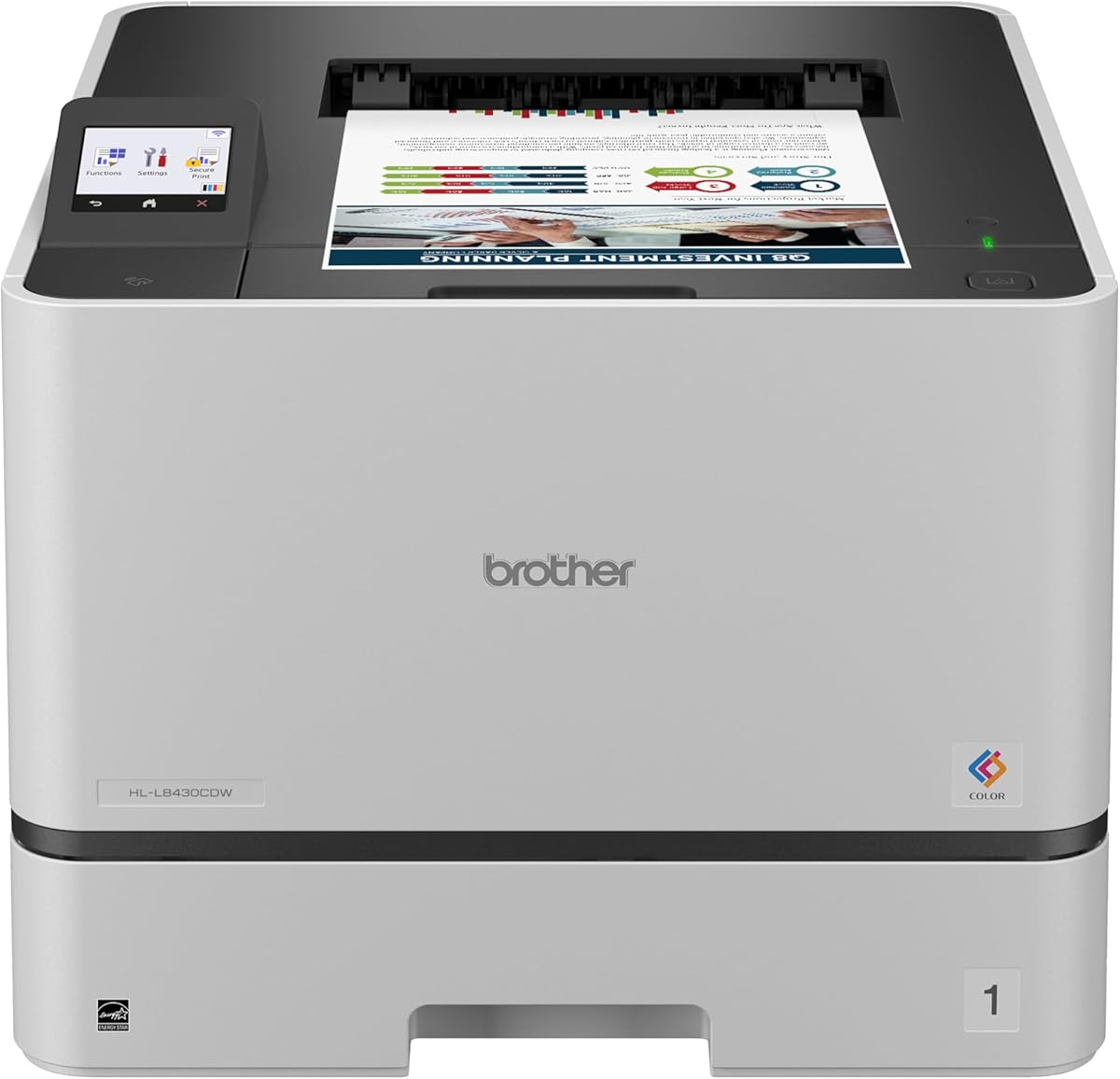
The Brother HL-L8430CDW is built for dependable business performance offering print speeds up to 33ppm for rapid output. It features advanced security including an integrated NFC card reader ensuring that document access is controlled and secure.
We may earn a commission when you buy through this link, at no additional cost to you.
Expandable paper capacity allows the printer to support up to 1,340 sheets with optional trays which minimizes refills for high-volume printing. The 2.7-inch color touchscreen facilitates easy navigation and access to cloud services for convenient printing.
Low-cost printing is supported through high-yield toner options that reduce the cost per page over time. The design includes eco-friendly features like ENERGY STAR certification making it a sustainable choice for modern businesses.
This printer is best suited for busy offices that require high speed and scalability. Its robust features justify the investment for teams needing reliable and efficient printing solutions.
Optional trays allow the printer to grow with your business needs without replacing the entire device.
Energy efficiency and eco-friendly packaging align with corporate sustainability goals.
We may earn a commission when you buy through this link, at no additional cost to you.
Selecting the right duplex color laser printer involves evaluating several key factors to ensure the device meets your specific printing and workflow needs.
Print speed is measured in pages per minute (ppm) and determines how quickly your documents are produced. Look for models with at least 19 ppm to ensure smooth workflow even during busy periods. Color quality is equally important so check for sharp text and vibrant graphics suitable for professional use.
Prioritize models that balance speed with consistent color accuracy to avoid reprints due to poor output.
Decide whether you need a printer that only prints or one that also scans copies and faxes. All-in-one models save space and money by consolidating tasks into one device while single-function printers are often more affordable and specialized.
Choose an all-in-one if you handle multiple document types regularly or stick to single-function if printing is your primary need.
Modern printers should offer wireless capabilities including Wi-Fi and mobile printing support for seamless integration with smartphones and laptops. Some models also include Ethernet ports for stable wired connections which is beneficial in office networks with many devices.
Ensure the printer supports the devices you use most to avoid connectivity issues and improve overall efficiency.
A larger paper tray reduces the frequency of refills which is critical for high-volume environments. Look for a standard tray of at least 250 sheets and consider models with multipurpose trays for handling envelopes or specialty media.
Check if the printer supports automatic duplex printing to save paper and reduce costs automatically without manual intervention.
The cost of toner cartridges can significantly impact long-term expenses so evaluate the page yield and price per page. High-capacity or super high-yield cartridges often provide better value despite higher upfront costs.
Compare the cost of replacement toner across different models to ensure you stay within your budget for ongoing operations.
For business users security is paramount to protect sensitive documents from unauthorized access. Look for features like user authentication, network encryption, and NFC card readers that control access to the printer.
Invest in models with robust security protocols to safeguard your data and maintain compliance with company policies.
A user-friendly interface such as a touchscreen simplifies navigation through menus and settings. Quick wireless setup processes help you get started faster without needing technical assistance.
Opt for printers with intuitive controls and mobile app support to reduce downtime and improve user adoption.
A solid warranty offers peace of mind by covering defects and malfunctions for a defined period. Look for manufacturers that provide responsive customer support and accessible service networks.
Prioritize models with at least a one-year warranty to ensure protection and reliable after-sales service for your investment.
To begin using your printer unpack it carefully and remove any protective tape from the toner cartridges. Install the cartridges according to the guide and load paper into the tray ensuring it is aligned correctly for smooth feeding.
Connect the printer to your network via Wi-Fi or Ethernet using the provided software or touchscreen interface. Install the necessary drivers on your computers and mobile devices to enable seamless printing from various sources.
Regular maintenance includes cleaning the exterior with a soft cloth and checking for paper jams regularly. Run periodic test prints and update firmware to ensure optimal performance and longevity of the device.
Duplex printing allows a printer to print on both sides of a sheet of paper automatically. This feature saves paper and reduces costs which is beneficial for both personal and business environments. It also helps create professional-looking documents without manual flipping of pages.
Color laser printers can have higher upfront costs but their long-term operational expenses depend on toner usage. Using high-yield cartridges and printing double-sided can significantly reduce the cost per page. Comparing toner prices before purchase helps manage ongoing expenses effectively.
Yes most modern duplex color laser printers support mobile printing through Wi-Fi and dedicated apps. Features like Apple AirPrint and Mopria allow you to print directly from iOS and Android devices. This convenience enables you to print documents without needing a computer nearby.
All-in-one printers combine printing scanning copying and sometimes faxing into one device while single-function printers only print. All-in-one models are ideal for offices needing multiple document handling features whereas single-function models suit users focused solely on printing. Choosing depends on your specific workflow needs.
Regular maintenance includes cleaning the exterior, checking for paper jams, and updating firmware. Keep the printer in a cool dry place to prevent overheating and toner issues. Run periodic test prints to ensure the device operates smoothly and identify any potential problems early.
Look for features like user authentication, network encryption, and NFC card readers to control access. These tools help protect sensitive documents from unauthorized access and ensure compliance with company security policies. Advanced models may offer secure printing requiring user release at the device.
Prices vary widely based on features brand and capabilities ranging from budget models under three hundred dollars to premium business units over seven hundred dollars. Evaluate your specific needs to choose a model that balances features with your budget constraints effectively.
Yes many models are designed to handle high-volume printing with large paper trays and robust mechanisms. Look for printers with high monthly duty cycles and large toner yields to ensure they can sustain heavy workloads without frequent interruptions or maintenance.
Choosing the best duplex color laser printer depends on balancing speed features and budget to meet your unique requirements. Our top picks offer a range of options from affordable home office models to powerful enterprise solutions with advanced security.
Prioritize models that offer the connectivity and paper capacity you need to avoid frequent interruptions. Consider long-term costs like toner and maintenance to ensure the printer is a sustainable investment for your workspace.
Prices and availability can change so always verify current details on the product pages before purchasing. Taking the time to compare features carefully will help you find the perfect printer for your specific needs.