
Video Conference Lighting & Computer Light
4.1Editor score
Plug-and-play USB power
Three color modes available
Compact magnetic or clip mount
Finding the right internal PC work lights can transform your workspace into a comfortable and productive environment. These lights reduce eye strain and improve focus during long hours of computer use.
We compared ten leading models based on brightness, adjustability, mounting options, and eye-care features. Each product was evaluated for its ability to provide even illumination without glare or reflection on screens.
Each pick shows unique strengths for different needs, from budget-friendly options to premium streaming lights. Note that prices and availability change frequently, so check current listings before purchasing.
4.1Editor score

4.2Editor score

4.5Editor score
As an Amazon Associate we earn from qualifying purchases.
This side-by-side comparison highlights key specifications and features across all ten models to help you choose the perfect lighting solution for your specific workspace needs.
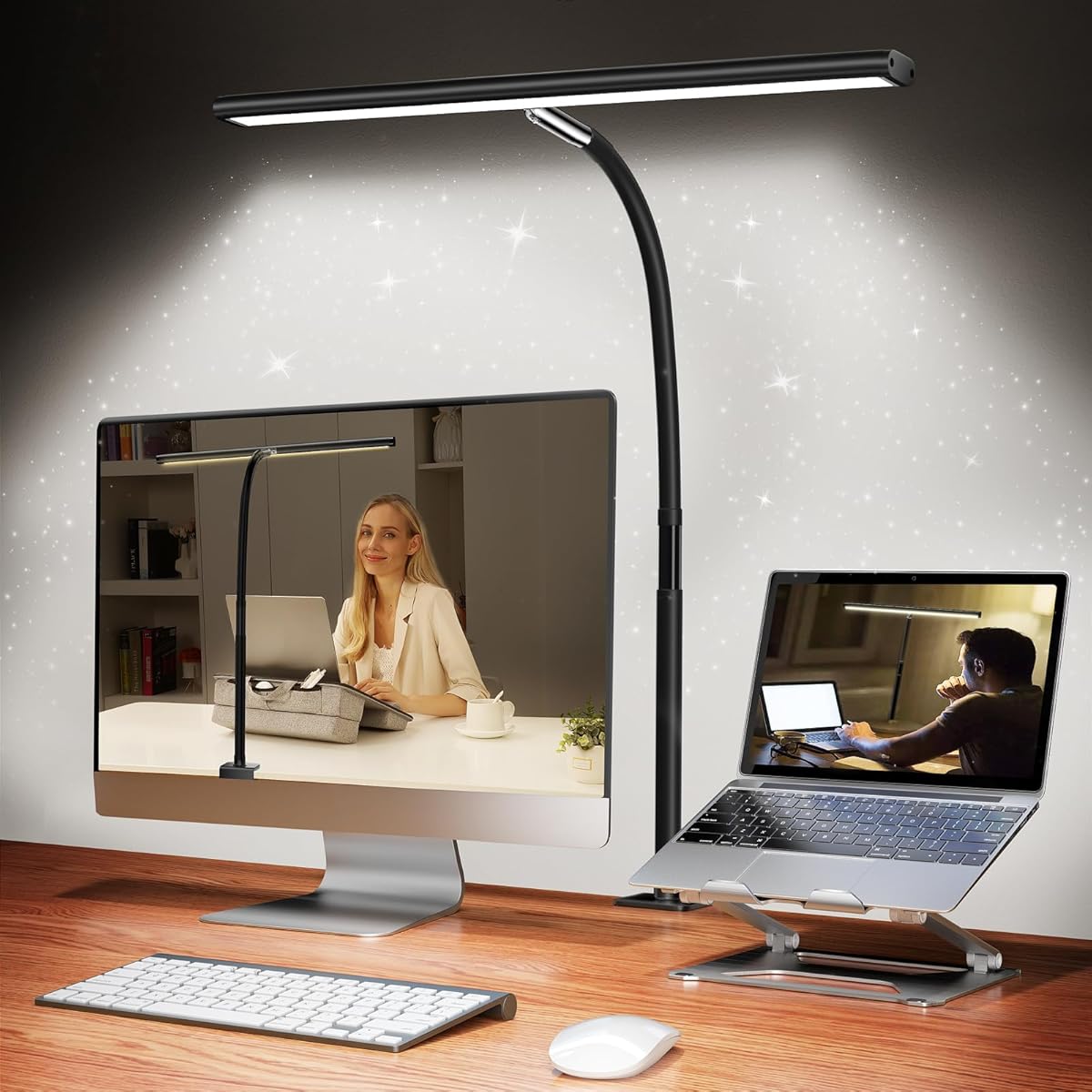




This monitor light bar delivers exceptional brightness and uniform lighting for your workspace. With its wide coverage area and eye-friendly design, it effectively reduces strain during long sessions.
We may earn a commission when you buy through this link, at no additional cost to you.
The stepless dimming and three color temperatures allow you to customize the light to suit any task. Whether you are working, reading, or gaming, you can adjust the settings seamlessly.
While the mounting clip works well for most screens, those with very thick monitors might find it less secure. The small footprint is great for saving space but offers less flexibility than clamp lamps.
This light is ideal for users seeking a simple, effective solution to improve desk lighting without cluttering their workspace. Its balance of performance and price makes it a top recommendation.
The 45-degree beam angle ensures light hits your desk and screen without shining directly into your eyes.
The patented counterweight clip allows tool-free installation that fits most screen types securely.
We may earn a commission when you buy through this link, at no additional cost to you.
This lamp offers an impressive 17-inch wide light bar that covers large workspaces efficiently. Its flexible gooseneck allows you to direct light exactly where you need it most.
We may earn a commission when you buy through this link, at no additional cost to you.
The stepless dimming feature provides smooth control over brightness and color temperature. Users appreciate the metal construction which ensures longevity and stability during use.
The included adapter is a nice touch, but the cable management could be improved for a cleaner look. The clamp design works well for most desks but may not suit all setups.
Ideal for professionals needing robust, adjustable lighting for detailed tasks like drafting or studying. The reliability and range of motion make it a strong choice.
The long flexible neck offers 360-degree adjustability to target specific areas without moving the entire lamp.
Built with aluminum and ABS materials, this lamp supports a long lifespan and excellent heat dissipation.
We may earn a commission when you buy through this link, at no additional cost to you.
Designed for content creators, this light ensures natural skin tones and eliminates harsh shadows during video calls or streams. TrueSoft technology delivers balanced full-spectrum light perfect for professional looks.
We may earn a commission when you buy through this link, at no additional cost to you.
The adjustable brightness and color temperature allow precise control over your on-camera appearance. The frameless diffuser spreads light evenly for a flattering effect in any setting.
While excellent for video, it is less suited for illuminating the entire desk surface. The price is higher than standard lamps but justified by the specialized features for creators.
This light is perfect for streamers, podcasters, and remote workers who need high-quality camera lighting. Its portability and ease of use make it a standout choice.
Advanced lighting tech delivers balanced color accuracy that flatters subjects without artificial coloring.
Free G HUB app lets you load and save presets for quick access to favorite lighting settings.
We may earn a commission when you buy through this link, at no additional cost to you.
This lamp offers extensive customization with 25 light combination modes to suit various tasks. The wireless remote control adds convenience for adjusting settings without touching the lamp directly.
We may earn a commission when you buy through this link, at no additional cost to you.
Adjustable arms and head allow precise positioning for drafting, sewing, or detailed work. The eye-friendly technology ensures even illumination without glare or flicker to reduce strain.
Some users report occasional remote connectivity issues, though replacements are available. The design is robust but the variety of controls may overwhelm those seeking simplicity.
Ideal for users needing adaptable lighting for multiple tasks across different surfaces. The remote functionality sets it apart for those prioritizing ease of use.
With 5 color temps and brightness levels you can create perfect settings for reading or drafting.
Swing arms and rotatable head ensure light reaches every corner of your workspace.
We may earn a commission when you buy through this link, at no additional cost to you.
This innovative bar combines front task lighting with an RGB backlight for immersive ambiance. The dual design offers focused illumination for work and colorful effects for relaxation or gaming.
We may earn a commission when you buy through this link, at no additional cost to you.
The 45-degree beam angle minimizes eye strain while the 9-mode RGB adds dynamic mood lighting. Independent controls for each side let you customize both lighting zones separately.
Users seeking a vibrant setup will love the aesthetic appeal. However, the RGB feature is less practical for purely professional work environments focused on productivity.
Great for gamers and tech enthusiasts wanting both functionality and style. The memory function ensures your preferred settings are ready whenever you start your session.
Separate controls for front and backlight allow distinct task and ambient lighting in one bar.
Retractable clip with silicone pad grips screens without damage and saves valuable desk space.
We may earn a commission when you buy through this link, at no additional cost to you.
With an impressive 31.5-inch dual-head design, this lamp covers large desks and dual-monitor setups efficiently. The wide even illumination helps reduce shadows across multiple screens or work areas.
We may earn a commission when you buy through this link, at no additional cost to you.
Users can choose from 50 lighting modes and set auto-off timers for energy efficiency and bedtime reading. The memory function recalls preferred settings instantly for a seamless experience.
The clamp can be heavy and may not fit very thick desks securely. For standard desks, its stability and range are excellent for extended work sessions.
Ideal for professionals with large desks needing consistent light across the entire workspace. The combination of features ensures reliability and comfort for long hours.
Adjustable heads and gooseneck arm provide precise task lighting for different angles.
Built-in auto-off timers prevent accidental waste of power after reading or work sessions.
We may earn a commission when you buy through this link, at no additional cost to you.
This two-pack offers exceptional value for multiple devices or workspaces. High CRI ensures natural color accuracy ideal for video calls and content creation where true-to-life lighting matters.
We may earn a commission when you buy through this link, at no additional cost to you.
Each light provides bright illumination up to 450 lumens with adjustable color temperatures and brightness levels. The foldable stand allows flexible positioning for laptops or desktop monitors.
The compact size makes them portable but limits desk illumination compared to larger bars. Best suited for webcam lighting or small desk tasks rather than full workspace coverage.
Perfect for remote workers or content creators needing multiple lights for different setups. The quality and affordability make them a strong contender for budget-conscious buyers.
High CRI above 97 guarantees true color reproduction for professional video and photography lighting.
Lightweight and foldable design allows easy transport for travel or temporary desk setups.
We may earn a commission when you buy through this link, at no additional cost to you.
Xiaomi's light bar combines minimalist design with premium features like wireless control and high color rendering. The asymmetric polished design ensures no screen glare for comfortable extended use.
We may earn a commission when you buy through this link, at no additional cost to you.
USB-C connectivity turns the light on automatically when your computer powers up, adding convenience. The metal body and compact footprint make it a sleek addition to any modern desk setup.
While the price is higher, the build quality and thoughtful design justify the cost. The remote control is responsive and makes adjustments effortless without needing to reach the bar.
Ideal for users valuing aesthetics and smart convenience in their workspace lighting. Its reliability and ease of use make it a standout option.
Custom optical glass directs light to the desk while preventing screen reflections.
Light activates automatically with computer power saving time and adding seamless integration.
We may earn a commission when you buy through this link, at no additional cost to you.
This premium light delivers cinematic color accuracy and customizable settings tailored for gaming and streaming. TrueSoft technology ensures a natural, radiant look that elevates your on-camera presence.
We may earn a commission when you buy through this link, at no additional cost to you.
Adjustable brightness and color temperature let you fine-tune your setup for any gameplay or presentation. The 3-way adjustable stand offers endless positioning flexibility to match your unique setup needs.
The cost is a barrier for some, but the build quality and software integration are unmatched. Bluetooth connectivity and preset saves enhance convenience for users with demanding lighting needs.
Perfect for serious gamers and streamers prioritizing professional lighting quality. Its advanced features and reliable performance make it a top-tier choice.
Designed to deliver a pro-level look with balanced light that highlights your best features.
G HUB app allows deep customization and quick access to saved lighting presets via Bluetooth.
We may earn a commission when you buy through this link, at no additional cost to you.
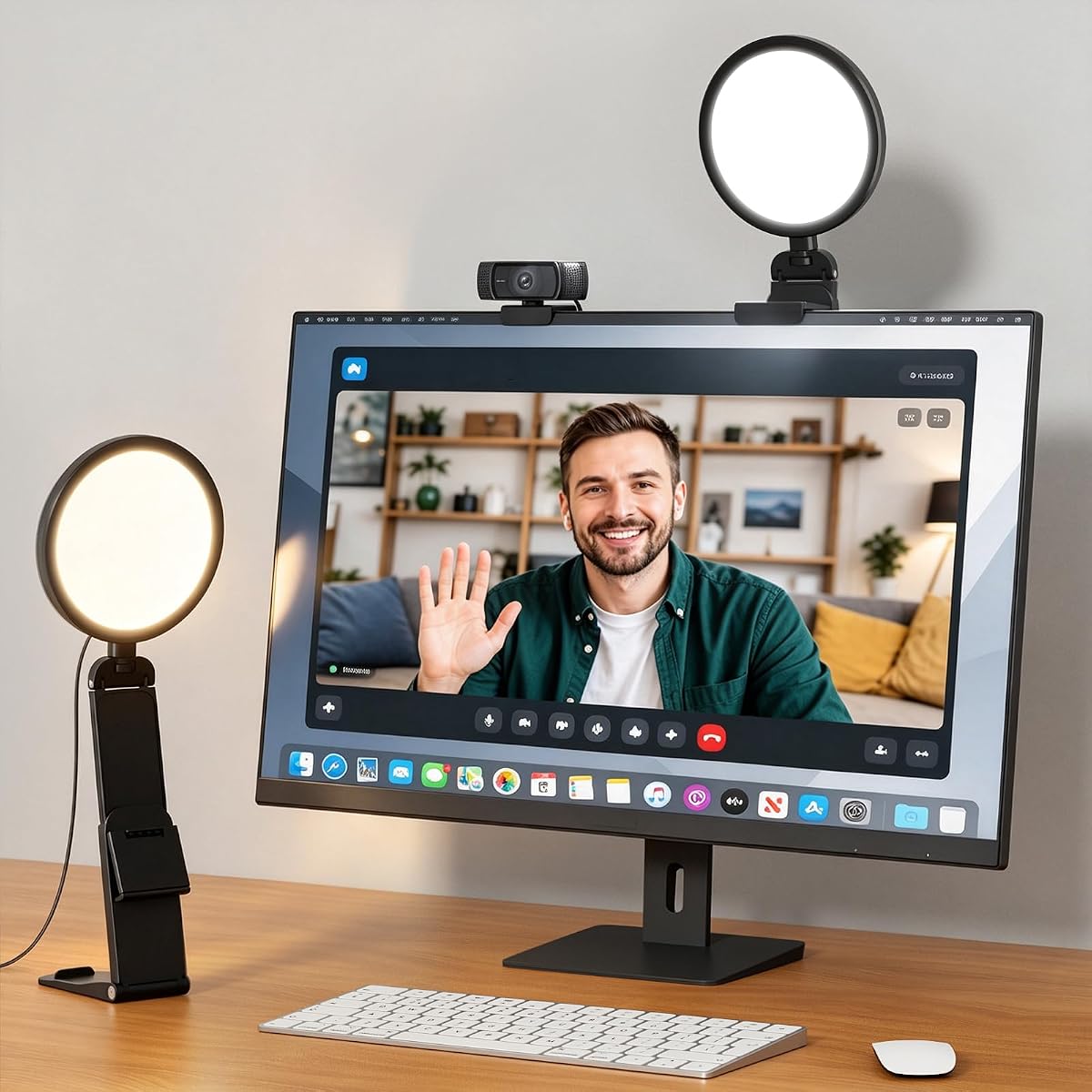
This compact USB LED panel provides essential lighting for video calls and remote work at an affordable price. It delivers clear, flicker-free illumination to improve your appearance on camera.
We may earn a commission when you buy through this link, at no additional cost to you.
Three color modes and ten brightness levels offer enough flexibility for most casual use cases. The clip or magnetic mount options ensure it fits various monitors or laptops easily.
While it lacks advanced features like wireless remote or high CRI, it does the job well for basic lighting needs. The inline controller simplifies adjustments without extra software.
Best for users on a budget seeking straightforward and reliable webcam lighting. Its simplicity and value make it a solid entry-level option.
No software installation needed; simply plug into USB to start improving your lighting instantly.
Clip or magnetic base adapts to different devices ensuring clean cable management and easy attachment.
We may earn a commission when you buy through this link, at no additional cost to you.
Choosing the right internal PC work light involves considering several factors to match your specific workspace needs.
Determine the size of your desk or workspace that needs illumination. Lights with wider bars or dual heads cover more area reducing shadows on multi-monitor setups.
For single monitors, a compact bar suffices, but larger desks benefit from expanded lighting options.
Brightness determines how well you can see your work without straining your eyes. Look for lights with stepless dimming or multiple brightness levels to adjust to different times of day.
Higher brightness ensures clarity but balance it with eye-friendly features to avoid fatigue.
Adjustable color temperatures allow you to shift between warm and cool light depending on your task. Cool light helps with focus during work, while warm light is relaxing for evening use.
Choose a light offering a range of temperatures to adapt to varied activities throughout the day.
Mounting affects stability and space usage. Clamp mounts save desk space but require compatible surfaces, whereas magnetic mounts offer flexibility without damage.
Evaluate your desk thickness and material to ensure the mount works securely and safely.
Controls range from physical buttons to remotes and app integration. Wireless remotes offer convenience, while app controls provide advanced customization for power users.
Select controls that match your preference for ease of use versus advanced features.
Most lights use USB or AC adapters for power. USB offers flexibility to connect directly to your computer for easy on/off syncing.
Ensure your chosen light connects to a convenient power source in your workspace setup.
Look for features like anti-glare design, flicker-free operation, and balanced light to reduce eye strain. These are critical for long work sessions.
Prioritize models explicitly designed with eye care in mind to maintain visual health.
Materials like metal and ABS plastic influence how long the light will last and how it dissipates heat. Durability matters for everyday use.
Invest in well-built options that promise reliable performance and longevity.
Position your light so it illuminates your work area without reflecting on your monitor or shining directly into your eyes. Adjust the angle and height for optimal comfort.
Clean the surface regularly with a soft cloth to prevent dust buildup that can dim brightness. Avoid harsh chemicals that might damage the plastic or metal parts.
Follow manufacturer instructions for electrical connections and mounting to prevent damage or injury. Regular checks ensure your light remains safe and functional over time.
Yes, many models are designed with anti-glare and flicker-free technology to minimize eye fatigue. Proper positioning further reduces strain during prolonged use.
Most clamp and magnetic mounts fit a variety of desk materials and thicknesses. Check the maximum thickness supported to ensure compatibility.
Yes, USB powered lights are energy efficient and safe for extended use. They can connect directly to your computer or power adapter.
Adjustable color temperature lets you tailor light warmth to your activity. Cool light aids concentration while warm light supports relaxation.
Not all models include remotes; some use buttons or app control. Check product details if remote convenience is important.
Use a soft, dry cloth to wipe away dust gently. Avoid wet cleaning or abrasive materials that could scratch or damage the surface.
These ten internal PC work lights provide diverse options to enhance your desk environment. From budget-friendly bars to premium streaming lights, each offers unique strengths.
Prioritize eye comfort features and mounting compatibility when making your decision to ensure long-term satisfaction. Choose a model that fits your workspace style and workflow.
Prices fluctuate regularly so always check current listings before purchasing. Your ideal lighting setup can significantly improve productivity and comfort every day.