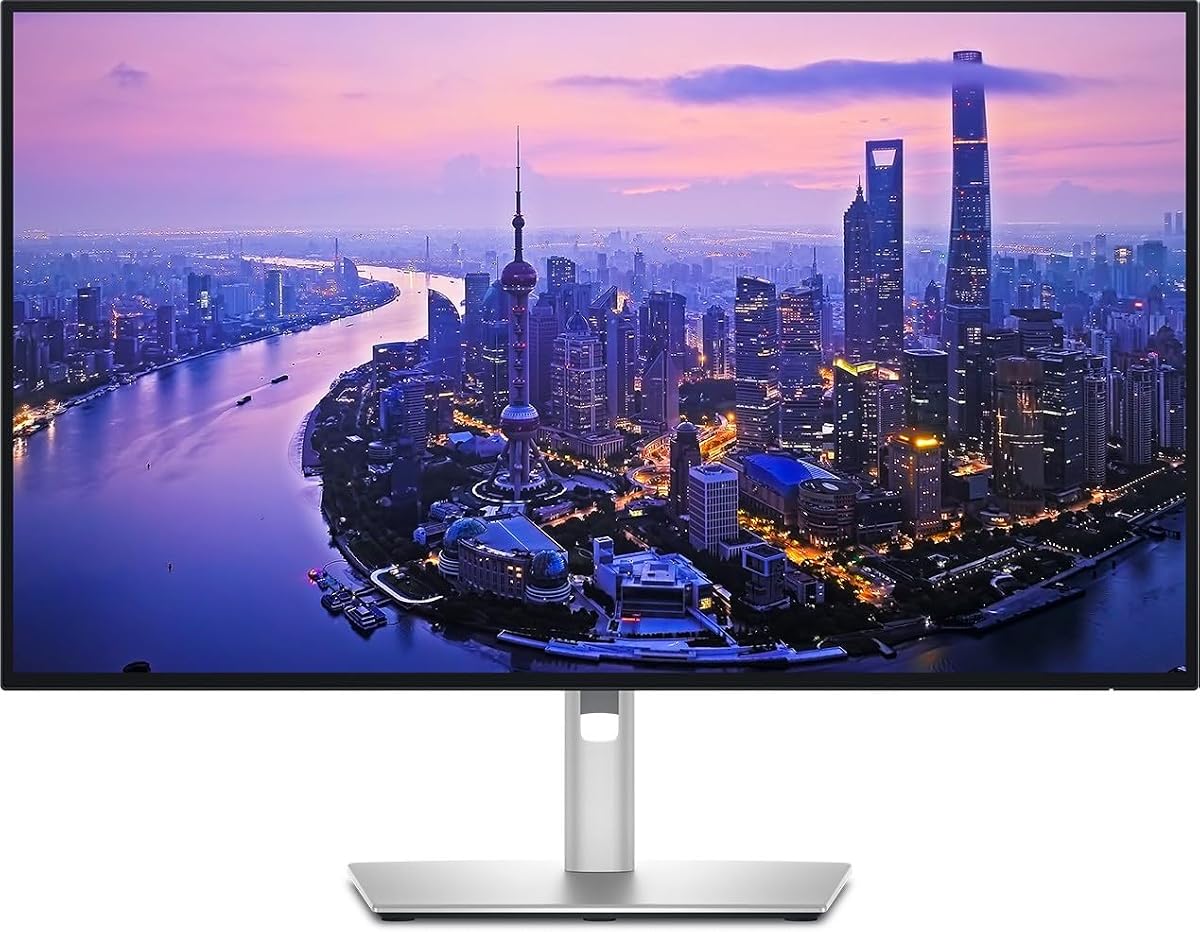
Dell UltraSharp U2725QE
4.4Editor score
140W power delivery
Factory calibrated color
Daisy chain support
This guide compares the top 4K monitors with Thunderbolt connectivity for professionals seeking high resolution, color accuracy, and seamless single-cable
Finding the right display for your workstation requires careful consideration of resolution, connectivity, and color performance. Monitors featuring Thunderbolt technology offer a streamlined approach to connecting your laptop or desktop to a high-resolution screen while charging your device and transferring data simultaneously.
We have evaluated a wide range of options to identify the models that deliver the best combination of visual fidelity, ergonomic design, and connectivity features. Our analysis focuses on panels that support 4K resolution and include robust Thunderbolt ports to ensure a versatile and efficient workflow for creative and business professionals.
Each selection in this guide highlights specific strengths such as color accuracy, refresh rates, and port availability to help you make an informed decision based on your unique needs. Please note that availability and pricing can vary over time, so checking current listings is recommended before finalizing your purchase.
4.4Editor score

4.6Editor score

4.4Editor score
The following table provides a side-by-side overview of the key specifications and features for each monitor included in this guide to help you quickly identify the model that aligns with your specific requirements and preferences.


The Dell UltraSharp 32 Thunderbolt Hub Monitor stands out as a top-tier option for professionals who demand high fidelity and efficient workflow management. With a strong rating from users, this monitor delivers a stunning visual experience that is particularly well-suited for creative tasks such as photo and video editing.
We may earn a commission when you buy through this link, at no additional cost to you.
Its Enhanced IPS Black panel offers a remarkable contrast ratio that brings deeper blacks and richer shadows to your screen. This feature ensures that colors pop and details remain clear even in darker scenes. The built-in KVM switch allows you to control two different machines with a single keyboard and mouse, which is a significant productivity booster for developers and executives.
While the premium features come with a higher investment, the value provided by the color accuracy and connectivity options justifies the cost for serious professionals. The factory calibration ensures that you start with accurate colors right out of the box, reducing the need for additional calibration tools.
If you are looking for a monitor that combines visual excellence with practical workflow enhancements, this model is a strong recommendation. It is particularly ideal for those who work in creative fields or need to manage multiple systems efficiently in a single workspace.
The 99% Display P3 color coverage ensures that your content looks true to life with vibrant and accurate colors that are essential for professional creative work.
The integrated KVM switch lets you seamlessly switch between your personal laptop and work device without needing extra peripherals or tangled cables.
We may earn a commission when you buy through this link, at no additional cost to you.
The Dell UltraSharp U2725QE is designed for professionals who need a reliable and high-performance display for demanding workflows. Its high rating reflects user satisfaction with its color accuracy and connectivity features which are crucial for business and creative environments.
We may earn a commission when you buy through this link, at no additional cost to you.
One of the standout features is the Thunderbolt 4 single cable solution which transmits video data and up to 140W of power. This capability means you can charge your laptop and connect peripherals through a single connection keeping your desk organized and clutter free. The factory calibration ensures Delta E less than 1.5 for precise color reproduction.
The ergonomic design includes height tilt swivel and pivot adjustments to help you find a comfortable viewing position throughout the day. ComfortView Plus reduces harmful blue light emissions which can reduce eye strain during long work sessions. The ambient light sensor also adjusts brightness automatically to maintain comfort.
This monitor is an excellent choice for users who prioritize color accuracy and cable management. The rich port selection including HDMI USB-C and Ethernet ports makes it a versatile hub for various devices. If you need a premium display that supports high power delivery and offers professional grade color performance this model is highly recommended.
Thunderbolt 4 connectivity allows for a clean desk setup by handling video data and high wattage power delivery through one cable.
Factory calibration to Delta E less than 1.5 ensures that your work is viewed with true to life colors without additional adjustments.
We may earn a commission when you buy through this link, at no additional cost to you.
The Dell 27 Monitor S2725QC offers a compelling balance of performance and value for users seeking a 4K display without a premium price tag. Its strong rating indicates that it meets the expectations of many users for clarity and connectivity at an accessible price point.
We may earn a commission when you buy through this link, at no additional cost to you.
With a 120Hz refresh rate and FreeSync Premium support this monitor provides a smooth and tear-free experience which is beneficial for both work and casual gaming. The 99% sRGB coverage ensures vibrant colors while the improved ComfortView Plus reduces harmful blue light emissions to support all-day comfort without sacrificing accuracy.
Connectivity is handled via a single USB-C cable that supports up to 65W of power delivery allowing you to keep your desk organized. The re-engineered sound quality also offers detailed audio which can reduce the need for external speakers in a compact workspace.
This monitor is ideal for those who want a reliable 4K display for general productivity and media consumption. While it may not have all the advanced features of higher-end models it delivers excellent visual quality and smooth performance for the price. It is a great starting point for anyone upgrading to 4K resolution.
The 120Hz refresh rate provides fluid motion that enhances productivity and makes casual gaming more enjoyable compared to standard 60Hz displays.
ComfortView Plus technology reduces blue light emissions to help minimize eye strain during extended work or entertainment sessions.
We may earn a commission when you buy through this link, at no additional cost to you.
The Dell UltraSharp 27 4K Thunderbolt Hub Monitor is a versatile option for designers and professionals who need a reliable hub for their peripherals. While the rating is slightly lower than some other models in the lineup it still offers a high-quality display with robust connectivity features.
We may earn a commission when you buy through this link, at no additional cost to you.
It delivers a stunning 3840×2160 resolution that provides exceptional sharpness for detailed creative work. The built-in Thunderbolt hub supports daisy-chaining and high-speed data transfer which simplifies your desk setup significantly. The coverage of 100% of sRGB and Display P3 color spaces ensures true-to-life reproduction for color-critical tasks.
The fully adjustable stand offers tilt swivel height and pivot options to help you achieve a comfortable viewing position. This monitor also incorporates Dell's commitment to sustainable materials which aligns with environmentally conscious purchasing decisions. The rich port selection transforms the monitor into a full connectivity hub for various devices.
For designers and photographers who require accurate color and flexible connectivity this monitor is a solid choice. The Thunderbolt hub feature is particularly useful for those who want to reduce cable clutter while maintaining high-speed data and video transmission. It is a great fit for creative professionals who value both performance and sustainability.
The Thunderbolt hub allows you to connect multiple devices through the monitor reducing the need for separate docking stations.
With full coverage of sRGB and Display P3 color spaces this monitor ensures that your creative outputs look accurate and vibrant.
We may earn a commission when you buy through this link, at no additional cost to you.
The LG 27UP850K-W is a strong contender for users who want to enjoy HDR content with vibrant colors and sharp details. Its high rating suggests that users appreciate its balance of features and price for a 4K UHD display that supports modern content standards.
We may earn a commission when you buy through this link, at no additional cost to you.
This monitor is compatible with VESA DisplayHDR 400 which supports specific levels of color and brightness that exceed ordinary monitors. The 95% DCI-P3 color gamut expression brings brilliant colors to life making it ideal for watching movies and editing photos. The USB Type-C port provides power delivery up to 90W which is sufficient for most laptops.
Built-in stereo speakers equipped with Waves MaxxAudio provide bigger and bolder sound which can enhance your media consumption experience. The ergonomic stand makes it easy to adjust the height tilt and pivot of the screen to your preferred position. The Switch app also transforms your screen into a multitasking hub for work and gaming.
If you are looking for a monitor that offers HDR support and strong color performance at a reasonable price this model is worth considering. The USB-C power delivery and port variety make it a convenient all-in-one solution for your desk. It is particularly suitable for users who prioritize visual immersion and connectivity flexibility.
DisplayHDR 400 support ensures that HDR content is displayed with greater contrast and brightness for a more engaging viewing experience.
USB Type-C with 90W power delivery allows you to connect and charge your laptop with a single cable reducing desk clutter.
We may earn a commission when you buy through this link, at no additional cost to you.
The Dell UltraSharp 27 4K Thunderbolt Hub Monitor is designed to simplify your workspace by integrating a full docking station into the display. While specific user ratings are not yet available its specifications indicate it is built for professionals who need reliable connectivity and performance.
We may earn a commission when you buy through this link, at no additional cost to you.
It features a built-in Thunderbolt hub that supports daisy-chaining and high-speed data transfer which is perfect for users with multiple peripherals. The variety of USB ports allows you to connect devices directly to the monitor reducing the need for external hubs. This streamlines your workspace and boosts efficiency significantly.
The monitor also incorporates Dell's commitment to sustainable materials and energy-efficient operation which aligns with modern environmental standards. The fully adjustable stand with tilt swivel height and pivot options ensures that you can maintain a comfortable posture throughout your workday. The design complements any professional environment with a sleek look.
If you are looking to replace a separate docking station with a single device this monitor is an excellent option. The integrated hub features provide a seamless experience for connecting storage devices and accessories. It is ideal for users who value a clean setup and reliable Thunderbolt connectivity.
The integrated Thunderbolt hub allows you to connect multiple peripherals directly to the monitor simplifying your desk setup.
With height tilt swivel and pivot adjustments you can customize the viewing angle to reduce strain and improve comfort.
We may earn a commission when you buy through this link, at no additional cost to you.
The ViewSonic VP2488-4K is a professional grade monitor designed to align perfectly with the visual performance and color standards of the Mac ecosystem. Its strong rating reflects the satisfaction of Mac users who need accurate color and reliable connectivity in a compact form factor.
We may earn a commission when you buy through this link, at no additional cost to you.
This monitor features Thunderbolt 4 connectivity which allows for lightning-fast 40 Gbps data transfer and 4K video over one cable. It delivers up to 100W of power to keep your MacBook charged while supporting high-speed daisy chain setups. The Pantone Validated display ensures pinpoint color fidelity for professional tier creative outputs.
The 24-inch size is ideal for those who have limited desk space but still need high resolution for detailed work. The IPS panel delivers stunning detail and aligns with industry leading performance for creative editing tasks. The fully adjustable stand helps achieve the perfect viewing angle to reduce neck strain during long sessions.
If you are a Mac user looking for a monitor that offers professional color accuracy and robust connectivity this is a top choice. The Thunderbolt 4 port simplifies your setup while ensuring fast data transfer and charging capabilities. It is particularly well-suited for graphic designers and photographers who need precision.
Pantone Validated display ensures that your colors are accurate and consistent with industry standards for professional creative work.
Thunderbolt 4 delivers up to 100W power to keep your laptop charged while you work eliminating the need for separate chargers.
We may earn a commission when you buy through this link, at no additional cost to you.
The Samsung 32 ViewFinity S7 offers exceptional clarity for professionals across all industries with a large 32-inch display. Its high rating indicates that users are very satisfied with its image quality and ease of use for various work environments.
We may earn a commission when you buy through this link, at no additional cost to you.
With 4K UHD resolution this monitor delivers visual excellence with high pixel density which reveals greater levels of detail and accurate color representation. HDR10 optimizes contrast offering a gamut of more than 1 billion accurate colors with darker blacks and brighter highlights. This makes it suitable for both creative work and media consumption.
Eye Saver Mode technology certified by TUV reduces eye strain by minimizing blue light and prevents screen flickering. Game Mode instantly adjusts color and contrast to make scenes clearer which can be helpful for casual gaming. The HDMI and DP ports provide a convenient interface that simplifies setup and enhances productivity.
This monitor is an excellent value for those who want a large 4K screen without breaking the bank. The lack of Thunderbolt connectivity may be a drawback for some but the display quality and price point make it a strong contender. It is ideal for users who prioritize screen real estate and visual clarity.
The 32-inch screen provides ample space for creating intricate designs and complex diagrams without needing multiple monitors.
Eye Saver Mode technology reduces blue light and flicker to help minimize eye strain during long work sessions.
We may earn a commission when you buy through this link, at no additional cost to you.
The Dell U3225QE provides a stunning 4K UHD display on a 32-inch screen that brings your content to life with incredible detail. Its rating reflects a balance of features that appeal to users looking for a reliable and visually appealing monitor for productivity tasks.
We may earn a commission when you buy through this link, at no additional cost to you.
Benefit from the integrated Thunderbolt hub which offers versatile connectivity options for peripherals and devices. This streamlines your workspace and boosts efficiency by allowing you to connect multiple devices through a single point. The expansive 32-inch screen size maximizes your workflow with ample screen real estate for multitasking.
The high-resolution display ensures crisp text and sharp images for comfortable viewing during extended work sessions or entertainment. The slim bezel and premium finish elevate your workspace aesthetic and complement any professional environment. This model is designed to be a centerpiece for a clean and modern workspace.
If you want a large screen that integrates well with your workflow and offers robust connectivity options this monitor is a great choice. The Thunderbolt hub is particularly useful for reducing cable clutter while maintaining high-speed connections. It is suitable for professionals who need a spacious and efficient display.
The expansive screen provides enough room to work on multiple windows simultaneously reducing the need for multiple monitors.
Integrated Thunderbolt hub connects peripherals efficiently keeping your desk organized and clutter free.
We may earn a commission when you buy through this link, at no additional cost to you.
The Samsung TU87F Series offers seamless dual 4K display capabilities with daisy chain support that simplifies multi-monitor setups. Its rating indicates a solid performance for users who need reliable connectivity and clear visuals for professional work or creative tasks.
We may earn a commission when you buy through this link, at no additional cost to you.
With two Thunderbolt 3 ports you can connect to compatible Macs and PCs and work on a bigger screen enjoying a simpler dual UHD setup. You can transmit video and data at speeds up to 40Gbps while simultaneously charging devices up to 90W over a single cable. Picture-by-Picture and Picture-in-Picture modes allow you to view two separate sources simultaneously.
The 32-inch screen provides more room to work so you can be more productive. The VA panel offers wide 178-degree viewing angles for easy viewing from different positions. The fully adjustable stand swivels tilts and is height-adjustable to deliver comfort and ergonomics at work.
This monitor is ideal for users who want to build a powerful multi-monitor setup without excessive cabling. The daisy chaining feature and PBP modes make it a versatile tool for multitasking and managing complex workflows. It is a strong option for professionals who value screen real estate and connectivity options.
Daisy chaining via Thunderbolt 3 simplifies connecting multiple monitors with a single cable reducing clutter and complexity.
Picture-by-Picture modes allow you to view two different content sources on the same screen for increased productivity.
We may earn a commission when you buy through this link, at no additional cost to you.
Selecting the right monitor involves evaluating several key factors to ensure it meets your specific professional and creative needs.
For 4K monitors you should look for a resolution of 3840 by 2160 to ensure sharp text and detailed images. IPS panels are generally preferred for their accurate colors and wide viewing angles which are essential for creative work. VA panels may offer deeper blacks but might have narrower viewing angles.
Prioritize panels that deliver high color accuracy and consistent brightness across the screen for the best viewing experience.
Thunderbolt 4 or Thunderbolt 3 support allows you to connect your laptop display and charge your device with a single cable. This reduces cable clutter and simplifies your desk setup significantly. Check the power delivery wattage to ensure it meets your laptop charging requirements.
Ensure the monitor has enough bandwidth and power output to support your specific devices and peripherals.
If you work with images or video look for monitors with high coverage of sRGB or DCI-P3 color spaces. Factory calibration is a plus as it ensures the display is accurate out of the box. A Delta E value less than 2 indicates professional grade color accuracy.
Choose a monitor that covers the color gamut required for your specific industry to maintain consistency in your work.
For general productivity a standard 60Hz refresh rate is sufficient but 120Hz offers smoother motion for scrolling and moving windows. Lower response times reduce blur which can be beneficial for fast-paced tasks or casual gaming. Check if the monitor supports adaptive sync technologies.
Balance your need for smooth motion with your budget and primary use case to find the right refresh rate.
A stand that allows height tilt swivel and pivot adjustments helps you maintain a comfortable posture during long work sessions. Look for monitors with VESA mount compatibility if you plan to use a wall or arm mount. Proper ergonomics can prevent strain and improve comfort.
Ensure the monitor offers enough physical adjustments to fit your seating height and viewing angle comfortably.
A monitor with a built-in hub or multiple USB ports can connect peripherals directly to the display. This eliminates the need for separate docking stations and keeps your desk organized. Check for HDMI DisplayPort and Ethernet options based on your network and device requirements.
Select a monitor with enough ports to support your devices without requiring additional dongles or adapters.
Monitors with blue light filters and flicker-free technology reduce eye strain during extended use. Look for certifications such as TUV Rheinland to validate eye comfort claims. These features are especially important if you spend many hours in front of the screen.
Prioritize eye comfort features to maintain health and reduce fatigue over long work days.
A premium build ensures durability and stability especially for larger screens that may be touched or adjusted frequently. Slim bezels contribute to a modern look and are beneficial for multi-monitor setups. Sustainable materials can also be a factor if you are environmentally conscious.
Choose a design that fits your workspace aesthetic and offers the durability you need for daily use.
To get the most out of your monitor start by using the recommended Thunderbolt cable to ensure maximum bandwidth and power delivery. This will help you achieve the best performance for video data transfer and charging without dropouts.
Adjust the ergonomic stand to set the screen at eye level to reduce neck strain during long sessions. Utilize the built-in OSD menu to calibrate brightness and contrast to your environment for optimal viewing comfort.
Clean the screen regularly with a microfiber cloth to avoid scratching the panel. Avoid using harsh chemicals and ensure the monitor is powered off when cleaning to prevent electrical hazards.
Thunderbolt monitors offer significantly higher data transfer speeds and bandwidth compared to standard USB-C monitors. They can also support daisy chaining to connect multiple displays and deliver higher power output to charge laptops efficiently.
Yes to fully utilize Thunderbolt speeds and power delivery you should use a certified Thunderbolt cable. Standard USB-C cables may not support the required bandwidth for video and data simultaneously.
Most Thunderbolt monitors support daisy chaining which allows you to connect multiple displays in a chain using one cable per monitor. This simplifies your setup and reduces the need for multiple ports on your laptop.
Yes 4K monitors are ideal for video editing as they provide high resolution for detailed timelines and accurate color representation. Look for models with high color gamut coverage and calibration to ensure your edits look correct.
Thunderbolt monitors typically offer power delivery ranging from 65W to 140W depending on the model. This allows you to charge most laptops while using the monitor as your display and data hub.
Many 4K Thunderbolt monitors are designed with Mac compatibility in mind ensuring seamless integration with macOS features. Look for models that support Display P3 color spaces for the best color match with Apple devices.
Adjust the brightness and contrast to match your room lighting and use built-in blue light filters if available. Taking regular breaks and positioning the monitor at eye level can also help reduce strain during long work sessions.
We have highlighted a range of 4K monitors with Thunderbolt connectivity that cater to various needs from budget-friendly options to premium displays. Each model offers unique strengths such as color accuracy and power delivery and ergonomic design to enhance your workspace.
When selecting your monitor consider factors like screen size color gamut coverage and port availability to match your workflow. Prioritize the features that matter most to your daily tasks to ensure you get the best value and performance.
Remember that technology evolves quickly so always check current listings for availability and updated pricing before making your decision. This will help you secure the best option for your specific requirements at the time of purchase.