
ASUS ROG Strix G16 (2025)
4.4Editor score
RTX 5060 GPU
165Hz FHD+ Screen
Wi-Fi 7 Support
Compare the top ten ASUS ROG Strix Laptop models featuring 2026 specs, RTX GPUs, and high refresh displays to find the ideal gaming machine.
Finding the right gaming laptop requires balancing power, portability, and price. The ASUS ROG Strix series offers robust performance for gamers and creators alike. Each model brings unique features like high refresh screens and advanced cooling. Choosing the best one depends on your specific needs and budget constraints today.
We evaluated ten distinct ASUS ROG Strix Laptop configurations to help you decide. Our analysis covers processor speed, graphics power, display quality, and thermal management. We looked at real user feedback and technical specifications to ensure accuracy. This list highlights the strengths and weaknesses of each configuration available now.
Each pick below showcases a specific strength like value, premium features, or raw speed. You will see detailed breakdowns of what makes each laptop stand out in its class. Remember that availability and stock levels can change frequently. Always verify current details on the product page before you make your final selection today.
4.4Editor score

4.3Editor score

5.0Editor score
This table provides a side-by-side look at the key specifications for every model we reviewed. It helps you quickly identify differences in screen size, processor type, and graphics capabilities.




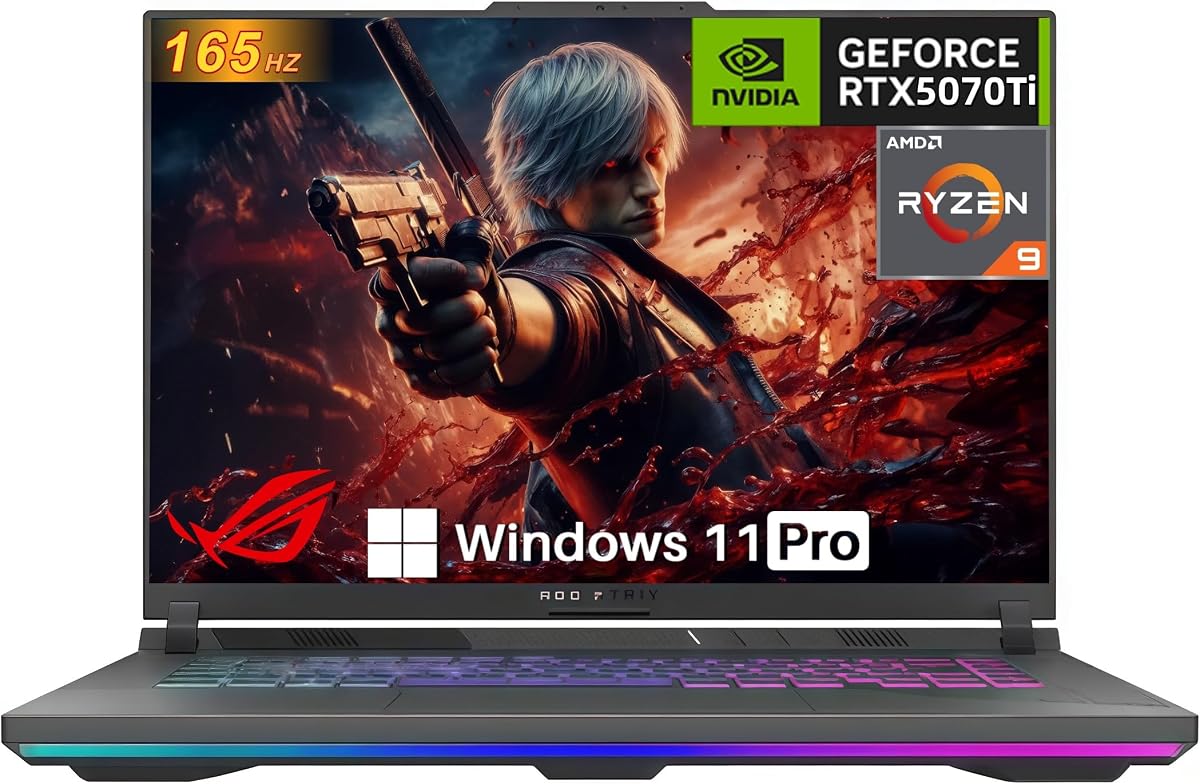
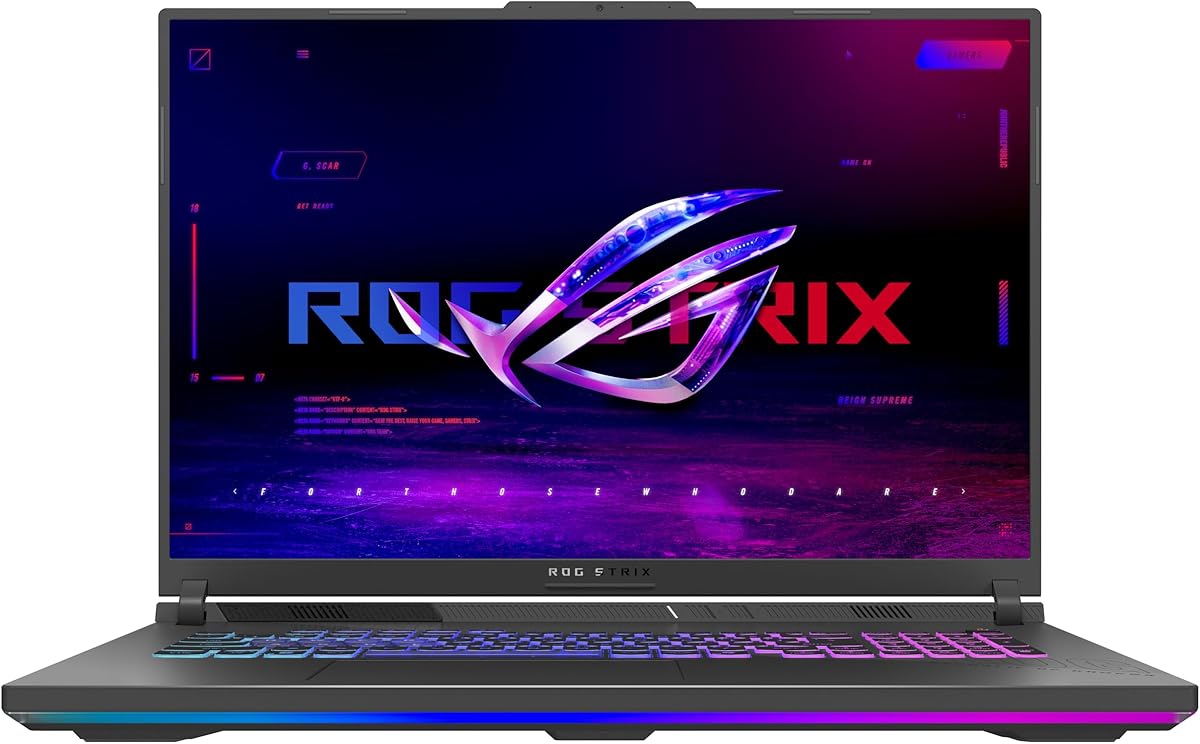
This ASUS ROG Strix G16 delivers strong performance for its price point. With a 4.4 rating it satisfies many users looking for reliable gaming hardware. It balances cost and capability effectively for mid-range gamers.
We may earn a commission when you buy through this link, at no additional cost to you.
The Intel Core i7 14650HX and RTX 5060 handle modern titles well. You get smooth visuals on the 165Hz display without breaking the bank. The 1TB SSD provides ample space for your game library and files.
While it lacks the top-tier screen resolution it still offers great color and speed. The 16GB RAM is fast but fixed which limits future expansion. These trade-offs are acceptable given the value it offers.
Buy this if you want a capable machine without spending a fortune. It is perfect for students or casual gamers who need power and portability. It stands out as a smart choice in the budget segment.
This model strikes a balance between cost and raw power for daily gaming. You get high end specs at a lower price than premium models.
Wi-Fi 7 ensures you stay connected with low latency for online play. The Gen 4 SSD loads games quickly for a seamless experience.
We may earn a commission when you buy through this link, at no additional cost to you.
This laptop features a premium Nebula display that makes visuals pop. It holds a 4.3 rating reflecting solid build quality and power. Gamers who crave speed will love the 240Hz refresh rate.
We may earn a commission when you buy through this link, at no additional cost to you.
The RTX 5070 Ti and Ultra 9 processor work in harmony to crush games. You get detailed graphics and smooth frame rates in demanding titles. The 32GB RAM ensures you can run apps without slowdowns.
The main trade-off is the cost compared to lower tier models. Battery life might not last long during intense gaming sessions. But for a desk setup it performs exceptionally well.
Choose this if visual fidelity and frame rates are your top priority. It is ideal for creators and competitive gamers who need top specs. The screen alone justifies the investment for many users.
The 2.5K resolution with 240Hz offers clarity and motion smoothness. Colors are vibrant thanks to the ACR film layer on the screen.
The Core Ultra 9 handles multitasking and heavy rendering with ease. You can switch between work and play without any lag.
We may earn a commission when you buy through this link, at no additional cost to you.
This Scar 18 model stands out for its impressive screen size and quality. With a 4.3 rating it is praised for immersive visual experiences. It is a desktop replacement that rivals high-end monitors.
We may earn a commission when you buy through this link, at no additional cost to you.
The Nebula HDR display brings games to life with deep blacks and bright highlights. You get 100% DCI-P3 color accuracy for professional work too. The MUX switch boosts frames for competitive gaming scenarios.
While it is heavy and pricey the performance justifies the cost. The tool-free access makes upgrades simple for future proofing. Battery life is average but acceptable for a machine of this power.
Buy this if you want a desktop level experience in a laptop form. It fits users who prioritize screen real estate and color accuracy. It remains a top pick for enthusiasts who love visuals.
Mini LED technology allows for precise dimming zones and better contrast. This creates a cinematic feel when watching movies or playing games.
The slide latch design lets you swap RAM or SSD without tools. This future-proofs your machine and simplifies repairs or storage upgrades.
We may earn a commission when you buy through this link, at no additional cost to you.
This configuration pairs a strong CPU with a stunning Nebula display. It has a 4.0 rating indicating solid performance for content creation. The screen quality is the highlight here for visual work.
We may earn a commission when you buy through this link, at no additional cost to you.
The Core Ultra 9 ensures your system runs fast for coding or editing. You get smooth visuals on the 2.5K panel with vibrant colors. Dolby Vision makes movies look rich and detailed.
The GPU is slightly lower tier which limits extreme gaming performance. Also the 16GB RAM is fixed so it cannot handle very heavy multitasking. But for mixed use it remains a strong contender.
Pick this if you value the screen over raw GPU power. It suits streamers and editors who need high resolution visuals. The CPU ensures it keeps up with modern software demands well.
The 2.5K resolution provides sharp text and clear images. It makes this laptop great for writing as well as gaming.
The 275HX processor handles rendering and compilation tasks easily. You will notice fast compile times and responsive multitasking.
We may earn a commission when you buy through this link, at no additional cost to you.
This model brings AMD power to the Strix lineup. It has no official rating yet as it is a newer release. It aims to provide strong value with its Ryzen CPU and RTX 5070.
We may earn a commission when you buy through this link, at no additional cost to you.
The Ryzen 9 9955HX offers multi-core performance that rivals Intel. You get smooth gaming with the RTX 5070 for most titles. The MUX switch boosts performance by routing frames directly.
Lack of a rating means you rely on brand trust for now. The screen is FHD which is a bit lower than the 2.5K options. But the hardware inside is very competitive for the price.
Choose this if you prefer AMD processors for your workflow. It is a great option for those who want a balance of GPU and CPU speed. It fits users who want high refresh gaming on a budget.
The Ryzen 9 provides high core counts for heavy multitasking. It keeps power draw in check during light tasks.
The RTX 5070 offers great performance for high settings. It handles ray tracing better than lower tier GPUs.
We may earn a commission when you buy through this link, at no additional cost to you.
This unit has earned a perfect 5.0 rating from users. It shows that customers are very happy with its performance. The 32GB RAM and powerful GPU make it a strong contender.
We may earn a commission when you buy through this link, at no additional cost to you.
The 5070 Ti delivers excellent frame rates for modern games. You get dedicated VRAM that helps with textures and shaders. The Ryzen 9 processor ensures you never experience bottlenecks.
The screen is WUXGA which is less sharp than 2.5K. Wi-Fi is 6E which is still fast but not the newest. These are minor points given the rest of the specs.
Buy this for a reliable and powerful machine for gaming. It is great for editors who need RAM for large projects. It stands out as a high satisfaction choice for many.
32GB RAM allows you to run heavy creative apps and games. You do not have to worry about memory limits.
The GDDR7 VRAM speeds up rendering and texture loading. It helps maintain high frame rates in complex scenes.
We may earn a commission when you buy through this link, at no additional cost to you.
This model has a 4.9 rating reflecting high customer satisfaction. It combines a strong GPU with an easy upgrade path. Users love the convenience of the Q-latch system.
We may earn a commission when you buy through this link, at no additional cost to you.
The Ryzen 9 processor keeps your system fast and responsive. The RTX 5070 Ti handles most games at high settings well. The vapor chamber keeps the system cool during long sessions.
The 8GB VRAM might limit some future titles at max settings. Also availability might vary by region or batch. But for most users it provides excellent performance for daily tasks.
Select this if you want an upgrade friendly and powerful laptop. It is ideal for users who want to tweak their hardware. It remains a top pick for performance and value.
The Q-latch system lets you swap SSDs in seconds. This makes expanding storage fast and simple without tools.
The vapor chamber spreads heat efficiently across the chassis. It keeps the fans quieter while maintaining performance.
We may earn a commission when you buy through this link, at no additional cost to you.
This is a top-tier model with a perfect 5.0 rating. It offers the best GPU available in this lineup for gaming. It is a powerhouse for those who want the absolute best.
We may earn a commission when you buy through this link, at no additional cost to you.
The RTX 5080 handles any game or application with ease. You get stunning visuals on the HDR screen with 240Hz speed. The Core Ultra 9 290HX Plus ensures future proofing.
The price is high which makes it less accessible to many. Availability may be limited as it is a new high-end model. But for pros it offers unmatched speed and quality.
Buy this if money is no object and you want top speed. It is perfect for 4K gaming and heavy rendering work. It stands out as the most powerful option in the guide.
The RTX 5080 pushes the limits of gaming performance. It supports the latest ray tracing and upscaling tech.
The HDR display offers high brightness and deep contrast. It makes gaming feel immersive and realistic.
We may earn a commission when you buy through this link, at no additional cost to you.
This model stands out for its massive 2TB storage capacity. It has a 4.2 rating showing it meets most user needs well. It is ideal for users who need to store many files.
We may earn a commission when you buy through this link, at no additional cost to you.
The Core Ultra 9 and RTX 5070 provide solid performance. You get smooth gaming and fast loading with the 2TB drive. Windows 11 Pro offers better business features for some.
The GPU is standard but the storage is the main upgrade. It might cost more than the 1TB models you see here. But for data heavy tasks it saves time and hassle.
Choose this if you work with large video or game files. It removes the need for external drives often. It remains a great choice for storage lovers and creators.
The Gen 4 SSD delivers high read write speeds for apps. This reduces boot times and file transfer delays.
Windows 11 Pro adds better management and security tools. It is useful for business or professional workflows.
We may earn a commission when you buy through this link, at no additional cost to you.
This model offers a large 18 inch screen for a good price. It holds a 4.4 rating indicating solid performance for casual use. It is a great option for those who want size.
We may earn a commission when you buy through this link, at no additional cost to you.
The Ryzen 9 processor is powerful and handles tasks well. You get smooth visuals on the 144Hz screen for gaming. The 16GB RAM is enough for most common applications.
The GPU is entry level so it struggles with heavy titles. The DDR5 speed is also slightly slower than other models. But for casual gaming it still provides good value.
Buy this if you want a big screen and a strong CPU. It fits users who do light gaming and media work. It remains a great pick for entry-level large screens.
The 18 inch panel gives more room for windows and games. It makes multitasking more comfortable on a desktop.
The Ryzen 9 brings high core counts for productivity. It keeps the system responsive even with many tabs open.
We may earn a commission when you buy through this link, at no additional cost to you.
Choosing a Strix laptop requires balancing screen quality, GPU power, and portability. We break down the key factors to help you decide.
The GPU determines how well games run and how fast you render video. Look for RTX 5070 or higher for long-term value. Lower tier models may struggle with new games.
Higher refresh rates like 240Hz offer smoother motion for games. 2.5K screens provide better clarity than FHD for editing. Make sure the screen fits your needs.
The CPU handles multitasking and heavy software loads. Intel Ultra or AMD Ryzen 9 provide strong multi-core performance. Ensure it matches the GPU for best balance.
16GB RAM is standard but 32GB is better for future use. Look for 1TB or larger SSDs to store all your games. Check for upgrade options to add more later.
Good cooling keeps performance steady under load. ROG Intelligent Cooling uses vapor chambers and liquid metal. Check reviews for fan noise and heat output.
Ensure the laptop has enough USB and HDMI ports. Wi-Fi 7 is faster but 6E is still reliable. USB-C helps with charging and data transfer.
Gaming laptops often have short battery life. Look for models with efficient power management. If you travel often consider the weight and size.
A good keyboard is vital for gaming and writing. Look for RGB lighting and responsive keys. Check for a trackpad and dedicated number pad.
Keep the laptop clean from dust using compressed air. Clean vents to maintain good airflow. Wipe the screen with a soft cloth.
Use a cooling pad when gaming to reduce heat. Keep it on a hard surface to avoid blocking vents. Do not block the bottom vents.
Update drivers regularly for best performance. Use Armoury Crate to manage settings. Backup data to avoid loss during updates.
Most Strix laptops have short battery life due to high power. The 16-inch models with lower GPUs might last longer. Check specs for battery size and efficiency.
Many Strix models have tool-free access to RAM and SSD. Check if your specific model has slots or soldered parts. Upgrades can help extend the life of the machine.
Yes, it uses advanced fans and liquid metal for cooling. It keeps temperatures stable under load. This helps maintain high performance over time.
Look for models with high resolution screens and more RAM. The Scar 18 or high-end G16 models are great. Strong CPUs help with rendering times.
Yes, they support HDMI and USB-C with display support. You can connect up to three screens easily. This helps with productivity and gaming setups.
Most Strix laptops come with a standard one-year warranty. Check if you can buy extended plans for more coverage. Warranty covers hardware defects and parts.
The ASUS ROG Strix G16 and Scar 18 offer excellent options for most users. Each model brings unique strengths like speed or screen quality. Your choice depends on your budget and needs.
Focus on GPU power and screen quality for gaming. For work prioritize CPU and storage. Make sure the cooling is strong enough for long sessions.
Prices change often so check current deals on Amazon. Verify specs before you buy to match your goals. This guide helps you make an informed choice today.