
Sonnet Breakaway Box 850 T5
4.5Editor score
850W internal power supply
Thunderbolt 5 connectivity
Built in dock ports
This guide compares the top ten egpu enclosures for 2026, evaluating performance, compatibility, and features to help you choose the right external graphics
External graphics enclosures transform capable laptops into powerful desktop workstations by allowing users to connect high performance discrete graphics cards. This flexibility is essential for professionals and gamers who need more graphical power than their portable devices can provide on their own.
We compared ten leading egpu enclosures based on bandwidth, power delivery, build quality, and compatibility with modern laptops and handhelds. Our analysis focuses on real world performance capabilities and practical features that matter for daily workflows like rendering, gaming, and AI tasks.
Each pick in this list highlights specific strengths and ideal use cases to help you find the best match for your hardware and needs. Please note that product availability and pricing can change frequently, so always verify current details before making your final purchase decision today.
4.5Editor score

4.0Editor score

3.8Editor score
This side by side comparison table summarizes the key specifications and capabilities of all ten top rated egpu enclosures available in the market today to help you quickly identify the right fit for your setup.


The Razer Core X V2 stands out as a leading choice for users seeking maximum performance and future-proof connectivity in an external graphics enclosure. With Thunderbolt 5 support offering up to 80Gbps bandwidth it delivers near-desktop speeds for demanding creative workloads and AAA gaming titles.
We may earn a commission when you buy through this link, at no additional cost to you.
Its design accommodates graphics cards up to four slots wide making it incredibly versatile for high-end NVIDIA GeForce and AMD Radeon GPUs. The included Thunderbolt 5 cable ensures seamless setup while the modular approach lets you swap GPUs or power supplies easily as your needs evolve over time.
While the enclosure itself does not include a GPU or power supply this modular design allows for greater flexibility and cost efficiency depending on existing hardware investments. The active cooling system with a 120mm fan helps maintain stable performance during extended heavy loads without excessive noise.
This enclosure is ideal for professionals and gamers using compatible Windows laptops who need top-tier graphical power on demand. Its combination of speed build quality and ease of use makes it a standout option for serious users looking to maximize their portable workstation capabilities today.
Featuring ultra-fast bandwidth up to 80Gbps this enclosure ensures smooth performance for creative apps and gaming without bottlenecks common in older interfaces.
The tool-free install design lets users easily upgrade or swap GPUs and PSUs using thumbscrews for a customizable setup that adapts to changing needs.
We may earn a commission when you buy through this link, at no additional cost to you.
The Sonnet Breakaway Box 850 T5 delivers near-desktop GPU power with its massive 850W power supply and Thunderbolt 5 connectivity. This makes it an excellent choice for users who need maximum performance for rendering animation visual effects or AI-driven applications without compromise.
We may earn a commission when you buy through this link, at no additional cost to you.
Its ability to support triple wide graphics cards from NVIDIA and AMD ensures compatibility with the most powerful consumer GPUs available today. The built-in Thunderbolt 5 dock adds significant value by providing extra peripheral connectivity through USB Type A ports and Ethernet without needing a separate hub.
The variable-speed temperature-controlled fan ensures quiet yet effective cooling even under heavy workloads. While the premium price reflects its high-end specifications the included features and robust construction justify the cost for professionals who rely on consistent graphical performance.
This enclosure is best suited for power users with Windows 11 laptops who demand the best in speed and connectivity. The combination of ample power strong cooling and integrated docking capabilities makes it a top-tier solution for demanding creative workflows.
With 850W available this enclosure handles today's and tomorrow's power-hungry GPU cards ensuring stable performance for any high-end graphics card you install.
Extra Thunderbolt and USB ports plus Ethernet allow you to connect multiple peripherals directly to the dock simplifying your desktop setup significantly.
We may earn a commission when you buy through this link, at no additional cost to you.
The ANQ-L336 Mini offers an accessible entry point for users looking to boost graphics performance without a huge financial investment. It supports Thunderbolt 3 and 4 along with USB4 interfaces making it versatile for many modern laptops and gaming handhelds like the ROG Ally X.
We may earn a commission when you buy through this link, at no additional cost to you.
Its compact design makes it easy to carry and use on the go while still delivering solid 32Gbps PCIe 4.0 x4 connectivity. The flexible power options allow users to choose from ATX SFX FLEX or DC supplies based on their specific needs and existing hardware.
Although it lacks the higher bandwidth of Thunderbolt 5 models it provides excellent performance for most gaming and creative tasks. The PD 85W fast charging capability is particularly useful for handheld users who want to power their device while using external graphics.
This enclosure is ideal for budget-conscious users or those needing a portable solution for handheld gaming PCs. Its balance of cost size and functionality makes it a strong choice for casual gamers and light content creators alike.
Perfectly suited for handheld consoles like ROG Ally X this mini enclosure delivers enhanced performance while remaining small enough for travel and daily use.
Supporting multiple PSU types lets you adapt the enclosure to your needs or repurpose existing power supplies for cost efficiency and convenience.
We may earn a commission when you buy through this link, at no additional cost to you.
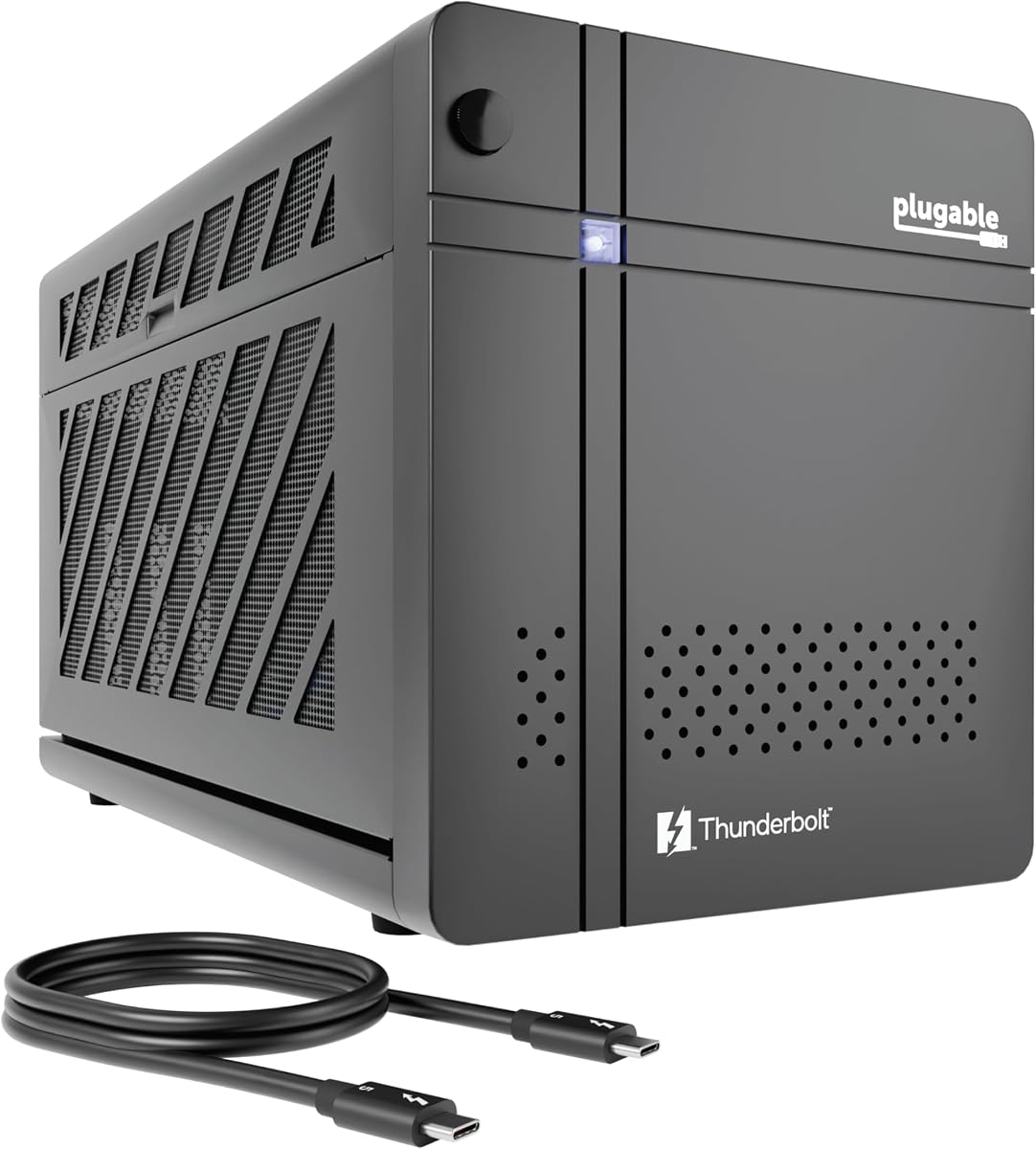
The Plugable Thunderbolt 5 AI eGPU Enclosure is uniquely tailored for users running local AI models securely without cloud dependency. With its 850W PSU and Thunderbolt 5 speeds it provides the power and bandwidth needed for advanced machine learning tasks and high-performance workflows.
We may earn a commission when you buy through this link, at no additional cost to you.
Its modular design supports up to 3.5-slot wide GPUs and includes essential connectivity like Ethernet and USB ports for a complete workstation experience. The built-in Thunderbolt 5 dock ensures you can expand peripherals while the high wattage supply caters to demanding future-proof graphics cards.
This enclosure emphasizes privacy by allowing offline AI inference which keeps sensitive prompts and data within your perimeter. The lifetime support from the North American team adds value for professionals and businesses that prioritize reliability and long-term assistance.
Ideal for AI researchers and privacy-focused users this enclosure balances performance and security effectively. Its robust build and specific optimization for local models make it a standout choice for specialized technical applications in modern computing environments.
Designed to run local AI models securely it eliminates cloud risks and subscription fees while ensuring sensitive data never leaves your hardware.
An 850W PSU and 2.5Gbps Ethernet plus USB ports provide the stability and connectivity needed for complex multitasking and high load operations.
We may earn a commission when you buy through this link, at no additional cost to you.
This External GPU Enclosure provides a complete kit with everything needed for immediate setup including a power supply cable and carrying case. It targets users who value convenience and portability without sacrificing essential graphics performance for editing rendering and casual gaming tasks.
We may earn a commission when you buy through this link, at no additional cost to you.
The lightweight yet robust aluminum shell protects internal components while keeping the overall weight low for travel. Featuring Thunderbolt 4 and 3 support it connects easily to most modern laptops and handheld consoles while offering power delivery to charge your device simultaneously.
Its compact footprint limits GPU length to around 205mm which suits most common desktop cards but excludes larger extreme models. The inclusion of display ports and PD charging simplifies cable management making it a user-friendly option for on-the-go workstation setups.
Best suited for travelers and mobile professionals this enclosure balances size and function well. The ready-to-use packaging and durable build make it a practical choice for those needing quick reliable graphics boosts without extra accessories or setup hassle.
Everything needed including cables and case comes in the box enabling instant plug and play setup without hunting for additional hardware or adapters.
A lightweight aluminum shell paired with a custom carrying case ensures protection and portability for users who work across different locations regularly.
We may earn a commission when you buy through this link, at no additional cost to you.
The VK-Y900 eGPU Enclosure is optimized for handheld gaming consoles like the ROG Ally X providing seamless integration and performance boosts. With official Intel controller support it ensures stable data transfer and compatibility with both NVIDIA and AMD graphics cards for gaming and creative use.
We may earn a commission when you buy through this link, at no additional cost to you.
Its dual Thunderbolt ports allow flexible connections and PD 85W pass-through charging keeps your device powered during extended sessions. The included DisplayPort output gives you extra options for connecting to external monitors which enhances productivity and immersive gameplay experiences.
Designed with high-grade PCB materials it resists oxidation and ensures long-term reliability for frequent travelers or daily users. While the enclosure does not include a power supply this keeps costs lower and allows users to choose compatible ATX units that fit their needs.
This enclosure is perfect for handheld users seeking reliable external graphics performance without complex setup. The combination of portable design robust build quality and targeted optimization makes it a strong candidate for mobile gaming enthusiasts.
Tailored specifically for devices like ROG Ally X it enables 30W turbo modes for superior performance in portable gaming scenarios effortlessly.
Official JHL controllers and reinforced PCB materials maintain reliable connections reducing lag and dropouts during intensive gaming or creative sessions.
We may earn a commission when you buy through this link, at no additional cost to you.
The Sonnet Breakaway Box 750ex provides reliable graphics expansion for older Thunderbolt 3 systems without sacrificing essential power. Its 750W internal supply supports a wide range of GPU cards from AMD and NVIDIA making it suitable for editing rendering and specialized software needs.
We may earn a commission when you buy through this link, at no additional cost to you.
Additional connectivity including USB Type A ports and Ethernet means you can use the enclosure as a hub reducing cable clutter on your desk. The compatibility with both Mac and Windows platforms adds flexibility for cross-platform workflows although M1 chips are not supported.
While Thunderbolt 3 offers less bandwidth than newer standards it remains sufficient for most professional and gaming tasks. The enclosure's solid build and proven performance make it a dependable choice for users with existing laptops that do not yet support Thunderbolt 4 or 5.
This model is ideal for users needing a bridge between older hardware and modern graphics power. Its combination of ample power expanded ports and reliable compatibility ensures a smooth transition to enhanced graphical capabilities without needing a full system overhaul.
Four USB Type A ports plus Ethernet allow you to connect peripherals directly eliminating the need for extra hubs in your workspace setup.
Works with both Mac and Windows except M1 enabling mixed environments to share high-performance graphics resources through a single enclosure easily.
We may earn a commission when you buy through this link, at no additional cost to you.
This Mini eGPU Enclosure offers a compact and affordable solution for users needing basic graphics expansion on laptops and NUCs. With Thunderbolt 3 and 4 support it delivers 40Gbps speeds suitable for moderate creative workloads and casual gaming without bulky hardware.
We may earn a commission when you buy through this link, at no additional cost to you.
The inclusion of a USB A port and a secondary Thunderbolt port allows the enclosure to function as a hub for connecting additional devices. Its small footprint makes it ideal for tight desks or travel though users must provide their own power supply which is not included.
While straightforward to set up the enclosure requires checking system compatibility beforehand to ensure Thunderbolt or USB4 controllers are present. This helps avoid mismatched hardware issues and ensures a smooth integration with your existing computing environment right from the start.
Best for users on a tight budget or needing minimalistic designs this enclosure covers essential needs effectively. Its portability and simplicity make it a decent starter option for those exploring external graphics without committing to high-end configurations.
Secondary Thunderbolt and USB ports let you attach extra devices expanding your connectivity options without needing a separate docking station at all.
A small design ensures it fits in tight spaces or travel bags making it easy to carry along to different work environments whenever needed.
We may earn a commission when you buy through this link, at no additional cost to you.
The MINISFORUM DEG2 introduces hybrid connectivity with USB4 V2 and OCuLink supporting dual-link data transfer speeds up to 80Gbps. This versatility lets users switch between high-speed docking and pure GPU performance modes instantly via a hardware switch for flexible workflows.
We may earn a commission when you buy through this link, at no additional cost to you.
An integrated M.2 NVMe slot allows storage of AI models directly on the dock keeping projects synchronized across hosts seamlessly. Universal support for ATX and SFX power supplies ensures compatibility with many GPU types while the built-in signal booster enhances stability during high-bandwidth tasks.
Single-cable desktop workflow simplifies connecting data display and charging which reduces clutter and improves usability. Automatic power-on and host synchronization add convenience making the experience feel more like a seamless desktop system than an external peripheral.
Ideal for advanced users wanting flexibility and speed this enclosure bridges modern and next-gen connectivity effectively. Its storage features and signal enhancements make it a powerful choice for workflows needing both graphical power and accessible data access.
Supporting both USB4 V2 and OCuLink allows instant switching between docking and raw GPU performance offering unmatched adaptability for diverse needs.
M.2 NVMe slot enables storing project files on the dock itself ensuring data stays accessible and synced regardless of connected host device used.
We may earn a commission when you buy through this link, at no additional cost to you.
This External eGPU Enclosure provides a complete kit including a power supply cables and carrying case making it easy to set up quickly. Compatible with Thunderbolt 4 and 3 it supports most NVIDIA and AMD graphics cards and suitable for editing rendering and casual gaming tasks effectively.
We may earn a commission when you buy through this link, at no additional cost to you.
The lightweight anodized aluminum shell keeps the unit durable yet portable for users who move between locations regularly. Multiple ports including Thunderbolt and display output allow flexible connectivity while PD 85W charging ensures your laptop remains powered during use without extra adapters.
Its compact design limits GPU length to around 205mm which fits most standard cards but may exclude larger premium models. This limitation makes it ideal for mainstream users who value convenience and portability over extreme power capabilities for specialized workloads.
Best for buyers seeking a hassle-free solution this enclosure offers great value with all essentials included. The combination of solid build complete accessories and reliable performance makes it a strong choice for users starting with external graphics setups.
All cables power supply and case included in the box let you start boosting graphics immediately without purchasing additional accessories separately at all.
Lightweight aluminum casing ensures robust protection against travel bumps while keeping the overall footprint small for easy storage on any desk.
We may earn a commission when you buy through this link, at no additional cost to you.
Selecting the right egpu enclosure requires evaluating several key factors including bandwidth power compatibility and build quality to ensure optimal performance for your specific setup and workflows.
The interface type such as Thunderbolt 3 4 or 5 directly impacts how much data can move between your GPU and laptop. Higher bandwidth versions like Thunderbolt 5 offer up to 80Gbps which reduces bottlenecks and ensures smoother performance for gaming and rendering tasks.
Always check your laptop's ports to confirm which Thunderbolt or USB4 version it supports before purchasing an enclosure to guarantee compatibility and maximum speed.
Modern graphics cards often require significant wattage to operate correctly and underpowered enclosures can lead to instability or failure. Look for units with at least 650W or more if you plan to use high-end GPUs and verify the PSU is included or compatible with external options.
Ensuring adequate power headroom now will future-proof your setup for GPU upgrades without needing to replace the enclosure later.
Enclosures vary in internal space which limits the maximum width length and height of the graphics card they can house. Larger models may need enclosures supporting three or four slot widths so measure your intended GPU carefully before buying to avoid fit issues.
Confirming physical dimensions upfront prevents costly returns and ensures your chosen card fits comfortably inside the chassis for proper cooling.
Some enclosures include extra USB ports Ethernet or display outputs which can function as docking stations to reduce cable clutter. Consider if you need these features to connect peripherals directly to the enclosure instead of using a separate hub.
Integrated ports simplify your workspace and add value beyond graphics expansion making the unit more versatile for daily workflows.
High-performance GPUs generate heat so enclosures need active cooling fans to maintain stable operation and prolong component life. Metal chassis and well-ventilated designs help dissipate heat more effectively than plastic alternatives and improve noise levels under load.
Investing in a durable enclosure with efficient cooling ensures long-term reliability and consistent performance even during intensive sessions.
Most egpu enclosures work seamlessly with Windows but Mac support varies especially on Apple Silicon chips which have strict restrictions. Verify the product explicitly states macOS compatibility if you use a Mac to avoid functional limitations or driver conflicts.
Choosing an enclosure with verified support for your OS guarantees a smooth user experience and full access to GPU features.
Prices range widely from affordable models around one hundred fifty dollars to premium units exceeding six hundred. Determine how much performance and features you need to balance cost against expected gains without overspending on capabilities you won't use.
A well-chosen enclosure should provide the performance boost you require while fitting comfortably within your financial constraints.
Connect your GPU and power supply inside the enclosure following the manual instructions carefully then secure all cables before closing the chassis. Ensure internal components fit snugly to avoid loose connections that might cause noise or performance issues.
Plug the enclosure into your laptop or device using the correct Thunderbolt or USB4 cable ensuring it is firmly seated for stable data transfer. Install necessary drivers and software on your system to recognize the external graphics card and enable full functionality.
Keep the enclosure in a well-ventilated area to prevent overheating during use and clean dust from fans and vents regularly. Avoid placing heavy objects on top of the enclosure and unplug connections gently to preserve port integrity over time.
No only laptops with Thunderbolt 3 4 or 5 or compatible USB4 ports can use egpu enclosures effectively. Check your device's specifications to confirm support before purchasing to ensure connectivity and performance.
Yes connecting a discrete GPU via an enclosure can significantly boost frame rates and graphical settings compared to integrated graphics. This makes modern AAA games more playable on capable laptops that lack dedicated internal GPUs.
If your graphics card exceeds the enclosure's supported dimensions it will not fit or may block vents causing overheating. Always verify the maximum GPU size supported by the enclosure before buying to avoid physical incompatibility.
Some enclosures come with built-in power supplies while others require you to provide a compatible ATX or SFX unit. Check product details to see if the PSU is included or needs separate purchase for your setup.
Many enclosures support older Intel-based Macs but Apple Silicon chips like M1 and later generally do not support external GPUs. Confirm macOS compatibility specific to your Mac model before buying to avoid connectivity issues.
Most quality enclosures include the necessary Thunderbolt or USB4 cable but it is wise to verify this before purchase. Using a certified cable ensures proper data speeds and power delivery for stable operation.
The ten egpu enclosures reviewed here cover a wide range of needs from portable budget-friendly options to high-end professional units. Each model brings unique strengths that cater to different users depending on compatibility power and performance priorities.
When choosing prioritize bandwidth speed power capacity and physical fit to ensure your setup meets current and future demands. A well-matched enclosure will provide smooth and reliable performance for all your graphics-intensive tasks.
Remember to check the latest availability and prices before buying as details can change over time. This ensures you make an informed decision and get the best value for your investment in external graphics power.