
Thermalright TL-C12C-S X3
4.7Editor score
ARGB lighting support
S-FDB bearing design
1550 RPM max speed
This guide compares the top 10 exhaust fans for PC cases and electronics, evaluating airflow, noise levels, bearing types, and compatibility to help you choose
Keeping your computer system cool is essential for maintaining performance and extending hardware lifespan. An effective exhaust fan helps remove hot air from the case, ensuring components like the CPU and GPU operate within safe temperature ranges.
We compared ten highly rated exhaust fans based on airflow capacity, noise output, bearing technology, and installation compatibility. Our analysis focuses on real-world performance data and user feedback to provide a reliable list for various cooling needs.
Each pick highlights specific strengths such as silent operation, high static pressure, or versatile power options. Please note that product availability and pricing may change frequently, so verify current details before making a purchase decision.
4.7Editor score

4.8Editor score
4.6Editor score
This side-by-side comparison outlines the key specifications and features of the top ten exhaust fans available today, helping you quickly identify the best match for your specific cooling requirements.


The Noctua NF-P12 redux-1700 PWM stands out as the premier choice for users seeking a balance of performance and silence. With an impressive rating of 4.8 stars from thousands of users, this fan delivers reliable cooling without compromising on acoustic comfort.
We may earn a commission when you buy through this link, at no additional cost to you.
Its pressure-optimized blade design ensures strong airflow and static pressure, making it ideal for radiators and CPU coolers. The 4-pin PWM interface allows automatic speed control based on system temperature, providing powerful cooling when needed and near silence at idle.
While the price is higher than budget options, the 150,000-hour MTTF and proven Noctua quality justify the investment. The redux edition offers essential accessories like anti-vibration mounts, ensuring a secure and quiet installation process.
For users prioritizing longevity and low noise in critical cooling applications, this fan is the definitive recommendation. It is especially suitable for silent PC builds, workstations, and high-performance systems requiring consistent thermal management.
Operating at a maximum of 25.1 dB(A), this fan remains nearly inaudible even under load, making it perfect for quiet environments.
The optimized bearing design extends operational life significantly, reducing maintenance needs and ensuring consistent performance over years.
We may earn a commission when you buy through this link, at no additional cost to you.
The Thermalright TL-C12C-S X3 offers exceptional value for budget-conscious builders needing reliable cooling and aesthetic lighting. With a 4.7 rating and included three-pack configuration, it provides a complete solution for case ventilation without breaking the bank.
We may earn a commission when you buy through this link, at no additional cost to you.
Each fan features S-FDB bearings for stable operation and minimal noise, reaching speeds up to 1550 RPM for effective heat dissipation. The ARGB lighting can be synchronized via motherboard control, adding a customizable visual element to your build.
While the frame lacks premium touches, the cooling performance and silent operation rival more expensive options. The 4-pin PWM connector ensures easy integration with modern motherboards for automatic speed adjustments based on thermal needs.
This fan is ideal for entry-level to mid-range builds where cost efficiency and visual flair are priorities. It works well as case fans or CPU cooler replacements, delivering consistent airflow and vibrant lighting effects.
The three-pack bundle delivers significant savings compared to buying individual fans, making it easy to equip multiple case zones.
High-brightness ARGB LEDs reflect well off blades, offering soft yet vibrant lighting that enhances build aesthetics without glare.
We may earn a commission when you buy through this link, at no additional cost to you.
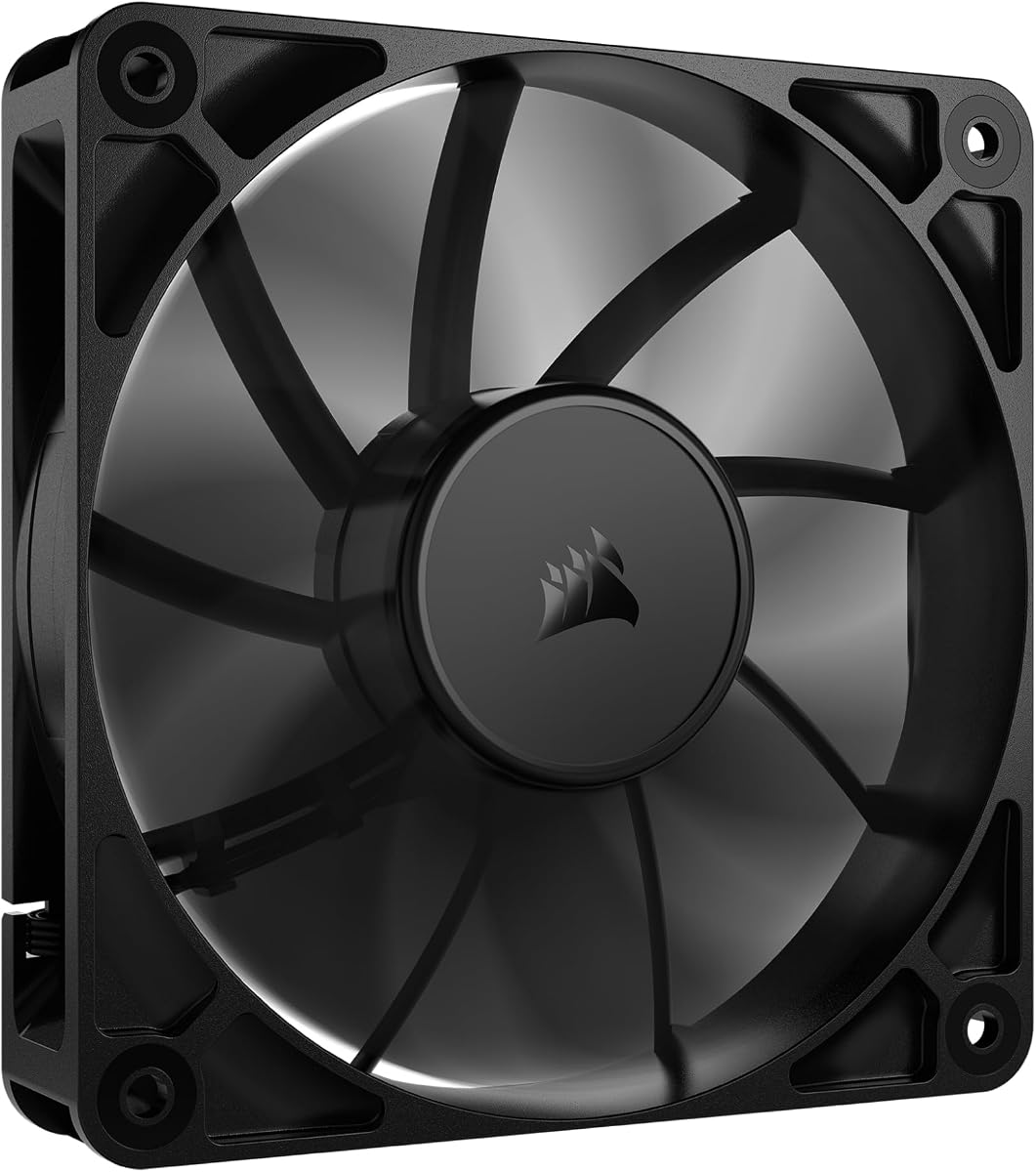
The CORSAIR RS120 represents premium engineering with its AirGuide Technology and magnetic dome bearing, targeting high-performance cooling needs. Rated 4.6 stars, it excels at delivering concentrated airflow to critical components like radiators and heatsinks.
We may earn a commission when you buy through this link, at no additional cost to you.
Daisy-chain connectivity simplifies cable management by allowing multiple fans to be controlled via a single PWM connector. The Anti-vortex vanes direct airflow precisely where needed, enhancing static pressure and reducing wasted energy on turbulent air movement.
Despite the higher cost, the 2100 RPM speed and 72.8 CFM airflow provide exceptional cooling power for demanding systems. The magnetic bearing minimizes friction and noise, ensuring smooth operation even at maximum speeds.
Ideal for users building high-end PCs or custom loop water cooling setups, this fan offers unmatched control and efficiency. It is especially recommended for those who prioritize thermal performance and clean internal aesthetics.
Daisy-chain connection reduces clutter by linking multiple fans through one connector, simplifying internal routing and aesthetics.
AirGuide vanes focus air on hotspots, improving cooling efficiency and reducing overall system temperatures effectively.
We may earn a commission when you buy through this link, at no additional cost to you.
The Thermalright TL-C12C-S 5-Pack provides a comprehensive cooling solution for full-case ventilation, offering five synchronized ARGB fans in one box. With a 4.7 rating, it appeals to users needing multiple fans without individual pricing hassles.
We may earn a commission when you buy through this link, at no additional cost to you.
Each unit features S-FDB bearings for quiet stability and PWM control for intelligent speed adjustment. The included 55cm cables support series control, simplifying wiring across multiple case zones or radiators.
ARGB support enables 17 distinct light effects managed through motherboard software, allowing deep customization. The 25.6 dBA noise level ensures the fans remain unobtrusive during daily use or gaming.
This pack is perfect for extensive builds requiring uniform cooling and lighting. It suits users managing full chassis setups who value ease of installation and aesthetic consistency across multiple cooling points.
Five fans allow full case ventilation with intake and exhaust zones, maintaining optimal internal temperatures for all components.
55cm cables enable daisy-chaining, reducing wire clutter and simplifying connection to motherboard headers.
We may earn a commission when you buy through this link, at no additional cost to you.
The Wathai 12038 delivers massive airflow with a 230 CFM rating, making it ideal for intensive cooling tasks like mining rigs or server chassis. With 4.5 stars, it is a robust choice for environments demanding maximum air movement.
We may earn a commission when you buy through this link, at no additional cost to you.
Its 38mm thickness provides space for larger blades and motors, reaching 5300 RPM for aggressive cooling. Dual-ball bearings ensure a 67,000-hour lifespan, supporting heavy-duty use in mining or industrial applications.
PWM control allows speed regulation based on temperature, balancing noise and performance. However, at full speed, noise reaches 60 dBA, so it is best suited where ventilation priority outweighs acoustic concerns.
This fan is recommended for specialized high-heat environments or industrial setups. Users needing extreme airflow capacity should consider this model while ensuring proper mounting and noise isolation.
The 230 CFM rating provides exceptional air movement, suitable for removing heat from high-power GPUs or mining rigs.
Dual-ball bearings withstand continuous operation at high RPM, extending service life under demanding workloads.
We may earn a commission when you buy through this link, at no additional cost to you.
The be quiet! Pure Wings 3 combines German engineering with silent performance, achieving a 4.7 rating for users prioritizing noise reduction. Its frame and blade design optimize airflow while maintaining exceptional quietness.
We may earn a commission when you buy through this link, at no additional cost to you.
Equipped with a rifle bearing offering 80,000 hours of life, it ensures long-term stability. The seven optimized blades reduce turbulence, ensuring performance even under demanding configurations without excessive acoustic output.
PWM control allows very low RPM operation at idle, making it whisper-quiet during light workloads. It excels in silent builds, home servers, or office PCs where noise must be minimized.
Ideal for users valuing reliability and acoustic comfort, this fan offers premium quality at a reasonable cost. It is particularly suited for systems requiring low-noise operation without sacrificing airflow efficiency.
Be quiet! maintains rigorous standards, ensuring each component meets high-performance criteria for airflow and durability.
The fan frame is designed for peak performance on radiators, directing airflow efficiently to critical areas.
We may earn a commission when you buy through this link, at no additional cost to you.
The Easy Cloud Axial Fan offers unique versatility by running directly from an AC outlet, making it useful for server cabinets or non-standard cases. With a 4.4 rating, it appeals to users needing flexible cooling beyond motherboard connectors.
We may earn a commission when you buy through this link, at no additional cost to you.
Its variable speed controller allows adjustment from 700 to 2800 RPM, tailoring cooling to specific needs. The dual-ball bearings provide a 50,000-hour lifespan, ensuring reliability for continuous operation in various environments.
Ideal for routers, DVRs, and small electronics, this fan ensures proper ventilation without complex wiring. While noise reaches 41dB at maximum, the adjustability helps balance performance and acoustic requirements.
This fan is recommended for applications lacking standard DC power or requiring independent control. It suits users managing external devices or specialized cases needing simple, reliable cooling solutions.
AC plug integration simplifies installation for non-PC devices, avoiding the need for motherboard headers or adapters.
The included controller enables manual speed regulation, letting users optimize noise and airflow as needed.
We may earn a commission when you buy through this link, at no additional cost to you.
The Kingwin 80mm Fan delivers reliable cooling for smaller cases, CPU coolers, and mining rigs, achieving a 4.5 rating for consistent performance. Its compact size ensures compatibility with tight spaces where larger fans won't fit.
We may earn a commission when you buy through this link, at no additional cost to you.
Designed with optimized blades, it provides excellent ventilation to reduce system heat buildup. The long life bearing ensures durability, maintaining stable operation over years of use without frequent replacement.
Ideal for office desktops or custom PCs with limited clearance, this fan balances noise reduction and airflow. It works well as a replacement in older systems or small form factor builds.
Recommended for users with size constraints, it offers a cost-effective solution for essential cooling. It is best suited for targeted applications where space efficiency is a priority.
The 80mm profile fits into compact cases, ensuring cooling coverage without requiring large internal space.
Durable bearing construction supports extended operation, maintaining performance stability over time.
We may earn a commission when you buy through this link, at no additional cost to you.
The X1 USB Cooling Fan provides ultra-quiet, portable cooling ideal for routers, consoles, and media devices, earning a 4.4 rating for user satisfaction. Its 18dB operation ensures near-silence, perfect for living room setups.
We may earn a commission when you buy through this link, at no additional cost to you.
Featuring 55.8 CFM airflow and a 9-blade design, it rapidly reduces device temperatures by 20% without noise. The built-in 530mm cable connects easily to chargers or banks, eliminating extra wires.
Shock-absorbing pads protect surfaces from scratches, and the durable ABS material supports heavy use. While not intended for full PC cases, it excels at targeted cooling for peripheral electronics.
Recommended for home offices or streaming setups, it solves overheating issues for consoles and routers. It is ideal for users prioritizing silent, flexible cooling for non-internal components.
At 18dB, this fan operates quieter than rustling leaves, ensuring zero noise interference in quiet environments.
The built-in cable and universal USB power simplify setup, allowing easy use with laptops or chargers.
We may earn a commission when you buy through this link, at no additional cost to you.
The DARKROCK 3-Pack offers excellent value for users needing multiple case fans, achieving a 4.6 rating for performance and reliability. Each fan features a hydraulic bearing design for stable, quiet operation.
We may earn a commission when you buy through this link, at no additional cost to you.
With nine fan blades reaching 1200 RPM, it delivers effective cooling while maintaining 32.1 dBA noise levels. Silicone cushions reduce vibration, ensuring a quieter environment during high-speed operation.
PBT material provides heat resistance and durability, suitable for long-term use. The 120mm size fits standard cases, making installation straightforward even for beginners.
Ideal for budget builds requiring full ventilation, this pack provides consistent airflow without complexity. It is recommended for entry-level PC builders or replacements where simplicity is key.
Soft silicone cushions absorb vibrations, minimizing noise and preventing case resonance during operation.
Three fans in one package provide significant savings, covering multiple case positions affordably.
We may earn a commission when you buy through this link, at no additional cost to you.
Choosing the right exhaust fan involves balancing airflow, noise, and compatibility with your system. This guide breaks down key factors to ensure optimal cooling performance and reliability.
Airflow, measured in cubic feet per minute (CFM), indicates how much air the fan can move. Higher CFM values are better for removing hot air quickly, especially in high-performance or gaming systems.
Look for fans with at least 60 CFM for effective case ventilation to prevent overheating.
Noise levels determine how loud the fan runs during operation. Lower decibel ratings mean quieter operation, which is essential for office or quiet gaming setups.
Choose fans with 25 dB or less for near-silent performance without sacrificing cooling efficiency.
Bearings affect fan longevity and stability. S-FDB, hydraulic, or magnetic dome bearings offer extended lifespans and reduced vibration compared to basic sleeve bearings.
Prioritize high-quality bearings for long-term reliability and consistent performance.
PWM connectors enable automatic speed control based on system temperature. 4-pin PWM interfaces are standard for modern motherboards and provide better thermal management than 3-pin options.
Ensure the fan supports PWM control for intelligent speed regulation.
Standard sizes include 120mm and 80mm. Verify your case mounts and cooler requirements to avoid fit issues. Some cases support thicker fans up to 38mm for better airflow.
Confirm dimensions match your case specifications before purchasing.
RGB fans add visual flair through customizable lighting. ARGB fans allow synchronization via motherboard headers, while standard RGB may need separate controllers.
Select based on whether aesthetic customization is a priority for your build.
MTTF (Mean Time To Failure) ratings indicate expected operational life. Fans with 60,000+ hours MTTF are ideal for continuous use in servers or gaming rigs.
Opt for higher MTTF ratings if the fan will run 24/7.
Balancing cost with performance is crucial. Multi-packs often provide better value for full-case setups, while premium fans offer specialized features for critical cooling.
Assess your needs to choose the most cost-effective solution.
Install the fan so it blows air out of the case toward the rear or top panel to expel hot air effectively. Ensure screws or rubber mounts are tightened securely to prevent vibration noise.
Connect the fan to a 4-pin PWM header on your motherboard or fan hub for automatic speed control. Configure BIOS settings to increase fan speed at higher temperatures for better thermal management.
Clean the fan blades and surrounding area every three to six months using compressed air to remove dust buildup. Regular maintenance preserves airflow performance and extends bearing life.
Most standard cases support 120mm fans for rear and top exhaust positions. Measure your case mounting points to confirm compatibility before purchasing a fan.
PWM control allows automatic speed adjustments based on temperature, improving silence and efficiency. It is recommended for modern builds with compatible motherboard headers.
Exhaust fans push hot air out of the case, while intake fans draw cool air in. Both are necessary to maintain positive or negative airflow balance.
Yes, if your case supports 80mm mounts. Smaller fans are useful for compact cases or CPU coolers where space is limited.
Quality fans operate below 25 dB for silent environments, while high-performance models may reach 40 dB under load. Aim for lower dB for quiet usage.
RGB lighting does not affect cooling performance. Choose based on aesthetics; ensure the fan maintains adequate CFM regardless of lighting features.
Clean fans every three to six months using compressed air. Regular dust removal prevents performance loss and overheating issues.
Yes, using a splitter or daisy-chain compatible fans. Ensure the total current draw does not exceed the header's limit.
The Noctua NF-P12 redux-1700 PWM leads as the top overall choice, balancing premium quietness with high static pressure. For budget builds, the Thermalright TL-C12C-S X3 offers reliable performance and ARGB lighting.
Prioritize airflow, noise level, and compatibility based on your system's needs. High static pressure fans suit radiators, while standard case fans work best for general ventilation.
Prices and availability may change frequently. Always verify product details and current listings before finalizing your purchase decision.