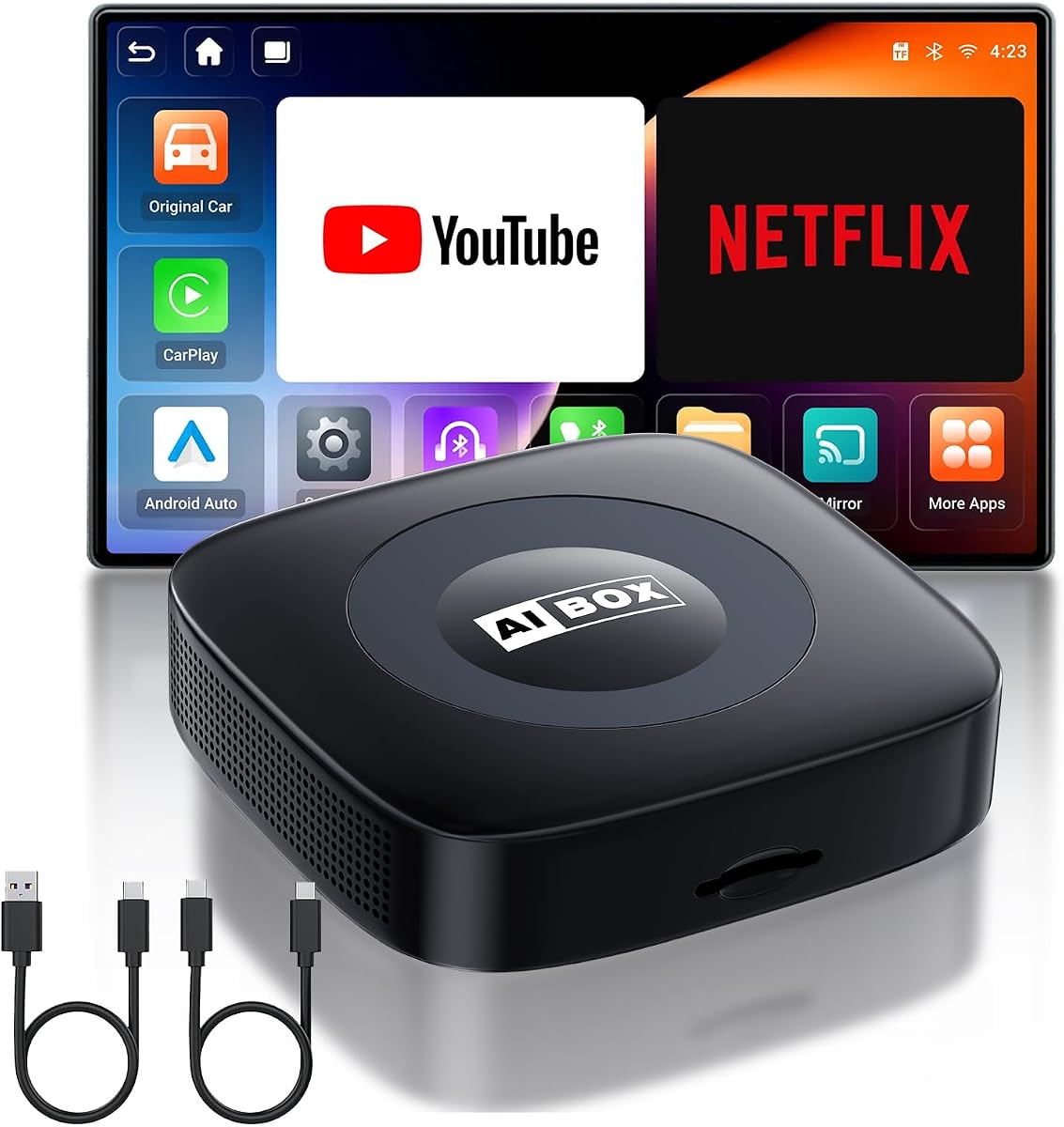
AI Box Carplay 2026 Upgraded – Magic Box
5.0Editor score
WiFi 6 and Bluetooth 5.3
Android 13 OS with 16GB Storage
Supports 1200+ Car Models
This expert guide compares the top Carplay Box with Google Play adapters for 2026, reviewing features, performance, and compatibility to help you choose the
Modern drivers want smart features in their vehicles. A Carplay Box with Google Play transforms your wired system into a wireless entertainment hub with full Android access for streaming and apps.
We evaluated ten leading models based on connectivity stability, processing power, app availability, and ease of use. Our analysis focuses on real-world performance for daily commuting and long trips.
Each pick highlights unique strengths like AI assistants, 5G Wi-Fi, or premium build quality. Note that availability and specific features may vary by region and vehicle model at time of purchase.
5.0Editor score

4.7Editor score

5.0Editor score
This table compares key specifications and features across all ten reviewed models. Use it to quickly identify the best fit for your vehicle setup and entertainment needs.


The AI Box Wireless CarPlay Adapter stands out for its seamless integration of a full Android system. With a rating of 4.7 stars, it delivers reliable performance for daily use.
We may earn a commission when you buy through this link, at no additional cost to you.
This device transforms your wired CarPlay into a wireless hub. The built-in Play Store allows you to download apps like YouTube and TikTok directly. Screen mirroring lets you cast phone content to the car display instantly.
While video playback is restricted to parking for safety, the offline playback support helps during weak signal areas. Compatibility is solid for 2016 and newer OEM wired models, though BMW and Tesla users are excluded.
If you prioritize app freedom and easy setup, this box is the top recommendation. It balances features and reliability better than most competitors in this category.
Access the Google Play Store directly to install navigation, streaming, and utility apps without needing your phone.
Share photos, videos, or presentations from your phone to the car screen with a single tap for enhanced sharing.
We may earn a commission when you buy through this link, at no additional cost to you.
This 2026 Upgraded Magic Box offers top performance at an accessible price point. With a perfect 5.0 rating, it proves that budget-friendly does not mean compromised quality.
We may earn a commission when you buy through this link, at no additional cost to you.
Equipped with WiFi 6 and Bluetooth 5.3, it ensures fast, stable connections. The H618 Quad-Core processor handles multitasking smoothly. Android 13 OS provides access to the latest app ecosystem.
It is compact and portable, reducing cable clutter effectively. While it lacks 4G LTE, hotspot sharing works well. Ensure your car has factory wired CarPlay before purchasing.
Drivers looking for reliable wireless conversion and app access will find this model ideal. It is a smart investment for modernizing older vehicles without overspending.
WiFi 6 and Bluetooth 5.3 provide faster speeds and stronger signal strength for uninterrupted streaming and calls.
Android 13 OS ensures compatibility with newer apps and security features for a modern in-car experience.
We may earn a commission when you buy through this link, at no additional cost to you.
For drivers seeking maximum performance, this AI Box delivers premium features. The 5.0 rating reflects its robust hardware and extensive ecosystem capabilities.
We may earn a commission when you buy through this link, at no additional cost to you.
An 8-core Qualcomm platform ensures smooth app running. The ScenePilot ecosystem offers unique driving insights and voice assistance. Built-in 4G LTE removes dependency on your phone hotspot.
Privacy features like Bluetooth Lock protect accounts when you exit the car. This model is best for those wanting an all-in-one connected hub with advanced AI tools.
If you need LTE independence and top-tier processing power, this box is worth the investment. It redefines what a CarPlay adapter can achieve.
Access DriveChat, SSRadio, and trip logging features that extend beyond standard CarPlay limitations.
Bluetooth Lock secures your apps and data when leaving the vehicle for peace of mind.
We may earn a commission when you buy through this link, at no additional cost to you.
This 3-in-1 Wireless CarPlay Adapter excels in entertainment. With a 4.5 rating, it is ideal for those focused on media playback.
We may earn a commission when you buy through this link, at no additional cost to you.
Pre-loaded apps like Netflix and YouTube make streaming easy. The aluminum alloy design helps prevent overheating during long sessions. OTA updates keep features current automatically.
While it handles multiple apps well, video playback depends on your phone hotspot. Avoiding BMW models is necessary due to compatibility limits.
Choose this if you want quick access to streaming without extra downloads. It is a solid choice for road trip entertainment.
Enjoy instant access to major streaming services without needing to install them manually first.
Aluminum alloy construction ensures durability and better heat management than plastic models.
We may earn a commission when you buy through this link, at no additional cost to you.
This adapter brings AI assistance to your drive. The Gemini Co-Pilot allows hands-free planning and reminders. With 4GB RAM, multitasking remains smooth.
We may earn a commission when you buy through this link, at no additional cost to you.
The Mini HDMI output lets you connect to external displays for sharing content. Dual-band WiFi supports simultaneous navigation and streaming. However, the 3.7 rating suggests occasional stability issues.
Clearing cached data periodically helps performance. It offers great value for tech-savvy users wanting AI integration.
If AI features are your priority, this model is worth considering. Just be prepared for potential minor connectivity adjustments.
Use voice commands to plan trips and answer questions while keeping your focus on the road.
Connect to external monitors or headrest displays for expanded viewing options.
We may earn a commission when you buy through this link, at no additional cost to you.
This adapter bridges iPhone and Android users easily. With a 4.4 rating, it offers solid performance for switching systems. The TF card slot supports up to 256GB offline media.
We may earn a commission when you buy through this link, at no additional cost to you.
The 4.2GHz processor ensures smooth streaming when connected to Wi-Fi. It supports most wired CarPlay cars over 2016. Setup is straightforward with one-time pairing.
Switching between CarPlay and Android Auto is flexible. Avoid using both simultaneously as per instructions. This makes it versatile for families with different phones.
Select this if you need flexibility between iOS and Android. It provides reliable connectivity at a competitive price.
Switch seamlessly between CarPlay and Android Auto to accommodate different devices in the vehicle.
Plug in a TF card to play movies without relying on a mobile data connection.
We may earn a commission when you buy through this link, at no additional cost to you.
The CarlinKit 3-in-1 offers robust storage. With 64GB space, you can store apps and files locally. A 4.3 rating confirms reliable performance.
We may earn a commission when you buy through this link, at no additional cost to you.
It supports SIM card insertion for standalone data without phone hotspot. Android 13 ensures modern app compatibility. Music and video apps integrate well.
Support is available for setup issues. Ensure your car has wired CarPlay. The device is touch screen compatible for ease of use.
Choose this if you want ample storage and SIM independence. It suits users needing significant media storage.
Insert a SIM card to enable internet connectivity without using your phone hotspot.
Store movies and apps directly on the device for offline access anywhere.
We may earn a commission when you buy through this link, at no additional cost to you.
The upgraded Magic Box 3.0 delivers modern performance. A perfect 5.0 rating highlights its hardware quality. It supports both wireless CarPlay and Android Auto.
We may earn a commission when you buy through this link, at no additional cost to you.
5G WiFi ensures fast data speeds. HDMI output allows connection to rear headrest displays. The refined design saves space and manages heat effectively.
It comes with a 24-month warranty. Ensure your vehicle has wired CP/AA. Setup is simple with plug-and-play convenience.
Ideal for those wanting fast Wi-Fi and HDMI versatility. It is a reliable choice for families needing passenger entertainment.
Connect to monitors or headrest screens via HDMI to expand viewing options.
Enjoy quicker data speeds and stable connections with the latest WiFi standards.
We may earn a commission when you buy through this link, at no additional cost to you.
This adapter emphasizes voice assistance. The Gemini AI Co-Pilot allows hands-free interaction. With a 4.0 rating, it balances utility and connectivity.
We may earn a commission when you buy through this link, at no additional cost to you.
Dual-band WiFi eliminates lag. Built-in apps allow quick access to videos. HD media output supports rear seating entertainment effectively.
Ensure your car settings allow this configuration. It supports factory steering buttons well. Avoid using videos while driving.
For drivers valuing voice features, this is a strong contender. It simplifies hands-free interactions during commutes.
Interact with the AI using voice commands to maintain focus on the road.
Enjoy stable connections with zero latency for navigation and streaming.
We may earn a commission when you buy through this link, at no additional cost to you.
This box offers offline playback. With a 3.8 rating, it is functional for basic needs. It supports both CarPlay and Android Auto.
We may earn a commission when you buy through this link, at no additional cost to you.
The TF card slot holds up to 256GB for offline movies. Built-in apps require a hotspot. It connects quickly with automatic pairing.
Turn off Bluetooth during hotspot setup. It works with many 2016+ models. Check vehicle compatibility before buying.
Useful for travelers needing offline options. It provides essential features at a basic price.
Use a TF card to watch videos without needing an internet connection.
Connect automatically every time you start the engine for a seamless experience.
We may earn a commission when you buy through this link, at no additional cost to you.
Selecting the right adapter involves understanding connectivity, storage, and vehicle compatibility. This guide highlights critical factors to ensure a smooth upgrade.
Check if your car has factory wired CarPlay. Some boxes support only wired models, while others bridge wireless conversion. Ensure your vehicle matches the adapter requirements.
Always verify wired CarPlay settings before purchasing to avoid compatibility issues with your specific car.
Most modern boxes run Android 13 or newer. This ensures access to the latest app versions and security updates. Newer OS versions improve multitasking performance significantly.
Prioritize devices with updated Android versions for better long-term app support and smoother operation.
RAM affects multitasking speed. 4GB or more is ideal for switching apps. Storage should be sufficient for offline downloads or use TF card slots.
Look for at least 4GB RAM and 32GB storage or expandable TF card options to handle multiple apps efficiently.
Wi-Fi 6 or 5G Wi-Fi offers faster speeds and lower latency. Bluetooth 5.3 ensures stable phone pairing. Dual-band Wi-Fi prevents signal drops.
Choose adapters with dual-band Wi-Fi and Bluetooth 5.3 to minimize lag during streaming or navigation.
Many boxes disable video playback while driving for safety. Always check if video works only when parked. This feature complies with local laws.
Ensure the adapter supports parking mode video playback to entertain passengers safely without distraction.
HDMI output lets you connect to external screens. This is useful for rear passengers sharing content. Verify if the box includes an HDMI port.
Select models with HDMI output if you need to display content on external monitors or headrest displays.
Some adapters integrate AI assistants like Gemini. This enables hands-free planning and smart responses. Evaluate if these features align with your daily needs.
AI assistants add convenience for navigation and reminders but are not essential for all users.
Warranty length indicates manufacturer confidence. 24-month warranties offer better protection. Check customer support response times for technical issues.
Prioritize products with longer warranties and reliable support channels for peace of mind.
Start by plugging the device into your car's USB port. Pair it with your phone via Bluetooth first. This establishes the primary connection for auto-connect.
For streaming, connect to a mobile hotspot. Ensure your phone allows data sharing. If using offline files, insert a TF card into the slot.
Clean the device regularly with a soft cloth. Avoid exposing it to extreme heat. Use the parking mode feature for safe video viewing.
It requires a factory wired CarPlay or Android Auto system. Vehicles without these systems cannot use the box. Always confirm compatibility before purchasing to avoid returns.
No. Most manufacturers disable video playback while driving to ensure safety. Video functions only when the car is parked. This prevents driver distraction.
Navigation apps require data. You can use your phone hotspot or a SIM card if supported. Offline maps help when signal is weak.
Ensure CarPlay is enabled in your car settings. Check Bluetooth settings on your phone. Resetting both devices often resolves pairing issues.
Yes. Android boxes allow sideloading APK files. This expands app options beyond what is pre-installed.
The box shuts down with the car engine. It reconnects automatically on restart. This saves battery and maintains device health.
We reviewed ten models ranging from budget options to premium choices. Each offers unique benefits like AI tools, 5G Wi-Fi, or offline storage.
Prioritize connectivity and storage needs. Ensure your vehicle has factory wired CarPlay before buying to avoid compatibility issues.
Prices vary by region and retailer. Check current availability and warranty terms for your location to secure the best value.