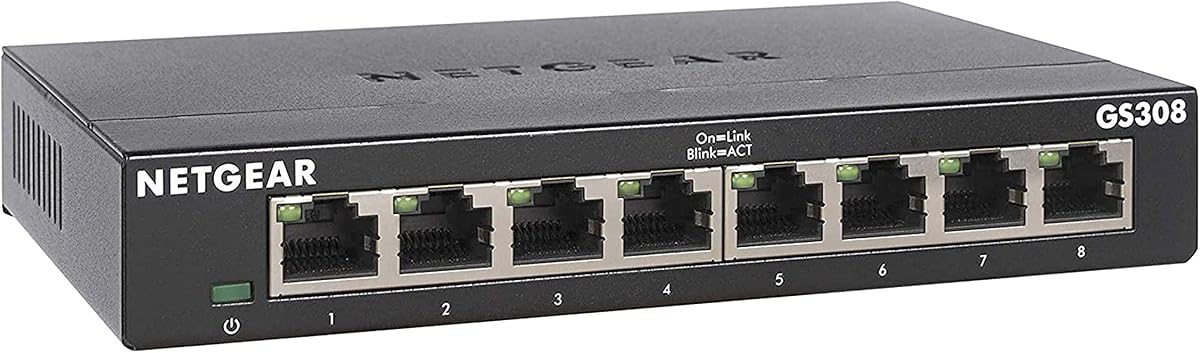
NETGEAR 8-Port Gigabit Switch
4.8Editor score
Eight gigabit ports for expansion
Simple plug and play setup
Compact metal durable design
This guide compares the top 10 Eero Ethernet Switch options including gateways and compatible switches for optimized network performance and coverage.
Finding the right networking hardware is crucial for a seamless home internet experience. An Ethernet switch expands your wired connections allowing you to connect more devices reliably without slowing down your Wi-Fi signals.
We evaluated ten top-rated products including Eero gateways and third-party switches. Our analysis focuses on port speed, power capabilities, and compatibility with modern mesh systems to help you choose wisely.
Each pick highlights key strengths and ideal use cases for different needs. Please note that availability and pricing may vary over time so always check the latest details before purchasing your new hardware.
4.8Editor score

4.4Editor score

4.1Editor score
The following table provides a side-by-side comparison of all ten products reviewed in this guide. Use this to quickly identify key specifications and features that matter most to your specific network setup.


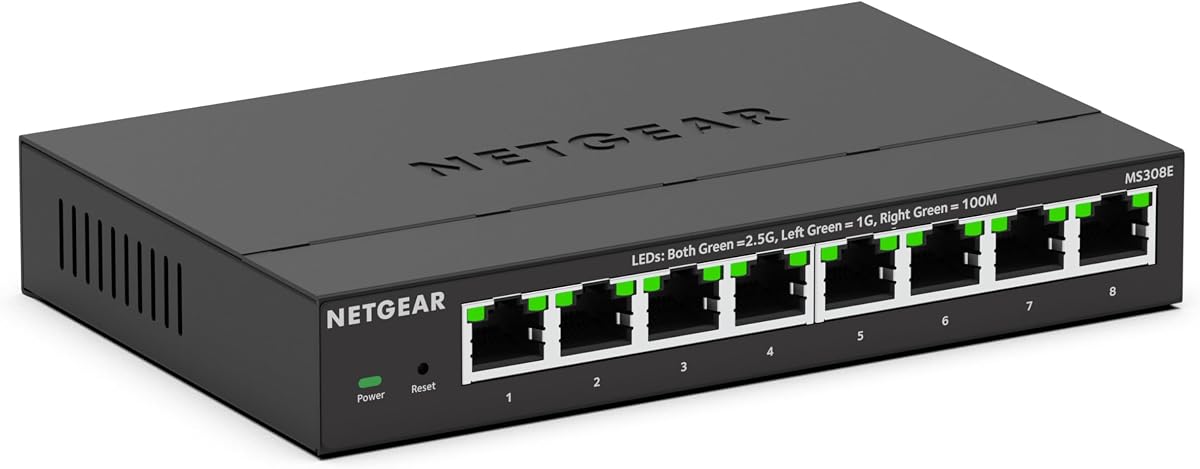

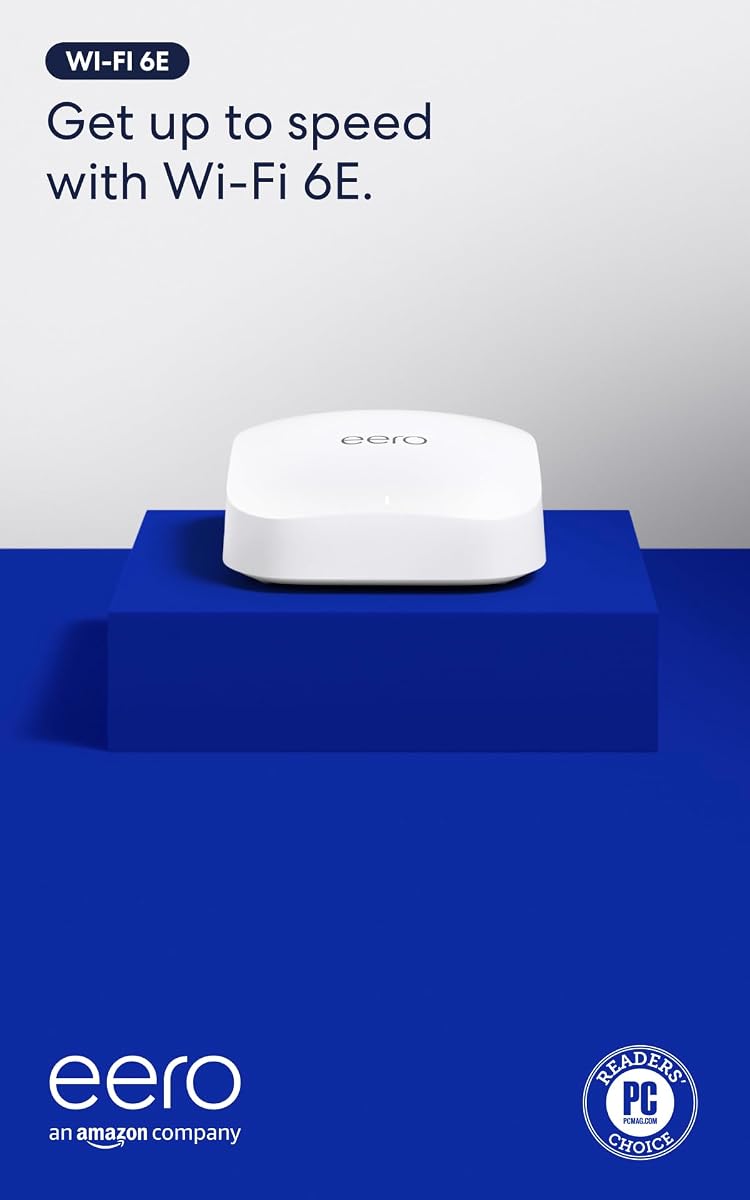


This powerful gateway stands out as a comprehensive solution for expanding wired networks with PoE capability. It combines a router and a switch in one unit to simplify your setup. With a strong rating it delivers reliable performance for demanding home or office environments.
We may earn a commission when you buy through this link, at no additional cost to you.
The device features two 10 GbE ports and eight 2.5 GbE PoE ports. This allows you to connect high speed devices directly while powering access points without extra cables. It supports up to eight Eero PoE 6 access points making it ideal for large mesh systems. The included 140W power supply ensures enough pooled power for multiple devices. Automatic updates keep the network safe and secure over time.
While it requires an Eero ecosystem the integration is seamless for users invested in the brand. The need for a separate PoE switch is eliminated reducing clutter and complexity. Some users might find the price higher than standalone switches but the all-in-one functionality justifies the cost for many.
This gateway is perfect for those building a professional grade home network with wired backhaul needs. It is highly recommended for anyone wanting a clean robust solution without third-party hardware. If you value speed and simplicity this model is the top choice.
This device eliminates the need for separate hardware by combining routing and switching functions into a single unit.
With support for speeds up to 9.4 Gbps this gateway handles high bandwidth tasks effortlessly.
We may earn a commission when you buy through this link, at no additional cost to you.
The TP-Link TL-SG105 is a fantastic option for those needing a simple affordable way to expand wired connections. It offers five Gigabit ports and is easy to install without any configuration. Its high rating reflects reliability and solid performance for basic networking tasks.
We may earn a commission when you buy through this link, at no additional cost to you.
This switch features five RJ45 ports that support Auto Negotiation and Auto MDI/MDIX. It uses energy efficient technology to reduce power consumption while maintaining high speeds. The metal casing provides durability and the fanless design ensures quiet operation. It comes with a three-year warranty and free technical support.
The main limitation is the five port limit which may not suit larger setups. It also lacks PoE support so you would need a separate power source for cameras or access points. However for small networks this is a very cost-effective and reliable choice.
This switch is ideal for home offices or small rooms where you need to add a few wired devices. It is best for users who want plug and play functionality without advanced features. If you need basic expansion on a budget this model is highly recommended.
No software installation or configuration is needed allowing you to start using it immediately.
Innovative technology expands network capacity with much less power consumption to help save money.
We may earn a commission when you buy through this link, at no additional cost to you.
This access point represents the cutting edge of wireless networking with Wi-Fi 7 capabilities. It connects via PoE to provide high speed wired backhaul and excellent wireless coverage. While it is an access point it plays a critical role in how your Ethernet switch infrastructure performs.
We may earn a commission when you buy through this link, at no additional cost to you.
It features one 10 GbE port and one 10 GbE PoE+ port allowing for up to 9.4 Gbps wired throughput. This ensures your access point never becomes a bottleneck. It supports wireless speeds up to 3.9 Gbps and covers up to 2000 sq ft. The design is low-profile to eliminate visible power cables.
The premium price is a significant factor but the performance is unmatched for future-proofing. It requires an Eero system so you are tied to their ecosystem for full functionality. The power consumption is higher but the efficiency gains of Wi-Fi 7 help manage this.
This model is best for tech enthusiasts who want the fastest possible wireless and wired speeds. It is perfect for large homes needing extensive coverage without dead zones. If you are building a top tier network this is the premium choice.
With 10 GbE ports this device delivers up to 9.4 Gbps of wired throughput for fast data transfer.
Tri-band wifi boosts multi-gigabit backhaul speeds for data-intensive workflows and smooth video conferencing.
We may earn a commission when you buy through this link, at no additional cost to you.
The NETGEAR GS308EP is a reliable workhorse for adding eight wired connections with PoE capability. It is easy to manage with an intuitive software interface that does not require deep networking knowledge. With a high rating it is a trusted choice for small businesses or power users.
We may earn a commission when you buy through this link, at no additional cost to you.
It features 8 x 1.0Gbps Ethernet ports with Auto-negotiation to optimize speeds. All eight ports support PoE+ with a total budget of 62W. This allows you to power access points or cameras directly from the switch. The Easy Smart Managed Essentials allow you to configure VLANs and prioritize traffic easily.
The main trade-off is that it only supports Gigabit speeds which may not be enough for future multi-gigabit internet. The power budget is also limited compared to higher end models. For most standard home and office needs this is a versatile and solid option.
This switch is ideal for those needing to power multiple devices like security cameras or access points. It is best for users who want some management features without the complexity of enterprise gear. If you need PoE on a budget this is a strong choice.
Includes 8 PoE+ ports with 62W total power budget for managed power delivery to connected devices.
Intuitive software interface offers capabilities to configure VLANs and prioritize traffic with QoS.
We may earn a commission when you buy through this link, at no additional cost to you.
This switch is designed for users who need faster than Gigabit speeds for their wired network. It offers eight ports that support 2.5G speeds making it compatible with modern routers. The managed features add flexibility for prioritizing traffic and security.
We may earn a commission when you buy through this link, at no additional cost to you.
It features 8 x 2.5Gbps Multi-Gig Ethernet ports for high-speed connectivity. The Auto-negotiating ports detect the optimal speed for connected devices. The Easy Smart Managed interface allows VLAN configuration and traffic prioritization. The compact metal design supports desktop or wall mounting and it is fanless for silent operation.
The lack of PoE means it is not a complete solution for power hungry devices. The setup of managed features might be complex for beginners though basic use is simple. For speed focused users this provides a great balance of performance and flexibility.
This switch is best for those with multi-gigabit internet plans who want to utilize wired speeds fully. It is ideal for media centers or offices with high bandwidth needs. If you need 2.5G ports this is a highly recommended option.
Features 8 x 2.5Gbps Multi-Gig Ethernet ports for high-speed connectivity with Auto-negotiation.
Intuitive software interface offers capabilities to configure VLANs and prioritize traffic with QoS.
We may earn a commission when you buy through this link, at no additional cost to you.
This NETGEAR switch is one of the most popular choices for adding wired connections without complexity. It provides eight Gigabit ports and is designed for simple plug and play use. With a high rating it is a trusted option for reliable network expansion.
We may earn a commission when you buy through this link, at no additional cost to you.
It features 8 x 1.0Gbps Ethernet ports for high-speed connectivity. The ports detect the optimal speed for connected devices and work with existing Cat5e or Cat6 cables. It is an unmanaged switch so no software installation is required. The compact metal design supports desktop or wall-mount placement.
The simplicity is both a pro and con as there are no advanced management features. It also does not provide PoE which limits device options. For basic wired connectivity this is a cost-effective and reliable solution for most homes.
This switch is perfect for users who just need more ports for computers or consoles. It is ideal for small offices needing basic connectivity without advanced configuration. If you want eight ports for a great price this is the choice.
Simple plug-and-play setup with no software to install or configuration required for easy use.
Fanless design ensures silent performance and the compact metal design supports versatile installation.
We may earn a commission when you buy through this link, at no additional cost to you.
This compact switch offers a balance between simplicity and management features. It is great for small setups that need a few extra ports with some control. The rating indicates it is a reliable and well-built piece of hardware.
We may earn a commission when you buy through this link, at no additional cost to you.
It features 5 x 1.0Gbps Ethernet ports for high-speed connectivity. The Easy Smart Managed interface offers capabilities to configure VLANs and prioritize traffic with QoS. It is designed for small businesses or home offices needing some network security. The compact metal design supports desktop or wall-mount placement.
The five port limit may be restrictive for larger networks. The management features are basic but sufficient for most users. For those needing five ports with a bit of control this is a solid affordable option.
This switch is best for small offices or home labs needing a few managed connections. It is ideal for users who want some control without enterprise complexity. If you need five ports and some management features this is a good choice.
Intuitive software interface offers Easy Smart Managed Essentials capabilities to configure VLANs and prioritize traffic.
Compact metal design supports desktop or wall-mount placement for versatile installation in small spaces.
We may earn a commission when you buy through this link, at no additional cost to you.
This mesh router is a great way to future-proof your home network with Wi-Fi 6E. It supports high speed internet plans and offers solid performance for daily use. While it is not a switch it is often part of a setup with one.
We may earn a commission when you buy through this link, at no additional cost to you.
It is eero's first Wi-Fi 6E router supporting direct access to the 6 GHz band for lower latency. It supports speeds up to 2.3 Gbps including wired speeds up to a gigabit. The device covers up to 2000 sq ft and supports over 100 connected devices. Setup is simple via the app.
The main limitation is that it only has one Gigabit Ethernet port so you would need a switch for wired expansion. It also relies on the eero ecosystem which may not be for everyone. For wireless performance and ease of use it is a strong choice.
This router is best for homes needing strong wireless coverage and Wi-Fi 6E benefits. It is ideal for users who want simple reliable mesh Wi-Fi. If you need a primary router this is a highly recommended option.
Supports fast speeds and direct access to the new 6 GHz band for lower latency and more bandwidth.
Network coverage up to 2000 sq ft with support for 100+ connected devices and reliable performance.
We may earn a commission when you buy through this link, at no additional cost to you.
The eero 6 is a solid budget-friendly mesh router that covers most average homes. It offers reliable Wi-Fi 6 speeds and a built-in Zigbee hub. It is a good starting point for those building an eero network that requires a switch later.
We may earn a commission when you buy through this link, at no additional cost to you.
It covers up to 1500 sq ft with speeds up to 900 Mbps. The TrueMesh technology intelligently routes traffic to reduce dead spots. It has a built-in Zigbee smart home hub so you do not need a separate one. The setup is guided by the app and support is free.
The main limitation is that it only has one Gigabit Ethernet port for wired connections. It does not offer the higher speeds of newer models like the 7 or 6E. For basic to mid-range internet plans this is a reliable and cost-effective option.
This router is best for apartments or small homes needing reliable mesh Wi-Fi. It is ideal for users who want a smart home hub built in. If you need a simple affordable router this is a great choice.
eero covers up to 1500 sq ft with wifi and supports speeds up to 900 Mbps for reliable streaming.
Built-in Zigbee smart home hub connects compatible devices on your network with Alexa easily.
We may earn a commission when you buy through this link, at no additional cost to you.
This router is the most affordable Wi-Fi 7 option available. It offers future-proof performance and two 2.5 GbE ports which are great for wired connections. While not a switch it is a critical part of a modern Eero network setup.
We may earn a commission when you buy through this link, at no additional cost to you.
It supports internet plans up to 2.5 Gbps with two auto-sensing 2.5 GbE ports. The wireless speeds are up to 1.8 Gbps with support for over 120 devices. It covers up to 2000 sq ft and is backward compatible with previous Eero devices. The software keeps you on optimal connections.
The main trade-off is it is dual-band rather than tri-band like the PoE 7. The Wi-Fi 7 features are newer so full benefits may require compatible devices. For most users this is a great balance of performance and affordability.
This router is best for those wanting Wi-Fi 7 features without the high cost of tri-band models. It is ideal for homes with many devices needing reliable connectivity. If you need future-proof Wi-Fi this is a highly recommended choice.
Supports internet plans up to 2.5 Gbps and delivers Wi-Fi 7 exclusive features like multi-link operation.
Supports 120+ devices and 2000 sq ft of coverage with reliable performance for all rooms.
We may earn a commission when you buy through this link, at no additional cost to you.
Choosing the right Ethernet switch involves considering port count speed and whether you need power delivery.
The number of ports determines how many devices you can connect. Common options range from five to eight or more. Ensure you have enough space for all your current needs plus potential future expansion.
Look for 2.5G or 10G ports if you have high-speed internet plans. Gigabit ports are sufficient for most general tasks.
PoE allows you to power devices like cameras or access points through the Ethernet cable. This eliminates the need for separate power adapters. If you plan to add such devices choose a switch with PoE support.
Check the power budget to ensure it can handle the total wattage of your devices. Higher budgets offer more flexibility for multiple devices.
Unmanaged switches are plug and play and perfect for basic needs. Managed switches offer more control over traffic and security settings. Consider if you need advanced features like VLANs or QoS.
For most home users an unmanaged switch is sufficient. Managed switches are better for small businesses or power users.
Eero gateways work best with other Eero products. Third-party switches can expand your network but lack full integration. Decide if you want a unified system or mix components.
Stick to Eero if you want seamless software management. Third-party switches offer more flexibility and lower costs.
The size and mounting options affect where you can place the switch. Desktop models sit on shelves while wall-mountable units save space. Ensure the design fits your physical setup.
Metal designs offer durability and heat dissipation. Fanless models are quieter and better for living spaces.
Internet speeds and device counts are increasing over time. A switch with higher port speeds or more capacity will last longer. Consider your needs for the next few years.
Invest in multi-gigabit switches if you plan to upgrade your internet. More ports mean more flexibility later on.
Prices vary widely between simple switches and PoE gateways. Determine your budget and prioritize the features you need most. Avoid overpaying for capabilities you will not use.
Basic switches are affordable while PoE gateways are premium. Balance cost with performance needs.
Check the warranty terms and available support options. Good support can help with setup issues and troubleshooting. Longer warranties offer peace of mind.
Brands like Eero and NETGEAR offer solid support. Review customer service options before buying.
Connect the switch to your router or modem using an Ethernet cable. Plug in the power adapter if required. Wait for the lights to indicate a stable connection before attaching devices.
Attach your devices to the available ports. The ports are auto-sensing so you do not need to worry about specific order. For PoE switches ensure your devices support PoE before connecting.
Keep the switch in a well-ventilated area to prevent overheating. Avoid placing it in direct sunlight or near heat sources. Clean dust regularly to maintain optimal performance.
You can use a third-party switch if you do not need Eero specific features. However the Eero PoE Gateway offers integration and higher speeds for Eero devices. Choose based on your ecosystem needs.
Unmanaged switches are simple plug-and-play devices. Managed switches allow you to configure settings like VLANs and traffic priority. Home users typically prefer unmanaged for ease.
Yes as long as the router has an Ethernet port you can connect a PoE switch. Ensure the power budget matches your connected devices. Most routers are compatible.
Switches themselves do not support Wi-Fi standards but they can connect Wi-Fi 7 routers. The speed depends on the port speed and the router capabilities. Ensure you have multi-gigabit ports.
Connect the switch to the Eero gateway or router via Ethernet. Then connect access points or devices to the switch. This creates a wired backbone for better performance.
Yes PoE is designed to safely power devices like cameras and access points. It limits power to what the device needs. Ensure the switch meets your device requirements.
The best choice depends on whether you need power delivery or just extra ports. The Eero PoE Gateway stands out for integrated performance while third-party switches offer flexibility.
Prioritize port speed and count based on your current internet plan and devices. A switch with future-proof speeds will save you from upgrading soon.
Remember to check current availability and pricing before making a decision. These products offer reliable ways to enhance your wired network setup.