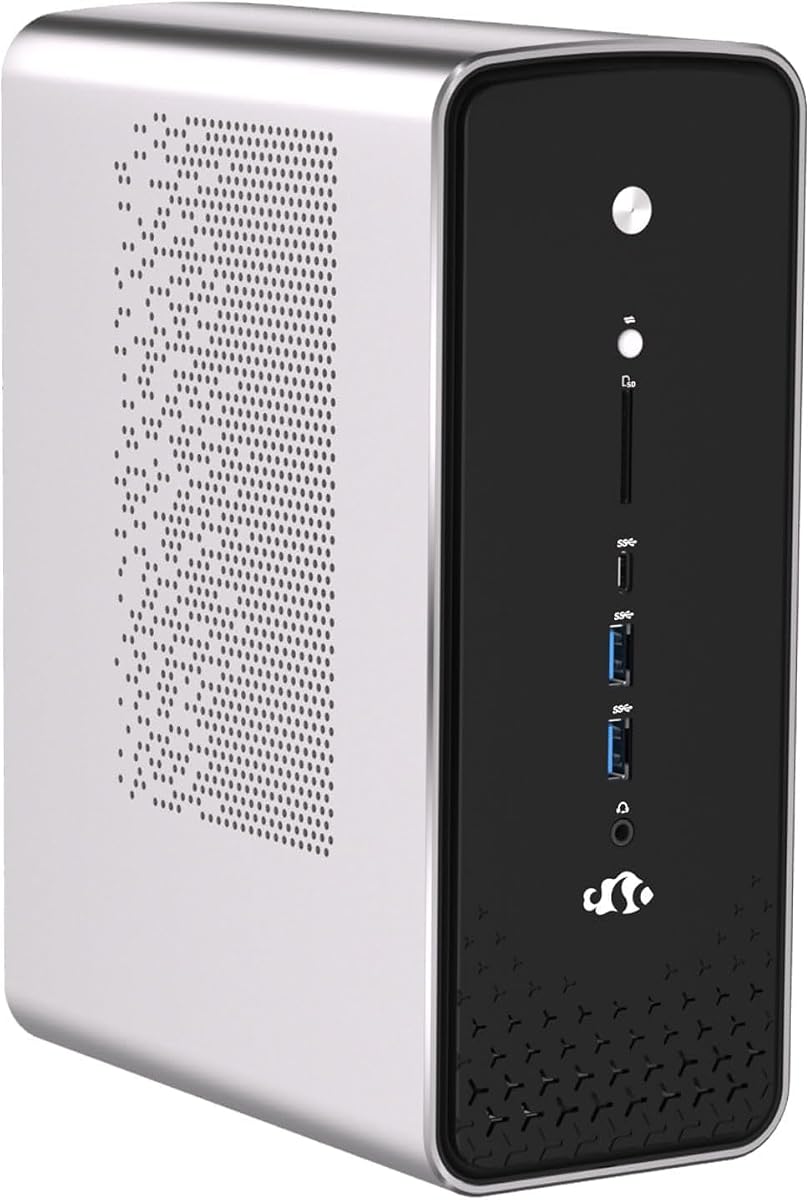
NIMO Mini PC AMD Ryzen AI Max+ 395
5.0Editor score
Dual OS Flexibility
Advanced AI NPU Integration
Thunderbolt 4 Connectivity
Discover the best Desktop PC with Ubuntu Pre Installed for 2026. We compare top models for developers, businesses, and home users seeking open-source ready
Finding a Desktop PC with Ubuntu Pre Installed saves time and ensures compatibility for developers. These systems offer seamless access to open-source tools without complex setup steps.
We evaluated ten models based on performance, connectivity, and pre-installed software. Our comparison includes mini PCs and traditional desktops designed for productivity and development tasks.
Each pick highlights unique features like AI capabilities, expandability, and OS options. Prices may vary so verify current details before making your final purchase decision today.
5.0Editor score

4.0Editor score
This side-by-side comparison highlights key specifications and OS configurations across ten top-rated desktop systems ready for Ubuntu environments.






The Beelink Mini PC SER9 Pro stands out as a top choice for users seeking a Desktop PC with Ubuntu Pre Installed. Its high rating reflects strong performance for development tasks.
We may earn a commission when you buy through this link, at no additional cost to you.
Equipped with the Ryzen 7 255 processor and 24GB of fast memory, this system handles complex workflows effortlessly. The pre-installed Ubuntu system ensures you can start coding immediately.
While the price is premium, the included OpenClaw integration and triple display support offer significant value for power users. These features justify the investment for professional setups.
Developers needing a reliable and fast mini PC should consider this model. It balances performance and usability perfectly for Ubuntu-based environments.
Pre-installed Openclaw and Ubuntu streamline developer workflows immediately.
The Ryzen 7 255 CPU ensures smooth multitasking and processing speeds.
We may earn a commission when you buy through this link, at no additional cost to you.
This Dell OptiPlex 7070 SFF offers solid specs with 32GB RAM and 1TB storage. It is a robust option for those who prefer upgrading to Ubuntu later.
We may earn a commission when you buy through this link, at no additional cost to you.
Its renewed condition makes it cost-effective for office setups. The included wireless peripherals add convenience for immediate use upon arrival.
However, it ships with Windows 11 Pro requiring manual OS switching. Users should factor in the extra time needed to install Ubuntu independently.
For businesses needing reliable hardware for standard tasks, this mini is a strong candidate. It supports expansion and fits well in professional environments.
32GB RAM ensures smooth operation even with heavy applications running.
NVMe SSD slots allow for future upgrades to meet growing needs.
We may earn a commission when you buy through this link, at no additional cost to you.
The NIMO Mini PC AMD Ryzen AI Max+ 395 is a top-tier machine for developers needing both Windows and Ubuntu. Its 5.0 rating highlights exceptional quality and performance.
We may earn a commission when you buy through this link, at no additional cost to you.
With a dedicated NPU and Zen 5 architecture, it accelerates AI workflows effectively. The dual OS setup allows seamless switching without reconfiguration hassles.
Despite the high cost, the integration of WiFi 7 and triple display support justifies it for power users. This machine future-proofs your desktop environment.
Those seeking the absolute best performance for AI and Linux environments should choose this. It delivers workstation power in a compact form factor easily.
Switch between Windows 11 and Ubuntu effortlessly for diverse tasks.
Integrated NPU speeds up local AI and machine learning models significantly.
We may earn a commission when you buy through this link, at no additional cost to you.
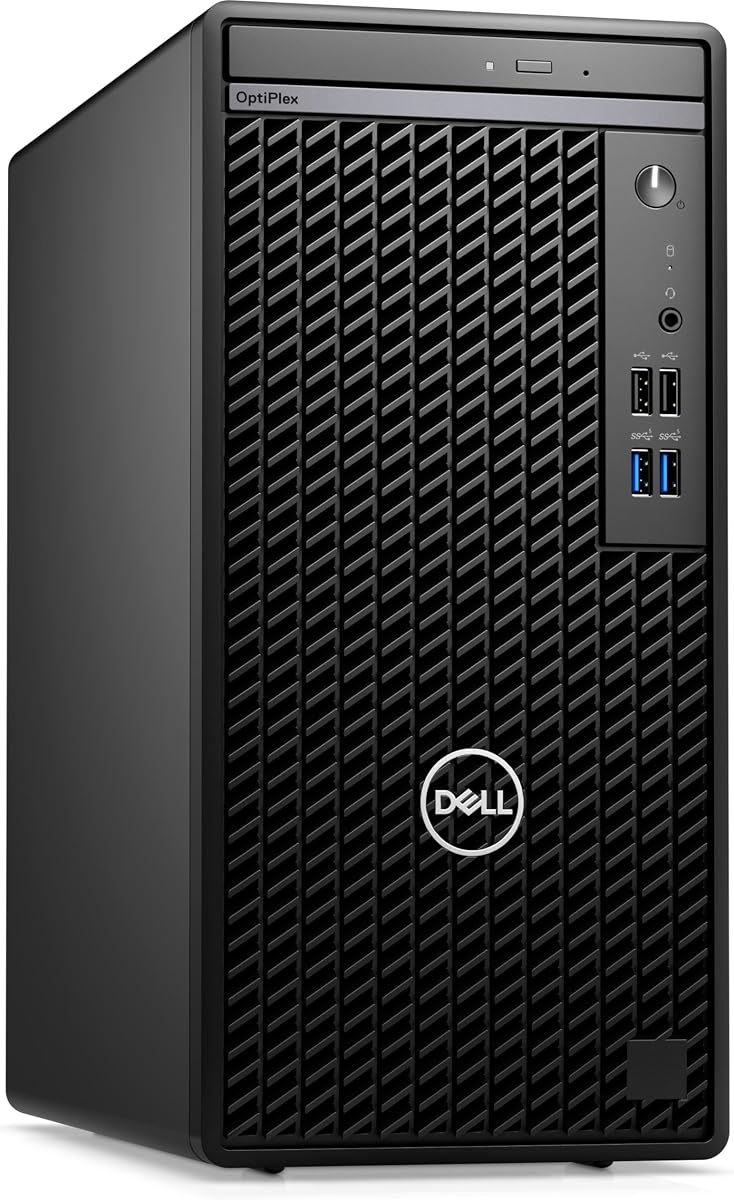
This Dell Optiplex 7010 Business Mini Tower is an excellent entry point for Ubuntu users. It comes pre-installed with Linux 22.04 for immediate usability.
We may earn a commission when you buy through this link, at no additional cost to you.
The 13th Gen i5 processor offers modern performance for standard office tasks. Its mini tower design fits well under monitors or in small spaces.
While RAM is limited to 8GB, this is a budget-friendly choice for basic development. You can upgrade later if your projects require more resources.
For those seeking an affordable system ready for Linux out of the box, this is ideal. It balances cost and utility effectively for new users.
Pre-installed Ubuntu Linux 22.04 saves setup time immediately.
13th Gen i5 ensures future compatibility and reasonable performance.
We may earn a commission when you buy through this link, at no additional cost to you.
The Dell Optiplex 7050 SFF delivers strong memory and storage specs for the price. It is an ideal renewed option for users needing significant multitasking capability.
We may earn a commission when you buy through this link, at no additional cost to you.
With 32GB RAM and 1TB SSD, it handles data-heavy applications well. The dual monitor support is perfect for development work requiring multiple windows.
However, it comes with Windows 11 Pro rather than Ubuntu. Users must reinstall the OS themselves to match their preferred development environment.
This model suits those prioritizing memory and storage over brand new architecture. It is a budget-friendly workstation for technical tasks.
32GB RAM supports heavy multitasking without performance degradation.
Supports two monitors for efficient coding and research workflows.
We may earn a commission when you buy through this link, at no additional cost to you.
This DELL Optiplex 7060 SFF offers a modern renewed experience with solid specs. The 8th Gen i7 processor is a significant step up in performance.
We may earn a commission when you buy through this link, at no additional cost to you.
Comes with 32GB RAM and a fast NVMe drive for smooth operations. The included wireless keyboard and mouse add convenience to your workspace setup.
Users may need to install Ubuntu manually as it runs Windows 11 Pro. This process is straightforward but requires additional time before full use.
Ideal for those needing a reliable small form factor PC for general tasks. It provides good value for office or home development use.
512GB NVMe SSD ensures quick boot times and data access.
Built-in WiFi and Bluetooth keep your desk clean and tidy.
We may earn a commission when you buy through this link, at no additional cost to you.
The Dell Optiplex 5050 Small Form Factor is a compact business desktop suited for tight spaces. It balances performance with a small footprint effectively.
We may earn a commission when you buy through this link, at no additional cost to you.
With 16GB RAM and a 512G NVME SSD, it handles daily tasks and coding environments well. The renewed condition ensures tested reliability for work use.
However, it comes with Windows 11 Pro and requires OS change for Ubuntu users. This is a manageable step for those comfortable with system setup.
For small offices or home users needing a reliable system, this is a strong pick. It offers good hardware for standard development workflows.
Small Form Factor design fits easily under desks or monitors.
16GB RAM and NVMe SSD ensure smooth and fast performance.
We may earn a commission when you buy through this link, at no additional cost to you.
This Dell Pro Micro QCM1250 AI Business mini desktop uses the latest Ultra 5 processor. It is designed for efficiency and modern task management in small forms.
We may earn a commission when you buy through this link, at no additional cost to you.
Equipped with DDR5 RAM and a fast SSD, it offers speed for daily work. Ubuntu Linux 18.04 is included though it is an older version.
Users may need to update the OS or add more RAM for heavy tasks. This ensures compatibility with newer software requirements and tools.
Ideal for users needing a modern mini PC with some Linux support. It is a good base for upgrading to current Linux versions.
Ultra 5 processor offers efficient and fast computing for daily work.
Micro design saves desk space while delivering strong performance.
We may earn a commission when you buy through this link, at no additional cost to you.
The ASUS NUC 14 Pro Linux Mint offers a premium mini PC experience with open-source focus. It is designed for users prioritizing Linux environments directly.
We may earn a commission when you buy through this link, at no additional cost to you.
With a powerful Ultra 7 processor and 16GB DDR5 RAM, it handles heavy workloads efficiently. Linux Mint provides a familiar and stable interface for developers.
The Thunderbolt 4 connectivity ensures future-proof expansion options. Cooling systems allow it to run 24/7 without overheating issues during long tasks.
Ideal for developers needing a small desktop for Linux-based AI work. It balances performance and form factor well for modern tasks.
Pre-installed Linux Mint simplifies development setup immediately.
Thunderbolt 4 and USB4 support ensure high-speed data transfer.
We may earn a commission when you buy through this link, at no additional cost to you.
The ASUS PB64 Full System Mini PC brings the latest Ultra 7 265 to a compact chassis. It is built for security and easy maintenance for users.
We may earn a commission when you buy through this link, at no additional cost to you.
Features include DDR5 RAM and toolless chassis access for easy upgrades. This design saves time during hardware maintenance and component replacements.
Windows 11 Pro is standard but can be replaced for Linux needs. The security features like TPM ensure safe enterprise environment usage.
For those needing secure and powerful mini PCs for business, this is ideal. It combines modern tech with practical design for professionals.
Easy access to internal components for fast upgrades and maintenance.
Hardware TPM 2.0 ensures secure data protection and compliance.
We may earn a commission when you buy through this link, at no additional cost to you.
Selecting the right Desktop PC with Ubuntu Pre Installed requires evaluating several key factors to ensure compatibility and performance.
Ensure the pre-installed Ubuntu version aligns with your software requirements. Newer versions offer better security and driver support.
Look for systems shipping with Ubuntu 22.04 LTS or later for stability.
Multi-core CPUs handle development tasks and VMs efficiently. Aim for Ryzen or Core Ultra series for better AI capabilities.
Prioritize modern architectures that support fast instruction sets.
At least 16GB RAM is recommended for smooth multitasking. Heavy compilation tasks may benefit from 32GB or more.
Ensure the RAM is upgradeable if you need more capacity later.
Solid State Drives improve boot times and application loading. NVMe drives offer the best performance for Ubuntu systems.
Check for expansion slots to increase storage without replacing the main unit.
Multiple display outputs allow for dual monitor setups. USB Type-C ports are essential for modern peripherals and data transfer.
Gigabit Ethernet ensures stable connections for downloads and updates.
Good cooling systems maintain performance during long workloads. Mini PCs especially need robust thermal solutions to avoid throttling.
Look for active cooling with fans rather than passive heat sinks.
Reputable brands offer better support for hardware issues. Check the warranty period and return policy before purchasing.
Renewed units should come with seller warranties for peace of mind.
Mini PCs often limit expansion options compared to towers. Verify if RAM and storage are replaceable before buying.
Some systems allow M.2 slots to be added for extra space.
Upon receiving your new system update all drivers and packages using the terminal to ensure peak performance.
Configure your preferred development environment by installing necessary tools like IDEs and container platforms immediately.
Keep your machine in a well-ventilated area to prevent overheating and extend the lifespan of internal components.
Most modern CPUs work well but proprietary drivers for WiFi and Bluetooth may need manual setup. Check hardware compatibility lists for specific model support.
Mini PCs often have soldered memory so check if RAM is replaceable. Standard desktops usually allow RAM upgrades for future expansion.
Pre-installed systems might ship with older LTS versions. Use system update commands to install the latest security patches immediately after setup.
Many models support multiple displays but check specific port availability. Look for HDMI DisplayPort or USB4 ports to connect two screens.
Entry level models handle light tasks but dedicated NPUs are needed for serious workloads. Consider higher tier models with AI features for heavy usage.
At least 512GB is recommended for code and dependencies. Large datasets may require external storage or higher capacity SSDs.
We reviewed ten top models ranging from compact mini PCs to full desktop towers. Each offers unique strengths for Ubuntu-based workflows.
Prioritize systems with modern processors and adequate memory for long-term use. Ensure the OS version matches your specific development needs.
Prices and availability change often so verify current listings before finalizing your purchase. Choose the model that fits your budget best.