
Lenovo 2026 Chromebook 14
5.0Editor score
MediaTek Kompanio 540 CPU
14 Inch WUXGA Touch
64GB UFS Storage
Chromebooks for AI represent a new generation of laptops designed to leverage artificial intelligence directly within the operating system. These devices integrate Google AI Pro and Gemini tools to enhance productivity and creativity.
We compared ten top models based on processor power, memory capacity, display quality, and specific AI features like Magic Eraser and NotebookLM. Each selection offers unique strengths for different user needs.
Each pick highlights key specifications and real-world performance expectations. Note that availability and pricing may change frequently so check current listings before making a final purchase decision.
5.0Editor score

4.9Editor score

As an Amazon Associate we earn from qualifying purchases.
This side-by-side comparison details the specifications and key features of all ten selected Chromebooks for AI to help you find the perfect match for your workflow.


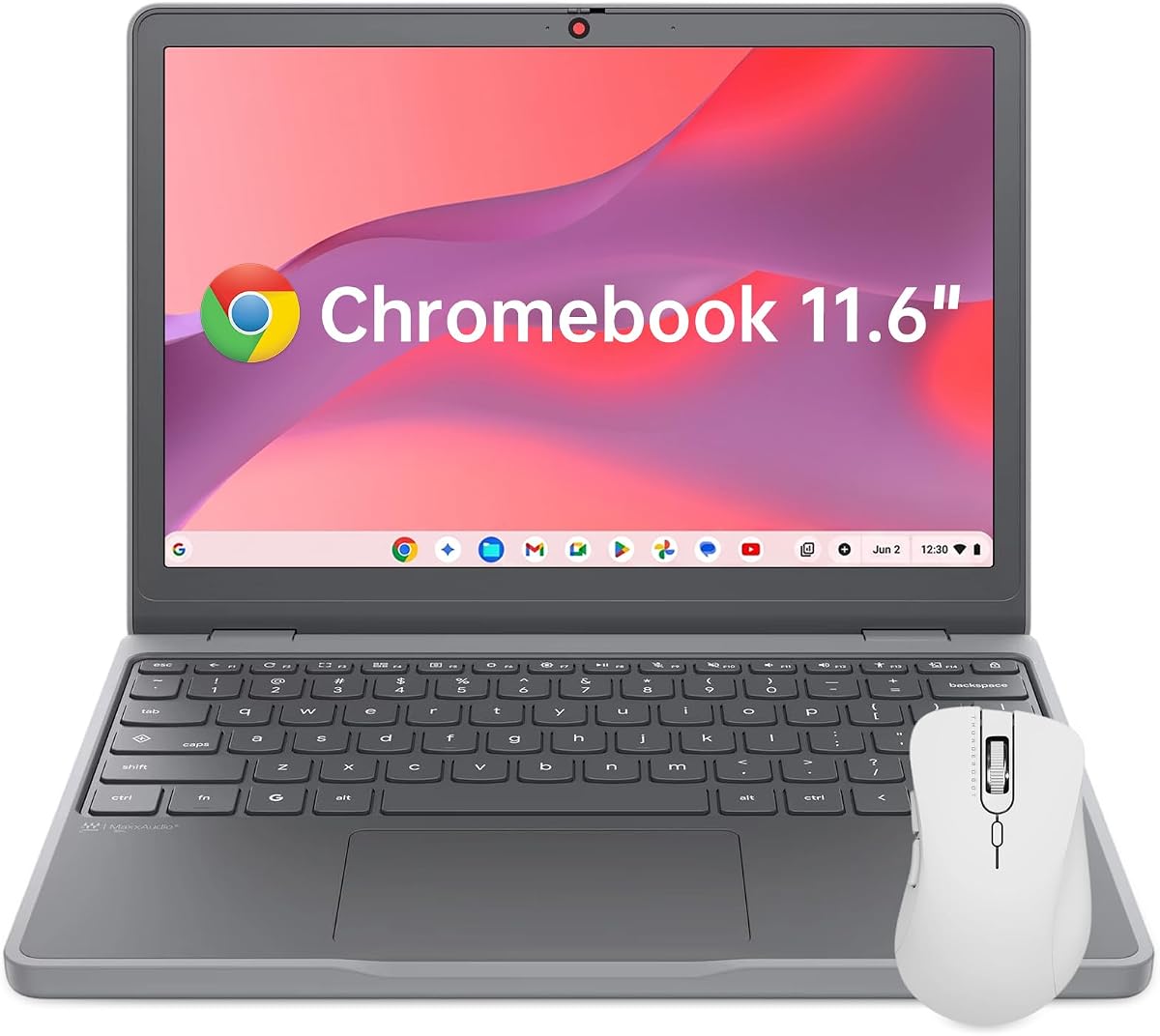
This model stands out as the top choice for users seeking powerful AI features on a Chromebook. It scores high on performance and versatility with a robust processor and modern connectivity.
We may earn a commission when you buy through this link, at no additional cost to you.
The Intel Core i3-1315U processor delivers smooth multitasking for demanding AI apps. The 8GB LPDDR5 memory ensures quick access to active projects while the Wi-Fi 7 support guarantees fast internet speeds.
While it lacks a numeric keypad which some users prefer the speed and battery life make up for it. The 14-inch WUXGA touchscreen offers sharp visuals ideal for creative tasks and design work.
Anyone looking for a reliable device to handle AI tools like Gemini and Google AI Pro should consider this laptop. It balances performance and portability perfectly for daily use.
Google AI Pro comes included for 12 months offering access to Gemini and 5TB of storage.
The matte anti-glare coating ensures clear visibility even in bright environments or direct sunlight.
We may earn a commission when you buy through this link, at no additional cost to you.
The ASUS Chromebook Plus CX34 offers a reliable experience for general users wanting to try AI capabilities. It features a familiar layout and solid build quality suitable for students or home office workers.
We may earn a commission when you buy through this link, at no additional cost to you.
Its processor handles basic multitasking well while the 8GB RAM supports multiple browser tabs. The UFS storage is adequate though not as fast as SSD options in more premium models.
Battery life is shorter than some competitors which might limit use during long flights or meetings. However the price point and included Google One AI Premium plan offer strong value for money.
Choose this if you need a dependable machine for writing and browsing with some AI features included. It is a good entry point for exploring what modern Chromebooks can offer.
Users get access to Magic Eraser and noise cancellation tools for video calls and photo editing.
Cloud storage is emphasized so local storage needs are minimal for most daily tasks.
We may earn a commission when you buy through this link, at no additional cost to you.
This model prioritizes screen size for users who prefer working with larger content areas. The 15.6-inch display provides ample space for documents and spreadsheets without needing an external monitor.
We may earn a commission when you buy through this link, at no additional cost to you.
It uses a slightly different processor that still delivers smooth performance for typical tasks. The inclusion of Wi-Fi 6E ensures stable and fast internet connections which are vital for AI features.
While heavier than smaller laptops it remains portable enough for commuting. The battery life supports a full day of work which is essential for students or professionals on the move.
Select this if you prioritize screen real estate and connectivity over ultra-lightweight design. It fits well in workflows requiring extended viewing of data or media.
The larger screen paired with DTS Audio makes watching videos and tutorials more immersive.
Chrome OS is optimized for large screens making window management efficient and intuitive.
We may earn a commission when you buy through this link, at no additional cost to you.
This 2-in-1 device brings premium features to the AI Chromebook space. The Intel Core Ultra 5 processor unlocks specific AI experiences and ensures high-performance low-power processing.
We may earn a commission when you buy through this link, at no additional cost to you.
The display boasts a 120Hz refresh rate making animations and scrolling feel incredibly smooth. Thunderbolt 4 connectivity allows for fast data transfer and easy connection to high-speed external displays.
As a convertible laptop it offers flexibility for drawing or presenting content directly on the screen. The build quality is robust with a focus on delivering a premium user experience.
Ideal for professionals or creators who need a versatile machine with top-tier performance. It justifies the higher cost with advanced hardware and modern connectivity standards.
A dedicated engine in the CPU helps unlock new AI experiences on the PC.
Thunderbolt 4 support future proofs the device for upcoming accessories and docking stations.
We may earn a commission when you buy through this link, at no additional cost to you.
This laptop focuses on endurance and storage capacity for users who need to work for long periods. The 512GB SSD provides ample space for local files and media without relying solely on cloud storage.
We may earn a commission when you buy through this link, at no additional cost to you.
It meets MIL-STD 810H standards ensuring it can withstand harsh conditions during travel. The lightweight design makes it easy to carry in a backpack without adding significant weight.
Performance is adequate for daily tasks but the N-series processor is not intended for heavy computing. However the fast charge technology means you can quickly top up battery when on the go.
Pick this model if storage and durability are your top priorities. It is reliable for students or travelers needing a robust device that lasts all day.
Supports expanding workspace with three external monitors via HDMI or USB-C ports.
Gemini AI helps organize drafts and the Quick Insert key offers writing assistance.
We may earn a commission when you buy through this link, at no additional cost to you.
This budget-friendly option delivers excellent value for students needing a capable device for classes. The MediaTek Kompanio 540 processor ensures smooth performance for web browsing and educational apps.
We may earn a commission when you buy through this link, at no additional cost to you.
Despite the low price the display is a vivid 14-inch WUXGA touchscreen. This provides clear visuals for textbooks and research which enhances the learning experience significantly.
Storage is limited to 64GB so relying on cloud services is necessary. However the included security features like privacy shutter and security chip protect your data effectively.
It is perfect for those on a tight budget who still want a modern design. The high rating reflects satisfaction with its performance and build quality.
Waves MaxxAudio optimization delivers crisp clarity for lectures and media playback.
At under 3 lbs it fits easily into any backpack for daily campus commutes.
We may earn a commission when you buy through this link, at no additional cost to you.
This configuration emphasizes generous local storage for users who keep many files on device. The 512GB SSD ensures you have plenty of room for apps and media projects.
We may earn a commission when you buy through this link, at no additional cost to you.
Wi-Fi 6E support allows for faster downloads and uploads which is essential for syncing cloud data. The 1080p webcam ensures high quality video calls for meetings and classes.
Build quality is solid with a design that withstands daily wear and tear. The dedicated Quick Insert key simplifies adding images and text to documents on the fly.
Ideal for users who want a balanced laptop with ample storage without a premium price tag. It handles everyday tasks with confidence and reliability.
Google tools help turn inspiration into reality with Gemini drafting assistance.
Auto Update Expiration in 2035 ensures long term security and software updates.
We may earn a commission when you buy through this link, at no additional cost to you.
This device offers a straightforward computing experience suitable for general home use. The Intel Core 3 Processor provides enough speed for browsing and streaming without unnecessary complexity.
We may earn a commission when you buy through this link, at no additional cost to you.
The high resolution screen ensures text and images look sharp and clear. With 8GB RAM it handles multiple applications simultaneously which is useful for multitasking during the day.
It is a practical choice for secondary computers in the house. While not the most powerful it gets the job done for essential tasks efficiently.
Choose this for a reliable home machine that supports AI features without breaking the bank. It is easy to use for users of all skill levels.
The 1920 x 1200 resolution offers ample space for content consumption.
Chrome OS provides a familiar interface that requires little technical knowledge.
We may earn a commission when you buy through this link, at no additional cost to you.
This model stands out for using an AMD processor which offers competitive performance in this class. The Ryzen 3 7320C ensures smooth operation for demanding tasks and general productivity.
We may earn a commission when you buy through this link, at no additional cost to you.
Battery life is impressive allowing for nearly half a day of usage on a single charge. The spill resistant keyboard adds an extra layer of protection against accidents during work or study.
AI video call tools automatically enhance lighting and blur backgrounds improving your presence online. This is particularly useful for professionals who join frequent meetings or webinars.
It is a solid choice for those preferring AMD architecture in a Chromebook. The durability and battery life make it reliable for daily professional use.
Built-in tools cancel noise and blur backgrounds so you look and sound your best.
The narrow bezel display keeps users productive even in bright conditions.
We may earn a commission when you buy through this link, at no additional cost to you.
Designed for maximum portability this model is incredibly light and compact for travel. It fits easily into tight spaces and reduces the burden when commuting or exploring.
We may earn a commission when you buy through this link, at no additional cost to you.
The rugged build meets MIL-STD-810H standards ensuring it survives drops and wear. This durability makes it a great candidate for rough handling during trips or outdoor activities.
Storage and screen size are limited compared to larger models which may restrict complex workflows. However for basic tasks and on-the-go access it performs admirably.
Perfect for frequent travelers needing a reliable secondary device. Its compact form factor ensures it never gets in the way while offering essential computing power.
Weighing just over 2 lbs it slips effortlessly into backpacks for easy carry.
Integrated security chip and Nano Security Slot protect data from unauthorized access.
We may earn a commission when you buy through this link, at no additional cost to you.
Selecting the right Chromebook for AI involves evaluating several technical and practical factors to match your workflow needs.
The processor determines how smoothly AI tools run on your device. Look for modern Intel Core i3 or i5 chips or comparable AMD processors that support AI workloads efficiently.
Prioritize processors with dedicated AI engines for faster local processing.
RAM is critical for multitasking and running AI applications simultaneously. Aim for at least 8GB to ensure lag-free performance when switching between apps.
Higher RAM allows more browser tabs to stay open without slowdowns.
Choose between SSD and UFS storage types based on speed needs. SSDs are generally faster but UFS is more cost-effective for basic usage.
Consider cloud storage needs if local capacity is limited.
A good display enhances productivity with clear visuals for text and design. Aim for 14-inch screens with Full HD or higher resolution for better detail.
Touchscreens add versatility for interactive tasks and creative work.
Modern Wi-Fi standards like Wi-Fi 6 or 7 ensure fast and stable internet for AI features. Check for sufficient USB-C and USB-A ports for peripherals.
Bluetooth 5.3 supports seamless pairing with accessories.
Long battery life is essential for working away from power sources. Look for devices promising 10 hours or more to last a full day of use.
Fast charging capabilities reduce downtime when battery is low.
Check which AI tools are included such as Gemini integration or Magic Eraser. These features should align with your productivity goals.
Verify trial periods for advanced plans to maximize initial use.
Build quality matters if you travel frequently or use the device in varied environments. MIL-STD ratings indicate resistance to drops and spills.
A sturdy chassis ensures longevity and consistent performance.
Ensure your device stays updated to benefit from the latest AI features and security patches. Regular updates optimize system performance and integrate new capabilities seamlessly.
Use AI features like Google AI Pro to enhance writing and photo tasks regularly. These tools are designed to save time and improve content quality automatically.
Protect your hardware with a sleeve or case especially for travel. Keeping the keyboard and screen clean extends the life of the device and maintains visual clarity.
These are laptops running ChromeOS with integrated artificial intelligence tools like Google AI Pro. They use specialized processors to run features such as Gemini and Magic Eraser locally.
Many models include a free 12-month trial of Google AI Pro. After this period you may need to renew the subscription to continue accessing advanced features and storage.
Yes most modern Chromebooks support Android apps alongside web apps. This flexibility allows you to use mobile tools for productivity and creativity on the device.
Intel Core Ultra series or newer Core i3/i5 processors are recommended. They offer dedicated engines for AI workloads ensuring faster and smoother performance.
ChromeOS includes built-in security features and security chips like Titan C2. This protects your data from viruses and unauthorized access effectively.
Most selected models promise around 10 to 12 hours of battery life. Actual usage varies based on brightness and application load but it is generally long lasting.
Yes many models support external displays via USB-C or HDMI ports. This expands your workspace for multitasking across multiple screens easily.
The Lenovo 2026 Chromebook offers a budget-friendly option with good durability. It is lightweight and includes necessary features for online classes and research.
We reviewed ten excellent options including top picks like the Acer Chromebook Plus 514 and Lenovo 2026 model. Each brings unique strengths to different user needs and budgets.
Prioritize processor speed and memory capacity if you plan to use advanced AI tools regularly. Battery life and display quality should also factor into your decision.
Always check current listings for availability and updated specifications before purchasing. Technology evolves quickly so verify the latest model details before buying.