
Brailliant BI 40X Braille Display
5.0Editor score
40-cell refreshable braille display
Bluetooth 5 technology support
32GB internal storage capacity
This guide compares the top braille displays for blind users including refreshable models and slates to help you choose the right accessibility tool for
Braille displays provide essential tactile feedback for blind users navigating digital content. These devices convert screen text into refreshable braille cells allowing precise reading and writing without relying solely on audio output. A quality display enhances accessibility across computers and mobile devices.
We evaluated ten products ranging from portable refreshable units to manual slates. Our comparison considers connectivity options battery life ease of use and overall build quality. Each product serves different needs from casual learning to professional daily communication requirements.
Every pick shows key specifications and unique strengths for various user scenarios. Note that availability and details may change over time. Always verify current features before purchasing to ensure the device meets your specific accessibility needs effectively.
5.0Editor score


4.8Editor score
This side-by-side comparison highlights key specifications for each product to help you identify the best fit for your daily accessibility needs.




The Brailliant BI 20X Braille Display offers a compact solution for blind users needing reliable tactile feedback. It features a 20-cell refreshable display that works seamlessly with cursor routing keys for precise navigation. This model connects to multiple devices simultaneously ensuring flexibility across computers and mobile platforms.
We may earn a commission when you buy through this link, at no additional cost to you.
Its onboard KeySoft Lite apps including Editor and Calculator provide essential functionality without needing a connected device. Users can access popular online libraries like Bookshare and NLS BARD directly. The built-in text-to-speech support adds versatility for users transitioning between braille and audio formats.
While the device lacks a published user rating its design priorities suggest strong reliability for daily tasks. The USB-C charging and compact thumb keys prioritize ease of use in varied environments. Some users may prefer larger displays but the 20-cell layout balances readability with portability effectively.
This display suits users seeking a balance between advanced features and compact design. It is ideal for students or professionals who need reliable access to digital content on the go. Verify current availability and features before purchasing to ensure it meets your specific needs.
Connect to 5 Bluetooth devices and 1 USB device simultaneously for seamless switching between platforms.
Access participating online libraries directly through the device with DAISY support for audio compatibility.
We may earn a commission when you buy through this link, at no additional cost to you.
The Brailliant BI 40X Braille Display provides an expanded viewing area with 40 cells for reading complex documents. Users benefit from increased context per line reducing the need for frequent scrolling. Its Bluetooth 5 technology enhances wireless stability for uninterrupted access across multiple devices.
We may earn a commission when you buy through this link, at no additional cost to you.
This model mirrors the software features of the 20X including KeySoft Lite apps and online library access. The doubled storage capacity supports more files and data locally which is useful for offline scenarios. Long battery life ensures reliability through extended work or study sessions.
A perfect rating suggests high user satisfaction with the build quality and performance. While the larger footprint may be less pocket-friendly it offers significant advantages for users who prioritize reading efficiency. The cost reflects the premium hardware and additional storage capabilities provided.
Consider this display if you need maximum screen real estate for detailed document review. It suits professionals or academics working with long texts regularly. Ensure your workflow benefits from the extra cells before investing in this higher-capacity model.
Bluetooth 5 technology delivers faster speeds and a more stable connection for consistent use.
32GB internal storage accommodates extensive libraries and files for offline access.
We may earn a commission when you buy through this link, at no additional cost to you.
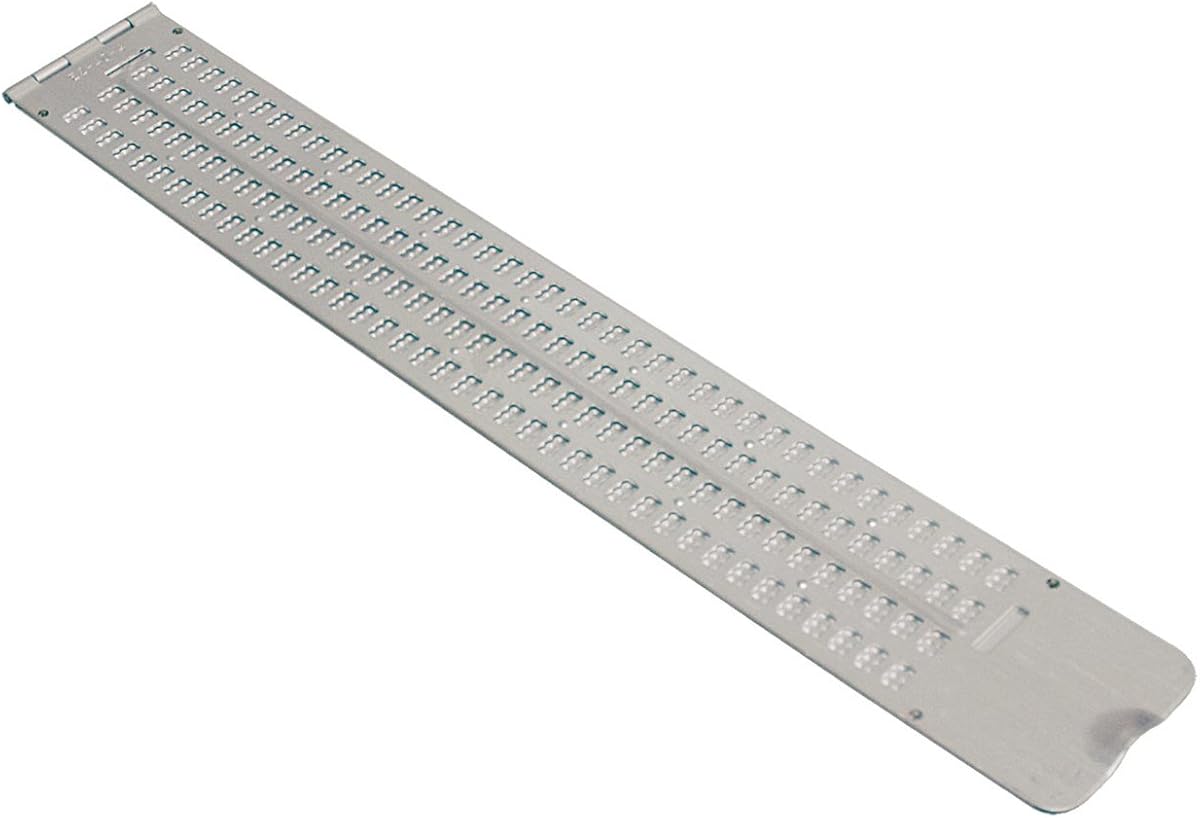
This braille slate offers a traditional manual approach to writing braille without electronic dependencies. Its 13 lines by 36 cells layout accommodates substantial text on a single page. The hinged aluminum design ensures durability while the thumb notch facilitates easy handling.
We may earn a commission when you buy through this link, at no additional cost to you.
Users appreciate the quiet operation of the plastic-free aluminum construction. The included stylus allows immediate use without additional purchases. The pins down configuration keeps writing protected inside the slate to prevent damage during transport.
The modest user rating may reflect the learning curve of manual braille embossing. While slower than digital methods it provides excellent practice for building literacy skills. The lack of electronic components eliminates battery concerns entirely.
This slate suits beginners learning braille or users needing a reliable backup tool. It is ideal for note-taking during lectures or meetings where electronic devices are restricted. Verify the exact dimensions match your preferred paper size before purchasing.
Made of durable aluminum that withstands daily wear and tear in backpacks.
Manual embossing produces minimal noise compared to electronic braille printers.
We may earn a commission when you buy through this link, at no additional cost to you.
This business card slate is designed for small-scale braille embossing tasks like labels and signatures. Its ultra-thin aluminum frame ensures it can slip into a wallet or pocket for discreet use. The built-in signature guide helps users maintain perfectly straight text lines.
We may earn a commission when you buy through this link, at no additional cost to you.
With a near-perfect user rating it clearly meets expectations for compact utility. The included classic stylus provides reliable pressure for consistent embossing. Its small size makes it an ideal companion for quick notes or professional business card customization.
Manual writing requires practice but the guide reduces errors significantly for new users. The limited line count means it is not suitable for long documents. However for its specific purpose it performs reliably without needing power or software.
Consider this slate for specialized tasks like creating braille labels or signature cards. It suits sighted educators or family members learning to emboss basic text. Check the exact dimensions to ensure fit within your carrying case or wallet.
Built-in guide ensures perfectly straight writing for signatures or labels.
Compact design allows easy carry in a wallet or small pouch.
We may earn a commission when you buy through this link, at no additional cost to you.
This full-page slate supports writing entire sheets of braille on standard letter-size paper. Its plastic construction operates quietly making it suitable for shared spaces like classrooms. The embossed line numbers help users track their position easily after breaks.
We may earn a commission when you buy through this link, at no additional cost to you.
The design allows paper to remain inside the slate preventing wrinkling or loss of data. Users can continue writing exactly where they left off without losing alignment. Guides on the side also enable labeling tape embossing for household organization.
While not as portable as pocket models it offers significant efficiency for long writing tasks. The material is durable but requires care to avoid cracking under impact. It provides a practical solution for home study or desk-based note-taking.
Ideal for students or professionals needing to draft multiple pages of braille. The quiet operation ensures it does not disturb others nearby. Verify the paper size compatibility if you use non-standard document formats.
Accommodates a full sheet of North American letter-size paper.
Plastic material reduces noise during embossing compared to metal slates.
We may earn a commission when you buy through this link, at no additional cost to you.
This pocket slate offers a lightweight solution for carrying essential braille writing capabilities. Its elongated shape provides forty cells per line allowing for longer words without breaks. The aluminum construction ensures durability while remaining light enough for daily pockets.
We may earn a commission when you buy through this link, at no additional cost to you.
The pins up configuration keeps embossed text safe from damage inside the slate. Good user ratings suggest reliable build quality and ease of use for travelers. Its compact size fits effortlessly into briefcases or backpacks for on-the-go access.
Limited to four lines it is best for short notes or reminders rather than long documents. Manual embossing requires patience but provides independence from electronic tools. It serves well as a backup when batteries fail or devices are unavailable.
Suitable for commuters needing quick note-taking capabilities during travel. The durable build withstands the rigors of frequent transport. Ensure the line count meets your typical note length requirements before purchasing.
Lightweight aluminum design fits easily in a briefcase or backpack.
Pins up configuration shields written braille from accidental damage.
We may earn a commission when you buy through this link, at no additional cost to you.
The Hable One Portable Braille Keyboard offers an accessible way to type on smartphones without screen visibility. Its eight tactile buttons allow precise input using established braille key mappings. High user ratings suggest it works seamlessly with built-in screen readers.
We may earn a commission when you buy through this link, at no additional cost to you.
No prior braille experience is needed thanks to onboard tutorials and onboarding calls. The device is small enough to keep in a pocket while the phone remains secure. This privacy feature is valuable for confidential communication in public spaces.
Battery life extends over a month on a single charge reducing frequent charging needs. The tactile design ensures accuracy even when the phone is not visible. While it depends on a phone for processing it simplifies interaction significantly.
Ideal for users seeking a portable input method for daily mobile tasks. Verify compatibility with your specific phone model before purchasing. Ensure you have access to the onboarding resources to maximize utility.
Works easily with both iPhone and Android smartphones and tablets.
Type securely while the phone stays in a pocket or bag.
We may earn a commission when you buy through this link, at no additional cost to you.
This handheld label maker simplifies creating braille labels for organizing household items. It produces both letters and numbers using a simple spin dial mechanism. The upper rim is embossed in braille allowing tactile selection of characters without sight.
We may earn a commission when you buy through this link, at no additional cost to you.
Users find it reliable for marking containers or folders with braille labels. The included tape roll allows immediate use upon unboxing. Good ratings suggest it is intuitive for both blind and sighted users assisting in organization.
The process is manual but consistent for quick labeling tasks. It requires care to align the dial correctly before squeezing. For home organization it provides a practical and accessible solution.
Suits households needing clear tactile labels for shared items. Verify tape width compatibility if you have specific labeling needs. Ensure you have the correct tape type for long-term durability.
Upper rim is embossed in Braille for easy character selection.
Includes one roll of half-inch wide labeling tape for immediate use.
We may earn a commission when you buy through this link, at no additional cost to you.
These transparent stickers add braille markings to existing keyboard keys without obscuring original legends. They use durable Lexan material that resists slipping or curling over time. The peel-and-stick design makes installation straightforward for home setups.
We may earn a commission when you buy through this link, at no additional cost to you.
Users benefit from a bilingual layout allowing sighted assistance alongside independent navigation. The adhesive quality ensures stability during frequent use. It is an affordable option for customizing office or home keyboards quickly.
Proper placement is key to alignment accuracy on standard keys. While it adds minimal thickness the tactile feedback remains consistent for touch typists. It is a practical addition for users transitioning to braille input.
Ideal for users wanting to enhance an existing keyboard without buying new hardware. Ensure your PC matches the Windows configuration before ordering. Check key sizes to confirm compatibility with your specific model.
Clear Lexan material keeps original key legends visible beneath Braille.
3M adhesive does not slip ooze or curl during use.
We may earn a commission when you buy through this link, at no additional cost to you.
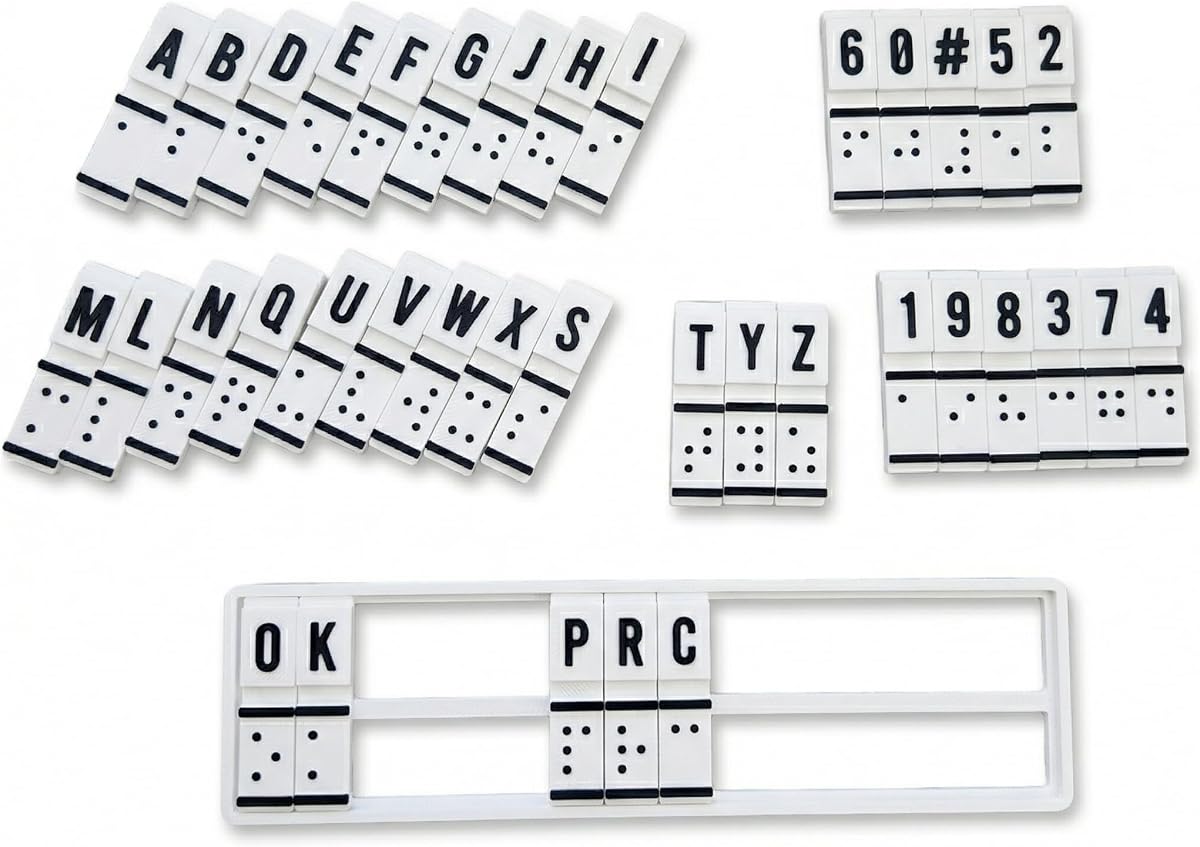
This training machine combines education and conversion in a single tactile device. It features raised braille cells for hands-on learning and muscle memory building. The translation function helps bridge sighted and non-sighted communication easily.
We may earn a commission when you buy through this link, at no additional cost to you.
Users can practice dot patterns manually without needing electronic support. It is designed for educators and beginners aiming to establish fundamental literacy skills. The sturdy build supports repeated use in therapy or classroom settings.
The lower rating may reflect user expectations around translation accuracy. While the tactile design is intuitive conversion features require care to verify correct output. It serves better as a learning aid than a precise conversion tool.
Consider this for self-study or guided lessons focused on braille literacy. It works best when used alongside other educational resources. Verify current capabilities before purchasing to ensure they match your training goals.
Raised Braille cells allow users to feel and create text directly.
Durable build supports use in homes schools or therapy sessions.
We may earn a commission when you buy through this link, at no additional cost to you.
Selecting the right braille display involves understanding your daily tasks and technical requirements.
Cell count determines how much text you see at once. Larger counts like 40 cells reduce scrolling for long documents while 20 cells offer better portability for travel.
Choose cell count based on whether you prioritize reading context or physical convenience.
Bluetooth and USB connectivity allow flexible connections across phones computers and tablets. Ensure the device supports your primary platforms for seamless access.
Check connection limits like five Bluetooth devices to ensure multi-device workflow compatibility.
Long battery life ensures reliability during extended use. Models offering up to 20 hours support all-day work without frequent charging.
Prioritize long battery if you often use the device away from power sources.
Internal storage holds files locally for offline access. More storage like 32GB is useful for users with large document libraries.
Select storage based on how much data you need to keep locally on the device.
Manual slates require no power but are slower. Electronic displays offer speed and connectivity but depend on batteries or charging.
Decide if you need the reliability of non-electronic tools or the speed of electronic refreshable displays.
Thumb keys or tactile buttons impact typing comfort. Ensure the input method feels natural for extended writing sessions.
Test the input style if possible to confirm it suits your touch typing habits.
Prices range significantly between basic slates and advanced displays. Determine your essential features before considering cost to balance needs and budget.
Focus on core features like connectivity first before paying for extra storage or larger displays.
Compact models fit in pockets while full-page slates suit desk work. Evaluate how often you carry your device to decide on size.
Choose slim devices for daily transport and larger ones for stationary work.
Connect the device to your primary computer or smartphone via Bluetooth or USB for initial setup. Follow the on-screen instructions to enable braille output and verify cursor routing keys function correctly.
Keep the display clean by gently wiping cells with a dry cloth to remove dust. Avoid harsh chemicals that could damage sensitive electronic components or tactile surfaces.
Store manual slates flat to prevent bending and keep electronic units charged during storage to maintain battery health.
A refreshable braille display converts digital text into tactile braille cells dynamically. It allows users to read on-screen content by feeling raised pins that update automatically as text scrolls or changes.
Most devices come with tutorials and onboarding support to help you learn the layout. Basic braille knowledge helps but many tools are designed to be intuitive for beginners.
Many modern displays connect via Bluetooth to iOS and Android devices. Check compatibility lists to ensure seamless pairing with your specific phone model.
Battery life varies but quality models offer up to 20 hours on a single charge. Always keep the device charged to avoid interruptions during critical tasks.
Manual slates are excellent for building foundational literacy skills since they focus on physical embossing. They provide a tactile practice method without relying on electronic devices.
Most devices support standard text and document formats like PDF or TXT. Many also connect to online libraries that provide braille accessible content directly.
Clean pins regularly with a soft brush or dry cloth to remove debris. Avoid bending pins manually to ensure consistent tactile feedback during reading.
Manufacturers typically offer technical support and user guides. Check the brand's website for troubleshooting resources and warranty information for your model.
The Brailliant BI 20X and 40X models offer reliable electronic solutions with versatile connectivity. For budget-conscious users the Hable One keyboard provides accessible mobile interaction.
Prioritize the features that match your daily workflow like cell count and battery life. Balancing portability with performance ensures you select a device that truly supports your needs.
Check current availability and confirm compatibility before purchasing to avoid unexpected issues. Selecting the right tool empowers consistent access to digital content and daily organization tasks.