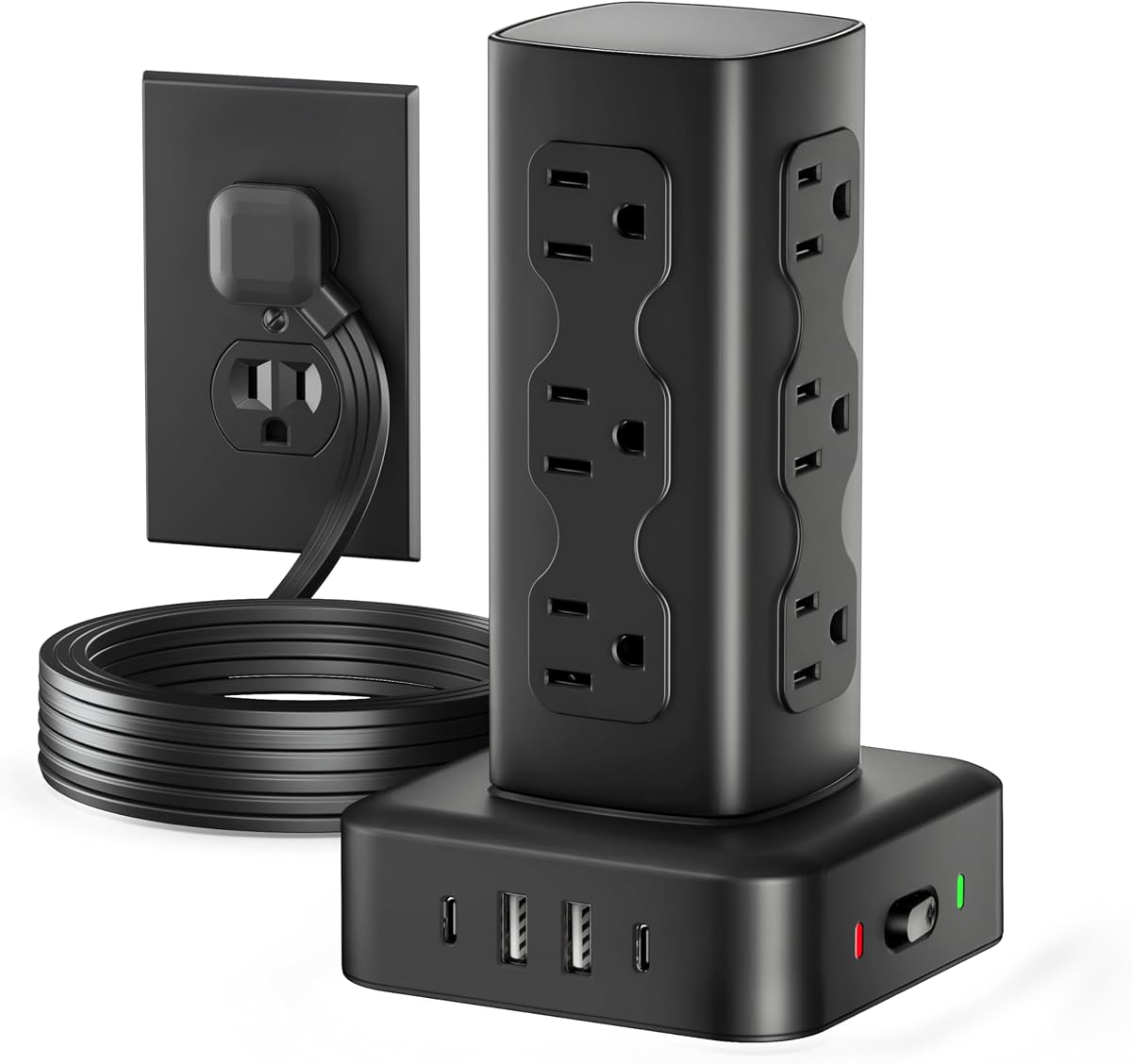
Power Strip Tower with 12 AC Outlets & 4 USB Ports(2 USB C), 6FT Cord
4.7Editor score
12 AC outlets for many devices
2 USB-C and 2 USB-A ports
2000-joule surge protection
This expert guide compares the top 10 charging tower models for home and office use, focusing on outlet count, safety features, and USB capabilities to help
A charging tower organizes multiple devices in a vertical space-saving design. It replaces cluttered horizontal strips with a neat upright solution that fits easily behind desks or furniture.
We compared ten leading models based on outlet capacity, USB fast charging support, cord length, and safety certifications. Each option was evaluated for build quality and real-world usability.
Each pick highlights key strengths and ideal use cases for different needs. Prices and availability change frequently so verify current details on the product page before purchasing.
4.7Editor score

4.5Editor score

4.7Editor score
This side-by-side comparison highlights key specifications across all ten models to help you identify the right fit for your workspace and device needs.


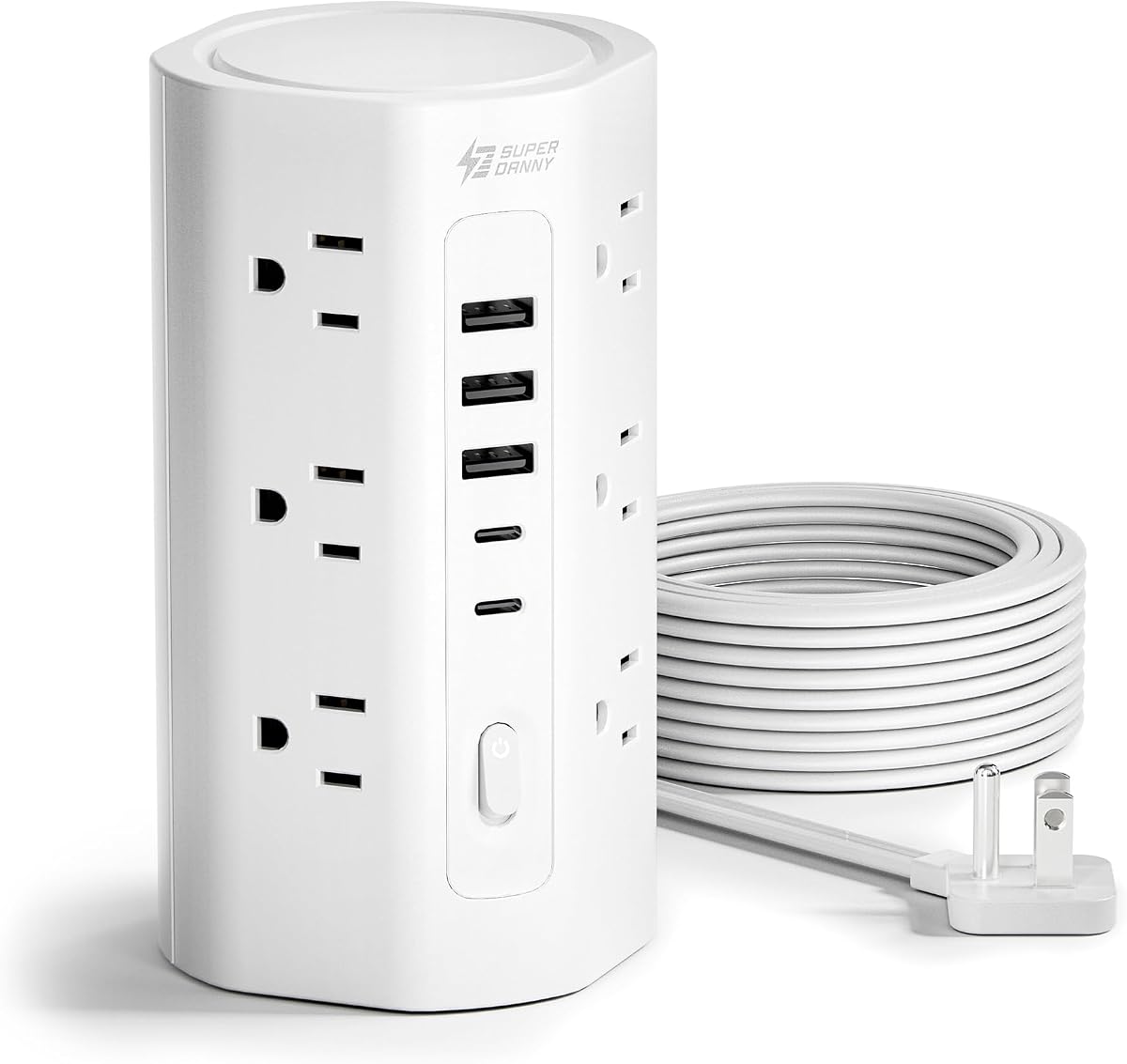
This power strip tower ranks as our top choice for its balanced mix of outlets and fast charging support. It holds 17 devices simultaneously and features a retractable cord that keeps spaces tidy.
We may earn a commission when you buy through this link, at no additional cost to you.
The nine AC outlets are spaced to accommodate bulky adapters without blocking neighbors. Eight USB ports include four USB-C connections that share a high total output for rapid charging across multiple gadgets.
While the retractable cord is convenient, mechanical parts may require care over time. The flat plug fits neatly behind furniture but may not suit all outlet orientations depending on your setup.
Ideal for busy home offices or dorm rooms, this tower combines safety certifications with practical design. It stands out as a reliable all-in-one solution for organizing complex charging needs.
The 6-foot retractable flat cord lets you adjust length as needed and store excess neatly by rotating the base. This design minimizes tripping hazards and keeps floors clear.
With eight USB ports including four USB-C options, the tower supports charging phones tablets and laptops at once. The smart charging tech detects device needs to deliver safe optimal speeds.
We may earn a commission when you buy through this link, at no additional cost to you.
This tower offers an impressive number of AC outlets at a competitive price point. It suits users who need to plug in many low-power devices without breaking the bank.
We may earn a commission when you buy through this link, at no additional cost to you.
Twelve widely spaced AC sockets allow for large adapters on most outlets. The four USB ports include two USB-C connections that support standard fast charging for phones and tablets.
The surge protection rating is strong for this category though USB output is modest. The flat plug and cord keep it flush against walls but the plastic housing feels less premium.
Choose this model if you prioritize outlet volume and safety features over fast USB charging. It is a practical budget-friendly option for guest rooms or shared spaces.
With twelve AC outlets this tower handles power needs for entertainment systems or home office setups. The spacing ensures bulky plugs do not block adjacent sockets.
The 2000-joule rating guards against voltage spikes that could damage electronics. Overload and short-circuit protections add layers of safety for connected gear.
We may earn a commission when you buy through this link, at no additional cost to you.
This desktop charger stands out with its high-wattage USB-C support ideal for powering laptops. It trades outlet quantity for quality and focuses on delivering stable power to demanding devices.
We may earn a commission when you buy through this link, at no additional cost to you.
Two USB-C ports can deliver up to 100W individually making them suitable for most modern laptops. The remaining ports support phones and accessories while the three AC outlets handle essential gear.
The build feels solid with a weighted base that prevents tipping during plug-in. Surge protection is moderate compared to larger towers but the eight-point safety system provides strong device security.
Best for professionals with high-power laptops and limited desk space this model offers premium reliability. It is the top choice for those who prioritize charging speed and build quality over total outlet count.
The USB-C ports support up to 100W each allowing fast charging for most modern laptops without separate bricks. This consolidates power needs into one clean desktop setup.
Anker includes an eight-point safety system that protects against overvoltage and short circuits. The stable design and quality materials justify the higher price for daily use.
We may earn a commission when you buy through this link, at no additional cost to you.
This tower combines a high outlet count with individual switches for precise power management. It is well suited for office environments where devices need to be turned on or off independently.
We may earn a commission when you buy through this link, at no additional cost to you.
Twelve AC outlets accommodate desktop setups including monitors and printers. The six USB ports include two USB-C connections that detect devices to charge them safely at optimal speeds.
The retractable cord helps maintain a tidy desk though the mechanism may feel stiff at times. Surge protection is adequate for general use but not the highest in its class.
Choose this model if you need many outlets and control over each device power. It offers a practical balance for offices or workspaces that require organized and flexible power access.
Each layer has an independent switch allowing you to power specific devices on or off without unplugging. This helps save energy and manage equipment easily.
The 6.5-foot retractable cord lets you extend reach as needed and retract to avoid tangling. This feature keeps desks and floors cleaner during daily use.
We may earn a commission when you buy through this link, at no additional cost to you.
This charging station emphasizes fast USB charging with a total output designed for multiple devices. It is ideal for users who rely heavily on USB-C power delivery for laptops and phones.
We may earn a commission when you buy through this link, at no additional cost to you.
Eight USB ports include four USB-C connections with power delivery support. The 115W total output allows simultaneous charging though individual port speeds vary based on load.
The retractable cord and four-sided compact design save space while maintaining stability. However the nine AC outlets are fewer than some competitors which may limit high-wattage device support.
Select this tower if fast USB charging is your top priority. It serves well in home offices or study areas where laptops and mobile devices need quick power without multiple adapters.
The 115W total USB output supports charging multiple laptops and phones at once. USB-C ports deliver up to 65W individually for fast laptop power delivery.
The retractable extension cord and compact tower design keep surfaces clean. Anti-slip feet ensure stability even when plugging and unplugging devices frequently.
We may earn a commission when you buy through this link, at no additional cost to you.
This tower stands out with a high total USB output suitable for powering multiple laptops. It trades AC outlets for robust USB charging capacity making it unique in its category.
We may earn a commission when you buy through this link, at no additional cost to you.
Eight USB ports include two 65W USB-C connections ideal for laptops. The remaining ports handle phones and accessories while six AC outlets cover essential high-wattage needs.
The compact base and flat cord reduce clutter though the cord is shorter than some models. Overheat and overcurrent protections help keep devices safe during extended use.
Choose this model if you need substantial USB power for multiple computers. It fits well in desks where laptop charging is the main priority over many AC outlets.
Two USB-C ports support up to 65W each allowing fast charging for most modern laptops. This reduces the need for separate power bricks on your desk.
The small base footprint leaves more desk space available for work materials. It blends into any setup while organizing cables and power neatly.
We may earn a commission when you buy through this link, at no additional cost to you.
This tower excels in reach with a 10-foot cord that allows flexible placement across rooms. It suits users who need to place outlets far from wall sockets without extension cords.
We may earn a commission when you buy through this link, at no additional cost to you.
Twelve AC outlets provide ample space for many devices. The eight USB ports support standard fast charging though total output is lower than some models.
The ultra-thin flat plug hides neatly behind furniture but the cord may be too long for compact desks. Fire-resistant materials add safety confidence for home or office use.
Ideal for living rooms or large offices where distance from outlets matters. It balances outlet count and reach making it a practical choice for sprawling setups.
The 10-foot pure copper cord reaches distant outlets and avoids the need for additional extensions. This flexibility makes it easy to place the tower exactly where needed.
The 0.27-inch flat plug fits flush against walls and behind furniture. The right-angle design ensures bottom outlets remain accessible without blocking.
We may earn a commission when you buy through this link, at no additional cost to you.
This tower combines long reach with a dedicated fast-charging port ideal for families with many devices. It handles phones smartwatches and household electronics in one spot.
We may earn a commission when you buy through this link, at no additional cost to you.
Twelve AC outlets accommodate lamps printers and gaming consoles. The USB ports include a dedicated 20W PD port that charges phones quickly while others handle accessories.
The weighted base keeps the tower steady during plug-in but the cord may require management in tight spaces. Surge protection guards against surges adding peace of mind.
Choose this model for shared living areas where many people charge devices. Its flexibility and outlet count make it a reliable choice for busy households.
The dedicated 20W PD port delivers fast charging for compatible phones reducing wait times. Additional USB ports support accessories like smartwatches and earbuds.
The weighted base prevents tipping even with heavy plugs. Non-slip features keep the tower in place during daily use.
We may earn a commission when you buy through this link, at no additional cost to you.
This model offers a compact footprint while providing many AC outlets for daily needs. It suits small desks where space is tight but power demands remain high.
We may earn a commission when you buy through this link, at no additional cost to you.
Twelve outlets are spaced to accommodate bulky adapters without interference. Four USB ports support basic charging needs though speeds are standard compared to higher-end models.
The flat plug and reset switch add convenience for managing power. Surge protection is solid for this price range and the rubber feet ensure stability.
Ideal for dorm rooms or small home offices where desk space is limited. It balances compact size with useful outlet counts for general charging needs.
The small vertical design takes up less desk space than traditional strips. This keeps work surfaces clear for important items while providing ample power.
Widely spaced AC sockets prevent adapter conflict. Bulky plugs can be used freely without blocking adjacent ports.
We may earn a commission when you buy through this link, at no additional cost to you.
This tower is designed for larger rooms where distance from outlets is a challenge. Its long flat cord reduces tripping hazards while keeping power accessible.
We may earn a commission when you buy through this link, at no additional cost to you.
Twelve AC outlets handle entertainment systems and office gear. Five USB ports provide standard charging for phones and accessories without extra adapters.
The flat cord tucks neatly along walls and corners. Comprehensive safety features include fire-retardant casing and a multi-year maintenance plan for added confidence.
Choose this model for living rooms or large offices where reach and safety are priorities. It balances outlet count with long cord convenience for demanding environments.
The 10-foot flat cord reaches distant outlets while lying flush against floors. This minimizes tripping hazards and keeps clutter minimal.
A three-year maintenance plan offers replacement or repair support. This adds long-term value and peace of mind for daily users.
We may earn a commission when you buy through this link, at no additional cost to you.
Selecting the right charging tower depends on outlet needs USB support safety and cord length. This section outlines key factors to consider before buying.
Look for a tower with enough AC outlets to meet your device needs. Wide spacing between sockets allows bulky adapters to fit without blocking adjacent outlets.
Prioritize models with twelve or more outlets if you run many devices at once. Ensure spacing is consistent around the tower to maximize usability.
Check how many USB ports are included and whether they support fast charging. USB-C ports with power delivery offer faster speeds for laptops and newer phones.
Verify total USB wattage to ensure it can handle multiple devices simultaneously. Smart charging tech helps distribute power safely across connected gadgets.
Consider the length of the power cord based on your room layout. Longer cords like 10 feet provide flexibility for placing the tower far from wall sockets.
Flat cords reduce tripping hazards and make tucking along walls easier. Retractable cords help manage excess length when not needed.
Ensure the tower includes surge protection to guard against voltage spikes. Higher joule ratings indicate better protection for sensitive electronics.
Overload and short-circuit protection shut off power automatically to prevent damage. Look for certifications from recognized testing organizations.
Durable materials like fire-resistant ABS or PC casings improve safety and longevity. A stable base with rubber feet prevents tipping during use.
Check for sturdy construction that can handle frequent plugging and unplugging. Premium models often feel heavier and more solid.
Switches on each outlet let you control power for specific devices. This helps save energy and manage equipment without unplugging.
Indicator lights on switches show which devices are active. This feature is useful for offices or setups with many connected items.
Certifications like UL FCC or RoHS confirm the product meets safety standards. These ensure compliance with regulations for electrical devices.
Choose models with clear safety certifications to reduce risks. Reputable brands typically provide more reliable compliance documentation.
A warranty plan protects against defects and ensures replacement availability. Some models include multi-year maintenance or replacement plans.
Check customer support responsiveness for troubleshooting. Reliable assistance adds value especially for complex setups.
Place the tower on a stable flat surface near your desk or entertainment center. Ensure the plug fits fully into the wall outlet and the cord has a clear path to avoid tripping.
Plug devices into the outlets and USB ports as needed. Use individual switches to power on specific equipment and turn off unused sockets to save energy.
Keep the tower clean by wiping the surface with a dry cloth. Avoid exposing it to moisture or extreme heat and unplug it before cleaning or moving to ensure safety.
A charging tower organizes multiple electronic devices in a vertical space-saving design. It replaces cluttered horizontal strips with a neat upright solution that fits easily behind desks or furniture while providing many outlets and USB ports for charging phones laptops and accessories.
Many charging towers include surge protection to guard connected devices from voltage spikes. Look for models with a joule rating of at least 1000 to ensure adequate safety for sensitive electronics like computers and gaming consoles.
Yes if the tower supports high-wattage USB-C power delivery. Some models offer 65W or 100W USB-C ports that can power most modern laptops directly without needing a separate power brick.
Retractable cords are convenient but may wear over time with frequent use. Choose models with robust retraction mechanisms and handle them gently to extend their lifespan and avoid jams.
Measure the distance from your wall outlet to where you want the tower placed. Select a cord length that reaches comfortably without tension and leaves some slack for flexibility in device placement.
Yes USB ports typically share a total wattage limit. If multiple devices are connected the power is distributed among them so fast charging may slow down when many ports are in use.
Our top picks highlight options ranging from budget-friendly outlet-heavy models to premium high-wattage USB-C towers. Each serves different needs from home offices to living rooms with a focus on safety and organization.
Prioritize outlet count USB fast charging support and cord length based on your setup. Ensure the model includes surge protection and certifications to keep your devices safe during daily use.
Prices and availability change frequently so check current details on the product page before purchasing. A reliable charging tower can transform a cluttered workspace into a clean efficient power hub.