
MINISFORUM MS-S1 MAX Mini AI Workstation PC
4.5Editor score
128GB Unified Memory Pool
Dual Unit Cluster Support
AMD Ryzen AI Max Plus
Compare the top Dual GPU AI Setup systems for local inference and training. This guide reviews workstation power, memory capacity, and efficiency features.
Finding the right Dual GPU AI Setup is crucial for developers and researchers working with large language models locally. These systems combine immense computational power with specialized memory configurations to handle complex tasks without relying on external clouds.
We evaluated ten leading workstation and server configurations to determine which offer the best balance of performance and practicality. Our analysis focuses on VRAM capacity, interconnect technology, and software compatibility for modern generative workloads.
Each pick in this guide highlights specific strengths for different user needs ranging from entry-level clustering to enterprise-grade deployment. Keep in mind that availability and specifications can change frequently so always verify details before purchase.
4.5Editor score

5.0Editor score

The following table provides a side-by-side view of the top ten Dual GPU AI Setup systems currently available. Each entry includes core specifications to help you quickly identify the right configuration for your workflow.


The NVIDIA DGX Spark 2 Pack represents the pinnacle of desktop AI computing. With a perfect rating from users it stands out for its Grace Blackwell architecture which delivers up to one petaFLOP of AI performance.
We may earn a commission when you buy through this link, at no additional cost to you.
This system is engineered specifically for local model fine-tuning and inference tasks. It allows developers to experiment with large models up to two hundred billion parameters directly on the desktop without cloud latency.
While the price point is significant the system offers exceptional return on investment for productivity. The unified memory architecture ensures that data transfer between CPU and GPU remains efficient.
It is ideal for enterprises and individual researchers who need reliable high performance AI capabilities locally. The compact design fits easily into standard office environments while delivering data center level power.
The unified memory allows for faster training loops without needing external servers or cloud resources.
Developers can augment existing laptop or cloud resources seamlessly with the DGX Spark power.
We may earn a commission when you buy through this link, at no additional cost to you.
This workstation offers dual RTX 5090 GPUs which provide massive parallel processing power for AI models. The 256GB of DDR5 memory ensures that large datasets can be held locally without swapping.
We may earn a commission when you buy through this link, at no additional cost to you.
The 1600W power supply is necessary to sustain the combined load of two high-end graphics cards. Liquid cooling on the processor maintains thermal stability during long inference sessions.
Users benefit from 8TB of RAID NVMe storage which speeds up data loading times significantly. The preloaded Windows 11 Pro for Workstations simplifies initial setup and driver management.
It is perfect for professionals needing extreme performance for deep learning or rendering. The custom cable management and stress testing ensure reliability for mission critical workloads.
Dual RTX 5090 cards allow for simultaneous model training and inference tasks efficiently.
RAID NVMe configuration eliminates storage bottlenecks during large dataset ingestion.
We may earn a commission when you buy through this link, at no additional cost to you.
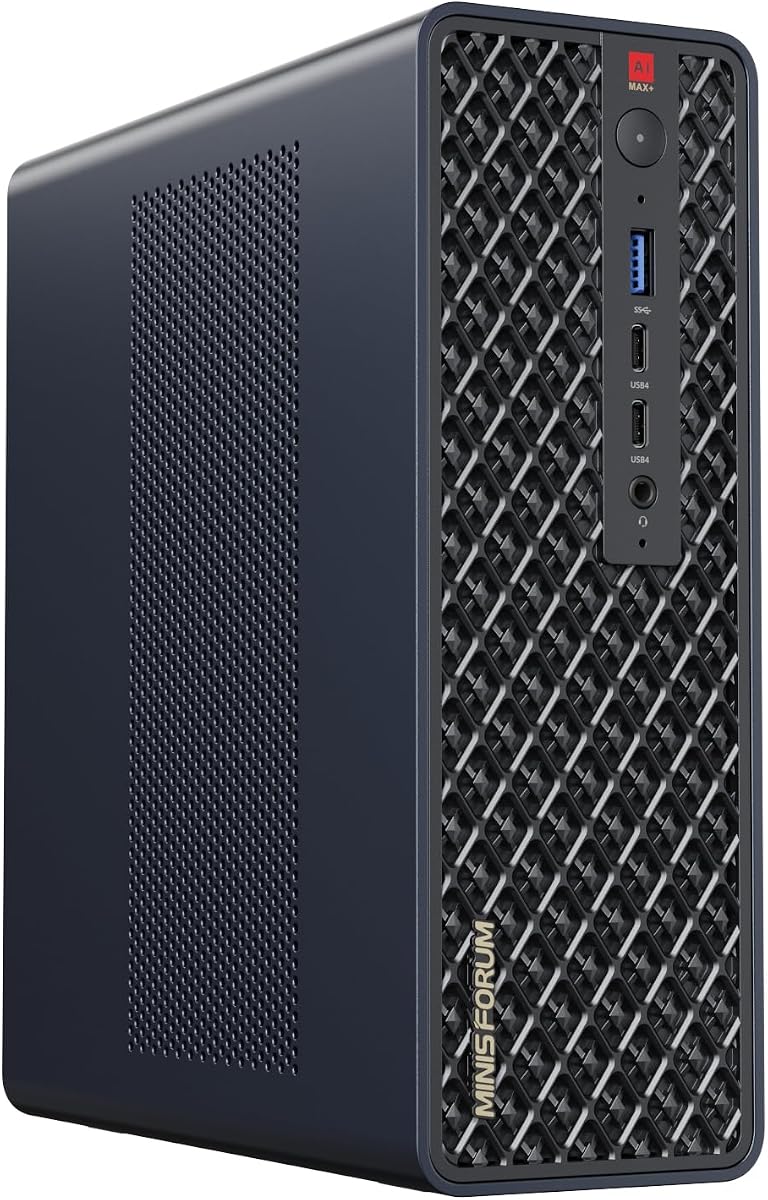
The MINISFORUM MS-S1 MAX offers a compelling entry into AI setups with its Ryzen AI Max Plus 395 processor. It features 128GB of LPDDR5x memory which is unified to eliminate VRAM bottlenecks.
We may earn a commission when you buy through this link, at no additional cost to you.
This unit is designed for flexibility with a PCIe x16 slot allowing for future GPU upgrades. The system supports clustering two units together to run larger models locally.
Thermal management is handled well using an aerospace grade aluminum chassis and six heat pipes. The 320W PSU is efficient for a mini PC of this performance level.
It is best for students or indie developers who need low cost high density AI capabilities. The USB4 V2 and 10GbE networking ensure fast data transfer and connectivity options.
Two units can run a 235B Q4 model locally achieving reasonable throughput rates.
Shared memory pool allows CPU and GPU to access data without latency.
We may earn a commission when you buy through this link, at no additional cost to you.
This graphics card combines two Arc Pro B60 GPUs into a single unit delivering 48GB of VRAM. This allows users to run large quantized models entirely on one card without multi-card setups.
We may earn a commission when you buy through this link, at no additional cost to you.
The design uses PCIe 5.0 x8 interfaces which work well on consumer platforms with lane bifurcation. It reduces total system cost for local LLM deployment compared to enterprise server parts.
Cooling is reliable for sustained loads with a triple thermal design including a blower fan. It maintains stable temperatures even during long inference tasks in server airflow environments.
It is suitable for developers needing high concurrency inference without cloud subscriptions. Native support for PyTorch and vLLM ensures compatibility with major AI frameworks and tools.
48GB VRAM supports models like DeepSeek-R1 70B entirely on a single card.
Lower total system cost compared to traditional multi-card enterprise servers.
We may earn a commission when you buy through this link, at no additional cost to you.
This mini workstation features the same Ryzen AI Max Plus 395 processor as the MAX variant. It supports up to 128GB of LPDDR5 RAM which handles AI workloads efficiently.
We may earn a commission when you buy through this link, at no additional cost to you.
Five 8K video outputs make it ideal for professional setups requiring multiple displays. The 10GbE LAN ports ensure fast network connectivity for data transfer and remote access.
Thermal performance is strong with phase change cooling and turbine fans keeping noise low. The build quality includes a high thermal conductivity copper substrate for heat dissipation.
It fits perfectly in small offices or home labs where space is limited. Users can run local LLMs and multimodal models without needing a full tower desktop.
Five video outputs allow for extensive multi monitor productivity workflows.
Dual 10GbE ports support software routers and network isolation.
We may earn a commission when you buy through this link, at no additional cost to you.
This workstation includes dual RTX PRO 6000 Blackwell GPUs designed for professional AI tasks. The 256GB of DDR5 RAM ensures ample memory for large datasets and models.
We may earn a commission when you buy through this link, at no additional cost to you.
The 1600W power supply is necessary to support the high power requirements of the GPUs. Liquid cooling on the processor maintains stability during intensive compute sessions.
Users get 8TB of RAID NVMe storage which speeds up access to datasets significantly. The system arrives with Windows 11 Pro and drivers preloaded for immediate use.
It is ideal for businesses needing reliable high performance without configuring servers. The custom cable management and testing ensure hardware reliability for long term use.
RTX PRO 6000 Blackwell offers optimized drivers and ECC memory for stability.
256GB DDR5 supports multitasking between inference and data processing.
We may earn a commission when you buy through this link, at no additional cost to you.
This system is driven by a 192-core AMD EPYC 9965 processor for unmatched multi-threaded performance. It includes triple RTX PRO 6000 GPUs providing 288GB of total VRAM.
We may earn a commission when you buy through this link, at no additional cost to you.
The 768GB DDR5 RAM pool ensures that data pipelines are never bottlenecked by memory limits. Storage is handled by Gen5 NVMe SSDs for extremely fast read and write speeds.
Users should ensure the facility supports 240V outlets for maximum compute power. The chassis is spacious and designed for easy maintenance and airflow management.
It is suitable for organizations needing a local data center replacement. The warranty and support from the vendor add reliability to this enterprise grade investment.
Triple GPUs allow for parallel training and rendering tasks without interruption.
Error correcting RAM protects critical data during long running AI tasks.
We may earn a commission when you buy through this link, at no additional cost to you.
This 4U rackmount server can house up to eight RTX PRO 6000 GPUs for extreme density. It features dual EPYC 9965 processors supporting 2.3TB of DDR5 ECC memory.
We may earn a commission when you buy through this link, at no additional cost to you.
Networking is robust with support for up to ten 200GbE NICs to reduce latency. Storage is flexible with eight hot-swap U.2 NVMe drives and RAID functionality.
ASUS Control Center software allows for advanced management of the system remotely. Security is enhanced with a hardware level Root-of-Trust solution.
It is designed for data centers needing high density compute power locally. The toolless design simplifies maintenance for IT staff in enterprise environments.
Direct CPU to NIC connections reduce latency for high performance computing.
Supports up to 122TB per drive for massive dataset storage.
We may earn a commission when you buy through this link, at no additional cost to you.
The Iron Bull workstation is optimized for demanding tasks like surveying and CAD. It features a Ryzen Threadripper 9970X with 32 cores for fast parallel processing.
We may earn a commission when you buy through this link, at no additional cost to you.
A single RTX 5090 GPU provides significant graphical power for visual workloads. The system uses 128GB of ECC registered DDR5 memory for data integrity.
Networking includes 10GbE and 2.5G ports to support fast data transfers over the local network. A 1600W power supply ensures the hardware runs without power fluctuations.
It is perfect for engineers who need local AI processing without cloud dependencies. The 360mm AIO cooler keeps the CPU temperatures stable under heavy loads.
Designed specifically to handle large scale GIS and mapping data efficiently.
ECC RAM prevents data corruption during long simulation runs.
We may earn a commission when you buy through this link, at no additional cost to you.
This GPU offers 96GB of GDDR7 ECC memory which is rare for consumer workstations. The Max-Q edition caps power at 300 Watts for better thermal performance.
We may earn a commission when you buy through this link, at no additional cost to you.
The PCIe 5.0 x16 interface ensures it has the bandwidth for modern AI workloads. It allows teams to scale intelligence without cloud subscriptions or latency.
While it is sold in bulk packaging it delivers enterprise grade features for local AI. The memory bandwidth is fast enough for zero-lag multi-stream editing and rendering.
It is ideal for users needing to upgrade an existing system with top tier power. The 3-year warranty provides peace of mind for professional investments.
96GB VRAM allows hosting of large LLMs locally without quantization.
Max-Q design limits power to 300W for better cooling compatibility.
We may earn a commission when you buy through this link, at no additional cost to you.
Selecting the right Dual GPU AI Setup depends on your specific workload requirements and budget constraints. Consider the following factors to ensure you choose the best system.
VRAM capacity is critical for loading large language models without swapping to system RAM. For serious local inference you should look for setups that offer at least 48GB of VRAM.
High VRAM ensures you can run larger models like 70B parameters efficiently on a single machine.
Memory bandwidth determines how fast data moves between the processor and memory. Higher bandwidth reduces bottlenecks during training and inference cycles.
Look for DDR5 memory or high-speed GDDR7 configurations to maximize throughput.
If using multiple GPUs the interconnect technology affects how well they communicate. PCIe 5.0 supports faster data transfer than older generations.
For multi-card setups ensure your motherboard supports lane bifurcation to utilize full bandwidth.
Dual GPU systems require robust power supplies to handle peak loads. A 1600W PSU is often recommended for high-end configurations.
Check your facility's electrical capacity if the system requires 240V outlets for full power.
Ensure the hardware supports the AI frameworks you plan to use like PyTorch or TensorFlow. Drivers must be stable and regularly updated for compatibility.
Check for support of open-source models and specific inference engines like vLLM.
Long inference tasks generate significant heat that must be managed effectively. Systems with liquid cooling or advanced airflow designs maintain stability.
Look for features like vapor chambers or blower fans that ensure consistent performance under load.
Future needs may require adding more storage or memory. Choose systems with PCIe expansion slots and available RAM slots.
Expandability ensures you can upgrade the system without replacing the entire workstation.
Enterprise grade systems should come with comprehensive warranties and support options. This is critical for business continuity and troubleshooting.
Verify the warranty terms and the reputation of the manufacturer for service reliability.
Initialize the system by installing all GPU drivers and updating the BIOS to the latest version. Ensure the operating system recognizes both GPUs and allocates memory correctly.
Set up your development environment using Docker containers or virtual environments to isolate dependencies. This prevents conflicts between different AI libraries and versions.
Maintain physical cleanliness by regularly cleaning dust filters to ensure proper airflow. Monitor thermal performance using built-in tools to prevent overheating during extended sessions.
For most practical local inference you need at least 24GB of VRAM to run quantized models efficiently. Systems with 48GB or more allow you to run larger models like 70B without severe constraints.
Yes many consumer motherboards support two consumer GPUs in different slots. Ensure the power supply has sufficient wattage and the case provides enough cooling for the combined heat load.
PCIe 5.0 provides higher bandwidth which helps with data transfer speeds. While PCIe 4.0 is still sufficient for many tasks PCIe 5.0 future proofs the setup for larger datasets.
Use a case with high airflow and consider adding additional intake fans. Liquid cooling for the CPU helps maintain overall system stability and reduces ambient temperature inside the chassis.
Linux is often preferred for server-grade AI due to better resource management and driver support. Windows is also capable and offers better compatibility for commercial software and CAD tools.
Yes running 100B+ models often requires multiple GPUs or a cluster configuration. Systems supporting clustering can combine memory across units to handle these larger workloads locally.
This guide highlights ten distinct systems ranging from compact mini PCs to massive rack servers. Each option balances VRAM power and cost differently to suit various professional needs.
Prioritize VRAM capacity and memory speed when evaluating models for local inference. The right system saves money by reducing reliance on cloud services and subscriptions.
Always check current availability and verify specific model specifications before buying. Prices and stock levels fluctuate so confirm details directly with the vendor for the most accurate data.