
Epson SureColor F170 Sublimation Printer Bundle
4.5Editor score
PrecisionCore Printhead
Sublimation Ink Included
Versatile Media Support
Finding the right fabric printing printer can transform your creative projects into professional-quality custom apparel and home decor. Whether you are a hobbyist or a small business owner, the right machine ensures vibrant colors and durable results on various textile materials.
We evaluated ten leading fabric printing solutions based on print quality, speed, ease of use, and overall value. Our comparison covers direct-to-film sublimation and inkjet options to help you understand the strengths and limitations of each technology available today.
Each pick highlights specific features like print width, ink supply, and maintenance needs to guide your decision. Please note that product availability and pricing can change frequently, so check the current listings before making your final purchase.
4.5Editor score

4.9Editor score

4.4Editor score
As an Amazon Associate we earn from qualifying purchases.
The following table provides a side-by-side comparison of all ten fabric printing printers to help you quickly identify key specifications and features that matter most for your workflow and budget.





The DXZ 2026 14'' A3 DTF Printer Bundle stands out as the top choice for serious creators and small business owners. With a high 4.9 rating from verified buyers, it offers professional-grade results with minimal fuss. Its standout quality is the combination of speed, width, and automated maintenance that keeps production flowing smoothly.
We may earn a commission when you buy through this link, at no additional cost to you.
This machine uses the F1080 printhead to deliver ultra-sharp designs at 2880×1440 DPI. The 14-inch print width allows for larger prints without splicing. The built-in vacation-proof auto maintenance system protects the printhead even when the printer is idle for days. It supports cotton, polyester, and blends without pretreatment.
Trade-offs include the higher upfront investment and the physical footprint required for the printer and oven. However, the included two-year ink supply and comprehensive warranty offset these costs over time. Users report significantly reduced downtime thanks to the automated upkeep features.
Ideal for apparel brands and high-volume home studios, this bundle offers a complete startup solution. The rapid heating and curing process ensures vibrant colors that last. For those prioritizing quality and efficiency, this is the most robust option available.
The genuine 14-inch width handles plus-size garments and large bags without needing to stitch transfers together.
Vacation mode keeps the printhead moist and clean automatically so you can return from trips without worrying about clogs.
We may earn a commission when you buy through this link, at no additional cost to you.
The Brother PrintModa Studio Fabric Printer is designed for crafters who want ease of use over industrial capacity. It has a moderate 3.7 rating, reflecting its niche as a hobbyist tool rather than a heavy-duty production machine. It shines with seamless integration into the Artspira app ecosystem.
We may earn a commission when you buy through this link, at no additional cost to you.
Its main strength is the convenience of designing directly on a laptop and printing wirelessly to the machine. It offers two print settings for vibrant or eco-friendly output. The dual paper trays allow for quick switching between paper and fabric rolls, streamlining small projects.
Users note that while it is fast for custom orders compared to store services, the print width and color depth are less than professional DTF machines. This makes it suitable for personal items like labels and small patches rather than bulk orders.
For hobbyists looking to customize home decor or bags without a complex workflow, this printer is a solid entry point. The Artspira templates simplify the design process. If simplicity is your goal, this model delivers well within its scope.
Access hundreds of ready-made templates for bags and patches directly through the companion mobile and desktop apps.
Paper tray one and fabric tray two let you switch materials quickly without reloading paper manually each time.
We may earn a commission when you buy through this link, at no additional cost to you.
The Brother Sublimation Printer excels for users focused on polyester-based products like mugs and tumblers. With a 4.4 rating, it is reliable for consistent color saturation. Its sublimation technology ensures prints remain vibrant through multiple wash cycles when used on coated items.
We may earn a commission when you buy through this link, at no additional cost to you.
Key strengths include the Artspira app compatibility which offers over 100 sublimation designs. The printer converts images into poster-style drawings easily. Brother Genuine Sublimation Ink provides muted tones on paper that activate into rich colors with heat pressing.
A major trade-off is that a heat press is required but not included in the box. Additionally, sublimation only works on polyester or coated surfaces, limiting versatility compared to DTF. Users must ensure they have the right substrates before printing.
This machine is perfect for gift makers and small teams wanting high-quality promotional items. The longevity of the prints is a significant plus. If you need durable polyester branding, this model delivers professional results at a reasonable tier.
The sublimation process melts ink into polyester fibers ensuring colors stay bright even after many wash and wear cycles.
Use the Artspira app to edit text and swap images on templates for quick and consistent project output.
We may earn a commission when you buy through this link, at no additional cost to you.
The InkSonic A3 R1390 DTF Printer is tailored for small businesses needing reliable technical guidance. Although rated N/A due to newer listing status, its features promise robust performance. The 24/7 one-on-one support stands out for beginners who need help with setup.
We may earn a commission when you buy through this link, at no additional cost to you.
Strengths include a comprehensive 3-in-1 white ink protection system with circulation and filtration. The bundle comes with 3500ml of premium ink and matched consumables to ensure color consistency. It supports a wide range of fabrics including cotton, denim, and leather.
The main consideration is the need for regular maintenance to keep the white ink flowing smoothly. Users must follow the maintenance protocols to avoid clogs. The oven and RIP software inclusion helps streamline the curing and color management process.
For new apparel brands wanting a full setup with ongoing support, this is a strong candidate. The California-based service center adds peace of mind. Prioritize this if you value hands-on assistance during your business growth phase.
One-on-one technical guidance and video tutorials help users navigate setup and daily operations with confidence.
Circulation and filtration reduce pigment settling keeping the white ink flowing and protecting the printhead.
We may earn a commission when you buy through this link, at no additional cost to you.
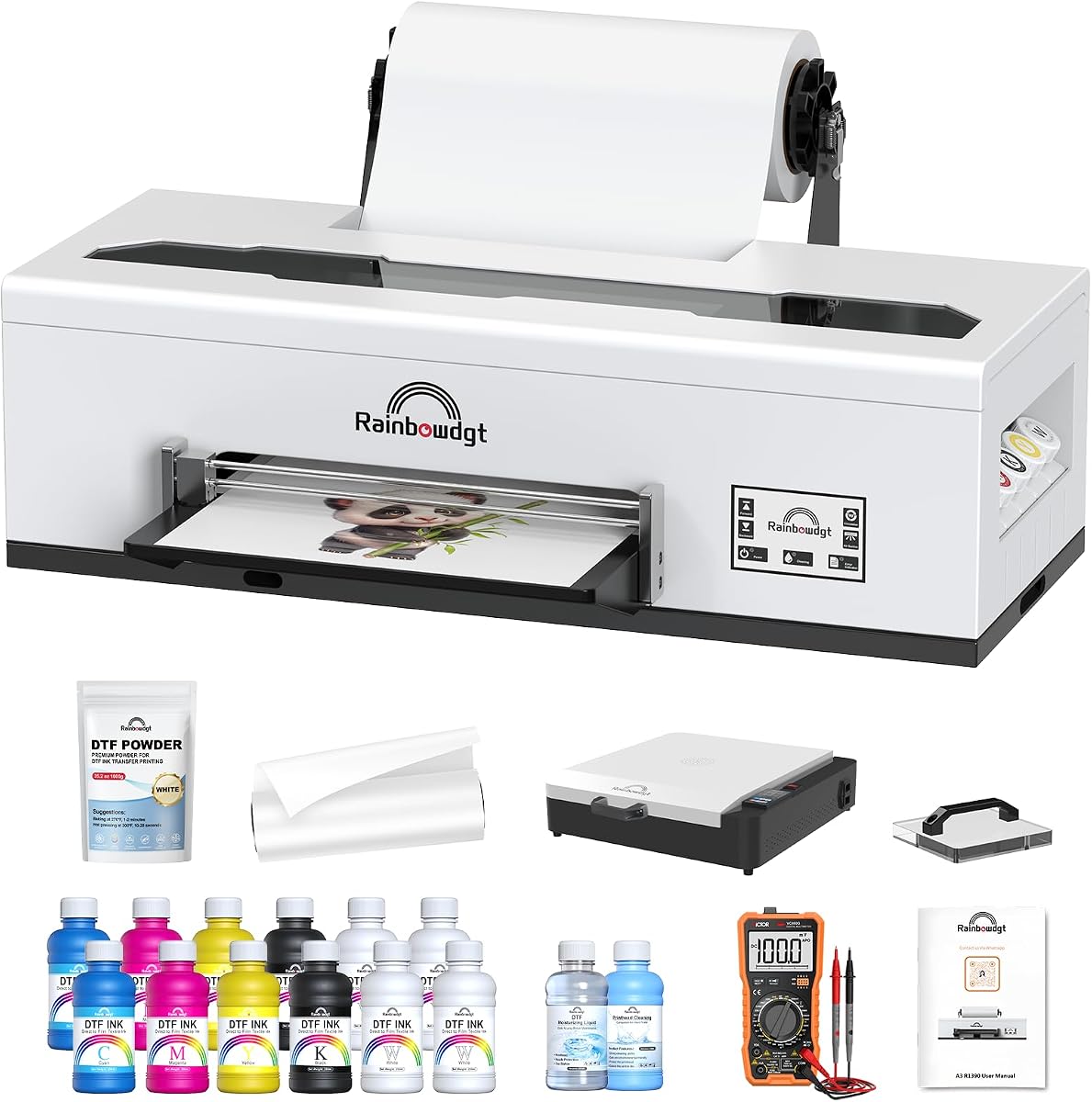
The RAINBOWDGT R1390 A3 DTF Printer Bundle has earned a perfect 5.0 rating from early adopters. It targets launch-ready custom apparel businesses with high fidelity printing. The photorealistic output ensures 100% true-to-image color reproduction which is vital for branded items.
We may earn a commission when you buy through this link, at no additional cost to you.
Key strengths include the two-year ink supply service and the all-in-one startup kit with curing oven. The nozzle protection system with auto-cleaning prevents settling. Smart adsorption keeps film flat to avoid wrinkles and scratches during high volume workflow.
One trade-off is the shipping logistics as the heavy items may arrive in separate packages. Users need to assemble the kit upon arrival. Despite this, the complete nature of the bundle reduces hidden costs of buying separate accessories.
This bundle is ideal for entrepreneurs ready to start selling immediately. The lifetime remote technical assistance ensures long-term reliability. If you want a turnkey solution with top-notch print quality this bundle is highly recommended.
The massive bundle includes printer oven ink film and powder so you can start producing without extra purchases.
Professional-grade DPI delivers sharp details and accurate color matching essential for premium custom garments.
We may earn a commission when you buy through this link, at no additional cost to you.
The Epson SureColor F170 Sublimation Printer Bundle is renowned for its reliability and print quality. With a 4.5 rating it uses PrecisionCore printhead technology for outstanding image clarity. The bundle includes full ink sets making it ready to print out of the box.
We may earn a commission when you buy through this link, at no additional cost to you.
Its strengths lie in consistent color saturation and the auto-stop filling mechanism that prevents waste. The closed dust-resistant tray keeps media clean and reduces prep work. Wi-Fi and USB connectivity allow flexible printing from various devices.
Trade-offs include limitations on direct email printing and compatibility with specific ink types. It is designed primarily for sublimation on coated polyester items not general fabric printing. Users must follow ink loading instructions strictly to avoid return issues.
For businesses needing consistent daily output without technical hiccups this printer is a safe bet. The high capacity ink saves money over time. If you value brand reliability and color accuracy this model fits well.
The dust resistant closed tray ensures the cleanest possible prints with less paper preparation.
High capacity bottles with auto-stop features provide mess-free filling and economic solutions for consumables.
We may earn a commission when you buy through this link, at no additional cost to you.
The Spark F13 A3 DTF Printer for Apparel Printing brings DTF capabilities into home studios at a competitive tier. With a 4.0 rating it focuses on ease of use and lower long-term costs. It is designed for creators handling real customer work without commercial setups.
We may earn a commission when you buy through this link, at no additional cost to you.
Key strengths include the L1800 printhead delivering smooth gradients and strong white coverage. The 12-hour auto cleaning helps limit clogs during downtime. The vacuum platen keeps film flat to reduce strikes. Lifetime technical assistance is available to guide users.
Trade-offs include slower speeds compared to industrial models and the need for routine maintenance. Users should be prepared for regular cleaning to maintain quality. However the cost efficiency and support make up for these minor drawbacks.
This printer is perfect for home-based sellers who want a polished professional finish. The simple controls make daily functions accessible. If you prioritize guidance and affordability this model is a solid choice for your first DTF machine.
Designed to reduce ongoing ownership costs with efficient ink use and long-term support for parts.
Dense white underbase ensures vivid colors stand out clearly on dark garments for professional results.
We may earn a commission when you buy through this link, at no additional cost to you.
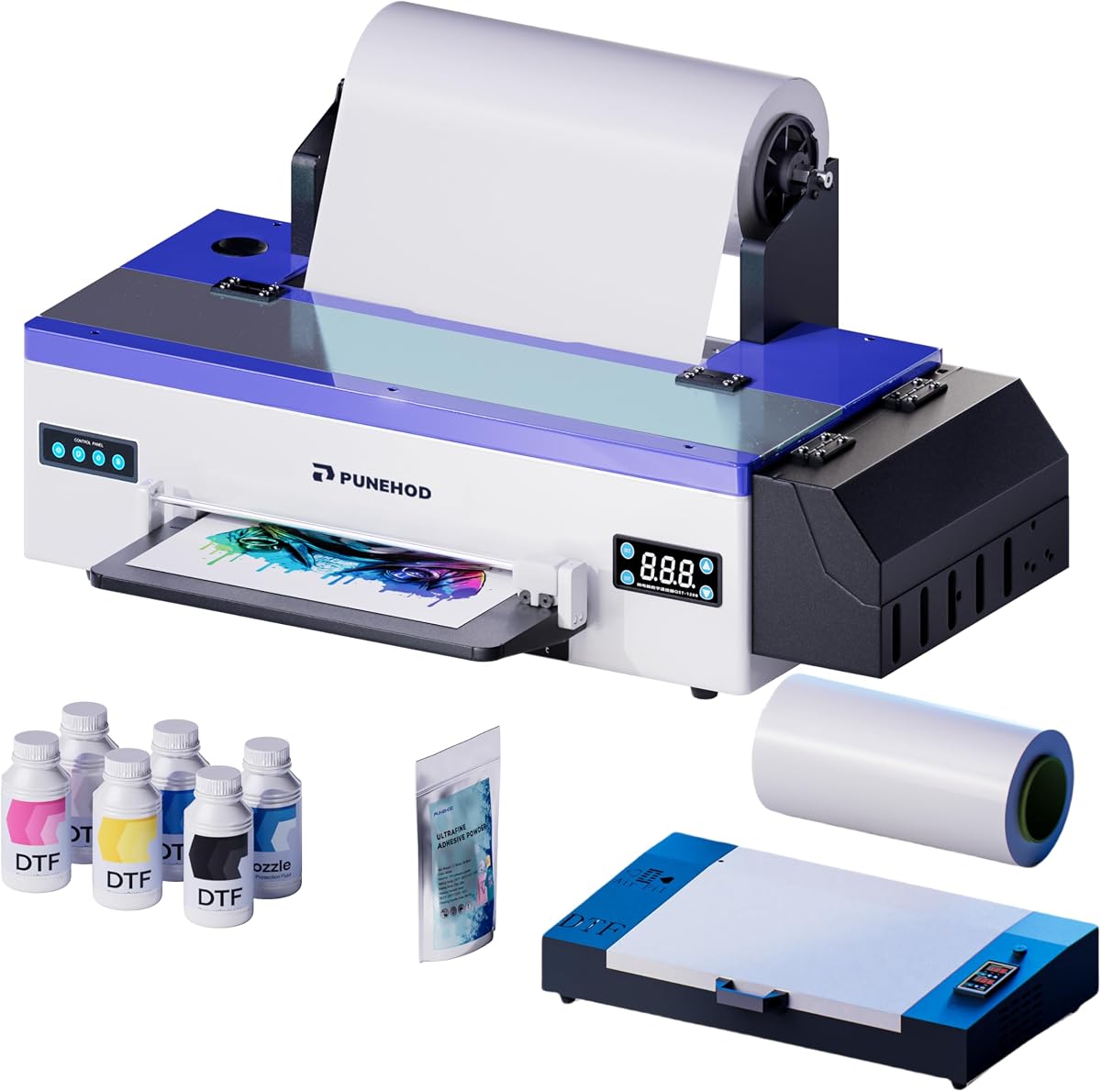
The PUNEHOD A3 L1800 DTF Printer offers an upgraded roll feeding system ideal for continuous production. With a 4.6 rating it supports long film printing and automatic cutting to reduce waste by thirty percent. It is a complete kit with oven and ink.
We may earn a commission when you buy through this link, at no additional cost to you.
Its strengths include the L1800 print head delivering ultra clear delicate transfer patterns. The all-in-one kit covers all supplies needed to launch a business immediately. It works on nearly all textile and leather materials without pretreatment.
Trade-offs involve the complexity of setting up the roll system and the physical space required. Users must ensure the automatic cutter is properly aligned for best results. The waste reduction benefits significantly outweigh the initial setup effort.
This printer is best for small commercial orders and formal garment production. The automatic cutter improves efficiency. If you want to scale your custom printing business this roll feeder model is a strong investment.
The roll to roll design cuts film waste significantly compared to flat sheet printers improving working efficiency.
Built-in automatic cutter allows precise cutting according to custom pattern sizes without manual trimming.
We may earn a commission when you buy through this link, at no additional cost to you.
EQ Printables Inkjet Fabric Sheets are perfect for users who need occasional custom prints without a dedicated machine. With a 4.7 rating they offer photo-quality images on soft fabric. You can scan photos or letters and print directly on the sheets.
We may earn a commission when you buy through this link, at no additional cost to you.
Strengths include the simple workflow of printing then adhering to fabric. The sheets remain soft and never feel rubbery after printing. This makes them great for custom gifts or one-off projects. The pack includes six sheets ready for use.
Trade-offs are significant for volume as they are limited to sheets and not rolls. Durability is lower than DTF or sublimation transfers which are better for frequent washing. This is a solution for light hobbyist use.
For those wanting quick customization without buying hardware this is a practical option. The ease of use is unmatched. If you only need a few custom patches or patches this product is ideal.
Print sharp images directly from your computer onto soft fabric sheets for instant customization projects.
The soft fabric remains pliable never feeling rubbery which ensures comfort on wearable items.
We may earn a commission when you buy through this link, at no additional cost to you.
TransOurDream Upgraded Iron on Heat Transfer Paper is a versatile option for DIYers with an inkjet printer. With a 4.4 rating it offers bright stretchable durable transfers for light color fabrics. The pack includes reusable Teflon paper for protection.
We may earn a commission when you buy through this link, at no additional cost to you.
Strengths include the lower melting point making it easy to iron on without burning fabric. No mirror printing is required which simplifies the workflow. The transfer is bright and stretchable for comfortable wear.
Trade-offs are the restriction to light fabrics only and the manual ironing process which may vary. Heat press is recommended for durability. However for occasional gifts or custom t-shirts this paper performs well.
For those with no access to specialized machines this paper is a great workaround. The step-by-step instructions make it easy to follow. If you need a budget solution for custom shirts this product is highly recommended.
Lower melting point and easy iron-on application make this accessible for beginners and crafters.
The stretchable material ensures the transfer withstands movement and washing better than standard options.
We may earn a commission when you buy through this link, at no additional cost to you.
Choosing the right fabric printing printer depends on your specific needs for volume, material type, and budget. Understanding the key factors helps you avoid costly mistakes and select a machine that supports your creative goals.
Different technologies like DTF sublimation and inkjet fabric sheets serve different purposes. DTF offers versatility on cotton and polyester without pretreatment. Sublimation is best for polyester or coated items where color longevity is key.
Choose DTF for broader material compatibility and sublimation for polyester specific durable items.
Print width determines the maximum design size you can produce in one pass. Machines range from small 8-inch widths to wide 14-inch options. A wider bed reduces the need for splicing large images for adult garments.
Prioritize at least 13 inches if you plan to print on large bags or adult hoodies.
White ink circulation and auto cleaning systems are critical for preventing clogs. Look for features like vacuum adsorption and moisturizing units. Some bundles include ink supplies for the first year which reduces initial startup costs.
Select models with active ink protection if you do not print daily.
Ease of use often depends on the RIP or design software provided. Look for printers that support common design tools and have easy file import options. App integration can streamline template use for beginners.
Ensure the software matches your operating system and skill level.
Many printers are sold as bundles including ovens ink and film. An all-in-one kit can save time and money compared to buying parts separately. Check what is included to avoid hidden costs later.
Look for complete starter kits that include curing ovens and maintenance supplies.
Technical support is vital when setting up new machinery. Lifetime remote assistance or phone support helps resolve issues quickly. Warranty terms should cover non-consumable parts and printheads explicitly.
Verify warranty coverage for parts and service availability in your region.
Speed matters if you plan to fulfill orders quickly. DTF machines vary in throughput rates. High-speed models can produce more transfers per hour which impacts your business capacity.
Choose a model with adequate speed to match your expected order volume.
Beyond the purchase price consider ink and consumable costs. Some printers use cheaper generic ink while others require proprietary cartridges. Maintenance parts can add to long-term expenses.
Evaluate ongoing costs to ensure your pricing model remains profitable.
To get started with your fabric printer begin by installing the provided software and drivers on your computer. Connect the printer via USB or Wi-Fi and run a test print to align the printhead. Ensure the ink cartridges are properly seated before the first run.
During regular use keep the printhead nozzle clean to prevent clogs. Use the auto cleaning function provided by the machine daily if possible. Store the printer in a cool dry place away from direct sunlight to preserve ink quality.
When not in use for extended periods activate the vacation mode or maintenance cycle if available. This keeps the ink flowing and protects the head. Follow the manufacturer's schedule for replacing filters and checking ink levels regularly.
DTF printers work on cotton and polyester without pretreatment using a powder and curing process. Sublimation printers only work on polyester or coated items and use heat to transfer dye. DTF offers broader fabric compatibility whereas sublimation offers vibrant durable prints on specific materials.
Sublimation printers require a heat press to transfer images permanently. DTF printers often come with a curing oven or heat press for the powder. Some inkjet fabric sheets only need a household iron. Check the specific requirements of your model.
Use printers with white ink circulation and agitation systems. Run daily auto cleaning cycles to keep the nozzles clear. Avoid letting the printer sit idle for too long without maintenance. Store the machine in a consistent temperature environment.
Yes but you need special inkjet fabric sheets or transfer paper. Standard inks may not adhere well or wash out easily. For professional results use dedicated fabric printers with DTF or sublimation technology designed for textile inks.
DTF works on cotton polyester denim canvas and blends. It does not require pretreatment for most textiles. The transfer is durable and stretchable. It is suitable for both light and dark fabrics without color limitations.
High capacity bottles can last for hundreds of prints. Bundles often include enough ink for a year of production. Usage depends on print frequency. Check the ink levels regularly to avoid running out mid-job.
Professional DTF and sublimation printers are designed for small to medium scale production. For industrial scale look for larger width machines and faster speeds. Home studios can manage hundreds of units per week with the right equipment.
Most reputable brands offer technical support via phone or online guides. Some bundles include lifetime assistance. Installation videos and manuals are often provided. Check the seller's support policy before purchasing.
We have reviewed ten top fabric printing printers ranging from hobbyist inkjet options to professional DTF bundles. The DXZ 2026 Bundle offers the best performance while the Epson F170 provides reliable sublimation for polyester projects.
Prioritize print width ink maintenance features and support when making your decision. Consider your target materials and expected volume to choose the right technology. A well-maintained machine ensures consistent quality over time.
Always check current listings for the latest pricing and availability. Prices may vary by region and stock levels. Select the model that fits your workflow to start creating custom apparel with confidence today.