
HDMI Cable Fiber Optic 8K
4.7Editor score
48Gbps ultra-high bandwidth
Slim and durable design
Compatible with PS5 and Xbox
This guide compares the top 100 Foot HDMI Cable options for home theater and gaming setups, evaluating speed, durability, and signal quality.
Finding a reliable 100 Foot HDMI Cable is essential for connecting distant devices without signal loss. Long runs require specialized construction to maintain video quality over distance. We focus on fiber optics and high-speed copper options that support modern standards like 8K and 120Hz gaming. A good cable ensures stable transmission whether you are linking a console to a TV or a projector to a PC.
We evaluated ten leading models based on bandwidth, build quality, and compatibility with current devices. Our selection includes active fiber optic cables that convert electrical signals to light for zero attenuation. We also considered durability features like nylon braiding and gold-plated connectors that withstand frequent handling. Each entry was chosen for its ability to deliver crisp visuals and immersive audio over thirty meters.
Each pick highlights specific strengths such as in-wall ratings, detachable connectors, or gaming features like VRR. These details help you match the cable to your specific setup needs. Please note that prices and availability fluctuate regularly on retail platforms. Always verify the latest terms before purchasing to ensure you get the best value for your investment.
4.7Editor score

4.6Editor score

4.3Editor score
This comparison table lists all ten products side by side with their key specifications. Review each entry to find the model that matches your bandwidth needs and installation requirements.



The Snowkids 8K HDMI Fiber Optic Cable stands out as a top choice for long-distance video transmission. It meets the HDMI 2.1 standard with 48Gbps bandwidth to support 8K@60Hz and 4K@120Hz. This makes it ideal for high-end gaming and home theater setups where signal integrity is critical. Its rating reflects strong user satisfaction with performance and build quality.
We may earn a commission when you buy through this link, at no additional cost to you.
This cable uses advanced fiber optic technology to prevent signal attenuation over its full 100-foot length. It supports essential features like VRR for smoother gameplay and eARC for enhanced audio return. The 24K gold-plated ports ensure corrosion resistance while the flexible strength design withstands frequent handling without degradation. You get reliable performance whether connecting a PC to a monitor or a console to a TV.
While it offers excellent speed, users must note the unidirectional design which requires correct plug orientation. Source and display ends are clearly marked to avoid setup errors. The price point is higher than basic copper cables but justified by the bandwidth and durability for long runs. For those needing future-proof connectivity this investment pays off in consistent visual clarity.
Buy this if you need a reliable 100 foot cable for 8K or 4K1120Hz content. It fits well in home theaters where cables run under floors or through walls. The durable construction ensures it lasts even with regular reconfiguration. Check compatibility with your specific devices before purchase to maximize its potential.
With 48Gbps bandwidth this cable supports the latest video and audio standards for years to come.
Military-grade nylon and gold-plated connectors protect against wear and environmental factors.
We may earn a commission when you buy through this link, at no additional cost to you.
Highwings delivers a robust fiber optic cable engineered for next-generation gaming and video needs. It supports 8K@60Hz and 4K@120Hz with zero signal compression due to light-speed transmission. The rating indicates high user satisfaction with image clarity and responsiveness. This model excels in setups where frame rate and visual detail are paramount.
We may earn a commission when you buy through this link, at no additional cost to you.
The aluminum alloy shell and upgraded tail anti-bending design provide superior physical durability. It handles variable refresh rate seamlessly to eliminate screen tearing during intense gameplay. Gold-plated plugs ensure stable electrical contact while the smart chip manages signal conversion efficiently. You can connect high-end GPUs or consoles without worrying about bandwidth limitations over long distances.
Users should be mindful of the directional nature which requires aligning source and display ends correctly. The clear labeling helps but initial setup may need attention. While priced higher than standard cables the performance benefits justify the cost for serious enthusiasts. It remains stable even with multiple connection cycles over time.
Choose this for demanding gaming rigs or professional media setups needing 8K resolution. It handles high-bitrate audio formats well for immersive sound. The durability ensures it survives bending and movement during equipment changes. Verify your device supports HDMI 2.1 to take full advantage of the bandwidth.
Fiber optics eliminate electromagnetic interference and delay for instant response times.
Variable refresh rate and low latency modes optimize performance for competitive play.
We may earn a commission when you buy through this link, at no additional cost to you.
This Highwings model offers a practical solution for permanent installations thanks to its CL3 fire rating. It supports 48Gbps bandwidth for 8K and 120Hz video without signal degradation. The rating reflects confidence in its safety and performance for enclosed spaces. It is a strong candidate for home theater projects where cables run inside walls.
We may earn a commission when you buy through this link, at no additional cost to you.
The slim fiber optic design reduces clutter and makes pulling through conduits easier. It supports dynamic HDR and eARC for rich audio and visual detail. Compatibility with desktop GPUs and modern consoles ensures it works with current hardware. You can hide it cleanly while maintaining high-speed data transfer capabilities.
The directional feature means you must plan the layout before running the cable through walls. Once installed it performs reliably for years without needing replacement. Customer service support adds value if issues arise during setup. It balances safety compliance with advanced performance features well.
Select this for custom home cinemas or conference rooms needing hidden cabling. The CL3 rating ensures it meets building codes for enclosed use. Future-proof your setup with support for next-gen resolutions and refresh rates. Ensure you have the right tools for in-wall installation before purchase.
CL3 rating allows safe permanent installation behind walls in residential and commercial spaces.
Thin diameter simplifies running through tight conduits or under floors without hassle.
We may earn a commission when you buy through this link, at no additional cost to you.
This option delivers impressive specs for the price making it a top budget choice. It supports 48Gbps for 8K@60Hz and 4K@120Hz with mirror and extend modes. Users rate it highly for consistent performance in home theaters. It bridges the gap between cost and high-end performance effectively.
We may earn a commission when you buy through this link, at no additional cost to you.
The braided design adds durability without bulk. It handles common gaming features like VRR and eARC for smooth visuals and sound. Light weight makes it easy to route around furniture or desks. You get reliable transmission without paying for unnecessary premium features.
It requires correct orientation during setup which is common for fiber cables. The price remains competitive even as demand for high-speed cables grows. It suits setups where cost matters but quality cannot be compromised. Regular use shows no significant degradation over time.
Opt for this if you need long-distance HDMI performance without overspending. It fits well in office or living room setups. The durability ensures it survives frequent movement. Check your device requirements before buying to ensure compatibility with 2.1 features.
Get 48Gbps bandwidth and 8K support at a budget-friendly price point.
Slim braided design makes installation and routing much easier in tight spaces.
We may earn a commission when you buy through this link, at no additional cost to you.
This cable focuses on stable 4K transmission with advanced RGB support. It uses four optical fibers to maintain signal quality over long distances. The rating reflects satisfaction with consistent color and detail. Ideal for setups where 4K@60Hz is sufficient without needing 8K bandwidth.
We may earn a commission when you buy through this link, at no additional cost to you.
The 4.8mm diameter makes it thin and easy to hide. German chipset ensures accurate signal conversion for precise colors. You get clear images even with high-bitrate formats like HDR10. Lightweight construction simplifies routing in cramped spaces.
It operates at 18Gbps which is lower than 48Gbps options but perfect for 4K content. Directional connection requires attention during setup. Customer service provides support within 24 hours if issues arise. It offers solid reliability for standard high-definition needs.
Pick this for home PCs or media players focused on 4K clarity. It handles audio formats like eARC well for soundbars. The durability stands up to regular handling. Confirm your devices work with HDMI 2.0 features before purchasing.
Support for 4:4:4 RGB ensures accurate color gradients and sharp text.
Thin diameter allows easy threading through tight conduits and around corners.
We may earn a commission when you buy through this link, at no additional cost to you.
This traditional copper cable provides reliable connectivity for standard 4K needs. It features triple shielding and gold-plated connectors to minimize signal loss. Users praise its stability for presentations and media. It is a solid choice for those preferring copper over fiber optics.
We may earn a commission when you buy through this link, at no additional cost to you.
100% pure copper ensures consistent electrical performance. It handles 4K@60Hz without compression or flicker. The sturdy design prevents accidental disconnection during use. You can connect consoles and PCs with confidence in audio and video sync.
Weight and thickness make it less ideal for tight conduits compared to fiber. It remains effective for surface runs or under-carpet use. Compatibility extends to older devices via backward support. Regular testing confirms performance consistency over time.
Choose this for simple setups where fiber features are not needed. It works well in offices or living rooms with standard displays. The connectors resist corrosion for long life. Check your bandwidth needs to ensure 18Gbps is sufficient.
Copper conductors deliver stable performance without conversion delays.
Triple layer shielding blocks interference for clean audio and video.
We may earn a commission when you buy through this link, at no additional cost to you.
Highwings offers a mid-range fiber option focused on durability and 4K clarity. It uses gold-plated connectors and an SR joint to prevent damage at connection points. Ratings show high satisfaction with build quality. It serves users needing long runs without needing 8K support.
We may earn a commission when you buy through this link, at no additional cost to you.
The cable handles 4K@60Hz without delay. SR joints at both ends improve flexibility and lifespan. You get crystal-clear sound and video even over long distances. The design resists joint cracking even with frequent use.
It supports previous HDMI versions for compatibility. The premium price reflects the durability features. Directional setup requires care to avoid connection issues. Testing confirms consistent performance in varied environments.
Use this for home theaters with 4K displays and audio systems. It suits situations where cables move occasionally. The grip design simplifies plug-in. Verify your setup needs match 18Gbps bandwidth before buying.
Reinforced joints prevent cracking at connection points for longer cable life.
Handles 4K resolutions smoothly without signal drops or lag.
We may earn a commission when you buy through this link, at no additional cost to you.
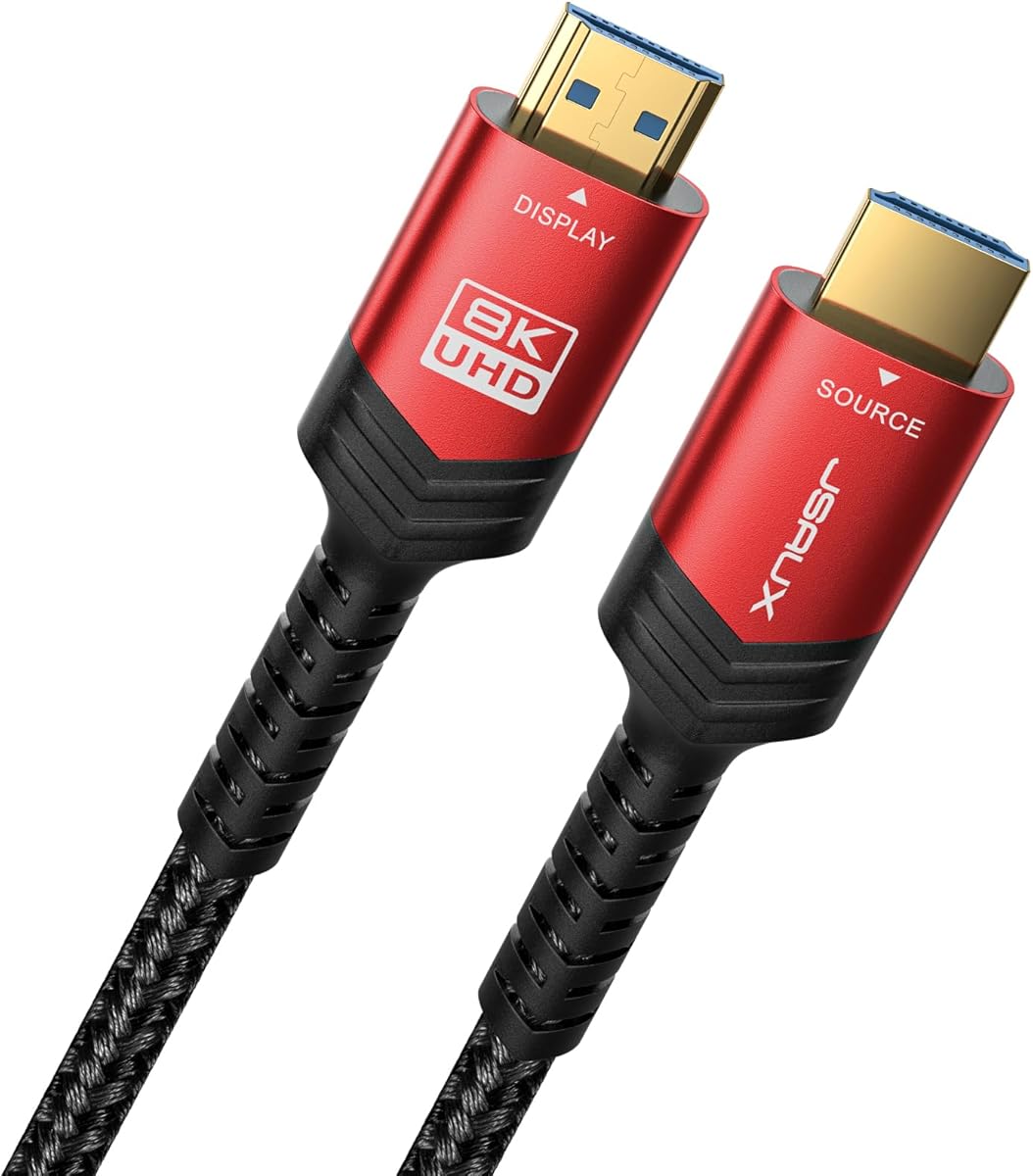
JSAUX provides a comprehensive 2.1 solution for gamers and media users. It supports 48Gbps and features like VRR ALLM and QFT. Users rate it highly for compatibility and stable performance. The red color helps identify it quickly during setup.
We may earn a commission when you buy through this link, at no additional cost to you.
Triple tin shielding minimizes interference for clean signals. It handles high-bitrate audio and 8K visuals effectively. The braided nylon adds durability for frequent use. You get reliable performance even with complex setups involving multiple devices.
While it uses copper it remains effective for 100ft runs. Troubleshooting tips help avoid signal loss. It is versatile enough for home and office. Regular testing confirms it meets high-speed standards.
Select this for PS5 or Xbox Series X setups requiring low latency. It supports future consoles well. The sturdy build ensures longevity. Review your device requirements to confirm full 2.1 feature support.
Includes ALLM QFT and VRR for optimized gaming experiences.
Triple tin shield resists interference for stable high-speed data.
We may earn a commission when you buy through this link, at no additional cost to you.
BENFEI offers a CL3-rated fiber optic cable for permanent in-wall use. It supports 48Gbps for 8K and 4K@240Hz. Users appreciate the safety rating and warranty. This model suits custom installations where code compliance matters.
We may earn a commission when you buy through this link, at no additional cost to you.
Thin lightweight design simplifies routing through walls. It handles dynamic HDR and eARC for cinematic quality. You get zero signal loss over long distances. The warranty provides peace of mind for long-term investments.
Directional setup requires careful planning before installation. It works with latest GPUs and consoles. Customer service responds promptly to queries. Regular reviews confirm stability in fixed setups.
Choose this for home cinemas with hidden cabling needs. It ensures safety while delivering high bandwidth. Future-proof your system with 4K@240Hz support. Have proper tools ready for safe in-wall routing.
CL3 rating meets fire codes for permanent cable runs inside walls.
Handles 4K@240Hz for competitive gaming and smooth motion.
We may earn a commission when you buy through this link, at no additional cost to you.
RUIPRO delivers a modular fiber optic solution for professional and home installs. Detachable connectors mean you can replace ends if damaged. Users rate it for durability and high bandwidth. It fits engineering and medical environments needing reliability.
We may earn a commission when you buy through this link, at no additional cost to you.
The stainless steel armored structure ensures flexibility and strength. Full fiber optics prevent electromagnetic interference entirely. You get future-proof connectivity with potential upgrades. Threading through conduits is straightforward with the soft flexible cable.
Assembly requires connecting ends after routing which adds time. The price reflects the robust build and repairability. It suits fixed installations where access may be limited later. Regular testing confirms consistent high performance.
Opt for this in conference rooms or medical setups needing modularity. It handles high interference environments well. The armor protects against physical stress. Ensure you have tools for connector assembly before installation.
Replaceable ends save cost and extend cable lifespan after damage.
Steel armor resists bending and compression for harsh environments.
We may earn a commission when you buy through this link, at no additional cost to you.
Selecting the right long HDMI cable requires attention to bandwidth speed and construction type. This guide breaks down key factors to help you choose a model that fits your setup needs.
Bandwidth determines how much data the cable can carry per second. HDMI 2.1 offers 48Gbps supporting 8K@60Hz and 4K@120Hz while HDMI 2.0 caps at 18Gbps for 4K@60Hz. Review your devices specs before purchasing to ensure you match the necessary speed. Underestimating bandwidth may lead to dropped frames or limited features.
Always choose a cable that meets or exceeds your display and source maximums.
Fiber optic cables convert signals to light to prevent attenuation over long distances. They are thinner and lighter than copper making them ideal for in-wall or long runs. Active copper cables use built-in chips to boost signal but can be thicker. Consider your routing path when deciding between materials.
Fiber optics are generally preferred for runs over 50 feet.
If you plan to run a cable inside walls look for CL3 fire ratings. This certification ensures the jacket meets fire safety codes for enclosed spaces. Non-rated cables may violate local building codes when installed behind drywall. Always check packaging for compliance before permanent installation.
CL3 ratings are essential for safe and legal in-wall setups.
Gold-plated connectors resist corrosion and improve conductivity over time. Reinforced joints like SR designs prevent cracking at high-stress points. Check the construction quality especially if the cable will be handled frequently. A sturdy build extends lifespan significantly.
Invest in connectors with protective shells for longevity.
Active fiber cables often work one way with Source and Display ends marked. You must plug correctly or the signal will not pass. Plan your layout before installation to avoid reversing ends. Read labels carefully to prevent connection issues.
Always verify the orientation before securing cables.
Gamers need support for variable refresh rate and low latency modes. These features reduce screen tearing and input lag for smoother play. Check product details for VRR and ALLM support. HDMI 2.1 models typically include these optimizations.
Prioritize cables listing VRR if you game on PS5 or Xbox.
Soundbars and receivers rely on eARC for high-quality audio return. Ensure the cable supports eARC if you use external audio systems. This feature enables lossless audio formats like Dolby Atmos. Verify audio specs before buying to avoid mismatched components.
eARC support is crucial for immersive sound setups.
Long cables vary in price based on features and build quality. Higher-end models may offer better warranties for peace of mind. Compare terms to find the best value for your budget. A longer warranty indicates manufacturer confidence.
Review warranty length before finalizing your purchase.
Begin by checking the ends of the cable for clear SOURCE and DISPLAY labels. If your cable is directional ensure you connect SOURCE to your device and DISPLAY to your TV or monitor. Mismatched ends will cause a lack of signal even if the connection is tight. This simple step prevents most setup issues.
Route the cable carefully to avoid sharp bends that can damage internal fibers or conductors. Maintain a gentle curve of at least four inches when turning corners. If you need to run the cable through a wall pull it gently with a pull string to avoid stress. Proper handling ensures the signal stays intact.
Inspect connectors periodically for dust or corrosion which can degrade performance. Use a dry cloth to wipe contacts gently and plug them back in securely. For in-wall cables leave a small coil at each end to allow future reconfiguration. Regular checks maintain the longevity of your setup.
Standard copper cables can lose signal quality over 100 feet causing dropouts or lower resolution. Fiber optic or active cables solve this by boosting or converting signals to light. These options maintain full bandwidth and clarity even over long distances. Always choose an active or fiber option for runs beyond 50 feet.
Fiber optic is better for long runs as it is lighter and immune to interference. It handles higher bandwidths without attenuation. Copper works well for short distances but may struggle over 100 feet. For home theater or long setups fiber is the reliable choice.
You can run HDMI cable inside walls but it must be CL3 rated to meet fire codes. Non-rated cables may burn and cause hazards in enclosed spaces. Always check the packaging for CL3 certification before in-wall use. Safe installation protects both your home and system.
HDMI 2.1 supports 48Gbps bandwidth for 8K and 120Hz while 2.0 supports 18Gbps for 4K. HDMI 2.1 adds features like VRR and eARC for better gaming and audio. If you own a PS5 or 8K TV choose 2.1. Older devices still work with 2.0.
Unidirectional cables have printed labels like SOURCE and DISPLAY on each connector. You must align them correctly for the signal to pass. Check the ends before purchasing or look for directional notes in product specs. If unsure assume directional and plan installation accordingly.
Yes active fiber cables supporting HDMI 2.1 with 48Gbps bandwidth support 4K 120Hz. Look for 48Gbps and HDMI 2.1 in the product title or specs. Copper cables may struggle at this speed over long distances. Verify features before buying to ensure compatibility.
Flickering usually means bandwidth limits or poor shielding causing signal loss. Ensure your cable supports 48Gbps for 4K 120Hz or 18Gbps for 4K 60Hz. Check connections for tight fit and replace if using a non-active cable. Using a high-quality active cable solves this.
Most standard fiber cables have fixed ends but some premium models offer detachable connectors. These allow you to replace heads if damaged saving cost. Check the product details to see if it supports modular upgrades. It is a useful feature for permanent setups.
The 100-foot HDMI cable market offers robust options for every budget and setup. The Snowkids 8K Fiber Optic cable stands out for performance while the Highwings 100 FT provides excellent value for in-wall installs. Budget shoppers can rely on the affordable HDMI Fiber Optic model without sacrificing speed.
Prioritize bandwidth and build quality when making your decision. Look for CL3 ratings if planning in-wall use and verify directional labels before routing. Active fiber optics will deliver the stable performance needed for modern gaming and home theater systems.
Always check current availability and terms as details may change. Ensure you have the right tools for routing and connection. With the right cable you can enjoy flawless visuals across any distance in your home.