
Asus ROG Maximus VIII Hero
4.2Editor score
Extreme Engine DIGI+ VRM
SupremeFX 2015 Audio
USB 3.1 Type-C Support
This guide compares the top 1151 Z170 Skylake gaming motherboards for performance features reliability to help you choose the right board for your next build.
Building a PC around the Intel 1151 Z170 Skylake platform requires a reliable motherboard that supports modern memory and storage standards while delivering stable power for gaming workloads.
We evaluated ten highly rated boards based on connectivity overclocking capabilities audio quality and overall durability to find the best options available for enthusiasts seeking value and performance.
Each pick below highlights specific strengths and trade-offs so you can match a board to your needs while keeping in mind that availability and pricing may shift over time.
4.2Editor score

4.2Editor score

4.1Editor score
The following table offers a side-by-side look at key specifications and features across all ten boards to help you quickly identify which model fits your build requirements.


The Asus ROG Maximus VIII Hero stands out as a premium choice for gamers who need reliable power delivery and top tier audio on the Z170 platform.
We may earn a commission when you buy through this link, at no additional cost to you.
Its Extreme Engine DIGI+ VRM ensures stable overclocking while the SupremeFX 2015 audio subsystem delivers clear sound without external DACs.
While the price is higher than average the inclusion of USB 3.1 Type-C onboard adds future proofing that many competitors lack at launch.
Enthusiasts building high end gaming rigs will appreciate the robust features though casual users may find the cost difficult to justify.
The SupremeFX 2015 codec supports high impedance headphones for immersive in-game sound without needing extra hardware.
Onboard USB 3.1 Type-C ports allow you to use newer peripherals without relying on adapter cards.
We may earn a commission when you buy through this link, at no additional cost to you.
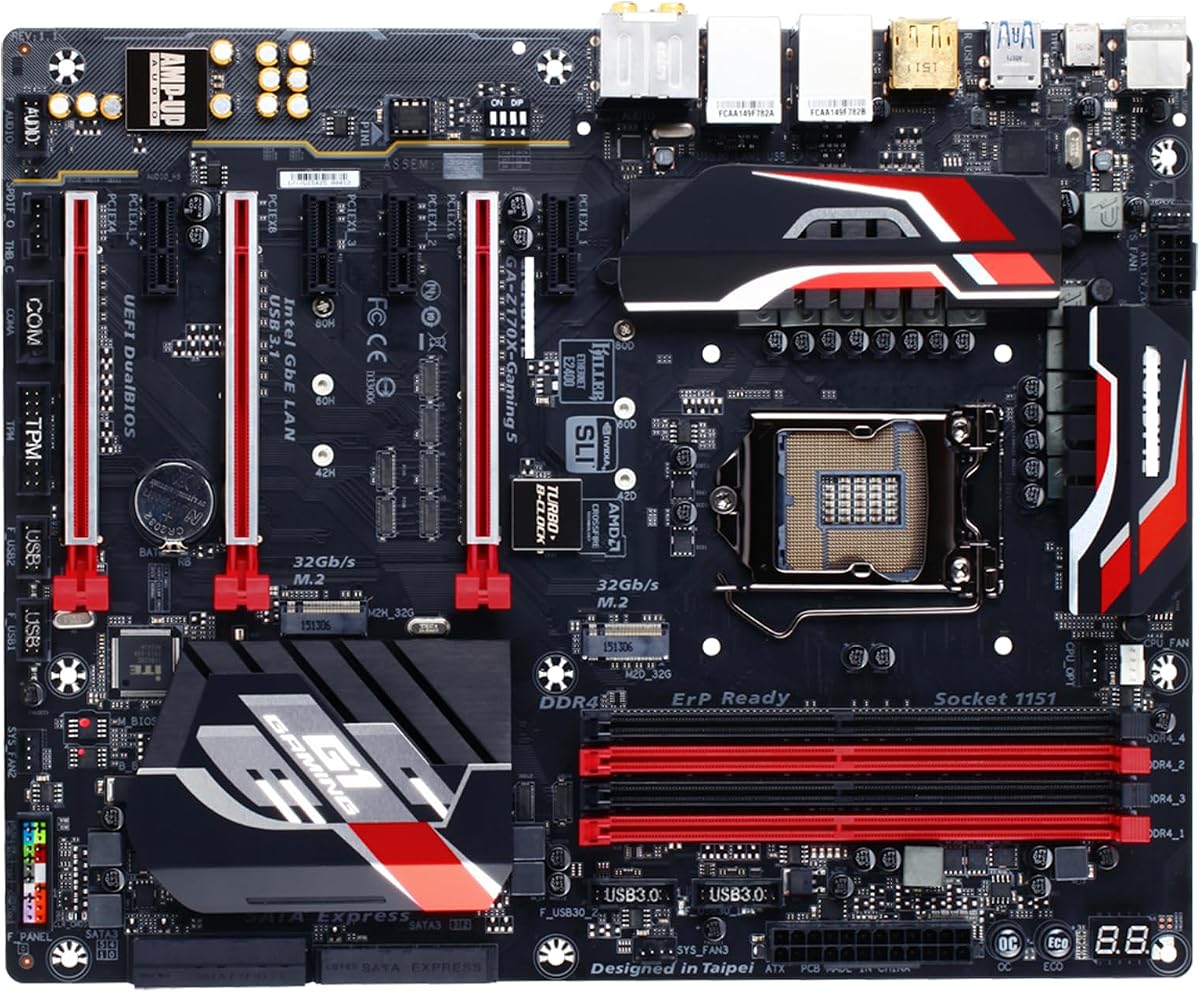
This industrial packaged Gigabyte board offers a compelling value proposition for builders who prioritize raw features over retail box aesthetics.
We may earn a commission when you buy through this link, at no additional cost to you.
With two M.2 sockets and extensive SATA support it provides significant storage flexibility that outshines many consumer boxed models.
The lack of original packaging means you should handle the board with care during installation though it remains fully genuine and functional.
Cost conscious gamers who want multiple high speed storage options will find this board delivers excellent performance per dollar spent.
Dual M.2 sockets allow simultaneous use of multiple NVMe drives for fast game loading and system files.
Support for up to 64GB of DDR4 memory ensures future proofing for heavy multitasking and content creation workloads.
We may earn a commission when you buy through this link, at no additional cost to you.
For builders on a tight budget the ASUS Z170 PRO Gaming delivers core gaming features without breaking the bank.
We may earn a commission when you buy through this link, at no additional cost to you.
It includes LANGuard for network protection and both M.2 and USB 3.1 ports which are essential for modern gaming rigs.
While it lacks the RGB flair of higher end models the Gamer's Guardian components ensure reliable operation over time.
First time builders or those focused purely on performance will appreciate this board straightforward and reliable feature set.
LANGuard provides enhanced Ethernet protection against surges and static to keep your connection stable during long sessions.
The board balances USB 3.1 and M.2 connectivity to support fast storage and peripherals without unnecessary bloat.
We may earn a commission when you buy through this link, at no additional cost to you.
This board focuses on durability and performance with an upgraded power design meant to withstand the demands of intensive gaming sessions.
We may earn a commission when you buy through this link, at no additional cost to you.
It emphasizes seamless connectivity and stability which are critical for users who play for extended periods without interruption.
While specific technical details are less common this model promises a rugged build that supports the latest processors effectively.
Gamers prioritizing long term reliability over flash features will find this board offers a solid foundation for any gaming system.
The power design is upgraded to support higher performance loads ensuring consistent CPU operation under stress.
Built for marathon sessions the board aims to minimize downtime through robust cooling and connectivity management.
We may earn a commission when you buy through this link, at no additional cost to you.
The Gigabyte GA-Z170X-Gaming 7 is designed for users who want the flexibility to run multiple graphics cards for extreme graphics fidelity.
We may earn a commission when you buy through this link, at no additional cost to you.
It supports 2-Way SLI and 3-Way Crossfire providing versatile options for multi-GPU configurations on the Z170 platform.
With numerous USB ports and a well spaced layout this board accommodates many peripherals without cluttering your case interior.
Enthusiasts aiming for high frame rates with dual GPUs will find the feature set well tailored to their performance needs.
Support for both NVIDIA SLI and AMD Crossfire gives you freedom to choose your preferred GPU ecosystem for scaling.
The board includes a wide range of USB ports to connect controllers, drives, and peripherals simultaneously without hubs.
We may earn a commission when you buy through this link, at no additional cost to you.
This Gigabyte model offers a balanced set of features for standard ATX builds without targeting extreme niche performance needs.
We may earn a commission when you buy through this link, at no additional cost to you.
It provides a reliable base for gaming with support for both NVIDIA SLI and AMD Crossfire configurations out of the box.
The inclusion of six SATA 6Gb/s connectors ensures plenty of room for traditional storage drives alongside modern SSDs.
Users looking for a straightforward ATX motherboard with proven chipset compatibility will find this option dependable and practical.
A standard ATX footprint ensures compatibility with most mid tower and full tower cases available on the market.
Multiple PCIe slots allow you to add capture cards or sound cards without sacrificing primary GPU performance.
We may earn a commission when you buy through this link, at no additional cost to you.
ASRock delivers a strong performer with the Z170 EXTREME4 focusing on high capacity memory support and audio quality.
We may earn a commission when you buy through this link, at no additional cost to you.
The Realtek ALC1150 codec supports 7.1-channel audio which delivers a rich soundstage for gaming and media consumption.
Flexibility in expansion comes from three flexible PCIe slots that can be used for GPUs or additional peripherals as needed.
For those needing significant memory capacity without overspending this board strikes a good balance between performance and cost.
Support for up to 64GB of DDR4 allows heavy multitaskers and content creators to run large workloads easily.
The onboard codec supports premium Blu-ray audio and 7.1 surround sound for immersive listening without add-ons.
We may earn a commission when you buy through this link, at no additional cost to you.
MSI brings its gaming focused expertise to the Z170 Krait Gaming with features designed to protect hardware and enhance sound.
We may earn a commission when you buy through this link, at no additional cost to you.
The Steel Armor on PCIe slots protects heavy GPUs from sagging while Audio Boost 3 provides clearer in-game voice communication.
With eight USB3.1 Gen1 ports you can connect numerous peripherals without reaching for extra hubs or adapter cards.
Gamers who value hardware protection and dedicated audio enhancements will find this board aligns well with their priorities.
Steel Armor reinforces PCIe slots to prevent damage from heavy GPUs during transport or long-term installation.
Audio Boost 3 uses dedicated components to ensure that voice chat and sound effects are clear and crisp.
We may earn a commission when you buy through this link, at no additional cost to you.
The Asus Z170-A simplifies system tuning with Dual Intelligent Processors 5 and 5-Way Optimization for easy performance boosting.
We may earn a commission when you buy through this link, at no additional cost to you.
It supports M.2 and SATA Express storage options ensuring fast load times for games and applications in everyday use.
With 5X Protection II features you get robust hardware safeguards against common electrical hazards and component stress over time.
Casual gamers and general users will appreciate the straightforward setup process and reliable daily operation this board provides.
The 5-Way Optimization tool adjusts power delivery cooling and voltage with a single click for instant performance gains.
M.2 and SATA Express support let you use the latest high speed SSDs for quick boot and load times.
We may earn a commission when you buy through this link, at no additional cost to you.
For those needing a smaller build the ROG MAXIMUS VIII GENE packs premium features into a compact mATX footprint effectively.
We may earn a commission when you buy through this link, at no additional cost to you.
It keeps core ROG elements like SupremeFX audio and USB Type-C making it a strong choice for high performance SFF PCs.
Since this unit is certified refurbished it has been tested and repackaged to ensure it works like new upon arrival.
Users wanting a powerful ROG experience in a small case will find this board a smart and reliable option to consider.
The mATX design allows building in smaller cases while still supporting high-end components and modern connectivity.
Certified refurbishment ensures all components meet quality standards with a minimum 90-day warranty for peace of mind.
We may earn a commission when you buy through this link, at no additional cost to you.
Choosing the right Z170 board requires balancing power delivery connectivity and form factor to match your CPU and case constraints.
The voltage regulator module ensures your CPU receives clean power during overclocking and heavy gaming sessions.
Look for boards with robust cooling and enough phases to avoid throttling under sustained loads.
DDR4 support is standard on Z170 boards but speeds and capacity vary by manufacturer and model.
Ensure the board supports at least 32GB if you plan to use multiple sticks for performance gains.
Modern gaming benefits from M.2 and SATA Express ports for faster load times compared to standard SATA SSDs.
Choose a board with enough M.2 slots if you plan to run multiple high speed drives simultaneously.
Check how PCIe slots are spaced to avoid GPU interference when installing large air coolers or triple fans.
Multi-GPU setups require specific lane configurations which differ between models.
Gaming motherboards often include enhanced audio codecs and shielding to reduce interference during gameplay.
Higher grade codecs provide better clarity for competitive titles where sound positioning matters.
Stable network connections are vital for online gaming and reducing lag spikes during matches.
Look for Ethernet controllers with built-in surge protection or software management features for stability.
ATX boards offer more features while mATX options fit smaller cases without sacrificing core gaming performance.
Verify your case supports the chosen form factor before purchasing to avoid physical installation issues.
USB 3.1 Type-C and Type-A connectivity ensures you can connect modern peripherals without adapters.
Count the total USB ports to ensure you have enough for peripherals and external storage drives.
Install the board into a compatible case and secure it with screws to prevent shorts during operation.
Use a screwdriver to attach the rear I/O shield before sliding the board into place for a clean fit.
Keep dust out of the PCIe slots and sockets by powering down and cleaning with compressed air monthly.
Some boards support 7th generation CPUs with a BIOS update but you should verify compatibility before buying. Check the product page for BIOS versions that confirm support for newer chips.
M.2 uses PCIe lanes for high speed storage while SATA Express combines SATA and PCIe for similar speed. Both improve loading times compared to standard SATA drives for games.
Yes many Z170 boards support 2-Way SLI or Crossfire for dual GPU setups. You must check the manual to ensure PCIe lane allocation supports multi-GPU mode.
Industrial packaging is cheaper but comes with less protection. It is safe if handled carefully but inspect for damage before installation to avoid issues.
Codes like SupremeFX 2015 or ALC1150 provide better sound clarity. Dedicated audio components help reduce interference during loud gaming sessions.
No standard air or liquid coolers work with LGA1151 sockets. Just ensure your cooler fits the case size and provides enough airflow.
This guide highlights ten Z170 boards that deliver reliable power and modern connectivity for gaming builds.
Prioritize VRM stability and storage options if you plan to use high-end components and fast SSDs.
Remember to check current availability before buying since older chipsets may have limited stock options.