
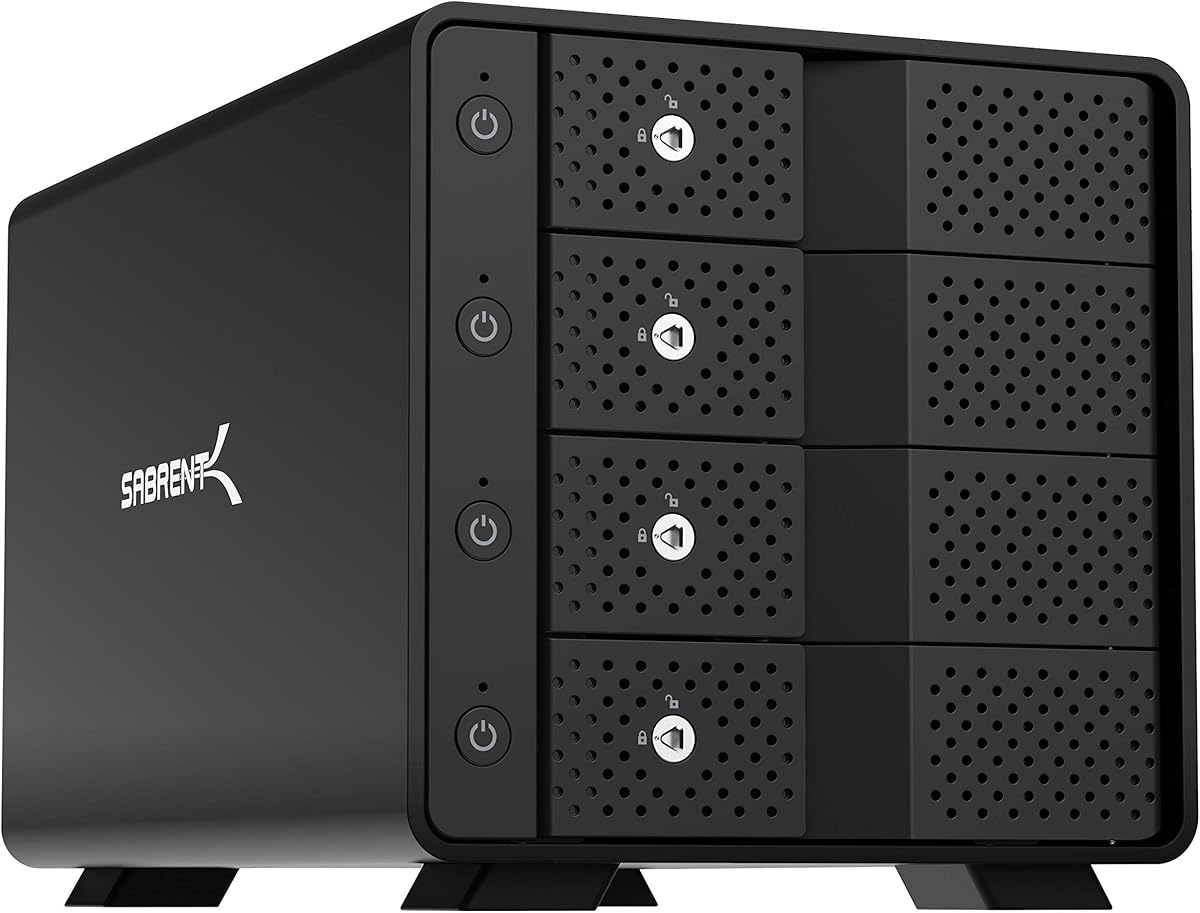
SABRENT USB 3.0 4-Bay Docking Station
4.2Editor score
5Gbps USB 3.0 interface
Whisper-quiet built-in fan
Tool-free magnetic cover design
Compatible with Windows and Mac
This guide compares the top 4 Bay Hard Drive Enclosure with Cooling Fans for performance, capacity, and cooling efficiency to help you choose the right DAS
Finding the right external storage solution can be challenging when you need to house multiple drives securely. A quality enclosure protects your data while ensuring optimal performance through effective cooling and reliable connectivity options for your setup.
We evaluated ten leading models based on build quality, transfer speeds, fan noise levels, and compatibility with various operating systems. Our analysis focuses on how well each unit handles heat dissipation and supports large capacity drives without compromising stability or ease of use.
Each pick highlights specific strengths like hot swappable bays, USB-C support, or hybrid storage capabilities. Please note that product availability and pricing fluctuate regularly so always verify current details before making your final purchase decision online.
4.2Editor score

4.3Editor score
4.1Editor score
The following table provides a side-by-side comparison of all ten selected models to help you quickly identify key specifications and features that match your specific storage needs and budget constraints.



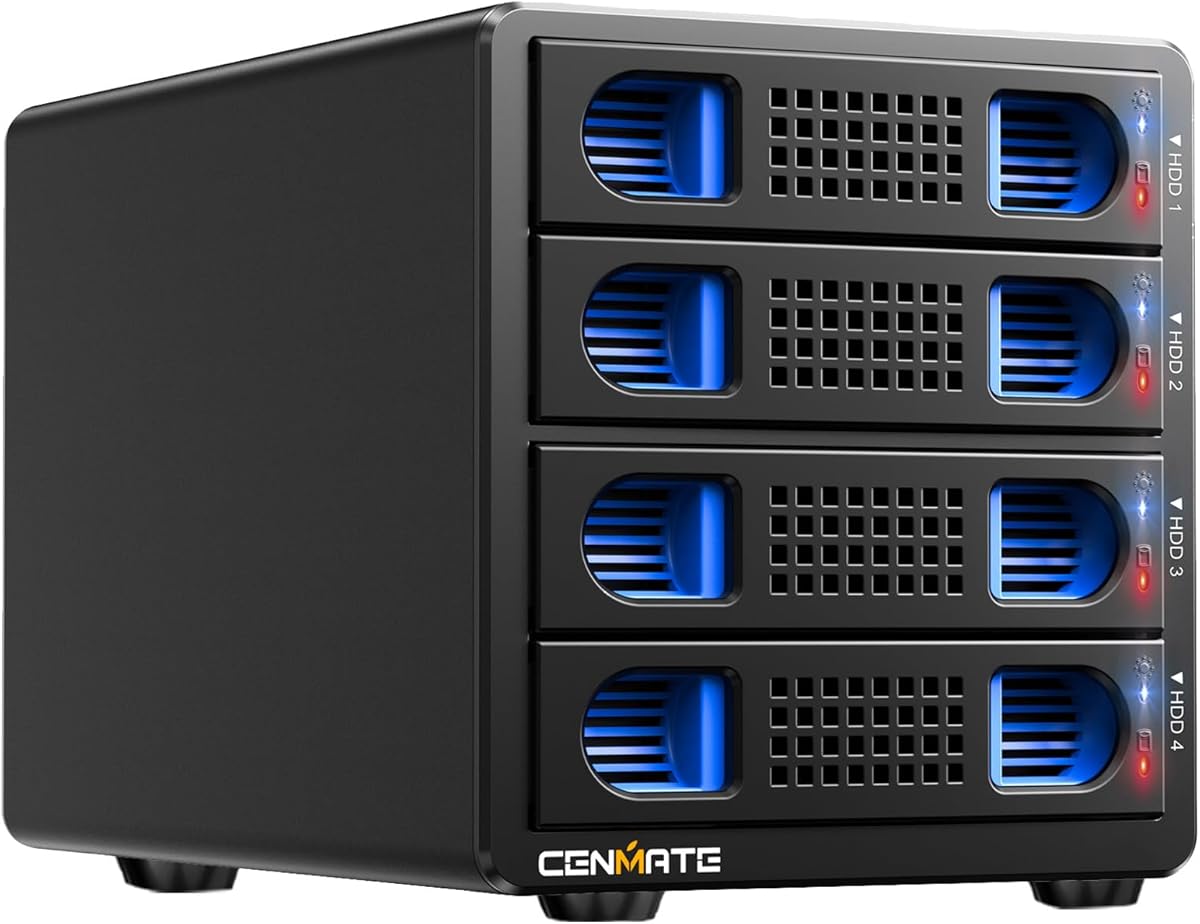
The CENMATE Aluminum 4 Bay Hard Drive Enclosure stands out as a reliable choice for users needing robust external storage. With a rating of 4.3 stars it balances performance and durability effectively for both personal and business applications.
We may earn a commission when you buy through this link, at no additional cost to you.
Its aluminum-alloy build maximizes heat dissipation while the built-in fan ensures drives stay cool during intensive data transfers. The enclosure supports up to 80TB capacity allowing you to mix 2.5 and 3.5 inch HDDs and SSDs freely without compatibility issues.
While the fan noise is noticeable at around 40 to 50 decibels it remains acceptable for office environments. The lack of RAID features means you manage drives individually but this simplifies setup for those who do not need complex redundancy.
This model is ideal for professionals who prioritize stable power supply and tool-free installation. Its plug and play nature combined with reliable technical support makes it a strong recommendation for expanding your desktop or laptop storage quickly.
The aluminum alloy construction works with the 2 inch fan to prevent overheating even during long file transfers.
USB A and C 3.0 ports ensure compatibility with older and newer computers without needing extra adapters.
We may earn a commission when you buy through this link, at no additional cost to you.
This model offers a significant speed upgrade with its USB 3.2 Gen 2 interface reaching up to 10Gbps. It maintains the same reliable build quality as the standard version while catering to users with high bandwidth requirements.
We may earn a commission when you buy through this link, at no additional cost to you.
The advanced chipset allows for impressive read write speeds especially when using high-performance SSDs. Your data moves quickly between drives and your computer reducing wait times for large file backups or media editing workflows.
Heat management remains a priority with the 2 inch fan activating to keep temperatures stable. While the fan noise is still present it is a necessary trade-off for maintaining performance during heavy usage periods.
Choose this enclosure if your workflow demands faster connection speeds without sacrificing the benefits of hot swappable bays. It is well suited for video editors and creative professionals who need efficient data handling.
USB 3.2 Gen 2 delivers double the speed of standard USB 3.0 for quicker access to your files.
Works seamlessly with USB-C Thunderbolt 3 and Thunderbolt 4 ports on modern laptops and desktops.
We may earn a commission when you buy through this link, at no additional cost to you.
The MAIWO enclosure distinguishes itself with an HD-TV port allowing you to connect directly to a television for video playback. This makes it unique among standard DAS solutions that focus solely on computer connectivity.
We may earn a commission when you buy through this link, at no additional cost to you.
Its intelligent cooling system activates fans only when drive temperatures exceed 48 degrees Celsius saving energy while protecting your hardware. The daisy chaining feature also lets you connect multiple storage devices for even greater capacity.
While the rating is lower than some competitors the feature set remains compelling for specific use cases like media servers. You gain flexibility in how you access your stored content beyond traditional computer file systems.
Consider this model if you need versatile connectivity options including direct display output. It offers a creative approach to storage that blends data management with entertainment functionality effectively.
The HD-TV port supports 4K video output making it easy to play media directly on a big screen.
Fans run only when necessary reducing noise and power consumption during lighter usage periods.
We may earn a commission when you buy through this link, at no additional cost to you.
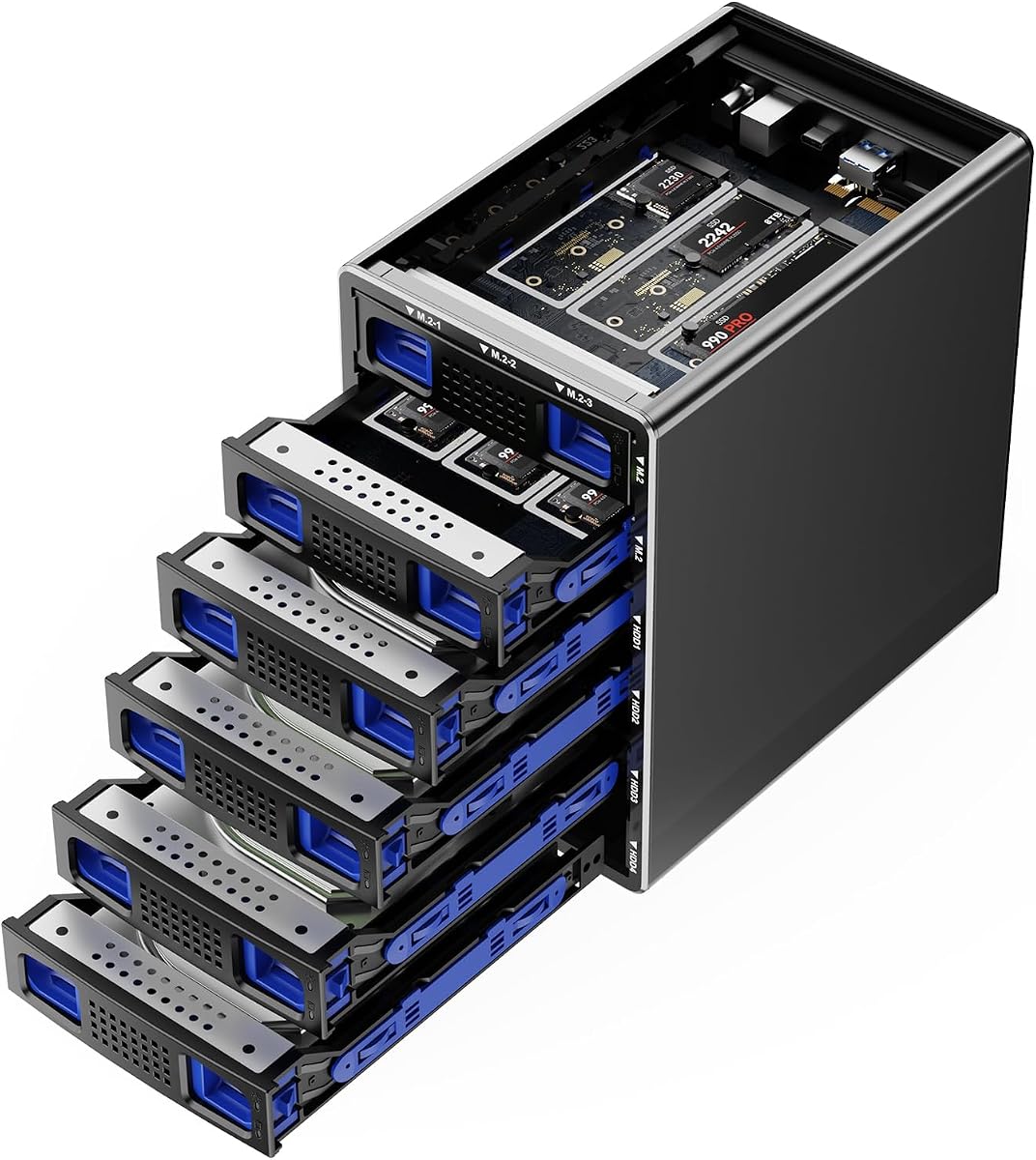
This hybrid enclosure addresses the need to store different types of drives in one unit. It accommodates both traditional SATA drives and high-speed M.2 NVMe SSDs making it a versatile solution for modern computing needs.
We may earn a commission when you buy through this link, at no additional cost to you.
The ability to mix massive HDD capacity with rapid SSD performance allows you to optimize your workflow efficiently. You can keep archives on drives and active projects on SSDs without managing multiple separate enclosures.
Heat dissipation is handled by silent fans that ensure the NVMe drives do not throttle during use. The tool-free design means you can swap drives quickly regardless of their form factor or interface type.
Ideal for power users who require both speed and volume in a single chassis. This model offers a future-proof approach to storage expansion that adapts to changing hardware preferences easily.
Combining HDD and NVMe bays reduces clutter and simplifies cable management on your desk.
With support for 136TB total you have room for years of data growth without upgrading hardware.
We may earn a commission when you buy through this link, at no additional cost to you.
WAVLINK focuses on premium build quality and user-friendly features like independent power switches for each drive bay. This design allows you to power down specific drives while others remain active for maintenance tasks.
We may earn a commission when you buy through this link, at no additional cost to you.
The aluminum shell ensures excellent structural integrity and heat dissipation for your drives. Combined with temperature-controlled fans it keeps your data safe even during intensive operations without excessive noise levels.
Support is a key strength here with phone and email options available during business hours. The warranty provides peace of mind for long-term storage solutions that you rely on daily.
This enclosure is a solid choice for users who value hardware quality and support. It balances modern connectivity with practical design elements that improve daily workflow efficiency.
Independent power switches let you manage drive usage without shutting down the entire system.
Direct access to support teams ensures quick resolution for any technical issues you encounter.
We may earn a commission when you buy through this link, at no additional cost to you.
The SABRENT dock is designed specifically for 2.5 inch drives making it ideal for laptop drive backups. Its whisper-quiet fan is a significant advantage for noise-sensitive environments like home offices.
We may earn a commission when you buy through this link, at no additional cost to you.
While it lacks 3.5 inch support the magnetic cover design offers quick access to your drives without tools. This convenience is valuable for users who frequently swap drives or need to access specific backups.
Engineered for continuous operation it offers long-term reliability that matches more expensive options. The straightforward design ensures compatibility with all major operating systems without driver headaches.
For users who only need 2.5 inch support this is a top budget choice. It delivers essential cooling and connectivity without unnecessary features that add cost.
The whisper-quiet fan ensures your workspace remains peaceful even during extended data transfers.
The magnetic cover allows for tool-free drive swapping in seconds without any effort.
We may earn a commission when you buy through this link, at no additional cost to you.
This model adds an eSATA port for users with older systems that still have this interface. It maintains the core strengths of the CENMATE line while providing extra flexibility for specific computer setups.
We may earn a commission when you buy through this link, at no additional cost to you.
The chip set ensures stable transfer speeds and reliable connection management across USB and eSATA. Your data moves consistently without interruptions even when switching between different connection types.
While hot-swapping is not supported via eSATA the USB connection remains straightforward for daily tasks. The included cables ensure you can start using the enclosure right out of the box.
Choose this if your workstation has limited USB ports or you prefer the stability of eSATA. It bridges the gap between modern USB standards and older hardware requirements effectively.
Having both USB and eSATA options ensures you can connect to almost any desktop or laptop.
The dedicated chipset ensures data integrity remains high during long transfers or backups.
We may earn a commission when you buy through this link, at no additional cost to you.
The WAVLINK 128TB model pushes the limits of external storage capacity in a compact form. It supports massive 32TB drives allowing you to store extensive libraries without external hard drives.
We may earn a commission when you buy through this link, at no additional cost to you.
Its HDMI capability turns your storage into a media hub for your living room. This dual purpose functionality saves space and adds value beyond simple file storage.
The fan system activates only when needed to keep noise down and energy use low. This intelligent management extends the lifespan of your drives by preventing overheating.
For users with growing media libraries this offers the best balance of speed and volume. It is a forward-looking choice for those planning long-term storage needs.
Supporting up to 128TB allows you to plan for years of content growth.
Connect directly to a TV for 4K playback without needing a separate computer.
We may earn a commission when you buy through this link, at no additional cost to you.
This enclosure brings hardware RAID capabilities to a budget-friendly package allowing data redundancy without a NAS. It supports common RAID modes like 0 1 3 5 and 10 for different performance and protection needs.
We may earn a commission when you buy through this link, at no additional cost to you.
Switching RAID modes involves a manual process using a reset button but it offers control over your data structure. This is useful for users who need specific configurations without server-level complexity.
While setup requires care the cooling and power systems remain reliable for continuous use. The aluminum build ensures your drives are protected physically and thermally.
Choose this if you need RAID features without a full network setup. It is a solid middle ground between simple DAS and complex enterprise storage.
RAID 1 and 5 options provide redundancy to protect against single drive failures.
RAID 0 stripes data across drives for maximum speed on large file transfers.
We may earn a commission when you buy through this link, at no additional cost to you.
The SABRENT Docking Station offers a unique architecture with a dedicated controller for each drive bay. This ensures stable independent connections and reduces the risk of one drive affecting another.
We may earn a commission when you buy through this link, at no additional cost to you.
Its security features include a locking key and Kensington slot making it ideal for public or shared workspaces. You can secure your hardware physically without extra accessories.
The auto-switching power adapter works worldwide making it perfect for travelers. The aluminum housing supports 24/7 operation ensuring your data remains accessible around the clock.
Premium pricing reflects the robust engineering and security features included. It is a top choice for users who need reliability and peace of mind above all else.
Separate controllers mean one drive failure does not disrupt the other connected drives.
The universal adapter works in any country so you can take your storage anywhere.
We may earn a commission when you buy through this link, at no additional cost to you.
Selecting the right enclosure requires balancing speed capacity and build quality to meet your specific storage needs and usage patterns.
USB 3.2 Gen 2 offers 10Gbps speeds which are essential for high-performance SSDs. Older USB 3.0 limits you to 5Gbps which is sufficient for standard HDDs but may bottleneck fast drives.
Prioritize USB-C connections for better forward compatibility and support for Thunderbolt 3 or 4 devices.
Active cooling fans are crucial for 4 bay enclosures to prevent heat buildup. Look for models with temperature-controlled fans that activate only when needed to save power.
Aluminum alloy bodies complement fans by dissipating heat passively ensuring drive longevity during long tasks.
Check the maximum capacity per drive and total enclosure capacity. Models supporting up to 32TB per drive allow for over 100TB total storage for future needs.
Ensure the enclosure supports both 2.5 and 3.5 inch drives if you have a mix of old and new drives.
Hot swappable bays allow you to replace drives without powering down the system which is vital for 24/7 operations.
Fixed designs may be cheaper but lack flexibility for changing drives frequently during backups or testing.
Metal shells provide better structural integrity than plastic and help with heat dissipation significantly.
Invest in models with reinforced corners and secure mounting points to protect drives from physical damage.
External DC power adapters ensure stable voltage delivery which prevents drive corruption during power spikes.
Auto-switching adapters allow international use so you can take your drive setup with you anywhere.
Direct Attached Storage DAS allows individual drives without complex RAID configurations which is easier for general use.
Hardware RAID options offer redundancy but add setup complexity and potential cost for your workflow.
Features like HDMI output or eSATA ports add versatility for specific media or legacy connection needs.
Consider whether these extra ports justify the price increase for your personal usage requirements.
Begin by ensuring your computer meets the USB standards required by the enclosure. Connect the provided USB-C or USB-A cable to your machine and plug the power adapter into a stable outlet.
Insert your hard drives carefully into the trays ensuring they are aligned with the SATA connectors. Most modern enclosures use tool-free designs so you simply slide the drive until it clicks into place.
Regularly clean the ventilation slots on the enclosure to maintain optimal airflow and cooling efficiency. Monitor drive temperatures using software tools to ensure fans are working correctly during extended tasks.
Most enclosures are plug and play and require no additional software for Windows macOS or Linux. However if you plan to use RAID features specific utilities might be required for configuration and management.
Multiple drives generate significant heat especially when spinning simultaneously for transfers. Fans prevent overheating which can shorten drive lifespan and cause data corruption during heavy operations.
Yes most enclosures support both sizes provided you use the included mounting brackets for 2.5 drives. This flexibility allows you to utilize existing inventory efficiently without buying new drives.
USB 3.0 caps at 5Gbps while USB 3.2 Gen 2 reaches up to 10Gbps for faster data transfers. Choose Gen 2 if you use high-performance SSDs to avoid bottlenecking their full speed potential.
Always back up your data before attempting to reset RAID modes. Use the dedicated reset buttons on the enclosure and follow manufacturer instructions to avoid accidental data loss.
Most modern enclosures work with macOS via USB but drives may need to be formatted to APFS or exFAT. Check specific compatibility notes as some features may vary between operating systems.
Fans typically operate around 40 to 50 decibels which is noticeable but not overwhelming. Models with auto-control fans will remain quiet when drives are idle or under light loads.
While robust they are designed for desktop or personal workloads rather than enterprise server racks. For server use look for dedicated NAS hardware with redundant power and better thermal design.
The CENMATE Aluminum and SABRENT models stand out for their balance of performance reliability and value. Choosing the right one depends largely on your need for speed redundancy or special features like HDMI.
Prioritize models with temperature-controlled cooling and robust power supplies to ensure long-term drive health. Independent controllers and hot swappable bays add practical value for daily professional workflows.
Always check current pricing and warranty terms before purchasing as offers change frequently online. Your data is valuable so investing in quality protection now saves significant trouble and cost later.