
Taja To Do List Notepad
4.8Editor score
52 high quality pages
Transparent protective cover
Daily task sections
Discover the top rated Adhd Desk Accessories for enhanced focus and organization. This guide compares timers, planners, and desk organizers to help you choose
Finding the right Adhd Desk Accessories can transform your workspace into a haven of productivity and calm. These tools are designed to help manage time, organize tasks, and reduce visual clutter effectively.
We compared ten top rated products based on user feedback, design functionality, and specific features tailored for neurodivergent needs. Each item was evaluated for its ability to support focus and streamline daily workflows.
Each pick highlights unique benefits like visual timers, task planners, and memo boards. Note that availability and pricing may change so verify details before purchasing to ensure the best value for your needs.
4.8Editor score
4.6Editor score

4.5Editor score
This side by side comparison evaluates all ten products based on key features like portability, design, and specific functionality for ADHD management to help you decide.



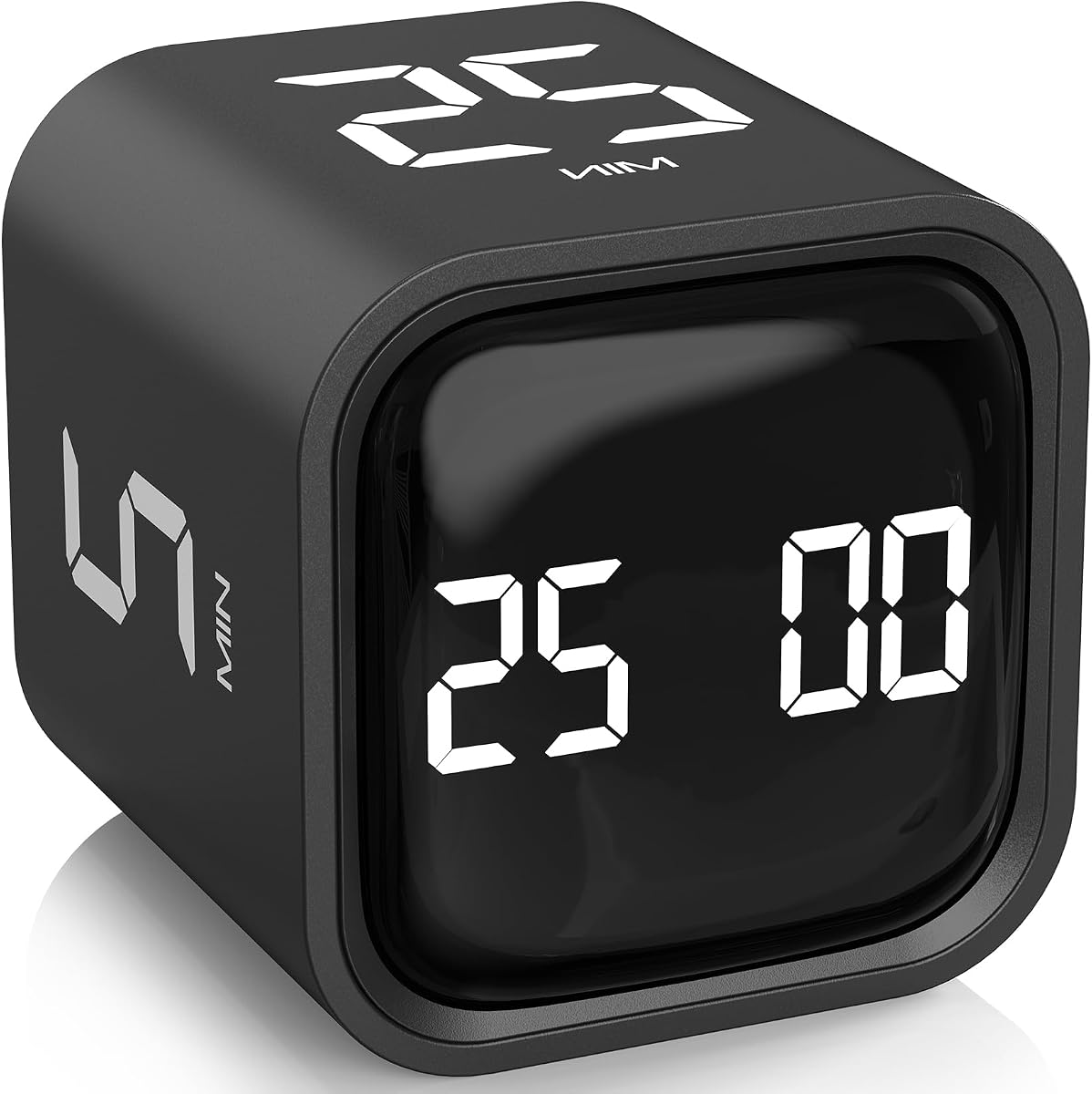
This rotating productivity timer stands out as a top choice for managing work sessions with its intuitive gravity sensor technology. With a strong rating of 4.6 stars it offers preset intervals that align perfectly with common focus techniques.
We may earn a commission when you buy through this link, at no additional cost to you.
The key strength lies in its ability to start timing simply by flipping the cube to face up with a preset number. This reduces friction in starting tasks which is crucial for maintaining focus and overcoming procrastination effectively.
While the silent mode is great for quiet environments users should note the timer requires a physical flip to reset which might interrupt flow if not planned carefully. The volume options help but the tactile reset is a trade off for simplicity.
Anyone needing a straightforward visual timer without complex settings will benefit most from this device. It is ideal for students and professionals alike looking to structure their day with minimal setup time and maximum consistency.
The gravity sensor allows users to start tasks instantly by flipping the timer making it easier to begin work without delays or complicated setups.
With three volume levels including silent vibration users can choose the alert style that fits their environment without disturbing others or missing important cues.
We may earn a commission when you buy through this link, at no additional cost to you.
This analog planner kit combines style with function offering a tactile way to manage daily tasks. It has a solid 4.5 rating and includes over 130 double sided cards designed to minimize digital distractions and boost focus.
We may earn a commission when you buy through this link, at no additional cost to you.
The standout feature is the magnetic divider and walnut display which allows users to physically separate completed tasks from pending ones. This visual separation provides a sense of accomplishment and reduces cognitive load significantly throughout the day.
Users may find the cost higher than standard notepads and the system requires manual handling to sort cards. However the durability of the cards and the aesthetic appeal make it a worthwhile investment for long term organization.
Professionals or students seeking a high quality alternative to digital apps will appreciate this system. It is best for those who value physical interaction with their tasks and want a stylish addition to their desk setup.
Physical cards provide a satisfying tactile experience that reinforces task completion and helps maintain focus better than scrolling through digital lists.
The walnut display box adds a touch of elegance to any workspace while keeping essential planning tools organized and within easy reach at all times.
We may earn a commission when you buy through this link, at no additional cost to you.
The Taja To Do List Notepad is a highly rated option that offers exceptional value for money. With a 4.8 rating it provides a simple yet effective way to track daily tasks and goals without overwhelming complexity.
We may earn a commission when you buy through this link, at no additional cost to you.
Its main strength is the quality of the paper and cover which ensures durability during daily use. The transparent cover protects pages from damage while the thick paper prevents ink from bleeding through to the next sheet.
While undated pages offer flexibility they might require more effort to stay consistent compared to dated planners. The limited sections per page mean users might need multiple pads for extensive planning but the affordability balances this trade off.
This notepad is perfect for students or professionals starting their planning journey on a budget. It is recommended for anyone who wants a reliable daily checklist that is easy to carry and use anywhere.
Affordable pricing makes it accessible for anyone looking to improve organization without a significant financial commitment to specialized planning tools or systems.
Thick high quality paper ensures a smooth writing experience that prevents ink bleed and allows for confident note taking and list management throughout the day.
We may earn a commission when you buy through this link, at no additional cost to you.
This notepad is specifically designed to help neurodivergent adults stay organized and focused throughout the day. It has a 4.5 rating and features a colorful design that makes planning feel less like a chore and more engaging.
We may earn a commission when you buy through this link, at no additional cost to you.
The checklist with rewards is a unique feature that provides positive reinforcement for completing tasks. This psychological nudge helps maintain motivation which is often a challenge for individuals managing ADHD symptoms effectively daily.
The large A4 size offers ample space but might not fit smaller desks or bags easily. The undated format is flexible but requires self discipline to maintain consistency without a rigid date structure to follow.
Ideal for those who need a gentle and visually appealing way to manage their day. It is best for people who appreciate colorful designs and motivational elements to stay on track with their goals.
The included rewards checklist encourages users to celebrate small wins keeping morale high and reducing the feeling of overwhelm during busy or stressful days.
A bright rainbow design attracts attention and can help individuals engage more willingly with planning tasks compared to standard monochrome office supplies.
We may earn a commission when you buy through this link, at no additional cost to you.
These memo boards attach to the sides of computer monitors to keep important notes visible without cluttering the desk surface. They have a 4.3 rating and are designed for easy installation using adhesive strips.
We may earn a commission when you buy through this link, at no additional cost to you.
The transparent acrylic material ensures notes are easily readable while maintaining a sleek look. The waterproof and durable construction allows for long term use in busy office environments where notes might get handled frequently.
Installation requires care to avoid air bubbles or misalignment and narrow monitor edges might not support the adhesive well. The two pack offers flexibility to place notes on both sides of the screen if needed.
This is a great option for those who want to utilize vertical space for reminders. It is ideal for office workers who need quick access to memos or to do lists without taking up valuable desk area.
Mounting notes on monitor sides frees up desk space for other tasks while keeping important reminders within the direct field of vision.
Clear acrylic allows the content of the notes to be visible from a distance enhancing readability without adding visual clutter to the workspace environment.
We may earn a commission when you buy through this link, at no additional cost to you.
This weekly planner provides a broad view of the week with dedicated sections for different priorities. It boasts a 4.8 rating and features spiral binding which allows pages to be turned easily for ongoing use.
We may earn a commission when you buy through this link, at no additional cost to you.
The large size offers ample writing space for detailed planning and the priority sections help users focus on what matters most. The undated format allows starting at any time which is convenient for inconsistent schedules.
The size makes it less portable for travel but ideal for desk use. The spiral binding can catch on things if not careful but it adds flexibility to the writing angle and page flipping convenience.
Best for home or office desk use where space is available for a larger pad. It suits those who prefer planning weekly goals rather than daily tasks and want a reliable high quality notebook.
Distinct sections for top and low priorities help users allocate attention effectively ensuring critical tasks are completed before less urgent items.
Spiral binding allows pages to lay flat or fold back easily making it simple to write and review notes without damaging the notebook spine.
We may earn a commission when you buy through this link, at no additional cost to you.
This visual timer uses a red disk to show time passing helping users see how much time they have left. With a 4.5 rating it is designed for kids and adults needing a clear and calm way to manage time.
We may earn a commission when you buy through this link, at no additional cost to you.
The silent operation mode is perfect for environments where noise is distracting while the optional alert ensures you don't miss the end of a session. The visual disk makes time tangible and easier to grasp.
Battery dependency means it needs occasional replacement which might interrupt use if forgotten. The visual aspect requires direct view so placing it in a visible spot is key for it to work effectively.
Ideal for students and homeschoolers or anyone who struggles with abstract time concepts. It is recommended for creating calm transitions between activities without adding stress or auditory distractions to the space.
The shrinking red disk provides a visual representation of time passing helping users understand duration and urgency more intuitively than numbers alone.
Silent operation ensures the timer supports focus without adding noise making it ideal for study sessions or quiet work environments where distractions are minimized.
We may earn a commission when you buy through this link, at no additional cost to you.
This memo board offers a flexible solution for holding notes without sticking them to screens. With a 4.5 rating it includes a wooden base and clear acrylic panel allowing for various placements on desks or monitors.
We may earn a commission when you buy through this link, at no additional cost to you.
The multi angle slots allow users to position notes where they are most visible whether attached to a monitor or standing on a desk. The included sticky notes make it ready to use right out of the box.
While the base adds stability it uses desk space which might be limited. The design prevents damage to screens unlike adhesive strips but users should ensure the base is secured properly to prevent tipping.
Great for those who need a movable and safe way to keep notes visible. It is best for professionals who value organization and want a stylish way to manage memos without committing to a fixed spot.
Using a base instead of adhesive protects screens from damage while still keeping important notes in a visible and accessible location for immediate reference.
Multiple slots allow for different angles ensuring notes are readable from any seating position and can be adjusted as the workspace layout changes.
We may earn a commission when you buy through this link, at no additional cost to you.
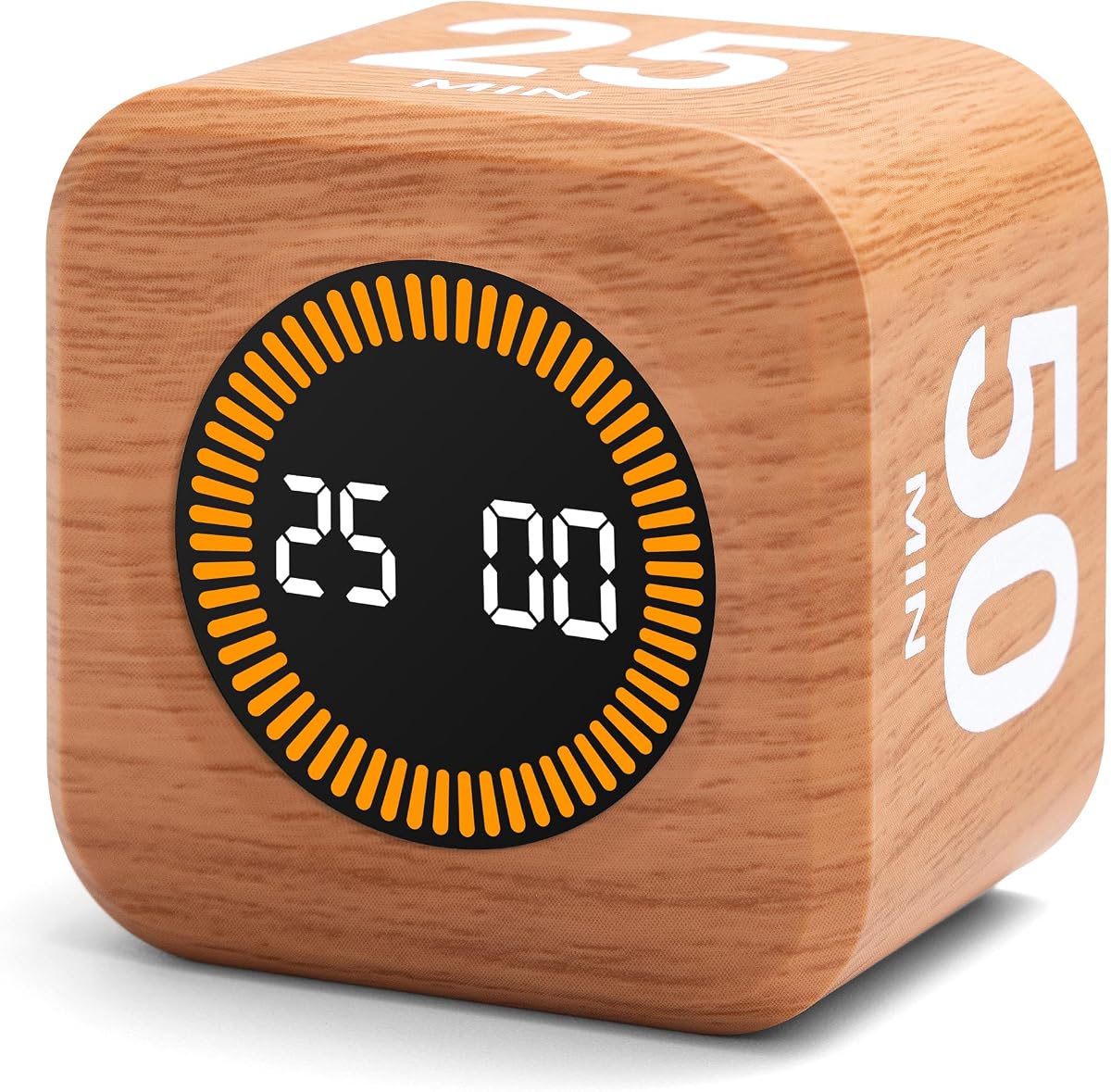
This timer combines functionality with a stylish wood grain finish that enhances any workspace. It has a 4.5 rating and features USB-C charging making it eco friendly and convenient for regular use.
We may earn a commission when you buy through this link, at no additional cost to you.
The bright display ensures visibility even in low light conditions and the customizable presets allow users to tailor intervals to their specific needs. This flexibility supports a variety of work styles effectively.
The design is premium but slightly more expensive than basic options and requires a charging cable. The rechargeable battery reduces waste but users need to remember to charge it regularly for optimal performance.
Best for those who appreciate design quality and want a timer that looks as good as it works. It suits individuals who value sustainability and need a versatile timer for work or study.
USB-C rechargeable battery eliminates the need for disposable batteries reducing waste and offering a convenient eco-friendly power solution for long-term use.
The bright display screen ensures clear visibility of time settings while the elegant wood finish adds a natural touch to the workspace aesthetics.
We may earn a commission when you buy through this link, at no additional cost to you.
This foot rest provides ergonomic support under the desk to help maintain good posture throughout the day. With a 4.2 rating it features a swing and roller design that can relieve leg fatigue during long sessions.
We may earn a commission when you buy through this link, at no additional cost to you.
The textured surface promotes blood circulation and the lightweight design makes it easy to move or pack for travel. Simple snap on assembly ensures it can be used immediately without needing tools.
While it offers good support it lacks height adjustments which might not fit every desk setup. The basic material is durable but may feel less premium than higher end options in the market.
Ideal for remote workers or office employees needing simple ergonomic support. It is best for those looking to improve comfort and reduce strain without investing in expensive equipment.
Elevating the feet helps align the body properly reducing strain on the back and legs which is essential for long hours of sitting at a desk.
Textured rollers massage the feet and promote blood flow helping to reduce swelling and fatigue during prolonged periods of sitting or work.
We may earn a commission when you buy through this link, at no additional cost to you.
Choosing the right accessories depends on your specific needs such as visual aids, task tracking, or ergonomic support. Consider how each item integrates into your daily workflow.
Visual timers help users perceive time passing which is often challenging for individuals with ADHD. Look for options with clear displays or physical disks that provide immediate feedback on remaining time.
Prioritize timers that are intuitive to use without complex settings. Simple gravity or flip mechanisms reduce friction and make starting tasks easier.
Planners and notepads should offer space to break down tasks into manageable steps. Look for undated options to provide flexibility when schedules vary or life interrupts routine.
Check for features like reward checklists or priority sections that help maintain motivation. These elements can transform planning from a chore into a more engaging activity.
Organizers like memo boards help keep important notes visible without using desk space. Consider options that attach to monitors or use vertical space effectively to reduce clutter.
Ensure materials are durable and easy to clean. Acrylic or plastic surfaces are often preferred for their resistance to dirt and ease of maintenance in busy environments.
Physical comfort is key to maintaining focus. Items like footrests support proper posture and reduce physical distractions caused by discomfort during long work sessions.
Look for lightweight and portable options if you move between spaces. Simple ergonomic tools can make a significant difference in daily comfort and energy levels.
The best accessories adapt to your changing needs. Products with customizable settings or undated formats allow you to adjust as your routines evolve over time.
Avoid rigid systems that require strict adherence to a specific schedule. Flexibility reduces frustration and encourages consistent use of the tools.
If you work in multiple locations, choose accessories that are easy to carry. Compact planners or small timers fit well in bags without adding bulk to your daily load.
Ensure the size is appropriate for your workspace. Large items may clutter small desks while tiny ones might be easily lost or overlooked.
Visually appealing items can increase the likelihood of using them regularly. Bright colors or stylish designs make the planning process feel more enjoyable and less like a burden.
Personal style matters in creating a supportive environment. Choose accessories that reflect your preferences to make the workspace feel inviting and productive.
Invest in products made from sturdy materials that can withstand daily use. High-quality paper, solid plastics, or metal components ensure longevity and reliability over time.
Check reviews for feedback on wear and tear. A durable accessory reduces the need for frequent replacements and maintains consistent functionality throughout the year.
Start by setting up your tools in visible locations. Place timers on your desk and planners near your workspace to encourage consistent use throughout the day.
Clean accessories regularly to maintain their appearance and function. Wipe down acrylic boards or plastic surfaces with a soft cloth to prevent dust accumulation.
Review and update your planning tools daily. Spend a few minutes each morning adjusting tasks to ensure your system stays relevant and helpful.
Adhd Desk Accessories are designed with features like visual cues, simplicity, and motivational elements to support focus and reduce overwhelm. They often avoid complex steps or distractions that can hinder productivity.
Yes, visual timers and structured planners help users perceive time and plan tasks more effectively. These tools make abstract concepts like duration more tangible and easier to manage.
Many products like timers and planners are designed for all ages. Some items may have playful designs for kids while others offer professional aesthetics for adults to suit different needs.
Consider whether you prefer daily, weekly, or undated formats. Look for features like priority sections or rewards that align with your personal planning style and workflow preferences.
Timers often require batteries or charging while paper-based planners do not. Check product descriptions to ensure you have the necessary power source for electronic items.
Place visual timers where you can see them easily without turning your head. This might be on the desk, monitor edge, or nearby wall to keep time visible during tasks.
Yes, most planners and timers are versatile enough for both work and personal use. Choose items with flexible formats to manage various types of tasks effectively.
Some products use rechargeable batteries or durable materials to reduce waste. Look for items with sustainable features or replaceable parts to minimize environmental impact.
The top picks like the Rotating Productivity Timer and Taja Notepad offer strong support for managing focus and tasks. Each product brings unique features that cater to different organizational needs.
Prioritize tools that align with your specific challenges whether it is time perception or task tracking. Consistent use of these accessories can lead to significant improvements in daily productivity.
Always check current availability and details before purchasing. Prices and stock may change so visiting the provided links ensures you find the best options for your workspace.