
ASUS Zenbook A16 AI Laptop
5.0Editor score
48GB LPDDR5x
80 Tops NPU
3K OLED Screen
Modern computing demands powerful AI capabilities integrated directly into hardware. Neural Processing Units, or NPUs, enable efficient on-device machine learning tasks without relying on cloud resources. These laptops offer enhanced productivity and privacy for professionals.
We evaluated ten leading models based on processing power, display quality, and battery efficiency. Each device features dedicated AI hardware to handle complex workloads seamlessly. Our analysis highlights standout strengths and potential limitations for informed decisions.
Every selection showcases specific advantages tailored to diverse user needs. From budget-friendly options to high-performance workstations, there is a suitable choice here. Prices fluctuate frequently, so verify current offers before purchasing.
5.0Editor score

5.0Editor score
4.6Editor score
As an Amazon Associate we earn from qualifying purchases.
The following table provides a side-by-side overview of all ten selected devices. It highlights essential specifications like processor type, memory capacity, storage options, and NPU performance metrics. This comparison helps you quickly identify which model aligns best with your specific workflow requirements and usage scenarios.


The ASUS Vivobook S16 Laptop stands out as a top performer with a perfect five-star rating. It combines powerful AMD Ryzen AI technology with a vibrant OLED screen for an immersive computing experience. Users appreciate its seamless integration of AI features into daily workflows.
We may earn a commission when you buy through this link, at no additional cost to you.
Its Ryzen AI 9 processor delivers up to 50 TOPS of NPU performance, enabling fast on-device AI tasks like content creation and natural language processing. The 32 GB of RAM ensures smooth multitasking even with demanding applications. Fast charging capabilities keep the 70Wh battery ready for long sessions.
While the premium pricing might be a consideration, the included features justify the cost for professional users. The absence of a wide variety of ports means you might need adapters for older peripherals. However, these trade-offs are acceptable given the overall performance and display quality.
Ideal for creators and professionals seeking reliability and speed, this model offers a balanced mix of power and portability. Its modern design and robust security features make it a safe choice for business environments. We recommend it for those prioritizing visual fidelity and AI capabilities.
The 16-inch WUXGA OLED display provides deep contrast and vivid details perfect for creative work and media consumption.
With up to 50 NPU TOPS, Copilot+ PC features like writing and searching work seamlessly without cloud lag.
We may earn a commission when you buy through this link, at no additional cost to you.
The ASUS Zenbook A16 AI Laptop earns a perfect five-star rating for its exceptional premium build and performance. It features the powerful Snapdragon X2 Elite Extreme processor designed for high-end professional needs. The combination of speed and efficiency sets a new standard in the market.
We may earn a commission when you buy through this link, at no additional cost to you.
With up to 80 TOPS of NPU performance, this machine handles complex AI workloads effortlessly. The 3K OLED touchscreen offers cinematic clarity while the 48GB of fast RAM supports intensive multitasking. Six super-linear speakers provide immersive sound quality rare in thin laptops.
Although it commands a premium price, the included Windows 11 Pro and advanced AI features offer significant value for enterprise users. Some legacy ports may require dongles for certain peripherals. These limitations are minimal compared to the overall high-end experience provided.
This laptop is best suited for professionals who demand top-tier performance and portability in equal measure. Its sleek design and powerful AI capabilities make it an ideal companion for creative and business tasks alike. We highly recommend it for those seeking the best available technology.
The Snapdragon X2 Elite Extreme processor delivers up to 80 NPU TOPS for unmatched AI performance on-device.
The 3K OLED touchscreen and six super-linear speakers create an immersive media experience anywhere you go.
We may earn a commission when you buy through this link, at no additional cost to you.
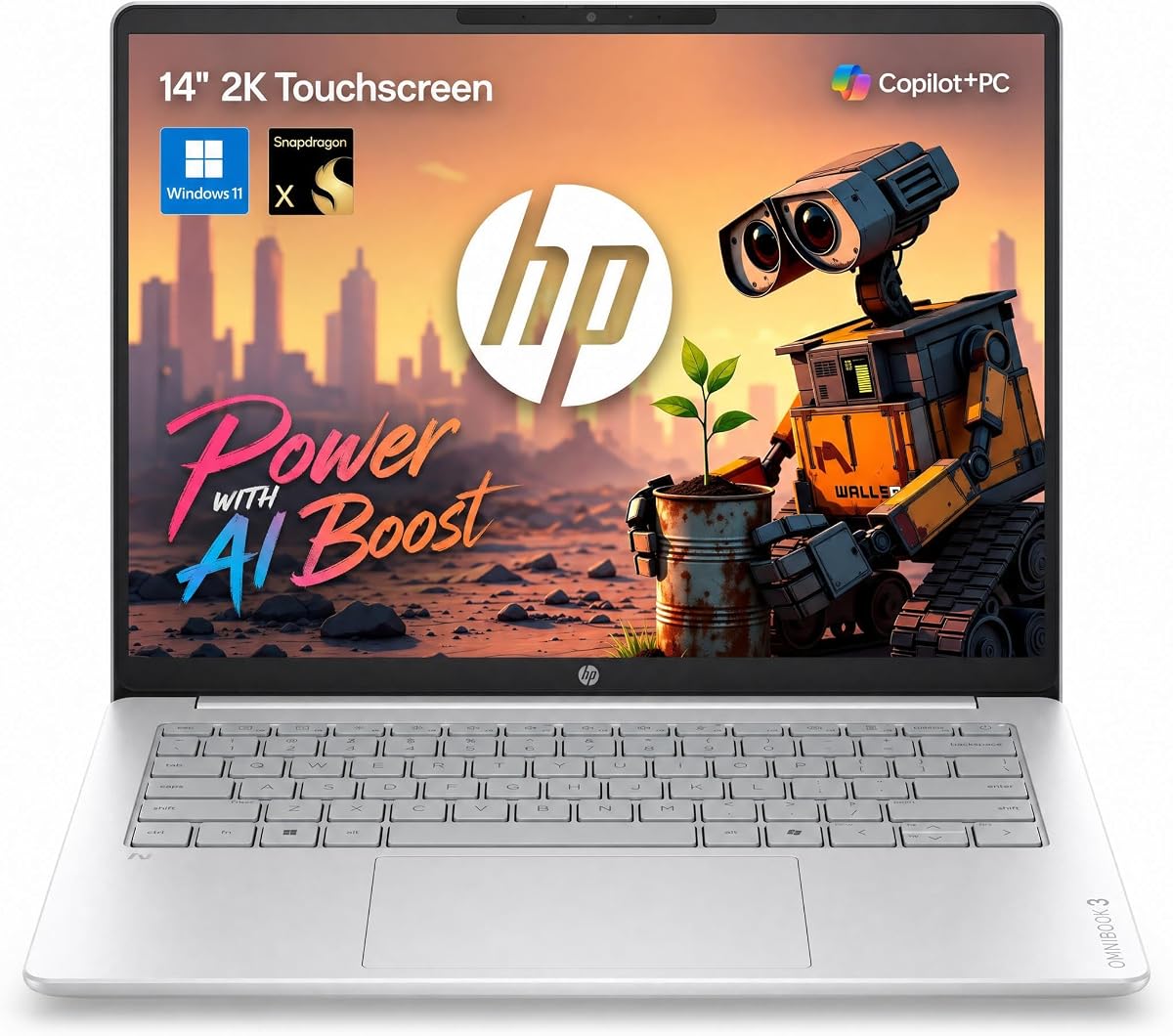
The HP OmniBook 3 14 Laptop receives a strong 4.6 rating for offering high AI value at a budget-friendly price. It includes the Snapdragon X processor which ensures smooth performance for everyday intelligent tasks. This model proves that AI features are accessible to a wider audience.
We may earn a commission when you buy through this link, at no additional cost to you.
Its standout feature is the 30-hour battery life which supports full workdays without needing a power source. The dedicated 45 TOPS NPU handles local workloads like summarization and generative content creation efficiently. The 14-inch 2K IPS display provides a good viewing experience for the price point.
Some users might find the fixed memory configuration limiting for heavy future-proofing needs. The screen resolution is lower than premium models but remains sharp enough for general use. These factors are acceptable given the cost savings and battery efficiency it offers.
Perfect for students and light professionals, this laptop balances cost and performance effectively. Its lightweight chassis makes it easy to carry between classes or meetings. We recommend it for anyone seeking reliable AI capabilities without breaking the bank.
Experience up to 30 hours of local video playback on a single charge for true all-day productivity.
The Snapdragon X processor delivers 45 TOPS NPU power making advanced AI features affordable for everyone.
We may earn a commission when you buy through this link, at no additional cost to you.
The Acer Aspire 14 AI achieves a 4.3 rating by offering a solid mix of features for daily productivity. It leverages the Intel Core Ultra 7 processor to provide responsive performance for various tasks. Users benefit from integrated AI tools designed to streamline workflows.
We may earn a commission when you buy through this link, at no additional cost to you.
Its NPU delivers up to 47 TOPS allowing for efficient local processing of AI features like Recall and enhanced search. The 14-inch WUXGA display offers clear visuals for reading and writing tasks. Battery life extends up to 22 hours under specific test settings ensuring mobility.
The display brightness may not be sufficient for direct sunlight use which could limit outdoor productivity. Lack of Thunderbolt support restricts connectivity options for high-speed external drives. These limitations are minor given the device's overall value and functional design.
This model is ideal for students and office workers who need a reliable daily driver. Its lightweight build and long battery life make commuting effortless. We recommend it for those prioritizing efficiency and essential AI tools over high-end graphics.
New AI Superpowers like Recall and Click to Do help you interact with content more intuitively.
Measure up to 22 hours of battery life to keep you productive throughout your work or study day.
We may earn a commission when you buy through this link, at no additional cost to you.
The NIMO 16" AI Laptop earns a 4.6 rating for its specialized focus on high-performance development and editing tasks. It includes up to 128GB of unified memory enabling massive local AI model runs without cloud dependency. This configuration supports advanced engineering and simulation workflows effectively.
We may earn a commission when you buy through this link, at no additional cost to you.
The AMD Ryzen AI Max+ 395 processor combined with 50 TOPS NPU performance accelerates complex AI workloads significantly. Its 2.5K display with 165Hz refresh rate ensures smooth visuals for detailed design work. The massive 99Wh battery allows sustained peak performance even during heavy usage sessions.
Weighing more than typical ultrabooks this device may feel cumbersome for frequent travelers. The turbo cooling system adds bulk and complexity to the design. These trade-offs are necessary to achieve the high-performance specifications it delivers reliably.
Recommended for AI developers and video editors, this laptop provides unique expansion capabilities via OCuLink. It handles demanding local LLMs and 8K editing seamlessly. We suggest it for professionals who need maximum on-device compute power.
Run massive local LLMs and stable diffusion models with 128GB unified memory eliminating cloud fees.
The 2.5K 165Hz display delivers crisp visuals perfect for multi-window coding and graphic design.
We may earn a commission when you buy through this link, at no additional cost to you.
The NIMO 17.3" Copilot+ AI Laptop holds a 4.5 rating by combining gaming performance with strong AI capabilities. It features the AMD Ryzen AI 9 HX 370 processor ensuring fast responsiveness for both work and play. The integrated GPU supports high frame rates for AAA gaming titles.
We may earn a commission when you buy through this link, at no additional cost to you.
Its 17.3-inch FHD display with 144Hz refresh rate provides fluid motion essential for gaming. The large physical layout offers a cinematic view for multitasking without constant scrolling. Expandable memory slots allow you to upgrade RAM to meet growing software needs over time.
The FHD resolution is lower than premium OLED screens which might not satisfy creatives. Its weight makes it less portable than smaller notebooks. These limitations are acceptable given the size and performance trade-off for entertainment use.
Ideal for gamers and students needing a large screen this laptop offers a powerful workstation experience. The 180-degree hinge supports sharing content easily in meetings. We recommend it for those prioritizing display size and gaming performance.
AMD Radeon 890M graphics deliver exceptional frame rates and stunning clarity for AAA gaming and creative tasks.
The 17.3-inch widescreen layout maximizes productivity for split-screen multitasking and detailed chart views.
We may earn a commission when you buy through this link, at no additional cost to you.
The Acer Aspire 16 AI receives a 4.2 rating for its vibrant display and modern connectivity features. It offers a Snapdragon X processor that delivers balanced performance for creative applications. The included AI tools enhance productivity for designers and content creators alike.
We may earn a commission when you buy through this link, at no additional cost to you.
Its 16-inch display covers 100% sRGB color ensuring accurate visuals for design work. The 120Hz refresh rate provides smooth scrolling during editing sessions. Integrated Wi-Fi 7 supports ultra-fast network speeds for quick file transfers and cloud sync.
The 512GB storage may fill up quickly with large media files requiring external drive solutions. Port variety is somewhat limited compared to other models offering more USB-A options. These factors are manageable for users with robust cloud storage habits.
Perfect for creative professionals who prioritize color accuracy and fast networking this laptop supports demanding workflows. Its durable aluminum chassis and EPEAT Gold registration reflect environmental responsibility. We recommend it for designers needing reliable visual fidelity.
The 16-inch 120Hz WUXGA display with 100% sRGB ensures sharp detail for artistic expression.
A 1440p QHD webcam with AI noise cancellation ensures exceptional clarity during important meetings.
We may earn a commission when you buy through this link, at no additional cost to you.
The HP Omnibook 16" achieves a 4.6 rating for its enterprise-grade configuration and robust performance specs. It includes Windows 11 Pro along with advanced hardware security features tailored for business environments. This setup supports professional workflows requiring reliable AI integration.
We may earn a commission when you buy through this link, at no additional cost to you.
Its 32GB DDR5 RAM and 2TB SSD provide ample space for large datasets and fast data access. The 50 TOPS NPU enables seamless AI workloads without lag. The 16-inch 2K IPS touchscreen offers clear navigation for complex spreadsheets.
Battery life may not support full workdays without charging for heavy users requiring constant mobility. The selection of ports requires planning for multiple external peripherals. These limitations are acceptable for stationary workstation scenarios in offices.
This model is best for businesses needing secure and scalable computing solutions with high capacity. Its professional build quality ensures durability for daily office use. We recommend it for IT departments looking for reliable employee devices.
Master goals with Ryzen AI 7 built on Zen 5 architecture delivering exceptional speed for multitasking.
Enterprise-grade security and AI Studio Effects ensure premium collaboration and data protection.
We may earn a commission when you buy through this link, at no additional cost to you.
The Dell 16 Plus holds a 4.5 rating as a secure option designed for business reliability and professional productivity. It features Intel Core Ultra 9 technology with on-device AI capabilities to accelerate daily tasks. The modular design supports enhanced durability for mobile professionals.
We may earn a commission when you buy through this link, at no additional cost to you.
Its Intel vPro platform provides multilayer security and remote manageability crucial for enterprise environments. The 32GB memory and 1TB SSD ensure smooth operation for complex applications. Thunderbolt 4 support allows high-speed data transfer and external docking capabilities.
The FHD+ display is sharp but lacks the brightness of premium OLED screens for outdoor use. Running Windows 11 Home might require an upgrade for specific enterprise management tools. These trade-offs are minor given the security features and build quality.
Ideal for business travelers and enterprise users this laptop balances performance with manageability. Its modern design and reliable connectivity support efficient workflows. We recommend it for professionals needing robust security and stability.
Reach unstoppable productivity with Intel Core Ultra 9 processor and modular design for enhanced durability.
The Intel vPro Platform gives IT departments multilayer security and remote manageability needed for support.
We may earn a commission when you buy through this link, at no additional cost to you.
The HP 16 inch Touchscreen Laptop earns a perfect five-star rating for its strong collaboration features and responsive design. It includes powerful AI capabilities that optimize tasks for a seamless user experience. The anti-glare display ensures clarity in various lighting conditions.
We may earn a commission when you buy through this link, at no additional cost to you.
Its Intel Ultra 7 processor supports smart multitasking efficiently. The 32GB DDR5 RAM allows fast boot times for running professional documents quickly. Wi-Fi 7 technology provides ultra-stable connectivity even in crowded networks for uninterrupted meetings.
The battery capacity is relatively lower which may require more frequent charging during travel. Physical storage options might need external expansion for massive local file archives. These trade-offs are acceptable for the high-quality display and connectivity it offers.
Best for remote teams and collaborative workers this device supports secure and fast communication. The integrated camera and privacy controls ensure safety during sensitive calls. We recommend it for professionals valuing connection and security.
Integrated 1080p FHD camera with AI noise reduction ensures crystal clear calls in any lighting.
Cutting edge Wi-Fi 7 and USB Type-C ports allow multiple 4K monitor connections with ease.
We may earn a commission when you buy through this link, at no additional cost to you.
Selecting the right AI laptop requires understanding key technical aspects that impact performance and usability. This guide breaks down essential factors to consider before making your purchase decision.
The Neural Processing Unit is critical for running AI tasks locally without slowing down your system. Look for NPUs delivering at least 45 TOPS to ensure smooth performance for features like background noise cancellation and image generation.
Higher TOPS ratings generally translate to better efficiency when handling complex machine learning workloads on-device.
Generous RAM capacity is vital for AI applications that load large datasets or models into memory. Aim for a minimum of 16GB to maintain responsiveness during multitasking with AI-enabled applications.
For heavy developers or video editors 32GB or more ensures you can run multiple demanding applications simultaneously without slowdowns.
A high-resolution display enhances productivity by providing more workspace for complex AI visualizations or creative tools. Consider IPS or OLED panels for accurate color representation especially for design work.
Touchscreen capabilities can offer intuitive interaction with AI features making navigation smoother for touch-first workflows.
AI features often run in the background so a long-lasting battery is essential for uninterrupted productivity sessions. Look for models rated for 15 hours or more of standard use to cover a full workday.
Fast charging support allows you to quickly top up during short breaks without losing valuable working time.
Large datasets and AI-generated media require ample storage space to avoid clutter or slow down operations. A minimum of 512GB SSD storage is recommended for comfortable day-to-day usage.
Models with dual M.2 slots offer future expandability allowing you to increase capacity as your project needs grow.
Robust ports like Thunderbolt 4 or USB4 enable high-speed data transfer and connection to external hardware. Ensure the laptop includes HDMI and USB-A ports to support existing peripherals and monitors.
Wi-Fi 7 support provides ultra-fast network speeds essential for cloud AI synchronization and large file downloads.
Durable materials such as aluminum chassis offer better thermal management and physical protection for daily commuting. Consider weight and portability if you frequently travel with your device.
Premium build quality also ensures longevity and reliability reducing the need for frequent replacements over time.
Operating system compatibility with Copilot+ features determines how well the hardware integrates with AI tools. Verify that Windows 11 Pro or Home is supported fully for all advertised AI capabilities.
Regular software updates from the manufacturer are crucial to receive new AI features and security patches.
To maximize AI performance ensure your system remains updated with the latest drivers and OS patches. Enable Copilot+ features in settings to unlock on-device capabilities like smart search and natural language processing.
Protect your device by using a quality case during transport to avoid physical damage to the display or chassis. Keep ports clean from dust using compressed air regularly to maintain optimal connection health.
Optimize battery health by avoiding extreme temperatures and using the provided power adapter for fast charging cycles. Limit continuous heavy usage when on battery power to prevent unnecessary wear on internal components.
NPU stands for Neural Processing Unit which is a specialized processor designed to handle AI workloads efficiently. It accelerates tasks like image recognition and natural language processing without taxing the main CPU or GPU.
Yes most core AI features run locally on the device thanks to the dedicated NPU. This ensures privacy and speed even when offline though some cloud-synced features may require connectivity.
For most users 16GB of RAM is sufficient for standard AI applications and daily multitasking. Heavy developers or video editors should consider 32GB or more to handle large datasets smoothly.
Availability varies by region and market as some features roll out gradually through updates in 2025. Check local device specifications and Microsoft support pages for specific feature availability.
Some models like the NIMO 16 support OCuLink or Thunderbolt ports enabling external GPU expansion. This allows for enhanced graphical performance beyond the integrated GPU capabilities.
Many laptops have soldered LPDDR5X memory which cannot be upgraded after purchase. Verify the memory configuration before buying to ensure it meets your future needs.
Core AI features are available on Windows 11 Home but Pro offers advanced security and enterprise tools. Choose Pro if you need enhanced management capabilities or enterprise-grade protection.
This guide highlights ten standout models offering diverse features tailored for every user need. The ASUS Vivobook S16 leads as our top pick with its powerful AI performance and stunning OLED display.
Prioritize your specific workflow requirements such as battery life for fieldwork or high NPU power for development to find the right match. Consider portability and screen size if you travel frequently between work locations.
Always verify current pricing and availability as deals change regularly on major retailer sites. Checking current offers ensures you get the best value for your investment in next-generation computing technology.