
Redragon BM4195 AI Wireless Optical Computer Office Mouse
3.9Editor score
5 Level DPI Adjustable
Multi Mode Connectivity Support
Type C Fast Charging Port
This guide compares the top ten AI Smart Wireless Mouse models on the market, examining voice typing accuracy, translation capabilities, and battery life for
The modern workspace demands tools that enhance productivity without adding complexity. AI Smart Wireless Mouse models have emerged as a solution, offering voice typing, translation, and smart commands to streamline daily tasks for users across various industries and roles.
We evaluated ten distinct models based on voice recognition accuracy, connectivity options, battery life, and AI feature sets. Our analysis focuses on real-world usability, software compatibility, and the seamless integration of artificial intelligence into traditional mouse functions for enhanced workflow efficiency.
Each pick highlights unique strengths such as multilingual support, ergonomic design, or specialized presentation modes. Prices and availability change frequently, so verify the latest details before purchasing to ensure you select the device that best matches your specific professional or academic requirements today.
3.9Editor score

4.1Editor score

5.0Editor score
The following table provides a side by side comparison of all ten models, highlighting key specifications like connectivity modes, battery capacity, and unique AI capabilities to help you make an informed decision quickly.


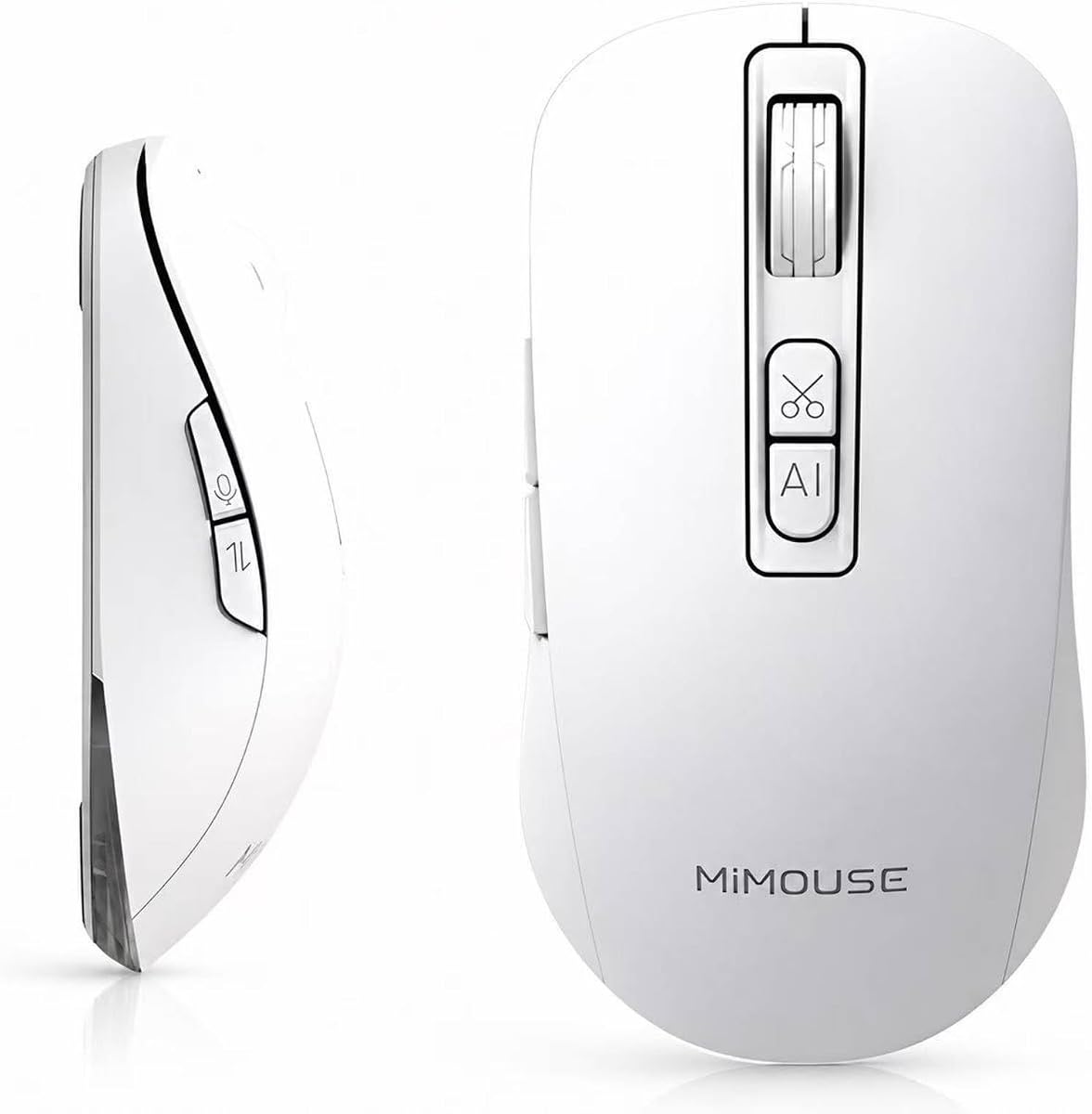


This AI mouse stands out with its robust voice typing capabilities and local processing features, earning a solid 4.1 rating. It is designed for professionals who need quick text transcription and translation without compromising data privacy through cloud storage.
We may earn a commission when you buy through this link, at no additional cost to you.
The mouse supports over 200 languages and offers near zero latency real-time translation, making it ideal for multilingual meetings. Its 600mAh battery ensures long usage periods, while the ergonomic design reduces hand strain during extended work sessions.
While the software is powerful, it requires a download to activate full AI features, which may be a hurdle for immediate use. However, the local processing ensures your voice and text data remain private, a significant advantage for sensitive work environments.
Professionals needing efficient note-taking and translation tools will find this mouse highly beneficial. Its blend of performance and privacy features makes it a top recommendation for those prioritizing both productivity and security in their daily workflow.
All data processing happens locally on your device, ensuring no voice or text data is stored in the cloud, which enhances privacy significantly.
Translate voice and text across 200+ languages with near zero latency, breaking barriers for global teams and international students effortlessly.
We may earn a commission when you buy through this link, at no additional cost to you.
The Redragon BM4195 offers an accessible entry point into AI smart mice with basic voice typing and multi mode connectivity. Rated 3.9, it suits budget conscious users who need essential AI functions without premium price tags or complex setups.
We may earn a commission when you buy through this link, at no additional cost to you.
Its 2.4G and dual Bluetooth support allow seamless switching between three devices, while the 500mAh battery and Type-C charging ensure reliable power. The 5 level DPI adjustment provides precise control for various tasks ranging from general office work to light design tasks.
Voice typing requires software activation and may need practice to reach optimal accuracy. Users might find the AI features less advanced than higher priced models, but for basic dictation and commands, it offers good value for the investment cost.
Ideal for students or casual users looking to streamline simple typing tasks, this mouse balances functionality and cost. It is a practical choice for those wanting to experiment with AI mouse technology without a significant financial commitment or complex configuration needs.
Seamlessly switch between desktop, tablet, and laptop using 2.4G and Bluetooth modes without interrupting your workflow or losing connection stability.
Five DPI levels let you tailor cursor sensitivity for different tasks, ensuring precision whether you are browsing or designing documents.
We may earn a commission when you buy through this link, at no additional cost to you.
The Cheerdots2 AI Mouse impresses with a unique magnetic detachable design that transforms into a presentation clicker or air mouse. Rated a perfect 5.0, it is tailored for presenters and professionals needing advanced tools beyond standard mouse functionality in meeting environments.
We may earn a commission when you buy through this link, at no additional cost to you.
Its air mode lets you control slides and cursor with gestures, freeing you from the podium. The built-in voice recorder transcribes meetings instantly, and the 20 day battery life ensures uninterrupted use during long work weeks or travel schedules without frequent charging needs.
The higher price reflects its specialized features, and full AI capabilities require software installation. However, the versatility it offers as a mouse, touchpad, and recorder justifies the cost for users who frequently present or manage remote meetings requiring detailed note taking.
Professionals and educators who present often will appreciate the flexibility and efficiency this mouse provides. Its innovative design and reliable performance make it a top-tier choice for those seeking a premium, all-in-one tool to enhance presentation and meeting productivity effectively.
Walk freely while controlling slides and cursor with gestures, keeping eye contact with your audience and enhancing engagement during presentations.
Double-tap to record meetings instantly, capturing notes and ideas without disrupting the flow of conversation or requiring manual typing effort.
We may earn a commission when you buy through this link, at no additional cost to you.
This AI mouse features powerful voice typing and local AI processing, rated 4.1 for reliable performance in professional settings. It focuses on privacy and efficiency, making it suitable for users needing accurate transcription and translation without external cloud dependencies or complex configurations.
We may earn a commission when you buy through this link, at no additional cost to you.
Supporting 200+ languages, it offers near zero latency translation ideal for global teams. The 600mAh battery provides extended usage, and silent clicks ensure it remains suitable for quiet offices or shared spaces without causing distractions to colleagues during collaborative work sessions.
Software activation is needed for full functionality, which may require time to set up initially. The learning curve for advanced AI commands can be steep, but once configured, the productivity gains from voice commands and summaries make the setup effort worthwhile for daily tasks.
It is best suited for office workers and students who need secure, efficient note-taking and translation tools. Its combination of strong performance and privacy features makes it a reliable choice for those prioritizing data security in their daily computing and communication workflows.
All AI tasks run locally on your device, keeping your voice and text data private and secure from external storage or cloud access risks.
Clicks are designed to be quiet, ensuring minimal noise disruption during meetings or in shared office environments where concentration is key.
We may earn a commission when you buy through this link, at no additional cost to you.
This AI mouse provides advanced voice typing with up to 98% accuracy and real-time translation across 200+ languages. Although it lacks an explicit user rating, its feature set targets professionals and students needing efficient note-taking and language translation tools for daily work or academic tasks.
We may earn a commission when you buy through this link, at no additional cost to you.
The 500mAh battery includes an LED display for easy power monitoring, ensuring you never face unexpected shutdowns. Local offline processing protects your data privacy by avoiding cloud storage, while triple connectivity modes allow seamless switching between multiple devices without interruption during use.
Setting up the AI features requires downloading specific software, which adds a step before full functionality is available. Despite this initial setup, the ability to summarize content and translate instantly offers significant time savings for multilingual users or those managing complex document workflows daily.
It suits those who prioritize privacy and multilingual capabilities in their workflow. The battery display and local processing make it a practical choice for users needing reliable performance and data security during long work sessions or collaborative international meetings.
An LED display shows real-time battery levels, helping you manage power effectively and avoid unexpected shutdowns during critical work tasks.
All processing occurs locally without cloud storage, ensuring your voice and text data remain private and secure from external access.
We may earn a commission when you buy through this link, at no additional cost to you.
The Logitech Signature AI Edition M750 is a reliable wireless mouse with long battery life and broad connectivity options. Rated 4.5, it is suited for users needing consistent performance over extended periods without frequent charging or battery replacements, ideal for office or home work settings.
We may earn a commission when you buy through this link, at no additional cost to you.
It supports both Bluetooth Low Energy and Logi Bolt USB receiver, providing flexibility for various devices. The Logi Options+ software enhances customization, allowing users to tailor buttons and settings for their specific workflow, ensuring a comfortable and efficient experience during long usage sessions daily.
Unlike specialized AI mice, its AI features are more basic, focusing on software customization rather than voice typing or translation. Users relying on advanced voice AI may find it less capable, but those prioritizing battery life and seamless connectivity will find it highly reliable for daily tasks.
It is best for professionals who value long battery life and seamless device switching. Its solid build and software support make it a dependable choice for general computing tasks, presentations, and office work where consistent performance matters most without complex configurations.
Enjoy up to 24 months of use on a single charge, reducing downtime and maintenance for busy professionals who value uninterrupted workflow sessions.
Logi Options+ software lets you customize buttons and settings, tailoring the mouse to your specific workflow and preferences for enhanced productivity.
We may earn a commission when you buy through this link, at no additional cost to you.
This RGB smart mouse combines voice typing, translation, and an AI assistant for enhanced productivity. Although no explicit user rating is available, it targets professionals and students needing quick note-taking and translation tools in office or academic environments where privacy matters.
We may earn a commission when you buy through this link, at no additional cost to you.
Its 500mAh battery ensures long use, and silent clicks make it suitable for shared spaces. The mouse supports 200+ languages and offers local processing to protect data privacy, ensuring your voice and text remain secure from external cloud storage risks during daily use.
Setup requires downloading software to activate AI functions, which may take time. However, features like image text extraction and code generation streamline tasks, making it a valuable tool for writers, designers, and coders seeking to automate routine workflows efficiently daily.
It suits those prioritizing privacy and multilingual capabilities in their workflow. The ergonomic design and silent operation make it a practical choice for users needing reliable performance and data security during long work sessions or collaborative international meetings and discussions.
Silent clicks ensure minimal noise during use, making this mouse suitable for shared offices, libraries, and meeting rooms without disturbing others.
Use the built-in AI assistant to automate writing, code generation, and summarization tasks, streamlining workflows for increased productivity and efficiency.
We may earn a commission when you buy through this link, at no additional cost to you.
This AI mouse offers extensive voice typing, audio recording, and a centralized AI platform for various tasks. Although lacking an explicit user rating, its feature set suits professionals and business travelers needing powerful tools to streamline workflows and manage meeting notes efficiently daily.
We may earn a commission when you buy through this link, at no additional cost to you.
It supports multiple languages, including English, Chinese, and Japanese, and offers a free M-AI platform for writing and summarization. The 30 day battery life ensures reliability during travel, while multi-device connectivity allows seamless switching between laptop, desktop, and tablet for flexible use.
The higher price reflects its advanced capabilities, and full AI features require software installation. Users who need detailed transcription, text analysis, and cross-language support will find the investment worthwhile for the productivity gains it offers in complex or international work environments.
It is best for professionals managing complex documents or multilingual projects. Its combination of strong battery life, centralized AI tools, and privacy focus makes it a powerful choice for users prioritizing efficiency and security in their daily computing and meeting workflows.
Access a unified AI platform for writing, summarization, and content creation, streamlining workflows with powerful tools for efficient daily work.
Enjoy up to 30 days of battery life, ensuring reliability during travel or long work weeks without frequent charging interruptions or power concerns.
We may earn a commission when you buy through this link, at no additional cost to you.
This AI mouse offers voice recording, real-time translation, and PPT generation for enhanced productivity. It suits professionals, students, and remote workers needing versatile tools to streamline workflows, manage meetings, and communicate efficiently across different languages and devices daily.
We may earn a commission when you buy through this link, at no additional cost to you.
It supports Windows and macOS with triple connectivity modes for seamless switching between devices. The ergonomic design ensures comfort during long use, and AI features like summarization and text generation help users prepare documents and notes quickly without starting from scratch each time.
Full AI features require downloading software, which may take time to set up. However, the ability to translate and summarize instantly provides significant time savings for multilingual users or those managing complex documents or presentations in academic or business environments daily.
It suits those prioritizing versatility and privacy in their workflow. The ergonomic design and multi-device support make it a practical choice for users needing reliable performance and data security during long work sessions or collaborative international meetings and presentations.
Seamlessly switch between 2.4G USB, BT1, and BT2 to connect up to three devices without interruptions, keeping your workflow efficient and flexible.
Use voice commands to generate presentations quickly, saving time and effort while creating professional slides for meetings and academic tasks easily.
We may earn a commission when you buy through this link, at no additional cost to you.
This AI mouse offers voice typing, translation, and text summary tools. Rated 1.0, it suits those seeking basic AI functions at a lower price point, though users may encounter limited advanced features or require patience to fully utilize its capabilities in daily office work settings.
We may earn a commission when you buy through this link, at no additional cost to you.
It supports over 200 languages for real-time translation and offers silent clicks for quiet environments. The rechargeable design ensures consistent power, while text summary tools help organize content quickly. However, the low rating suggests potential connectivity or software issues that may affect user satisfaction.
Voice typing works well for basic needs, but advanced AI tasks might be limited compared to higher-end models. Users should verify the current software support before purchasing. For simple voice-to-text tasks, it remains a functional option for those prioritizing affordability over advanced performance or support.
It suits those prioritizing basic voice-to-text needs. The silent operation and rechargeable design make it a practical option for users needing affordable productivity tools, though advanced users may need more robust options for complex workflows or multilingual communication tasks daily.
Quiet clicks ensure minimal noise, making this mouse ideal for shared offices, libraries, or meetings where discretion and focus are important.
Built-in rechargeable battery ensures continuous operation without frequent battery replacements, reducing waste and maintaining consistent performance daily.
We may earn a commission when you buy through this link, at no additional cost to you.
Choosing the right AI mouse depends on balancing features like voice typing accuracy, connectivity options, and privacy needs with your specific workflow and budget constraints effectively.
Look for models claiming 95% or higher accuracy to minimize corrections. High accuracy ensures that dictated text matches your intent closely, saving time editing documents or emails daily.
Prioritize mice with high accuracy rates for seamless dictation.
Ensure the mouse supports Bluetooth and USB 2.4G for seamless switching between multiple devices. Multi-device connectivity prevents interruptions when moving between laptop, desktop, and tablet during work or presentations.
Choose models supporting multiple connection modes for flexibility.
Long battery life is critical for uninterrupted workflow. Models offering over 20 days or USB-C fast charging reduce downtime. Rechargeable options are eco-friendly and cost-effective compared to disposable batteries over time.
Select mice with long-lasting batteries and fast charging.
For sensitive work, choose mice that process data locally rather than uploading to the cloud. Local processing ensures your voice and text remain private, which is vital for legal, healthcare, or corporate environments.
Prioritize local AI processing for maximum data security.
An ergonomic shape reduces hand strain during long use. Look for contoured designs that fit your palm well. Comfort ensures you can work efficiently without discomfort or repetitive strain injuries during extended office hours.
Pick an ergonomic shape to prevent discomfort and strain.
Check if the software supports your operating system and offers useful features like translation or summarization. Robust software ensures the AI functions work smoothly with your workflow and allow customization for specific tasks.
Verify software compatibility and feature set before purchasing.
Ensure compatibility with your OS, whether Windows, macOS, or Android. Some mice support iPad or Chromebook. Universal compatibility ensures you can use the mouse across all your work devices without issues.
Confirm OS and device compatibility to avoid setup issues.
Balance cost with features. Basic models offer voice typing, while premium models add presentation modes or advanced AI. Set a budget that aligns with your needs to avoid overspending on features you won't use regularly.
Match your budget to essential features for best value.
Start by downloading the companion software to unlock full AI features. Connect the mouse via Bluetooth or USB receiver and pair it with your device. Ensure the software is updated to access the latest improvements and security patches for optimal performance.
For voice typing, hold the dedicated microphone button and speak clearly. For translation, select your target language in the settings before starting. Regularly recharge the battery to avoid interruptions, and keep the sensor clean for smooth cursor movement on your desk.
To maximize lifespan, store the mouse in a cool, dry place when not in use. Avoid dropping it or exposing it to liquids. Use the sleep mode to conserve power during breaks, and reset the connection if you experience lag or pairing issues.
Some models require internet for cloud processing, but others offer offline local AI. Check product details for local processing to maintain privacy and use features without internet dependency.
Most models support both Windows 7/10/11 and macOS. Verify specific OS compatibility in the product description to ensure seamless operation across your devices.
Battery life varies, with many models offering 20 days or more. Some support USB-C charging for convenience. Check specific battery capacity for your usage needs.
Yes, some models offer presentation modes. These allow you to control slides and cursor with voice or gestures, keeping you engaged with your audience.
There is a brief learning curve for commands and setup. Downloading the software and reading quick guides helps users adapt quickly to the AI functions.
Yes, most support 200+ languages for typing and translation. This feature is ideal for multilingual meetings, international collaboration, and learning new languages.
Some models offer adjustable DPI for gaming. However, dedicated gaming mice may offer lower latency. These AI mice suit light gaming and office work.
Choose models with local AI processing. This ensures your voice and text data remain private and are not stored in the cloud.
The top picks highlight the diversity of AI mice. From the Redragon BM4195 for budget needs to the Cheerdots2 for presentation features, there is a model for every workflow and professional requirement.
Prioritize privacy, battery life, and compatibility when choosing. Local processing ensures your data remains secure, while ergonomic designs ensure comfort during long work sessions and daily office tasks.
Prices and availability change frequently. Always verify current details and software requirements before purchasing to ensure you get the latest features and value for your specific computing and office needs today.