
PROZOR 192KHz Digital to Analog Audio Converter
4.4Editor score
Toslink Optical Input
RCA 3.5mm Output
Aluminum Alloy Housing
This guide compares the top audio converters for Mac to help you find the best digital to analog or analog to digital adapter for your specific needs and
Finding the right audio converter for your Mac can be challenging given the variety of digital and analog interfaces available today. Whether you need to capture vintage tapes or upgrade your headphone output, the right device ensures high quality sound reproduction.
We have evaluated ten top rated products based on compatibility, sound quality, and ease of use with macOS systems. Our analysis covers USB DACs, optical converters, and capture cards to provide a comprehensive overview for every user scenario.
Each pick below highlights specific strengths and ideal use cases to help you make an informed decision for your setup. Please note that product availability and pricing may change over time so verify details before purchasing.
4.4Editor score

4.6Editor score

4.5Editor score
The following table provides a side by side comparison of all ten products reviewed in this guide. It highlights key specifications and features to help you quickly identify which converter fits your Mac setup best.


The Fosi Audio Q6 stands out as a top choice for Mac users seeking high fidelity audio conversion. It ranks first due to its robust AK4493S DAC and support for ultra high resolution formats up to 768kHz. This makes it ideal for audiophiles who prioritize sound purity over portability.
We may earn a commission when you buy through this link, at no additional cost to you.
Its versatility is unmatched with USB-C optical and coaxial inputs allowing seamless connection to various sources including Macs. The RCA and Sub-Out outputs ensure compatibility with most home stereo amplifiers and powered speakers. The aluminum alloy housing provides excellent heat dissipation and durability for daily use.
While it does not drive headphones directly requiring an external amplifier for that function this is a minor trade-off given the sonic performance. The lack of a built-in amp keeps the unit compact and focused on pure signal conversion which many users prefer for desktop setups.
If you need a reliable desktop DAC that bridges your Mac to high quality analog systems the Q6 is the best option. Its ability to handle demanding formats and deliver clear accurate sound makes it a worthy investment for any serious listener.
Support for PCM 32Bit/768kHz and DSD512 ensures you can enjoy the finest details in your music library without compression artifacts.
Multiple digital inputs including USB-C optical and coaxial make it easy to connect to different devices without needing extra adapters.
We may earn a commission when you buy through this link, at no additional cost to you.
The PROZOR 192KHz converter offers exceptional value for Mac users needing a basic digital to analog solution. It converts optical digital signals to analog RCA or 3.5mm outputs allowing you to connect older speakers or headphones to modern devices. Its simple design avoids unnecessary features to keep costs low while maintaining good performance.
We may earn a commission when you buy through this link, at no additional cost to you.
This device supports high resolution audio up to 192KHz and 24bit ensuring clear sound reproduction from digital sources like Apple TV or streaming devices. The aluminum alloy housing provides durability and electromagnetic shielding which helps reduce noise interference during playback. It works seamlessly with macOS without requiring driver installation.
One limitation is the lack of a volume control meaning you must adjust volume on your source device or amplifier. Additionally the power adapter is sold separately which might be inconvenient for some buyers. However these drawbacks are minor compared to the price savings and functionality provided.
For anyone needing a straightforward budget friendly converter to get sound out of digital ports this model is highly recommended. It delivers reliable performance and solid construction that outperforms many plastic alternatives in the same price range.
No drivers are needed for macOS allowing you to set up the converter in minutes by simply connecting the USB power and optical cable.
The aluminum alloy body offers better heat dissipation and protection against electromagnetic interference compared to standard plastic housings.
We may earn a commission when you buy through this link, at no additional cost to you.
The Shure MVX2U Gen 2 is a premium audio interface designed for serious podcasters and streamers using Mac. It converts XLR microphone signals to USB-C allowing direct connection to your computer without additional mixers. The onboard DSP provides features like auto level and noise reduction that enhance voice quality instantly.
We may earn a commission when you buy through this link, at no additional cost to you.
Its advanced processing capabilities include real time denoiser and digital popper stopper which help achieve professional results without post processing. The 48V phantom power supports condenser microphones making it versatile for different recording scenarios. Integration with MOTIV apps allows detailed control over tone and compression from your device.
While it is more expensive than standard converters its value lies in the recording capabilities it offers to audio professionals. The learning curve for the DSP features is minimal but worth the effort for consistent high quality output. It is less suited for simple playback but excel for input conversion.
If you need a reliable tool for recording and streaming on Mac this interface is the top pick. It combines hardware quality with software flexibility to ensure your voice is heard clearly and professionally in any environment.
Onboard DSP features like Auto Level and Denoiser adjust your audio in real time reducing the need for complex software editing after recording.
Use the MOTIV app to customize audio settings and manage levels directly from your Mac or mobile device for a seamless workflow.
We may earn a commission when you buy through this link, at no additional cost to you.
The Fosi Audio K5 Pro is designed primarily for gamers and users who want an all-in-one DAC and amplifier solution. It accepts USB optical and coaxial inputs and outputs to RCA or 3.5mm jacks making it versatile for Mac and console setups. The integrated amplifier can drive a wide range of headphones directly from the unit.
We may earn a commission when you buy through this link, at no additional cost to you.
Key features include master volume bass and treble controls allowing you to tailor the sound to your preference. The inclusion of a microphone input and splitter makes it ideal for communication during gaming sessions. The low noise floor ensures clean audio reproduction during both quiet and loud passages.
While it does not support the highest resolution formats like 768kHz it covers most standard streaming and gaming needs effectively. The design is compact and fits well on a desk without taking up much space. It strikes a balance between cost performance and features for casual audio enthusiasts.
For Mac users who also game or want to connect headphones directly to a DAC the K5 Pro is a solid choice. Its combination of amplification and conversion in one box simplifies setup and improves sound quality over built-in system outputs.
The built-in amplifier with NE5532 op-amps drives headphones up to 300 Ohms providing sufficient power for most desktop and studio headphones.
Microphone input and audio split capabilities allow for easy communication during gaming without needing separate sound card configurations.
We may earn a commission when you buy through this link, at no additional cost to you.
The Douk Audio USB to Optical Adapter acts as a digital to digital converter rather than an analog one. It takes USB signals from your Mac and converts them to optical or coaxial outputs which can then feed into external DACs. This is useful if you have a DAC without USB input but want to use it with a modern computer.
We may earn a commission when you buy through this link, at no additional cost to you.
Equipped with the XMOS XU316 chip it supports high resolution audio up to PCM 32bit/768kHz and DSD512 ensuring lossless transfer. The UAC mode switch allows plug and play on consoles while keeping high fidelity mode for PC and Mac use. Indicators show real time sample rates for transparency.
Its expandable oscillator design allows advanced users to upgrade the clock for even better performance though this is optional. The device is USB powered and compact making it easy to carry or hide behind a computer. It serves a niche audience who need to bypass certain connection limitations.
If you own a standalone DAC that lacks USB input this adapter solves that problem elegantly. It maintains high audio quality and offers flexibility for connecting older audio components to new Mac systems without compromising on resolution.
Support for PCM up to 768kHz and DSD512 ensures that the digital signal remains pristine before it reaches your external amplifier or DAC.
The UAC mode switch allows you to choose between plug and play compatibility or high resolution audio depending on your connected device.
We may earn a commission when you buy through this link, at no additional cost to you.
The SMSL SU-1 is specialized for users who listen to MQA encoded music which requires specific decoding hardware. It utilizes the AK4493S DAC chip to deliver ultra low distortion performance that matches high end audio systems. Support for MQA CD allows you to play original high resolution signals from discs connected via optical coaxial inputs.
We may earn a commission when you buy through this link, at no additional cost to you.
Its USB input supports up to 768kHz and 32Bit PCM making it future proof for high resolution audio libraries. The design is minimalist with focus on signal purity rather than extra features. This makes it ideal for dedicated music servers or fixed desktop setups where quality is the priority.
While it lacks RCA or optical outputs relying on USB to connect to your Mac the sound quality justifies this limitation. The device is compact and fits into tight spaces behind monitors or desks. Drivers are required on Windows but macOS is supported for broad compatibility.
If you are a fan of MQA streaming or CDs the SU-1 is one of the few affordable options that support this format well. It ensures your music is decoded accurately providing the studio quality sound that artists intended for release.
Support for MQA and MQA CD ensures that files from services like Tidal are rendered to their full original resolution without artifacts.
The AKM AK4493S chip provides distortion levels lower than 0.00013 percent ensuring a clean and natural sound signature.
We may earn a commission when you buy through this link, at no additional cost to you.
The SMSL PO100 PRO is a compact digital interface that bridges the gap between portable devices and high quality audio systems. It uses a Type-C USB input to output digital signals via I2S optical or coaxial connections. This is perfect for using your Mac with external DACs or home theater systems while maintaining high resolution fidelity.
We may earn a commission when you buy through this link, at no additional cost to you.
It supports MQA decoding natively without needing extra software on your computer which simplifies the workflow. The asynchronous transmission ensures jitter free signal transfer for clearer audio. Despite its small size it handles PCM up to 32bit/768kHz and supports DSD native playback for enthusiasts.
Users should note that it outputs digital signals only so an external DAC is required for sound. The lack of volume control means you must manage levels at the source device. However its portability and feature set make it a strong choice for mobile or travel audio setups.
For Mac users who need a portable bridge to professional audio gear this interface is highly effective. It packs advanced features into a tiny form factor allowing you to take high quality audio wherever you go without compromising on performance.
Multiple digital outputs including I2S optical and coaxial allow you to connect to a wide variety of DACs and amplifiers easily.
Native MQA decoding ensures that streaming services that support this format deliver full resolution audio directly from the source.
We may earn a commission when you buy through this link, at no additional cost to you.
The Sound Blaster Play! 3 is a straightforward USB audio adapter designed to improve basic audio output on Mac. It supports 24-bit 96kHz resolution and works out of the box without requiring additional drivers. The flexible connector design allows you to use single or split headphone and microphone cables easily.
We may earn a commission when you buy through this link, at no additional cost to you.
Downloadable software provides audio enhancements and profiles for different earphone brands which can tailor the sound to your preference. It is a reliable solution for upgrading older Mac models that lack decent headphone jacks. The device is small and fits neatly on a desk without cluttering the workspace.
While it does not support ultra high resolution formats it covers standard needs well. The audio enhancements are a nice touch for casual listening. It is affordable and easy to use making it accessible for users who just want better sound than built-in speakers offer.
If you need a simple plug and play adapter to improve audio quality for general use this is a strong option. It balances ease of use with sufficient quality for everyday tasks like calls music and video streaming.
Compatible with all analog headsets including split stereo/mic connectors without needing a Y-splitter cable for convenience.
The included control panel software gives you powerful audio enhancements and optimized profiles for multiple earphone brands.
We may earn a commission when you buy through this link, at no additional cost to you.
The iFi Audio Go Link Max is a portable dongle DAC that delivers desktop class audio quality in a small package. It uses dual ESS Sabre DAC chips to provide a balanced circuit with low noise and high dynamic range. The balanced 4.4mm output allows for better channel separation and clarity compared to single ended designs.
We may earn a commission when you buy through this link, at no additional cost to you.
It supports hi-res audio up to 384kHz PCM and DSD256 ensuring you get the best possible sound from your Mac. The silver-plated copper conductors and gold-plated connectors maintain signal purity. The flexible cable design reduces stress on USB ports making it durable for travel use.
While it is more expensive than other dongles the build quality and performance justify the cost. It is ideal for users who want to connect high impedance headphones to a MacBook or iPad. The plug and play feature ensures no drivers are needed for Mac users.
For audiophiles who need a portable solution to drive high-end headphones this dongle is excellent. It combines advanced DAC tech with a robust build to deliver rich detailed sound on the go.
The balanced 4.4mm output provides up to 241mW power for better channel separation and reduced interference during listening.
Support for 384kHz PCM and DSD256 ensures that high fidelity files are played back with minimal distortion and maximum clarity.
We may earn a commission when you buy through this link, at no additional cost to you.
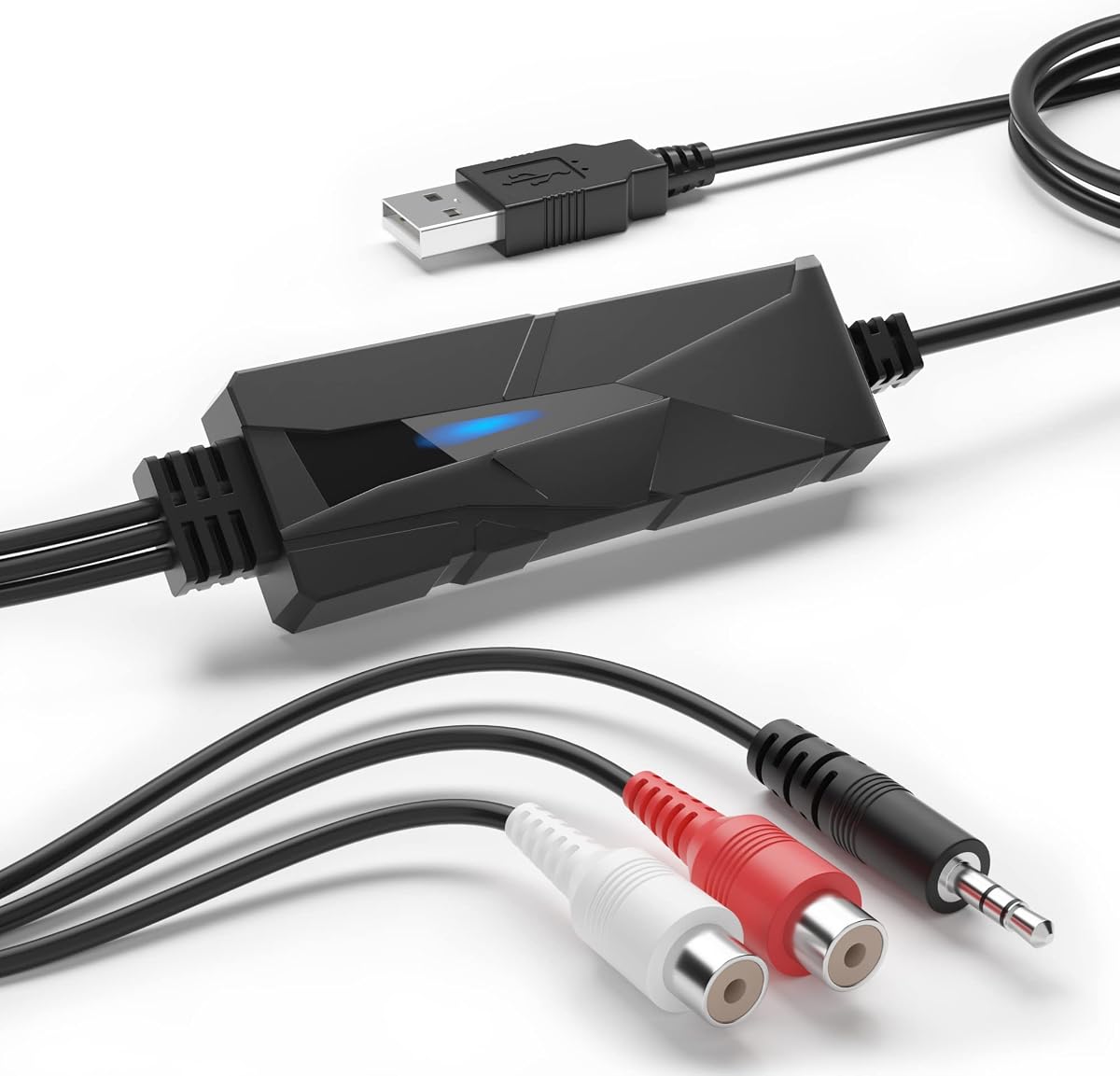
The DriverGenius AudioXfer is designed for users who want to convert analog recordings like cassettes or LPs to digital formats. It features 3.5mm and RCA inputs to record audio from various devices directly to your Mac. The included Audacity software helps you edit and save the recordings as MP3 or WAV files easily.
We may earn a commission when you buy through this link, at no additional cost to you.
Its USB audio grabber design is plug and play making it simple to use without complex installation. The LED light indicates when the device is active which helps users know when recording is in progress. It is a practical tool for preserving old memories stored on physical media.
Users should note that 64-bit Mac users may need specific versions of Audacity and Lame for proper functionality. Compatibility with newer macOS versions can vary so checking support before buying is advised. Despite this the utility of the device is unmatched for digitizing analog media.
If you have old tapes or records you want to save digitally this adapter is the most direct solution. It allows you to keep your physical music collection safe in a digital format without needing professional studio gear.
Digitize old cassette tapes and LPs to keep your music and memories safe in a digital format for easy sharing and storage.
Audacity software is included or available for update allowing you to edit and convert your recordings immediately after capture.
We may earn a commission when you buy through this link, at no additional cost to you.
Choosing the right audio converter requires understanding your specific needs whether for playback or recording. Here are key factors to consider before making a purchase for your Mac setup.
Determine if you need to convert analog to digital or digital to analog. Digital to analog converters typically use USB optical or coaxial inputs and output via RCA or 3.5mm. Analog to digital devices usually feature 3.5mm or RCA inputs to record audio from external sources.
Check your Mac ports to ensure compatibility. Many newer Macs lack traditional headphone jacks or optical ports so you may need additional dongles or adapters to connect your converter properly.
Look for support for high resolution formats such as 24-bit/192kHz or higher. This ensures that the converter can handle lossless files without degrading the sound quality. For audiophiles features like MQA decoding or DSD support are also valuable additions.
Higher resolution specs generally mean better sound fidelity but also higher cost. Assess your actual listening habits to decide if you need ultra high resolution or if standard 16-bit/44.1kHz is sufficient for your needs.
Ensure the device is plug and play with macOS to avoid driver issues. Some devices may require specific drivers which can complicate setup on newer operating systems. Checking user reviews or manufacturer support pages is wise before buying.
Some converters are optimized for Mac and include specific software support. This can be helpful for recording applications or audio enhancement tools that work seamlessly within the macOS ecosystem.
Most USB powered converters draw power directly from your Mac which is convenient for portable setups. However some devices require external power adapters for stable performance or higher power output to drive headphones.
If you plan to travel with your converter prioritize compact models with durable cables. Dongle style adapters are excellent for portability while desktop units are better for fixed setups where space is less of a concern.
If you plan to connect headphones check if the converter includes a built-in amplifier. Some DACs only output line level signals which are not powerful enough to drive high impedance headphones effectively.
Models with integrated amplifiers simplify your setup by combining conversion and driving power. This is especially useful for desktop users who want a clean desk without multiple power adapters or boxes.
Audio converters range from affordable budget options to premium professional gear. Set a budget based on how critical audio quality is to your use case. Entry level models often suffice for casual listening while professionals may need higher end units.
Consider the long term value of the device. A slightly more expensive converter with better build quality and support may save money over time compared to replacing cheaper plastic units frequently.
Versatile connectivity allows you to connect various devices beyond your Mac. Look for converters with multiple input types like optical coaxial and USB to future proof your setup for other gear.
Some units offer RCA outputs for connecting to home stereos while others provide balanced outputs for professional audio. Choose the outputs that match your existing speakers or amplifiers to avoid extra conversion steps.
Aluminum alloy housings generally offer better durability and heat dissipation than plastic alternatives. This is important for devices that will be used for extended periods or in environments with electronic interference.
Gold-plated connectors and robust cables also contribute to longevity. These small details can prevent connection issues and ensure consistent performance over the life of the device.
Regularly clean the connectors and ports with a dry cloth to remove dust and debris. Avoid using liquid cleaners that could damage the sensitive electronics. Store the converter in a cool dry place when not in use to prevent warping or corrosion of metal parts.
Most modern audio converters are plug and play on macOS meaning they work without installing additional drivers. However some high performance interfaces may require drivers for full functionality or specific features. Always check the product details before buying to ensure Mac compatibility.
A DAC converts digital audio signals to analog which is needed for playing music through speakers. An ADC does the opposite by converting analog signals to digital which is used for recording. Many devices combine both but you should choose based on whether you are playing or recording audio.
Yes most USB powered converters work with MacBook Air models. Since newer MacBooks only have USB-C ports you may need a dongle or adapter if the converter uses a traditional USB-A connector. Verify the port requirements before purchasing to ensure a direct connection.
Many models reviewed support high resolution audio formats up to 192kHz or higher. Some premium units even support formats like MQA or DSD. Check the specifications of the specific model to confirm it meets your audio quality requirements.
To connect analog tapes you need an analog to digital converter with RCA or 3.5mm inputs. Connect your tape deck to the converter and then plug the USB into your Mac. Use audio recording software like Audacity to capture the sound as a digital file.
Some converters with optical or coaxial inputs can connect to Apple TV audio outputs. This allows you to use external speakers or headphones instead of the TV's built-in audio. Check that your converter supports PCM digital formats for best compatibility with Apple TV.
Please remember that prices and availability can change frequently so verify the current details before completing your purchase. Choosing the right converter will significantly enhance your audio experience on Mac whether for music gaming or professional work.