
Creality Ender 3 V3 SE
3.8Editor score
CR Touch auto leveling
Sprite direct extruder
Quick assembly design
This guide compares the best auto bed leveling 3D printers for beginners, analyzing ease of use, print quality, speed, and reliability.
Starting your 3D printing journey can be daunting without the right tools. Auto bed leveling 3D printers simplify this process by ensuring a perfect first layer every time. These machines are designed to remove the guesswork involved in manual calibration.
We evaluated ten top models based on reliability, speed, and user friendliness. Our team analyzed technical specifications, user feedback, and real world performance data. This list focuses on printers that excel in automated setup and consistent output.
Each pick highlights specific strengths for new users and hobbyists alike. Detailed pros and cons help you weigh trade offs like speed versus precision. Note that prices and availability change frequently, so verify current offers before buying.
3.8Editor score

4.3Editor score

4.3Editor score
Compare these ten auto bed leveling 3D printers side by side. Each entry lists key specifications to help you find the best fit for your printing needs.


The FLASHFORGE Adventurer 5M earns our Editor's Choice award for balancing speed and ease of use. It features a full auto one-click leveling system that calibrates the bed perfectly every time. This ensures a smooth surface for every print right from the start.
We may earn a commission when you buy through this link, at no additional cost to you.
Its Core XY motion system allows speeds up to 600mm/s with massive acceleration. Vibration compensation eliminates ghosting, while the 280°C nozzle handles various materials. The direct extruder and quick swap nozzle make maintenance simple for new users.
While the build volume is modest at 220x220x220mm, the quality makes up for it. The open frame design works best in ventilated areas. These trade offs are acceptable given the flawless first layer and rapid printing capabilities.
Beginners who want a stress free setup should buy this model. It removes calibration frustration and delivers consistent results daily. We recommend it for those prioritizing speed and reliability over large print sizes.
The one-click leveling ensures accurate offsets so you never waste time or filament on failed prints due to bad adhesion.
Advanced vibration compensation allows fast printing without sacrificing surface quality, making it ideal for rapid prototyping.
We may earn a commission when you buy through this link, at no additional cost to you.
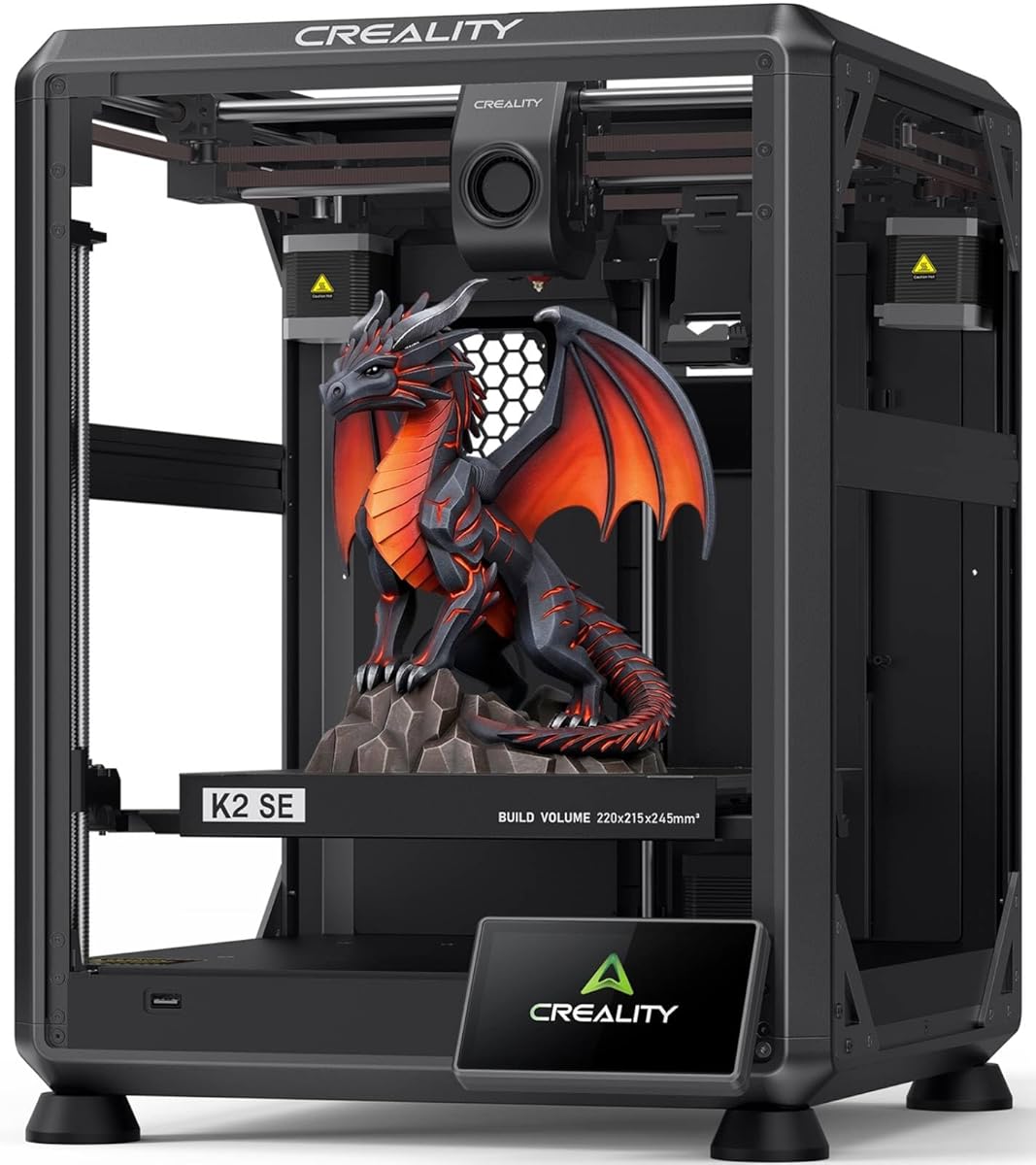
The Creality K2 SE is an affordable machine for those planning to grow into multi color printing. It features a solid metal build and auto leveling that simplifies setup. The input shaping ensures smooth walls even at high speeds.
We may earn a commission when you buy through this link, at no additional cost to you.
Its die cast frame minimizes flex for precise dimensional accuracy. Creality OS and Print provide optimized slicing and presets. The modular direct drive extruder supports a wide range of filaments with reliable feeding.
While it requires a bit more setup than all in one units, the expandability is a plus. The build volume is generous for large projects. These minor drawbacks are worth it for the long term value.
Makers seeking a printer that can evolve with their skills should consider this. It bridges the gap between entry level and advanced systems effectively.
The rigid frame ensures stability during high speed prints, reducing artifacts and improving overall print quality.
Compatible with Creality CFS to unlock advanced multi-material printing without replacing the printer later.
We may earn a commission when you buy through this link, at no additional cost to you.
The E-Leveler 2 is a handy tool for users with manual leveling printers who want a perfect first layer. It provides LED feedback so you can adjust the bed with precision. It is simple to use and requires no complex setup.
We may earn a commission when you buy through this link, at no additional cost to you.
Its new design features improved indicators and a simplified target. The balancing end cap keeps it stable during adjustments. It works with most 3D printers except resin or delta models.
Since it is an accessory not a printer it does not add automation. However it significantly speeds up manual leveling for existing setups. The cost is low making it a safe addition.
Budget conscious hobbyists with older printers should buy this to improve results. It bridges the gap until you upgrade to an auto leveling printer.
LED lights show when the bed is level so you do not have to guess or feel resistance.
We may earn a commission when you buy through this link, at no additional cost to you.
The AD5M delivers stress-free printing with fully automatic one-click calibration. It measures offsets precisely to guarantee a flawless first layer. The CoreXY structure ensures smooth low noise performance even at top speeds.
We may earn a commission when you buy through this link, at no additional cost to you.
Nozzle replacement takes only three seconds thanks to the patent release mechanism. Power loss recovery resumes prints after outages. The Orca slicer and app allow remote monitoring and management.
The open frame works best in ventilated spaces. Network setup might need a bit of time. These are minor for such a fast and reliable machine.
Users who want quick results without fuss will love this printer. It simplifies the workflow for both novices and professionals.
Forget manual leveling tools; the printer self calibrates for a perfect surface every time.
We may earn a commission when you buy through this link, at no additional cost to you.
The QIDI Q2 redefines what a first printer can be with professional features. Its nozzle acts as a leveling sensor for precise first layer accuracy. The heated chamber reduces warping and improves adhesion significantly.
We may earn a commission when you buy through this link, at no additional cost to you.
It unlocks advanced materials like PPS and fiber composites. Features like filament detection and AI monitoring ensure reliability. The triple filtration keeps air clean for indoor use.
While the cost is higher, the material range is unmatched. Its size requires dedicated space. These are justified for professional grade outcomes.
Engineers and makers needing diverse materials should buy this. It combines reliability with expert level capabilities.
A 65°C chamber minimizes warping for stronger layers even with tricky materials like ABS.
We may earn a commission when you buy through this link, at no additional cost to you.
The 5M Pro brings safety and silence to home printing. Its automatic leveling ensures flawless first layers. The enclosed design with dual filtration blocks particulates and VOCs effectively.
We may earn a commission when you buy through this link, at no additional cost to you.
It supports high temp filaments and offers multiple nozzle options. Remote monitoring via app keeps you updated. Silent mode ensures focus during work or study.
The price is higher than basic models. However the health benefits and versatility justify the cost. It is great for classroom or home use.
Families or professionals who need a quiet safe printer should consider this. It balances performance with user well-being.
HEPA and carbon filters block harmful particles so printing stays safe in enclosed spaces.
We may earn a commission when you buy through this link, at no additional cost to you.
The Ender 3 V3 SE offers proven reliability at an accessible price. CR Touch auto leveling and a strain sensor make setup easy. The Sprite extruder handles filaments smoothly without slipping.
We may earn a commission when you buy through this link, at no additional cost to you.
Dual Z screws reduce wobble for stable prints. Automatic loading helps simplify filament changes. It takes just twenty minutes to go from box to first print.
While speed is lower than premium models, it saves time on prints. The open frame suits most environments. The cost effective value is hard to beat.
New users seeking affordable reliability should buy this model. It removes manual headaches without breaking the bank.
Automated leveling saves time and ensures your first layer sticks perfectly every single print.
We may earn a commission when you buy through this link, at no additional cost to you.
This kit turns older printers into auto leveling ones with minimal effort. It measures height at multiple points to calculate tilt and compensate automatically. It works well with common Creality printers and motherboards.
We may earn a commission when you buy through this link, at no additional cost to you.
Installation includes brackets and screws to get started. Firmware updates are simple to apply. It is a cost effective way to upgrade your existing setup without buying a new unit.
Firmware flashing might confuse beginners but guides help. Compatibility is key; verify board version first. This upgrade extends printer life efficiently.
Owners of legacy printers should buy this to modernize their tools. It is a smart investment for better prints.
Scans the bed at several points to create a virtual plane for precise compensation of tilt.
We may earn a commission when you buy through this link, at no additional cost to you.
The AD5X enables four color prints with auto leveling for perfect first layers. It features an intelligent filament system that detects and refills automatically to minimize downtime. It delivers fast precise prints with reliable structure.
We may earn a commission when you buy through this link, at no additional cost to you.
It supports flexible filaments and various materials. The large build size handles diverse tasks. Its stability ensures smooth results regardless of complexity.
The nozzle max temperature limits some high performance materials. Setup is more involved due to multi color needs. These are acceptable for the color capability.
Artists needing multi color models should buy this printer. It simplifies complex designs significantly.
Detects and refills spools automatically so you focus on design rather than watching printers.
We may earn a commission when you buy through this link, at no additional cost to you.
This model prioritizes simplicity for new users with auto leveling and quick steps. CR Touch and Z offset calibration ensure a reliable first layer easily. It offers consistent performance with compatible materials.
We may earn a commission when you buy through this link, at no additional cost to you.
The direct drive extruder feeds smoothly for various filaments. Dual screws and linear shafts reduce vibration for stability. It runs quietly to keep spaces comfortable.
It lacks some advanced features found in premium models. The build plate needs cleaning for adhesion. These are minor for a beginner focused device.
Those starting out should buy this for a smooth entry. It removes technical barriers to success.
Designed for easy assembly and automatic calibration so you start printing quickly.
We may earn a commission when you buy through this link, at no additional cost to you.
Choosing the right auto bed leveling printer involves understanding several technical aspects. We break down the key factors to help you make a smart decision.
Look for printers with sensors like CR Touch or strain sensors to measure the bed automatically. Accuracy ensures your first layer adheres correctly without manual adjustments. Check if the system supports compensation for bed tilt across multiple points.
Prioritize models that guarantee a first layer success rate to reduce wasted filament.
Higher speeds like 600mm/s save time on longer projects. However ensure the printer has input shaping or vibration compensation to maintain quality at speed. Fast acceleration helps reduce total print times significantly.
Balance speed with stability to avoid ringing artifacts on your models.
A nozzle up to 280°C handles standard materials like PLA and PETG. If you plan to print engineering materials like ABS or Nylon, look for 300°C or higher. High temp nozzles also improve layer adhesion.
Choose a nozzle limit that matches your intended material needs.
Consider how large your projects are before buying. Standard volumes around 220x220x220mm suit most beginner needs. Larger volumes allow bigger prints but may cost more and take up space.
Select a size that matches your workspace and typical project scale.
Check the supported filaments listed by the manufacturer. Some printers support TPU for flexible parts while others handle composites. Direct drive extruders generally handle flexible filaments better than bowden setups.
Ensure the printer can handle the materials you want to use.
Enclosed printers offer better temperature control and safety. They also reduce noise and contain odors which is vital for indoor use. Look for filtration systems if you print in shared spaces.
Closed frames are better for materials like ABS and noisy environments.
Quick swap nozzles and removable beds simplify cleaning and changes. Look for features like power loss recovery to save ongoing prints. Check if firmware updates are easy to apply for future upgrades.
Choose designs that minimize downtime during maintenance tasks.
A touchscreen or intuitive app makes operation easier for beginners. Look for printers that work with popular slicing software and offer presets. Good support communities help troubleshoot issues quickly.
Pick interfaces that are user friendly and require less manual tweaking.
Start by ensuring your printer is on a stable and level surface. Use the auto leveling feature via the touchscreen to calibrate the bed before the first print. Load your filament by following the on-screen prompts if the printer has auto loading.
Keep the nozzle clean by running cleaning filaments or performing periodic maintenance. Regularly check the bed surface for dust or debris that might cause adhesion issues. Replace nozzles using quick swap tools to maintain print precision.
Store filaments in dry conditions to prevent moisture issues. Use power loss recovery features by keeping your printer connected to power. Monitor your prints via camera apps to catch issues early without wasting time.
Auto bed leveling uses sensors to measure the distance between the nozzle and build plate. It calculates offsets to ensure consistent first layer height across the bed. This removes the need for manual paper or dial gauge adjustments.
Yes it saves time and frustration by ensuring adhesion right out of the box. It reduces failed prints caused by uneven surfaces. Beginners benefit most from this convenience.
Run it before every print to ensure the best results. Some printers do this automatically. Others require a manual start. Consistent use prevents adhesion failures.
Auto leveling is faster and more consistent over time. It removes human error from the process. Manual leveling can be precise but takes practice and patience.
Most support PLA and PETG which are standard for beginners. Some handle TPU and ABS with heated chambers. Check the specs for material limits before buying.
Yes sensors like CR Touch can be added to compatible printers. You may need to update firmware and install brackets. It is a budget friendly upgrade for existing setups.
The FLASHFORGE Adventurer 5M leads as our top pick for speed and ease. The Ender 3 V3 SE offers the best entry level value. For material versatility the QIDI Q2 stands out.
Prioritize models that balance speed with reliability for consistent prints. Look for strong support communities and active software development to keep things running smoothly.
Prices change often so check current listings for the latest offers. Verify compatibility with materials and accessories before buying. We wish you great results with your new setup.