
Canon PIXMA TR4720
3.8Editor score
Wireless printing capability
Built-in fax function
Compact home design
This guide compares the top cheap fax machines for home and office use, highlighting features like speed, memory, and connectivity to help you find the right
Finding a reliable communication tool does not always require a huge budget. Many businesses and individuals need a cheap fax machine that delivers consistent performance without breaking the bank. These devices offer essential functionality for sending and receiving documents efficiently.
We evaluated ten distinct models based on their transmission speed, memory capacity, and overall user ratings. Each product was selected to represent different price points and feature sets available in the current market. Our goal is to provide a clear overview for informed decision making.
Each pick showcases specific strengths and potential limitations based on available technical data. Please note that prices and availability can change rapidly due to market conditions. Always verify the latest details before making your final purchase decision online.
3.8Editor score

4.0Editor score
3.9Editor score
The following table provides a side by side comparison of all ten selected models. It highlights key specifications to help you quickly identify the most suitable option for your specific needs.


The Canon PIXMA TR8620a stands out as a versatile all-in-one device that includes built-in fax capabilities. It holds a solid rating among users who value connectivity and ease of use in a home office setting.
We may earn a commission when you buy through this link, at no additional cost to you.
Its standout quality lies in the Alexa integration which allows for voice controlled printing and ink notifications. The 200 sheet paper capacity ensures you can handle large batches without constant refilling.
While the smart reorder feature is convenient it requires enrollment which might not appeal to everyone. The automatic two-sided printing helps save paper but can slightly increase print times for complex documents.
This model is ideal for small business owners who need reliable faxing alongside color printing. The combination of speed and smart features makes it a top contender for modern workspaces.
Alexa compatibility allows users to check ink levels and reorder supplies without lifting a finger.
With 200 sheets of capacity and an auto feeder handling multi-page documents is significantly faster.
We may earn a commission when you buy through this link, at no additional cost to you.
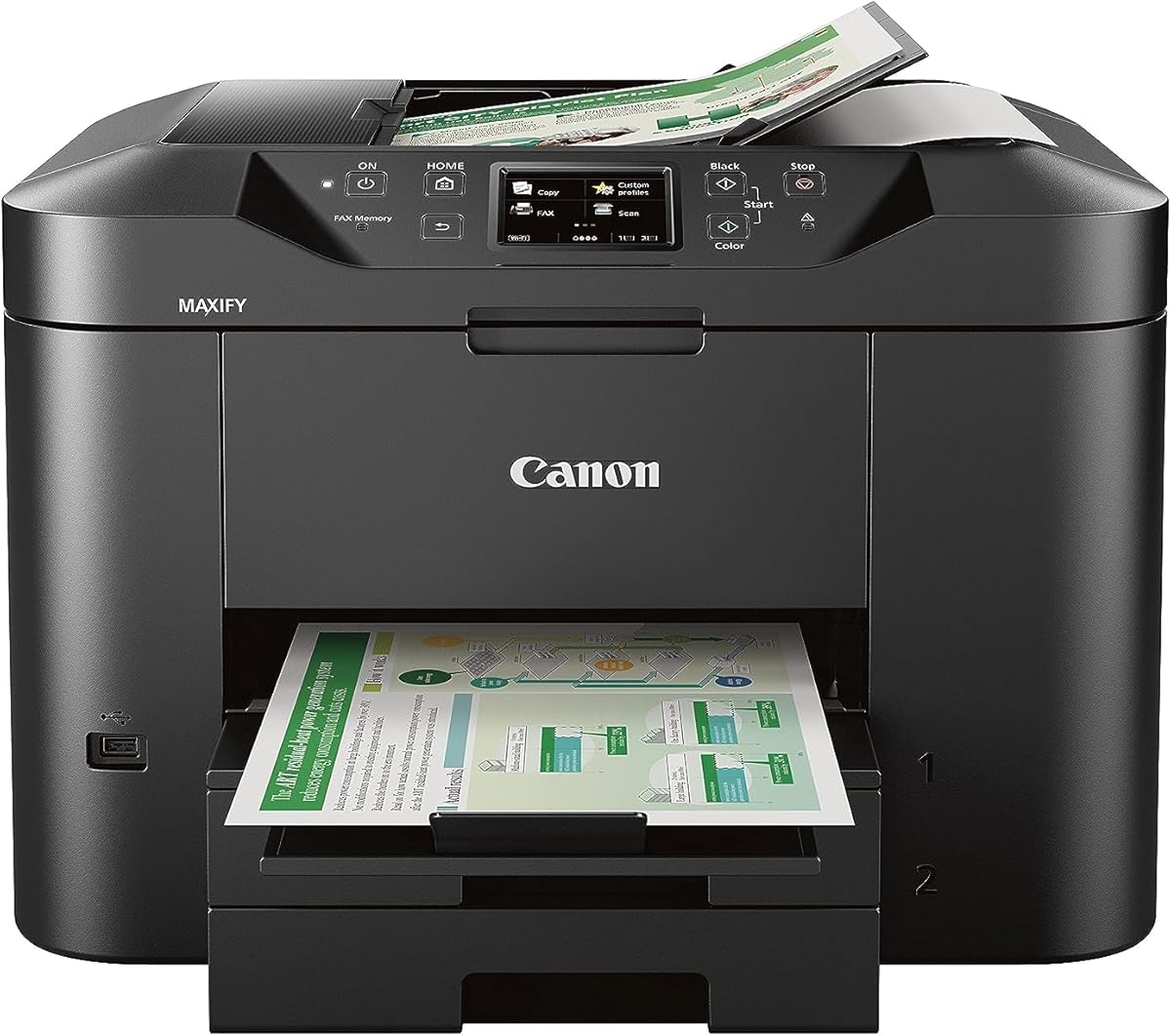
The Canon MAXIFY MB2720 is engineered for high volume business environments requiring consistent fax and print output. It delivers sharp text that resists smudging and highlighters making it perfect for official documents.
We may earn a commission when you buy through this link, at no additional cost to you.
Its key strength is the massive 500 sheet paper capacity which minimizes downtime during busy periods. The dual resistant inks ensure that your printed materials remain professional and legible over time.
Trade-offs include a larger physical size that may not fit smaller desks and a higher price point than home models. However the durability and speed justify the investment for active offices.
Choose this model if you need a robust machine that can handle frequent faxing and printing. The 20000 page duty cycle ensures it will serve your business needs for years.
Built to last with a high duty cycle the MB2720 is designed for daily heavy use.
Laser sharp text resistant to smudging ensures your documents look professional always.
We may earn a commission when you buy through this link, at no additional cost to you.
The Canon PIXMA TR4720 offers essential faxing capabilities at an entry-level price point. It is designed for home users who need occasional fax transmission without investing in a dedicated machine.
We may earn a commission when you buy through this link, at no additional cost to you.
Its simple setup process allows users to get running quickly via the Canon PRINT app. The inclusion of an auto document feeder is a significant advantage for multi page transmission.
While it lacks some advanced features the speed is adequate for casual use. The compact design fits easily into tight spaces without sacrificing core functionality.
This printer is perfect for students or home workers who need basic fax and print tasks. It balances cost and utility effectively for budget conscious buyers.
Setup is streamlined through the mobile app ensuring you can print quickly.
At a lower price point this model delivers value for essential office tasks.
We may earn a commission when you buy through this link, at no additional cost to you.
The Brother FAX-575 is a classic personal fax machine known for its reliability and straightforward operation. With a high user rating it remains a popular choice for those seeking a dedicated device.
We may earn a commission when you buy through this link, at no additional cost to you.
Its key strengths include a 9600 BPS modem for fast transmission and a memory that stores up to 25 pages. This ensures you can send documents even if the paper runs out.
The unit lacks modern wireless features but excels in basic fax and copy tasks. The easy to operate interface makes it accessible for users of all technical levels.
Buy this if you need a standalone fax machine without unnecessary digital complexity. It is a solid investment for reliability and ease of use in a home office.
With 512 KB memory you can store pages for later transmission if out of paper.
Fast 9600 BPS modem ensures your documents send quickly and efficiently.
We may earn a commission when you buy through this link, at no additional cost to you.
The Renewed version of the Brother FAX-575 offers the same core features as the new model at a reduced cost. It is an excellent option for budget conscious buyers who want proven performance.
We may earn a commission when you buy through this link, at no additional cost to you.
Its strength lies in the identical functionality including fast transmission and ample memory for storing pages. You get the reliability of a dedicated fax machine without the premium price tag.
Being renewed means it is a used product which might show minor wear. However the performance standards ensure it functions correctly for standard fax and copy tasks.
Choose this model if you want to save money without sacrificing essential fax capabilities. It is a smart financial decision for those who do not need brand new hardware.
Renewed units offer significant savings while maintaining the original performance standards.
You get the same fast modem and memory features as the brand new version.
We may earn a commission when you buy through this link, at no additional cost to you.
The Sharp UXB20 is an inkjet fax machine that combines printing capabilities with standard fax features. It includes a handset and speed dial presets to make communication more efficient.
We may earn a commission when you buy through this link, at no additional cost to you.
Key strengths include a memory capacity of 449 KB and support for up to 30 speed dial numbers. The caller ID and distinctive ring detection help you manage incoming calls effectively.
The lower rating suggests potential reliability issues or higher consumable costs over time. Inkjet technology means you may spend more on cartridges compared to thermal or laser options.
This model suits users who prefer inkjet print quality for occasional fax needs. It offers useful features like multi-copy and speed dial for small office efficiency.
With 30 speed dial presets you can send faxes to frequent contacts instantly.
Caller ID and distinctive ring detection ensure you never miss an important message.
We may earn a commission when you buy through this link, at no additional cost to you.
The HP DeskJet 2955 is primarily a home printer that supports faxing functions through the mobile app. It emphasizes modern conveniences like AI formatted printing and wireless connectivity.
We may earn a commission when you buy through this link, at no additional cost to you.
Its standout feature is the HP AI which optimizes web pages and emails to reduce waste. The wireless setup allows you to print and scan from anywhere in your home.
While it supports faxing via the app it is not a dedicated fax machine with a phone jack. The speed is moderate suitable for home use but not high volume business needs.
This device is ideal for households needing a versatile all-in-one solution. The trial of Instant Ink helps manage costs for the first few months of ownership.
HP AI removes unwanted content to ensure your printed documents look clean.
Stay connected with dual-band Wi-Fi ensuring reliable printing from any device.
We may earn a commission when you buy through this link, at no additional cost to you.
The Brother intelliFAX-2840 is a laser fax machine designed for crisp professional documents. Laser technology ensures your output remains sharp and does not smudge over time.
We may earn a commission when you buy through this link, at no additional cost to you.
Its key strength is the speed of 21 pages per minute which is faster than most inkjet alternatives. The resolution of 200 x 300 dpi provides clear text and graphics for business use.
One limitation is that it is not network ready limiting sharing capabilities in larger offices. However for a single dedicated fax station it performs efficiently and reliably.
Buy this if you prioritize document clarity and speed over advanced connectivity. It is a robust solution for offices needing consistent high quality fax transmission.
Laser technology ensures text remains sharp and smudge free for professional documents.
With 21 ppm speed you can handle large fax volumes without long wait times.
We may earn a commission when you buy through this link, at no additional cost to you.
The Brother FAX-575 Thermal is a thermal transfer fax machine known for its simplicity and reliability. It uses thermal paper which eliminates the need for liquid ink or toner.
We may earn a commission when you buy through this link, at no additional cost to you.
Its strengths include an auto document feeder and a 512 KB memory for storing pages securely. The Energy Star certification ensures it consumes less power during operation.
The trade-off is that thermal paper can fade over time making archival less ideal. Additionally since it is renewed you may find limited availability compared to new models.
This unit is suitable for those needing a basic low maintenance fax solution. It is a cost effective option for occasional faxing and copying tasks at home.
Energy Star certification means this device uses less power than standard models.
Thermal transfer technology removes the hassle of replacing ink cartridges.
We may earn a commission when you buy through this link, at no additional cost to you.
The Panasonic KX-FHD331 is a plain paper fax machine designed for easy everyday use. It supports caller ID and includes an interface for connecting to answering machines.
We may earn a commission when you buy through this link, at no additional cost to you.
Its main advantage is the use of plain paper which provides higher quality output than thermal options. The answering machine interface allows you to integrate voice and fax on one line.
The lower user rating suggests potential connectivity issues or inconsistent performance. The warranty period is also shorter than some competitors so keep that in mind.
Consider this if you need a simple machine that uses standard office paper. It is a functional choice for basic faxing tasks without complex features.
Standard plain paper ensures your documents look professional and last longer.
Connect to your answering machine to manage both voice and fax easily.
We may earn a commission when you buy through this link, at no additional cost to you.
Selecting the right fax machine requires evaluating several key factors to ensure it meets your specific needs.
Transmission speed determines how quickly your document is sent to the recipient. Look for machines with at least 9600 BPS to ensure efficient communication.
Faster modems save time especially if you frequently send multiple pages.
Machines use either thermal or plain paper. Plain paper provides better quality and is easier to store for long periods.
Choose plain paper models if you need to keep copies of your fax transmissions.
Memory allows the machine to store pages for sending when you run out of paper. This ensures you never lose important data.
Opt for higher memory to handle larger batches without interruption.
Modern machines may offer wireless or network capabilities. This allows you to send faxes from computers or smartphones.
Choose wireless if you need flexibility in where you place the device.
Consider whether you need just faxing or all-in-one capabilities like printing and scanning. All-in-one units save space and money.
Multi-function machines are ideal for home offices with limited desk space.
The duty cycle indicates how many pages the machine can handle per month. Business models have higher cycles than personal ones.
Select a machine with a duty cycle that matches your expected usage volume.
Check the cost of ink or toner for the specific model you are buying. Some cheap printers have expensive cartridges.
Calculate the long-term cost of ink to avoid hidden expenses.
Reading user reviews provides insight into real world reliability and support. Look for common complaints about connection or quality.
Prioritize models with consistent positive feedback on performance and durability.
To begin using your fax machine connect the phone line and power cord securely. Ensure the handset is placed correctly on the cradle to avoid false connections.
Regularly clean the glass and rollers with a soft cloth to maintain scan quality. Check that the paper tray is loaded correctly to prevent jams.
Update any firmware if the device supports it to ensure compatibility. Store the machine in a dry place to protect internal components from humidity.
Many modern all-in-one printers allow you to send faxes directly from your computer software. This is often called PC fax and reduces the need to print documents first.
Yes many models now use plain paper instead of thermal paper. This ensures higher quality output that does not fade over time.
The modem speed determines how fast your fax sends. A higher BPS rating means pages transmit quicker reducing wait times.
Poor quality often stems from dirty rollers or low ink levels. Clean the glass and replace cartridges to improve output.
Traditional fax machines require a phone line. Some VoIP systems work but require specific adapters for compatibility.
Thermal paper is cheaper but fades faster. Plain paper is better for documents you need to keep long-term.
Duty cycle is the recommended monthly print limit. Exceeding this can shorten the machine's lifespan.
Most new models include a limited warranty. Renewed products may have shorter coverage periods so check details.
Choosing the right cheap fax machine depends on your specific volume and quality needs. Models like the Canon PIXMA TR8620a and MAXIFY MB2720 offer robust features for various users.
Prioritize durability and connectivity if you plan to use the machine frequently. Consider the long-term costs of consumables to ensure the budget stays low.
Always check current prices and availability before purchasing. Market conditions change so ensure you are getting the best deal available today.