
Computer Fan Stand 120mm
4.4Editor score
Fits 120mm 140mm fans
360 degree rotation
Heavy duty metal base
A computer fan stand is an essential accessory for anyone looking to improve the thermal performance and ergonomic setup of their desk environment. Whether you are gaming, working, or simply browsing, keeping your devices cool and properly positioned can significantly enhance comfort and longevity.
We have carefully evaluated ten leading computer fan stand models based on their cooling efficiency, build quality, adjustability, and overall value. Our analysis focuses on real-world performance metrics, user feedback, and specific features that matter most to daily users across various use cases.
Each pick in this list highlights distinct strengths, from budget-friendly options to premium metal constructions with advanced airflow control. Please note that product availability and pricing may change over time, so we recommend checking the latest details before making your final purchase decision.
4.4Editor score

4.4Editor score

4.0Editor score
As an Amazon Associate we earn from qualifying purchases.
The following table provides a side-by-side comparison of all ten computer fan stand models included in this guide, highlighting their key specifications and compatibility details to help you make an informed choice.



The Kootek Laptop Cooling Pad stands out as the top choice for users seeking reliable cooling and ergonomic support. With a solid 4.4 rating from thousands of verified buyers, this model delivers consistent performance across various laptop sizes and usage scenarios.
We may earn a commission when you buy through this link, at no additional cost to you.
Its five-fan configuration provides ample airflow to dissipate heat efficiently, while the dual USB hub adds practical value for connecting peripherals without cluttering your desk. The six adjustable height settings allow you to find a comfortable viewing angle that reduces strain during long sessions.
While the blue LED lights may not suit every aesthetic preference, they do not interfere with the stand's primary function. The USB cable is standard, meaning Type C devices will require an adapter, which is a minor inconvenience for most users.
This stand is ideal for students, professionals, and gamers who need a stable and cool workspace. Its combination of cooling power and ergonomic flexibility makes it a versatile tool for enhancing productivity and device longevity.
The built-in fans work together to create a consistent airflow pattern that keeps your laptop running at optimal temperatures even under heavy load.
Adjusting the height helps align your screen with eye level, promoting better posture and reducing neck pain during extended work or gaming sessions.
We may earn a commission when you buy through this link, at no additional cost to you.
The YICOSUN Adjustable Laptop Cooling Stand combines functional cooling with a modern aesthetic thanks to its RGB lighting features. It has earned a strong 4.4 rating for its ability to keep devices cool while adding a visual flair to your setup.
We may earn a commission when you buy through this link, at no additional cost to you.
Constructed from durable aluminum alloy, this stand is both lightweight and sturdy, making it easy to carry between locations or store when not in use. The two quiet fans provide effective airflow for laptops ranging from 10 to 16 inches.
The RGB lighting can be adjusted to suit your mood or environment, though it may not be necessary for professional office settings. The foldable design ensures it takes up minimal space when packed away for travel.
This stand is perfect for gamers and creative professionals who value both performance and style. Its portability and sleek design make it a great companion for mobile workstations or small desk environments.
The three-speed adjustable cooling system allows you to control fan intensity based on your current thermal needs without excessive noise.
Its foldable structure means you can easily slip it into a backpack, ensuring your laptop stays cool even when you are on the move.
We may earn a commission when you buy through this link, at no additional cost to you.
This laptop stand offers a compact solution for cooling with its active fan design and open frame structure. Boasting a high 4.5 rating, it appeals to users who need a portable yet effective riser for their MacBook or other laptops.
We may earn a commission when you buy through this link, at no additional cost to you.
The stand can support laptops up to 18 inches with adjustable load capacity using a screw tool, allowing customization for heavier devices. When folded, it measures just 1.3 inches thick, making it incredibly easy to store or transport.
While it lacks a USB hub, the inclusion of extra accessories like a phone mount adds versatility. The open frame design ensures heat escapes efficiently without trapping warm air under the device.
Ideal for travelers and students, this stand balances portability with performance. Its ability to adapt to various laptop sizes makes it a flexible choice for shared workspaces or home offices.
The open structure allows heat to dissipate quickly, preventing the build-up of warm air that can occur with solid surface stands.
You can modify the screw settings to increase load capacity up to 5kg, ensuring stability for larger or heavier laptops.
We may earn a commission when you buy through this link, at no additional cost to you.
Designed with family use in mind, this cooling pad features three powerful fans and a phone holder for added convenience. It has received positive feedback for its quiet operation and robust build quality that withstands daily household usage.
We may earn a commission when you buy through this link, at no additional cost to you.
The five-level height adjustment ensures that every family member, from children to adults, can find a comfortable angle for their tasks. The included USB ports allow multiple devices to be connected without needing extra hubs.
While the ABS material is durable, the mesh mask may show wear over time with heavy use. However, the overall design prioritizes functionality and ease of use for busy households.
This stand is a practical choice for families with multiple devices. Its combination of cooling, storage, and ergonomic features makes it a versatile addition to any home office or shared living space.
Extra USB ports and a phone holder mean everyone can connect their devices and stay entertained while using their laptops.
The fans operate at a low noise level, ensuring that movie nights or study sessions are not disrupted by humming or whirring sounds.
We may earn a commission when you buy through this link, at no additional cost to you.
This heavy-duty metal stand provides a budget-friendly way to mount standard PC fans for cooling. With a 4.4 rating, it is highly rated for its stability and ease of setup without requiring additional tools.
We may earn a commission when you buy through this link, at no additional cost to you.
The 360-degree rotation allows you to direct airflow exactly where it is needed, whether for a router, modem, or specific PC components. Its weighted base ensures the stand remains steady even with high-speed fans.
Installation is straightforward with thumb screws, though care should be taken due to sharp metal edges. The stand is designed for permanent placement, making it ideal for DIY cooling projects.
If you already have PC fans and need a reliable mount, this is an excellent value. Its flexibility and sturdy construction make it a practical addition to any tech enthusiast's desk or workbench.
The rotation feature lets you aim the fan directly at heat-generating components, improving cooling efficiency without complex modifications.
Thumb screws allow you to secure the fan quickly, saving time and effort during installation or repositioning tasks.
We may earn a commission when you buy through this link, at no additional cost to you.
This aluminum mount offers a durable and rust-proof solution for 120mm fans. It has achieved a 4.3 rating for its reliable construction and ease of use, making it a solid choice for desktop cooling.
We may earn a commission when you buy through this link, at no additional cost to you.
The full-aluminum build ensures longevity and stability, even at high fan speeds. Its sleek black finish blends well with most electronic setups, providing a professional look.
While it supports 120mm fans specifically, the 360-degree rotation provides ample flexibility for directing airflow. The tool-free installation makes it easy to set up or change positions as needed.
Ideal for users with standard 120mm fans, this mount balances durability and style. Its lightweight yet sturdy nature makes it suitable for various electronic cooling tasks.
The upgrade to full-aluminum construction ensures the stand is rust-proof and capable of withstanding daily wear and tear.
Rotate the stand to channel airflow where needed most, ensuring efficient cooling for your specific hardware.
We may earn a commission when you buy through this link, at no additional cost to you.
This black metal mount provides a reliable and affordable option for mounting standard PC fans. With a 4.3 rating, it is appreciated for its straightforward design and sturdy construction.
We may earn a commission when you buy through this link, at no additional cost to you.
Compatible with both 120mm and 140mm fans, it offers versatility for different cooling needs. The 360-degree rotation ensures you can direct airflow effectively without obstruction.
The heavy-duty metal construction guarantees stability, preventing wobbling even during high-speed operation. Tool-free installation simplifies the setup process for all users.
This stand is a great value for anyone needing a dependable fan mount. Its simplicity and durability make it a practical choice for desktop cooling solutions.
Supporting both 120mm and 140mm fans allows you to use this stand with a wider range of cooling hardware.
The robust metal base ensures the stand remains steady, providing a secure foundation for your fan.
We may earn a commission when you buy through this link, at no additional cost to you.
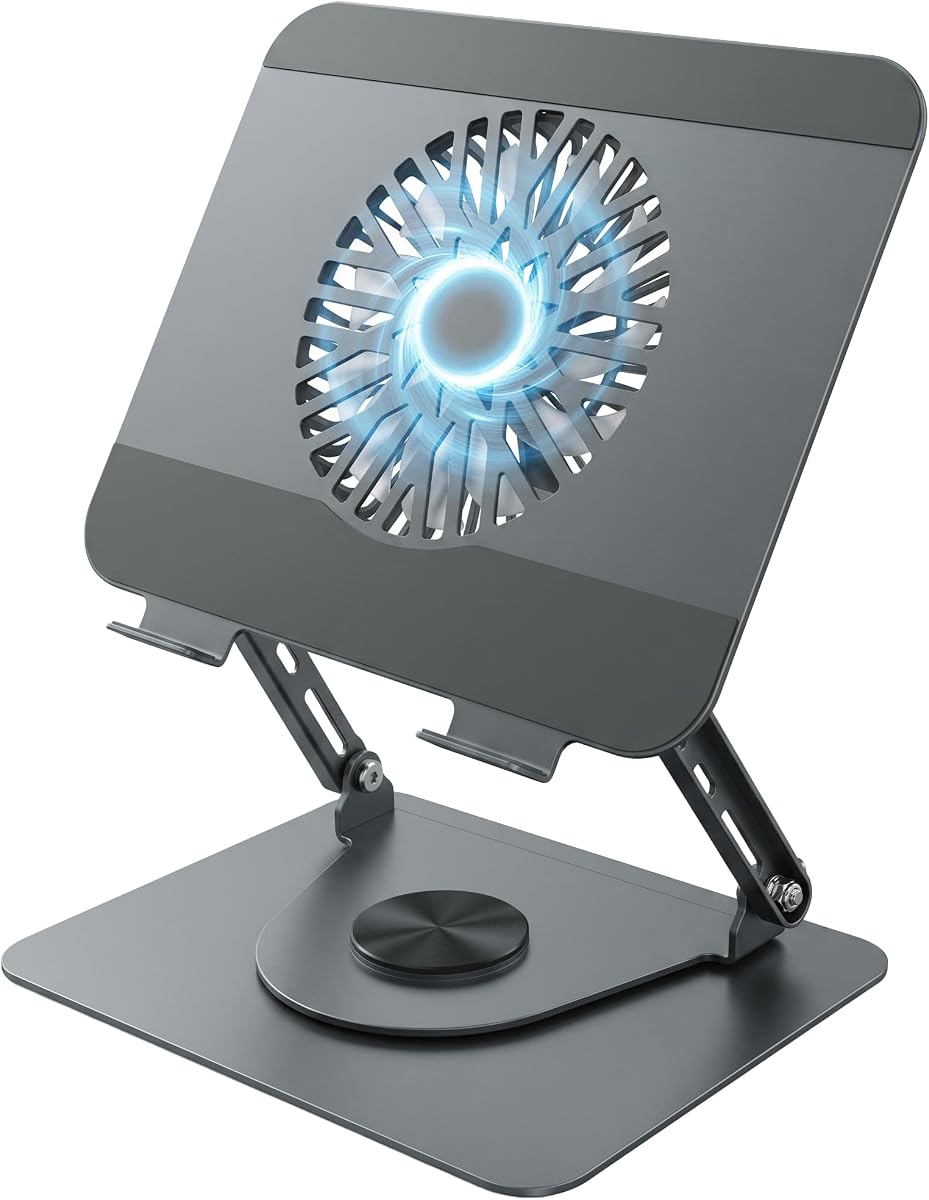
This laptop stand stands out for its smooth 360-degree rotation and integrated cooling fan, earning a 4.6 rating for superior ergonomics and functionality. It helps keep devices cool while enabling easy screen sharing and collaboration.
We may earn a commission when you buy through this link, at no additional cost to you.
The adjustable height and angle settings allow you to customize the viewing position, reducing strain on your neck and shoulders. Non-slip silicone pads ensure your laptop stays secure during use.
The elevated platform creates additional space underneath for storing accessories, keeping your desk organized. While the fan cable length may limit placement options, the overall design is highly practical.
Ideal for professionals who need to share screens frequently, this stand combines cooling and ergonomics. Its thoughtful features make it a top choice for enhancing workspace efficiency.
The 360-degree rotation makes it effortless to turn your laptop towards colleagues during meetings without moving the entire setup.
Underneath the stand, you can store keyboards and notes, creating a cleaner and more efficient desktop environment.
We may earn a commission when you buy through this link, at no additional cost to you.
This premium aluminum stand is built for versatility and style, supporting fans from 120mm to 180mm. Although it has a 4.0 rating, its high-quality CNC machining and damped hinges offer a superior user experience.
We may earn a commission when you buy through this link, at no additional cost to you.
The three precision damped pivot hinges allow for precise adjustments in both horizontal and vertical angles. The wide stable base with anti-slip pads ensures the unit remains steady regardless of fan speed.
While the price is higher than standard mounts, the refined look and durable construction justify the cost for enthusiasts. Tool-free assembly simplifies setup, though adjusting multiple hinges may take time.
This stand is perfect for custom builds or professional setups where aesthetics matter. Its ability to support larger fans makes it a versatile choice for advanced cooling requirements.
The damped hinges provide smooth movement and hold the fan securely in place at any angle you choose.
The matte finish achieved through sandblasting and anodizing gives the stand a sleek and elegant appearance.
We may earn a commission when you buy through this link, at no additional cost to you.
Achieving a perfect 5.0 rating, this solid metal bracket offers unmatched stability for 120mm and 140mm fans. Users praise its ability to eliminate vibration and shaking even at high RPMs.
We may earn a commission when you buy through this link, at no additional cost to you.
The quick assembly design with textured thumb knobs ensures you can mount and reposition fans without extra hardware. Its heavy-duty construction guarantees longevity and reliable performance in any environment.
While the stand is relatively heavy, this contributes to its stability and makes it ideal for permanent setups. The universal fit allows it to work seamlessly with most mainstream PC cooling fans.
This stand is a top choice for users prioritizing stability and simplicity. Its flawless performance record makes it a highly recommended option for desktop cooling needs.
The solid metal frame eliminates wobbling, ensuring your fans run smoothly without buzzing or vibrating on your desk.
Pre-drilled holes accommodate standard 120mm and 140mm fans, making it compatible with a wide range of cooling options.
We may earn a commission when you buy through this link, at no additional cost to you.
Selecting the right computer fan stand requires considering factors like compatibility, cooling efficiency, build material, and ergonomic features.
Check the size specifications of the fan stand to ensure it supports your existing fans or laptops. Most PC stands fit 120mm or 140mm fans, while laptop stands typically accommodate sizes between 10 to 18 inches.
Always verify the width and depth dimensions against your device to prevent any stability or fit issues.
Evaluate the number and speed of the fans included in the stand. More fans or higher RPMs generally provide better airflow and heat dissipation.
Look for stands with adjustable fan speeds to balance cooling needs with noise levels during quiet tasks.
Metal stands like aluminum or steel offer better durability and heat resistance compared to plastic. Aluminum is lightweight and rust-proof, while steel is heavier and more stable.
Choose a material that matches your budget and usage frequency to ensure long-term reliability.
Ergonomic stands with height and angle adjustments improve comfort by aligning the screen with your eye level. 360-degree rotation is valuable for collaborative work.
Ensure the adjustment mechanisms are easy to use and can hold the device securely in place.
If you move your setup often, consider a foldable or lightweight stand. Some laptop stands are designed to be thin when folded for easy transport.
Check the weight and folded dimensions to ensure it fits in your carrying case or bag.
Stands with extra USB hubs, phone holders, or LED lights add convenience and style. These features can help organize your desk and enhance your user experience.
Determine which extras are essential for your workflow to avoid paying for unnecessary components.
Quiet operation is crucial for offices or shared spaces. Look for stands with noise ratings below 40dB for a peaceful environment.
High-quality bearings in fans often result in smoother and quieter performance.
Tool-free setups with thumb screws or clips make installation faster and more user-friendly. Avoid stands requiring complex tools if you prefer convenience.
Check customer reviews for insights on how easy it is to set up and adjust the stand.
Place the stand on a flat, stable surface and adjust the height or angle to your ergonomic preference before mounting the device. Ensure the anti-slip pads are clean to prevent slipping.
If the stand includes fans, connect the power source securely and verify that the vents are not blocked. Adjust fan speed settings based on your device temperature needs.
Regularly clean the fans and surface with a soft cloth to remove dust. Avoid exposing the stand to moisture or extreme temperatures to maintain its structural integrity.
Most stands accommodate laptops between 10 and 18 inches. Be sure to check the product specifications for exact width and depth limits before purchasing.
Yes, many models are designed to work with MacBooks including Air and Pro versions. Verify compatibility with your specific MacBook model to ensure a proper fit.
Some models specifically support 120mm and 140mm PC fans. Check the compatibility details to confirm if the stand is suitable for your PC cooling needs.
Most stands come with fixed fans that are not easily replaceable. If you need replaceable fans, look for stands designed as mounts for separate PC fans.
Use a soft brush or compressed air to gently remove dust from the fan blades and mesh. Avoid using water or liquid cleaners on the electrical components.
Most laptop cooling stands are powered via USB connection to your device. Some may include additional power adapters depending on the fan requirements.
Many stands can support tablets within the specified size range. Ensure the device is securely placed and the stand provides enough stability for your tablet.
Most stands feature tool-free assembly with thumb screws or clips. Instructions are generally straightforward, allowing for quick setup without special tools.
We have reviewed ten top-rated computer fan stands that offer various cooling and ergonomic benefits. From the Kootek Laptop Cooling Pad to the YAODHAOD Metal Bracket, each option serves different needs and budgets.
Prioritize factors like fan compatibility, build quality, and adjustability to find a stand that matches your workspace. Balancing performance with comfort will enhance your overall computing experience.
Remember to check current availability and specifications before purchasing to ensure you select the right model for your specific setup and requirements.