
CORSAIR RS120 ARGB 120mm PWM Fans – Daisy-Chain Connection – Low-Noise – Magnetic Dome Bearing – Triple Pack – Black
4.6Editor score
Daisy-chain connection support
2100 RPM max speed
72.8 CFM airflow
This comprehensive guide compares the top Corsair case fans available in October 2026, analyzing performance noise RGB lighting and connectivity to help you
Selecting the right case fans is crucial for maintaining optimal temperatures and ensuring your system runs quietly. Corsair offers a diverse range of options designed to meet the needs of both budget builders and high-performance enthusiasts.
We have evaluated ten top-rated models based on airflow performance static pressure capabilities noise levels and RGB integration. This list covers standard daisy-chain and iCUE LINK systems to provide a complete overview of the current market.
Each pick highlights specific strengths such as reverse rotor designs or thick fan blades for radiators. Please note that prices and availability change frequently so check the linked pages for the most current offers before purchasing.
4.6Editor score

4.7Editor score

4.7Editor score
The following table provides a side-by-side comparison of all ten models including their key specifications sizes and unique features to help you make an informed decision for your build.


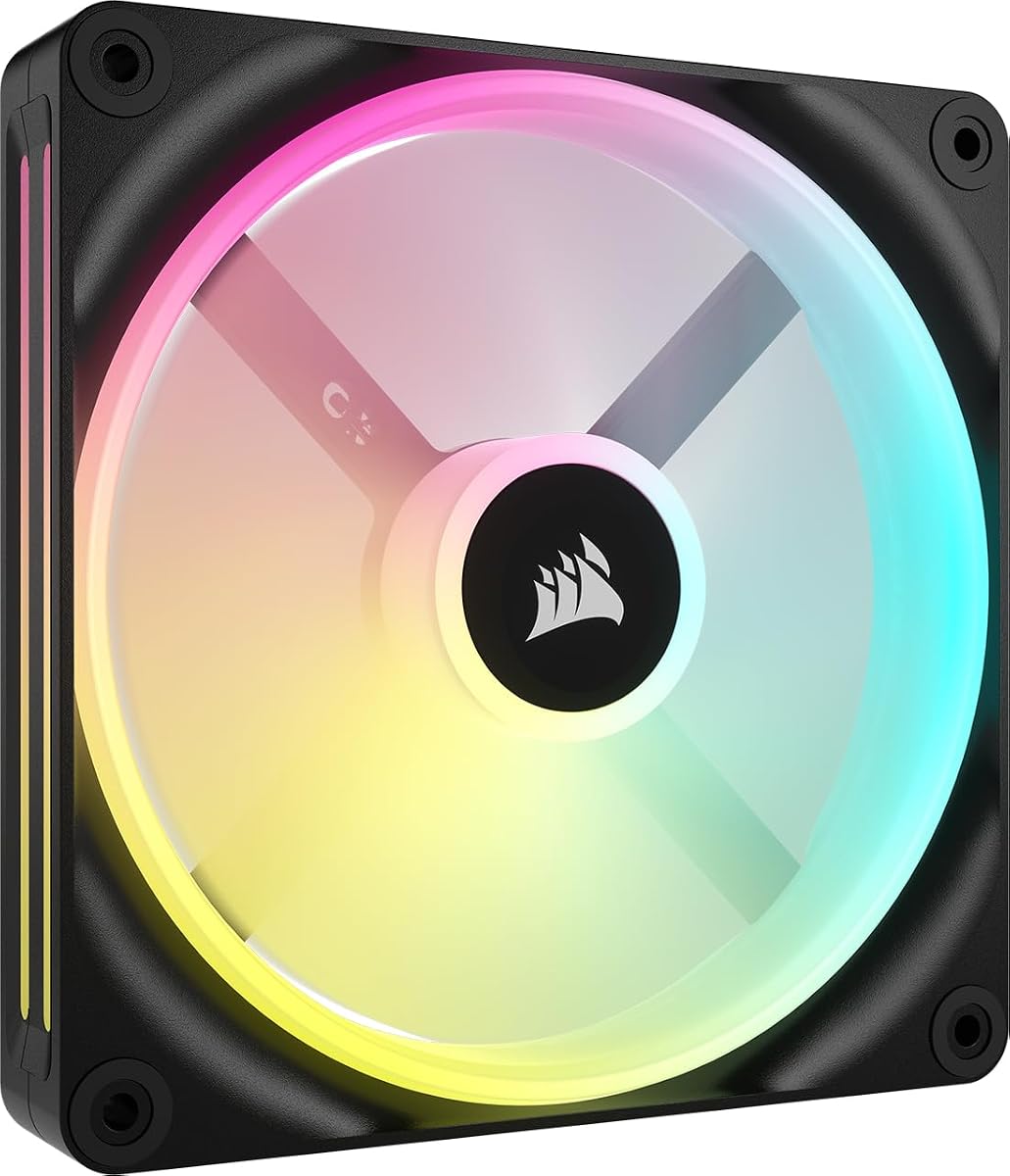


The CORSAIR RS120 ARGB fans offer exceptional value for builders looking to cool their system without breaking the bank. Rated at 4.6 stars by users, this triple pack delivers solid performance with up to 72.8 CFM of airflow and supports standard daisy-chain connectivity for simplified cable management.
We may earn a commission when you buy through this link, at no additional cost to you.
These fans utilize CORSAIR AirGuide Technology to direct airflow efficiently towards hot components while minimizing turbulence. The magnetic dome bearing ensures quiet operation even at higher speeds up to 2100 RPM. You can control lighting through your motherboard's built-in ARGB headers making setup straightforward for most modern boards.
While these fans lack the advanced iCUE LINK ecosystem features found in premium models they still provide reliable cooling and customizable lighting. The trade-off is that you will need compatible motherboard headers for control rather than a dedicated hub. This is acceptable for users who want simple effective cooling without extra software complexity.
Buyers seeking an affordable upgrade for their mid-range build will find these fans to be a top choice. They balance performance and price effectively while offering the aesthetic appeal of RGB lighting. We recommend this triple pack for anyone needing reliable intake or exhaust fans without investing in a full iCUE ecosystem.
The daisy-chain design allows you to connect multiple fans with just one PWM and one ARGB connector reducing clutter inside your case.
AirGuide vanes focus air directly onto radiators or heatsinks improving thermal efficiency without increasing noise levels significantly.
We may earn a commission when you buy through this link, at no additional cost to you.
The CORSAIR iCUE Link LX120 RGB triple pack is a comprehensive solution for users invested in the Corsair ecosystem. With a rating of 4.6 stars, these fans provide excellent cooling with up to 69.9 CFM airflow and include the iCUE Link System Hub to simplify wiring and control across your entire system.
We may earn a commission when you buy through this link, at no additional cost to you.
Each fan features dual light loops with 18 LEDs offering vibrant customizable lighting that syncs with other iCUE devices. The magnetic dome bearing minimizes friction and noise while allowing speeds up to 2400 RPM. AirGuide Technology ensures that air is directed efficiently through radiators or case vents for optimal thermal performance.
The inclusion of the bridge connectors and hub makes installation incredibly simple reducing cable clutter significantly. However this convenience comes at a higher cost compared to standard ARGB fans. Additionally the proprietary iCUE LINK connector means you cannot use these fans with standard motherboard headers without the hub.
This pack is ideal for enthusiasts who want a clean build with synchronized lighting and robust cooling capabilities. It is particularly well-suited for cases with limited cable routing options. We recommend this for users planning a full iCUE build who prioritize aesthetics and ease of installation over budget constraints.
The bundled hub acts as a central connection point allowing all fans to connect via a single cable to your motherboard reducing clutter.
Dual light loops create stunning visual effects that can be customized through the iCUE software to match your desktop theme.
We may earn a commission when you buy through this link, at no additional cost to you.
The Corsair RS120-R ARGB fans solve a common aesthetic problem by placing the LEDs on the non-intake side ensuring the lighting remains visible even when used as intake fans. Rated at 4.7 stars, this white triple pack delivers reliable cooling with up to 65.8 CFM airflow and supports standard motherboard ARGB connections.
We may earn a commission when you buy through this link, at no additional cost to you.
These fans utilize a reverse rotor design that allows you to mount them for intake without blocking the light ring. The magnetic dome bearing ensures quiet operation and longevity while AirGuide Technology directs airflow efficiently through heatsinks. You can set speeds up to 2100 RPM or let the Zero RPM mode keep them still at low loads.
While the white color is perfect for light builds the lack of a controller hub means you rely on your motherboard for lighting control. The reverse design is specific so ensure your case layout supports it. This trade-off is worth it for those who want a clean look without compromising on airflow or light visibility.
Builders focused on aesthetics who want visible lighting from all angles should prioritize these fans. They offer a balance of style and performance at a reasonable price point. We recommend this pack for white builds where intake fan visibility is a priority and motherboard ARGB headers are available.
Reverse rotor technology places the RGB ring away from the intake side so lights shine through the frame when mounted at the front.
Zero RPM mode allows fans to stop spinning entirely when cooling demands are low reducing noise during idle tasks.
We may earn a commission when you buy through this link, at no additional cost to you.
This black version of the RS120-R ARGB fans provides the same reverse rotor benefits for users preferring dark color schemes. With a 4.6-star rating, these fans offer strong cooling performance and visible RGB lighting when mounted as intake. The triple pack ensures you can fully populate your front or top intake zones without visible motor hubs.
We may earn a commission when you buy through this link, at no additional cost to you.
The magnetic dome bearing reduces friction and noise ensuring smooth operation even at higher speeds up to 2100 RPM. AirGuide Technology helps push air through obstructions making these fans suitable for radiators or dense case filters. You can control speeds and lighting via compatible motherboard headers for flexible customization.
Similar to the white model these fans do not include a dedicated controller hub which means you must have the correct ARGB headers on your board. The black frame blends seamlessly with dark chassis interiors enhancing the overall look. This makes them a great choice for sleek minimalist builds where fan clutter is unwanted.
We recommend this pack for builders aiming for a stealthy look with vibrant lighting accents. The reverse design ensures your LEDs remain the focus rather than the fan mechanics. If you value visual appeal alongside reliable cooling this triple pack is a solid investment for your case setup.
The black finish matches most PC cases allowing the RGB lighting to stand out without distracting hardware details.
These fans work well for both intake and exhaust applications providing flexibility in how you route airflow.
We may earn a commission when you buy through this link, at no additional cost to you.
The Corsair iCUE Link QX140 RGB single fan offers powerful airflow and vibrant lighting in a larger form factor. Rated at 4.4 stars, it delivers up to 82.5 CFM of airflow and features 34 RGB LEDs across two zones. This fan is designed to work seamlessly with the iCUE LINK System Hub for simplified cabling.
We may earn a commission when you buy through this link, at no additional cost to you.
With PWM speeds up to 2000 RPM and a magnetic dome bearing, it provides high performance while keeping noise levels low. The bridge connectors included allow you to chain multiple fans together for a unified look. Zero RPM mode ensures silent operation when cooling demands are minimal.
While this is a single fan pack, it is perfect for expanding existing setups or adding a specific rear exhaust without buying a full kit. The iCUE LINK connectivity offers future-proofing for your build. However the hub is sold separately which may increase the total cost if you need one.
Buyers needing a high-performance 140mm fan with advanced lighting features will appreciate this model. It is especially useful for cases that utilize 140mm intake or exhaust points. We recommend it for users who already have an iCUE LINK hub or plan to upgrade their system later.
The 140mm blade design moves significantly more air than 120mm fans helping to cool larger components effectively.
34 LEDs spread across two zones allow for more detailed and dynamic lighting effects in your software.
We may earn a commission when you buy through this link, at no additional cost to you.
This triple pack combines reverse rotor design with iCUE LINK connectivity for the ultimate in aesthetics and cable management. Rated at 4.7 stars, it offers high static pressure and dual light loops with 18 LEDs per fan. The hub and QuikTurn screws make installation faster and cleaner than standard mounting methods.
We may earn a commission when you buy through this link, at no additional cost to you.
The reverse design ensures that the RGB ring remains visible when the fans are mounted as intakes. You get 66.7 CFM airflow and speeds up to 2400 RPM for strong cooling performance. Zero RPM mode and magnetic dome bearings keep noise levels low during light loads.
While this is one of the pricier options, the included hub saves you from buying it separately. The reverse rotor and dual loops create a premium look that many builders desire. The main downside is the reliance on the iCUE LINK system which limits compatibility outside the Corsair ecosystem.
High-end builders seeking a clean and visually striking setup will love this kit. It solves the intake visibility issue while offering top-tier cable management. We recommend this for users who want the best of both worlds without compromising on style or performance.
QuikTurn screws speed up installation by allowing quick tool-free mounting for most standard case fans.
The hub acts as a central controller allowing all fans to connect with a single cable to your motherboard.
We may earn a commission when you buy through this link, at no additional cost to you.
The CORSAIR iCUE Link RX140 MAX RGB fan is engineered for maximum cooling efficiency with its thicker 5mm blade design. Rated at 4.5 stars, it delivers an impressive 102.9 CFM of airflow while maintaining low noise levels. This fan is ideal for high-density radiators where static pressure is critical.
We may earn a commission when you buy through this link, at no additional cost to you.
The wider fan blades allow for more air to be moved at lower RPMs reducing noise compared to thinner fans. It supports iCUE LINK connectivity for simplified cabling and features eight RGB LEDs with a window for side viewing. The magnetic dome bearing ensures long-term reliability.
While this fan requires extra clearance due to its 5mm thickness, the performance gains are significant for radiator cooling. The iCUE LINK system makes installation easy without needing multiple headers. The main trade-off is the single fan packaging and the need for specific case clearance.
Overclockers and liquid cooling enthusiasts will find this fan to be a top-tier choice for radiators. It balances high performance with quiet operation and advanced connectivity. We recommend this for users building high-performance systems where airflow and noise reduction are top priorities.
The 5mm thicker frame allows for larger blades that move more air while spinning slower to reduce noise.
With high static pressure, this fan pushes air effectively through dense radiator fins for better cooling.
We may earn a commission when you buy through this link, at no additional cost to you.
The CORSAIR RS120 MAX is a no-frills powerhouse designed for maximum cooling efficiency without RGB distractions. Rated at 4.6 stars, this thick fan delivers 72 CFM of airflow and 4.2mm H2O of static pressure making it ideal for radiators. The liquid crystal polymer construction ensures rigidity and durability over time.
We may earn a commission when you buy through this link, at no additional cost to you.
AirGuide Technology directs airflow precisely towards your components reducing turbulence and noise. The PWM control allows speeds up to 2000 RPM providing flexibility for different thermal scenarios. The thick design moves more air than standard fans while keeping vibrations low.
While it lacks RGB lighting, this fan is built for pure performance and reliability. The static pressure rating is excellent for high-density cooling solutions. The single pack format allows you to mix and match or replace older noisy fans efficiently.
System builders prioritizing thermal performance over aesthetics will appreciate this fan's capabilities. It is particularly useful for small form factor PCs or cases with dense air filters. We recommend this for users who need reliable static pressure and durability without unnecessary features.
The high static pressure rating allows this fan to push air through dense obstructions like radiators efficiently.
Liquid crystal polymer construction provides rigidity reducing vibration and extending the fan's lifespan.
We may earn a commission when you buy through this link, at no additional cost to you.
This white 140mm fan offers a balance of high airflow and vibrant RGB lighting for users building a sleek system. Rated at 4.7 stars, it provides 95.7 CFM of airflow and strong static pressure for radiator use. The iCUE LINK system ensures seamless integration with other Corsair devices.
We may earn a commission when you buy through this link, at no additional cost to you.
AirGuide vanes focus air onto your components while the magnetic dome bearing keeps noise low. Eight RGB LEDs create vivid effects visible from the side through a dedicated window. PWM control allows precise speed adjustments to match your system's thermal needs.
While the hub is sold separately, the fan's performance and aesthetics make it a strong choice for premium builds. The white frame complements modern PC designs well. The iCUE LINK support future-proofs your setup against the latest cable management standards.
Buyers needing a quiet and visually appealing 140mm fan should consider this model. It works great for exhaust or intake positions in larger cases. We recommend this for users who value both cooling efficiency and clean aesthetics in their builds.
95.7 CFM ensures excellent cooling performance for large cases and high-power components.
Eight RGB LEDs provide bright customizable lighting effects that look great from any angle.
We may earn a commission when you buy through this link, at no additional cost to you.
This renewed starter kit includes two QX140 RGB fans and the iCUE LINK System Hub for a complete entry into the ecosystem. The renewed status offers significant savings while still providing reliable performance and a warranty for peace of mind. It is an excellent choice for budget-conscious builders seeking premium features.
We may earn a commission when you buy through this link, at no additional cost to you.
The fans provide strong airflow and customizable lighting through the iCUE software. With the hub included, you can easily expand your setup later by adding more LINK-compatible devices. The white color scheme fits well with modern PC aesthetics.
While it is a renewed product, testing and refurbishment ensure quality standards. The value proposition is strong given the inclusion of the hub which is often sold separately. The main trade-off is the condition which may show minor cosmetic signs of previous use.
Those looking to get into iCUE LINK without a large upfront investment will find this kit ideal. It simplifies cable management and lighting control effectively. We recommend this for users wanting to build a scalable system at a reduced cost.
The renewed status makes this kit more affordable than new units while still offering high performance.
Having both fans and hub included allows you to start managing lighting and cabling immediately.
We may earn a commission when you buy through this link, at no additional cost to you.
Choosing the right Corsair case fans involves considering airflow, static pressure, lighting, and connectivity. This guide breaks down the key factors to help you make the best choice for your build.
Airflow measured in CFM indicates how much air a fan moves, which is vital for general case cooling. Static pressure measured in mm H2O determines how well a fan pushes air through obstructions like radiators. For general case use prioritize high CFM while for radiators prioritize static pressure to ensure effective cooling.
Corsair offers fans in standard 120mm and 140mm sizes as well as thicker variants. Ensure your case supports the chosen size especially if considering thicker fans for improved performance. Clearance around mounts can also affect fit so always check your case specifications before buying.
Corsair fans typically feature either standard ARGB or iCUE LINK RGB lighting. Standard ARGB requires motherboard headers and manual control while iCUE LINK offers centralized software control. Decide if you want simple lighting or synchronized effects across your system components when selecting a fan.
Most high-end Corsair fans use Magnetic Dome bearings which reduce friction and noise significantly. These bearings enhance longevity compared to standard sleeve or ball bearings. For quiet builds look for fans explicitly listing Magnetic Dome or similar advanced bearing technologies.
Daisy-chain fans simplify cable management by using single connectors for multiple fans. iCUE LINK fans further streamline this with hub connections that reduce motherboard headers needed. Choose based on your motherboard capabilities and preference for cable management versus software control.
Reverse rotor fans place LEDs on the non-intake side ensuring visible lighting even when mounted as intakes. This solves common aesthetic issues where motors block light on traditional fans. If your build prioritizes aesthetics with intake lighting this feature is highly valuable.
Triple packs often offer better value per fan and are ideal for filling multiple slots uniformly. Singles allow you to replace specific fans or test performance before buying larger sets. Choose triple packs for new builds and singles for targeted upgrades or limited space.
Prices vary significantly based on features like iCUE LINK or reverse rotor designs. RS series fans offer better value while LX and RX series provide advanced features for premium budgets. Balance feature needs against your total budget to get the best return on investment.
Install fans securely using provided screws ensuring tight connections to reduce vibration and noise. Connect cables according to the manual to ensure proper signal flow and avoid short circuits.
Configure lighting and speed settings through your motherboard BIOS or iCUE software for optimal performance. Adjust PWM curves to match your system needs for balanced cooling and noise levels.
Clean fans regularly using compressed air to remove dust buildup which affects performance and noise. Periodic maintenance helps extend fan lifespan and keeps your system running efficiently.
Most ARGB fans require a compatible motherboard header for lighting control. Some models like iCUE LINK fans work independently with a hub. Check your motherboard specs to ensure compatibility before purchasing.
Reverse rotor fans use similar bearings and motors to standard models so noise levels are comparable. They offer better visibility for RGB lighting but do not inherently affect sound output unless specified.
Airflow refers to air volume while static pressure refers to resistance handling. High airflow is better for general cooling while high static pressure is essential for radiators or dense cases.
Mixing brands is possible for power but lighting synchronization often requires software compatibility. iCUE LINK fans are proprietary while standard ARGB can be synchronized with compatible RGB controllers from various manufacturers.
Use compressed air to blow dust out of fan blades carefully holding the blades steady. Avoid using liquids directly on the fans to prevent damage to electronics and motor.
Many RS and RX series fans support Zero RPM mode for silent operation at low loads. Check specific product details to confirm if your chosen model supports this feature.
The hub simplifies cabling and allows centralized software control but is not strictly necessary for basic operation. Standard fans can work without it using motherboard headers directly.
Corsair fans typically last several years depending on usage and maintenance. Magnetic Dome bearings extend life significantly but dust buildup may reduce longevity without periodic cleaning.
Choosing the right Corsair case fans depends on your cooling needs aesthetic preferences and budget constraints. Whether you prioritize airflow for general cooling or static pressure for radiators there is a model that fits perfectly.
Consider key factors like bearing type RGB control options and case clearance before buying. Balancing performance with noise ensures your build runs efficiently while remaining pleasant to use daily.
Remember to check current prices and availability as deals fluctuate frequently. We hope this guide helps you find the ideal fans to keep your PC cool and stylish.