
BENFEI DisplayPort to DVI 6 Feet Cable
4.6Editor score
Gold plated connectors
1080p resolution support
18 month warranty
This guide compares the top Displayport to DVI cable models for 2026 focusing on resolution support build quality signal stability and connector design to help
Finding a reliable Displayport to DVI cable is essential for connecting modern computers to legacy monitors or projectors. A quality cable ensures stable signal transmission and supports high resolutions like 1080p without flickering or dropouts.
We evaluated ten top-rated cables based on their construction materials signal shielding connector durability and user feedback. Our comparison highlights which options offer the best value and performance for different setup needs and budget constraints.
Each pick below details specific strengths limitations and ideal use cases to guide your decision. Note that availability and pricing may change over time so verify current listings before purchasing your preferred model today.
4.6Editor score
4.8Editor score

4.5Editor score
The following table provides a side-by-side overview of the ten selected cables highlighting their core specifications and unique features to assist in quick decision-making.

The BENFEI DisplayPort to DVI cable offers an affordable solution for connecting modern PCs to older displays. With a strong user rating it delivers consistent performance for standard resolutions without requiring complex setup or drivers.
We may earn a commission when you buy through this link, at no additional cost to you.
Its construction includes gold plated connectors and professional multiple shielding which help maintain signal integrity over time. The built-in IC chip ensures accurate conversion from DisplayPort to DVI while the latch mechanism prevents accidental disconnection during use.
While it supports resolutions up to 1080p at 60Hz it is uni-directional meaning it cannot transmit signals from DVI to DisplayPort. This limitation is acceptable for most standard use cases where the computer is the source device.
Budget conscious buyers looking for a reliable cable will find this model an excellent choice. The 18 month warranty and responsive customer service add extra confidence to this already solid value proposition for everyday connectivity needs.
The connector features latches that lock into place for stability. Users must press the release button to unplug which prevents accidental drops during active use.
An unconditional 18 month warranty protects your purchase. The manufacturer offers friendly and easy-to-reach customer service to resolve any issues promptly.
We may earn a commission when you buy through this link, at no additional cost to you.
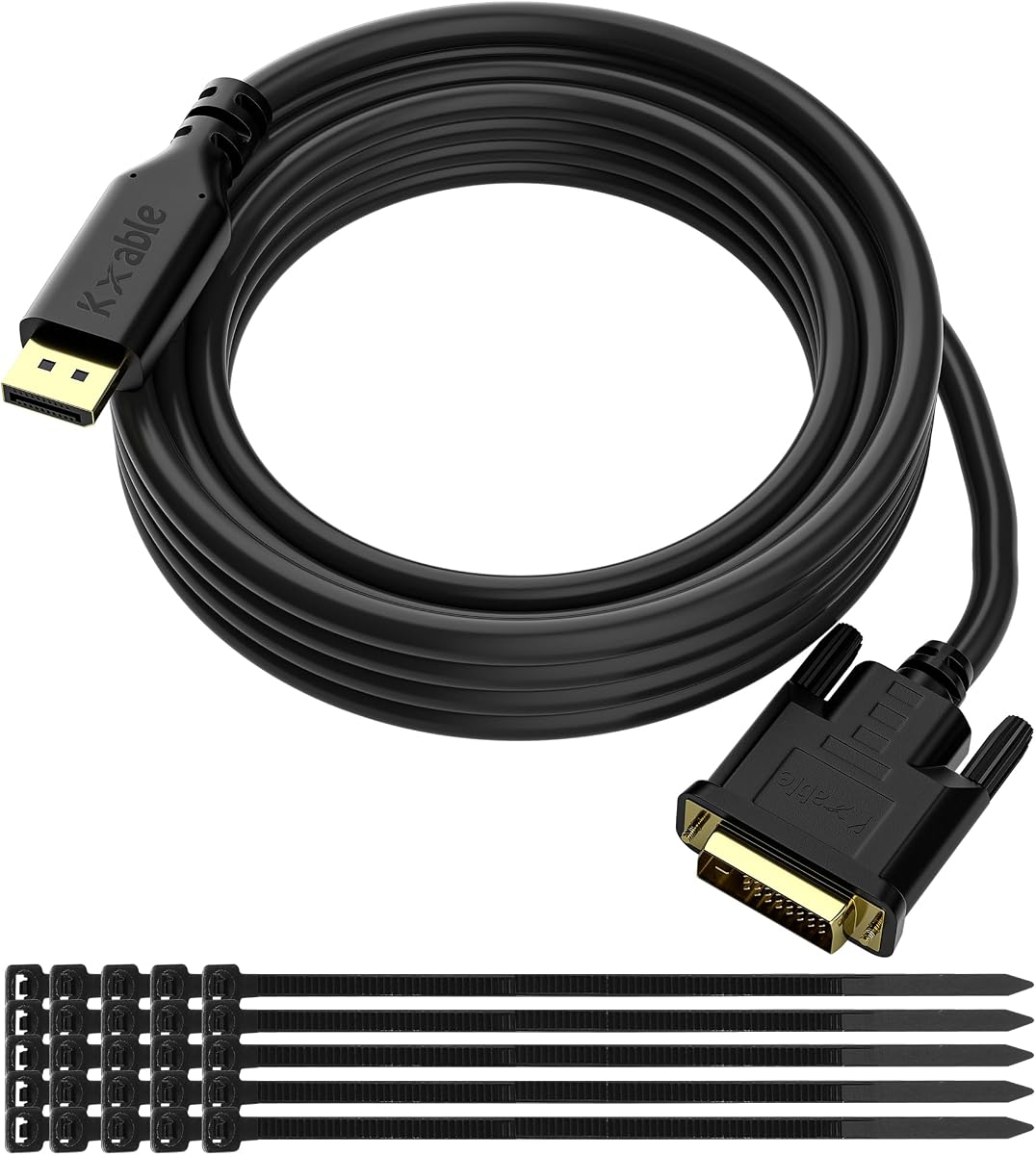
This cable stands out for its exceptional build quality and extended length making it ideal for larger workspaces. The pure copper conductors and 24K gold plated connectors ensure superior conductivity and corrosion resistance over long periods.
We may earn a commission when you buy through this link, at no additional cost to you.
Multi-layer shielding effectively blocks interference maintaining clear video signals even over the 25 foot span. The soft PVC jacket provides flexibility and durability while the included cable ties help keep your setup organized and tidy.
The main trade-off is the higher cost compared to shorter options and the weight of a longer cable may be noticeable. However for users needing significant reach without signal loss these factors are outweighed by the performance benefits.
It earns its spot as Editor's Choice due to its balance of premium materials and practical accessories. The one-year warranty and quick customer service response times further support its value for demanding professional environments.
High quality pure copper wire offers better conductivity than clad steel alternatives. This ensures efficient power and data transfer with minimal signal degradation.
Complimentary black zip ties are included for cable management. These help organize cables to maintain a clean and professional appearance in any office.
We may earn a commission when you buy through this link, at no additional cost to you.
The CableCreation Active cable is designed for users requiring advanced display configurations beyond standard single screen setups. It supports Eyefinity Multiple Screen technology allowing connections to up to six screens simultaneously for expanded productivity.
We may earn a commission when you buy through this link, at no additional cost to you.
Gold plated connectors combined with tinned copper conductors and foil braid shielding ensure reliable connectivity. The ABS shell provides a lightweight yet strong housing that protects internal components from physical stress during handling.
Active cables typically cost more than passive ones but the extra versatility justifies the price for specific workflows. The limitation is that it only transfers signal from DisplayPort source to DVI monitors which aligns with most standard PC to monitor needs.
With a 24 month product warranty and lifetime technical support this option offers robust long-term protection. It is best suited for professionals who need multi-display capabilities without sacrificing signal quality or connection stability.
Compatible with Eyefinity Multi-Display Technology for complex setups. Users can connect multiple monitors for enhanced workflows and multitasking efficiency.
Features high strength ABS shell that is lightweight and robust. This design protects the cable internals while keeping the overall weight manageable.
We may earn a commission when you buy through this link, at no additional cost to you.
Cable Matters offers a straightforward adapter that connects computers with DisplayPort to DVI monitors directly. The cable supports extended desktop or mirrored displays enabling flexible multi-monitor arrangements without additional hardware costs.
We may earn a commission when you buy through this link, at no additional cost to you.
Bare copper conductors and foil plus braid shielding deliver superior performance and reliability. Gold plated connectors resist corrosion while the latching mechanism ensures a secure fit that stays in place during active use.
The cable is limited to 1080p full HD resolution which covers most standard use cases effectively. However it lacks extra features like extended length or included accessories that might appeal to some users needing more customization.
This model is a solid choice for users seeking a reliable no-frills adapter. The combination of quality materials and secure connectivity makes it a dependable option for office or home setups.
Supports extended desktop or mirrored displays for flexibility. Users can configure multiple screens easily for better workflow management.
The release button must be depressed before unplugging. This design prevents accidental disconnection and protects the port from wear.
We may earn a commission when you buy through this link, at no additional cost to you.
This product listing currently lacks available details or specifications for proper evaluation. Without clear data on connectivity support or build quality we cannot assess its suitability for specific user needs.
We may earn a commission when you buy through this link, at no additional cost to you.
The absence of product information makes it difficult to compare against other options in this roundup. We recommend focusing on models with complete data to ensure informed purchasing decisions.
It may be temporarily out of stock or discontinued which limits its usefulness as a reliable recommendation at this time. Users should check back later for updates or select alternative choices listed above.
Given the lack of transparency we suggest skipping this option until more details are provided. Prioritizing well-documented products ensures you receive the performance and reliability you expect from your purchase.
Product details are currently unavailable for assessment. This lack of information prevents accurate performance or compatibility evaluation.
We may earn a commission when you buy through this link, at no additional cost to you.
This product entry contains no substantive information regarding its features or technical capabilities. Without details on resolution support or connector type we cannot recommend it for any specific use case.
We may earn a commission when you buy through this link, at no additional cost to you.
Users should exercise caution when considering products with missing data since hidden flaws may emerge after purchase. It is safer to choose items with verified specifications and positive user feedback.
Availability issues may also contribute to the missing information suggesting that stock is currently limited or uncertain. We advise checking seller listings for updated details before proceeding with any transaction.
In the absence of reliable data we suggest bypassing this product in favor of better documented alternatives. Clear specifications help ensure compatibility with your existing equipment and setup requirements.
Lack of product details creates uncertainty for buyers. It is best to prioritize items with transparent specifications.
We may earn a commission when you buy through this link, at no additional cost to you.
Information for this product is incomplete preventing any meaningful analysis of its performance. Without key details such as cable length or connector type it is impossible to determine compatibility.
We may earn a commission when you buy through this link, at no additional cost to you.
Choosing a product with insufficient information risks dissatisfaction due to potential mismatches with your hardware. It is essential to verify all technical requirements before completing a purchase.
The status suggests the item may be new or temporarily delisted from major platforms. We recommend waiting for more data or selecting a well-reviewed option with clear support details.
Skipping this choice ensures you avoid unnecessary complications and return processes. Focus on models that provide comprehensive product information to ensure a smooth experience.
Ensure the product is actively listed with full details. Incomplete listings often lead to compatibility issues or delays.
We may earn a commission when you buy through this link, at no additional cost to you.
This entry lacks the necessary information to evaluate its suitability for Displayport to DVI conversions. Without technical specifications we cannot confirm whether it meets basic performance standards.
We may earn a commission when you buy through this link, at no additional cost to you.
Products without clear data may have hidden limitations that are only discovered after purchase. To avoid frustration it is better to choose items with verified compatibility and support details.
The missing image and description make it difficult to assess physical build or connector type. We recommend relying on products with complete documentation for your purchase decision.
By focusing on well-specified items you ensure reliability and compatibility with your current setup. Clear information helps avoid delays and returns associated with inadequate product details.
Confirm specifications are available before purchase. Missing details often indicate incomplete product information.
We may earn a commission when you buy through this link, at no additional cost to you.
No substantive details are present for this product making it impossible to review or compare effectively. Without knowing its features we cannot determine if it fits your specific setup needs.
We may earn a commission when you buy through this link, at no additional cost to you.
Selecting a product without technical specifications may result in compatibility issues or poor performance. It is always safer to choose items with verified ratings and detailed descriptions.
The lack of visible information suggests this item may be discontinued or not yet fully cataloged. We advise waiting for updates or choosing a well-documented alternative from the list.
Avoiding incomplete listings ensures you receive a product that meets your expectations. Transparent product details help guarantee satisfaction and reliable performance in your setup.
Prioritize products with clear specifications to avoid mismatches. Uncertainty often leads to dissatisfaction after purchase.
We may earn a commission when you buy through this link, at no additional cost to you.
This product entry is incomplete and lacks the necessary data for a reliable assessment. Without information on cable type or support standards we cannot recommend it for use.
We may earn a commission when you buy through this link, at no additional cost to you.
Choosing products with missing details increases the risk of incompatibility and buyer remorse. It is advisable to focus on items with verified features and clear documentation.
The absence of images and specifications may indicate the listing is still under review or inactive. We suggest checking back later or selecting a fully reviewed option for immediate needs.
Ensuring all product details are visible before purchase helps guarantee a smooth experience. Well-documented options reduce the chance of errors or unexpected issues during setup.
Incomplete listings may indicate inactive or pending status. Always verify product availability before purchase.
We may earn a commission when you buy through this link, at no additional cost to you.
Selecting the right cable requires understanding key technical factors to ensure compatibility and optimal performance for your setup.
Most Displayport to DVI cables are uni-directional meaning they convert signals from Displayport source to DVI display. Confirm that the cable matches your device configuration before purchase.
Ensure the cable supports your device direction to avoid connection failures.
Check that the cable supports the desired resolution such as 1080p at 60Hz. Higher resolutions require cables that can handle sufficient bandwidth.
Choose cables rated for your target resolution to prevent display limitations.
Gold plated connectors resist corrosion and improve signal transmission over time. Look for durable plating that ensures long-lasting connection stability.
Prioritize gold plated connectors for better durability and performance.
Select a length that accommodates your workspace layout. Longer cables provide flexibility but may introduce more signal loss risk.
Choose the shortest length needed to maintain signal integrity.
Foil and braid shielding protects against electromagnetic interference. This ensures stable video transmission without flickering or dropouts.
Look for multi-layer shielding for consistent signal quality.
A manufacturer warranty provides protection against defects. Longer warranty periods indicate confidence in product durability.
Prefer products with extended warranty coverage for peace of mind.
Active cables use internal chips to convert signals for advanced setups while passive ones rely on existing device capabilities. Select based on your multi-monitor needs.
Active types support complex displays while passive suffice for standard use.
Copper conductors provide better conductivity than alternatives. Quality insulation and jacketing protect internal wires from damage.
Choose cables with copper wires and durable outer jackets for longevity.
Connect the Displayport end to your computer and the DVI end to your monitor or projector to begin using it.
Ensure the connection is secure before powering on the devices to avoid flickering or intermittent signal loss.
Handle the cable carefully to prevent bending or twisting near the connectors which can damage internal wires.
Most Displayport to DVI cables are uni-directional meaning they convert signals from Displayport sources to DVI displays. They cannot transmit signals from DVI devices back to Displayport sources. Always check the product description to confirm directionality before buying.
Typical Displayport to DVI cables support video resolutions up to 1080p at 60Hz. Some models also support higher resolutions like 1920×1200 depending on their active or passive design. Verify the exact specs for your needs.
An active adapter is necessary when connecting to older DVI monitors without Displayport compatibility. Passive cables work only if your graphics card supports dual-link DVI. Most modern setups use standard passive cables for simple connections.
Yes these cables support standard gaming resolutions up to 1080p at 60Hz smoothly. Higher refresh rates may require more advanced adapters depending on your monitor capabilities. Ensure your hardware supports the desired performance level.
Flickering may occur if the cable lacks proper shielding or is too long for stable signal transmission. Ensure connectors are fully inserted and the cable is undamaged. Consider replacing with a higher-quality option if issues persist.
Gold plated connectors resist corrosion and oxidation which helps maintain consistent signal quality over time. They are generally more durable than standard nickel or copper connectors. Opt for gold plating for longer service life.
Our top picks include the BENFEI for budget needs the Kxable for quality materials and CableCreation for advanced multi-monitor support. Each offers distinct advantages based on your specific requirements.
Prioritize factors such as resolution support connector quality and cable length when making your final decision. These elements directly impact your setup stability and performance.
Remember to verify current listings and specifications since details may change over time. Always confirm compatibility with your devices before purchasing to ensure a smooth experience.