
TP-Link ER605
4.4Editor score
Five Gigabit Ports
USB WAN Port Support
Advanced Security Features
Compare the top dual wan routers for 2026 to find reliable failover and load balancing for your business or home network needs.
A dual wan router ensures your connection stays active even if one internet line fails. This setup balances traffic across multiple providers for better speed and reliability during critical moments.
We evaluated ten top models based on port flexibility, security features, and VPN support. Our analysis covers enterprise-grade options and affordable units suitable for small offices and advanced home users.
Each pick highlights specific strengths like throughput, cloud management, and physical interfaces. Please note that retail prices fluctuate frequently so verify current costs before making your final purchasing decision today.
4.4Editor score

4.4Editor score

4.2Editor score
This side-by-side comparison highlights key specifications across all ten selected models to help you identify the right fit for your specific network requirements and budget constraints.



The TP-Link ER605 earns a solid 4.4 rating for delivering reliable dual WAN capabilities without high costs. It features five Gigabit ports including flexible WAN LAN options for versatile cabling needs.
We may earn a commission when you buy through this link, at no additional cost to you.
Its standout quality lies in the USB WAN port which allows 4G 3G modem backup for seamless failover when primary lines drop. Security is robust with DoS defense and filtering tools.
While it lacks built-in Wi-Fi radios you must pair it with an access point for wireless coverage. The web interface is functional but lacks advanced visualization compared to enterprise platforms.
Small businesses or home labs needing wired redundancy will find this unit ideal. We recommend it as a starting point for those wanting failover without enterprise complexity or costs.
Three WAN capable ports plus two LAN ports allow flexible routing strategies for different ISP setups.
Supports up to 20 LAN to LAN IPsec connections ensuring secure remote site access.
We may earn a commission when you buy through this link, at no additional cost to you.
Peplink B-One secures our Editor's Choice badge with a 4.4 rating and exceptional resilience for enterprise branch offices. It delivers 1Gbps throughput ensuring smooth video calls and large file transfers.
We may earn a commission when you buy through this link, at no additional cost to you.
SpeedFusion technology stands out by combining multiple internet connections for a robust network that stays online even if one line fails. Starlink integration simplifies satellite connectivity significantly.
The cost is higher than basic models and advanced features may overwhelm casual users. Automatic firmware updates improve security but require monitoring to ensure compatibility with existing hardware.
Organizations needing always-on connectivity and multi-ISP aggregation should choose this router. It is worth the investment for critical business environments where downtime is not an option.
Automatic failover reduces resets compared to other routers keeping branches connected consistently.
Seamless Starlink integration allows backup or load balancing with satellite internet effortlessly.
We may earn a commission when you buy through this link, at no additional cost to you.
The NETGEAR PR60X earns our Best Premium label with a 4.2 rating due to its high-performance hardware. It features one 10G Multi-Gig LAN WAN port and three 2.5G LAN ports for massive speed.
We may earn a commission when you buy through this link, at no additional cost to you.
Its standout quality is cloud management via NETGEAR Insight which simplifies remote administration from anywhere. Secure remote access uses IPSec OpenVPN and WireGuard with tunnel up to 100 devices.
The price is steep and some features rely on Insight subscriptions which may increase total ownership costs. Setup requires technical knowledge for VLANs and dynamic routing protocols.
Tech SMEs needing multi-gigabit throughput and centralized cloud control will find this ideal. It is a robust solution for growing businesses upgrading from basic wired routers.
One 10G SFP plus port enables long-distance backhaul or direct connection to servers.
32 VLANs allow segmentation of traffic for enhanced network isolation and security.
We may earn a commission when you buy through this link, at no additional cost to you.
The Cudy R700 delivers a strong 4.4 rating for users needing complete enterprise control via OpenWRT. It connects up to five ISPs with automatic failover ensuring business continuity even during outages.
We may earn a commission when you buy through this link, at no additional cost to you.
Its standout quality is the complete VPN suite including WireGuard OpenVPN and IPsec for secure remote access. Professional security stacks include DoS prevention and DMZ hosting options.
The device targets tech-savvy users comfortable with community packages. While affordable and versatile it requires manual configuration compared to cloud-managed alternatives.
Home labs and remote offices needing maximum flexibility should choose this model. It is excellent for those who prefer open-source customization over proprietary firmware.
Connect up to five ISPs with instant traffic rerouting to keep your business online.
SPI firewall and MAC binding protect your network perimeter from external threats effectively.
We may earn a commission when you buy through this link, at no additional cost to you.
The Omada ER707-M2 offers a 4.4 rating with a 2.5Gigabit WAN port and flexible SFP interfaces. It supports up to 500,000 concurrent sessions making it ideal for busy networks.
We may earn a commission when you buy through this link, at no additional cost to you.
Its standout quality is centralized cloud management via Omada app allowing control of multiple sites from one interface. VPN support includes up to 100 IPsec tunnels for robust security.
It requires separate Omada access points for wireless coverage adding to the total setup cost. The interface is powerful but may require learning curves for new administrators.
Enterprises needing centralized control and high session limits should choose this unit. It fits well within larger ecosystems requiring consistent management across different locations.
Supports up to 1000 plus clients ensuring your network remains stable during peak times.
Up to 60 OpenVPN tunnels allow secure remote access for traveling staff members.
We may earn a commission when you buy through this link, at no additional cost to you.
The ASUS RT-BE88U earns a 4.3 rating with cutting-edge 10G ports and WiFi 7 technology. It delivers up to 7.2 Gbps throughput utilizing Multi-Link Operation for incredible wireless speeds.
We may earn a commission when you buy through this link, at no additional cost to you.
Its standout quality is AI WAN detection ensuring always-on internet by seamlessly switching between available connections. AiProtection Pro powered by Trend Micro adds robust security scanning.
The price is high and the power requirements are significant for home deployment. Setup for multi-Gig ports requires compatible network cards in connected devices.
Power users needing wireless and wired multi-gigabit speeds should choose this router. It is an investment for those wanting the latest technology without external access points.
WiFi 7 tech boosts throughput with 4096-QAM and Multi-Link Operation for faster speeds.
AiProtection Pro with one-tap scanning blocks malicious traffic effectively for your home.
We may earn a commission when you buy through this link, at no additional cost to you.
The ASUS ExpertWiFi EBG15 provides solid commercial-grade security with a 3.8 rating and three WAN ports. It supports load balancing to optimize multi-line broadband usage efficiently for business networks.
We may earn a commission when you buy through this link, at no additional cost to you.
Its standout quality is IPS intrusion prevention and deep packet inspection to block malicious traffic automatically. AiProtection Pro subscription is free offering robust security for public Wi-Fi.
It lacks built-in wireless radios meaning you must deploy separate access points for Wi-Fi. The setup is easier than competitors but lacks advanced routing features.
Small businesses needing secure public Wi-Fi should consider this router. It balances ease of use with necessary security features without complex hardware.
IPS features like deep packet inspection help block malicious traffic effectively.
Easy management via web browser or mobile app simplifies remote setup tasks.
We may earn a commission when you buy through this link, at no additional cost to you.
The D-Link DSR-250V2 follows NDAA and TAA standards for enhanced trust with a 2.9 rating. It offers enterprise-grade encryption and up to 75 VPN tunnels for secure corporate access.
We may earn a commission when you buy through this link, at no additional cost to you.
Its standout quality is compliance with government and industry standards making it suitable for agencies. Load balancing ensures optimized bandwidth for reliable remote or hybrid team connectivity.
The low rating suggests potential issues with performance or support over time. It may feel dated compared to modern routers with faster processing capabilities.
Government contractors needing strict compliance should consider this unit despite lower speeds. It fits specific regulatory needs better than general consumer models.
Made in Taiwan and meets government standards for agencies under strict regulations.
Router-based or client-based VPN options meet unique team needs for secure access.
We may earn a commission when you buy through this link, at no additional cost to you.
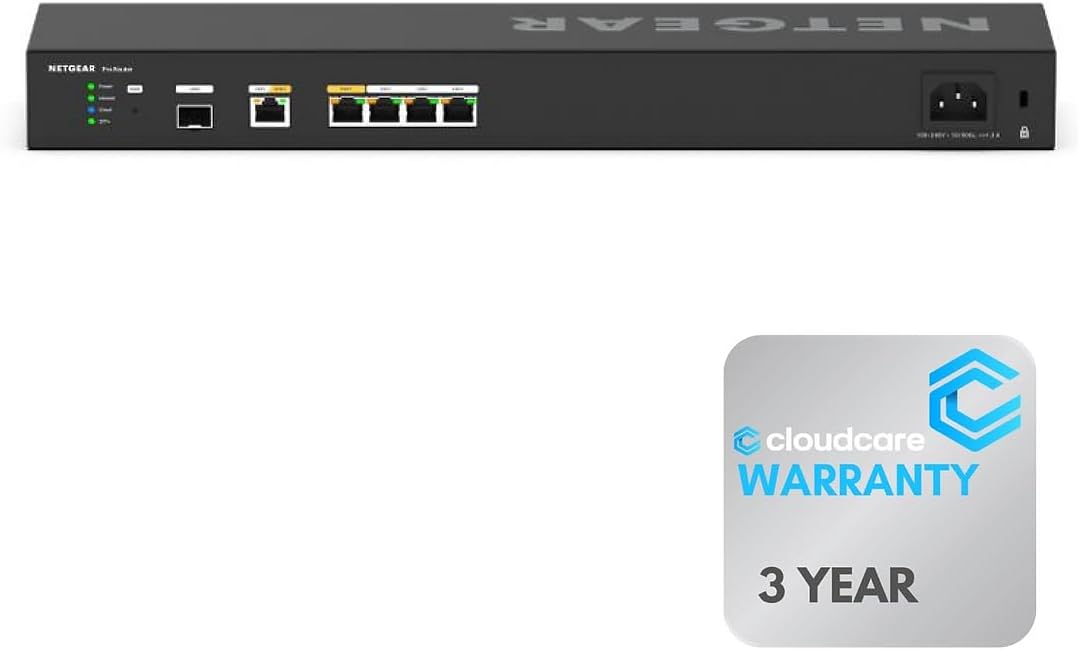
The NETGEAR PR60X Cloud Care edition offers a 4.6 rating with six 10G ports for maximum speed. It features dual WAN ports for load balancing ensuring continuous internet access for professionals.
We may earn a commission when you buy through this link, at no additional cost to you.
Its standout quality is the rack-mountable design saving space in professional environments. Insight Cloud Management allows easy remote setup and maintenance from anywhere anytime.
The Cloud Care warranty simplifies claims by allowing a single form for any product. This is great for buyers needing simplified support and quick replacements.
IT professionals needing high-speed rack-mountable gear should choose this model. It balances performance with centralized management for efficient office network administration.
Rack-mountable design organizes equipment efficiently for professional environments easily.
Manage and monitor your network remotely with cloud-based control effortlessly.
We may earn a commission when you buy through this link, at no additional cost to you.
The Linksys LRT224 offers a 4.0 rating with support for up to 50 IPsec tunnels for site-to-site connectivity. It ensures highly reliable Internet connectivity through load balancing and WAN failover features.
We may earn a commission when you buy through this link, at no additional cost to you.
Its standout quality is support for iOS and Android users via five OpenVPN tunnels. The firewall throughput reaches 900 Mbps which suits small business requirements adequately.
While robust for its age it lacks modern port speeds compared to newer Gigabit models. Manual troubleshooting may be needed without advanced diagnostic tools.
Small businesses needing simple site-to-site tunnels should consider this unit. It remains a cost-effective choice for basic VPN requirements without extra complexity.
50 IPsec tunnels support site-to-site and client-to-site VPN needs effectively.
Feature-rich capabilities meet a wide range of business network requirements simply.
We may earn a commission when you buy through this link, at no additional cost to you.
Selecting the right dual wan router requires understanding key factors like port types and failover speed to match your network demands.
Ensure your router supports multiple WAN inputs like Ethernet and USB for backup flexibility. Some models offer configurable LAN WAN ports which adapt to specific ISP needs better.
Look for at least three WAN ports to handle diverse backup options seamlessly.
Fast failover minimizes downtime when primary internet fails. Check if the router uses active monitoring to detect drops instantly without requiring manual intervention.
Prioritize models claiming sub-second switching for critical business operations.
Load balancing distributes traffic across ISPs to maximize bandwidth usage. Not all routers support weighted balancing so check documentation for specific algorithms provided.
Choose advanced load balancing if you run heavy data applications daily.
Enterprise users need robust VPN tunnels for secure remote access. Check for IPsec OpenVPN and WireGuard support along with session limits.
Ensure the router handles enough simultaneous connections for your staff.
Remote management simplifies oversight of multiple locations. Cloud platforms allow viewing logs and updating firmware without physical access to the device.
Select routers with intuitive dashboards for easier administration over time.
If you need built-in Wi-Fi look for dual-band or WiFi 6 compatibility. Wired routers often outperform in stability but need separate access points for coverage.
Decide between all-in-one units or wired routers paired with access points.
Built-in firewalls and intrusion prevention protect against external threats. DoS defense and content filtering add layers of security for sensitive data.
Prioritize commercial-grade security options if handling customer information regularly.
A strong warranty provides confidence against hardware defects. Check if the manufacturer offers technical support hours aligned with your working schedule.
Always review warranty terms before purchasing to avoid unexpected costs later.
Connect primary and backup ISPs to designated WAN ports using high-quality Ethernet cables. Ensure both connections are active by verifying link lights before configuring settings.
Access the web interface using the default IP address listed in the manual. Set failover priorities so critical applications run on the primary line by default.
Update firmware regularly to patch vulnerabilities and improve performance. Monitor logs periodically to identify any recurring connection drops that may need attention.
A dual wan router allows you to connect two different internet service providers simultaneously. It provides redundancy in case one connection fails and balances traffic to optimize bandwidth usage efficiently.
Some models include built-in wireless radios while others are wired-only. You may need to pair a wired unit with separate access points if you need Wi-Fi coverage.
Failover automatically switches traffic to the backup ISP when the primary link goes down. The router constantly monitors link status to detect outages within milliseconds.
Yes you can mix any connection types like fiber cable or DSL provided they have Ethernet outputs. The router treats them as standard WAN links regardless of underlying technology.
Cloud management is not strictly necessary but offers easier remote access and monitoring. For single-site setups local web access is often sufficient for most users.
Standard Ethernet cables work for gigabit connections but multi-gig models require Cat6 or higher cables for full speed. Ensure all cables are rated for the maximum port speeds you need.
Advanced routers support multiple WAN inputs beyond two. Check specs for multi-WAN capabilities if you need more than two internet connections simultaneously.
If both fail there is no internet connectivity. Some high-end models support 4G or 5G backup via USB to provide a last resort connection path during extended outages.
We highlighted the TP-Link ER605 for budget-conscious buyers and Peplink B-One for performance seekers. The NETGEAR PR60X offers top-tier premium features for advanced enterprise needs.
Prioritize failover speed and port flexibility to match your specific business requirements. Security features like IPS and VPN tunnels should align with your data protection standards.
Prices change frequently so always verify current listings and availability before purchasing. Review user feedback and specs carefully to ensure the model fits your unique setup today.