
VEVOR 3D Printer Enclosure with Ventilation Dustproof Waterproof Oxford Cloth Resin 3D Printer Tent
4.6Editor score
Constant temperature protection
Effective ventilation system
Wide printer compatibility
This guide compares the top enclosures with ventilation for resin printing to help you choose the right model for odor control, safety, and print quality in
Resin 3D printing offers incredible detail but comes with fumes and odors that need containment. An enclosure with ventilation helps protect your health and workspace while improving print consistency and stability.
We evaluated ten top-rated models based on airflow design, filtration quality, build durability, and compatibility with popular resin printers. Each option balances cost against features to suit different user needs.
Every pick shows key specs, pros, cons, and real-world performance notes to guide your choice. Prices and availability change frequently so check current listings before purchasing your next printing enclosure.
4.6Editor score

4.8Editor score

4.2Editor score
This side-by-side comparison highlights key specifications across all ten models to help you find the right fit for your resin printing setup and environment.




The YOOPAI Pro enclosure stands out for its thoughtful balance of airflow, temperature stability, and usability. With a strong 4.8 rating from users, it delivers reliable performance for home studios and workshops focused on resin printing.
We may earn a commission when you buy through this link, at no additional cost to you.
Its adjustable odor ventilation system uses a 12V variable-speed fan combined with an enlarged carbon filter and flexible exhaust duct to direct resin fumes efficiently. The internal heat insulation helps maintain consistent temperature for smoother resin flow, while the amber-tinted window reduces UV exposure during printing.
Some users note that airflow slows slightly when passing through the activated carbon filter, which may require waiting before opening the hood after a print completes. The enclosure also requires verifying lid clearance for taller printers, but these trade-offs are acceptable for the level of control and cleanliness it provides.
This model is ideal for users who want a complete, well-designed setup with responsive support. Whether you are upgrading your workspace or building your first resin studio, it offers the tools needed to maintain a safe and efficient printing environment.
Adjustable fan speed and flexible ducting allow you to fine-tune airflow based on print duration and resin type, keeping odor levels low throughout the process.
Internal insulation and window design maintain steady internal conditions, reducing thermal stress on prints and improving layer adhesion for more reliable results.
We may earn a commission when you buy through this link, at no additional cost to you.
The VEVOR Tent delivers solid performance at a lower cost, making it a popular choice for beginners. Users appreciate its constant temperature support and clear visibility during prints, which helps reduce waste and improve accuracy.
We may earn a commission when you buy through this link, at no additional cost to you.
This model includes a ventilation system to expel smoke and dust quickly after printing, keeping harmful particles from spreading. Its flame-retardant materials and closed structure add safety by minimizing dust entry and accidental contact with components.
While it lacks adjustable fan speeds found in higher-end options, the built-in system works well for typical resin workflows. The lightweight Oxford cloth is functional but may not feel as rugged as heavier-duty alternatives over years of use.
For budget-conscious users or those with a smaller setup, this enclosure offers a reliable entry point. It provides essential protection and ventilation without a high investment, suitable for hobbyists and home workshops focused on quality output.
The affordable price and essential ventilation features make this an accessible option for those starting resin printing without compromising basic safety and print stability.
A large transparent window allows you to check progress without opening the enclosure, helping maintain stable internal conditions and reducing exposure to fumes during observation.
We may earn a commission when you buy through this link, at no additional cost to you.
Creality's official enclosure provides a premium, professional-grade solution for users who need extra space and durability. Its large interior can hold both a resin printer and curing machine, creating an integrated workflow with consistent environmental control.
We may earn a commission when you buy through this link, at no additional cost to you.
The flame-retardant aluminum foil cloth and robust metal frame ensure safe long-term operation while reducing noise from printers and fans. This setup is especially helpful in shared spaces or offices where noise and safety are priorities.
While the cost is higher than many alternatives, the official compatibility and durable build justify the investment. Some kits may not include a fan, so check specifications before purchasing to ensure full functionality for your specific needs.
This model is ideal for serious users or small businesses that need a reliable, spacious workspace. It offers the structure and safety features required for extended printing schedules and more demanding operational requirements.
The extra-large interior accommodates printers and curing machines together, enabling seamless transitions between steps while containing fumes within a single, controlled enclosure.
Official materials and robust construction meet higher safety expectations, making this a strong choice for environments where durability and fire resistance are critical.
We may earn a commission when you buy through this link, at no additional cost to you.
The Multifunctional Tent provides practical ventilation and UV protection in a compact size suited for small workspaces. Its stainless steel frame adds strength without bulk, while the three-layer filtration helps reduce both dust and harmful gases.
We may earn a commission when you buy through this link, at no additional cost to you.
A 12V fan with speed control allows users to adjust airflow based on resin odor levels or print duration. The UV block window prevents premature curing when monitoring progress without fully opening the enclosure.
Users need to print a plastic adapter to fit the fan properly, which adds a small step to setup. While space is limited, this model suits single-printer setups where cost, size, and filtration matter most.
Ideal for hobbyists with tight desk space, it balances protection and ventilation effectively. If you work with resin regularly in a shared or small room, this enclosure keeps fumes contained without consuming much area.
Its smaller footprint fits easily on standard desks while still offering a ventilated, filtered environment that supports consistent resin prints in limited space.
The variable-speed fan lets you control ventilation intensity, helping reduce noise or power use when odor levels are low while still ensuring proper exhaust.
We may earn a commission when you buy through this link, at no additional cost to you.
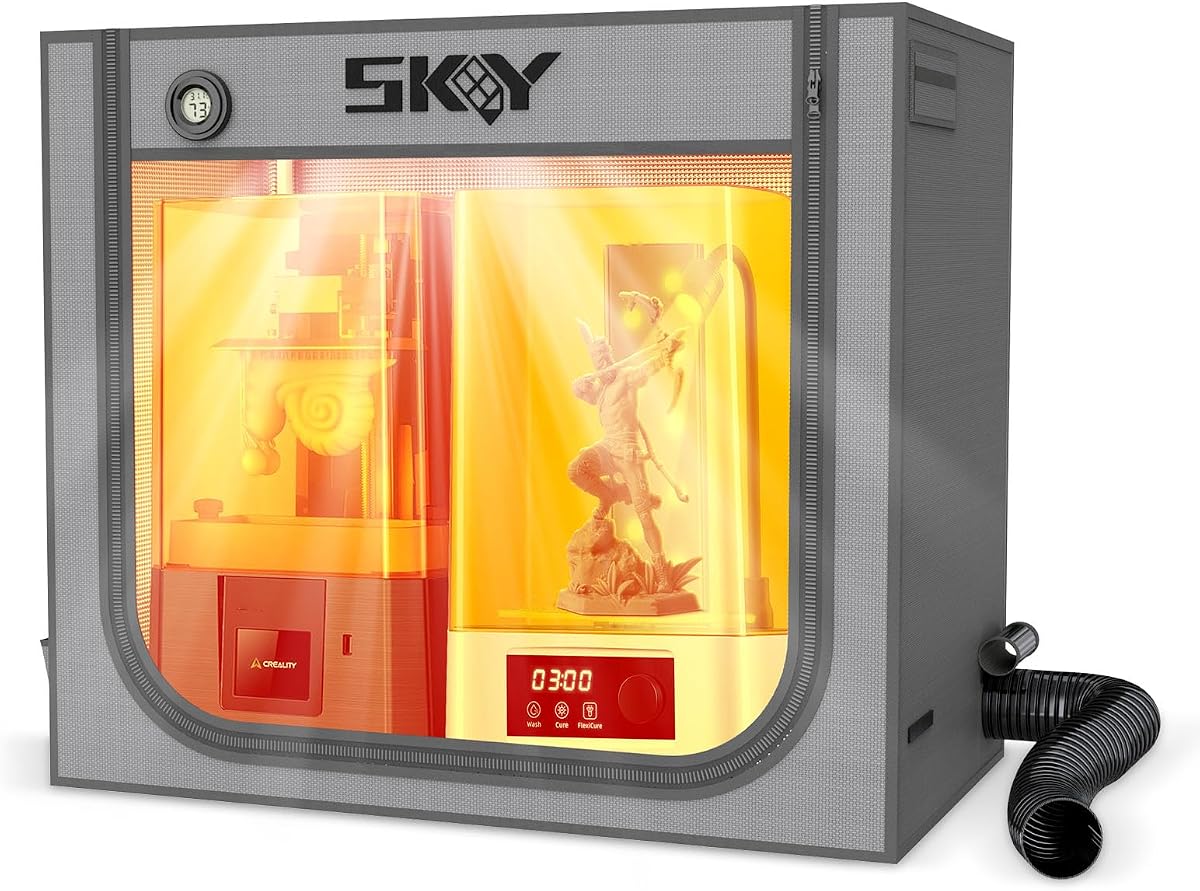
The SKOUPHY Double Space model is designed for users who want both printing and curing stations under one cover. Its generous interior dimensions support clean workflow organization while maintaining controlled temperature and air quality.
We may earn a commission when you buy through this link, at no additional cost to you.
A ventilation kit with high-RPM fan and activated carbon box effectively absorbs resin odors before they escape. Upgraded LED lighting improves visibility, and the double-layer Oxford cloth adds fire resistance and dustproof protection.
The large size requires significant desk or bench space, which may not suit small work areas. Carbon filters will need periodic replacement for consistent performance, adding minor maintenance over time.
This model fits users with dedicated spaces who value workflow efficiency. It provides the capacity and ventilation needed for multi-step processes without compromising on safety or air cleanliness.
Fits both resin printer and curing machine in one controlled area, reducing the need to move prints and keeping fumes contained during all stages.
Upgraded LED lighting and fire-resistant fabric improve operational safety and monitoring quality, making it easier to track prints without opening the cover.
We may earn a commission when you buy through this link, at no additional cost to you.
The YOOPAI Large offers a spacious interior capable of holding two resin printers or one printer and curing unit. Its fully enclosed six-sided structure protects against dust and resin splashes while maintaining stable temperature conditions.
We may earn a commission when you buy through this link, at no additional cost to you.
Built-in carbon filters and exhaust fans remove polluting gases effectively. The large perspective window lets you observe progress without opening the cover, preventing odor leakage during monitoring.
Airflow speed decreases slightly when passing through activated carbon, which may extend ventilation time after prints. Always measure your equipment carefully before purchase to confirm fit within the stated internal dimensions.
Ideal for users with multiple machines or a larger bench, this model delivers broad protection and odor control. It is well-suited for setups that prioritize cleanliness and stable printing environments.
The wider interior design allows flexible layouts for two printers or integrated curing, supporting efficient printing routines without constant enclosure access.
Fully sealed structure with effective filtration keeps external dust and internal fumes contained, improving air quality and print reliability across sessions.
We may earn a commission when you buy through this link, at no additional cost to you.
This Large Resin Enclosure combines wide dimensions with functional ventilation to support both resin printers and curing machines. Heat insulation helps maintain steady internal temperatures, which benefits print quality and resin flow consistency.
We may earn a commission when you buy through this link, at no additional cost to you.
The built-in carbon filter and exhaust system effectively manage fumes, while a transparent window allows monitoring without exposure to odors. Dustproof and noise-isolating materials make it practical for shared workspaces.
Airflow slows through the activated carbon, so waiting a short time before opening helps avoid odor spread. Its size is generous but may not suit small workbenches.
Best for users who need room for multiple devices while maintaining cleanliness. It offers balanced performance for odor control and thermal stability in a durable design.
Internal insulation helps maintain consistent internal temperature, which reduces printing inconsistencies and improves overall layer stability and finish quality.
Ventilation with carbon filtration and clear windows keeps fumes contained while allowing monitoring, improving workspace air quality and comfort.
We may earn a commission when you buy through this link, at no additional cost to you.
This enclosure stands out for its integrated 5-in-1 air quality monitor, tracking CO2, HCHO, and TVOC levels for added safety. It offers adjustable ventilation and a dual-space layout for multiple resin printers.
We may earn a commission when you buy through this link, at no additional cost to you.
A retractable exhaust duct vents gases outside, and the 600D Oxford fabric with aluminum lining provides dustproof and fire-resistant protection. LED lighting and tool-free assembly enhance convenience.
Assembly can be tricky due to unclear manual instructions, so following the official video guide is recommended. Batteries for the temp-humidity gauge are not included, adding a small setup step.
Users who value air quality monitoring will find this model useful. It supports safer printing through real-time data and adjustable airflow, making it suitable for home studios focused on health and safety.
The 5-in-1 sensor tracks multiple gas levels to help identify risks, allowing users to maintain safer conditions during resin printing sessions.
Dual-space layout supports different configurations, whether running two printers or combining one printer with storage for tools and filaments.
We may earn a commission when you buy through this link, at no additional cost to you.
This model delivers strong ventilation performance with an integrated carbon filter and exhaust system to manage resin fumes. The extra-large enclosure supports both printing and curing in a single controlled space.
We may earn a commission when you buy through this link, at no additional cost to you.
Insulation maintains steady internal temperature for better flow and reliability. A high-clarity front window allows clear progress checks, and the sealed structure protects against dust and resin splashes.
Ensuring correct fan placement affects airflow efficiency; follow setup guidance for best results. Its size requires adequate space but is suitable for dedicated work areas.
Ideal for users wanting a clean, organized workflow with strong odor management. It combines thermal control and ventilation in a durable enclosure that supports consistent print quality.
Carbon filter and exhaust fan work together to capture harmful fumes before they enter the room, ensuring a fresher and safer printing environment.
Insulated design helps maintain consistent internal temperature, reducing print variability and supporting more precise resin curing and flow control.
We may earn a commission when you buy through this link, at no additional cost to you.
The Makacces enclosure emphasizes resin safety with a brown window that blocks most UV rays, preventing premature curing during observation. Its fire-resistant fabric and stainless steel frame provide durable, reliable protection.
We may earn a commission when you buy through this link, at no additional cost to you.
Adjustable ventilation with a 12V fan helps vent fumes effectively. Smoke and odor extraction improves air quality, making it suitable for indoor environments where comfort and cleanliness matter.
The brown-tinted window reduces UV exposure but may darken the view slightly. Assembly is straightforward but benefits from careful attention to frame alignment for optimal stability.
Ideal for users working in spaces where UV exposure or heat is a concern. It offers essential safety and ventilation features at a reasonable price point for regular resin printing use.
Brown window blocks most UV rays to prevent premature curing, helping preserve resin integrity and ensuring consistent print results throughout the process.
Stainless steel frame and fire-resistant fabric provide long-term durability and safety, offering reliable protection during extended printing sessions.
We may earn a commission when you buy through this link, at no additional cost to you.
Choosing the right enclosure requires understanding airflow, size, and safety features. This guide outlines key factors to ensure your setup protects health and improves print consistency.
Ventilation quality determines how effectively fumes are extracted from the enclosure. Look for adjustable fans, flexible exhaust ducts, and high-quality carbon filters to ensure odor and particle removal. Airflow should be sufficient to prevent fumes from escaping while allowing some fresh air intake to avoid negative pressure that may hinder ventilation.
Prioritize models with adjustable speed controls and duct options to customize airflow for different resin types and printing durations.
Measure your printer and any curing or cleaning equipment before choosing an enclosure. Many models offer space for both devices but vary in width and height. Ensure the lid clearance allows for taller machines and that doorways fit your workflow.
Select an enclosure that provides at least 10–20% extra space around your largest equipment for comfortable operation.
Carbon filters are essential for neutralizing resin odors and capturing VOCs. Multi-layer systems with activated carbon sheets perform best. Note that filters add resistance to airflow and may need periodic replacement depending on print volume.
Check whether filters are replaceable and how easily they access for maintenance over time.
Resin performance benefits from consistent temperature. Enclosures with insulation help maintain stable heat during printing, reducing resin viscosity changes and warping. Look for models that mention constant temperature or heat insulation design.
Stable environments improve print adhesion and surface finish while reducing print failures.
Transparent windows allow observation without opening the enclosure. UV-blocking or tinted windows protect resin from ambient light. Some enclosures include internal LED lighting to improve visibility in low-light environments.
Choose windows with high clarity and UV protection for accurate monitoring and material safety.
Fire-resistant and flame-retardant materials reduce risk during operation. Oxford cloth or aluminum foil lining with fireproof ratings adds protection. Ensure the enclosure is made from certified materials if you work in shared or public spaces.
Safety features like fireproof lining and stable frames are critical for long-term reliability and peace of mind.
Enclosures should assemble quickly with clear instructions. Sturdy frames made from steel or reinforced plastic offer better stability than flimsy rods. Durability of zippers and door flaps also affects long-term use.
Check user reviews for assembly ease and material strength to avoid models prone to structural failure.
Fans and enclosures can generate noise. Models that highlight quiet operation or noise reduction features are better for shared spaces or offices. Consider decibel levels and material sound insulation when choosing.
Lower noise improves comfort during long printing sessions and makes the workspace more pleasant.
Before first use, assemble the frame carefully and check all zippers and door flaps for proper alignment. Connect the fan and exhaust duct securely to prevent leaks and ensure stable support rods do not flex under airflow pressure.
Position the enclosure in a well-ventilated area with enough clearance for exhaust ducting. Always keep the carbon filter in place and monitor airflow regularly. If odor increases, check for filter saturation and replace as needed for consistent performance.
After each print, allow the fan to run briefly before opening the enclosure to clear remaining fumes. Clean the interior with a soft cloth and mild soap to remove resin residue. Store the enclosure in a dry, shaded location when not in use to prolong fabric life.
Yes, ventilation is essential to remove harmful VOCs and resin fumes from enclosed spaces. Without airflow, odor and chemical exposure increase, which can affect health and comfort. A proper ventilation system with an exhaust duct and carbon filter keeps indoor air quality safe and stable during printing sessions.
Carbon filters typically need replacement every 1 to 3 months depending on usage. Frequent printing or high-odor resins require more frequent changes. Watch for reduced airflow or increased odor to know when replacement is needed. Always keep spares for uninterrupted operation.
Many resin enclosures are compatible with FDM printers if dimensions match and materials can handle higher temperatures. Check the enclosure's fire-resistant rating and internal space before use. Some models include adjustable fans for dual-purpose setups. Verify specifications for your printer type before purchasing.
Measure your printer height, width, and depth plus curing equipment. Add at least 4 to 6 inches of clearance on all sides for airflow and access. If your setup includes a curing machine, choose a double-space model. Always verify compatibility before ordering to avoid fit issues.
Yes, enclosures maintain stable temperature and humidity which improves resin flow and layer adhesion. Reduced temperature fluctuation leads to fewer print failures and more consistent surface quality. They also protect prints from dust and accidental contact. Thermal stability is a key benefit for precision printing.
Resin enclosures are safe if made with fire-resistant materials and used with proper ventilation. Keep the enclosure away from flammable surfaces and ensure fans operate smoothly. Regularly check cables and fans for wear. When used correctly, enclosures reduce exposure to fumes and improve workspace safety.
Yes, some enclosures support multi-layer carbon filter systems for better VOC and odor removal. Adding more filter layers increases resistance so ensure your fan can maintain airflow. Balance filtration strength with fan power to prevent reduced exhaust. Check product guidelines before adding aftermarket filters.
Many enclosures reduce noise through thick materials and sealed designs. Oxford cloth and insulation absorb sound from fans and printers. This helps create a quieter workspace which is beneficial for shared spaces. Noise reduction features vary between models so check specifications for quiet operation claims.
Our top picks highlight the YOOPAI Pro for overall performance, VEVOR for budget value, and Creality for premium size and safety. Each offers strong ventilation, temperature control, and protection suited to different workspace needs.
Focus on ventilation quality, filter capacity, and dimensions before purchasing. Ensure the enclosure fits both your printer and any additional equipment while maintaining effective airflow and fire-resistant safety features for long-term reliability.
Prices and availability change regularly so always check current listings before buying. Compare specs and user reviews to confirm compatibility and features match your specific resin printing setup for the best results.