
TP-Link AV600 Powerline Ethernet Adapter Kit
4.2Editor score
Extends via electrical wiring
Compact nano size design
Power saving mode included
Compare the best Ethernet Line Extender solutions for home and office networking. This guide reviews top powerline, VDSL, and cable extenders for reliable
Finding a reliable Ethernet Line Extender is essential when standard cabling falls short. Thick walls or long distances often block direct connections, requiring specialized hardware to maintain speed and stability across your property.
We evaluated ten top-rated models based on range, speed, ease of use, and compatibility. Our analysis covers powerline adapters, VDSL extenders, and passive couplers to help you choose the right tool for your network needs.
Each pick highlights key features, pros, and cons to simplify your decision. Remember that availability and pricing change frequently, so verify current details before purchasing to ensure you get the best value for your setup.
4.2Editor score

4.8Editor score

4.2Editor score
This side-by-side comparison outlines the key specifications and capabilities of the top ten Ethernet Line Extender options available today. Use this table to quickly identify which model matches your distance, speed, and cabling requirements for optimal network performance.



This powerline adapter kit extends your network through electrical wiring, ideal for thick walls blocking standard cables. With AV1000 speeds and a Gigabit port, it supports high-bandwidth devices like smart TVs and gaming consoles effectively.
We may earn a commission when you buy through this link, at no additional cost to you.
Powered by HomePlug AV2 technology, it delivers stable connectivity up to 750 feet under optimal conditions. The compact nano design ensures it does not block adjacent outlets, while the power saving mode reduces energy consumption significantly.
Performance depends on wiring quality and electrical circuit consistency. It requires direct wall outlet installation and may face limitations with AFCI breakers or certain router firmware configurations that affect compatibility.
Ideal for users needing reliable wired connections without new cabling, this kit offers a robust solution for multi-story homes. Its security features make it a strong choice for those prioritizing network safety alongside performance.
AV1000 powerline speeds ensure your devices get maximum possible bandwidth through existing electrical infrastructure.
Power saving mode automatically reduces energy consumption by up to 85 percent when devices are idle.
We may earn a commission when you buy through this link, at no additional cost to you.
This adapter kit supports Gigabit speeds through electrical outlets using Homeplug AV2 technology. It is designed for 4K HD streaming and lag-free gaming by maintaining consistent connection quality across household wiring.
We may earn a commission when you buy through this link, at no additional cost to you.
Multiple data streams and Beamforming technology direct signal where needed, improving coverage. The extra plugged outlet with noise filtering ensures your devices stay connected without interference from other electronics.
Setup takes minutes with no software installation required. Input voltage range accommodates standard household outlets, though it is optimized for US usage only, which may limit international deployment scenarios.
Users wanting top-tier speed without Wi-Fi extension should consider this model. It handles multiple devices effectively while keeping wired connections stable, making it a practical choice for media and gaming setups.
Beamforming technology focuses your network signal through wiring to reduce signal loss over distance.
Built-in noise filtered outlet allows you to plug in other devices without sacrificing the adapter's connection.
We may earn a commission when you buy through this link, at no additional cost to you.
This kit extends standard Ethernet limits from 328 feet to over 7000 feet using VDSL technology. It leverages existing CAT5 through CAT8 or phone cables to pass signals reliably to remote locations without new infrastructure.
We may earn a commission when you buy through this link, at no additional cost to you.
The pair includes preset configurations for central and remote units, ensuring immediate use. Connections support various devices like cameras and VoIP phones, making it versatile for both home and small office network expansions.
Installation requires no software or driver setup, simplifying deployment. However, the higher price reflects the extended capabilities and specialized hardware needed to maintain signal integrity over such significant distances.
Best suited for properties where traditional cabling is impractical, this extender solves long-range connectivity issues. It provides a stable link for surveillance or remote access applications where speed and reach are critical priorities.
VDSL technology allows network signals to travel over 7000 feet, overcoming standard cable limitations.
Works with CAT5 to CAT8 network cables as well as standard phone lines for flexible installation.
We may earn a commission when you buy through this link, at no additional cost to you.
This unmanaged extender reaches up to 0.5 miles using single or dual-pair cable configurations. It supports IEEE 802.1q VLAN tag pass-through and other advanced protocols, making it suitable for professional network deployments.
We may earn a commission when you buy through this link, at no additional cost to you.
LED indicators for power and network status simplify monitoring, while DIP switches allow configuration without software. The transparent design ensures seamless protocol handling, preserving existing network settings during extension.
It works with standard RJ11 phone lines as well as copper Ethernet cables, offering flexibility in cabling choices. TAA compliance ensures it meets government procurement standards, which adds value for specific organizational buyers.
IT administrators needing reliable long-range access or equipment control will find this model robust. While speeds are capped at 100 Mbps, the range and compliance features make it a top choice for specialized remote setups.
TAA compliance ensures this extender meets standards required for US government and enterprise procurement.
Supports both UTP Ethernet and phone line cabling to adapt to existing infrastructure without replacement.
We may earn a commission when you buy through this link, at no additional cost to you.
This kit delivers AV600 powerline speeds up to 750 feet using existing electrical wiring. It includes a 100 Mbps Ethernet port, sufficient for basic internet browsing and low-bandwidth device connections in remote rooms.
We may earn a commission when you buy through this link, at no additional cost to you.
The compact size prevents outlet blockage, and power saving mode reduces energy consumption significantly. Setup requires no configuration, allowing users to plug adapters directly into wall outlets on the same circuit for instant connectivity.
Performance relies on wiring quality and distance, with potential limitations due to AFCI breakers. While secure by design, it lacks advanced Wi-Fi features found in premium models, focusing on simplicity and cost efficiency.
Ideal for households needing basic wired extensions without large expenses, this adapter balances functionality with affordability. It works well for smart plugs or sensors where full Gigabit speed is unnecessary but reliability is key.
Power saving mode automatically reduces energy use by up to 85 percent when the device is idle.
No configuration or software needed, allowing instant network extension with minimal user intervention.
We may earn a commission when you buy through this link, at no additional cost to you.
This kit combines powerline networking with Wi-Fi 6 extension, delivering both wired and wireless coverage. AV1000 powerline speeds and AX1500 Wi-Fi ensure high-speed streaming and gaming without dead zones caused by thick barriers.
We may earn a commission when you buy through this link, at no additional cost to you.
Dual-band Wi-Fi speeds include 1201 Mbps on 5 GHz and 300 Mbps on 2.4 GHz. The Gigabit Ethernet port handles high-bandwidth devices like consoles, while EasyMesh support enables seamless whole-home coverage with compatible routers.
Plug and pair simplicity allows quick deployment, though direct outlet connection is required. WiFi Clone buttons synchronize network names and passwords automatically, ensuring consistent access across all connected devices in the home.
Best for users needing both wired reliability and Wi-Fi flexibility, this hybrid unit eliminates multiple separate extenders. It is an excellent choice for smart homes with numerous devices requiring stable, high-speed connectivity everywhere.
AX1500 speeds support up to 64 devices simultaneously with high data rates for modern smart homes.
EasyMesh compatibility allows connecting with existing routers to create a unified, whole-home network system.
We may earn a commission when you buy through this link, at no additional cost to you.
This adapter extends wired and wireless connectivity through electrical wiring with AV1000 powerline speeds. It supports AC1200 dual-band Wi-Fi and includes a Gigabit Ethernet port for high-speed connections to desktops or smart TVs.
We may earn a commission when you buy through this link, at no additional cost to you.
The passthrough design allows plugging devices directly into the adapter's socket, saving outlet space. Setup is effortless with WiFi Clone buttons syncing settings across the network automatically, simplifying management for non-technical users.
Performance relies on direct wall outlet installation and consistent electrical circuit quality. It works with OneMesh compatible routers for expanded coverage, though it does not include the advanced Wi-Fi 6 capabilities found in newer models.
Ideal for households seeking simple, reliable Wi-Fi extension without complex configuration, this kit offers a balanced solution. The Gigabit port ensures wired devices receive maximum speed, while Wi-Fi handles mobile devices effectively.
Integrated power socket allows you to plug other devices directly into the adapter, saving outlet space.
WiFi Clone buttons instantly copy your router settings, ensuring consistent network access across devices.
We may earn a commission when you buy through this link, at no additional cost to you.
This coupler allows extending standard Ethernet cables by joining two segments up to 328 feet total length. It supports speeds up to 10Gbps with downward compatibility for 1000Mbps and 100Mbps networks to ensure broad compatibility.
We may earn a commission when you buy through this link, at no additional cost to you.
PoE support means you can power IP cameras through the cable without extra supplies, simplifying installation. The arch pins and Z-shape design ensure stable transmission with minimal data loss even under active load conditions.
Compatible with Cat8 through Cat5 network cables, it works universally across existing installations. The plug-and-play nature requires no software or configuration, making it a quick solution for short-distance cable joins.
Best for users needing to extend short cable runs without active signal boosting, this coupler is cost-effective and reliable. It is ideal for temporary setups or minor adjustments where full extender kits are unnecessary.
Supports Power over Ethernet so you can power devices like cameras directly through the joined connection.
Works with Cat8 down to Cat5 cables, making it suitable for almost any existing Ethernet infrastructure.
We may earn a commission when you buy through this link, at no additional cost to you.
This extender carries Ethernet over any two copper conductors, including twisted pair or coax. It achieves up to 600 meters point-to-point links with full transparency to VLAN tags and DHCP settings for seamless integration.
We may earn a commission when you buy through this link, at no additional cost to you.
Both units are mains powered with supplied adapters, ensuring active signal regeneration rather than passive joining. The max link rate reaches 92 Mbps over good twisted pair, allowing reliable transmission for cameras or remote sensors.
Installation involves connecting screw terminals or BNC adapters without any software configuration. Units are identical hardware, simplifying procurement and installation, though they must be powered separately at both ends.
Best for industrial or legacy sites needing long runs over existing wires, this model offers robust reliability. The transparent design ensures compatibility with existing protocols, making it a strong choice for specialized remote monitoring tasks.
Uses any two copper conductors, enabling deployment over existing alarm or telephone cabling without upgrades.
Active units regenerate the signal at both ends to maintain integrity across 600 meters of cabling.
We may earn a commission when you buy through this link, at no additional cost to you.
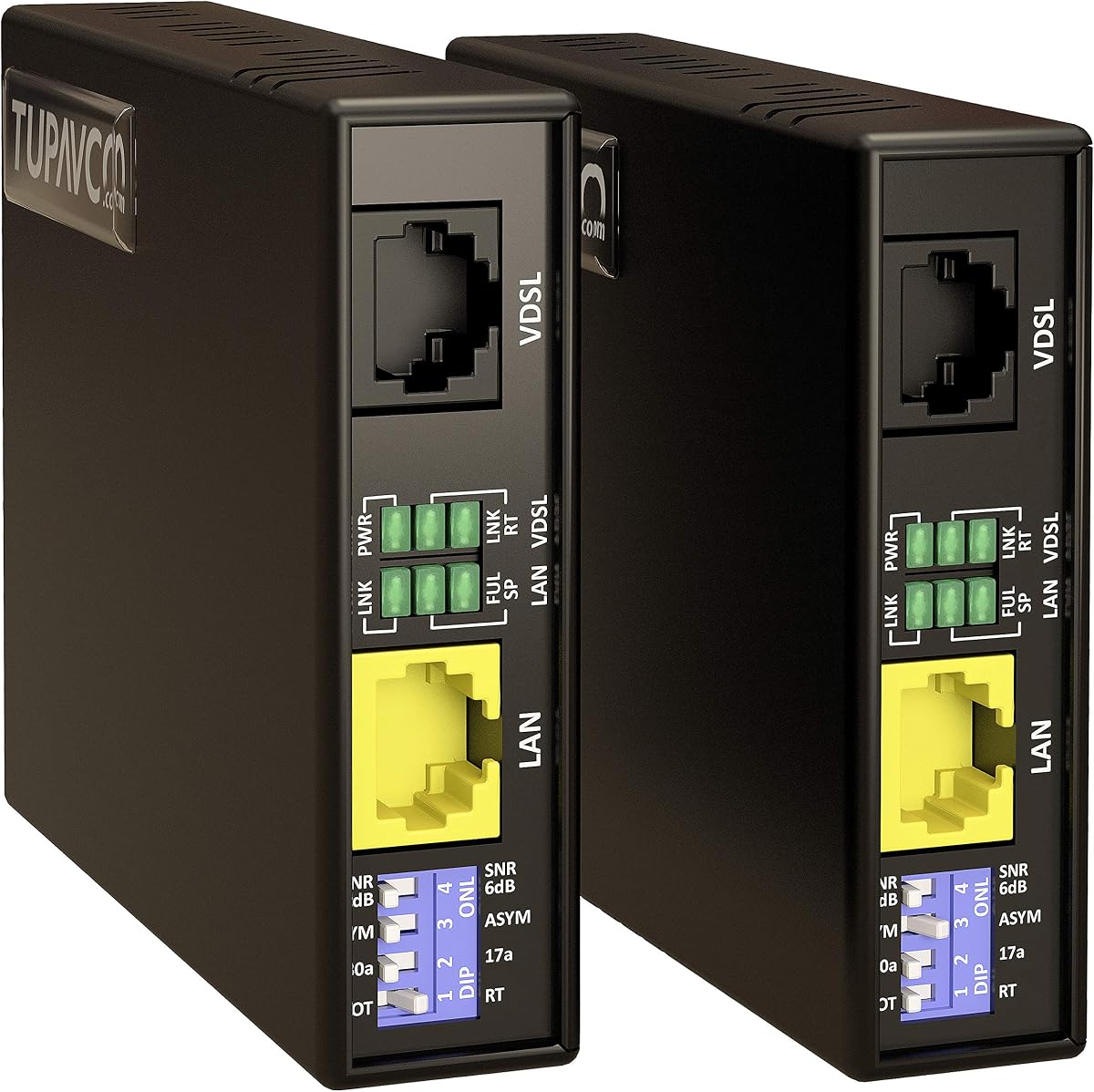
This kit increases network cabling range to over 5000 feet with speeds up to 300Mbps using VDSL2 or Cat5/6 cables. It is designed to work with existing phone wiring, eliminating the need for expensive new cabling in older buildings.
We may earn a commission when you buy through this link, at no additional cost to you.
G.INP support makes broadband signals less sensitive to noise and interference, maximizing speed consistency. Four-position DIP switches offer eight different profile settings, giving users control over performance parameters without complex software.
Setup is straightforward with LED indicators on RJ45 ports for monitoring status. The cost-effective approach reduces infrastructure costs while delivering high-speed connectivity to remote locations like garages or detached offices.
Users needing reliable long-distance Ethernet over existing infrastructure will find this extender practical. Its ability to utilize phone lines for high-speed data makes it ideal for cost-conscious network expansions where traditional Ethernet isn't feasible.
Uses existing phone cabling to deliver high-speed connections without the need for new Ethernet installations.
G.INP support ensures broadband signals remain stable even when facing interference from environmental noise.
We may earn a commission when you buy through this link, at no additional cost to you.
Choosing the right extender depends on distance, speed needs, and cabling options available. This guide highlights key factors to ensure optimal network performance without unnecessary expenses.
Powerline extenders use existing electrical wiring, while VDSL models use copper or phone cables. Each type suits different building infrastructures; electrical wiring is common but can be noisy, whereas dedicated twisted pairs offer more stability.
Evaluate your available wiring before choosing to avoid installation complications.
Range varies significantly between models; some support up to 7000 feet while others cover standard room distances. For large properties, choose extenders rated for longer runs to ensure signal integrity reaches remote areas.
Confirm maximum range specifications match your physical layout needs before purchasing.
Network speeds depend on the technology used, ranging from 100 Mbps to multi-gigabit options. Ensure the extender supports at least the same speed as your internet plan to prevent bottlenecks in performance.
Prioritize Gigabit or higher models for high-bandwidth activities like streaming and gaming.
Some extenders offer a single Ethernet port while others include multiple or integrated Wi-Fi. Consider how many devices you need to connect in the target location to select the right port count.
Choose models with multiple ports or switches if several devices require connections in one spot.
Active extenders require separate power adapters at each end, unlike passive couplers. Verify power supply compatibility with your outlet type to avoid installation issues in remote locations.
Ensure your chosen model includes or accepts suitable power adapters for both ends.
Built-in encryption and secure design protect your network data from unauthorized access. Look for models with compliance pledges or dedicated security protocols to maintain network integrity.
Security features are essential when extending networks across multiple physical locations.
Plug-and-play extenders simplify installation without software configuration, reducing setup time. Complex configurations may require technical expertise, so prioritize ease of use if you lack networking experience.
Opt for devices with clear LED indicators and minimal configuration steps for easier deployment.
Ensure the extender complies with relevant standards such as IEEE or TAA for professional use. Incompatibility with existing routers or firmware may lead to connection failures or degraded performance.
Check compatibility lists before buying to guarantee seamless integration with your current network.
For powerline adapters, plug each unit directly into a wall outlet on the same electrical circuit to establish connection. Avoid using power strips or surge protectors which can degrade signal transmission and affect performance stability.
Monitor LED indicators during setup to confirm successful connection and active status. If connection drops, try relocating units to reduce interference from high-power appliances like refrigerators or washing machines.
Regularly inspect cables and adapters for damage to maintain network integrity. Keep firmware updated through manufacturer apps or web interfaces to ensure security patches and performance improvements are applied effectively.
An Ethernet Line Extender connects devices over longer distances than standard cables allow. It bridges signal gaps caused by thick walls or long hallways, enabling wired networking in locations unreachable by direct cabling.
Yes, powerline extenders transmit data through electrical wiring across walls without requiring new cabling. Performance may vary depending on the quality of your home's wiring and electrical interference levels.
Yes, VDSL extenders can utilize existing phone lines or twisted pair cables to extend Ethernet signals. This approach avoids expensive cabling work but requires compatible hardware to interpret the signals correctly.
Speed reduction depends on the extender technology and distance. While some models support Gigabit speeds, others cap at lower rates to maintain stability over long distances. Always match extender speed with your plan.
The number of devices depends on available Ethernet ports or Wi-Fi capacity. Multi-port models or those with mesh capabilities can support multiple devices, while single-port units typically connect one wired device.
Most modern extenders use plug-and-play setup without requiring software. Some models offer optional apps for monitoring and advanced configuration, but basic functionality works immediately after plugging them in.
Yes, many extenders support bandwidth-intensive applications like IP video surveillance. Choose models with sufficient speed and stable connections to maintain clear video feeds without interruptions.
Old or damaged wiring can significantly reduce extender performance or prevent connection. Inspect electrical or phone lines before deployment to ensure they are functional and properly grounded for reliable data transmission.
Our top picks highlight models balancing speed, range, and ease of use. The StarTech extender stands out for professional range, while TP-Link offers excellent home options with modern features.
Prioritize compatibility with your existing wiring and the specific distances you need to cover. Avoid overpaying for features you do not need by matching extender specs to your actual usage requirements.
Prices and stock change frequently, so verify current availability before buying. Check manufacturer support policies to ensure long-term reliability for your network extension investment.