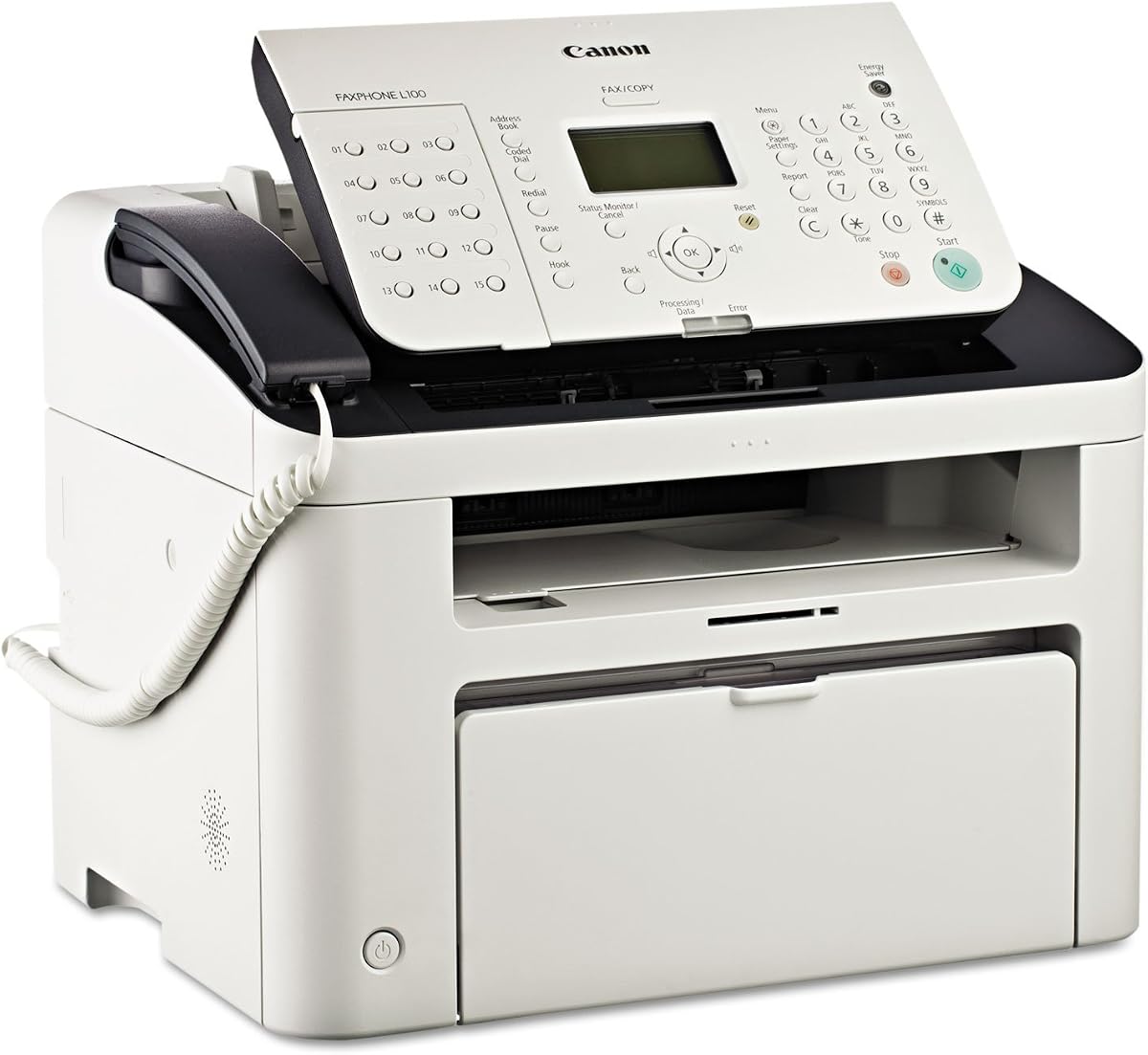
Canon FAXPHONE L100
4.1Editor score
Up to 19 PPM print speed
512 sheets memory capacity
30 sheet auto document feeder
Finding a reliable fax machine with phone capabilities remains essential for many businesses. These devices combine communication tools into one unit, ensuring efficient document transmission and voice calls without extra hardware.
We compared ten top-rated models based on fax speed, memory capacity, and paper handling. Our analysis focuses on laser and ink-based systems to help you find the most efficient solution for your office needs.
Each pick highlights key features like auto dialing and document feeders. Prices and availability change frequently, so verify details before purchasing to ensure you get the best deal for your specific workflow requirements.
4.1Editor score

4.4Editor score

4.1Editor score
As an Amazon Associate we earn from qualifying purchases.
This side-by-side comparison highlights key specifications for each model. Review the features below to understand how each fax machine with phone compares regarding speed, capacity, and connectivity options.


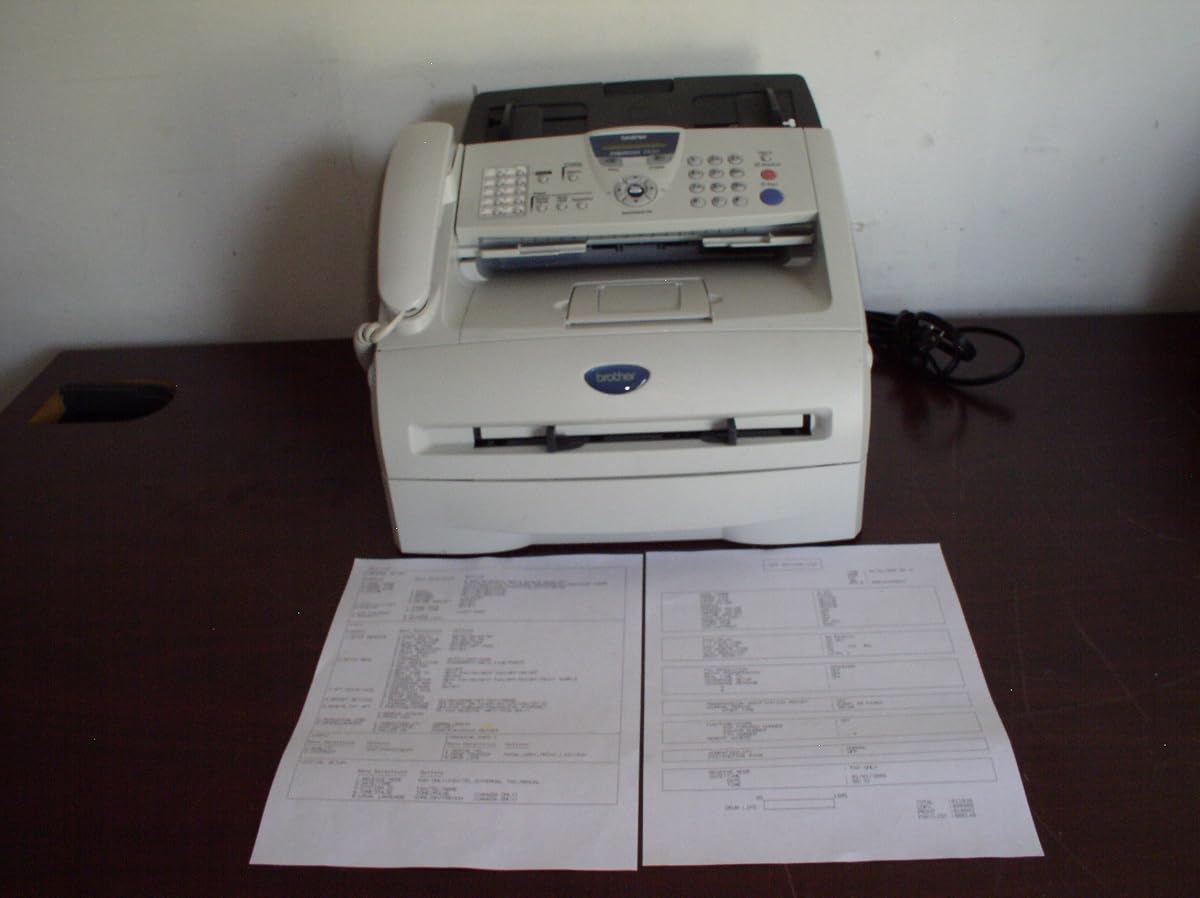

The Brother PPF4750E stands out as a top-tier business-class laser fax. With a solid 4.4 rating, it delivers high-performance document handling for offices requiring speed and precision.
We may earn a commission when you buy through this link, at no additional cost to you.
Its laser technology ensures crisp, professional copies at up to 15 pages per minute. The Super G3 fax type guarantees fast transmission and reliable receipt of critical documents without quality loss.
While it lacks a traditional phone handset, its fax focus is unmatched in this range. Users prioritize efficiency and print quality, making it ideal for environments where voice calls are secondary.
Businesses needing robust fax capabilities should choose this model. It balances speed and reliability effectively, ensuring your documents are sent and received with clarity and minimal downtime.
Laser technology produces sharp text ideal for contracts and invoices.
Super G3 technology ensures quick sending to reduce wait times.
We may earn a commission when you buy through this link, at no additional cost to you.
The Brother FAX-575 offers a comprehensive solution for personal offices needing fax and phone capabilities. Its 4.1 rating reflects consistent performance in everyday communication tasks.
We may earn a commission when you buy through this link, at no additional cost to you.
This model features a 9600 BPS modem for quick page transmission and 512 KB memory to store up to 25 pages. The 50-sheet paper capacity ensures uninterrupted operation during busy periods.
Users appreciate the ease of operation and black-and-white copying resolution of 400 x 400 dpi. While it is pricier than basic models, the combined functionality justifies the investment for small businesses.
Ideal for home offices, it simplifies communication by merging essential tools. It remains a strong choice for those valuing reliability and integrated functionality over modern digital-only alternatives.
Combines fax and phone to save desk space and wiring.
Stores pages to prevent interruptions during power or line issues.
We may earn a commission when you buy through this link, at no additional cost to you.
The Canon FAXPHONE L100 delivers excellent value with its laser fax capabilities. Rated 4.1, it offers a practical solution for those needing speed and storage without a high price tag.
We may earn a commission when you buy through this link, at no additional cost to you.
Printing at 19 pages per minute, it handles high-volume tasks efficiently. Its 512-sheet memory capacity allows storing multiple faxes, while the 30-sheet auto document feeder simplifies multi-page sending.
Although the 150-sheet paper capacity is generous, users should consider ongoing toner costs. The Energy Saver mode helps manage power consumption, making it a cost-effective choice for offices.
This model suits budget-conscious buyers needing reliable fax and phone functions. It balances performance with affordability, ensuring essential communication needs are met with minimal hassle.
Fast print speeds ensure quick document processing for teams.
Stores numerous documents to keep printing queue manageable.
We may earn a commission when you buy through this link, at no additional cost to you.
The Brother MFC7240 serves as a versatile all-in-one device combining printing, scanning, copying, and faxing. With a 4.2 rating, it is a popular choice for modern office environments.
We may earn a commission when you buy through this link, at no additional cost to you.
Its 21 PPM speed ensures fast document processing, while the 250-sheet tray reduces refill frequency. The 20-page auto document feeder streamlines multi-page fax tasks efficiently.
Lacking a phone handset, it focuses on digital communication integration. The wired USB connectivity ensures stable connections but limits flexibility compared to wireless options available in newer models.
Best for users needing multifunctionality without extra devices. It consolidates office tasks effectively, providing a complete solution for document management and transmission in small to medium setups.
Integrated scanning and faxing simplify workflow processes.
Large tray capacity minimizes maintenance interruptions.
We may earn a commission when you buy through this link, at no additional cost to you.
The CimFAX A5 offers a modern approach by enabling faxing via PC and mobile devices. With a 4.0 rating, it appeals to users seeking paperless convenience and digital archiving.
We may earn a commission when you buy through this link, at no additional cost to you.
Sending faxes from computers or smartphones is done easily through drag-and-drop. The device automatically saves faxes to local folders or network shares as PDFs for easy record keeping.
While it eliminates physical paper usage, it relies heavily on internet and software stability. The 24/7 availability and auto-forwarding to email ensure you never miss critical communications.
Ideal for eco-friendly offices moving towards digital workflows. It removes the physical bulk of traditional machines while retaining the legal validity of fax transmissions.
Seamlessly integrates with existing computer systems for sending.
Saves files as PDF automatically for secure storage.
We may earn a commission when you buy through this link, at no additional cost to you.
The Brother IntelliFax 2820 is designed for offices requiring extensive memory and dialing features. Its 4.2 rating highlights reliability in handling high-volume fax tasks.
We may earn a commission when you buy through this link, at no additional cost to you.
With 8 MB memory storing up to 500 pages, it excels in busy environments. The 220-station auto dialing memory facilitates quick broadcast transmissions to multiple recipients efficiently.
Its 250-sheet input capacity ensures long periods of operation without refills. While modem speed is standard, the laser quality and durability make it a solid investment.
Businesses needing extensive dialing and storage will find it valuable. It ensures no pages are lost due to memory limits, keeping workflows smooth and uninterrupted.
Holds 500 pages to prevent transmission failures.
Broadcast faxing to multiple locations with one command.
We may earn a commission when you buy through this link, at no additional cost to you.
The Brother PPF-2800 is a robust plain paper fax machine tailored for offices needing extensive auto dialing capabilities. Its 3.6 rating reflects its practical design for specific workflows.
We may earn a commission when you buy through this link, at no additional cost to you.
With 108-station auto dialing, it simplifies sending faxes to frequent contacts. The 20-page auto document feeder and up to 99 copies per job handle routine tasks efficiently.
While it stores up to 90 pages in memory, its 10 PPM speed is slower than competitors. It remains a solid choice for those prioritizing memory and convenience over raw speed.
Ideal for small businesses requiring frequent outbound faxing. The plain paper feature ensures documents look professional and are easier to file compared to thermal paper alternatives.
Stores multiple contacts for quick and easy sending.
Produces professional documents without fading issues.
We may earn a commission when you buy through this link, at no additional cost to you.
The Panasonic KX-FHD331 focuses on essential faxing with plain paper and voice integration. Its 2.8 rating suggests it serves basic needs effectively but lacks advanced features.
We may earn a commission when you buy through this link, at no additional cost to you.
Caller ID compatibility helps identify incoming calls before they connect to fax. The answering machine interface allows seamless sharing of the line for voice messages and faxes.
It uses a 9.6 Kbps modem which is slower but adequate for occasional use. The 6-month warranty offers some protection but users may need to manage maintenance regularly.
Best for users needing simple fax and voice capabilities. It keeps costs low and functionality straightforward for environments where speed is not a primary concern.
Identifies incoming fax calls to manage line usage.
Produces documents on standard paper for easy filing.
We may earn a commission when you buy through this link, at no additional cost to you.
The Brother FAX-575 Renewed provides a sustainable alternative without sacrificing performance. Its 3.8 rating indicates good reliability for a pre-owned unit with full features.
We may earn a commission when you buy through this link, at no additional cost to you.
It retains the 512 KB memory and 400 x 400 dpi copying resolution of the new model. Users benefit from reduced environmental impact while accessing essential fax and phone functions.
Though it may show signs of prior use, it undergoes testing to ensure functionality. The lower price point makes advanced features accessible to smaller budgets.
Ideal for cost-conscious and eco-friendly buyers. It proves that professional communication tools can be acquired sustainably without significant compromise on quality.
Reduces electronic waste by choosing renewed models.
Provides full performance at a fraction of the price.
We may earn a commission when you buy through this link, at no additional cost to you.
The Canon FAXPHONE L80 offers a straightforward laser fax and printer solution. With a 3.6 rating, it is suited for users who prioritize modem speed over printing volume.
We may earn a commission when you buy through this link, at no additional cost to you.
Its 33.6 Kbps modem is faster than many competitors, ensuring quicker transmission. The laser output guarantees high-quality documents even at a slower print speed of 6 PPM.
A USB interface and telephone handset make it user-friendly for small offices. However, its limited features mean it is best for basic faxing needs.
This model suits those needing fast transmission and print quality. It balances legacy functionality with laser reliability, making it a practical choice for simple setups.
Quick modem speed ensures fast data sending.
Delivers professional laser quality on every fax.
We may earn a commission when you buy through this link, at no additional cost to you.
Selecting the right fax machine requires understanding key specifications that impact daily office efficiency. This guide explores the most critical factors to consider.
Modem speed determines how fast your fax machine transmits documents. Look for speeds around 9600 BPS or higher for quick transmission times.
Higher speeds reduce wait times and improve productivity in busy offices.
Memory capacity allows your machine to store outgoing faxes before sending. This is vital if the phone line is busy during transmission attempts.
Models with more memory prevent interruptions and ensure documents are sent automatically.
Paper capacity refers to how many sheets the machine can hold without refilling. Higher capacities reduce the need for frequent manual intervention.
Choose a model with at least 50 sheets for efficient uninterrupted operation.
An auto document feeder lets you send multiple pages without placing them one by one. This feature saves time and reduces operator workload.
Look for a capacity of at least 20 to 30 pages for smooth multi-page sending.
If the machine also prints or copies, speed matters for multitasking. Aim for at least 10 pages per minute to keep up with office demands.
Faster speeds ensure documents are ready quickly when needed urgently.
Connectivity determines how the machine interfaces with your network or PC. USB interfaces are common but wired connections may be more stable.
Ensure the machine supports your existing office setup and line connections.
Laser machines use toner while thermal ones use rolls. Toner generally offers longer life and better quality for professional documents.
Check the page yield of toner to estimate ongoing costs effectively.
A solid warranty protects your investment against defects and malfunctions. Look for manufacturers offering at least a one-year limited warranty.
Support availability ensures you get help quickly if issues arise.
Set up the fax machine by connecting it to a working telephone line and power outlet. Ensure all cables are secure to prevent connection drops during transmission.
Load paper correctly into the tray and adjust the guides to fit the size. Misaligned paper often causes jams and slows down your workflow unnecessarily.
Regularly clean the glass and rollers to maintain print quality. Keeping the interior free of dust ensures smooth paper feeding and clear image output.
Yes, traditional fax machines still work using landline networks. Many businesses rely on them for legal compliance and document security requirements.
Using a fax machine with VoIP is possible but often requires a T38-compatible service. Traditional analog lines are more reliable for standard fax machines.
A memory size of at least 512 KB is recommended to store multiple pages. This helps prevent loss of documents during line interruptions.
Many modern models do include handsets for voice calls. However, some all-in-one printers focus more on digital connectivity than traditional voice features.
Laser fax machines are generally better for professional documents due to superior quality. Thermal paper can fade over time, making laser preferred for records.
You should clean the glass and rollers every few weeks depending on usage. Regular cleaning prevents streaks and paper jams that disrupt operations.
Choosing the right fax machine depends on your specific needs for speed, memory, and connectivity. Our top picks offer reliable solutions for various office environments.
Prioritize models with high memory and document feeders for busy workflows. Laser technology generally provides better long-term value for document quality.
Prices and availability fluctuate frequently so verify details before purchasing. Investing in the right machine ensures seamless communication and document handling.