
Antec Flux Pro Full-Tower E-ATX PC Case
4.7Editor score
Multi-directional vent design
Six PWM fans included
Supports dual radiators
This guide compares the top Full Tower Workstation Server Cases for enterprise and DIY builds focusing on storage capacity cooling airflow and expansion
Selecting the right Full Tower Workstation Server Cases is crucial for professionals who need robust hardware infrastructure. These chassis support massive storage arrays and high-performance components essential for AI servers and data centers.
We compared ten leading models based on motherboard compatibility, drive bay configurations, and thermal management systems. Each entry offers unique features tailored for specific workstation and server deployment scenarios in modern IT environments.
Every pick highlights critical specs like E-ATX support and USB connectivity. Prices fluctuate based on market demand so check current listings before purchasing to ensure you get the best value for your setup.
4.7Editor score

5.0Editor score

3.9Editor score
The following table provides a side-by-side comparison of all ten products highlighting key specifications like motherboard support drive bay counts and cooling options.





This full tower chassis earns top marks for its readiness for AI workstation builds with E-ATX and SSI-EEB support. It features six pre-installed high-performance PWM fans that establish a massive airflow path ensuring GPU stability during heavy loads.
We may earn a commission when you buy through this link, at no additional cost to you.
The spacious interior accommodates dual GPUs up to 495mm long and 160mm thick making it ideal for professional graphics tasks. Storage is generous with nine drive bays supporting large datasets while the USB Type-C 3.2 Gen 2 port enables rapid data transfers.
Tool-free access via a 4mm tempered glass side panel simplifies maintenance. Dust filtration covers front top and bottom areas to keep components clean. Reusable PCIe slot covers add flexibility for custom configurations without losing parts.
Professionals needing robust hardware infrastructure should consider this model. It balances cooling performance and connectivity effectively. The investment is justified by the included cooling and spacious design for demanding enterprise workloads.
Six pre-installed PWM fans ensure consistent thermal management for high-performance components.
Nine drive bays and USB Type-C support facilitate efficient data handling for large datasets.
We may earn a commission when you buy through this link, at no additional cost to you.
This case stands out for its unique material combination of metal glass and wood creating a high-quality aesthetic. It supports up to 12 fans simultaneously with a multi-directional vent design to optimize airflow paths.
We may earn a commission when you buy through this link, at no additional cost to you.
The innovative iShift PSU mount and CPU/GPU dual temperature display offer advanced monitoring options. Removable cooling brackets on top front and PSU shroud provide flexibility for custom builds including large radiator setups.
Support for simultaneous installation of 420mm radiator plus 360mm radiator ensures exceptional cooling headroom. However the internal layout can be complex for beginners and drive bay options are limited compared to NAS-focused models.
Budget-conscious builders seeking thermal performance will appreciate this choice. It offers excellent ventilation and aesthetic appeal without breaking the bank. Consider it for custom loops and high-end gaming or workstation tasks.
Combination of metal glass and wood creates a distinctive high-quality look.
Supports dual radiators and multi-directional vents for maximum thermal efficiency.
We may earn a commission when you buy through this link, at no additional cost to you.
Designed for enterprise workloads and large-scale data storage this chassis supports up to 11 x 3.5 HDD or 13 x 2.5 SSD bays. It is built for AI servers NAS systems and SMB solutions requiring robust hardware infrastructure.
We may earn a commission when you buy through this link, at no additional cost to you.
The chassis features 11 external 5.25 drive bays for optical drives and additional storage expansion. USB 3.2 Gen Type-C port ensures rapid data transfers for enterprise workflows and professional applications enhancing connectivity.
While it supports expansion cards up to 400mm in length the cooling relies on a single 140mm PWM fan. This requires users to add more fans for optimal performance. The build is solid but expensive compared to standard towers.
IT managers and server builders needing massive storage capacity will find this ideal. It balances connectivity and drive density effectively. The investment suits professional environments where storage scalability is a priority.
Accommodates up to 11 HDDs or 13 SSDs for extensive data storage.
USB 3.2 Type-C port ensures rapid data transfers for professional workflows.
We may earn a commission when you buy through this link, at no additional cost to you.
This all-metal mesh panel design provides the highest performance and durability for extreme workstation and server systems. It supports SSI-EEB motherboards and allows up to 15 fans to be installed with three positioned directly over the PCI and CPU area.
We may earn a commission when you buy through this link, at no additional cost to you.
The spacious open interior supports up to 11 PCI slots and storage up to 10 HDDs or 11 SSDs. The mesh panels enhance airflow while the metal construction ensures robustness for long-term use in demanding environments.
Assembly can be complex due to the sheer number of components and fan mounts. However the open layout facilitates cable management and custom cooling setups. It is a powerful choice for high-end server builds requiring maximum expansion.
Users seeking extreme workstation capabilities should consider this model. It offers unmatched flexibility for fans and storage. The build quality justifies the cost for professional deployments needing reliable hardware infrastructure.
Provides highest performance and durability for extreme workstation systems.
Supports extensive cooling with multiple positions for CPU and GPU areas.
We may earn a commission when you buy through this link, at no additional cost to you.
An expansive internal layout easily accommodates large motherboards up to E-ATX and SSI-EEB. The default storage layout allows installation of up to 18 HDDs alongside 5 SSDs mounts making it ideal for large storage arrays.
We may earn a commission when you buy through this link, at no additional cost to you.
The case features a refined front door design with reversible dual-handed hinges and magnetic latching. You can convert to an open layout for custom water loops with radiators up to 480 mm for superior cooling.
Versatile new multi-brackets convert any unused fan position to an HDD SSD or pump mount. This flexibility supports complex configurations. The brushed aluminum encases a solid build that reduces noise and adds aesthetics.
Silent storage seekers will love this modular approach. It offers extreme drive capacity and quiet operation. Consider it for media servers or data centers where noise and capacity matter most.
Default storage layout supports massive capacity for large-scale data needs.
Convert to open layout for custom water loops and large radiators.
We may earn a commission when you buy through this link, at no additional cost to you.
This case offers 13 HDD or 2 SSD drive bays ideal for NAS server builds. It supports Micro ATX ATX and E-ATX motherboards providing flexibility for different motherboard sizes and configurations.
We may earn a commission when you buy through this link, at no additional cost to you.
The magnetic front panel allows easy access without tools. Front options include front rear and top fans supporting 120mm or 140mm sizes. It includes USB 3.0 and USB 2.0 ports for basic connectivity.
Build quality is basic but functional. The magnetic panel is convenient for maintenance. However documentation may be limited compared to premium brands. Users should verify fan fitment and assembly steps carefully.
DIY enthusiasts needing affordable NAS storage should consider this. It provides ample drive bays at a low cost. Ensure your cooling needs are met by adding extra fans if required.
Offers 13 drive bays for extensive data storage in NAS setups.
Easy access magnetic panel simplifies maintenance and component swaps.
We may earn a commission when you buy through this link, at no additional cost to you.
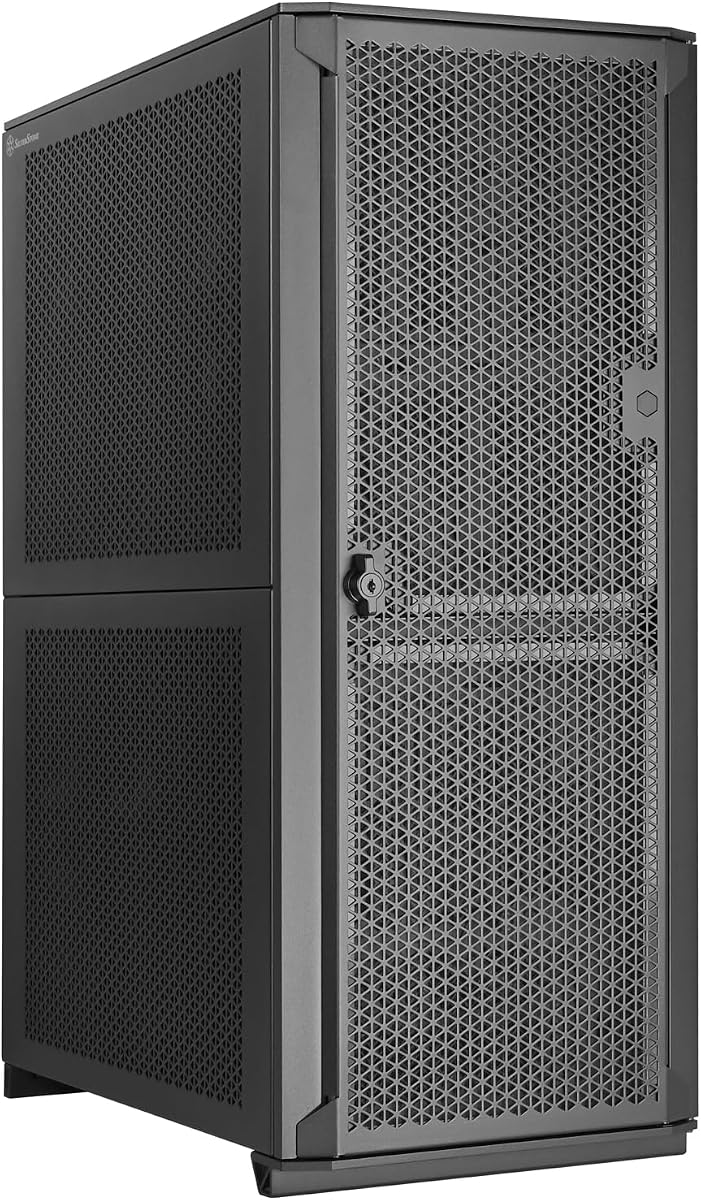
The fully perforated front mesh panel ensures unobstructed airflow for critical components. Crafted from high-grade steel it provides exceptional durability and robustness for professional workstation environments.
We may earn a commission when you buy through this link, at no additional cost to you.
Supports up to 15 x 2.5 SSDs / 3.5 HDDs including 15mm thick SSDs. It supports SSI-EEB SSI-CEB E-ATX ATX Micro-ATX and Mini-ITX motherboards offering wide compatibility for various server setups.
Multi-GPU capability with 8 available expansion slots allows for significant graphical power. Fans are not included so users must source them separately. The steel construction adds weight but ensures long-term stability.
Workstation builders needing GPU flexibility will appreciate this model. It offers solid durability and drive capacity. Remember to budget for extra fans to optimize cooling performance.
Fully perforated front mesh ensures unobstructed airflow for cooling.
Eight expansion slots support significant graphical power for workstations.
We may earn a commission when you buy through this link, at no additional cost to you.
Accommodates E-ATX up to 280 mm ATX mATX and Mini ITX motherboards. The easily mounted tempered glass side panel lets you showcase your components with style and clarity.
We may earn a commission when you buy through this link, at no additional cost to you.
Up to four HDDs and six SSDs storage options support moderate data needs. It comes with four 120 mm Aspect RGB fans and supports two more for a total of six. Radiator support includes 360 mm in the front.
Two neatly concealed 5.25 bays with storage drawer and magnetic cover add hidden utility. The RGB features appeal to those prioritizing aesthetics. Storage is moderate but sufficient for non-enterprise workstations.
Users wanting visual flair and solid cooling will love this case. It combines style with functionality. Consider it for builds where component showcase and RGB lighting are priorities.
Tempered glass side panel allows component showcase and easy access.
Storage configuration supports moderate data needs with room for expansion.
We may earn a commission when you buy through this link, at no additional cost to you.
Compatible with 12 x 13 SSI-EEB and specialized form factor motherboards for professional deployment. Supports up to 11 expansion slots for multi-workstation GPU capability with total graphics card clearance of 407mm.
We may earn a commission when you buy through this link, at no additional cost to you.
Multiple modules and dual PSU capability maximize expansion performance and flexibility. Crafted from high-grade steel it provides exceptional durability and robustness for demanding environments. Supports up to three 360mm radiators for cooling.
The high price reflects its specialized modular capabilities. Complex setup requires technical knowledge. It is designed for users needing extensive expansion and dual power redundancy. The durability ensures long-term reliability.
Enterprise architects needing massive expansion will find this ideal. It offers unmatched slot count and cooling. Consider it for complex workstations where flexibility and power redundancy are non-negotiable.
Dual PSU capability and modules maximize expansion and performance.
Supports multi-workstation GPU capability with high graphics clearance.
We may earn a commission when you buy through this link, at no additional cost to you.
Supports motherboard up to E-ATX and SSI-EEB form factors for robust system builds. Includes 8 hot-swappable 3.5 or 2.5 drive trays with support for SAS-12G and SATA-6G drives for versatile storage.
We may earn a commission when you buy through this link, at no additional cost to you.
Support 8 expansion slots with maximum 340mm GPU or adapter card length. Support up to 420mm liquid cooling radiator or 186mm tall air coolers. Dual power supply capable or up to 4 additional 5.25 drive bay support.
The hot-swap feature is critical for uptime in server environments. Dual PSU capability ensures redundancy. This chassis is designed for performance NAS builds where data access and reliability are paramount.
Server administrators needing reliable hot-swap functionality should choose this. It supports enterprise-grade drives and cooling. The price reflects the professional features and build quality.
Hot-swappable trays ensure easy drive access and uptime.
Supports 420mm liquid cooling radiator for superior thermal management.
We may earn a commission when you buy through this link, at no additional cost to you.
Selecting the right chassis requires evaluating several critical factors to ensure compatibility with your hardware and deployment needs.
Ensure the case supports your motherboard form factor such as E-ATX or SSI-EEB. Full tower cases often accommodate larger boards with extensive expansion slots. Check internal dimensions to confirm fit before purchase.
Always verify E-ATX and SSI-EEB support to avoid installation issues with larger boards.
Evaluate the number of drive bays needed for your data workload. Some cases support dozens of HDDs for NAS deployments while others offer fewer SSD slots. Consider hot-swap bays for server uptime.
Count required drive bays carefully to support current and future storage growth.
Look for cases with pre-installed fans or ample mounting options. Proper airflow prevents thermal throttling on high-performance GPUs and CPUs. Support for large radiators is essential for liquid cooling setups.
Prioritize cases with multiple fan mounts and large radiator support for thermal stability.
Check maximum GPU length and expansion slot count to fit multi-card setups. Workstation cases must support professional add-in cards. Ensure physical clearance avoids conflicts with drive cages or fans.
Confirm GPU length and slot availability to ensure multi-GPU workstation builds fit.
High-grade steel or aluminum enclosures offer durability and noise dampening. Mesh panels improve airflow while solid doors reduce sound. Check for dust filtration to keep internal components clean over time.
Choose durable materials and dust filters to maintain hardware integrity and silence.
USB 3.2 Type-C and multiple USB ports are vital for fast data transfers. HD Audio jacks provide direct access for audio interfaces. Front access simplifies peripheral connection during daily work.
Ensure USB Type-C and sufficient ports exist for rapid external data transfers.
Tool-free access panels and removable drive cages simplify upgrades. Modular storage layouts allow customization for different needs. Easy maintenance reduces downtime and effort during system adjustments.
Opt for tool-free panels and modular layouts to ease maintenance and upgrades.
Dual PSU capability is crucial for redundancy in server environments. Standard ATX PSUs are common in workstation builds. Check dimensions and mounting options to ensure proper fit and cable management.
Verify support for dual PSUs or large ATX units to power complex systems reliably.
Install components carefully following the manual to avoid damaging connectors. Ensure all fans and cooling systems are functional before first boot. Check drive bay locking mechanisms to secure storage media properly.
Maintain dust filters regularly to prevent airflow blockage and overheating. Replace thermal paste on processors periodically to sustain cooling performance. Update firmware on hot-swap controllers to ensure stable drive recognition.
Use cable management ties to organize internal wiring and improve airflow. Monitor system temperatures during load to confirm cooling effectiveness. Check drive health periodically to detect issues before critical failures.
Full Tower Workstation Server Cases support larger motherboards like E-ATX and SSI-EEB with more expansion slots. They often include extensive drive bays for storage arrays and advanced cooling options for high-performance GPUs.
Some cases include pre-installed PWM fans while others do not. Check the product specs to confirm included cooling before purchase. Many models support multiple fan mounts for customization.
Many models support large radiators up to 420mm for liquid cooling. Verify the maximum radiator size in the specs to ensure compatibility with your cooling setup.
Hot-swap bays are essential for servers requiring uptime and easy maintenance. Workstations may not need them unless you frequently change drives. They allow swapping drives without opening the case.
Most support dual GPUs up to 400mm or more in length. Check maximum GPU clearance and expansion slots to confirm multi-GPU support for your specific needs.
E-ATX and SSI-EEB are best for maximum expansion and storage. These sizes fit well in full tower designs. Ensure your case explicitly supports them before buying.
Some advanced models support dual power supplies for redundancy. This feature is common in server-focused chassis. Check product details to confirm PSU capabilities.
Use dust filters and keep intake and exhaust fans balanced. Ensure drives do not block airflow paths. Regular cleaning improves thermal performance significantly.
Our top picks highlight versatility from the Antec 900 for AI workstations to the Silverstone CS383 for hot-swap NAS needs. Each model offers distinct advantages depending on your hardware priorities and budget.
Prioritize cooling capacity and drive bays for heavy workloads. Ensure compatibility with your motherboard and GPU plans to avoid costly mistakes. Choose modular options if future expansion is likely.
Remember to check current prices and availability before purchasing. Features and specs can vary by model revisions. Select the case that best fits your current and future workstation or server requirements.