
Artist Drawing Glove 3-Layer
4.6Editor score
Three layer palm rejection
Includes cleaning cloth
Multiple size options
Discover the top glove for drawing tablet options to prevent smudges and enhance comfort while digital artists compare features across ten leading brands today.
Choosing the right glove for drawing tablet use is essential for digital artists who want to maintain a clean workspace. These accessories reduce friction and prevent unwanted smudges from oils on your hands or the screen surface.
We compared ten highly rated options based on material quality, fit, and specific features like palm rejection support. Each product was evaluated for comfort during long sessions and compatibility with various devices.
This guide highlights key strengths and potential trade-offs for every pick to help you decide. Prices and availability can change frequently, so verify current listings before making your final purchase decision.
4.6Editor score

4.5Editor score
4.4Editor score
This comparison table outlines the core specifications of each glove to help you quickly identify the best fit for your device and drawing style preferences.


This glove is a highly rated choice for digital artists seeking a reliable barrier between their hand and tablet surface. With a 4.5 rating from users, it is known for its soft material that reduces friction during drawing.
We may earn a commission when you buy through this link, at no additional cost to you.
It is made from soft Lycra and Nylon which provides excellent flexibility for comfortable wear during long sessions. The ambidextrous design works for either hand and the black color is resistant to soiling to minimize washing needs.
While it reduces friction and prevents smudges it does not prevent accidental touches on touch screens. Users should disable palm rejection on their device if needed to avoid unintended inputs while drawing.
It is ideal for artists who prioritize comfort and flexibility in a budget-friendly option. Its classic design and reliable performance make it a strong top pick for most digital drawing needs.
The soft Lycra and Nylon blend allows the glove to stretch comfortably fitting various hand sizes without feeling restrictive during long drawing sessions.
The black color is specifically chosen to be soiling resistant which means you do not need to wash the glove frequently to keep it looking clean.
We may earn a commission when you buy through this link, at no additional cost to you.
This glove stands out with its 3-layer palm rejection design and includes multiple sizes to fit different users. It has a 4.6 rating and is praised for its anti-slip properties and smooth drawing experience.
We may earn a commission when you buy through this link, at no additional cost to you.
It features a soft stretchy fabric with moisture-wicking properties to keep hands cool during long sessions. The package includes two gloves and an extra cleaning cloth along with options for Small Medium and Large sizes.
While the multiple sizes help ensure a fit finding the right one may require some trial. The anti-slip design is great but users should confirm compatibility with their specific device palm rejection settings.
It is perfect for artists who want extra protection and value in one package. The inclusion of cleaning tools and multiple sizes makes it a budget-friendly and versatile choice for beginners.
The 3-layer anti-slip design helps prevent accidental palm touches on screens allowing artists to focus more on their work without unintended inputs.
Getting two gloves and a cleaning cloth in one set adds extra value ensuring you have replacements and tools to keep your screen spotless.
We may earn a commission when you buy through this link, at no additional cost to you.
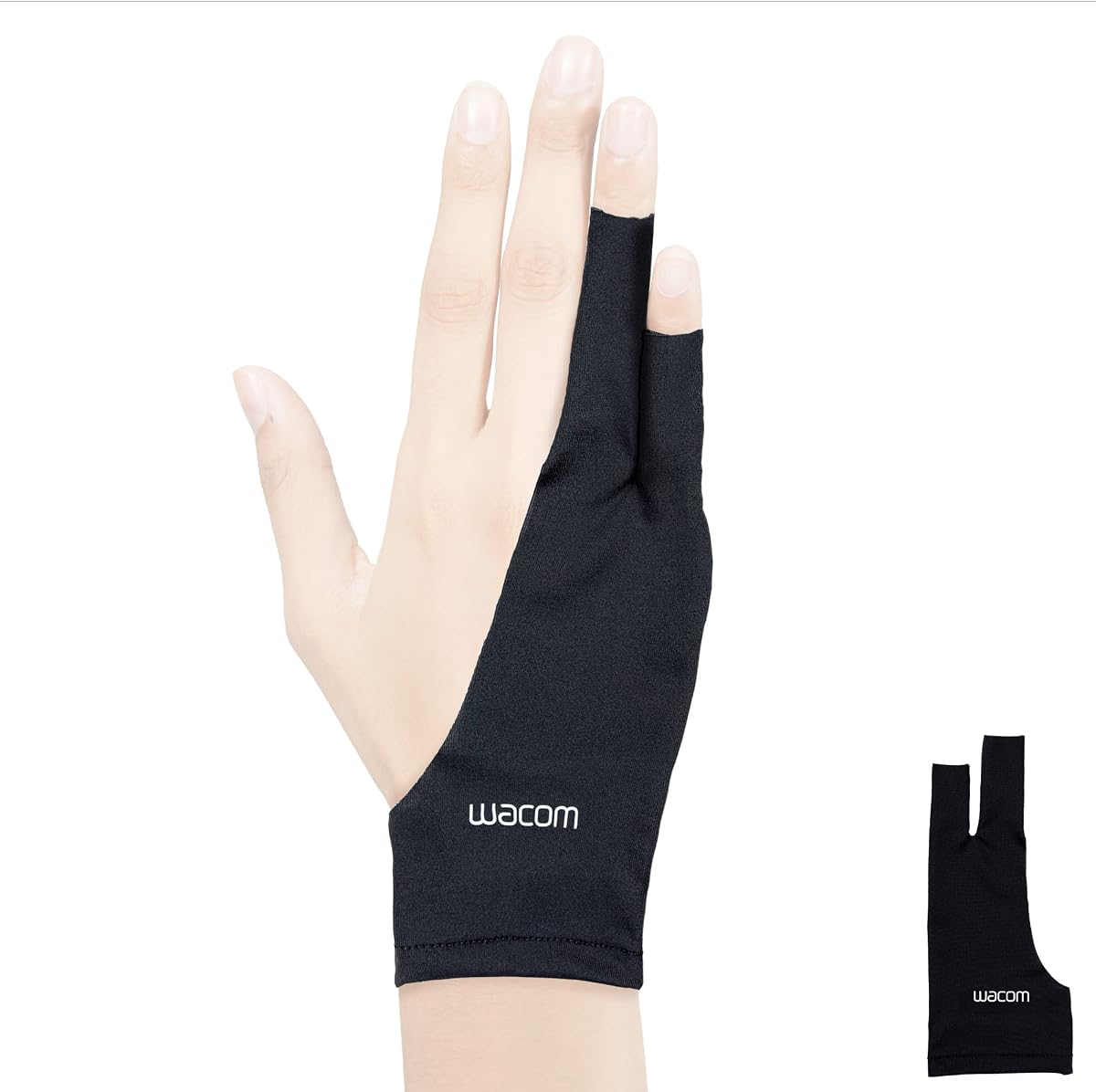
This glove is designed with eco-conscious artists in mind using 90% recycled polyester and spandex. It has a 4.4 rating and features an exposed fingertip design for accessing touchscreens and keyboards easily.
We may earn a commission when you buy through this link, at no additional cost to you.
The one-size ambidextrous fit ensures it works for both right and left-handed users while offering stretch and durability. The exposed fingertips allow you to access touchscreen capabilities without removing the glove.
While the eco-friendly construction is a major plus the higher cost might be a factor for budget buyers. The one-size fit is convenient but may not accommodate users with very large or very small hands comfortably.
It is an excellent choice for those who value sustainability and convenience in their accessories. The design balances function with environmental responsibility making it a unique pick in the market.
Made from 90% recycled materials this glove offers comfort and durability while supporting sustainable practices in digital art accessories.
The exposed fingertips allow easy access to touchscreens and keyboards without needing to take off the glove during your workflow.
We may earn a commission when you buy through this link, at no additional cost to you.
XPPen offers a glove with high elastic material and excellent air permeability. It has a 4.5 rating and features a soft skin-friendly texture that helps stop smudging on drawing tablets.
We may earn a commission when you buy through this link, at no additional cost to you.
It is available in three sizes S M and L to ensure the best fit for your hand. The black color is resistant to dirt and the fabric allows for an easier glide over the screen surface.
While the flexibility is great you need to choose the right size carefully. The package includes one unit so if you need more you will have to order additional sets.
It is a reliable choice for artists who prioritize breathability and fit. The attention to texture and size options makes it a strong option for comfortable daily use.
The high elastic material ensures the glove fits comfortably while excellent air permeability keeps hands cool during extended creative sessions.
Choosing from S M and L sizes helps ensure a personalized fit which can improve comfort and precision during drawing tasks.
We may earn a commission when you buy through this link, at no additional cost to you.
This pack provides four soft painting gloves made from high-elastic Lycra fiber. It has a 4.6 rating and is known for its lightweight texture and universal fit for men women and teens.
We may earn a commission when you buy through this link, at no additional cost to you.
The gloves reduce friction effectively allowing your hand to slide smoothly over the screen. The black color is soiling resistant so you do not need to wash them frequently to keep them fresh.
The main consideration is that the standard pack usually includes one size which might not fit all hands perfectly. However the generous pack size offers great value for sharing or backup use.
It is an ideal choice for studios or artists who want multiple spares in one order. The universal design and low maintenance make it a practical and budget-friendly pick.
Getting four gloves in one pack ensures you have plenty of spares for long work sessions or to share with other artists.
The black color is designed to resist soiling which reduces the need for frequent washing and helps maintain a clean look longer.
We may earn a commission when you buy through this link, at no additional cost to you.
This glove offers a unique skeleton pattern on its black surface to add visual flair to your setup. It has a 4.6 rating and features a soft Lycra and Nylon blend for comfort.
We may earn a commission when you buy through this link, at no additional cost to you.
The design works for both hands and the soiling resistant color means it stays fresh looking without frequent washing. It prevents smudges and scratches effectively on digital drawing surfaces.
While the style is distinctive it may not appeal to artists seeking a classic minimal look. It also does not prevent accidental touches on touch screens which is a note to consider.
It is perfect for artists who want to personalize their workspace with a cool aesthetic. The functional benefits remain strong making it a stylish and practical option.
The black glove with a skeleton pattern adds a creative touch that can inspire your digital art setup and personalize your workspace.
Beyond style it works effectively to prevent smudges and scratches keeping your screen clean while you create your artwork.
We may earn a commission when you buy through this link, at no additional cost to you.
This glove includes a fixed strap between the thumb and index finger to prevent sliding during use. It has a 4.6 rating and offers sweat-wicking properties to keep hands dry during drawing.
We may earn a commission when you buy through this link, at no additional cost to you.
The high elastic smooth fabric reduces friction for a comfortable feeling while drawing. The two-pack design provides backups and the universal size ensures it works for left and right hands.
The fixed strap improves stability but some users might prefer a looser design. Since it is one size it may not fit very large hands as snugly as adjustable options.
It is a solid choice for artists who need stability and sweat control. The strap design makes it unique for ensuring precise stylus use without distractions.
The fixed strap between thumb and index finger ensures the glove stays in place so you can focus on accurate stylus control.
The breathable fabric helps prevent sweat buildup keeping your hand cool and comfortable during long creative sessions.
We may earn a commission when you buy through this link, at no additional cost to you.
These gloves feature an upgraded side fabric design with composite silk material for improved air layer and comfort. They have a 4.6 rating and are sold in a two-pack to ensure you always have a spare.
We may earn a commission when you buy through this link, at no additional cost to you.
The Lycra material is soft durable and breathable allowing for easy washing and drying without losing shape. They reduce friction and prevent smudges to enhance the overall creative experience.
The main limitation is that the pack often comes in one size which you must verify before purchase. However the durability and comfort features make them a reliable pick for daily artists.
It is ideal for animators or digital artists who want consistent comfort and convenience. The easy maintenance and sturdy build ensure long-lasting performance.
The composite silk material creates an air layer that improves comfort and breathability making these gloves suitable for extended use.
High-quality elastic Lycra allows the gloves to be washed easily without deformation ensuring they last through many creative sessions.
We may earn a commission when you buy through this link, at no additional cost to you.
This glove features an upgraded fixed design to prevent the palm from staining your tablet while you create. It has a 4.6 rating and is made of elastic Lycra for comfort and elasticity.
We may earn a commission when you buy through this link, at no additional cost to you.
The design eliminates friction allowing your hand to slide smoothly over the screen without grease or scratches. It is available in multiple sizes including Small Medium and Large to fit various hand dimensions.
Keep in mind that size deviation can occur due to manual measurement so checking measurements is wise. The fixed design helps keep the palm from interfering with your digital work.
It is perfect for artists who want a secure and smooth experience. The upgraded strap and multiple size options make it a thoughtful choice for varied hand sizes.
The fixed strap design keeps the glove securely in place preventing the palm from staining the writing tablet during use.
Eliminating friction allows your hand to slide smoothly over the tablet screen leaving no grease or scratches and improving work efficiency.
We may earn a commission when you buy through this link, at no additional cost to you.
This pack includes four soft drawing gloves made from high elastic Lycra fiber for universal comfort. It has a 4.6 rating and is designed to reduce friction and prevent smudges on digital devices.
We may earn a commission when you buy through this link, at no additional cost to you.
The moisture-wicking fabric ensures comfort for men women and teens during long sessions. The two-finger design ensures you can focus on creating without distraction while keeping hands clean.
The main consideration is that sizes are based on elasticity and manual measurement so checking is recommended. However the generous pack size and universal appeal make it a practical buy.
It is ideal for artists or learners who want a reliable and affordable accessory. The moisture-wicking and universal fit provide solid performance for everyday digital drawing.
The high elastic Lycra fiber and moisture-wicking fabric make these gloves comfortable for men women and teens of varying hand sizes.
Wearing these gloves reduces friction between screen and hand allowing smooth movement and improving work efficiency during digital drawing.
We may earn a commission when you buy through this link, at no additional cost to you.
Selecting the right glove involves considering material quality fit and specific features that align with your device and workflow.
Look for gloves made from soft Lycra or Nylon blends that offer high elasticity and breathability. These materials ensure the glove stretches comfortably without restricting hand movements during long drawing sessions.
High-quality materials also tend to be more durable and resist wear and tear over time. A soft skin-friendly texture helps prevent irritation and allows for a smooth glide across the screen.
Ensure the glove comes in multiple sizes or offers an adjustable fit to accommodate your hand dimensions. A proper fit prevents the glove from slipping or feeling too tight which can cause discomfort.
Ambidextrous designs are beneficial if you switch hands or share the glove. Always check size measurements before purchasing to ensure the best possible fit for your needs.
Some gloves include features like 3-layer anti-slip designs that help prevent accidental palm touches on touch screens. This is important for devices that rely on touch input for drawing.
If your device has built-in palm rejection you may not need this feature but it adds an extra layer of protection. Verify your device compatibility before choosing a glove with this feature.
Choose gloves with moisture-wicking properties to keep hands cool and dry during extended use. Sweat buildup can cause discomfort and may affect your drawing precision.
A lightweight design ensures the glove does not add bulk to your hand which can hinder movement. Look for breathable fabrics that allow air circulation to maintain comfort.
Opt for gloves made from high-tensile strength fibers that resist stretching out or tearing over time. Durable materials ensure the glove lasts through many drawing sessions.
Also check if the color is soiling resistant to reduce the frequency of washing. Easy maintenance helps keep the glove clean and fresh without extra effort.
Some gloves come with unique patterns like skeleton designs that can personalize your workspace. While appearance does not affect function it can enhance your creative motivation.
Classic colors like black are often chosen for their resistance to showing dirt. Select a design that aligns with your personal style and work environment.
Consider gloves that come in packs of two or four to provide backups. This ensures you always have a spare ready if one needs cleaning or replacement.
Additional items like cleaning cloths add value and help maintain your screen. Comparing package contents can help you find the best deal for your budget.
Verify that the glove works with your specific drawing tablet or iPad model. Most are universal but some features may depend on device settings.
Check if the glove allows access to touchscreens or keyboards as needed. Exposed fingertip designs are helpful for devices that require touch input.
Put on the glove by inserting two fingers carefully and adjusting the wrist strap to ensure a snug fit. Make sure the palm covers the area that rests on the screen to prevent smudges.
During use focus on maintaining a smooth glide across the screen without pressing too hard. The glove reduces friction so you should not need to apply extra pressure for precise strokes.
After use air dry the glove if it becomes damp and wash it only if necessary to maintain elasticity. Avoid harsh detergents that might damage the Lycra or Nylon material.
Most gloves are designed to be universal and work with various graphic tablets iPads and touchscreens. However you should verify compatibility with your specific device settings especially if palm rejection is a concern.
Yes you can wash your glove but it is recommended to air dry it to preserve elasticity. Frequent washing may reduce the lifespan of the material so try to wash only when necessary.
Some gloves with 3-layer anti-slip designs help reduce accidental touches but they may not prevent them entirely. It is best to check your device settings and confirm compatibility before purchase.
Check the product description for size measurements such as length and width. Compare these to your hand size to ensure a comfortable fit. If available choose from Small Medium or Large options.
Yes some gloves like the Wacom Artist Glove feature exposed fingertips to allow access to touchscreens and keyboards. This design is useful for devices that require direct touch input.
Lycra and Nylon blends are commonly used for their softness elasticity and breathability. These materials ensure the glove fits comfortably and reduces friction during drawing.
We have reviewed ten top options for the glove for drawing tablet with each offering unique features for different needs. The top picks highlight the balance between comfort and functionality.
When choosing prioritize material quality and fit to ensure the glove supports your workflow effectively. Consider features like palm rejection and moisture-wicking if you draw for long periods.
Remember to check current listings for availability and size options before buying. With the right glove you can keep your screen clean and enjoy a smoother creative experience.