
ASUS ROG Rapture GT-BE98 Pro WiFi 7 Gaming Router
4.3Editor score
30Gbps quad-band speeds
Dual 10G ports included
Advanced gaming acceleration
This expert guide compares the top high bandwidth WiFi routers for 2026, evaluating speed, coverage, and features to help you find the perfect networking
Modern homes demand robust networking solutions capable of handling multiple devices simultaneously without performance degradation. A high bandwidth WiFi router ensures seamless streaming, gaming, and remote work by delivering consistent speeds and low latency across every connected device in your household.
We evaluated ten leading models based on real-world throughput, coverage area, security features, and compatibility with modern protocols like WiFi 7 and 6E. Our analysis focuses on how each unit handles congested networks and supports future internet speed upgrades from your provider.
Each product selection highlights specific strengths for different user needs, from budget-conscious buyers to enthusiasts requiring maximum throughput. Please note that pricing and availability fluctuate frequently, so verify current listings before making your final purchase decision.
4.3Editor score

4.3Editor score

4.2Editor score
The following table provides a side-by-side comparison of all ten selected routers, highlighting their key specifications, maximum speeds, and unique selling points to help you identify the model that best fits your specific network requirements.




The TP-Link AXE5400 stands out as the Editor's Choice for its balanced performance and feature set. Rated at 4.3 stars, this tri-band router leverages the 6 GHz band to deliver near-zero latency crucial for modern smart homes.
We may earn a commission when you buy through this link, at no additional cost to you.
Its standout quality lies in the dedicated 6 GHz band which prevents interference from legacy devices. Combined with OFDMA technology, it increases capacity by four times, allowing simultaneous transmission to multiple devices without slowing down.
While it lacks multiple 2.5G ports found in newer models, the thermal design ensures long-term reliability even under heavy loads. The inclusion of basic HomeShield security features adds significant value without requiring subscriptions.
Ideal for households needing reliable whole-home coverage with minimal dead zones, this router is perfect for those who want proven technology. It is highly recommended for families with streaming needs and smart home devices.
You can extend network range by adding compatible routers, eliminating drops as you move across your home seamlessly.
HomeShield keeps your home network safe with IoT protection and basic parental controls included out of the box.
We may earn a commission when you buy through this link, at no additional cost to you.
The ASUS ROG Rapture GT-BE98 is a powerhouse designed for enthusiasts who demand the absolute highest bandwidth available. With a 4.3 rating, it sets the standard for premium gaming routers with its quad-band configuration.
We may earn a commission when you buy through this link, at no additional cost to you.
Its standout quality is the 30Gbps speed capability enabled by new 320MHz channels in the 6 GHz band. This allows for efficient data transfers even in environments with hundreds of connected devices.
The trade-off is the high cost, which is only justified if you have multi-gigabit internet and a need for 10G wired ports. However, the external antennas ensure signal strength reaches every corner of a large property.
This router is ideal for competitive gamers and tech enthusiasts who want future-proofing. It is recommended for those willing to invest in top-tier hardware for peak performance.
The router boosts PC gaming traffic from the port to the server for a lag-free competitive experience.
Dual 10G ports and quad 2.5G ports offer unmatched flexibility for wired high-speed connections.
We may earn a commission when you buy through this link, at no additional cost to you.
The TP-Link BE3600 offers an accessible entry point into WiFi 7 technology at a budget-friendly price. It carries a 4.2 rating for bringing next-gen features to mainstream users without breaking the bank.
We may earn a commission when you buy through this link, at no additional cost to you.
Its standout quality is the inclusion of two 2.5G ports which break the 1G barrier for local data transfers. This makes it perfect for high-speed internet plans while remaining affordable.
While it does not support the 6 GHz band, the Multi-Link Operation technology ensures reliable connections across frequencies. The processor handles heavy data transmissions with minimal latency for most users.
This router is ideal for small to medium homes needing future-proofing on a budget. It is recommended for those who prioritize wired speed features over maximum wireless frequency range.
Dual 2.5G ports allow you to maximize gigabitplus internet speeds for multiple wired devices.
Works with EasyMesh routers to create a whole-home network that eliminates drops and lags.
We may earn a commission when you buy through this link, at no additional cost to you.
The TP-Link BE6500 delivers impressive performance with six streams across dual bands. Rated 4.3 stars, it optimizes throughput for devices that support the latest protocols effectively.
We may earn a commission when you buy through this link, at no additional cost to you.
Its standout quality is the MLO technology which transfers data across bands simultaneously for enhanced reliability. This results in significantly reduced latency and faster speeds for AR/VR applications.
The trade-off is limited compatibility with existing mesh systems like Deco, requiring EasyMesh routers for expansion. However, the 2400 sq ft coverage is excellent for a standalone unit.
This router is ideal for users with large homes needing wide coverage. It is recommended for those who prioritize wireless stability and security over complex mesh networking.
High-performance antennas and beamforming ensure stable connections for remote workers and students.
CISA Secure-by-Design pledge ensures advanced security is built into the device core.
We may earn a commission when you buy through this link, at no additional cost to you.
The NETGEAR Nighthawk WiFi 7 is built to keep up with busy homes using a dedicated tri-band setup. It has a 4.3 rating for providing a dedicated lane for the fastest devices in your network.
We may earn a commission when you buy through this link, at no additional cost to you.
Its standout quality is the 6 GHz band which ensures streaming and gaming never slow down due to congestion. This tri-band approach provides 2.4x faster speeds compared to WiFi 6.
The trade-off is the dependency on the Nighthawk app for management and limited Armor security without a subscription. However, the wired ports support multi-gig plans directly.
This router is ideal for large homes up to 2500 sq ft with many connected devices. It is recommended for users who want reliable performance without complex configuration.
The added 6 GHz band gives your fastest devices their own lane so nothing slows down.
Plug into the 2.5 Gig WAN port to unlock multi-gig internet plans easily.
We may earn a commission when you buy through this link, at no additional cost to you.
The NETGEAR Nighthawk RS90 offers a solid dual-band WiFi 7 experience for standard homes. With a 4.3 rating, it focuses on speed and coverage for streaming and video calls effectively.
We may earn a commission when you buy through this link, at no additional cost to you.
Its standout quality is the 2.5G WAN port that unlocks multi-gig plans even without full tri-band speeds. MU-MIMO allows multiple devices to send data simultaneously.
The trade-off is lower total throughput compared to higher-end models, but it suffices for most users. The privacy features are enabled out of the box by default.
This router is ideal for those seeking a reliable update from older tech. It is recommended for homes needing basic WiFi 7 speed without premium pricing.
Download the free Nighthawk app to manage WiFi and run speed tests from anywhere.
Exclusive Advanced Router Protection and automatic updates help protect your family online.
We may earn a commission when you buy through this link, at no additional cost to you.
The TP-Link BE9300 provides blazing-fast speeds with a comprehensive port setup. Rated 4.0, it ensures seamless 4K/8K streaming and ultra-fast downloads for optimal user experience.
We may earn a commission when you buy through this link, at no additional cost to you.
Its standout quality is the full set of 2.5G ports that enable peak device performance everywhere. The 320 MHz channels provide massive bandwidth for heavy traffic.
The trade-off is the high cost relative to dual-band alternatives, but the hardware future-proofs your network. The private IoT network keeps smart devices secure.
This router is ideal for power users requiring maximum wired and wireless speeds. It is recommended for those prioritizing network capacity and port flexibility.
One 2.5G WAN and four 2.5G LAN ports offer ideal solutions for future-proofing.
Private IoT network uses WPA3 encryption to protect both IoT devices and home network.
We may earn a commission when you buy through this link, at no additional cost to you.
The TP-Link AX5400 remains a top choice with a 4.5 rating for reliable WiFi 6 performance. It covers up to 2000 sq ft with high-power FEM antennas.
We may earn a commission when you buy through this link, at no additional cost to you.
Its standout quality is the 4T4R technology which enables max 4.8 Gbps connections on the 5 GHz band. This reduces congestion significantly in busy homes.
The trade-off is the lack of 6 GHz support, but it remains a stable option for most needs. The USB 3.0 port allows easy media sharing.
This router is ideal for users wanting a high-quality router without the premium price. It is recommended for households needing robust coverage and reliability.
Up to 5400 Mbps enables faster browsing, streaming, gaming, and downloading at the same time.
More vents help unleash the full power of the router without overheating.
We may earn a commission when you buy through this link, at no additional cost to you.
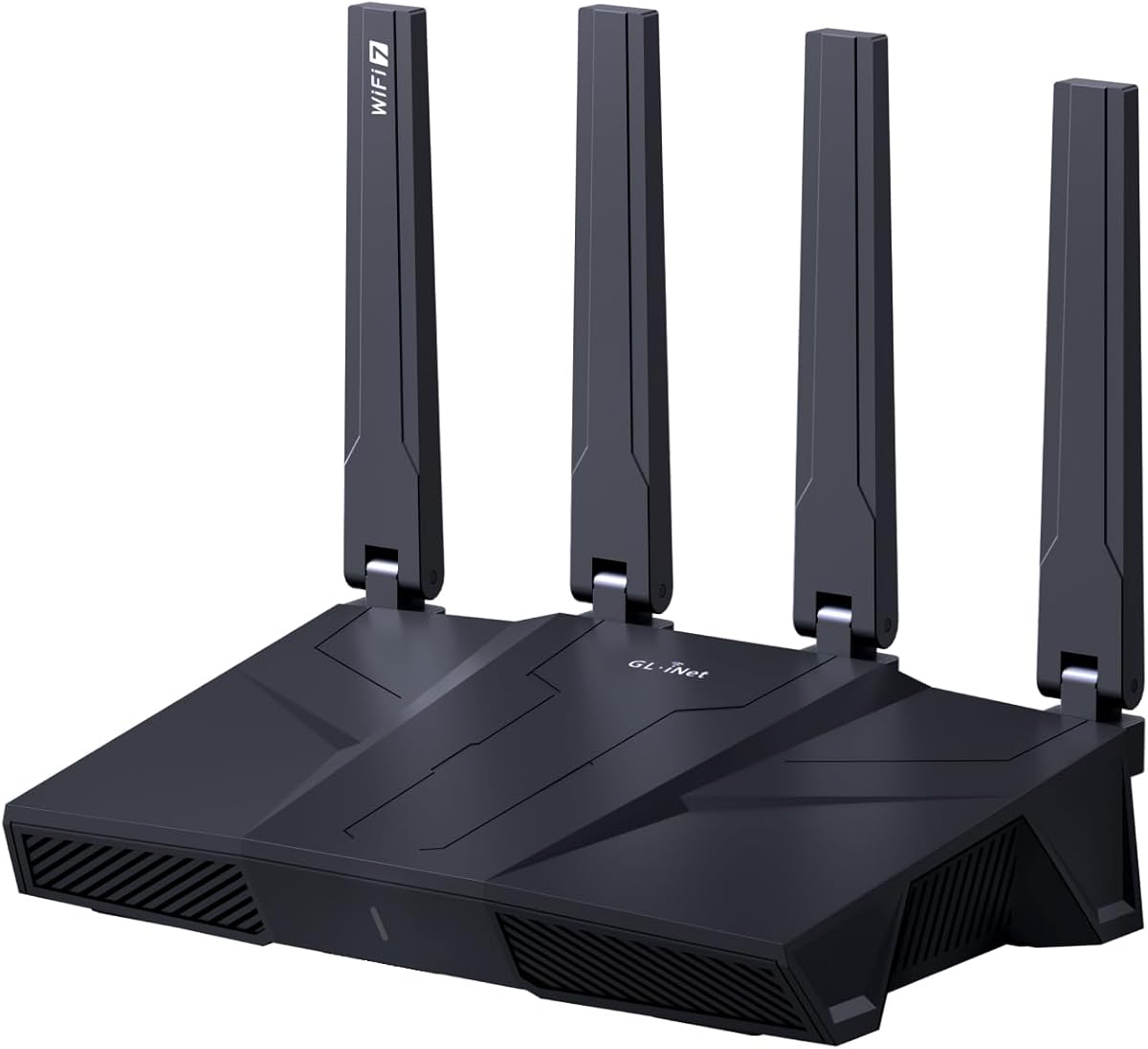
The GL.iNet GL-BE9300 Flint 3 focuses on privacy and open-source flexibility with a 4.3 rating. It delivers ultra-fast speeds and reduced latency for high-density environments.
We may earn a commission when you buy through this link, at no additional cost to you.
Its standout quality is the support for OpenVPN and Wireguard with speeds up to 680Mbps. This provides complete control over bandwidth usage and traffic.
The trade-off is the need for initial firmware updates for optimal performance. However, the AdGuard Home integration blocks unwanted tracking effectively.
This router is ideal for tech-savvy users who prioritize network security. It is recommended for those needing robust VPN capabilities.
Wireguard and OpenVPN speeds up to 680Mbps give you control over streaming and work bandwidth.
Enabling DNS server for blocking tracking offers a clutter-free browsing environment.
We may earn a commission when you buy through this link, at no additional cost to you.
The NETGEAR Nighthawk X10 is a legacy powerhouse with a 4.3 rating for broad coverage and unique ports. It offers AD7200 speeds and connects to 60GHz devices effectively.
We may earn a commission when you buy through this link, at no additional cost to you.
Its standout quality is the 10G SFP+ port which allows high-speed wired connections beyond standard Ethernet. It remains recommended for up to 45 devices reliably.
The trade-off is the older technology which lacks modern protocols like MLO. However, the 6x 1G Ethernet ports offer robust wired options.
This router is ideal for users who need specific legacy features. It is recommended for those needing high-speed wired ports.
Get up to 2500 square feet wireless coverage with AD7200 speed for 60Ghz devices.
Share storage drive and printer with any connected device easily.
We may earn a commission when you buy through this link, at no additional cost to you.
Choosing the right router requires understanding specific technical specs that match your internet plan and home size. We break down the essential factors to ensure you get the performance you pay for.
WiFi 7 is the latest standard offering massive speed gains and lower latency. However, you need compatible devices to utilize its full potential. WiFi 6E is also a strong choice for those needing 6 GHz bands without the high cost.
Look for newer standards if you want future-proofing. Current WiFi 6 models are sufficient for most average households.
Tri-band routers dedicate a 6 GHz band to high-speed devices reducing congestion. Dual-band units combine 2.4 GHz and 5 GHz which may slow down under heavy load. Select based on your device density.
Prioritize tri-band if you have many connected devices. Dual-band is fine for smaller networks.
Check the square footage rating to ensure the router can cover your entire home. Walls and floors reduce signal range. You may need mesh systems for large multi-story houses.
Match the router coverage to your home size. Always leave a buffer for obstructions.
Modern routers include 2.5G or 10G ports for faster wired connections. If you have multi-gig internet plans, these ports are essential. Standard 1G ports limit your wired speed.
Ensure you have enough high-speed ports for gaming or workstations. Check for 2.5G WAN/LAN options.
A strong CPU is vital for handling simultaneous data streams without throttling. Look for quad-core processors if possible. This reduces lag during peak usage times.
High-end processors ensure stability. Do not compromise on CPU specs for busy homes.
Built-in security services like HomeShield or Armor add a layer of protection. These services help filter malicious traffic and track devices. Subscription costs may apply after free trials.
Verify if security is free or paid. Look for automatic firmware updates to keep safety current.
If your home is large, ensure the router supports mesh expansion. EasyMesh compatibility allows adding nodes without buying a new system. Seamless roaming is crucial for whole-home coverage.
Choose routers that support EasyMesh or specific mesh ecosystems. This helps expand range effortlessly.
Higher prices often bring more features but may be unnecessary for some users. Assess if you need premium bandwidth or standard performance. Budget options can still deliver excellent results.
Balance features with actual needs. Avoid overpaying for tech you cannot utilize.
Start by placing your router in a central location elevated off the floor. Avoid placing it near thick walls, metal objects, or appliances that cause interference. This ensures the signal reaches all corners of your home effectively.
Keep your router's firmware up to date using the manufacturer's app or web portal. Regular updates patch security vulnerabilities and improve performance. Enable automatic updates if the feature is available.
Monitor your connected devices to identify any unauthorized usage. If the network slows down, restart the router periodically to clear cached data. This simple maintenance step keeps the system running smoothly.
WiFi 7 introduces faster speeds and supports 320 MHz channels which allow for significantly higher data transmission rates. It also supports Multi-Link Operation which connects devices to multiple bands simultaneously. This results in lower latency and better handling of crowded networks.
Yes, your modem must support the speeds you are paying for. If you have multi-gigabit internet, ensure your modem and router have 2.5G or 10G ports. Otherwise, standard connections may bottleneck your connection speed.
Check the specifications of your laptops and phones to see if they support the 802.11be standard. Most older devices will still connect but will operate on older standards. Newer flagship devices from 2024 onwards often include WiFi 7 support.
Yes, many of these routers feature low latency and QoS settings that prioritize gaming traffic. Models with 5 GHz or 6 GHz bands reduce interference from other household devices. This ensures a smoother and more responsive online gaming experience.
Ensure the router is placed in a well-ventilated area away from heat sources. Clean any dust from the vents regularly to allow airflow. If the unit is running too hot, consider moving it to a different location or upgrading to a model with better cooling.
Most modern routers come with WPA3 encryption which is highly secure. They also include features like network scans and firewalls. Always change the default password immediately and keep firmware updated to maintain strong protection.
Selecting a high bandwidth WiFi router depends on your specific needs for speed and coverage. The TP-Link AXE5400 offers a great balance, while the ASUS ROG Rapture is for enthusiasts. Budget options like the BE3600 provide accessible next-gen tech.
Prioritize features like Multi-Link Operation and 2.5G ports to ensure you are future-proof. Ensure your modem and cables can handle the speed upgrades your router provides. This maximizes the value of your hardware investment.
Prices for these models fluctuate based on market demand. Always check the latest deals before making your purchase. This ensures you get the best value for your home network upgrade.