
Portable Printers Wireless for Travel, N80 Bluetooth Thermal Printer
4.1Editor score
Affordable entry-level thermal option
Supports US Letter and A4 paper
1500mAh rechargeable battery included
Modern professionals and students need reliable printing without the bulk of traditional machines. Inkless portable printers offer a compact solution that fits easily into backpacks and briefcases for on-the-go document creation.
We evaluated ten leading thermal models based on connectivity options, battery capacity, paper compatibility, and overall build quality. Each device was analyzed for real-world usability across business travel, field work, and academic settings.
Every pick below highlights unique strengths and limitations to help you choose the right tool for your specific needs. Please note that pricing and availability change frequently, so check current listings before purchasing.
4.1Editor score
4.1Editor score

4.6Editor score
As an Amazon Associate we earn from qualifying purchases.
The following table provides a side-by-side comparison of all ten selected inkless portable printers, highlighting their key specifications, connectivity methods, and intended use cases for travelers.





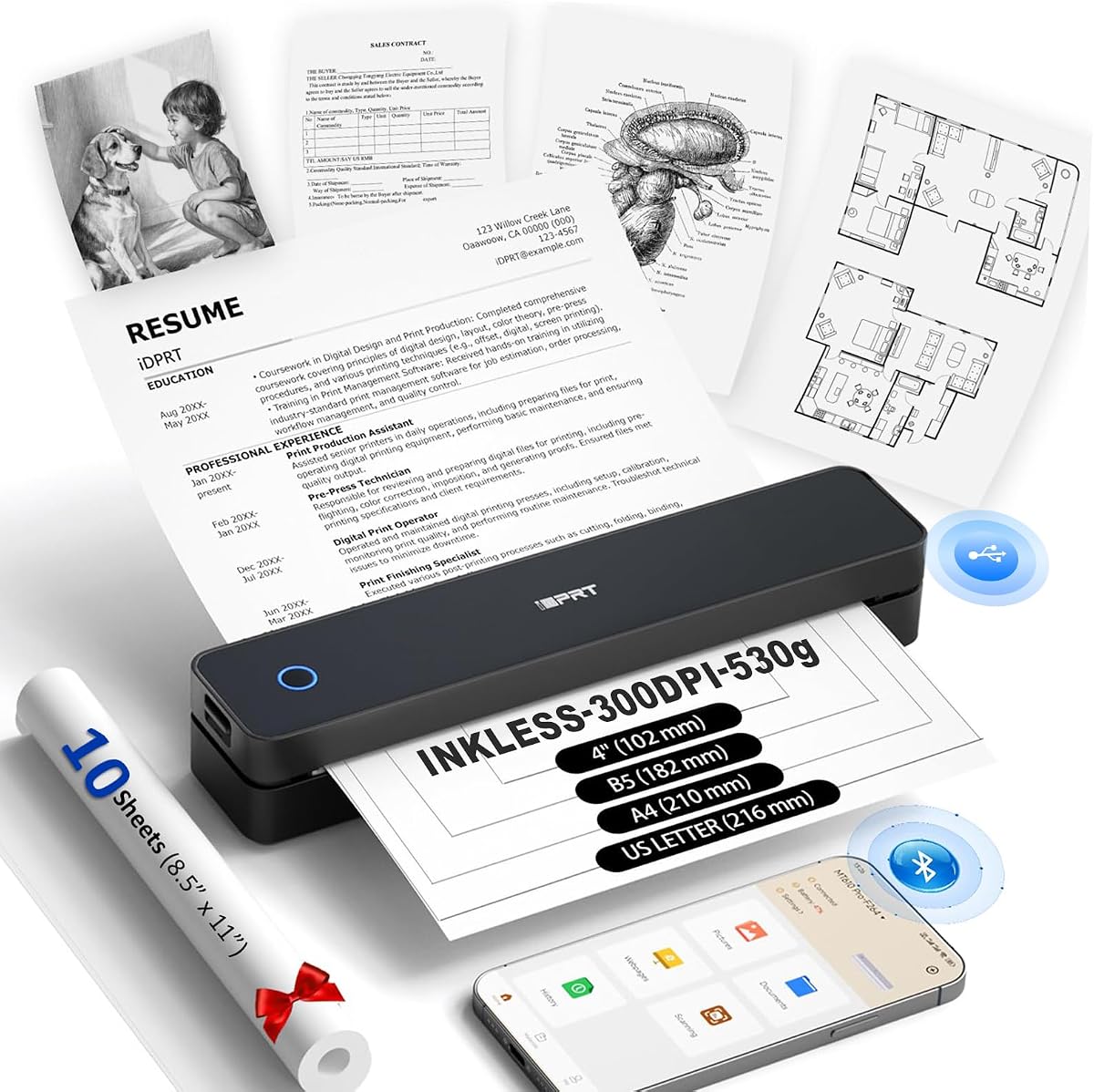
The MT610Pro stands out as a top contender for travelers needing reliable on-the-go printing. With a 4.1 star rating, it balances portability and performance effectively for documents like contracts and notes.
We may earn a commission when you buy through this link, at no additional cost to you.
Its 300DPI resolution ensures clear text and diagrams while the 2000mAh battery supports up to 200 pages per charge. The included free app makes mobile connectivity seamless for iOS and Android users.
Users should note it only works with thermal paper and produces black and white prints. These limitations are acceptable trade-offs for the significant weight savings and lack of ink cartridges.
This printer is ideal for digital nomads and students who need a compact solution for urgent documents without carrying heavy equipment or dealing with messy supplies.
At just 1.2lb and 1.6 inches thick, this printer fits easily into backpacks without adding bulk to your travel gear.
Advanced thermal technology eliminates the need for toner or ink, reducing ongoing costs and environmental waste.
We may earn a commission when you buy through this link, at no additional cost to you.
The D90E offers a robust solution for users who prioritize full document sizes over extreme portability. Its 4.3 star rating reflects satisfaction with its ability to handle contracts and office documents on the go.
We may earn a commission when you buy through this link, at no additional cost to you.
Featuring USB and Bluetooth connectivity, it connects reliably to various devices. The included travel case protects the unit during transit, making it a practical choice for field workers or teachers.
However, its weight of 2.08lb may be noticeable in smaller bags. Additionally, computer users must install drivers, adding a step to the setup process compared to plug-and-play options.
Choose this model if you need to print standard US Letter documents frequently and value a protective case for your device while traveling.
Built-in mechanisms allow easy paper ejection without forcing the cover open, reducing risk of damage or injury during jams.
Complete package includes printer, case, and paper, making it an ideal gift for students or professionals needing portable printing.
We may earn a commission when you buy through this link, at no additional cost to you.
The Gloryang portable printer provides a well-rounded package for students and professionals. Its 4.2 rating highlights ease of use and the convenience of included accessories like carrying case and paper.
We may earn a commission when you buy through this link, at no additional cost to you.
The built-in paper bin saves space and keeps workspaces tidy. It supports 8.5 by 11 thermal paper and connects easily via Bluetooth to phones or USB to laptops for versatile printing needs.
Some users may find the dependency on specific thermal paper restrictive. The weight is moderate compared to lighter models but acceptable for most backpacks.
This model is a strong choice for those who want a ready-to-print solution out of the box with minimal setup hassle.
Built-in paper storage reduces clutter and makes storage easier in tight spaces like car glove boxes or small desks.
Comes with a nice case and paper kit making it a thoughtful present for students or remote workers during holidays.
We may earn a commission when you buy through this link, at no additional cost to you.
The N80 offers an accessible entry point into portable thermal printing. With a 4.1 rating, it delivers reliable performance for basic documents like invoices and receipts without breaking the budget.
We may earn a commission when you buy through this link, at no additional cost to you.
Its lightweight design and included roll of paper make it ready for immediate use. The 1500mAh battery supports around 160 pages, sufficient for short business trips or campus use.
The 203DPI resolution is adequate for text but may lack sharpness for detailed graphics. Users must also ensure they use compatible thermal paper for best results.
Ideal for budget-conscious travelers or students who primarily need to print text documents occasionally while away from a main office.
Uniquely supports tattoo transfer paper offering creative utility beyond standard document printing for artists.
Fits easily into backpacks and briefcases perfect for construction sites or small offices needing quick printouts.
We may earn a commission when you buy through this link, at no additional cost to you.
The A285M is designed for flexibility with support for five different thermal paper widths. Its 4.0 rating indicates solid performance for mobile notaries and truck drivers needing varied document sizes.
We may earn a commission when you buy through this link, at no additional cost to you.
The built-in paper bin keeps your workspace organized while printing. Bluetooth connectivity allows quick pairing with smartphones for printing contracts or lists on demand.
Users must download specific drivers for laptop connections which adds minor setup time. Careful attention to charging voltage is also required to avoid damaging the battery.
This printer is suitable for professionals who need a range of paper widths and do not mind the slight setup complexity for driver installation.
Supports paper from 2 inches to full letter size accommodating receipts and full documents alike without changing devices.
Ideal for mobile notaries and field workers needing quick printing of various document types efficiently on site.
We may earn a commission when you buy through this link, at no additional cost to you.
The Rongta F11A focuses on straightforward setup and everyday usability. With a 4.0 rating, it is a practical option for students and home offices needing occasional portable printing.
We may earn a commission when you buy through this link, at no additional cost to you.
It connects via Bluetooth through the dedicated app, ensuring stable pairing. Support for legal and letter sizes makes it versatile for school assignments and standard business letters.
Bluetooth pairing must happen within the app rather than system settings, which can confuse some users. The compact size fits easily into tote bags or backpacks.
Choose this printer if you value ease of use and legal paper support for academic or personal documents while traveling.
Sleek black design combines portability and low operating costs making it attractive for modern workspaces.
Compact enough for backpacks or tote bags ensuring you can print documents during meetings or outdoor occasions.
We may earn a commission when you buy through this link, at no additional cost to you.
The Phomemo M832D introduces smart controls via an upgraded digital display. Its 4.2 rating reflects user appreciation for intuitive monitoring of battery status and paper settings.
We may earn a commission when you buy through this link, at no additional cost to you.
The 300DPI resolution ensures crisp text and images while the 2600mAh battery supports up to 200 pages. Optimized motor algorithms reduce printing noise by 30% for quieter operation.
Bluetooth is restricted to mobile devices, so laptops require USB connection. The touchscreen adds convenience but also slightly increases cost compared to button-only models.
This model suits users who want enhanced control and visibility over print settings without sacrificing portability for field tasks.
Intelligently identifies paper placement and shows connection status reducing guesswork for first-time users.
Refined print head design reduces noise significantly making it suitable for quiet environments like libraries.
We may earn a commission when you buy through this link, at no additional cost to you.
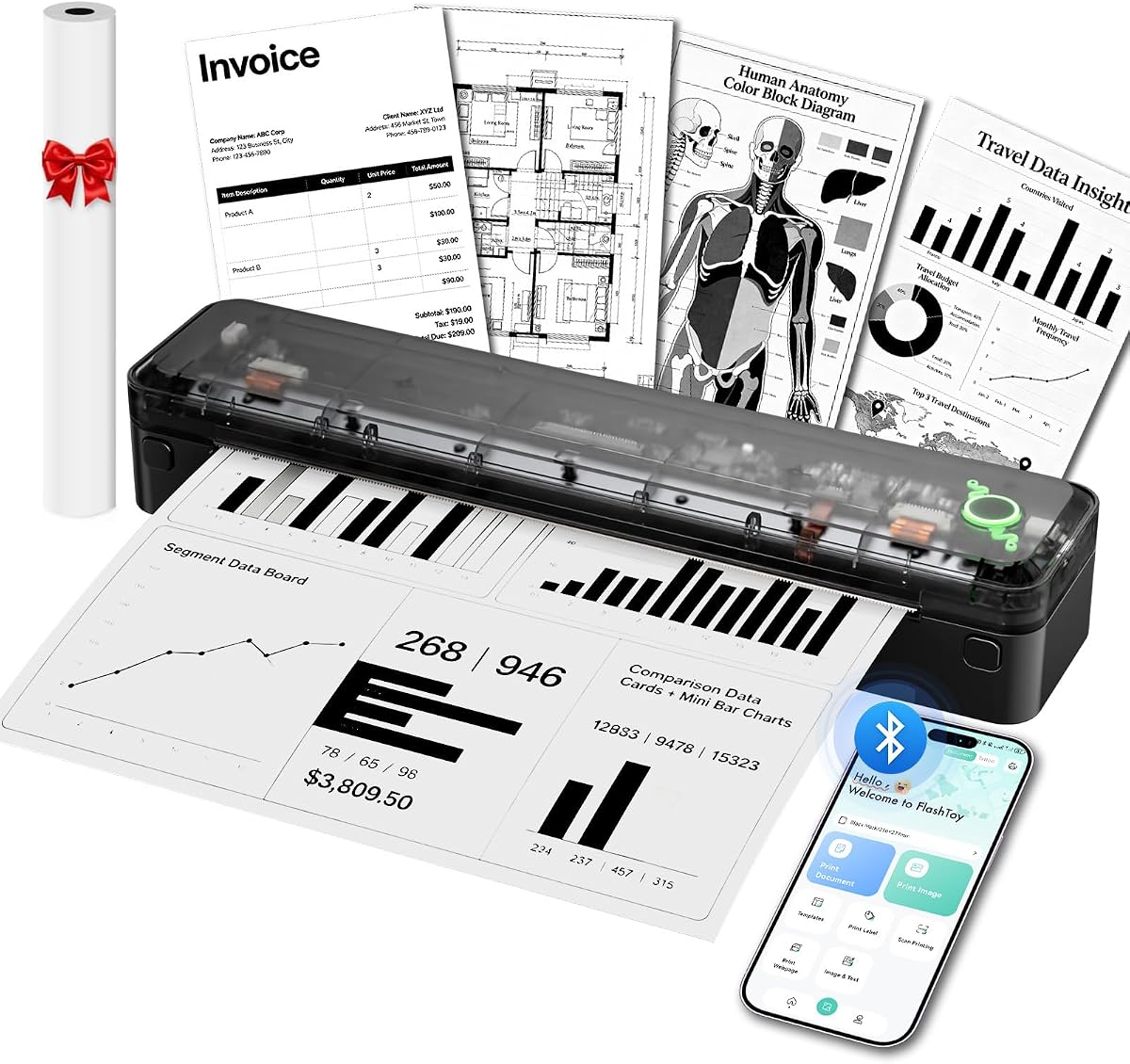
The Arrvel A8 combines functional performance with a unique translucent graphite aesthetic. With a 4.2 rating, it appeals to tech enthusiasts needing reliable printing for business reports.
We may earn a commission when you buy through this link, at no additional cost to you.
Its 3000mAh battery supports up to 200 sheets per charge ensuring extended use. The built-in paper compartment keeps your workspace clean without external holders.
Users receive a velvet travel bag and USB cable but no charging adapter. The design allows a glimpse of internal components which adds a futuristic look to modern setups.
Ideal for those who appreciate distinctive design and need a large battery capacity for longer workdays away from power outlets.
Frosted graphite translucent cover offers a unique high-tech aesthetic that stands out in modern workspaces.
Produces clear text and charts suitable for contracts reports and project plans in various professional scenarios.
We may earn a commission when you buy through this link, at no additional cost to you.
The Phomemo M85 leads the premium segment with advanced touchscreen functionality. Its 4.6 rating highlights exceptional user satisfaction with smart operations and build quality.
We may earn a commission when you buy through this link, at no additional cost to you.
The large touchscreen allows template preview and direct printing enhancing convenience. With a 3500mAh battery it supports 200+ pages making it ideal for extended travel without frequent charging.
Initial setup requires uploading templates via app which is necessary for on-screen printing. The higher price is offset by the included carry bag and multiple paper rolls in the box.
This device is perfect for professionals who want the highest usability and long battery life regardless of cost for critical mobile tasks.
Upgraded smart touchscreen enables template preview and printing without needing to look at a phone screen.
Large battery eliminates anxiety during travel by supporting hundreds of pages on a single full charge.
We may earn a commission when you buy through this link, at no additional cost to you.
The MUNBYN printer offers a compact design resembling a water bottle for easy storage. Its 4.4 rating reflects strong user approval for intuitive app control and versatile paper support.
We may earn a commission when you buy through this link, at no additional cost to you.
Adjustable paper slot fits standard letter and A4 sizes making it flexible for different document types. The user-friendly app supports PDFs and Word documents with a library of templates.
Mac users must use USB connections since macOS lacks Bluetooth driver support. The team provides responsive technical support which adds value for users needing assistance.
Ideal for travelers needing a small reliable printer with strong customer support and simple setup for various file formats.
Slides effortlessly into laptop bags or car glove boxes enabling instant mobile office setup anywhere.
Responsive customer service team ensures smooth printing experience by assisting with connection issues anytime.
We may earn a commission when you buy through this link, at no additional cost to you.
Selecting the right portable printer involves evaluating several technical factors to ensure it meets your specific travel and work requirements.
Look for devices that support both Bluetooth and USB connections to ensure compatibility with your smartphones and laptops. Bluetooth allows wireless mobile printing while USB is often necessary for computers.
Ensure the required apps and drivers are available for your specific operating system before purchasing.
A larger battery capacity ensures you can print more pages without needing a recharge. Models range from 1500mAh to 3500mAh supporting between 160 to over 200 pages per charge.
Choose a capacity that matches the length of your typical workday or trip away from power sources.
Resolution affects the clarity of text and images with higher DPI producing sharper results. Look for at least 200DPI for basic documents and 300DPI for detailed charts or designs.
Higher resolution often comes with slightly higher cost but improves professional output quality.
Thermal printers require specific paper types and sizes so verify which formats the device supports. Most allow standard US Letter or A4 but some support roll paper for receipts.
Consider ongoing paper costs and availability when selecting a model for frequent use.
Portability is key for travelers so check the weight and dimensions to ensure it fits your bag comfortably. Lighter models under 1.5 pounds are ideal for daily carry.
Compact designs that fit into glove boxes or small bags offer maximum flexibility on the road.
A well-designed app allows easy file selection, template usage, and settings adjustment directly from your phone. Look for apps that support multiple file formats like PDF and Word.
Advanced apps may offer template libraries and direct screen printing which simplify your workflow significantly.
Since portable devices face travel wear and tear check for durable materials and included protective cases. Models with built-in paper bins help keep the unit clean inside your bag.
A sturdy build ensures longevity and reduces the risk of damage during transit.
Good customer service is valuable when setup issues arise. Brands offering responsive technical support help troubleshoot connectivity problems efficiently.
Prioritize brands with a reputation for reliable post-purchase assistance.
Begin by installing the manufacturer's app on your mobile device or drivers on your computer as instructed. Pair the printer via Bluetooth or connect it using the USB cable to ensure a stable link.
Load the thermal paper carefully aligning it with the guide marks inside the paper bin. Close the cover securely and ensure the paper is visible through the print head area before printing.
Keep the printer clean by wiping the exterior regularly and storing it in a protective case when not in use. Avoid exposing it to direct sunlight or moisture to maintain the print head's condition.
No, these printers use thermal technology which requires special heat-sensitive thermal paper. Regular copy or inkjet paper will not produce any output on these devices. Always purchase compatible thermal paper rolls for best results.
Most inkless portable printers currently only support black and white printing. Thermal technology relies on heat to darken the paper surface so it cannot create color images. For color you would need a traditional inkjet printer which is much bulkier.
If the paper jams, turn off the device and gently open the cover to remove the jammed sheet. Some models have an automatic ejection feature triggered by pressing a button. Avoid forcing the cover open to prevent scratches or mechanical damage.
You can typically print PDFs Word documents Excel files images and web pages. The manufacturer app usually provides options to browse files on your phone or cloud storage. Check your app settings to confirm supported formats before use.
Many models do not support ChromeOS directly and require Windows Mac or mobile systems. Check the product specifications carefully to verify Chromebook compatibility before purchasing. Some may work via USB but often need specific drivers not available for ChromeOS.
Thermal paper rolls have a shelf life of about one to two years when stored properly. Exposure to heat and light can cause printed pages to fade over time. Keep unused paper in a cool dry place to preserve the quality.
Generally there are no monthly fees for basic printing functions using the free manufacturer app. Some brands may offer premium features or extra templates via subscription but core printing is free. Always check the app store details for any required subscriptions.
The MT610Pro D90E and Phomemo M85 represent top choices across budget mid-range and premium categories. Each offers unique strengths from lightweight design to touchscreen smart features.
Prioritize battery life and connectivity options based on how often you travel and which devices you use most. A larger battery and dual connectivity ensure you never run out of power or connection options.
Prices and availability change frequently so check the latest listings before making your final decision. Investing in a reliable portable printer can save time and effort during busy travel schedules.