As an Amazon Associate we earn from qualifying purchases. We may earn a commission when you buy through links on this page, at no additional cost to you. Read our affiliate disclosure.As an Amazon Associate we earn from qualifying purchases.Purchases through our links may earn us a commission, at no extra cost to you. Read our affiliate disclosure.
Finding the right keyboard case for Fire Max 11 can transform your tablet into a productive workstation. A good case should offer precise keys, durable protection, and seamless connectivity for all your daily tasks.
We evaluated ten top-rated products based on build quality, typing comfort, battery life, and unique features like backlighting and trackpads. Each option was analyzed to ensure it meets the specific needs of Fire Max 11 owners in 2026.
Each pick below highlights key strengths and potential trade-offs to help you choose wisely. Please note that product availability and specific features may vary over time, so check current listings before buying.
Top 3 Picks for Best Keyboard Case for Fire Max 11
Best Budget
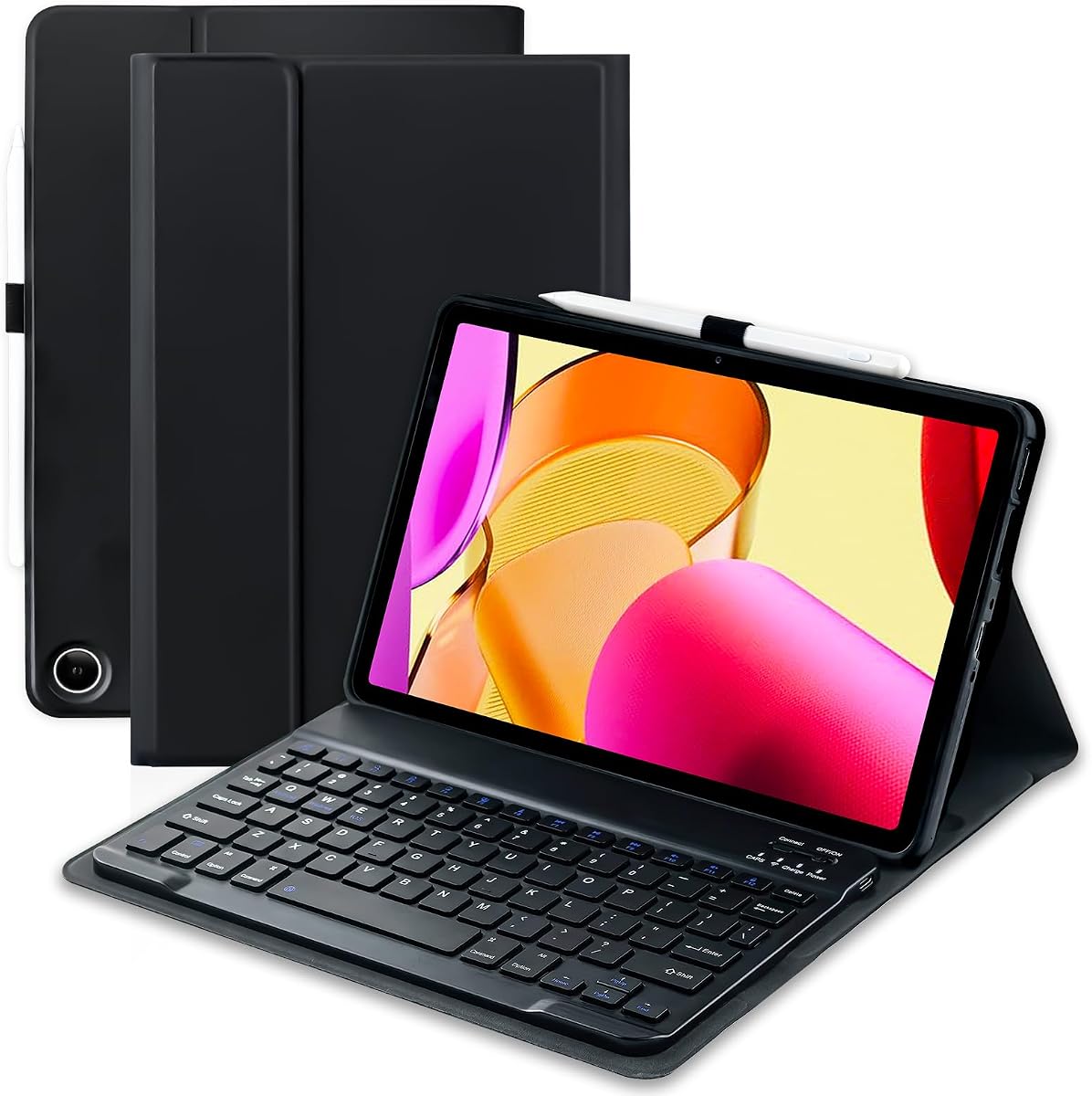
Keyboard Case for Amazon Fire Max 11 inch (13th Generation,2023 Release), 7 Color Backlight Detachable Bluetooth Keyboard Cover with Stylus Pen Holder for Kindle Fire Max 11 Tablet
Top 10 Best Keyboard Case for Fire Max 11 in 2026 Compared
The table below provides a side-by-side comparison of all ten keyboard cases. It highlights key specifications and design elements to help you quickly identify the best fit for your specific needs.
ProductsSpecificationsEditor scorePrice
1
Editor's Choice
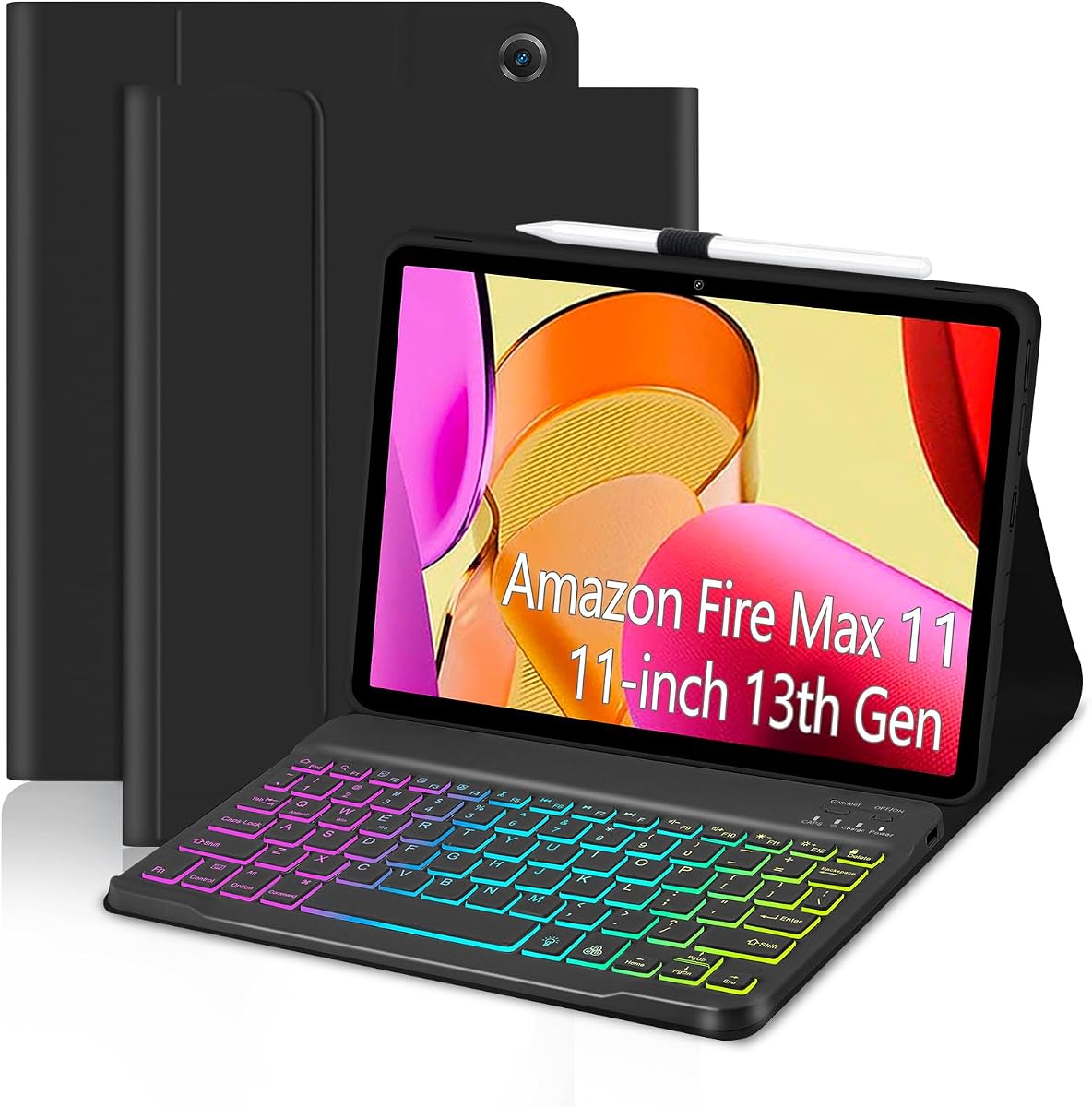
EAMPANG Case with Keyboard for Amazon Fire Max 11 inch (13th Generation, 2023 Release),7 Color Rainbow Backlit Detachable Type-C Charging Keyboard Magnetic Case Pen Holder 13th Gen-Black with Black
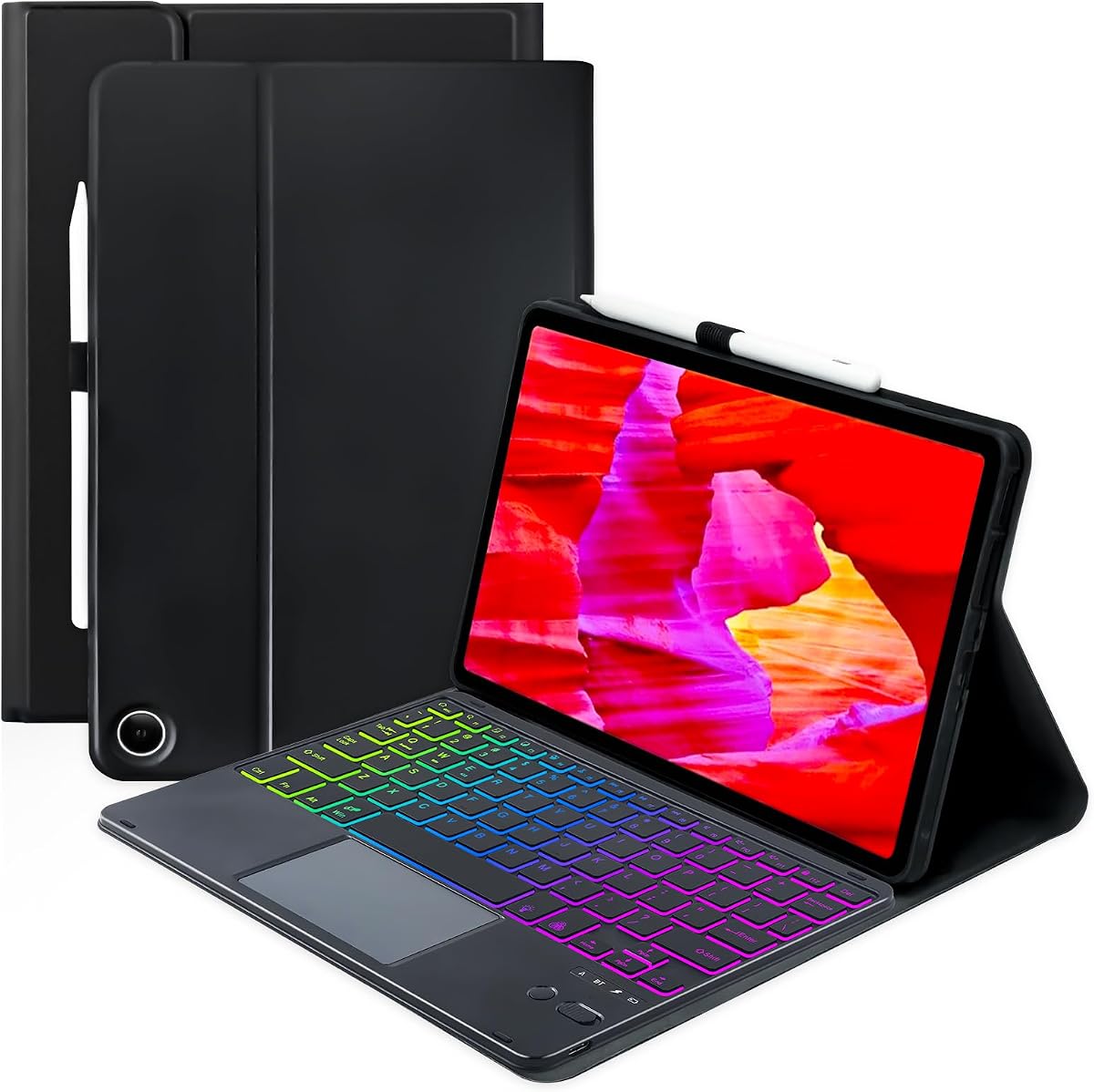
MePadKey Tablet Touchpad Keyboard Case for Amazon fire Max 11 11.0-inch 13th Generation 2023,Rainbow Backlight Rechargeable Detachable Keyboard with Pen Holder Cover (Black)
Keyboard Case for Amazon Fire Max 11 inch (13th Generation,2023 Release), 7 Color Backlight Detachable Bluetooth Keyboard Cover with Stylus Pen Holder for Kindle Fire Max 11 Tablet
Keyboard Case for Amazon Fire Max 11 11.0-inch (13th Generation,2023 Release),Detachable Type-C Charging Port Keyboard Magnetic Case with Pen Holder fit Max 11 Tablet (Black+Black)
EAMPANG Case with Keyboard for Amazon Fire Max 11 inch (13th Generation, 2023 Release),7 Color Rainbow Backlit Detachable Type-C Charging Keyboard Magnetic Case Pen Holder 13th Gen-Black with Blue
Keyboard Case for Fire Max 11 inch (13th Generation, 2023 Release), Rechargeable Detachable Bluetooth Keyboard, Smart Folio Leather Cover with Stylus Pen Holder for Kindle Fire Max 11 Tablet
EAMPANG Case with Keyboard for Amazon Fire Max 11 inch (13th Generation, 2023 Release),7 Color Rainbow Backlit Detachable Type-C Charging Keyboard Magnetic Case Pen Holder 13th Gen-Black with Black
7 Color Rainbow Backlit
Magnetic Detachable Type-C
Precise Hole Positioning
Honeycomb Design
The EAMPANG case combines style and function with a 7-color rainbow backlit keyboard. It features a magnetic detachable design that is perfect for quick transitions between typing and media modes.
Pros
Rainbow backlight for low light
Honeycomb design for cooling
Precise cutouts for ports
Built-in pen holder slot
Cons
Does not include tablet
May need model verification
We may earn a commission when you buy through this link, at no additional cost to you.
This case includes rich shortcut keys to enhance productivity and precise cutouts that allow full access to all tablet ports without removing the shell. The honeycomb inner design helps improve heat dissipation.
While the keyboard is detachable, it relies on Type-C charging which requires a separate cable management strategy. The pen holder is functional but does not charge the stylus itself.
If you want a vibrant and functional keyboard case, this is a strong choice. It offers excellent protection and typing comfort at a competitive price point.
Vibrant Backlit Typing
The RGB keyboard allows easy typing in the dark with adjustable brightness and color modes.
Optimized Heat Management
The honeycomb shell design helps your tablet stay cool during extended usage sessions.
MePadKey Tablet Touchpad Keyboard Case for Amazon fire Max 11 11.0-inch 13th Generation 2023,Rainbow Backlight Rechargeable Detachable Keyboard with Pen Holder Cover (Black)
Rainbow Backlight + Touchpad
Rechargeable Keyboard Battery
Detachable Design
Anti Slip Grooves
MePadKey brings desktop-like efficiency with a built-in touchpad and rainbow backlight. The touchpad replaces the need for a mouse, making it ideal for document editing and browsing.
Pros
Includes multi-finger touchpad
Rainbow backlight is adjustable
Rechargeable without batteries
Anti-slip grooves for stability
Cons
Slightly higher price
Touchpad adds bulk
We may earn a commission when you buy through this link, at no additional cost to you.
The keyboard is rechargeable and detachable, offering flexibility in how you position your tablet. Anti-slip grooves ensure the tablet stays secure when placed on a desk.
While the touchpad is useful, it adds some bulk to the keyboard attachment. The battery requires charging but offers convenience over disposable options.
This case is great for users who want a full laptop experience. It balances typing and navigation tools in a single detachable package.
Touchpad Efficiency
The multi-finger touchpad supports gestures for scrolling and navigating apps.
Secure Placement
Anti-slip grooves prevent the tablet from sliding during use.
TUNKARMOR Case Keyboard for Amazon Fire Max 11 (13th Generation, 11 inch)
Magnetic Detachable Keyboard
Includes Rechargeable Mouse
360 Protection Coverage
Honeycomb Inner Layer
TUNKARMOR offers a complete laptop-style kit with a detachable keyboard and a separate rechargeable mouse. This setup maximizes productivity for users who need precise cursor control.
Pros
Includes separate Bluetooth mouse
Honeycomb grid for heat
Auto sleep/wake function
Multi-angle viewing support
Cons
Extra device to manage
More charging to handle
We may earn a commission when you buy through this link, at no additional cost to you.
The case provides 360-degree protection with a honeycomb inner layer to prevent overheating. It also features auto sleep/wake functionality to save battery life.
Managing two wireless devices might be a drawback for some users. However, the added control is valuable for professional tasks.
Choose this if you need both typing and mouse precision. It is a comprehensive solution for serious users.
Dual Control Setup
The included mouse and keyboard provide full desktop-like control.
Heat Management
Honeycomb design improves airflow to keep the device cool.
Amazon Fire Max 11 Keyboard Case (Only compatible with 13th generation tablet, 2023 release)
Integrated Trackpad
No Separate Charging
Pogo Pin Connection
Detachable Stand
The official Amazon case stands out with its trackpad and power connection that eliminates keyboard charging. It offers a seamless experience that mirrors a modern laptop.
Pros
No separate keyboard charging
Integrated responsive trackpad
Spacious key layout
Auto wake on open
Cons
Higher price point
Limited to 13th Gen
We may earn a commission when you buy through this link, at no additional cost to you.
Its spacious key layout and integrated gestures make it efficient for navigation and typing. The magnetic attachment connects directly to the tablet for power.
The premium price reflects its official integration and high-quality materials. It is less customizable than third-party options but more reliable.
This is the best pick for seamless compatibility and zero maintenance. It is worth the investment for premium users.
Zero Charging Hassle
The pogo pin connection powers the keyboard directly from the tablet.
Official Compatibility
Designed specifically for the 13th Gen Fire Max 11.
for Amazon Fire Max 11 Case with Keyboard (13th Generation, 11 inch)
3-Zone Rainbow Backlight
Includes Bluetooth Mouse
Sleep and Wake Function
Premium Protection
SAMTUNK offers a 3-zone rainbow backlight for unique visual customization. It also includes a Bluetooth mouse, giving you a complete productivity setup out of the box.
Pros
3-Zone RGB zones
Includes Bluetooth mouse
Sleep and wake function
Full edge coverage
Cons
Multiple charging cables
Keyboard may detach easily
We may earn a commission when you buy through this link, at no additional cost to you.
The case features a honeycomb inner layer for heat dissipation and full edge coverage for protection. Auto sleep/wake features help maintain battery efficiency.
The multiple devices may require more attention to charging. The aesthetic appeal of the backlight adds a fun touch to your workspace.
Ideal for users who want style and function. It provides a vibrant look and a complete toolset for work.
Custom Visuals
3-Zone lighting allows for more dynamic color effects.
Complete Toolset
Includes both keyboard and mouse for maximum utility.
Keyboard Case for Amazon Fire Max 11 inch (13th Generation,2023 Release), 7 Color Backlight Detachable Bluetooth Keyboard Cover with Stylus Pen Holder for Kindle Fire Max 11 Tablet
7 Color Backlight
420mAh Large Battery
Sleep Wake Function
Precise Cutouts
This budget-friendly option offers a 7-color backlight and impressive battery life. It is ideal for users who want reliable typing without extra features or high costs.
Pros
Long 90h battery life
7 Color backlight
Multi-angle views
Precise cutouts
Cons
No touchpad or mouse
Basic protection
We may earn a commission when you buy through this link, at no additional cost to you.
The large battery capacity ensures long usage periods, while the TPU inner shell provides solid protection. Precise cutouts allow full access to all tablet ports.
It lacks a touchpad or included mouse, so you may rely on tablet navigation. However, for typing and media, it performs well.
The best pick for value and endurance. It delivers core functionality without breaking the bank.
Impressive Battery
Up to 90 hours of continuous use on a single charge.
Typing in Dark
The 7-color backlight enhances visibility at night.
Amazon Fire Max 11 Keyboard Case (Only compatible with 13th generation tablet, 2023 release)
Integrated Trackpad Gestures
Spacious Key Layout
Sustainable Materials
Multi-position Stand
The official Amazon trackpad version offers precise gestures and a spacious key layout. It is designed for seamless navigation and is built with sustainable materials.
Pros
Responsive gestures
Spacious layout
Sustainable design
Auto wake on open
Cons
Expensive
Not for other models
We may earn a commission when you buy through this link, at no additional cost to you.
Pinch to zoom and task switching make this case efficient for daily use. The stand supports multiple positions for hands-free viewing.
It is a premium option with a higher cost. However, the integration and usability justify the price.
This is the top choice for navigation and quality. It offers the most polished user experience available.
Gesture Support
Two finger scrolling and pinch to zoom simplify navigation.
Sustainable Build
Made with post-consumer recycled plastics for eco-conscious users.
Keyboard Case for Amazon Fire Max 11 11.0-inch (13th Generation,2023 Release),Detachable Type-C Charging Port Keyboard Magnetic Case with Pen Holder fit Max 11 Tablet (Black+Black)
Strong Magnetic Adsorption
Honeycomb Heat Dissipation
Multi-function Buttons
Anti-slip Grooves
This case prioritizes protection with strong magnetic adsorption and anti-slip grooves. The honeycomb design helps keep the tablet cool during intensive tasks.
Pros
Strong magnetic adsorption
Anti-slip grooves
Honeycomb design
Multi-function buttons
Cons
Basic keyboard feel
No touchpad
We may earn a commission when you buy through this link, at no additional cost to you.
The first row of keys includes multi-function buttons for media and volume control. This makes it convenient for quick adjustments.
It lacks a trackpad, so navigation relies on the screen. The protection is robust, making it suitable for travel.
Good for users who value durability. It offers a solid typing experience and reliable protection.
Secure Fit
Strong magnets keep the keyboard firmly attached to the case.
Cooling Design
Honeycomb pattern allows airflow to prevent overheating.
EAMPANG Case with Keyboard for Amazon Fire Max 11 inch (13th Generation, 2023 Release),7 Color Rainbow Backlit Detachable Type-C Charging Keyboard Magnetic Case Pen Holder 13th Gen-Black with Blue
Rainbow Backlit Keyboard
Multi-functional Keys
Precise Hole Position
Full Protection Design
EAMPANG provides a vibrant rainbow backlight with a breathing light mode. It features a full protection design that covers all edges of the tablet.
Pros
Breathing light mode
Full coverage protection
Multi-functional keys
Pen holder slot
Cons
Mixed reviews
Not for all models
We may earn a commission when you buy through this link, at no additional cost to you.
The case is built with a flexible TPU shell for drop protection. It includes a pen holder for stylus storage and easy access.
User feedback varies, so check reviews before buying. The backlight and protection are strong selling points.
It is a stylish option for those who want a unique look. The protection features ensure your tablet is well cared for.
Dynamic Lighting
Breathing light mode adds a unique visual effect to typing.
Complete Coverage
Full coverage design protects against scratches and bumps.
Keyboard Case for Fire Max 11 inch (13th Generation, 2023 Release), Rechargeable Detachable Bluetooth Keyboard, Smart Folio Leather Cover with Stylus Pen Holder for Kindle Fire Max 11 Tablet
Premium Leather Cover
Up to 70h Battery
Precise Cutouts
Sleep Wake Function
This case features a premium vegan leather exterior for a stylish look. The rechargeable keyboard offers up to 70 hours of battery life on a single charge.
Pros
Vegan leather exterior
Long battery life
Precise cutouts
Auto wake/sleep
Cons
Leather care needed
Basic keyboard
We may earn a commission when you buy through this link, at no additional cost to you.
Sleep/wake functions help conserve power and protect privacy. Precise cutouts ensure all ports remain accessible when the case is on.
Leather surfaces may require more care than synthetic options. The keyboard is functional but basic compared to trackpad models.
It is a great choice for style-conscious users. It balances aesthetics with practical typing performance.
Premium Aesthetics
Vegan leather exterior provides a stylish and durable finish.
Battery Efficiency
Power saving mode extends usage to 70 hours per charge.
We may earn a commission when you buy through this link, at no additional cost to you.
Buying Guide – How to Choose the Best Keyboard Case for Fire Max 11
Choosing the right keyboard case involves balancing features like typing comfort, battery life, and connectivity. This guide breaks down the key factors to consider.
Compatibility
Always check the generation and release year of your Fire Max 11. Cases are often made for the 13th Gen 2023 release and may not fit other models.
Ensure the case matches your tablet size exactly to avoid port misalignment.
Keyboard Type
Decide between Bluetooth, Type-C, or Pogo Pin options. Some models include trackpads which improve navigation significantly.
If you prefer mouse-like control, choose a model with a built-in trackpad or bundled mouse.
Backlighting
A backlit keyboard is useful for low-light typing. Some offer single colors while others provide RGB options with multiple modes.
Look for adjustable brightness settings to save battery when not needed.
Battery Life
Check how long the keyboard lasts on a full charge. Rechargeable options with large capacity batteries reduce charging frequency.
USB-C charging ports are faster and more convenient than older standards.
Protection Features
Cases with full edge coverage and TPU or honeycomb interiors offer better drop protection. Pen holders help secure your stylus.
Look for anti-slip grooves to keep the tablet stable on desks.
Detachable Design
Detachable keyboards allow you to use the tablet as a standalone device. This is useful for media consumption or reading.
Magnetic connections provide secure attachment without damaging the screen.
Sleep and Wake Function
This feature helps conserve battery by putting the tablet to sleep when closed. It also enhances privacy by locking your screen.
Check if the function works with your preferred case configuration.
Materials and Build
High-quality PU leather or vegan materials offer durability and a premium feel. Synthetic shells are often lighter and cheaper.
Consider the weight if you plan to carry the tablet frequently.
How to Use and Care for Your Keyboard Case for Fire Max 11
To ensure a secure fit, align the tablet edges with the case slots before closing the lid. Check that all ports remain accessible after installation.
Clean the keyboard keys with a soft brush or microfiber cloth to prevent dust buildup. Avoid harsh chemicals that may damage the surface.
Charge the keyboard fully before first use to activate the battery. Store the case in a cool, dry place when not in use.
Frequently Asked Questions
Does this case work with Fire Max 11 models from other years?
Most cases are designed for the 13th Generation 2023 release. Please check the compatibility note in the product description before purchasing to avoid issues with other models.
Can I use the tablet without the keyboard attached?
Yes, most models feature a detachable design. You can remove the keyboard for media viewing while keeping the protective cover on the tablet.
Does the keyboard need separate charging?
Some models use Pogo pin connections and do not need charging. Others require USB-C or wireless charging, so check the specific product features.
What is a honeycomb inner design?
It is a pattern inside the case that helps dissipate heat. This design improves airflow and helps keep your tablet cool during long sessions.
Do these cases support the stylus?
Many include a pen holder slot. However, the stylus itself is usually not included in the package. Always verify what is included before buying.
How do I fix the keyboard disconnecting?
Try re-pairing the device or checking the battery level. For magnetic models, ensure the tablet is properly aligned for a secure connection.
Final Thoughts on Choosing the Best Keyboard Case for Fire Max 11
We reviewed ten top keyboard cases for Fire Max 11. The official Amazon cases offer the best integration, while third-party options provide colorful backlights and value.
Prioritize a case with a trackpad if you do a lot of navigation. For simple typing and media, basic models are more cost-effective.
Remember to check compatibility and current availability before finalizing your purchase. These accessories change frequently, so verify the latest details.
This guide compares the top ten light sources for microscopes, evaluating illumination quality, adjustability, and durability for lab and industrial use.