
YBING Keyboard Case for Samsung Galaxy Tab A11 Plus & Galaxy Tab A9 Plus
4.5Editor score
Detachable magnetic keyboard
360 degree rotation
Multiple viewing angles
This guide compares the top 10 keyboard cases for Samsung Galaxy Tab A11 tablet models, reviewing features, compatibility, battery life, and trackpad support
Finding the right keyboard for Samsung A11 tablet can transform your device into a productive workstation. These accessories provide typing comfort and protection while keeping your tablet secure during daily use and travel.
We evaluated ten real products based on compatibility, build quality, and user feedback. Each entry includes detailed specifications and key benefits to help you find the ideal match for your workflow needs.
Every pick highlights unique strengths like trackpads, detachable designs, and battery life. Please note that availability and pricing may change over time, so check current listings before making a final decision.
4.5Editor score

4.3Editor score

4.6Editor score
This side-by-side comparison highlights the key specifications and unique attributes of each keyboard case to help you evaluate options quickly and choose the one that fits your usage scenarios.


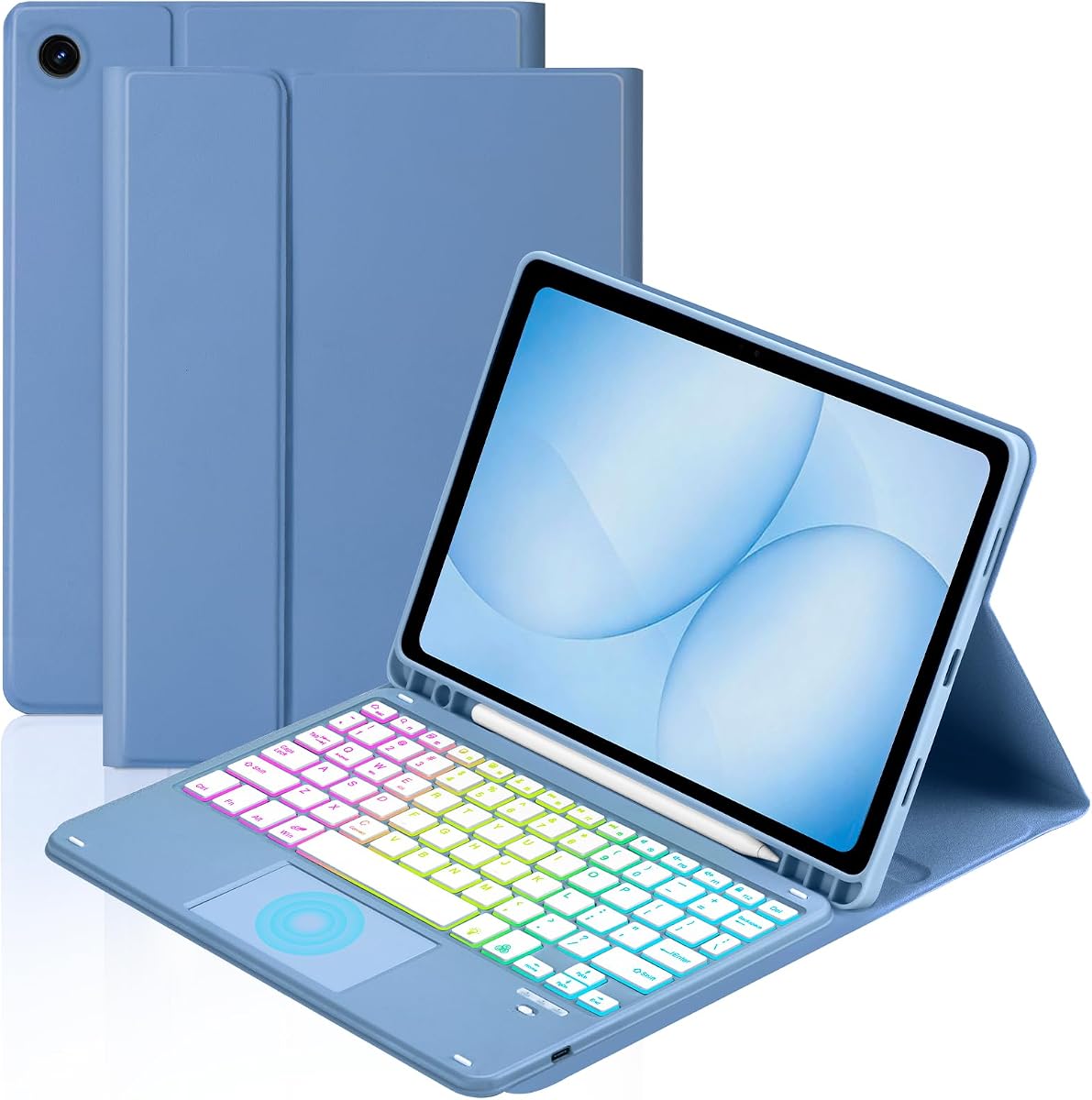

The Dexnor keyboard case stands out as the top choice for productivity with its integrated trackpad and reliable magnetic attachment. It supports specific A11 Plus and A9 Plus models and offers a laptop-like typing experience.
We may earn a commission when you buy through this link, at no additional cost to you.
Its 650mAh battery provides up to 200 hours of use without backlight, and the trackpad supports multi-finger gestures for efficient navigation. The scissor-switch keys and shortcut row improve typing speed and control.
While it lacks a floating cantilever design and cannot fold around the back, these trade-offs ensure a stable typing base. The pen holder and sleep/wake features add practical value for daily mobile work.
Buyers seeking a complete laptop replacement should choose this case for its balance of features and durability. It is best for users who prioritize precision navigation and extended battery life.
The built-in multi-touch trackpad supports gestures like two-finger scrolling and three-finger app switching, providing full control without touching the screen.
With 720 hours of standby time and auto sleep/wake, the keyboard conserves power while ensuring quick access whenever you open the case.
We may earn a commission when you buy through this link, at no additional cost to you.
TUNKARMOR offers a slim case with a detachable magnetic keyboard that turns the tablet into a mini laptop quickly. It supports A11 Plus and A9 Plus models with full 360-degree protection and pen storage.
We may earn a commission when you buy through this link, at no additional cost to you.
The keyboard can be moved to any position, and the case includes anti-slip grooves for stable angles. The honeycomb inner layer protects against overheating while maintaining a lightweight feel.
Without a trackpad, you must rely on touch or an external mouse. The case provides solid protection but lacks some navigation features found in higher-tier options.
Ideal for users who want flexibility and protection without bulk, this case is a reliable companion for casual typing and travel needs.
The detachable magnetic keyboard allows you to adjust its position freely, adapting to different typing preferences and desk setups.
The honeycomb grid pattern cushioning helps dissipate heat, keeping your tablet cool during extended use and extending its lifespan.
We may earn a commission when you buy through this link, at no additional cost to you.
This tablet case provides both a keyboard and a Bluetooth mouse for comprehensive control. It features a smart trackpad and multi-touch gestures alongside vibrant rainbow backlighting for dark environments.
We may earn a commission when you buy through this link, at no additional cost to you.
The keyboard supports three lighting modes, and the mouse enables precise cursor movement for editing and navigation. A Type-C cable and pen holder ensure convenience and organization.
The included mouse adds value but requires pairing effort. The lighting effects are stylish but might be distracting during focused work sessions.
Buyers who need a full desktop experience on the go will appreciate this bundle. It is a strong option for multitasking and creative work.
Receiving both a keyboard and a Bluetooth mouse lets you navigate and type without relying solely on screen gestures.
The seven-color rainbow backlight adds a fun visual element while ensuring you can type comfortably in dimly lit rooms.
We may earn a commission when you buy through this link, at no additional cost to you.
Soke offers a wireless magnetic keyboard with support for iOS, Windows, and Android systems. It features a 7-color backlight and auto sleep/wake functionality for battery efficiency.
We may earn a commission when you buy through this link, at no additional cost to you.
The two non-slip grooves provide stable angles, and the magnetic stripe ensures secure attachment. The USB-C charging ensures quick powerups for on-the-go use.
While it lacks multiple angle options and a trackpad, its cross-platform compatibility makes it versatile for users switching between devices. The design remains sleek and portable.
This case is best for travelers who need system flexibility. It offers solid protection and typing comfort for everyday tasks.
Switching between iOS, Windows, and Android is simple, allowing you to use the same keyboard with multiple devices.
The seven backlight colors let you personalize your typing environment while maintaining visibility in dark settings.
We may earn a commission when you buy through this link, at no additional cost to you.
YBING provides an affordable keyboard case with a 360-degree rotating cover and detachable magnetic keyboard. It features multi-function keys and a rainbow backlight for a flexible and colorful typing experience.
We may earn a commission when you buy through this link, at no additional cost to you.
The 16 magnets ensure secure adsorption, and the three anti-slip grooves support stable angles. The pencil holder keeps your stylus accessible for quick notes.
While the lighting is stylish, it might not suit users who prefer minimalistic setups. The lack of a trackpad means you must rely on touch input.
This option is perfect for budget-conscious buyers who still want essential features. It balances cost with protection and functionality effectively.
The cover rotates fully 360 degrees, allowing you to position the tablet horizontally or vertically based on task needs.
Function keys enable quick actions like copy, paste, and play, streamlining workflow without interrupting your focus.
We may earn a commission when you buy through this link, at no additional cost to you.
Harvopu stands out with a high-endurance keyboard and a precision wireless mouse featuring 3-Level DPI adjustment. The case protects against stains and offers vibrant multi-color backlight modes.
We may earn a commission when you buy through this link, at no additional cost to you.
With up to 180 hours of continuous use, the keyboard remains ready for long sessions. The mouse supports different sensitivity needs for browsing or editing tasks.
The heavy mouse adds weight, and the lighting options are fewer compared to rainbow options. However, the case is designed for practical daily defense and durability.
This is a strong choice for users prioritizing battery life and precision control. It fits well in professional environments requiring reliability.
Switch sensitivity levels instantly to handle precise edits or rapid browsing, giving you desktop-grade accuracy on your tablet.
The tough, stain-resistant material repels spills and wipes clean easily, keeping your device looking new for longer.
We may earn a commission when you buy through this link, at no additional cost to you.
TiMOVO offers a lightweight case with a detachable keyboard and multiple viewing angles. It includes a 7-color backlight and power-saving mode to extend battery life during idle periods.
We may earn a commission when you buy through this link, at no additional cost to you.
The anti-slide design ensures stability, and the case provides full protection against scratches and dents. The detachable feature allows flexible usage when typing isn't needed.
It disconnects after 10 minutes of inactivity, which may require reconnection. The smaller battery suits short tasks but may need frequent charging for long sessions.
Ideal for casual users seeking a slim, protective solution. This case balances portability with essential typing features.
The automatic hibernation enters sleep when not used, preserving energy and keeping the device ready for the next session.
Built-in anti-slide elements keep the tablet steady on surfaces, reducing accidental shifts while typing or viewing content.
We may earn a commission when you buy through this link, at no additional cost to you.
MePadKey includes a smart touchpad with multi-touch capabilities supporting up to four-finger gestures. It provides a seamless typing and navigation experience with multi function keys and rainbow lighting.
We may earn a commission when you buy through this link, at no additional cost to you.
The keyboard can be detached when not needed, and the strong magnetic adsorption keeps it stable. Anti-slip grooves allow you to adjust the viewing angle comfortably.
Although the rating is slightly lower, the feature set is robust for daily use. The touchpad gestures help reduce reliance on touch interactions.
This case is best for users wanting an all-in-one solution with gesture controls. It offers good value for productivity-focused buyers.
Swipe with four fingers to take screenshots, making navigation and capture tasks faster and more intuitive.
Removing the keyboard when not needed reduces bulk and makes carrying the tablet easier for quick tasks.
We may earn a commission when you buy through this link, at no additional cost to you.
This MePadKey variant highlights multi-function shortcuts and 360-degree rotation for versatile viewing. It includes a touchpad, pen holder, and detachable keyboard for comprehensive mobile workstation capabilities.
We may earn a commission when you buy through this link, at no additional cost to you.
The functional shortcut keys improve efficiency, and the pen holder keeps tools organized. The case provides thickened edges to protect against scraping and falling.
While the lighting and design add value, charging remains necessary for full use. It is a solid option for users needing quick task access.
Buyers seeking quick access to functions and protection will find this model suitable. It blends convenience with practical protection.
Switch between iOS, Windows, and Android easily using the FN key combinations, supporting multiple device workflows.
Thickened convex edges safeguard the tablet screen and frame from bumps and accidental drops during transport.
We may earn a commission when you buy through this link, at no additional cost to you.
Supveco offers premium protection with a honeycomb grid pattern and a large rechargeable battery. It supports automatic sleep wake functions and features backlit keys for low-light typing.
We may earn a commission when you buy through this link, at no additional cost to you.
The magnetic detachable design allows repositioning, and the TPU cover ensures shock absorption. The included pen holder keeps your stylus secure during travel.
While heavier and requiring a longer charge time, these features deliver superior safety and usability. The honeycomb design increases lifespan by reducing heat.
This option is best for users prioritizing protection and premium materials. It fits those seeking a robust long-term solution.
The inner honeycomb grid cushions against impacts and helps prevent overheating, extending the tablet's operational life.
Opening the case automatically wakes the tablet while closing it puts it to sleep, saving battery effortlessly.
We may earn a commission when you buy through this link, at no additional cost to you.
Choosing the right keyboard for your Samsung A11 tablet depends on several factors that influence comfort, functionality, and compatibility.
Ensure the keyboard matches your exact model number such as SM-X230 or SM-X210 to guarantee proper fit and connection.
Verify the product details before purchasing to avoid incompatibility issues that may affect usability or protection.
Decide between detachable and fixed designs based on whether you prefer portability or continuous typing convenience.
Detachable keyboards offer flexibility while fixed ones provide stability for long work sessions.
If precise cursor control is important, choose a model with a built-in multi-touch trackpad for efficient navigation.
Trackpads eliminate the need for external mice and enhance productivity on mobile interfaces.
Check the battery capacity and expected usage hours to ensure it meets your daily workload without frequent recharging.
Look for features like auto sleep/wake that help conserve energy during idle periods.
Backlit keys are essential for typing in dim environments, so select options with adjustable brightness or color modes.
Rainbow or single-color options provide flexibility based on your aesthetic and lighting preferences.
Look for full-body coverage with reinforced edges and shock-absorbing materials to guard against accidental drops.
Protective layers such as honeycomb grids add durability and thermal management benefits.
Cases with adjustable stands and anti-slip grooves allow you to find the most comfortable viewing and typing positions.
Multiple angles enhance ergonomics during video calls and document work.
If you switch between devices, pick a keyboard that supports multiple operating systems for seamless transitions.
Universal compatibility reduces the need for additional accessories and simplifies travel setups.
To begin, install the keyboard by placing your tablet into the protective case and aligning the magnetic connectors or Bluetooth pairing options.
Charge the keyboard via the provided Type-C cable and allow it to power on fully before connecting to your device.
Clean the keys and case regularly with a soft dry cloth to prevent dust buildup and maintain the protective layers.
Most keyboards support the Galaxy Tab A11 Plus and A9 Plus 11 inch models with specific SM codes like SM-X230 and SM-X210. Always verify your device number before purchasing to ensure proper fit and connection.
Some bundles include a Bluetooth mouse, while others provide only a keyboard or trackpad. Check product listings carefully to confirm what accessories are included with each case.
Yes, most keyboards have built-in batteries that can be charged via USB-C independently. This allows you to use the keyboard even when the tablet is depleted or charging.
Most modern cases include magnetic strips or sensors that automatically wake or sleep the tablet when the lid opens or closes. This helps conserve battery life throughout the day.
The cases offer water-resistant protection for minor spills but are not fully waterproof. Wipe down immediately after exposure to liquids to maintain durability and prevent internal damage.
Charging times vary by model but typically take two to four hours for a full charge. Use the included Type-C cable and avoid using third-party adapters that may not match the voltage.
Detachable models allow you to remove the keyboard and connect it via Bluetooth independently. Fixed models usually require the case to support the tablet and enable typing functionality.
Many keyboards feature touchpads that support multi-finger gestures like scrolling and app switching. These features enhance navigation efficiency and reduce screen touches during work.
These top picks offer a range of options from budget-friendly bundles to premium protection with advanced features. Each model brings unique strengths tailored to different workflows and environments.
Prioritize factors like battery life, protection, and trackpad support when choosing the right keyboard. Your decision should reflect whether you need basic typing or full desktop control.
Always check current prices and availability before buying since listings may change. Investing in a compatible and durable case ensures long-term productivity and device safety.