
Kingston KC3000
5.0Editor score
Up to 7000MB/s read speeds
High performance PCIe NVMe interface
Reliable notebook compatibility and storage
This guide compares the top Kingston Internal NVME SSD models for 2026, evaluating performance, reliability, and value to help you choose the right drive for
Selecting the right internal storage is critical for modern computing performance. Kingston Internal NVME SSDs offer rapid data access and reliable reliability for everyday tasks and demanding applications alike.
We evaluated ten top models based on speed, capacity, thermal design, and real-world usability. Each pick reflects rigorous analysis of technical specifications and user feedback to ensure informed choices.
Every selection highlights key strengths and ideal use cases. Prices fluctuate often, so verify current offers before purchasing to secure the best value for your specific upgrade needs.
5.0Editor score
4.7Editor score

4.7Editor score
The following table provides a direct comparison of the leading Kingston Internal NVME SSD models. Review key specifications and features side by side to identify the most suitable drive for your system requirements.


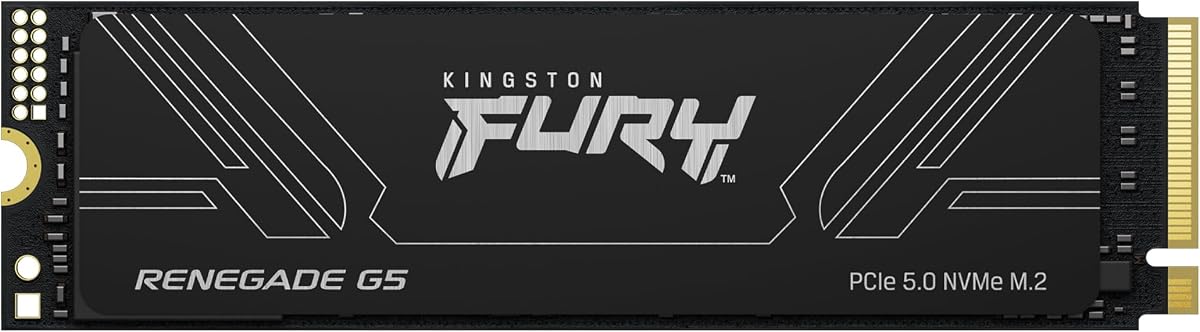
The Kingston FURY Renegade G5 stands out as a top tier choice for those seeking peak performance. With its PCIe 5.0 capabilities, it delivers unmatched speeds that redefine what internal storage can achieve for modern systems.
We may earn a commission when you buy through this link, at no additional cost to you.
Key strengths include reaching up to 14,800MB/s read speeds and maintaining high write performance. The advanced SM2508 controller ensures efficient thermal management and stable power. This makes it ideal for power users needing responsive workflows.
While requiring a Gen 5 motherboard limits broad compatibility, the trade-off is acceptable for enthusiasts. The drive's advanced cooling ensures it stays cool even under heavy loads, preserving longevity and consistent performance during intensive tasks.
It is perfect for hardcore gamers and professionals in content creation who need fast access to large files. If you have the hardware to support it, this drive offers a future-proof solution that maximizes system potential today and beyond.
Experience ultra-fast load times and performance gains across demanding applications that require rapid data throughput and minimal latency.
Advanced cooling design with low-power components ensures stable operation and longevity even during extended high intensity usage scenarios.
We may earn a commission when you buy through this link, at no additional cost to you.
The Kingston KC3000 delivers exceptional performance that caters well to notebook users and general system upgrades. With read speeds reaching up to 7000MB/s, it provides a significant boost over traditional storage options for daily computing needs.
We may earn a commission when you buy through this link, at no additional cost to you.
Its standout quality is the flawless compatibility with notebooks and small form factor systems. The quality assured status ensures users receive a reliable drive. The consistent high rating reflects user satisfaction and trust in its performance reliability.
While the 1TB capacity limits massive storage needs, it is ideal for standard workflows. Performance remains strong for gaming and content editing without needing the most expensive high-end tier available on the current market.
This drive is perfect for anyone seeking a balance between high speed and compatibility with portable systems. It offers a premium experience that fits naturally into modern laptops without compromising on essential speed and reliability metrics.
Achieve near maximum PCIe 4.0 sequential speeds for faster application loading and file transfers across your entire workflow.
Quality assured product status ensures consistent performance and peace of mind for users seeking dependable internal storage solutions.
We may earn a commission when you buy through this link, at no additional cost to you.
The Kingston NV3 offers an excellent entry point into high-speed storage with Gen 4×4 NVMe performance. Ideal for those wanting faster boots and load times without breaking the bank, it brings solid speeds to everyday computing tasks.
We may earn a commission when you buy through this link, at no additional cost to you.
Key strengths include up to 6000MB/s read speeds and the inclusion of Acronis cloning software. The 5-year limited warranty adds significant confidence in its longevity. Low power consumption makes it a practical choice for various setups.
While write speeds trail behind read speeds and lack advanced extras, the value remains compelling. For general users and gamers on a budget, this drive delivers consistent performance without unnecessary complexity or cost.
It is perfect for upgrading older systems or building budget rigs needing speed. The drive combines reliability with modern interface standards making it a smart buy for those prioritizing value and solid functionality.
Experience rapid data access with PCIe 4.0 speeds that improve responsiveness for both gaming and general daily system usage.
Simplify migration to new drives with included Acronis tools that help transfer existing systems quickly and securely.
We may earn a commission when you buy through this link, at no additional cost to you.
The Kingston Fury Renegade 1TB PCIe Gen 4.0 NVMe M.2 Internal Gaming SSD with Heat Sink is engineered for gamers needing top performance. With speeds up to 7300MB/s, it minimizes wait times during gaming and content creation workflows significantly.
We may earn a commission when you buy through this link, at no additional cost to you.
Key strengths include PS5 Ready support allowing direct console installation. The included heat sink manages thermal throttling effectively ensuring stable speeds under load. Slim M.2 2280 form factor ensures easy fit into most modern systems.
While the heatsink may require clearance checks and pricing is higher, performance benefits justify it for enthusiasts. High capacity options up to 4TB accommodate growing libraries without needing multiple drives for expansion in gaming or workstations.
This drive is perfect for PlayStation 5 users and PC gamers seeking maxed out speeds. It delivers consistent performance and reliability for those who need their system to keep up with demanding modern titles and heavy multitasking loads.
Experience seamless console storage expansion with PS5 Ready certification designed for high speed gaming library access and play.
Available heat sink ensures drive temperatures stay controlled for consistent performance during extended gaming or rendering sessions.
We may earn a commission when you buy through this link, at no additional cost to you.
The Kingston NV3 1TB M.2 2230 NVMe SSD brings PCIe 4×4 speeds to compact devices like handheld gaming PCs. Its small 2230 form factor makes it ideal for space constrained systems needing serious performance upgrades over legacy storage options.
We may earn a commission when you buy through this link, at no additional cost to you.
Key strengths include Gen 4×4 NVMe performance and low power design. It serves as an excellent storage solution for compatible handheld gaming devices. Capacities up to 2TB allow for expanding game libraries without adding bulk to mobile form factors.
While the 2230 slot limits compatibility to specific boards or devices, the performance gain is significant. It delivers speeds comparable to larger drives in a tiny package ensuring your portable rig keeps pace with demanding titles.
This drive is perfect for Steam Deck and similar handheld owners seeking capacity and speed. It ensures smooth gameplay and quick loads with a reliable upgrade that fits seamlessly into small chassis designs.
Designed for compact systems like handheld gaming devices to deliver high performance in ultra small form factor environments.
Low power design ensures stable operation and extended battery life when installed in mobile gaming platforms.
We may earn a commission when you buy through this link, at no additional cost to you.
Samsung SSD 990 PRO 1TB offers a huge speed boost with random read/write speeds significantly faster than previous generations. With sequential speeds up to 7450MB/s it pushes PCIe 4.0 to its limits for maximum desktop performance and productivity.
We may earn a commission when you buy through this link, at no additional cost to you.
Key strengths include breakthrough power efficiency with up to 50% improved performance per watt. Smart thermal control via nickel-coated controller prevents throttling. Samsung Magician software helps monitor drive health and protect valuable data effectively.
While it requires Samsung software for best management the hardware performance stands on its own. The slim size fits various desktops and laptops making it a versatile choice for demanding workflows needing reliable high speed storage solutions.
This drive is perfect for gamers using DirectStorage and professionals needing fast data access. It delivers championship level performance ensuring smooth operation for high end workloads where speed matters more than any other factor.
Nickel-coated controller delivers effective thermal management to maintain consistent speeds during extended use periods.
Breakthrough power efficiency provides high performance while consuming less power than previous generation storage options.
We may earn a commission when you buy through this link, at no additional cost to you.
Kingston 128GB Gaming M.2 2230 PCIe NVMe Internal Solid State Drive offers a small footprint with essential NVMe speed. Perfect for Stream Deck or compact laptops, it provides a reliable storage option for devices needing minimal physical space.
We may earn a commission when you buy through this link, at no additional cost to you.
Key strengths include the small 2230 form factor and compatibility with laptops and desktops. Ideal for Stream Deck usage it allows for extra space or specialized storage. Lightweight design fits where larger drives cannot physically fit into tight enclosures.
While 128GB is limited for heavy storage it works well for system drives or peripherals. Performance is adequate for basic tasks and light gaming without demanding top tier speeds or high capacity requirements from the device.
This drive is perfect for Stream Deck users needing expansion or small form factor builds. It offers functional NVMe speed in a tiny package ensuring compatibility with devices that require compact internal storage solutions.
Ultra small form factor ensures compatibility with compact devices and streaming peripherals like the Stream Deck for easy expansion.
Designed to integrate smoothly with Stream Deck and similar devices needing additional compact NVMe storage support.
We may earn a commission when you buy through this link, at no additional cost to you.
Kingston KC2500 250 GB Solid State Drive delivers superior NVMe speeds using the latest Gen 3.0 x4 controller and 96-layer 3D TLC NAND. It is a self-encrypting drive supporting TCG Opal 2.0 security and independent software vendors.
We may earn a commission when you buy through this link, at no additional cost to you.
Key strengths include hardware-based encryption and support for BitLocker. It offers outstanding endurance and improves workflow in desktops and workstations. Compact M.2 design increases storage while saving space in tight environments and professional system builds.
While newer PCIe 4.0 drives offer higher speeds this one balances security and performance. Encryption support makes it ideal for data sensitive environments where protecting valuable information is a top priority requirement for users.
This drive is perfect for professionals needing data protection and reliable performance. It ensures secure storage options in workstations where confidentiality and consistent speeds are critical for daily operational demands and business applications.
Delivers read and write speeds up to 3500MB/s for powerful performance in desktops and high-performance computing systems.
Self-encrypting drive supports independent software vendors for comprehensive data security and privacy on sensitive systems.
We may earn a commission when you buy through this link, at no additional cost to you.
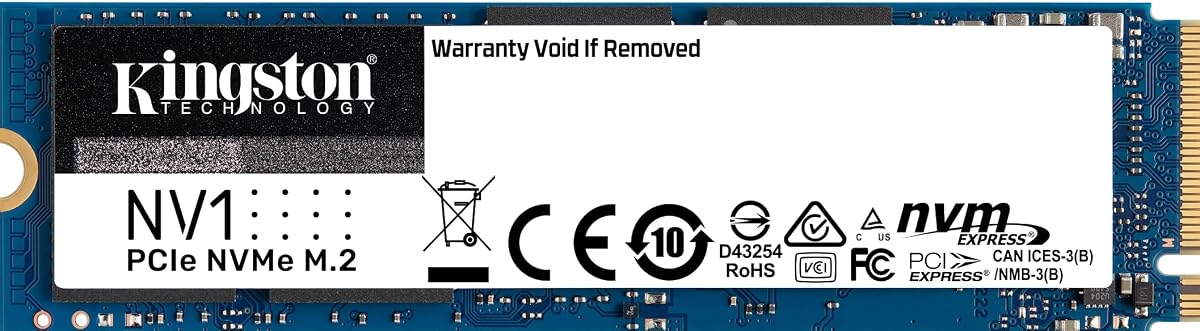
Kingston NV1 2TB M.2 2280 NVMe PCIe Internal SSD is ideal for laptops and small form factor PCs needing reliable storage. It offers up to 2100MB/s read and 1700MB/s write speeds ensuring smooth daily performance and quick boot times.
We may earn a commission when you buy through this link, at no additional cost to you.
Key strengths include availability in capacities up to 2TB to meet data requirements. The compact M.2 design gives greater flexibility and saves space. It serves as a dependable solution for general storage and upgrade needs in mobile systems.
While speeds are lower than PCIe 4.0 drives this model provides solid value for basic use. It handles everyday tasks efficiently without requiring advanced features or expensive tiers for users needing simple reliable expansion options.
This drive is perfect for laptop users needing reliable expansion or small PCs. It meets essential data storage requirements ensuring smooth performance for daily computing without demanding high-end specifications or complex system requirements.
Compact design fits seamlessly into laptops and small form factor PCs for easy storage upgrades without sacrificing portability.
Provides dependable performance for everyday computing and meets your data storage requirements reliably over time.
We may earn a commission when you buy through this link, at no additional cost to you.
Kingston NV1 500G M.2 2280 NVMe PCIe Internal SSD is ideal for laptops and small form factor PCs needing entry-level storage upgrades. It offers up to 2100MB/s read and 1700MB/s write speeds ensuring smooth daily performance and responsive boot times.
We may earn a commission when you buy through this link, at no additional cost to you.
Key strengths include availability in capacities up to 2TB to meet varied data storage needs. The compact M.2 design gives greater flexibility and saves space. It provides a reliable option for general storage expansion in mobile systems.
While speeds are lower than top tier drives this model delivers solid value for basic tasks. It handles everyday usage and light media work without needing advanced features or expensive performance tiers for casual users.
This drive is perfect for laptop users needing a reliable and simple expansion. It meets essential data storage requirements and ensures smooth performance for daily computing without demanding high-end system requirements.
Compact design fits seamlessly into laptops and small form factor PCs for easy storage upgrades without sacrificing portability.
Provides dependable performance for everyday computing and meets your data storage requirements reliably over time.
We may earn a commission when you buy through this link, at no additional cost to you.
Choosing the right internal storage requires considering several critical factors to ensure compatibility and performance.
Ensure your motherboard supports the PCIe generation of the drive. PCIe 4.0 and 5.0 drives offer higher speeds but require compatible slots.
Match the drive interface to your system capabilities to avoid bottlenecks.
Most Kingston NVMe drives use M.2 2280, but compact systems may need 2230 options. Check your device specifications for the correct size.
Select a form factor that fits your physical space requirements accurately.
Assess your storage needs based on applications and files. Models range from 128GB up to 4TB depending on the series.
Choose a capacity that allows room for future growth without overpaying.
Look for read speeds around 7000MB/s for top performance or lower speeds for budget builds. Write speeds vary by model.
Prioritize sequential speeds for faster load times and data transfers.
Drives with heatsinks or advanced controllers maintain better performance under load. Small form factor drives may run hotter due to compact size.
Consider thermal design to prevent throttling during intensive tasks.
Most Kingston SSDs come with a five-year limited warranty. Check specific terms for endurance limits and support options.
Verify warranty details to ensure protection for your investment.
Some models include cloning software like Acronis to simplify upgrades. Other drives may offer management tools for monitoring health.
Utilize included software to streamline migration and maintenance.
Gaming and content creation benefit from higher speeds while general use favors balance. Ensure the drive meets your specific workload demands.
Align the drive features with your primary computing tasks.
Install the drive by inserting it into the M.2 slot and securing it with a screw or standoff. Ensure the notch aligns with the key to prevent damage.
After installation, initialize the drive in your operating system using Disk Management or equivalent tools. Format it with the file system that fits your needs.
Update firmware using manufacturer tools like Kingston's utility or motherboard software. Keep temperatures in check by ensuring airflow or using heatsinks if available.
Compatibility depends on the M.2 slot and PCIe generation. Most modern boards support NVMe, but older systems may require BIOS updates or only accept Gen 3 drives. Always check motherboard specs.
NVMe SSDs use the PCIe interface offering much faster speeds than SATA. NVMe drives can reach thousands of MB/s while SATA is limited to about 600MB/s for better performance.
If your motherboard lacks cooling solutions or you perform heavy tasks, a heatsink helps prevent throttling. Some models include them while others can be added separately for better thermal management.
Use cloning software like Acronis True Image which often comes with compatible drives. Connect both drives, launch the tool, and follow the prompts to migrate your data and operating system.
Most Kingston NVMe SSDs have a rated TBW and come with a five-year warranty. Lifespan depends on usage intensity but typical users can expect many years of reliable performance without issues.
Yes, the PlayStation 5 supports NVMe SSDs meeting specific requirements for speed and size. The Kingston Renegade and compatible models offer PS5 Ready features for console storage expansion.
We selected ten top models ranging from budget-friendly options to high-performance gaming drives. Each offers distinct advantages whether you need raw speed for gaming or reliability for daily computing tasks.
Prioritize interface compatibility and form factor to ensure your new drive fits and works correctly. Consider your specific workload to balance speed and capacity for the best user experience.
Prices fluctuate often, so verify current offers before purchasing to secure the best value for your specific upgrade needs. Check warranty terms and included software for additional peace of mind.