
K7 Total Security 2026
4.2Editor score
Ransomware protection
Webcam blocking
Email delivery code
This guide compares the best laptop protection software options available in October 2026 focusing on security features performance and user experience for all
Protecting your laptop from digital threats is essential in today connected connected world where cyberattacks and data breaches happen daily. Reliable software safeguards your personal information, financial data, and sensitive files from malicious actors seeking to exploit vulnerabilities in your system.
We evaluated ten top-rated laptop protection solutions based on threat detection capabilities, ease of use, and additional privacy tools like VPNs and password managers. Our analysis covers both comprehensive suites and focused antivirus tools designed to meet diverse user needs across multiple platforms.
Each selection below highlights key features strengths and limitations to help you choose the right protection for your setup. Please note that pricing and promotional offers change frequently so verify current details before making your final decision to ensure you get the best value.
4.2Editor score

4.2Editor score

4.0Editor score
The following table provides a side-by-side overview of the ten selected laptop protection solutions highlighting their core capabilities device support and unique selling points to simplify your comparison process.



McAfee Total Protection 2027 stands out as a robust solution for users seeking comprehensive security across multiple devices. With a rating reflecting solid performance it offers real-time threat detection and identity monitoring to keep your digital life safe from evolving cyber risks.
We may earn a commission when you buy through this link, at no additional cost to you.
The suite excels in proactive protection by automatically blocking suspicious links and risky sites before they reach you. Its secure connection feature ensures your data remains encrypted on public Wi-Fi networks while the identity monitoring service alerts you if personal information appears exposed online.
Some users may find the automatic renewal process requires careful attention to avoid unintended charges after the initial term. The interface is straightforward though managing subscriptions through the account portal is necessary for those who prefer manual control over billing cycles.
This product is ideal for families or professionals who need consistent protection on several devices without managing multiple security tools. Its balanced feature set and responsive support make it a reliable choice for maintaining secure and uninterrupted device performance.
Identity monitoring watches for your exposed personal information and provides actionable steps to secure your accounts if a breach is detected.
Automatic protection on public Wi-Fi ensures your data stays encrypted whenever you connect to unsecured networks in cafes or airports.
We may earn a commission when you buy through this link, at no additional cost to you.
This version of McAfee Total Protection delivers essential internet security features for users with a smaller number of devices. It combines award-winning antivirus protection with privacy tools like an unlimited VPN and a password manager to create a well-rounded defense system.
We may earn a commission when you buy through this link, at no additional cost to you.
The unlimited VPN allows you to browse securely on any network without worrying about data limits or connection throttling. Identity monitoring scans for breached credentials and notifies you immediately so you can change passwords before attackers exploit leaked information.
While the three device limit suits many households it may not suffice for larger families with tablets and phones. The activation code arrives via email instantly which is convenient but requires you to store it safely for future reinstallation needs.
Choose this plan if you need reliable antivirus combined with strong privacy tools for a couple of laptops and a smartphone. It offers excellent value for users who prioritize secure browsing and strong password hygiene alongside traditional malware protection.
Connect to public Wi-Fi without fear as the unlimited VPN encrypts your traffic and masks your online activity from prying eyes.
Generate and store complex unique passwords with the built-in manager so you never have to reuse weak credentials across sites.
We may earn a commission when you buy through this link, at no additional cost to you.
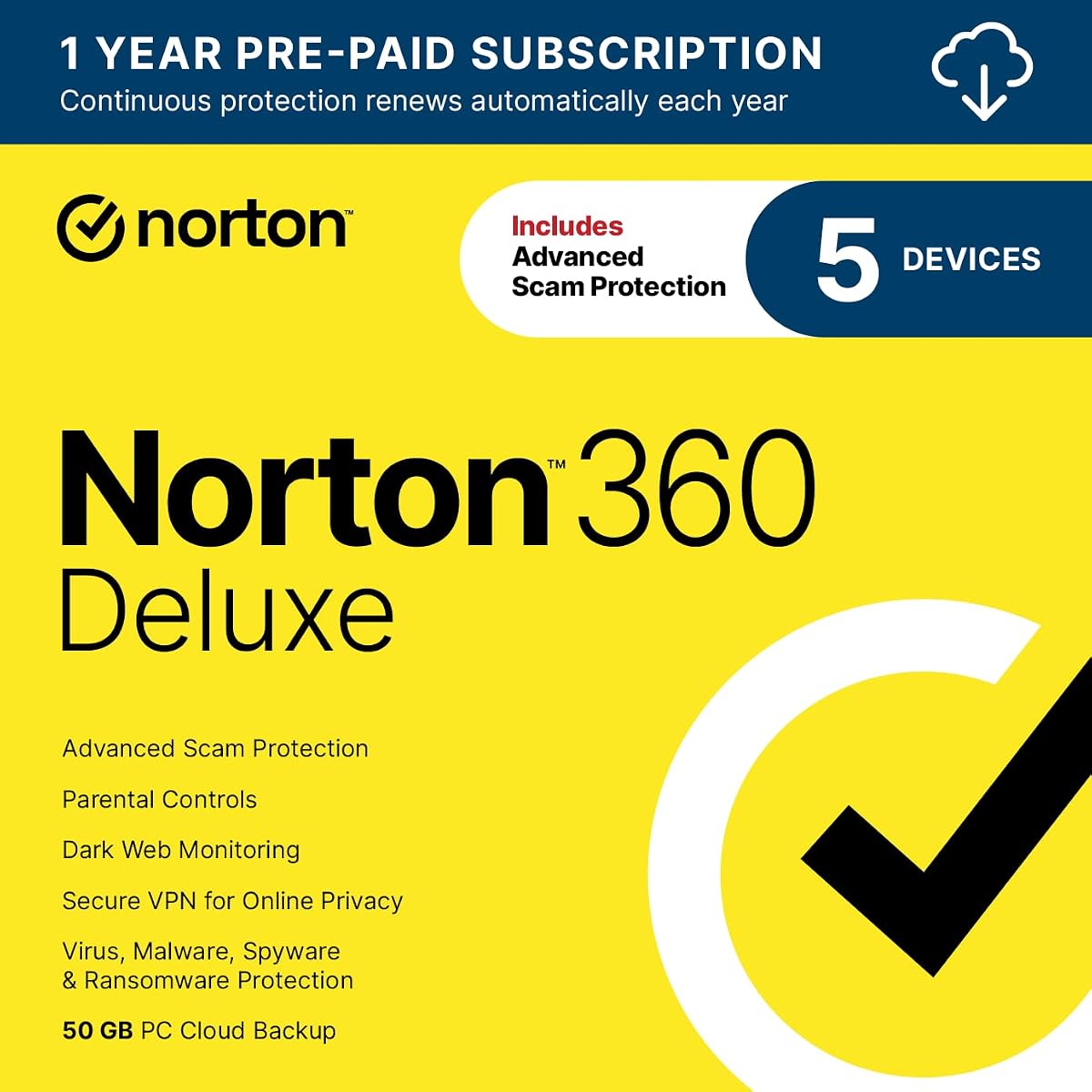
Norton 360 Deluxe brings advanced security features to five devices with a focus on user-friendly protection and identity safeguards. The built-in Genie AI assistant helps spot hidden scams in messages and emails adding an intelligent layer to traditional threat detection systems.
We may earn a commission when you buy through this link, at no additional cost to you.
Its fast VPN service protects your privacy across all devices including Smart TVs while dark web monitoring alerts you if your credentials surface online. The fifty GB secure cloud backup ensures your photos and files remain safe even if ransomware or hardware failure occurs.
Users should be aware that the introductory pricing may change significantly at renewal which requires attention to avoid unexpected costs. Performance remains strong but some may notice slight system resource usage during full scans depending on their hardware specifications.
This suite is perfect for users who want proactive scam protection and reliable cloud backup alongside antivirus. The Genie AI and fast VPN make it a strong contender for families valuing both security and convenience in their digital protection tools.
The built-in Genie AI assistant analyzes messages and emails to help you identify and avoid hidden online scams before you click links.
Automatic backup of photos and files to secure cloud storage prevents data loss from ransomware attacks or accidental drive failures.
We may earn a commission when you buy through this link, at no additional cost to you.
McAfee+ Premium 2027 extends protection to unlimited devices with a strong emphasis on controlling your personal data footprint online. Its unique social privacy manager helps locate and adjust privacy settings buried in your social accounts to minimize unwanted exposure.
We may earn a commission when you buy through this link, at no additional cost to you.
Personal data scans search for your information on sites selling it and guide you through removal steps to reduce risks of identity theft. Adaptive protection adjusts alerts to your specific usage patterns ensuring you get relevant notifications without constant interruptions.
Managing unlimited devices requires a unified account system which may involve some setup for new users not familiar with the interface. The subscription auto-renews annually so you must track renewal dates if you plan to cancel or switch providers later.
Choose this premium option if you own many devices and prioritize control over social media privacy and personal data removal. The unlimited coverage and specialized data tools make it a standout for users seeking extensive privacy beyond basic virus protection.
Automatically finds privacy settings buried in your social accounts and fixes them so you share only what you intend to with others.
Scans for your personal information on data broker sites and guides you on how to remove it to lower identity theft risks.
We may earn a commission when you buy through this link, at no additional cost to you.
K7 Total Security offers a budget-friendly entry into comprehensive internet security without sacrificing essential threat detection capabilities. It safeguards your laptop against viruses malware and ransomware while blocking unauthorized access to your webcam to prevent spying.
We may earn a commission when you buy through this link, at no additional cost to you.
The software maintains online privacy while you work surf or bank ensuring your identity remains secure across web sessions. Activation codes arrive via email within hours so you can start protecting your device quickly without waiting for physical delivery.
Its single-user license limits flexibility if you share the computer with family members who also need separate protection profiles. Lack of cloud backup means you must rely on external storage solutions for critical file recovery in case of ransomware attacks.
This product suits individuals seeking basic yet effective protection for a single device at a low price point. The webcam protection and ransomware defense are valuable features that justify its selection for budget-conscious users prioritizing core security needs.
Prevents unauthorized applications and hackers from spying on you by automatically blocking access to your webcam when not in use.
Protects photos and files from being encrypted or deleted by ransomware and other untrusted apps attempting to modify your data.
We may earn a commission when you buy through this link, at no additional cost to you.
This protection plan complements software security by covering physical accidents and hardware malfunctions for your laptop. It includes repair costs parts labor and shipping for drops spills and cracked screens ensuring financial stress does not follow an accidental damage event.
We may earn a commission when you buy through this link, at no additional cost to you.
Experts are available round the clock to assist with setup connectivity issues or troubleshooting beyond simple repairs. If the device cannot be repaired you receive an e-gift card equal to the purchase price or a direct replacement depending on terms.
Claims can be filed online or by phone with most approvals happening within minutes for quick resolution of issues. Coverage starts immediately on purchase date but pre-existing conditions or software issues are not covered under this hardware-focused plan.
Select this plan if you frequently travel or use your laptop in environments where physical damage risks are higher. It provides peace of mind for accidental damage while software protection handles digital threats so both physical and virtual risks are managed.
Drops spills and cracked screens due to normal use are covered from day one so you do not pay for accidental hardware repairs.
File a claim anytime online or by phone with most claims approved within minutes to restore your device or replace it rapidly.
We may earn a commission when you buy through this link, at no additional cost to you.
This McAfee variant targets smaller households needing solid antivirus with identity and connection security for a few devices. Guided action alerts tell you exactly what matters and how to respond simplifying security management for non-technical users.
We may earn a commission when you buy through this link, at no additional cost to you.
Threat detection catches suspicious links viruses and scams automatically while identity monitoring watches for exposed info to prompt timely action. Secure connections protect your info on public Wi-Fi consistently every time you connect without needing manual intervention.
Managing the subscription requires logging in to the account page if you wish to cancel before auto-renewal occurs. The three device cap may limit expansion but suits compact setups where flexibility across many devices is not a primary requirement.
Pick this solution if you want straightforward guided security for a couple of laptops and a phone. The clear alerts and responsive support ensure you stay protected without confusion or delays when facing potential digital threats online.
Simple alerts explain what matters and what to do next making it easy to take action without needing technical expertise or research.
Phone or chat support is available any hour plus help articles so you can resolve issues quickly whenever you need assistance.
We may earn a commission when you buy through this link, at no additional cost to you.
Bitdefender Total Security delivers world-class antivirus and cyber protection across Windows Mac iOS and Android devices with flexible usage modes. The dedicated safe online banking browser secures your transactions while game and work modes optimize performance during intensive activities.
We may earn a commission when you buy through this link, at no additional cost to you.
Advanced threat defense includes multi-layer malware protection social network protection and anti tracker features to prevent unauthorized monitoring. Webcam and microphone monitors stop hackers from spying on you keeping your physical and digital environments secure from prying eyes.
Activation codes come by mail which may take a few days compared to instant digital downloads some users prefer. Lack of extensive cloud backup means external storage remains necessary for critical file recovery after ransomware incidents or drive failure.
Choose this suite if you use multiple operating systems and want performance optimization alongside security. The banking browser and privacy controls make it ideal for users who value cross-device protection and uninterrupted work or gaming experiences.
A unique dedicated browser secures your online transactions ensuring your financial data stays safe from keyloggers and other threats.
Game movie and work modes automatically disable notifications and security scans to keep your device running smoothly during focused tasks.
We may earn a commission when you buy through this link, at no additional cost to you.
This Norton variant provides essential protection for three devices with Genie AI scam protection and dark web monitoring for identity safety. The twenty five GB secure cloud backup helps prevent data loss from ransomware or hard drive failures keeping your files recoverable.
We may earn a commission when you buy through this link, at no additional cost to you.
Real-time protection guards against existing and emerging malware threats without slowing down your device performance during daily use. Fast VPN speeds protect your privacy across devices including Smart TVs ensuring safe browsing on all connected platforms.
The lower rating suggests occasional user frustration with renewal rates or installation steps compared to full suites. Ensure you review renewal policies since introductory pricing will shift after year one to avoid budget surprises during subscription transitions.
This package fits households needing core Norton features on a small number of devices. The Genie AI and cloud backup are valuable for users wanting scam avoidance and file recovery without paying for unlimited device licenses.
The built-in Genie AI assistant helps you spot hidden scams online so you never wonder if a message or email is suspicious again.
Search the dark web for your information and notify you immediately if your data appears on sites where identity thieves operate.
We may earn a commission when you buy through this link, at no additional cost to you.
Norton 360 Premium extends comprehensive security to ten devices making it perfect for large families or users with many connected gadgets. The seventy five GB secure PC cloud backup safeguards your photos and files from ransomware or hardware failure effectively.
We may earn a commission when you buy through this link, at no additional cost to you.
Advanced scam protection via Genie AI helps identify suspicious messages and emails while dark web monitoring alerts you if your credentials surface online. Real-time protection stops emerging malware threats without slowing device performance ensuring smooth daily computing experiences.
Managing ten devices requires an organized account system to track updates and licenses effectively across your ecosystem. Auto-renewal ensures continuous coverage but monitor the renewal rates to maintain budget alignment over the long term.
Choose this plan if you need extensive device coverage and maximum cloud backup space. The premium feature set ensures every connected gadget stays secure while your personal data remains protected from identity theft and malware across all platforms.
Seventy five GB of secure storage helps prevent the loss of photos and files due to ransomware or hard drive failures.
Install protection for ten PCs Macs iOS or Android devices ensuring consistent security across your entire connected home environment.
We may earn a commission when you buy through this link, at no additional cost to you.
Selecting the right laptop protection software involves evaluating security features device compatibility and privacy tools to match your usage patterns.
Consider how many devices you need to protect as plans range from single-user to unlimited licenses. Families with multiple laptops tablets and phones benefit from broader coverage that simplifies managing security across all gadgets.
Choose a plan that matches your current and future device count to avoid needing multiple subscriptions for a single home.
Effective software should block viruses ransomware phishing links and suspicious sites automatically before they reach your system. Look for real-time protection and advanced AI-driven analysis to stay ahead of emerging cyber threats.
Prioritize tools with proven detection rates to ensure your laptop remains safe from both common and sophisticated digital attacks.
Beyond antivirus identity monitoring dark web scanning and VPN services add layers of privacy protection. These tools alert you if personal data is exposed online and secure your traffic on public networks.
Select a suite that includes identity features if you value privacy and want to prevent data breaches from affecting your accounts.
Cloud backup helps recover files lost to ransomware or hardware failure. Different plans offer varying storage limits ranging from twenty-five to seventy-five gigabytes for secure data recovery.
Ensure the included backup space meets your needs for photos and documents to avoid losing critical information during security incidents.
An intuitive interface with clear alerts simplifies managing security tasks without technical expertise. Look for guided action steps and 24/7 customer support options for immediate help with installation or troubleshooting.
Prioritize user-friendly tools with responsive support teams to reduce stress when addressing potential security issues on your device.
Many plans auto-renew annually so understanding billing cycles is essential to avoid unexpected charges. Check policies for cancellation or price adjustments after introductory terms expire.
Choose software with transparent renewal policies and easy account management to maintain control over your security expenses.
If you use different operating systems ensure the software supports Windows Mac iOS and Android consistently. Cross-platform protection ensures uniform security regardless of the device you are using.
Verify that the suite works on all your devices to avoid gaps in coverage when switching between platforms.
Compare plans based on features offered rather than just the upfront cost. A higher price may provide more devices or better backup capacity offering better long-term value for your needs.
Evaluate total value including privacy tools and support to determine which plan best fits your budget and security requirements.
Install the software immediately after downloading the activation code from your email or Amazon account to begin protecting your device. Follow the setup instructions carefully to enable all core security features and update the virus definitions.
Enable automatic updates for both the software and its virus database to stay protected against new threats as they emerge. This ensures real-time defense without requiring manual intervention every time a new patch or definition is released.
Periodically review account settings and subscription details to manage renewals and device limits effectively. Adjust privacy features like firewall and webcam controls to match your security preferences and maintain smooth system performance.
Most modern suites are optimized to minimize performance impact during daily use. While full scans may temporarily use resources real-time protection usually runs efficiently without noticeable slowdowns on most hardware.
Yes most plans offer licenses for several devices ranging from three to ten or even unlimited depending on the suite. Ensure you check the device count before purchasing to match your household needs.
Identity monitoring scans for your personal information online and alerts you if it appears exposed on data broker or dark web sites. This allows you to take action quickly to prevent potential identity theft.
Software protects against digital threats while hardware plans cover physical damage like spills or broken screens. Using both ensures comprehensive security against both cyberattacks and accidental damage to your device.
Renewals are often automatic so you should track renewal dates in your account to avoid unexpected charges. You can manually renew or cancel through the account portal provided by the security company.
Use built-in scam protection tools or AI assistants to analyze the message before opening links or attachments. Report suspicious emails to your security provider to help improve detection for everyone.
Many premium and deluxe plans include cloud backup ranging from twenty-five to seventy-five gigabytes. Verify the included storage space in the product description to ensure it meets your data recovery needs.
Yes you can cancel anytime through your account page but check the policy to understand if you receive a prorated refund. Tracking renewal dates helps avoid unintended charges after your term expires.
Our top picks include McAfee Total Protection 2027 for comprehensive defense K7 Total Security 2026 for budget users and Norton 360 Premium for unlimited device coverage. Each offers distinct strengths suited to different household sizes and privacy priorities.
When choosing prioritize the features that matter most to you such as cloud backup identity monitoring or unlimited device support. Balancing protection with ease of use ensures your laptop remains secure without complicating your daily workflow.
Verify current pricing and subscription terms before purchase as these details can change frequently over time. Regularly review your security settings and account details to maintain optimal protection and avoid unexpected renewal charges.