
HP 14 inch Laptop 2027 Edition
4.5Editor score
Anti-glare display coating
Lightweight 3.24 lb chassis
Intel N150 Processor
Finding a laptop with an anti glare screen is essential for anyone who spends long hours working or browsing online. These displays reduce reflections and eye strain significantly compared to glossy panels found on many modern devices today.
We have evaluated ten real products based on their display quality, performance, and overall value. Each entry in this list offers specific benefits tailored to different user needs ranging from students to professionals seeking reliable hardware.
Every pick highlights key specifications and real-world usability factors to help you decide quickly. Please note that prices and availability change frequently so check the linked product page for the most current offers before purchasing.
4.5Editor score

4.4Editor score

4.5Editor score
As an Amazon Associate we earn from qualifying purchases.
The following table provides a side-by-side comparison of all ten laptops featured in this guide. Use this overview to quickly identify which model matches your specific needs for screen size, processor type, and memory capacity.




This Dell model offers a straightforward solution for everyday tasks with a focus on eye comfort through its ComfortView software. The 15.6 inch screen provides ample workspace while the ergonomic design helps maintain posture during extended use.
We may earn a commission when you buy through this link, at no additional cost to you.
The Intel Core 3 processor handles basic office applications and web browsing efficiently. Features like the separate numeric keypad and lifted hinges make typing more comfortable for users who spend significant time entering data or writing documents.
While the eight gigabytes of RAM may limit heavy multitasking, it is sufficient for standard productivity workflows. The onsite service warranty adds peace of mind for those who prefer direct hardware support over shipping devices for repairs.
Buyers seeking a reliable machine for school or light office work will find this laptop meets their needs without unnecessary complexity. It strikes a balance between cost and functionality for users who prioritize display comfort and typing ergonomics.
The ComfortView software reduces harmful blue light emissions to keep eyes comfortable during long sessions without needing external filters.
Lifted hinges provide a natural typing angle that reduces wrist strain and improves overall posture for daily users.
We may earn a commission when you buy through this link, at no additional cost to you.
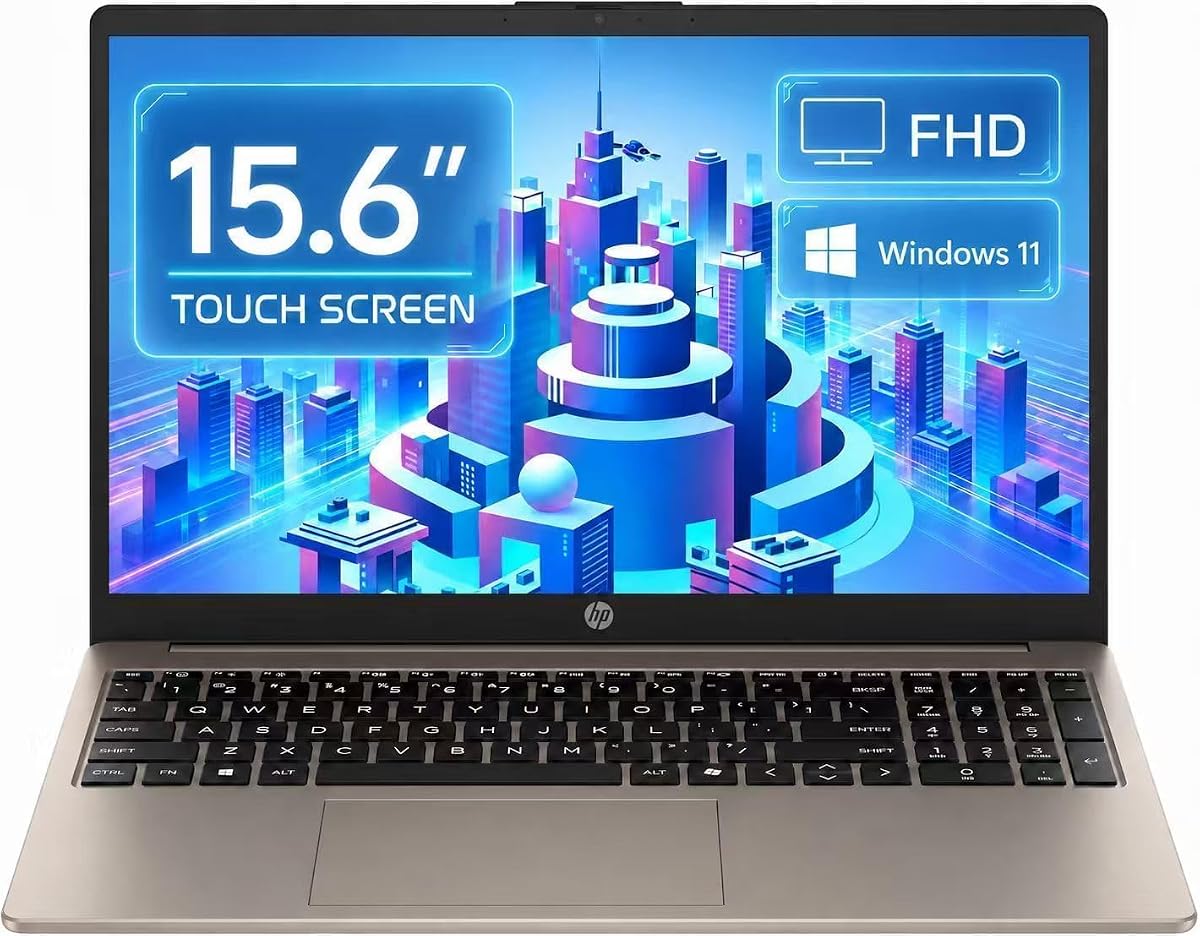
The HP Pavilion combines a responsive touchscreen with an anti-glare finish to deliver a versatile user experience. Its 16 gigabytes of RAM and one terabyte of SSD storage ensure smooth performance and plenty of space for files.
We may earn a commission when you buy through this link, at no additional cost to you.
Navigating apps and zooming into photos becomes intuitive with the capacitive touchscreen interface. The anti-glare coating ensures that reflections do not interfere with visibility even in brightly lit rooms or outdoor settings.
Privacy-conscious users will appreciate the built-in camera shutter that physically blocks the lens when not in use. The substantial storage allows for extensive media libraries without needing external drives for most personal computing scenarios.
This laptop is ideal for households or students who need a reliable all-around device for entertainment and productivity. The combination of screen quality and storage capacity makes it a strong contender in its price range.
Capacitive touchscreen technology makes interacting with apps and documents more natural and faster than traditional mouse navigation.
With 16GB RAM and 1TB SSD you can switch between programs quickly and store large amounts of data securely.
We may earn a commission when you buy through this link, at no additional cost to you.
Designed for mobility this HP laptop weighs only 3.24 pounds and features a slim profile that fits easily into backpacks. The anti-glare coating on the 14 inch display ensures clear visuals without glare disrupting your view.
We may earn a commission when you buy through this link, at no additional cost to you.
Despite its compact size it delivers efficient multitasking capabilities thanks to the Intel N150 CPU and DDR5 memory support. Users get one terabyte of cloud storage along with a one year Microsoft 365 subscription for seamless document management.
The trade-off lies in the limited local storage and RAM which may require reliance on cloud services for larger files. However for basic tasks like web browsing and word processing this machine performs well within its intended budget segment.
Students or travelers looking for an affordable portable device will find this model meets their core needs effectively. Its balance of weight and display quality makes it a top choice for those prioritizing ease of transport.
The slim 0.71 inch profile and lightweight chassis make it easy to carry between home office and school daily.
The anti-glare coating on the 14 inch display ensures clear visuals without glare disrupting your view in bright environments.
We may earn a commission when you buy through this link, at no additional cost to you.
This HP model stands out with its AMD Ryzen 5 processor and a bright 300 nit anti-glare touchscreen display. The AI noise reduction feature enhances video call quality by filtering out background noise during meetings.
We may earn a commission when you buy through this link, at no additional cost to you.
The 15.6 inch screen offers wide viewing angles and lifelike color reproduction thanks to IPS technology. Users can enjoy fluid visual performance without artifacts due to AMD FreeSync technology which syncs refresh rates effectively.
While the 256GB SSD provides fast boot times it may require external solutions for extensive media libraries. However the inclusion of a privacy shutter on the webcam adds a layer of security for remote workers and students.
The combination of modern AI features and solid display quality makes this a strong choice for versatile daily use. It balances performance and security well for users who need reliable hardware for work and entertainment.
Advanced AI noise reduction tracks your voice during calls while filtering out background noises for focused communication.
IPS technology ensures clear views from different angles with 300 nits brightness and anti-glare touch for optimal comfort.
We may earn a commission when you buy through this link, at no additional cost to you.
Equipped with a 13th Gen Intel Core i7 processor this laptop delivers real-world computing efficiency for demanding tasks. The Intel Iris Xe graphics provide impressive visuals for content creation and casual gaming without needing a dedicated GPU.
We may earn a commission when you buy through this link, at no additional cost to you.
Users benefit from fast charge technology that powers the device from zero to fifty percent in roughly forty five minutes. This feature ensures you spend more time productive and less time tethered to a power outlet during busy days.
The 16 gigabytes of RAM and one terabyte of SSD storage allow for smooth multitasking and ample file space. Wi-Fi 6 support ensures reliable connections for streaming and downloads even in crowded network environments.
Creators or professionals needing a portable workstation will find the performance specs well suited for their needs. The anti-glare display further enhances usability by reducing eye strain during long editing or coding sessions.
Intel Iris Xe graphics deliver a new level of performance for creating gaming and entertainment in a thin laptop.
Fast charge capability powers the device from zero to fifty percent in roughly forty five minutes for quick readiness.
We may earn a commission when you buy through this link, at no additional cost to you.
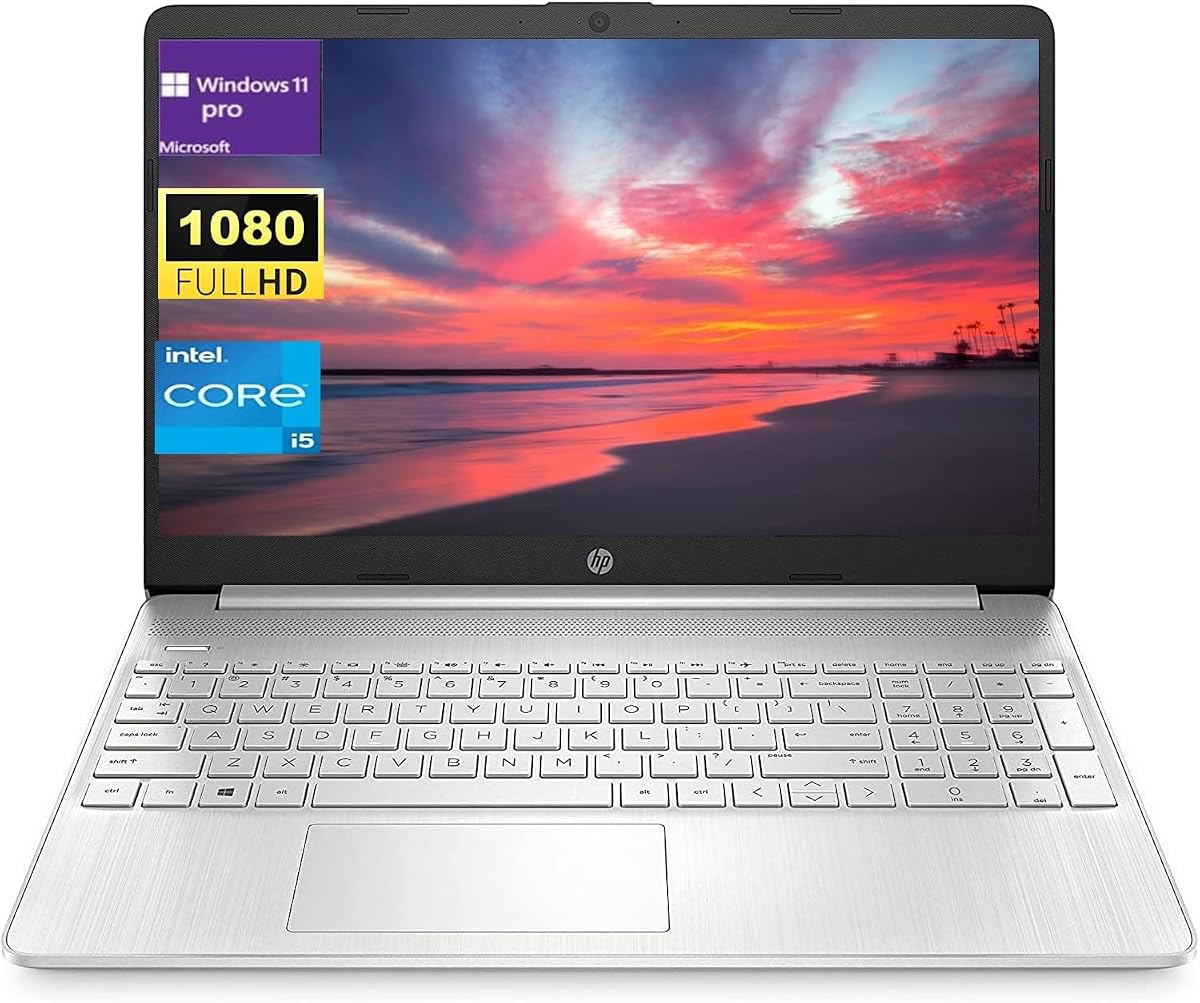
This HP laptop comes with Windows 11 Pro which offers enhanced security and management features ideal for business users. The 512GB SSD provides fast boot times and enough space for most professional applications and data sets.
We may earn a commission when you buy through this link, at no additional cost to you.
The 15.6 inch FHD anti-glare display ensures clear visuals for document editing and data analysis. An integrated SD card reader adds convenience for transferring media from cameras or other devices without extra adapters.
While the processor is from the 11th generation it still handles standard office tasks and web browsing efficiently. The inclusion of HDMI and various USB ports ensures compatibility with a wide range of peripherals and external displays.
Small business owners or IT departments needing a reliable machine with professional OS features will find this unit useful. It balances cost and functionality effectively for users who do not require the latest high-end hardware.
Windows 11 Pro offers enhanced security and management features ideal for business users and professional environments.
An integrated SD card reader adds convenience for transferring media from cameras or other devices without extra adapters.
We may earn a commission when you buy through this link, at no additional cost to you.
This renewed Dell Latitude offers a durable business chassis with an anti-glare touchscreen display for professional use. The 16 gigabytes of DDR4 RAM ensure smooth multitasking for complex workflows and virtual machines.
We may earn a commission when you buy through this link, at no additional cost to you.
With Thunderbolt 4 ports users can connect to high-speed peripherals and external displays with ease. The anti-glare touch feature adds usability for navigating menus and editing documents directly on the screen.
While the SSD storage is modest it can be upgraded by advanced users if needed for larger file requirements. The renewed status provides significant cost savings while maintaining reliable hardware standards for daily tasks.
Corporate IT or professionals seeking a durable laptop with enterprise features will find this model a practical option. It combines proven business design with the convenience of modern connectivity options for field work.
Thunderbolt 4 ports enable high-speed data transfer and connect to external displays or docks with ease.
The renewed status provides significant cost savings while maintaining reliable hardware standards for daily professional tasks.
We may earn a commission when you buy through this link, at no additional cost to you.
This Lenovo model features DDR5 RAM which provides faster data processing speeds compared to previous generations. The anti-glare display ensures comfortable viewing during long work sessions or online classes without eye strain.
We may earn a commission when you buy through this link, at no additional cost to you.
Built with durability in mind it is MIL-STD-810H military-grade tested to withstand challenging conditions and daily wear. The Low Blue Light certification supports eye health for users who spend extended periods in front of the screen.
While local storage is limited it can be supplemented by cloud services which are included with the Microsoft 365 subscription. Fast charging keeps you powered throughout the day without significant downtime during busy schedules.
Students or remote workers needing a rugged yet affordable machine will appreciate the build quality and battery performance. It offers a solid foundation for general computing tasks with essential reliability features.
MIL-STD-810H military-grade tested (21 test items) ensures reliability in challenging conditions.
TÜV Low Blue Light certified to support eye health for users who spend extended periods in front of the screen.
We may earn a commission when you buy through this link, at no additional cost to you.
This HP laptop boasts a large 17.3 inch screen that provides ample space for multitasking and media consumption. The anti-glare IPS display offers wide viewing angles and vibrant color reproduction for an immersive visual experience.
We may earn a commission when you buy through this link, at no additional cost to you.
Powered by the AMD Ryzen 5 7430U processor it handles daily tasks and entertainment with responsive performance. The dedicated Copilot key offers quick access to AI tools to streamline workflows and enhance efficiency.
While the larger screen makes it less portable it is ideal for stationary workspaces or home offices where screen real estate matters. The 16GB RAM and 1TB storage ensure smooth operation even with many applications open simultaneously.
Users prioritizing display size and performance will find this model a compelling choice for home and office use. It delivers a premium viewing experience with robust hardware to support varied computing needs.
The 17.3 inch screen provides ample space for multitasking and media consumption with wide viewing angles.
The dedicated Copilot key offers quick access to AI tools to streamline workflows and enhance efficiency.
We may earn a commission when you buy through this link, at no additional cost to you.
The 2026 edition HP laptop features a modern 17 inch display with anti-glare technology for comfortable viewing. The lift-hinge design improves ergonomics while the 512GB SSD provides fast boot-ups and application launches.
We may earn a commission when you buy through this link, at no additional cost to you.
With 16GB of RAM this machine supports seamless multitasking for work and study scenarios. The AMD Ryzen 5 processor ensures responsive performance for streaming and light content creation tasks without lag.
While the size limits portability it remains an excellent choice for desktop replacement scenarios where screen quality is priority. USB-C connectivity and Wi-Fi 6 ensure that modern peripherals and networks are fully supported.
Home office users and students who need a large workspace will find this model well suited for their requirements. It combines modern design elements with solid performance for everyday productivity needs.
The lift-hinge design improves ergonomics while enhancing typing angles for a more comfortable user experience.
USB-C connectivity and Wi-Fi 6 ensure that modern peripherals and networks are fully supported without adapters.
We may earn a commission when you buy through this link, at no additional cost to you.
Selecting a laptop with an anti-glare screen requires considering several factors beyond just the display. This guide outlines key specifications to help you find a device that matches your workflow and environment.
Bright displays ensure visibility in well-lit rooms or outdoors where glare might otherwise obscure content. Look for a minimum of 250 nits brightness to maintain clarity without straining your eyes.
Higher resolution panels like Full HD offer sharper text and images which reduces visual fatigue during long work sessions.
A quality matte finish diffuses reflections from overhead lights or windows allowing you to focus on content rather than glare. This is critical for users who move between different lighting conditions throughout the day.
Check reviews for feedback on how well the coating holds up to smudges and cleaning over time.
Choose a processor that aligns with your typical tasks such as office work or media consumption. Faster CPUs handle multitasking better and ensure the system remains responsive over years of use.
Modern entry-level chips can manage everyday apps efficiently without requiring high-end dedicated graphics hardware.
At least 8GB of RAM is recommended for smooth multitasking while larger capacity SSDs provide faster boot times. This combination ensures your laptop remains fast and responsive without lagging as your file library grows.
Consider expandability or cloud options if local storage is limited but you need to access large files frequently.
For users who work away from outlets look for models advertising over ten hours of use on a single charge. This reduces the need to carry heavy chargers and increases flexibility during travel or field work.
Real-world battery life often varies based on screen brightness and active applications so check independent reviews for details.
Ensure the laptop includes necessary ports like USB-A, HDMI, and USB-C to connect peripherals without dongles. Reliable Wi-Fi 6 and Bluetooth versions improve stability for wireless networking and accessory pairing.
Additional features like SD card readers or Ethernet jacks can save time if you frequently transfer media or use wired networks.
A sturdy chassis and comfortable keyboard layout are essential for daily use and longevity. Lightweight designs are easier to carry but should not sacrifice durability or typing comfort.
Check for lifted hinges or adjustable screens that improve posture and reduce strain during extended typing sessions.
Windows 11 provides modern features and security updates that suit most users while Home or Pro versions differ by manageability. Ensure the system comes with essential software or supports easy installation of your preferred tools.
Consider additional subscriptions like Microsoft 365 that may be included to enhance productivity with ready-to-use apps.
Clean the screen regularly with a soft microfiber cloth to remove dust and smudges without scratching the coating. Avoid harsh chemicals or paper towels that can degrade the matte finish over time.
Adjust the screen brightness to match your environment to reduce eye strain and maintain the anti-glare effectiveness. Lower brightness settings indoors can help preserve battery life while keeping visuals comfortable.
Use a laptop stand or elevated surface to improve airflow and prevent overheating during long work sessions. Ensure the hinges are fully open to avoid stress on the display when typing.
An anti-glare screen uses a matte finish to diffuse light reflections from overhead lights or windows. This reduces eye strain and improves visibility in bright environments compared to glossy displays.
Anti-glare coatings can slightly reduce color vibrancy compared to glossy panels but modern IPS displays mitigate this effect. For most users the comfort benefits outweigh minor color shifts during daily tasks.
Use a dry microfiber cloth to wipe away dust and smudges gently. Avoid using alcohol-based cleaners or paper towels that might scratch or damage the coating.
Yes, because it minimizes reflections from sunlight which helps you see the display content clearly. Higher brightness levels further enhance visibility when working outside or near windows.
You can apply a matte film over a glossy screen to reduce glare but it may impact touch sensitivity. Built-in anti-glare coatings are generally more durable and effective for long-term use.
Larger screens allow for better text size and multitasking which can reduce the need to squint or lean in. Pairing a large display with an anti-glare finish further supports eye comfort.
We have reviewed ten laptops that balance display comfort with performance and value for different users. Whether you need a lightweight travel companion or a large stationary workspace there is a model here for your needs.
Prioritize screen brightness and processor speed based on how you plan to use the device daily. Investing in a unit with anti-glare technology ensures your eyes remain comfortable during extended work sessions.
Prices and availability change often so verify current deals before purchasing to get the best value. Check the product pages for any updated offers that may not be reflected in our guide.